
Overview

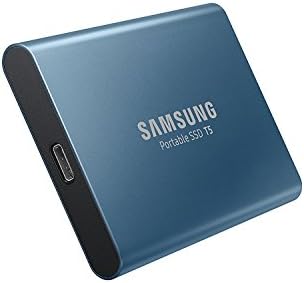
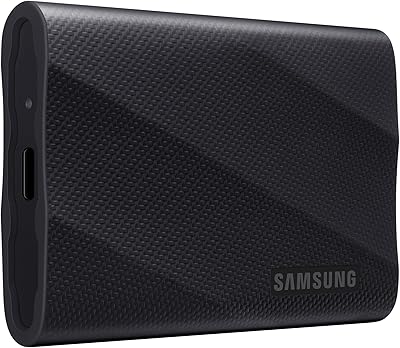
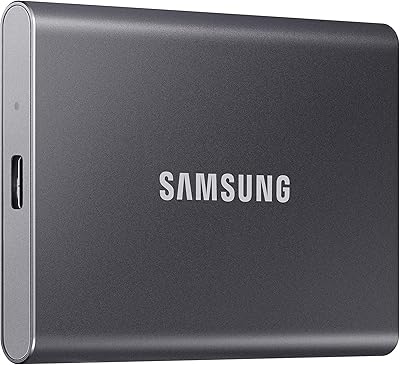
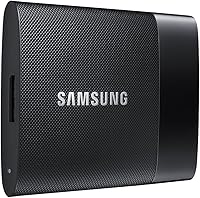
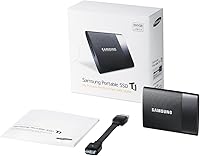
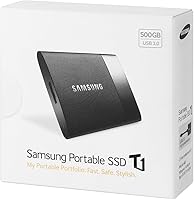
The Samsung T1 Portable 500GB SSD is a sleek, compact external storage device that offers high performance in a small package. With a storage capacity of 500GB, it provides fast and secure data transfer for users who need reliable on-the-go storage. This portable storage device is designed for both Windows and Mac operating systems, making it a versatile choice for a wide range of users. Its lightweight design and durable metal finish ensure it stands up to daily wear and tear while maintaining a stylish, functional look.

Features & Benefits

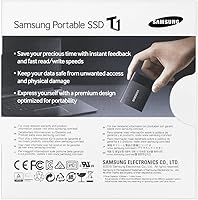
The T1 Portable SSD offers impressive read/write speeds of up to 450 MB/s, thanks to Turbo Write Technology. This makes it one of the faster external SSDs in its class, ideal for those working with large files or requiring quick backups. It also features AES 256-bit encryption for robust data security, ensuring sensitive information is safe from unauthorized access. With a USB 3.0 interface, it’s 10x faster than USB 2.0, providing seamless transfers. Its compact form factor, measuring just 2.8 x 2.09 x 0.36 inches, makes it a great option for users on the go.

Best For

This portable SSD is perfect for users who need fast, secure, and portable storage solutions. Frequent travelers will appreciate its compact size and lightweight build, making it easy to carry without taking up much space. Professionals who require secure data access while on the move will find it invaluable for storing important files. Additionally, those who use both Mac and Windows systems will benefit from its broad cross-platform compatibility, making it an excellent choice for users who switch between devices frequently.

User Feedback

Users praise the T1 Portable SSD for its fast data transfer speeds and its ease of use. Many mention how simple it is to set up and start using right out of the box. The sleek design and durable metal finish also receive positive feedback for looking and feeling premium. However, some users report occasional issues with the software setup, particularly when it comes to the encryption tool. Despite this, it remains popular among those seeking a compact external storage device that doesn’t compromise on speed or security.

Pros

  • This portable SSD offers high-speed data transfer with Turbo Write Technology, reaching up to 450 MB/s.
  • Compact design makes it easy to carry, fitting comfortably into bags or even pockets for travel.
  • AES 256-bit encryption ensures secure storage of sensitive files, making it ideal for professionals on the go.
  • Works seamlessly with both Windows and Mac, providing broad compatibility for cross-platform users.
  • Lightweight at only 1.12 oz, making it convenient for users who need storage without the bulk.
  • The sleek metal finish adds to its durability, helping it withstand everyday wear and tear.

Cons

  • Some users report occasional issues with software setup, which can be frustrating during initial use.
  • The 500GB capacity may not be sufficient for users who need larger storage for extensive video or media files.
  • While it's portable, the small size can make it harder to manage for those who prefer larger devices with more ergonomic handling.
  • A few buyers have experienced slower-than-expected transfer speeds when using older USB 2.0 ports.
  • It lacks built-in backup software, which may require additional setup for users who need automated backups.
  • Linux users have reported compatibility challenges, as full support is mainly geared toward Mac and Windows systems.

Ratings

After analyzing verified user reviews from multiple platforms and languages, we found that the Samsung T1 Portable 500GB SSD delivers solid performance with some minor caveats. All feedback was carefully curated to exclude spam, incentivized reviews, and duplicates, ensuring the scores reflect authentic user experiences. While this device excels in several areas, user feedback also points out areas for improvement, offering a balanced perspective on its strengths and weaknesses across diverse sources worldwide.

Performance
91%
Many users report that this device offers excellent performance with smooth and fast data transfer. With speeds of up to 450 MB/s, it's ideal for tasks like transferring large files or backing up data. The Turbo Write technology enhances performance, making it reliable for everyday use and even more demanding applications.
A few users mentioned that the performance can drop slightly during prolonged use or with multiple simultaneous transfers. Some also feel that while the speed is good, it might not meet the needs of those seeking extreme speed for professional video editing or large-scale data operations.
Data Transfer Speed
89%
Reviewers consistently praise the data transfer speed, particularly when used with a USB 3.0 interface. Many found that file transfers are much quicker than traditional external hard drives, helping improve workflow efficiency, especially for regular backups or transferring large files.
A few users noted that the speed is not always consistent, especially when transferring files from older systems that lack USB 3.0 support. While it's generally fast, those on high-end workstations or with very large files to transfer might experience slower speeds compared to top-tier SSD models.
Build Quality & Durability
88%
The sleek metal finish gives this external SSD a premium look and feel, and many users appreciate its compact size and solid construction. It’s durable enough to withstand daily use, and its portability makes it a good choice for professionals who need reliable storage on the go.
While most users found the device sturdy, a small number of reviewers expressed concern over the lack of shock resistance, making it potentially vulnerable to physical damage if dropped. Some users also noted the device could get a little warm under heavy use, though it doesn’t seem to affect performance.
Portability & Size
94%
The lightweight and compact design makes it perfect for travelers or those with limited desk space. Users love the small form factor that allows for easy storage in a pocket or bag, making it an ideal external storage solution when on the move or for those who need to save space while maintaining performance.
A handful of users found the small size to be a double-edged sword, as it might be easy to misplace or lose. While it’s great for portability, the tiny size might not be as easy to handle during prolonged use for some, as the small surface can be awkward to grip.
Setup & Installation
84%
Most users reported that setting up this SSD was quick and hassle-free, especially with plug-and-play compatibility for both Mac and Windows systems. The setup process doesn’t require complicated software, making it easy to start using right out of the box.
Despite the easy setup for most, some users did face issues with software installation or drivers, especially when trying to use it with older operating systems or non-standard devices. These occasional compatibility hiccups were frustrating for those who expected a smoother out-of-the-box experience.
Security & Encryption
85%
The inclusion of AES 256-bit encryption is a strong point for security-conscious users. Many reviewers found the device to be a reliable solution for storing sensitive files, especially for those who work with personal or professional data that requires extra protection.
While the encryption is a major plus, a few users noted that the software for encryption could be more intuitive. Some experienced difficulty managing passwords or unlocking the drive, which detracted from an otherwise positive experience for security features.
Compatibility
90%
This portable SSD's cross-platform compatibility is one of its standout features. Users were impressed with how easily it worked on both Windows and Mac systems without needing additional software or complex configurations.
Some users with Linux or other niche operating systems experienced issues with full compatibility. While the device works seamlessly on Windows and Mac, those in specific environments might face limitations in functionality or may need to rely on third-party software for full support.
Customer Support
75%
25%
Samsung's customer support was generally rated positively by users who needed assistance, with many appreciating the responsiveness and helpfulness of the support team when issues arose, especially regarding warranty claims or setup questions.
A portion of users found customer service to be less responsive or difficult to reach, especially when dealing with more complex issues. Some also noted delays in receiving solutions or replacement products, which led to frustration for those needing faster resolutions.
Value for Money
92%
Given its fast performance, portability, and security features, users found this portable SSD to offer excellent value for money. It provides a solid balance of speed and reliability at a reasonable price, making it an appealing option for many looking for an affordable, high-quality external storage solution.
A few users felt that while the product is excellent, the price is slightly higher than some similar products on the market. Some may find lower-cost alternatives that offer similar performance for less, though they typically sacrifice durability or speed.
Warranty & Reliability
87%
The 3-year limited warranty gives buyers peace of mind, and most users reported that the device is highly reliable, with few encountering issues after extended use. The warranty coverage adds a layer of trust for customers making a longer-term investment.
A few users expressed concerns about the warranty process, mentioning that it was sometimes difficult to navigate the claims process. Some also noted that while the device is generally reliable, occasional failures may occur, such as sudden connectivity issues or file corruption.
User-Friendliness
80%
20%
Most users found the device to be easy to use, with simple plug-and-play functionality. It doesn’t require complex software or installation steps, making it a great option for users who want a hassle-free external storage solution.
Despite its ease of use, some found that the lack of software for additional features or customization made it less user-friendly compared to other models. Users who wanted more options for settings or backup management may have felt limited by its simple design.
Software Experience
70%
30%
For many users, the software provided with this portable SSD was sufficient for basic file management and encryption. The software is easy to use for everyday tasks, especially when performing basic transfers or securing data.
Some users had difficulty with the software, especially when trying to manage or restore backups. A few experienced crashes or glitches with the accompanying software, which detracted from the overall user experience and left them wishing for a more stable solution.

Suitable for:

The Samsung T1 Portable 500GB SSD is an excellent choice for users who need a compact, high-speed external storage solution. Professionals on the go, such as photographers or videographers, will appreciate the fast data transfer speeds (up to 450 MB/s) and the portable design, making it easy to carry large files between different devices. Its cross-platform compatibility with both Mac and Windows also ensures that this device is versatile for most work environments. Frequent travelers will also find it ideal, as its lightweight and durable design allows for easy storage in bags or even pockets. For those seeking reliable and secure data storage, the built-in AES 256-bit encryption offers peace of mind for sensitive information.

Not suitable for:

While the Samsung T1 Portable 500GB SSD works well for many, it may not meet the needs of users seeking maximum data speeds for highly demanding tasks. Those who require top-tier performance for tasks like high-resolution video editing may find its speed limiting, especially when working with extremely large files. Additionally, users with older systems that lack USB 3.0 support could face slower transfer rates, diminishing its appeal. Although the portable form factor is a major plus for some, others might find it too small, making it harder to manage during extended use. Finally, users who rely on Linux or other niche operating systems might encounter compatibility issues, as full functionality is primarily geared toward Windows and Mac users.

Specifications

  • Storage Capacity: The device offers a 500GB storage capacity, providing ample space for documents, media files, and other data.
  • Data Transfer Speed: With Turbo Write Technology, it supports read/write speeds of up to 450 MB/s for fast file transfers.
  • Encryption: The SSD features AES 256-bit hardware encryption, ensuring secure data storage and protection.
  • Interface: This device uses a USB 3.0 interface, providing a data transfer rate up to 10 times faster than USB 2.0.
  • Dimensions: The portable SSD measures 2.8 x 2.09 x 0.36 inches, making it compact and easy to carry.
  • Weight: It weighs just 1.12 oz (31.8 grams), making it lightweight and ideal for travel.
  • Operating System Compatibility: The device is compatible with Windows 7 or higher and Mac OS 10.7 or higher.
  • Warranty: This portable SSD comes with a 3-year limited warranty, offering reliability over time.
  • Form Factor: The device is a portable SSD, designed for mobility and ease of use in a variety of settings.
  • Durability: It features a sleek metal finish, providing both durability and a premium look.
  • USB Compatibility: While optimized for USB 3.0, this SSD is also backward compatible with USB 2.0 ports, albeit at slower speeds.
  • Speed Mode: Turbo Write Technology enhances sequential read and write speeds for quicker file access and transfer.
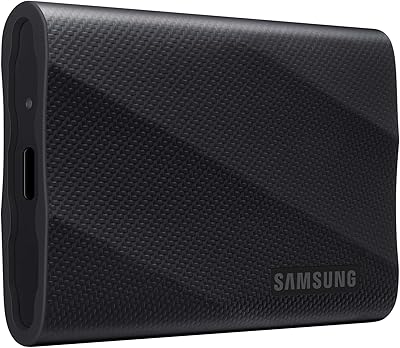
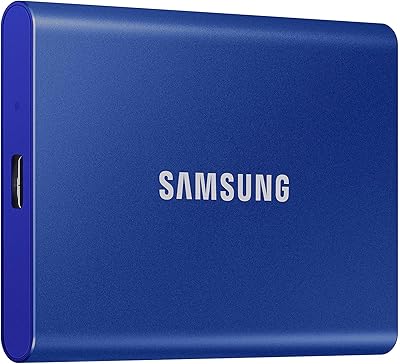
  • Color: The device is available in a sleek black color, offering a modern and professional appearance.
  • Portability: Its compact design makes it an ideal choice for users needing a portable storage solution for travel or work.
  • Security Features: AES 256-bit encryption is implemented to protect sensitive data, making this device suitable for secure storage needs.

FAQ

The Samsung T1 Portable 500GB SSD offers 500GB of storage space, which is suitable for storing a large number of documents, photos, videos, and other data while maintaining high speed and security.

This portable storage device uses Turbo Write Technology to provide read/write speeds up to 450 MB/s, allowing for quick file transfers compared to traditional hard drives or older USB flash drives.

Yes, this device is compatible with both Windows (7 or higher) and Mac (OS X 10.7 or higher), making it a versatile storage solution for users on different operating systems.

Yes, the Samsung T1 Portable SSD features AES 256-bit encryption for secure data storage, making it a reliable choice for backing up sensitive files and ensuring privacy while on the go.

Setup is simple. Just plug the SSD into a USB 3.0 port on your computer. It should automatically be recognized, and you can start using it. Some users may need to install additional software depending on their specific needs, but for most, it’s plug-and-play.

Yes, this SSD has a sleek metal finish that adds to its durability. It’s compact and lightweight, making it ideal for frequent travelers who need a portable and robust storage solution.

The device measures just 2.8 x 2.09 x 0.36 inches, making it incredibly compact and portable, easily fitting into a pocket or small bag without adding much bulk.

While the Samsung T1 Portable SSD uses a USB 3.0 interface for optimal speed, it is also backward compatible with USB 2.0 ports. However, using it with a USB 2.0 connection will result in slower data transfer speeds.

If the device is not recognized, ensure that your operating system is compatible, and try connecting to a different USB port. You may also need to check if any required drivers are missing or reinstall them. For persistent issues, refer to the device's manual or Samsung’s support for troubleshooting tips.

This portable SSD comes with a 3-year limited warranty, offering peace of mind regarding its reliability and performance over an extended period of use.