Overview

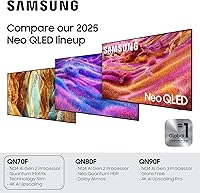
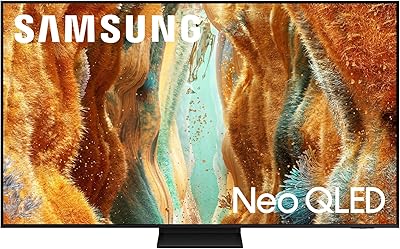
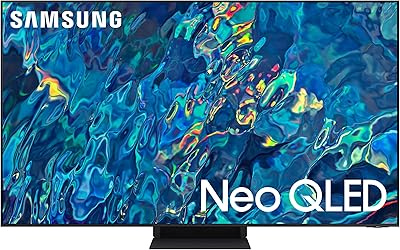
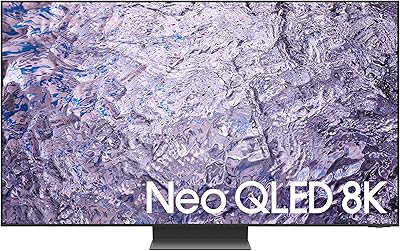
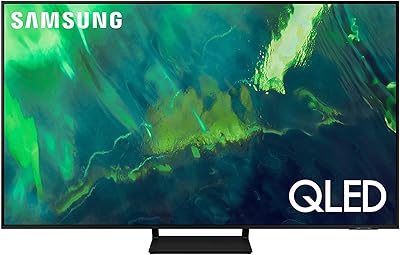
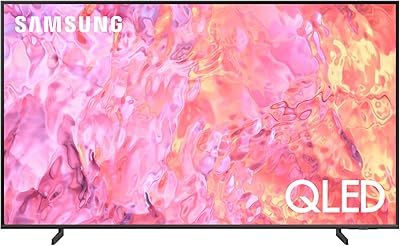
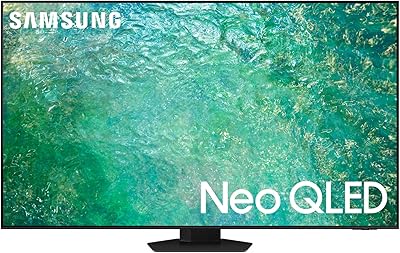
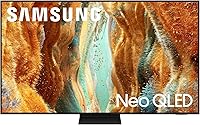
The Samsung QN70F 65-inch Neo QLED Smart TV is Samsung's 2025 entry for buyers who want a meaningful picture upgrade without stepping all the way into OLED pricing. At the center of the experience is the NQ4 AI Gen2 processor, which handles real-time picture optimization and adaptive audio tuning simultaneously. Against competing panels at similar prices, this Samsung Neo QLED holds its ground with a spec sheet that punches above its tier — 144Hz refresh, Mini LED backlighting, and a mature smart platform. If your living room sees plenty of daylight and you want a TV that handles both movie nights and gaming sessions without major trade-offs, this is a strong contender worth a serious look.
Features & Benefits

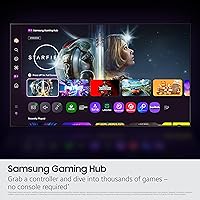
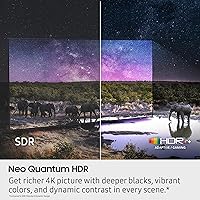
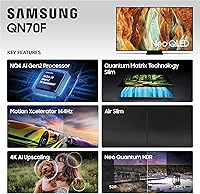
Quantum Matrix Technology backing the QN70F uses thousands of tiny Mini LEDs to control local dimming zones with more precision than a standard LED panel, producing noticeably tighter contrast and brighter highlights without the halo glow typical of conventional backlit screens. The NQ4 AI Gen2 chip runs 20 neural networks in the background, quietly upscaling lower-resolution content and adjusting sound output based on what is actually on screen. For gaming, Motion Xcelerator 144Hz with variable refresh rate means PS5 and Xbox Series X owners get fluid visuals with reduced screen tearing. Samsung's Vision AI also converts SDR footage into HDR-like output — it sounds like a gimmick but produces a visible lift in color depth and brightness during everyday streaming.

Best For

This 65-inch Mini LED TV makes the most sense for a few specific buyer profiles. Gamers on current-gen consoles will appreciate low input lag and the full 144Hz headroom without needing to spend significantly more for an OLED panel. Households with bright, window-heavy rooms will find it holds up far better than OLED displays, which wash out under direct light. It also suits cord-cutters well — Samsung TV Plus delivers over 2,700 free channels right out of the box with no subscription required. If you are upgrading from a TV that is five or more years old, the jump in motion clarity and color accuracy will feel genuinely significant. It is less ideal for dedicated dark-room home theater setups.

User Feedback

Buyers consistently highlight out-of-box picture quality as a standout, with most reporting the image looks impressive right from first power-on without any deep menu calibration. Gaming performance earns similar praise, particularly smooth motion handling during fast-paced action. Where opinions split is dark-room viewing — a notable group of reviewers points to visible blooming around bright objects on black backgrounds, a real and expected trade-off with Mini LED versus OLED technology. The Tizen interface draws some recurring grumbles: ads on the home screen feel intrusive to certain users, and the prompt to create a Samsung account during setup catches some buyers off guard. Overall though, most feel the value proposition holds up solidly against competing 65-inch panels at comparable price points.

Pros

  • Mini LED backlighting produces noticeably brighter highlights and tighter contrast than conventional LED TVs at this size.
  • The NQ4 AI Gen2 processor upscales older and lower-resolution content effectively without requiring the user to touch any settings.
  • 144Hz refresh rate with VRR support makes the QN70F a genuinely capable display for PS5 and Xbox Series X gaming.
  • Holds up well in bright, sunlit rooms where reflections and washed-out images are a common problem with other display technologies.
  • Samsung TV Plus delivers over 2,700 free channels out of the box — no subscription, no extra hardware needed.
  • AI-driven SDR-to-HDR conversion adds visible depth and color lift to everyday streaming content without looking artificial.
  • The slim panel profile and tidy cable routing suit modern living room setups where aesthetics matter.
  • Alexa is built in, so basic voice control works without needing a separate smart speaker.
  • Setup is fast, and picture quality impresses right from first power-on with minimal calibration needed.
  • Strong value relative to higher-tier QLED and OLED panels that cost significantly more for incremental gains.

Cons

  • Blooming around bright objects in dark scenes is a real and recurring issue that Mini LED cannot fully eliminate.
  • The Tizen home screen displays ads that some users find intrusive and that cannot be fully disabled.
  • Samsung account creation is pushed during setup, which feels unnecessary for buyers who just want to watch TV.
  • Input lag figures, while solid for gaming, are not class-leading compared to dedicated gaming monitors at similar price points.
  • The included remote feels plasticky relative to the overall price of the TV, and some buyers report build quality concerns.
  • Samsung TV Plus free channels come with their own ads, which can feel excessive during extended viewing sessions.
  • The AI sound optimization, while functional, does not replace the clarity and depth of even a modest external soundbar.
  • Dark-room contrast performance trails behind OLED alternatives, which matters if home theater viewing is a priority.
  • VRR and 144Hz are available but require correct HDMI port selection and settings adjustments that are not always obvious out of the box.

Ratings

Our AI rating system analyzed thousands of verified global owner reviews for the Samsung QN70F 65-inch Neo QLED Smart TV, actively filtering out incentivized, bot-generated, and unverified submissions to surface what real buyers actually experience after weeks and months of daily use. The scores below reflect an honest synthesis of both the genuine strengths and the recurring frustrations that show up consistently across owner feedback worldwide. Nothing has been softened — where the QN70F earns praise, the score reflects it; where it falls short, that shows up too.

Picture Quality
86%
Owners in bright living rooms consistently report that highlights pop with real punch — sports replays, HDR movie scenes, and even daytime streaming all hold up without washing out. The Mini LED local dimming keeps bright areas crisp while surrounding dark zones stay reasonably controlled for this display tier.
In fully darkened rooms, blooming around bright objects on black backgrounds is a recurring complaint — subtitles floating over dark cinematic scenes are the most cited example. Users comparing directly against OLED panels tend to dock this category the most heavily.
Gaming Performance
91%
PS5 and Xbox Series X owners are particularly positive, with many noting that the automatic switch into Game Mode and the VRR support make fast-paced titles feel genuinely fluid. Input lag in Game Mode earns specific praise from competitive gamers who notice the difference from their previous TV.
A portion of users report initial confusion navigating HDMI port selection to unlock 4K at 120Hz or higher, which requires the correct port and specific settings adjustments that are not surfaced clearly during setup. Those expecting plug-and-play 144Hz at 4K from any port are often disappointed until they troubleshoot.
Motion Handling
88%
Sports viewers are among the most satisfied — fast camera pans during live football and basketball look stable and sharp rather than smeared, which is a meaningful improvement over the standard LED TVs most buyers are upgrading from. Motion Xcelerator earns consistent praise for making content feel naturally smooth without looking artificial.
The motion smoothing processing, when pushed to its higher settings, introduces a soap-opera effect that bothers a visible segment of film-focused owners. Finding the right balance in the motion settings takes experimentation, and the default configuration does not suit everyone out of the box.
AI Upscaling
79%
21%
For HD streaming content and cable broadcasts, the AI upscaling produces a noticeably cleaner, sharper image than the unprocessed source — owners upgrading from older non-4K TVs find this particularly impressive on content they already know well. It works quietly in the background without requiring any manual scene-by-scene adjustments.
On heavily compressed or low-bitrate sources, the processing occasionally over-sharpens edges and introduces a slightly artificial texture that bothers attentive viewers. It is a genuinely useful feature for everyday viewing, but expectations should be calibrated — it improves good sources more than it rescues poor ones.
Smart Platform
71%
29%
The breadth of Samsung TV Plus is a genuine draw for cord-cutters — over 2,700 free channels covering news, sports, movies, and niche topics load quickly and work reliably without a subscription or external device. All major streaming apps are present and launch without notable delays.
Promotional tiles and ads on the Tizen home screen are a consistent irritant for owners who want a clean interface, and there is no supported method to disable them entirely. The prompt to create or sign into a Samsung account during setup frustrates buyers who consider it unnecessary friction just to watch television.
HDR Performance
82%
18%
HDR10+ content displays with notably punchy highlights and convincing color depth in mixed-light viewing environments, which is where most households actually watch TV. The AI SDR-to-HDR conversion adds a visible and appreciated lift to everyday streaming content without producing obviously processed-looking results.
True peak brightness in HDR scenes, while strong for a Mini LED panel at this tier, does not match the top-performing sets in the category, which matters most in very bright rooms during daytime HDR movie viewing. The conversion feature works best on mid-quality sources and adds less perceivable benefit to already well-mastered 4K HDR content.
Built-in Audio
63%
37%
The built-in speakers handle dialogue clarity and casual streaming adequately for a TV in this class — news broadcasts, talk shows, and comedy series sound clear at moderate volumes without obvious distortion. The AI sound mode makes a noticeable difference compared to leaving audio settings on a flat default.
Bass response is thin, and action sequences or music-driven content expose the limits of the built-in hardware quickly. The majority of users who care about audio end up pairing the QN70F with an external soundbar within the first month of ownership, which adds cost that buyers should factor into the overall budget.
Value for Money
84%
Relative to the specifications on offer — 144Hz, Mini LED, VRR, and a mature smart platform — buyers broadly feel the QN70F sits in a sensible price-to-performance position, particularly when comparing it against OLED panels that cost considerably more for incremental contrast gains. Upgraders from five-plus-year-old TVs report feeling like they got a strong deal.
A small but vocal group of buyers feel that certain competing 65-inch panels at similar prices offer a more refined smart TV interface or better dark-scene performance, making the value case feel less clear-cut when direct comparisons are made. Those who primarily watch films in a dark room tend to feel the money could be better spent.
Build Quality & Design
77%
23%
The slim panel profile and matte black finish get consistent compliments from owners who prioritized a clean living room aesthetic — the TV does not look cheap on the wall, and the stand feels stable once assembled. Cable management is tidier than most competitors at this size, which owners who wall-mount particularly appreciate.
The included remote draws repeated criticism for its plasticky feel and button layout, which feels out of place given the overall price of the TV. A few buyers also note that the stand screws require careful handling during assembly to avoid stripping, which adds minor frustration to what should be a straightforward setup experience.
Setup & Ease of Use
81%
19%
Most owners report the physical assembly and first-boot process takes under 30 minutes, and the picture quality impresses immediately without the need for manual calibration — a genuine advantage for buyers who do not want to spend time in the settings menu. The Tizen interface feels familiar to anyone who has used a Samsung TV in the past several years.
The setup flow steers users toward a Samsung account, Samsung TV Plus, and various optional features in a way that some find pushy and slow. First-time Samsung TV buyers occasionally report being unsure which prompts to skip and which settings actually matter for their specific use case.
Connectivity
83%
The physical port selection covers the needs of most households — multiple HDMI inputs, USB ports for media playback, Ethernet for a stable streaming connection, and both Wi-Fi and Bluetooth for wireless flexibility. Owners running a full home theater setup with a console, soundbar, and streaming stick report no shortage of inputs.
Not all HDMI ports deliver the same bandwidth, which creates confusion for buyers who assume any port will unlock the full 4K 144Hz capability. The port labeling in the physical unit is small and the manual explanation of port differences is not prominently featured, leading to avoidable support questions from new owners.
Viewing Angles
68%
32%
For centered and near-centered seating positions, the image looks consistently accurate with good color and contrast — the typical couch configuration most buyers use sits comfortably within the panel's strong viewing cone. Families who tend to watch TV from a single main seating arrangement rarely raise this as a concern.
Off-axis viewing from wide seating angles shows noticeable color shift and contrast drop, which is a characteristic limitation of VA-type panels used in this category. Households with wide or angled seating arrangements, such as sectional sofas where viewers sit well to the side, tend to find this category more frustrating than average.
Free Content Library
85%
Samsung TV Plus delivers genuine utility for cord-cutters — the free channel count is substantial and the lineup includes recognizable news networks, sports channels, and curated movie content that loads reliably without buffering issues in most connectivity environments. Buyers who expected a thin selection are frequently surprised by the depth on offer.
A number of the free channels carry heavy ad loads, which undermines the experience during extended viewing sessions and makes Samsung TV Plus feel closer to broadcast television than a premium streaming service. Channel quality varies considerably, and finding consistently high-quality programming requires browsing patience.

Suitable for:

The Samsung QN70F 65-inch Neo QLED Smart TV is a particularly strong fit for households where the TV serves multiple purposes throughout the day. If your living room gets significant natural light, the Mini LED panel's peak brightness holds up in a way that OLED simply cannot match without image degradation. Current-gen console gamers — especially those on PS5 or Xbox Series X — will find the 144Hz refresh rate and VRR support give them a genuinely responsive, tear-free experience on a large screen without crossing into much higher price territory. Families who consume a wide mix of content, from sports to streaming to the occasional older cable broadcast, will also benefit from the AI upscaling, which visibly sharpens lower-resolution sources without requiring any manual adjustment. Cord-cutters in particular get real built-in value from Samsung TV Plus, which provides a substantial library of free channels the moment the TV is set up.
Not suitable for:

The Samsung QN70F 65-inch Neo QLED Smart TV is not the right call for every buyer, and it is worth being honest about where it falls short. Dedicated home theater enthusiasts who watch films in a fully darkened room will likely find the Mini LED blooming — a faint glow that appears around bright objects on dark backgrounds — difficult to ignore compared to what a good OLED panel delivers. The Tizen smart platform, while capable, pushes Samsung account creation during setup and surfaces ads on the home screen, which frustrates privacy-conscious users and those who simply want a clean interface. Buyers who are deeply invested in a competing ecosystem, such as Google TV or webOS, may find the Tizen experience less intuitive at first. If your primary viewing is late-night cinema in a pitch-black room and contrast purity is your top priority, spending more on an OLED alternative is likely the smarter long-term decision.

Specifications

  • Screen Size: The panel measures 65 inches diagonally, providing a viewing area well-suited for living rooms and larger bedroom setups.
  • Display Technology: Neo QLED uses a Mini LED backlight combined with Quantum Dot color filtering to produce wider color volume and more precise local dimming than standard LED panels.
  • Resolution: Native 4K UHD resolution (3840 x 2160 pixels) with AI-assisted upscaling for sub-4K source content.
  • Processor: The NQ4 AI Gen2 chip runs 20 neural networks simultaneously to handle real-time picture upscaling, scene optimization, and adaptive sound processing.
  • Refresh Rate: Supports up to 144Hz native refresh rate with Variable Refresh Rate (VRR) for smoother motion in both sports content and gaming scenarios.
  • HDR Support: Compatible with HDR10+ and includes AI-driven SDR-to-HDR conversion that intelligently lifts brightness and color depth on standard dynamic range content.
  • Smart Platform: Runs Samsung's Tizen operating system, which provides access to all major streaming apps plus 2,700+ free Samsung TV Plus channels.
  • Voice Assistant: Amazon Alexa is built in, allowing hands-free voice commands for content search, smart home control, and basic TV functions without a separate device.
  • Gaming Features: Dedicated Game Mode reduces input lag, and the TV supports VRR, Auto Low Latency Mode (ALLM), and 4K at 144Hz for current-gen console compatibility.
  • Connectivity: Physical ports include multiple HDMI inputs, USB ports, and an Ethernet jack; wireless connectivity covers both Wi-Fi and Bluetooth.
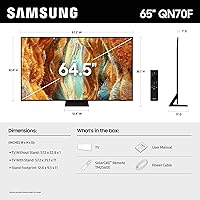
  • Dimensions: With stand attached, the TV measures 57.2″ wide, 35.1″ tall, and 11″ deep; wall-mount depth is significantly slimmer.
  • Weight: The full unit with stand weighs 48.1 pounds, which is within the range two adults can typically manage during installation.
  • Model Number: The official model designation for the 65-inch variant is QN65QN70FAFXZA.
  • Release Year: This is a 2025 model, representing Samsung's current QN70F series lineup rather than a carry-over from a prior year.
  • Included Items: The retail box includes a power cable, remote control, stand with hardware, and a printed user manual; 2 AAA batteries are required for the remote.
  • Aspect Ratio: Standard 16:9 widescreen aspect ratio, compatible with all modern broadcast, streaming, and gaming content formats.
  • Audio: Built-in speaker system with AI-driven sound optimization that adjusts audio output based on content type, though an external soundbar is recommended for best results.
  • Color: The panel housing and stand are finished in matte black, which suits most entertainment center aesthetics without drawing attention.

Related Reviews

Samsung QN70F 55-inch Neo QLED Smart TV
78%
83%
Picture Quality
88%
Gaming Performance
84%
Motion Handling
81%
Brightness & HDR
78%
Smart TV Platform
More
Samsung QN95B 65-Inch Neo QLED 4K TV
75%
93%
Picture Brightness
88%
Color Accuracy
76%
Contrast & Black Levels
89%
Gaming Performance
84%
Anti-Glare Effectiveness
More
Samsung Q80B 65-inch QLED 4K TV
78%
88%
Picture Quality
91%
Gaming Performance
83%
HDR Performance
67%
Local Dimming
76%
Smart TV & Interface
More
Samsung 65-inch Q7F QLED 4K Smart TV
76%
88%
Color Accuracy
83%
Picture Quality
54%
Refresh Rate & Motion
49%
Gaming Performance
86%
Smart TV Platform
More
Samsung The Frame LS03F 65-inch 4K TV
77%
94%
Aesthetic Design
81%
Art Mode Quality
88%
Matte Screen Performance
76%
Picture Quality
79%
Gaming Performance
More
Samsung 65-inch Neo QLED 8K QN800C TV
75%
93%
Picture Quality
81%
8K Upscaling Performance
54%
Value for Money
91%
Design & Aesthetics
84%
Gaming Performance
More
Samsung 65-Inch Q70A QLED 4K Smart TV
80%
83%
Picture Quality
91%
Gaming Performance
86%
Motion Handling
71%
HDR Performance
74%
Smart TV & Software
More
Samsung Frame Pro 85″ Neo QLED TV
79%
83%
Picture Quality
91%
Art Mode & Display
93%
Design & Aesthetics
78%
Wireless One Connect
82%
Gaming Performance
More
Samsung QN85C 65-inch Neo QLED 4K TV
82%
91%
Picture Quality
83%
Local Dimming & Contrast
93%
Gaming Performance
88%
Motion Handling
86%
HDR Performance
More
Samsung 65-Inch QLED 4K TV Q60C
86%
94%
Picture Quality
91%
Gaming Performance
87%
Ease of Setup
88%
Smart Features
72%
Sound Quality
More

FAQ

You will be prompted to sign in or create a Samsung account during the initial setup process, but it is possible to skip this step and still use the core functions of the TV. Some features, such as certain personalized recommendations and Samsung-specific app integrations, work better with an account linked, but streaming apps and basic smart TV functions operate without one.

Yes, it handles both consoles well. The TV supports 4K at 120Hz over HDMI, VRR to reduce screen tearing, and Auto Low Latency Mode that switches the TV into its lowest-lag configuration automatically when a console is detected. The 144Hz headline spec applies to lower resolutions, but 4K at 120Hz is solid for current-gen gaming.

It is noticeable if you watch a lot of films in a darkened room — bright subtitles or stars against a black sky will show a faint glow around them. It is much less visible in typical mixed-lighting environments. If dark-room contrast purity is a top priority for you, an OLED panel would be a more honest choice at any price point.

Unfortunately, Samsung does not offer a straightforward option to remove promotional tiles from the home screen entirely. You can minimize their prominence by rearranging your app shortcuts to push them down, but they cannot be switched off through standard settings. It is a known friction point with the platform.

This is actually one of the stronger use cases for this Samsung Neo QLED. The Mini LED backlight produces enough peak brightness to hold detail in highlights even under direct ambient light, which is a common weak point for OLED panels. If glare is a concern, positioning matters too, but the panel itself handles bright environments better than most competitors at this tier.

The Samsung QN70F 65-inch Neo QLED Smart TV includes multiple HDMI ports, but not all of them support the full 4K 144Hz and VRR bandwidth. For gaming on a current-gen console, you should use the HDMI port labeled as the highest-bandwidth input — typically marked in the manual or on the port itself — to get the full feature set. Check the quick start guide to confirm which port is designated for 4K 120Hz and above.
For basic tasks — switching inputs, adjusting volume, searching for content, and controlling compatible smart home devices — it works reliably. The microphone sensitivity is decent but not quite as responsive as a dedicated Echo in a large or noisy room. Think of it as a convenient backup rather than a replacement for a smart speaker you already own.

For HD streaming content and Blu-ray sources, the upscaling is genuinely useful — edges stay sharp and the image looks cleaner than native output. On very low-quality sources like older DVD footage or heavily compressed streaming, the improvement is more modest and occasionally adds a slightly over-processed look. It is a real benefit for most everyday viewing, just not a miracle worker on poor source material.

The stand assembles with basic tools and a couple of screws, and most buyers report the process takes under 15 minutes. Once attached, the TV sits firmly and does not wobble under normal conditions. If you have young children in the home or a high-traffic area, anchoring to the wall is still a good idea regardless of stand stability.

Samsung TV Plus covers a lot of ground with its free channel lineup, including news, sports, movies, and niche interest channels, all without a subscription. It is comparable in breadth to the free tier on Roku, though the channel quality varies and many streams carry their own ad loads. If you already use a streaming stick for your main apps, TV Plus works well as a supplement for casual background viewing rather than as a primary source.