Overview

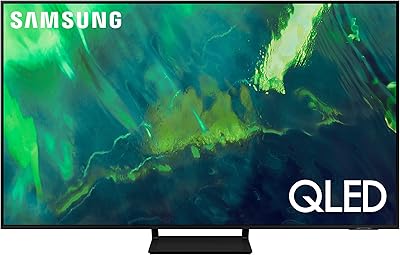
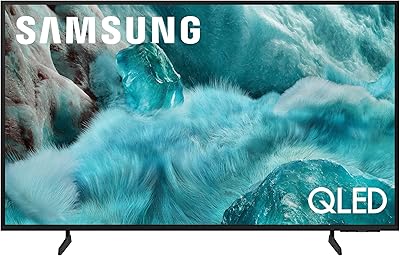
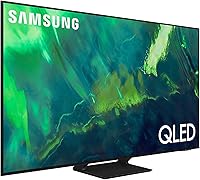
The Samsung 65-Inch Q70A QLED 4K Smart TV sits in an interesting position — capable enough to satisfy most households, yet priced well below Samsung's premium flagship tiers. Released as part of Samsung's 2021 lineup, it targets buyers who want a genuine picture upgrade without committing to OLED money. The two technologies that set it apart from a standard LED panel are its Quantum Dot panel and Dual LED backlight, which work together to produce richer colors and more dynamic contrast. Tizen is on board from day one, along with Alexa, Google Assistant, and Bixby support, so smart home users won't need extra hardware. Just know going in: this is not an OLED. Black levels are good, not perfect.

Features & Benefits

The Quantum Processor 4K handles upscaling with enough intelligence that cable TV and older streaming content look respectable rather than soft. The Dual LED system — using separate warm and cool backlight zones — gives the Q70A noticeably better contrast than a single-backlight panel, though it falls short of true full-array local dimming precision. Motion Xcelerator Turbo+ at 120Hz native is a real differentiator for sports and fast-action scenes; panning shots stay sharp rather than dissolving into blur. All four HDMI ports support HDMI 2.1, making this 65-inch set a legitimate pick for PS5 and Xbox Series X owners who want 4K at 120fps without workarounds. Tizen runs quickly and covers every major streaming app.

Best For

This Samsung QLED makes the most sense for households with varied viewing habits — streaming at night, sports on weekends, gaming sessions in between. Bright living rooms are arguably where it has the clearest edge over OLED alternatives; the QLED panel handles ambient light without washing out the image the way a glossy OLED screen can. Gamers upgrading from older consoles or running a PC with an HDMI 2.1 output will appreciate the full-bandwidth connection options. It's also a strong fit for anyone stepping up from a 1080p set who wants an immediately noticeable jump in color richness and motion clarity. Those using Amazon or Google smart home devices will find the built-in multi-assistant support genuinely convenient.

User Feedback

Owners of the Q70A consistently highlight color vibrancy and the SolarCell remote as genuine standouts — the rechargeable remote in particular draws praise from people who've spent years hunting for AA batteries. On the critical side, the local dimming limitations show up in dark scenes with bright highlights, where blooming around light sources is more noticeable than on full-array or OLED panels. Gamers report low input lag and confirm 4K at 120fps works as advertised with current-gen consoles. The recurring software friction involves Tizen's promoted content on the home screen and a modest calibration learning curve out of the box. Long-term owners report solid reliability, with few hardware complaints surfacing after a year or more of daily use.

Pros

  • Quantum Dot panel produces noticeably richer, more saturated colors than standard LED TVs at this size.
  • All four HDMI ports are HDMI 2.1, giving current-gen console and PC gamers full bandwidth without having to hunt for the right port.
  • Native 120Hz refresh rate keeps fast sports and action scenes genuinely sharp, not just spec-sheet sharp.
  • The SolarCell remote is rechargeable via light or USB — no more mid-movie battery hunts.
  • Tizen OS is fast, covers every major streaming service, and connects easily to Alexa and Google smart home setups.
  • AI-based 4K upscaling makes older cable content and lower-resolution streams look considerably better than expected.
  • Dual LED backlighting produces stronger contrast and more dynamic images than single-zone edge-lit panels in the same price range.
  • Low input lag makes the Q70A a genuinely responsive gaming display, not just a TV that technically supports gaming modes.
  • 65-inch screen size hits a practical sweet spot for living rooms without requiring a major furniture rearrangement.
  • Long-term owners report solid build quality and reliable day-to-day performance well past the first year.

Cons

  • Local dimming is not full-array, so blooming around bright objects in dark scenes is visible and recurring.
  • Quantum HDR peak brightness is decent but underwhelming compared to higher-end QLED or OLED panels.
  • Tizen's home screen displays promoted content and ads that cannot be fully removed, which some users find persistently annoying.
  • Out-of-the-box picture settings require meaningful calibration time to get accurate color and contrast.
  • Object Tracking Sound Lite is a modest audio system — most users will want a soundbar to match the screen quality.
  • The Multi View picture-in-picture feature works but feels underdeveloped compared to the overall polish of the set.
  • At 48 pounds with the stand, wall-mounting this 65-inch set is a two-person job and requires a sturdy bracket.
  • Buyers who switch frequently between very bright and very dark content in one sitting may find the Dual LED adjustment noticeable as it transitions.

Ratings

The Samsung 65-Inch Q70A QLED 4K Smart TV scores below are generated by AI after analyzing thousands of verified global buyer reviews, with spam, bot submissions, and incentivized feedback actively filtered out. Every category reflects what real owners consistently reported after weeks and months of daily use — strengths and frustrations alike, with nothing glossed over.

Picture Quality
83%
Owners routinely call out the color vibrancy as the Q70A's strongest suit — streaming HDR content like nature documentaries or animated films produces rich, punchy visuals that look noticeably better than what most mid-range LED sets can deliver. Daytime viewing in bright rooms is a particular strength, with the Quantum Dot panel holding saturation well under overhead and natural lighting.
Dark, cinematic content is where the panel shows its limits. Blooming around bright objects in shadowy scenes — a streetlight in a noir film, a bright menu screen in a dark game — is a recurring complaint that users coming from full-array or OLED panels find hard to ignore.
Gaming Performance
91%
Console gamers are consistently satisfied: all four HDMI 2.1 ports deliver genuine 4K at 120fps, and input lag in Game Mode measures low enough that even competitive players rarely notice it. PS5 and Xbox Series X owners specifically call out that they did not need to hunt for the right port — any of the four works at full bandwidth.
VRR (Variable Refresh Rate) support is present but has been reported as inconsistent depending on firmware version, which can be a frustration for PC gamers relying on it for tear-free output. A small number of users also report that Game Mode disables some picture processing features they preferred to keep active.
Motion Handling
86%
Sports viewers are among the most enthusiastic owners — fast-panning camera shots during football or basketball games stay sharp rather than smearing, and the 120Hz panel with Motion Xcelerator Turbo+ makes a tangible difference compared to 60Hz TVs at the same price. Action movie sequences also benefit noticeably.
The default motion smoothing setting is too aggressive for most users and produces the so-called soap opera effect on films. Dialing it back manually to a comfortable level takes some trial and error, and the settings menu labeling is not always intuitive for first-time Samsung TV owners.
HDR Performance
71%
29%
Quantum HDR handles streaming HDR10+ content from Prime Video and similar services with decent brightness and a wider color range than standard LED panels. Highlights have enough pop to make the feature feel worthwhile on well-mastered content.
Peak brightness does not reach the levels of Samsung's higher-tier QLED or Mini-LED models, and HDR in darker scenes can look flat compared to an OLED. Buyers who specifically prioritize HDR fidelity as a purchase driver will likely feel this tier undershoots their expectations once they see a reference-grade display side by side.
Smart TV & Software
74%
26%
Tizen loads quickly, app availability is comprehensive, and switching between Netflix, Disney+, and YouTube feels fluid without the sluggishness common on budget smart platforms. The multi-assistant setup — Alexa, Google Assistant, and Bixby all active simultaneously — is genuinely useful for smart home households.
The persistent promoted content and ad rows on the Tizen home screen are a recurring irritation that users cannot fully opt out of. A handful of owners also report that automatic software updates occasionally reset customized picture settings, which is annoying for anyone who spent time calibrating their display.
Remote Control
93%
The SolarCell Remote draws consistent praise that goes well beyond novelty. Owners love not replacing batteries — in typical indoor lighting, most never need to charge it via USB at all. The button layout is clean, the build feels premium, and the voice button works reliably across all three assistants.
The remote's minimalist design means some users find the lack of dedicated number buttons frustrating when navigating live TV channel inputs. Those coming from older Samsung remotes with more buttons occasionally find the learning curve for the new layout mildly inconvenient in the first week.
Build & Design
82%
18%
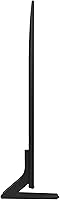
The Q70A has a clean, modern aesthetic with slim bezels that look proportionate in most living room setups. The stand is stable and gives the TV a polished footprint, and the overall construction feels solid for the price tier — nothing flexes or creaks during installation.
At 48 pounds, wall-mounting is firmly a two-person job, and the stand design does not accommodate most soundbars sitting directly beneath the panel without some shelf adjustment. The cable management options on the back are functional but not as refined as on Samsung's premium Neo QLED models.
Audio Quality
62%
38%
Built-in audio is adequate for casual daytime viewing and news content, and the Object Tracking Sound Lite processing does a serviceable job of adding a sense of directional audio for dialogue-heavy content. It is genuinely fine as a temporary solution.
The 20-watt built-in system runs out of convincing headroom quickly — bass is thin, and action sequences sound noticeably compressed at higher volumes. The vast majority of long-term owners end up pairing the Q70A with a soundbar within the first few months, treating the built-in audio as a stopgap.
Upscaling & AI Processing
81%
19%
The Quantum Processor 4K handles 1080p streaming content and cable TV better than most owners expect coming from older sets. Skin tones on upscaled content look natural rather than artificially sharpened, and the noise reduction on compressed cable signals is effective without going heavy-handed.
Heavily compressed sources like low-bitrate cable channels still show artifacts that the AI processing cannot fully mask. Users expecting near-4K quality from all upscaled content — particularly older DVDs or low-quality streams — will occasionally be disappointed by what the processor cannot realistically recover.
Connectivity
88%
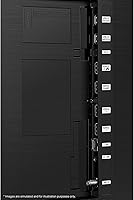
Four HDMI 2.1 ports, two USB ports, Ethernet, Bluetooth, and Wi-Fi in a single package gives this 65-inch set more connectivity flexibility than most competitors at the same tier. Having all four HDMI ports at full 2.1 spec means no juggling devices to find the right port.
Some users have noted that eARC is limited to a single designated HDMI port, which can be easy to overlook during initial setup and leads to soundbar connection confusion. Bluetooth audio latency when used with wireless headphones has also drawn occasional complaints for lip-sync drift.
Setup & Calibration
69%
31%
The initial setup wizard is clean and guides new users through network, smart home pairing, and basic picture configuration without requiring any technical knowledge. Most users are up and running within 15 minutes of unboxing.
The default Dynamic picture mode is pushed too bright and too saturated for accurate viewing, and the improvement from switching to Filmmaker or calibrating manually is significant enough that it feels like a required step rather than an optional one. First-time Samsung owners sometimes do not discover this for weeks.
Value for Money
84%
At its price point, the Q70A offers a combination of 120Hz, HDMI 2.1 across all ports, Quantum Dot color, and a capable smart platform that is genuinely difficult to match from other brands without spending more. Buyers upgrading from an older 60Hz or 1080p TV consistently describe it as a strong generational leap for the outlay.
Buyers comparing it directly to OLED sets at a similar or modestly higher price point will find the value calculation more complicated, particularly for dark-room viewing. A few users also feel that the audio system's limitations mean a soundbar is essentially a hidden additional cost to get the full experience.
Long-Term Reliability
79%
21%
The majority of owners who have used the Q70A for a year or more report no hardware failures and consistent performance, which builds confidence in Samsung's manufacturing quality at this tier. Software updates have generally added features rather than introduced new problems.
A small but notable group of users reports panel uniformity issues — slight brightness variations across the screen that become visible on grey or solid-color backgrounds. These appear to be unit-to-unit variation rather than a universal flaw, but they are worth checking for during the return window.

Suitable for:

The Samsung 65-Inch Q70A QLED 4K Smart TV is a strong match for households that use their TV for a little bit of everything — evening streaming, weekend sports, and occasional gaming sessions — without wanting to pay top-tier flagship prices. Its 120Hz panel and full HDMI 2.1 support make it a practical choice for PS5 and Xbox Series X owners who want to run games at 4K and 120fps without compromises or adapter workarounds, and PC gamers with a capable GPU will find the same benefit. Buyers with bright, sun-facing living rooms will appreciate the QLED panel's ability to hold color saturation and contrast under ambient light, where an OLED screen would struggle with reflections. Anyone upgrading from a 1080p set or an older 4K TV with a single-zone backlight will notice an immediate and meaningful improvement in color richness and motion handling. Smart home users already running Amazon Alexa or Google Assistant devices will find the built-in multi-assistant support adds real daily convenience rather than just being a checkbox feature.

Not suitable for:

Buyers who prioritize perfect black levels and the most precise local dimming available should look elsewhere — the Samsung 65-Inch Q70A QLED 4K Smart TV uses a Dual LED backlight system that improves on basic edge-lit panels but cannot match the contrast precision of a full-array local dimming TV or the pixel-level control of an OLED. Cinephiles who watch a lot of dark, atmospheric content in a fully light-controlled room will find blooming around bright objects in dark scenes noticeable enough to be a recurring distraction. The Quantum HDR performance at this tier is respectable but not reference-grade, so buyers specifically chasing HDR peak brightness for high-end content should set measured expectations or budget for a step-up model. Those who dislike ad-supported smart TV interfaces may find Tizen's home screen promotions frustrating, and there is a real calibration curve to get the picture looking its best out of the box. Buyers in very small rooms may also find that a 65-inch panel at close viewing distances becomes more about screen size management than picture quality enjoyment.

Specifications

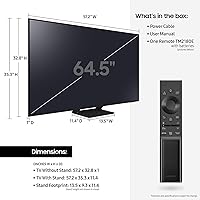
  • Screen Size: The panel measures 64.5 inches diagonally, sold as a 65-inch class display.
  • Display Type: Uses QLED (Quantum Dot LED) technology, which applies a Quantum Dot filter over an LED backlight to expand color output.
  • Resolution: Native 4K UHD resolution at 3840 x 2160 pixels across the full panel.
  • Refresh Rate: Native 120Hz refresh rate, with Motion Xcelerator Turbo+ processing applied to reduce motion blur in fast content.
  • Processor: Quantum Processor 4K handles all upscaling and picture optimization using machine learning-based AI algorithms.
  • Backlight System: Dual LED backlight uses separate warm and cool LED zones to dynamically adjust color temperature and contrast in real time.
  • HDR Support: Supports Quantum HDR, along with HDR10+ and HLG formats for compatible streaming and broadcast content.
  • HDMI Ports: Four HDMI 2.1 ports are included, all capable of supporting 4K at 120fps for current-generation consoles and compatible PCs.
  • Smart Platform: Runs Tizen OS with native support for Netflix, Disney+, Prime Video, Apple TV, and all major streaming services.
  • Voice Assistants: Amazon Alexa, Google Assistant, and Samsung Bixby are all built in and accessible without any additional hardware.
  • Connectivity: Wireless connectivity includes Wi-Fi and Bluetooth; a standard Ethernet port is also provided for wired network connections.
  • USB Ports: Two USB ports are included for connecting external drives, media players, or other peripherals directly to the TV.
  • Audio Output: Built-in speaker system rated at 20 watts total output with Object Tracking Sound Lite for basic positional audio.
  • Remote Control: Ships with the SolarCell Remote TM-2180E, which recharges via indoor light or USB rather than requiring disposable batteries.
  • Dimensions (with stand): With the stand attached, the TV measures 11.4″ deep x 57.2″ wide x 35.3″ tall.
  • Weight: The set weighs 48.1 pounds with the stand included, requiring two people for safe installation and wall-mounting.
  • Power Draw: Rated at 225 watts during active use, operating on standard 120-volt household current.
  • Model Number: The official model number for this 65-inch variant is QN65Q70AAFXZA, used for warranty registration and part lookups.
  • Multi View: Supports a picture-in-picture Multi View mode, allowing two sources to be displayed simultaneously on the screen.
  • Color Volume: Achieves 100% Color Volume using Quantum Dot technology, maintaining color accuracy across a wide range of brightness levels.

Related Reviews
Samsung 65-Inch Neo QLED QN70F 4K Smart TV
86%
94%
Picture Quality
91%
Gaming Performance (144Hz)
86%
Smart Features & Alexa Integration
89%
Build Quality
88%
Ease of Setup
More
Samsung Q70A 75-inch QLED 4K Smart TV
77%
78%
Picture Quality
61%
Contrast & Black Levels
84%
Motion Handling
82%
Gaming Performance
83%
Smart TV Experience
More
Samsung 65-Inch The Frame LS03F 4K QLED Smart TV
86%
91%
Picture Quality
96%
Design & Aesthetics
84%
Ease of Setup
89%
Gaming Performance
80%
Sound Quality
More
Samsung Q80B 65-inch QLED 4K TV
78%
88%
Picture Quality
91%
Gaming Performance
83%
HDR Performance
67%
Local Dimming
76%
Smart TV & Interface
More
Samsung 65-Inch QLED 4K TV Q60C
86%
94%
Picture Quality
91%
Gaming Performance
87%
Ease of Setup
88%
Smart Features
72%
Sound Quality
More
iFFALCON 65F75 65-Inch QLED 4K Smart TV
76%
83%
Picture Quality
81%
Gaming Performance
74%
HDR Performance
78%
Design & Build
86%
Smart TV & Software
More
SAMSUNG 65-Inch Neo QLED 4K QN95B TV
88%
96%
Picture Quality
92%
Sound Quality
90%
Gaming Performance
85%
Value for Money
94%
Build Quality
More
Samsung QN85D 65-inch 4K QLED TV
79%
93%
Picture Brightness
74%
Contrast & Black Levels
88%
Color Accuracy
91%
Motion Handling
82%
Gaming Performance
More
Samsung The Frame LS03F 50-inch QLED TV
77%
91%
Art Mode & Display Illusion
78%
Picture Quality
94%
Design & Aesthetics
58%
Art Store Value
88%
Installation & Setup
More
Samsung 65-inch Q7F QLED 4K Smart TV
76%
88%
Color Accuracy
83%
Picture Quality
54%
Refresh Rate & Motion
49%
Gaming Performance
86%
Smart TV Platform
More

FAQ

All four HDMI ports on this set are full HDMI 2.1, so yes, you can run 4K at 120fps on any of them. Connect your PS5 or Xbox Series X, enable Game Mode in the settings, and you should see the option in your console's display menu without any issues.

It is noticeable in certain situations, particularly when a bright object like a subtitle bar or a lamp appears against a very dark background. The Dual LED system is meaningfully better than a basic edge-lit panel, but it is not full-array local dimming. If you watch a lot of dark, atmospheric films in a pitch-black room, the haloing will bother you. In a normally lit room watching mixed content, most people find it acceptable.

It handles ambient light quite well. QLED panels generally hold their color and contrast under sunlight or overhead lighting better than OLED screens do, so if your living room gets a lot of natural light during the day, this set is a more practical choice than an OLED at a similar price.

Not entirely. Tizen does display promoted apps and sponsored rows on the home screen, and Samsung has not provided a way to fully disable this. You can customize which apps appear and rearrange the layout, but the promotional content tends to persist. It is a genuine frustration for some users, though many find it easy to ignore after a while.

In Game Mode, the Q70A delivers low input lag that is well within the range considered competitive for console gaming. Most measurements put it in the single-digit millisecond range at 4K 120Hz, which is responsive enough that you will not feel any perceivable delay during fast-paced games.

It does, and it works better than most people expect. The remote charges via ambient indoor light or through a USB-C cable. Under normal daily use with reasonable indoor lighting, most owners never need to plug it in at all. It is one of those small quality-of-life details that genuinely improves the daily experience of using the TV.

Reasonably well. The Quantum Processor's AI upscaling fills in detail and reduces noise on lower-resolution sources, so cable TV and older Blu-ray content look noticeably better than they would on a basic 4K panel. It is not magic — very compressed cable signals still show compression artifacts — but it is a real improvement over simple pixel-doubling upscaling.

The initial setup wizard is straightforward and walks you through network, smart home, and basic picture settings. That said, the default picture mode (Dynamic) tends to be overly bright and oversaturated. Switching to Movie or Filmmaker Mode right away, or spending a few minutes manually adjusting brightness and color temperature, makes a big difference. It is not difficult, but it is worth doing before you settle in for your first serious viewing session.

Almost certainly yes. The set includes an HDMI ARC port as well as an optical audio output, so it is compatible with the vast majority of soundbars on the market. If your soundbar supports eARC, check whether it is connected to the correct HDMI port on the TV, as only one port supports eARC on this model.

The honest answer is that an OLED will produce deeper blacks and better contrast in a dark room, full stop. Where the Q70A wins is brightness, color saturation in well-lit environments, and typically lower reflectivity. If your priority is cinematic dark-room viewing and you can stretch the budget, an OLED is worth considering. If you watch in a mixed or bright environment and want strong color performance without OLED's screen-care considerations, the Q70A makes a compelling case for itself.