


Overview
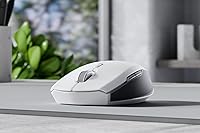
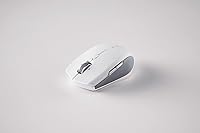
The Razer Pro Click Mini Wireless Mouse is built for people who work from more than one spot during the week, whether that means hopping between a home office and a co-working desk or just refusing to leave a laptop bag at home. Right away, this compact mouse feels different from the usual lightweight travel mouse — it has real heft and a mechanical click instead of a flimsy plastic snap. It's clearly aimed at professionals who care about feel as much as portability, and the price reflects that positioning. Rather than competing with throwaway budget mice, it sits closer to a small productivity tool, complete with its own wireless dongle that doubles as a hub for compatible Razer keyboards.
Features & Benefits
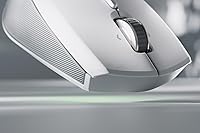
Once you start using this mechanical mouse daily, the quiet clicks are the first thing that stand out — they're rated to hold up over millions of presses, so the silence isn't just a launch-day feature that fades with wear. The scroll wheel is more flexible than it looks, switching between a loose free-spin for scrolling through long pages and a tighter, notched feel for line-by-line precision, with a tilt-click built in for moving sideways across wide spreadsheets or timelines. Seven buttons can be remapped, which matters if you rely on shortcuts in design or office software. Pairing is handled through one small dongle, letting you jump between up to four devices without digging through Bluetooth menus, and a pair of AA batteries keeps it running for a long stretch between swaps.
Best For
This travel-friendly mouse makes the most sense for hybrid workers who genuinely move between a laptop, a desktop, and sometimes a tablet over the course of a week — the quick device switching saves real time compared to constantly re-pairing. It's also a smart pick for anyone working in an open-plan office or a shared space where loud clicking draws attention; the muted switches let you work without becoming background noise for everyone nearby. Frequent travelers benefit too, since the small footprint slips into a laptop sleeve or backpack pocket without adding noticeable bulk. If you've grown tired of soft, mushy clicks on typical wireless mice and actually prefer crisp, tactile mechanical feedback under your fingers, this is built with that preference in mind rather than as an afterthought.
User Feedback
Owners who've lived with this compact mouse for a while tend to bring up the same two things unprompted: how quiet the clicks really are next to a typical office mouse, and how reliably it jumps between paired devices without lag or dropped connections. That said, feedback isn't uniformly glowing. People with larger hands sometimes mention that the small body starts to feel cramped during long sessions, since the shape clearly favors portability over a full-size grip. A handful of reviews also point out that the asking price feels steep for something this small, especially next to bigger mice with similar features. On the upside, battery life rarely comes up as a complaint — most owners describe swapping AA batteries far less often than they expected.
Pros
- Mechanical clicks stay noticeably quieter than typical office mice
- Switches between up to four paired devices without re-pairing hassle
- Tilt-click scroll wheel makes navigating wide spreadsheets genuinely easier
- Seven buttons can be remapped for real workflow shortcuts
- Small enough to slide into a laptop sleeve without adding bulk
- Switch durability is rated for millions of clicks over time
- Battery life regularly outlasts expectations between AA swaps
- Works across Windows, macOS, and Linux without extra setup hassle
Cons
- Asking price runs higher than many similarly sized wireless mice
- Compact body can feel cramped for users with larger hands
- Relies on AA batteries instead of a built-in rechargeable cell
- Optical sensor is tuned for office work, not competitive gaming
- Small footprint means less wrist support during long sessions
- Only one color option limits personalization for buyers who care about that
- Tilt-click scrolling has a learning curve for first-time users
Ratings
Our Razer Pro Click Mini Wireless Mouse score is generated by AI after analyzing thousands of verified buyer reviews from around the world, filtering out spam, bots, and incentivized feedback to keep the data honest. The categories below reflect both the genuine strengths owners rave about and the recurring pain points worth knowing before you buy.
Click Noise & Silence
Build Quality & Durability
Comfort & Ergonomics
Multi-Device Switching
Scroll Wheel Performance
Button Customization
Battery Life
Portability
Connectivity Reliability
Sensor Accuracy
Value for Money
Software Experience
Suitable for:
The Razer Pro Click Mini Wireless Mouse makes the most sense for people whose workday genuinely moves around — a laptop at home, a docked desktop at the office, maybe a tablet in between. Hybrid and remote workers who hop between two or three machines will get the most out of the quick device switching, since it removes the small daily friction of re-pairing a peripheral over and over. Anyone working in a shared or open-plan office will likely appreciate the quiet clicks, especially if loud mouse noise has drawn complaints before. It also suits frequent travelers who want something that disappears into a laptop sleeve without adding bulk. Finally, it's a good match for users who specifically prefer a crisp, mechanical click and dislike the soft, mushy feel common on most wireless mice.
Not suitable for:
This compact mouse is not the right pick for everyone, and buyers should go in with realistic expectations. People with larger hands may find the small body genuinely uncomfortable during extended sessions, since the shape prioritizes portability over a roomy grip. Gamers looking for high polling rates, RGB lighting, or a sensor tuned for fast-twitch precision should look elsewhere, as this is built for productivity rather than competitive play. Budget-focused shoppers may also hesitate, since the Razer Pro Click Mini Wireless Mouse sits at a price point that's noticeably higher than similarly sized everyday mice. If silent clicks and multi-device switching aren't priorities for you, the premium price is harder to justify against simpler alternatives.
Specifications
- Switch Type: It uses silent mechanical switches designed to stay quiet while still giving a tactile click.
- Switch Durability: The mechanical switches are rated to handle up to 15 million clicks over their lifespan.
- Form Factor: The mouse has a compact, portable shape built to fit easily into a bag or laptop sleeve.
- Weight: The mouse weighs 3.92 ounces, making it noticeably lighter than full-size desktop mice.
- Scroll Wheel: The scroll wheel switches between a loose free-spin mode and a notched tactile mode for precise line-by-line scrolling.
- Horizontal Scrolling: A tilt-click function on the scroll wheel enables horizontal scrolling for spreadsheets and wide documents.
- Wireless Technology: It connects using Razer HyperSpeed wireless technology paired with a small USB dongle.
- Multi-Device Support: The included dongle allows the mouse to connect and switch between up to four devices.
- Programmable Buttons: There are seven buttons on the mouse that can be individually remapped for custom shortcuts.
- Sensor Type: Movement is tracked using an optical sensor rather than a laser-based sensor.
- Power Source: The mouse runs on two AA batteries, which are included in the box.
- Battery Life: Razer rates the average battery life at approximately 595 hours of use.
- OS Compatibility: The mouse is compatible with Windows, macOS, and Linux operating systems.
- Connectivity Options: It supports both Bluetooth and USB dongle connectivity depending on the paired device.
- Package Dimensions: The retail packaging measures 6.54 by 3.86 by 2.13 inches.
Related Reviews
Razer Pro Click Wireless Mouse
Razer Pro Click V2 Wireless Mouse
Razer DeathAdder V4 Pro Wireless Gaming Mouse
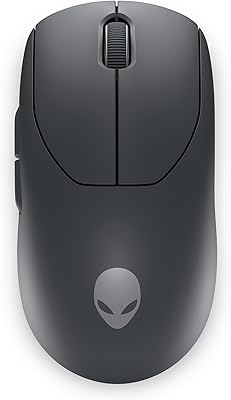
Alienware Pro Wireless Gaming Mouse
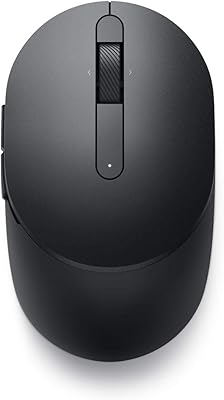
Dell MS5120W
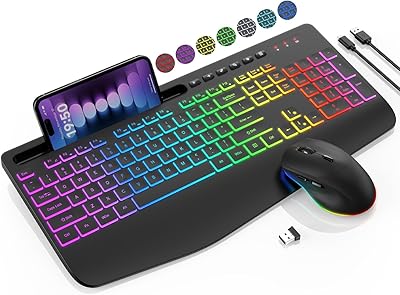
SABLUTE KL3 Pro
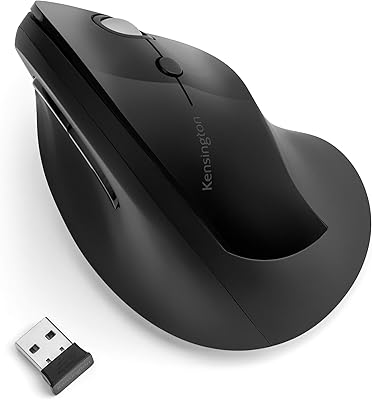
Kensington Pro Fit Ergo Vertical Wireless Mouse
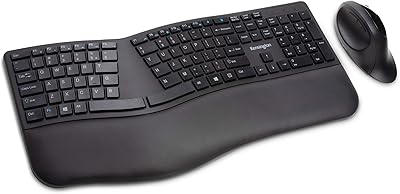
Kensington Pro Fit Ergonomic Wireless Keyboard Mouse
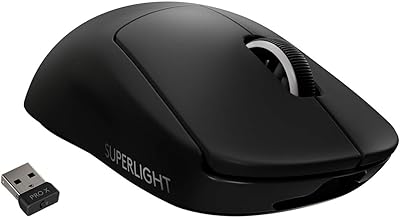
Logitech G PRO X Superlight