



Overview
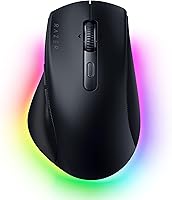
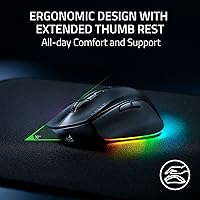
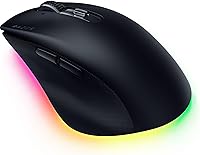
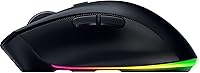
The Razer Pro Click V2 Wireless Mouse arrived in May 2025 as Razer's most deliberate attempt to translate its gaming sensor expertise into a mouse that genuinely belongs on an office desk. The design is unapologetically right-handed — if you're a lefty, stop here — built around a sculpted body with a wide extended thumb rest that takes meaningful pressure off the wrist during long sessions. It climbed to a top-150 ranking in Computer Mice within weeks of launch, which is notable for a mouse sitting firmly in premium territory. The RGB lighting exists, but treating it as a selling point for productivity buyers would be overselling it.
Features & Benefits
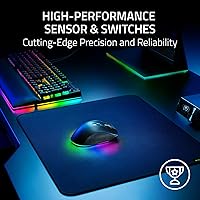
The Pro Click V2's optical sensor tracks with near-perfect accuracy — including on glass surfaces — which matters for anyone running a minimalist desk without a traditional mousepad. Connectivity is where this ergonomic wireless mouse genuinely stands out: pair up to five devices at once and toggle between them with a single button, covering your desktop, laptop, and tablet without unplugging anything. The AI Prompt Master button triggers workflow shortcuts through Razer Synapse 4, useful if you work heavily in AI writing tools, though the software must be installed and active. Battery life is exceptional; a full charge lasts months, and a five-minute top-up delivers roughly two full workdays.
Best For
This productivity mouse is a natural fit for hybrid workers juggling multiple machines daily — the multi-device toggle alone eliminates a surprising amount of cable-swapping frustration. If wrist fatigue is already something you manage, the ergonomic shape is worth serious consideration; the thumb rest makes a real difference over extended hours. Power users who rely heavily on AI writing or summarization tools will get consistent value from the dedicated shortcut button. Gamers wanting one mouse for a ranked evening session and a spreadsheet the next morning will find the sensor more than capable of handling both without compromise or reconfiguration.
User Feedback
All-day comfort draws consistent praise, with buyers frequently highlighting how well the palm support and thumb rest hold up through eight-plus-hour sessions. The dual-mode scroll wheel also earns appreciation from people who navigate long documents regularly. On the downside, Razer Synapse 4 dependency is a recurring complaint — the AI shortcut button delivers little without the software running, and macOS users report a noticeably more limited experience than Windows users. The right-hand-only shape catches some buyers off guard, and left-handed reviewers make their disappointment clear. Most users ultimately feel the build quality and sensor justify the cost, though a vocal minority argues that mid-range alternatives come close enough for everyday needs.
Pros
- The extended thumb rest meaningfully reduces wrist strain during all-day use, not just in theory.
- Five-device connectivity with instant toggle is rare at this tier and saves real time across multi-machine setups.
- The optical sensor tracks accurately on glass surfaces, eliminating the need for a mousepad on minimalist desks.
- Battery longevity is outstanding — most users charge this productivity mouse only a few times per season.
- A five-minute charge providing two full workdays of use is a practical safety net for heavy users.
- The dual-mode scroll wheel is genuinely useful: ratchet mode for precision, free-spin for fast document navigation.
- Build quality feels premium and matches the price; the clicks are firm without being tiring over long sessions.
- The AI shortcut button delivers real workflow speed improvements for users already working with AI productivity tools.
- USB-C wired mode ensures zero latency when needed, such as during competitive gaming or deadline crunch work.
- Chroma RGB can be fully disabled, so it adds no visual clutter or battery drain for those who prefer a clean setup.
Cons
- Razer Synapse 4 must be installed and running to access the AI button and custom macro features — it is not optional.
- macOS users get a noticeably stripped-down software experience compared to Windows, limiting advanced functionality.
- At nearly twelve ounces, the Pro Click V2 is heavier than many competing ergonomic mice, which some users find tiring.
- The right-hand-only shape is a hard dealbreaker with no workaround for left-handed buyers.
- Razer Synapse 4 has a history of background resource usage and occasional update issues that frustrate some users.
- The premium price is difficult to justify purely on ergonomics or connectivity if you do not use AI productivity tools.
- No silent-click option exists for open office or shared workspace environments where click noise is a concern.
- Pairing five devices is powerful in theory, but the initial setup across multiple operating systems can be time-consuming.
Ratings
Our editorial team trained an AI model on thousands of verified global purchase reviews for the Razer Pro Click V2 Wireless Mouse, actively filtering out incentivized submissions, duplicates, and bot-generated feedback to surface what real buyers actually experience day to day. The scores below reflect an honest synthesis of that data — strengths are credited where earned, and recurring pain points are not softened. Whether this productivity mouse fits your workflow or falls short depends on factors this breakdown makes transparent.
Ergonomic Comfort
Sensor Performance
Multi-Device Connectivity
Battery Life
AI Shortcut Button
Software Experience
Build Quality
Scroll Wheel
RGB Lighting
Value for Money
Weight & Portability
Compatibility
Click Feel & Accuracy
Suitable for:
The Razer Pro Click V2 Wireless Mouse was clearly built with a specific type of user in mind: the right-handed professional who refuses to accept a performance gap between their work mouse and their gaming peripheral. If you regularly switch between a desktop workstation, a laptop, and a tablet throughout the day, the ability to toggle across up to five paired devices without touching a dongle is a genuine quality-of-life upgrade. People managing early wrist fatigue or RSI symptoms will find the sculpted palm support and extended thumb rest noticeably better than flatter office mice at lower price points. The dedicated AI shortcut button adds real value for anyone already embedded in AI writing, summarization, or productivity tools — it is the kind of shortcut that starts feeling indispensable within a week. Gamers who want one high-precision mouse for both late-night ranked sessions and daytime spreadsheet work will appreciate not having to compromise on sensor quality in either context.
Not suitable for:
Left-handed users should stop reading here — the Razer Pro Click V2 Wireless Mouse is strictly a right-hand design, and there is no ambidextrous variant in this lineup. macOS users will also want to think carefully before buying: the core mouse functions work fine across platforms, but the AI shortcut button and advanced macro programming require Razer Synapse 4, which has meaningful limitations on Mac compared to its Windows counterpart. Budget-conscious buyers looking for a solid productivity mouse without the premium price tag will find capable alternatives from Logitech and Microsoft that handle multi-device switching and ergonomic comfort at a lower cost. Anyone who prefers a lightweight mouse will also need to weigh the trade-off; at nearly twelve ounces, this ergonomic wireless mouse sits on the heavier side, which can become noticeable during extended, fast-paced navigation. If RGB lighting holds zero appeal and software ecosystems feel like overhead rather than utility, the price premium becomes harder to justify.
Specifications
- Sensor: Equipped with the Focus Pro 30K Optical sensor, which delivers near-perfect tracking accuracy across virtually any surface, including glass.
- Resolution: Offers a resolution accuracy rate of 99.8%, making cursor movement feel precise and predictable at any sensitivity setting.
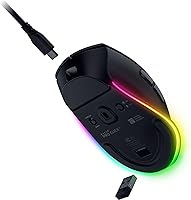
- Connectivity: Supports three connection modes: 2.4GHz HyperSpeed wireless via USB dongle, Bluetooth, and USB-C wired.
- Multi-Device: Can be paired with up to five devices simultaneously, with a dedicated button for instant switching between them.
- Battery Life: Rated for up to approximately 3.5 months of use on a full charge under standard conditions.
- Fast Charge: A five-minute charge via the included USB-C cable provides roughly two full working days of battery life.
- Scroll Wheel: Features HyperScroll technology with two selectable modes: a tactile ratchet mode for precise navigation and a free-spin mode for fast scrolling.
- Lighting: Includes 14-zone Chroma RGB lighting with full underglow, customizable across 16.8 million colors and compatible with over 300 integrated games.
- Switch Rating: Mechanical switches are rated for up to 60 million clicks, indicating a long operational lifespan under heavy daily use.
- Hand Orientation: Designed exclusively for right-handed users; the asymmetric ergonomic shape is not compatible with left-hand use.
- Weight: Weighs approximately 11.8 ounces, placing it on the heavier side among ergonomic wireless mice in this category.
- Dimensions: Measures 7.48 x 4.80 x 2.32 inches, offering a full-size palm grip profile suited to medium and large right hands.
- Software: Advanced features including the AI shortcut button and custom macros require Razer Synapse 4 to be installed and active.
- AI Button: Includes a dedicated AI Prompt Master button that triggers configurable AI workflow shortcuts through Razer Synapse 4.
- Charging Cable: Ships with a USB-C charging cable included in the box, compatible with the wired mode as well as charging.
- Wireless Standard: HyperSpeed 2.4GHz wireless uses a USB dongle and is designed to minimize latency compared to standard Bluetooth connections.
Related Reviews
Razer Pro Click Wireless Mouse
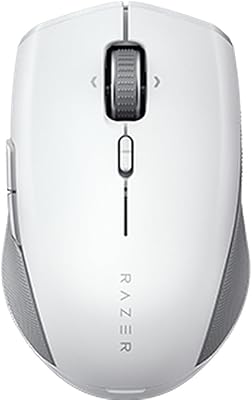
Razer Pro Click Mini Wireless Mouse
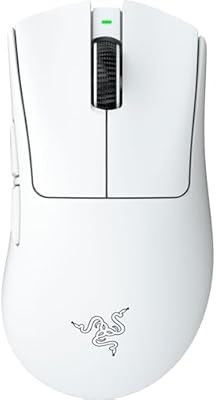
Razer DeathAdder V4 Pro Wireless Gaming Mouse
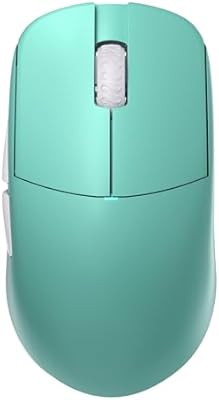
Lamzu Atlantis OG V2 Pro Wireless Gaming Mouse

Razer Seiren V2 Pro
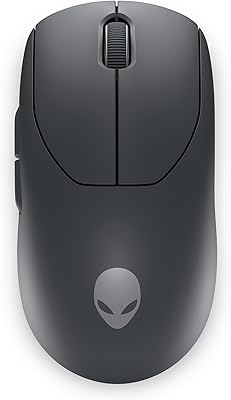
Alienware Pro Wireless Gaming Mouse
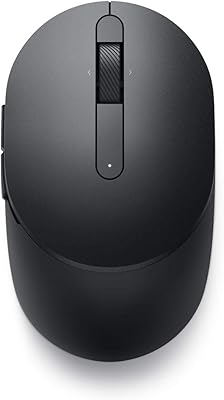
Dell MS5120W
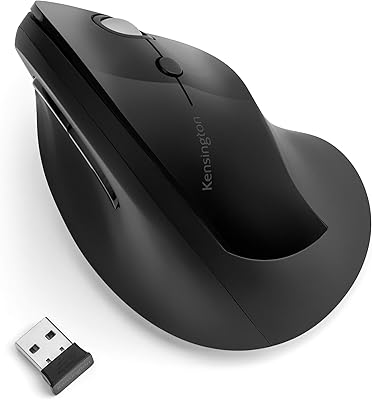
Kensington Pro Fit Ergo Vertical Wireless Mouse
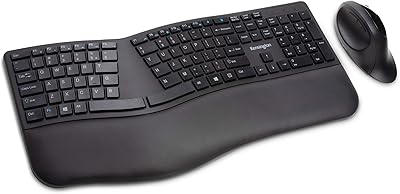
Kensington Pro Fit Ergonomic Wireless Keyboard Mouse