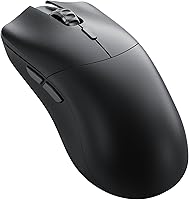

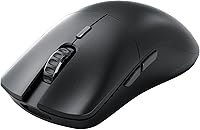
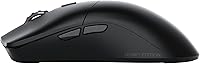
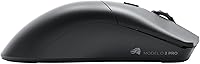



Overview

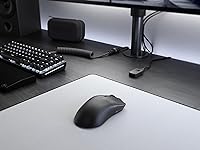
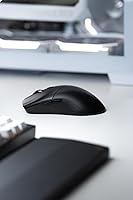
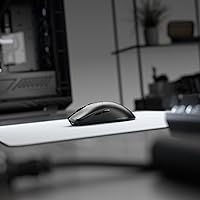
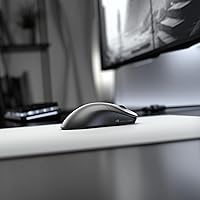
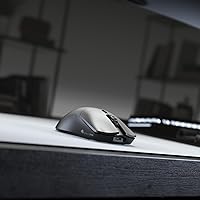
The Glorious Model O 2 PRO Wireless Mouse arrived in late 2023 as Glorious's sharpest push into the competitive wireless market, and it makes a strong case right from the first pick-up. At 59 grams, it sits among the lightest wireless options at this price point, and the low-profile ambidextrous shell feels natural in most right-handed grips — palm and claw especially. Left-handed gamers, fair warning: the shape skews right in practice. There's no RGB here, no Bluetooth, and no frills. What you do get is 4K wireless polling — a spec that's rare outside significantly pricier mice — making this a genuinely interesting option for performance-focused players.

Features & Benefits

The BAMF 2.0 sensor is the engine here — tracking at up to 26,000 DPI with a 2mm lift-off distance and 650 IPS ceiling, it handles aggressive swipes without skipping or stuttering. The real headline, though, is polling rate. In plain terms, polling rate is how often the mouse reports its position to your PC; at 4,000Hz wirelessly, that's four times more reports per second than the standard 1,000Hz, shaving off perceptible input lag. Wired bumps that to 8,000Hz. The optical switches feel light and snappy, and Glorious claims they won't double-click over time — a genuine advantage over traditional mechanical switches. Battery life reaches 80 hours at standard polling, dropping to 35 hours at 4KHz, which is still respectable. USB-C charging and play-while-charge support round things out.

Best For

This ultralight wireless mouse is built for one type of gamer: someone who wants the lowest possible input lag from a wireless setup and doesn't want to carry extra grams doing it. It's a natural pick for competitive FPS players — think Counter-Strike, Valorant, or similar — where every millisecond and every flick counts. Medium to large hands in a palm or claw grip will feel right at home; fingertip grip users might find the shape a little long. If you're currently on a wired mouse and skeptical about wireless latency, the Model O 2 PRO is a reasonable place to test those waters. It's also ideal for anyone who finds RGB lighting distracting and just wants a clean, no-nonsense desk setup.

User Feedback

Sitting at 3.9 out of 5 across over 500 ratings, Glorious's 4K polling mouse lands in positive territory but isn't without complaints. On the upside, buyers consistently mention the effortless glide from the PTFE feet, the satisfying click feel, and how comfortable the mouse is during extended sessions. The wireless connection draws very few complaints, which matters. Where things get messier: the scroll wheel has drawn repeated criticism for feeling cheap relative to the rest of the build, and some users find the side buttons awkwardly placed. A handful of buyers also note that initial profile configuration leans heavily on Glorious's software. Against rivals like the Logitech G Pro X Superlight, value-for-money opinions are split — but for the polling rate alone, many find it worthwhile.

Pros

  • At just 59g, this ultralight wireless mouse is noticeably lighter than most wireless options in its class.
  • Wireless 4K polling delivers input latency that rivals many wired setups, a rare feature at this price tier.
  • The BAMF 2.0 sensor tracks accurately at high speeds with a precise 2mm lift-off distance for clean stops.
  • Optical switches are rated for 100 million clicks and resist double-clicking — a real durability advantage over mechanical alternatives.
  • Up to 80 hours of battery life at standard polling means most gamers will rarely need to stop and charge mid-week.
  • PTFE mouse feet provide a smooth, low-friction glide that stays consistent across different desk surfaces.
  • USB-C charging with play-while-charge support ensures a low battery never interrupts a session.
  • On-board storage for three profiles means your settings travel with the mouse, no software needed on the day.
  • The minimalist, RGB-free build suits clean desk setups and keeps the focus entirely on in-game performance.

Cons

  • The scroll wheel feels noticeably cheaper than the rest of the build — a recurring complaint across user reviews.
  • Side button placement draws consistent criticism, with many users finding them awkward to hit reliably mid-game.
  • Profile customization requires Glorious's proprietary software, adding setup friction that some buyers find unnecessary.
  • With only six buttons, macro and shortcut options are limited compared to similarly priced competitors.
  • Running at 4KHz polling drops battery life to roughly 35 hours, which may fall short for heavy daily users.
  • The shape is marketed as ambidextrous but clearly favors right-handed users, leaving left-handed gamers without a real fit.
  • The value case weakens under direct comparison with established rivals that offer a more polished overall package.
  • A handful of buyers report needing to reposition the USB dongle to maintain a consistently stable wireless connection.

Ratings

The Glorious Model O 2 PRO Wireless Mouse has been scored across 13 performance categories by our AI system, which analyzed verified buyer reviews from global markets while actively filtering out incentivized, duplicate, and bot-generated feedback. The scores reflect both what this mouse genuinely excels at and where real buyers have consistently run into frustration — nothing has been smoothed over.

Sensor Performance
91%
The BAMF 2.0 tracks with real precision during fast, sweeping movements — the kind of aggressive flicks that tend to trip up lesser sensors. The 2mm lift-off distance is consistent and predictable, meaning muscle-memory shots land where intended even after repeatedly picking up and repositioning the mouse mid-match.
At 26,000 DPI maximum, the resolution ceiling far exceeds what most competitive players will realistically ever use — that headroom exists for specification marketing more than practical need. The lift-off distance is fixed at 2mm and cannot be adjusted, which is a limitation for users on non-standard surfaces who find that cutoff too low or too high for their playing style.
Polling Rate
93%
Wireless 4K polling is genuinely rare at this price tier — most competitors charge significantly more for it — and buyers who play fast-paced FPS titles consistently report that the difference in input responsiveness is perceptible once they switch from standard 1,000Hz. At 8,000Hz wired, it is technically among the fastest options currently available.
The practical benefit of 4K or 8K polling is most evident only at high skill levels and on high-refresh-rate displays — casual players will likely notice no difference whatsoever. Additionally, running at 4K polling accelerates battery drain significantly, so extracting the full performance benefit comes with a consistent energy trade-off.
Wireless Performance
88%
The 2.4GHz connection holds up remarkably well during intense sessions, with very few buyers reporting drops or noticeable lag during normal use. For players who have been skeptical about going wireless, the stability here is a convincing argument — most report that it genuinely feels as consistent as a wired connection.
A recurring concern involves dongle placement — users with the receiver plugged into rear desktop ports have reported occasional brief disconnections, particularly in environments with wireless interference. Glorious does not include a dongle extension cable in the box, which is a practical omission given how much dongle position affects connection quality.
Weight & Ergonomics
83%
At 59g, the weight reduction compared to most wireless mice is immediately noticeable — even after extended play, arm and wrist fatigue are meaningfully lower than heavier alternatives. Palm and claw grip users with medium to large hands consistently report that the shape fits comfortably without adjustment.
The ambidextrous branding overpromises — left-handed users find the shape noticeably awkward, and even among right-handed players, those with smaller hands or a fingertip grip style report that the mouse feels slightly long and imprecise to control. This limits its actual addressable audience more than the marketing implies.
Click Feel & Switches
81%
19%
The optical switches deliver a crisp, light actuation that competitive players tend to appreciate for fast clicking — the absence of metal contacts means no pre-travel wobble and no degradation in feel over time. The 0.2ms response is fast enough that it never feels like a bottleneck during play.
Users coming from traditional mechanical switches report a period of adjustment — the lighter, more linear feel takes getting used to and some find it less satisfying tactilely. A small number of buyers have also reported early double-clicking issues, which is notable given that eliminating double-clicks is a core selling point of the switch design.
Build Quality
74%
26%
The main shell feels well-constructed and holds up to daily handling confidently — there is no notable flex or creak when gripping firmly, and the matte finish resists fingerprints reasonably well during long sessions. For a mouse at this price tier, the primary structure inspires confidence.
The scroll wheel and side buttons are where the build quality story falls apart — both feel noticeably cheaper than the shell quality suggests the mouse should be at this price. This inconsistency is the single most common source of disappointment across verified buyer feedback.
Battery Life
77%
23%
At standard 1,000Hz polling, the battery claim of around 80 hours holds up in practice for most users, meaning weeks of daily gaming sessions without needing to reach for a cable. The play-while-charge feature also ensures that a depleted battery never actually interrupts a session.
Running at 4,000Hz polling — the feature most competitive buyers purchase this mouse for — cuts battery life to roughly 35 hours, which means more frequent charging for heavy daily users. Those expecting flagship-level battery endurance at high polling rates will find the trade-off more demanding than they anticipated.
Mouse Feet & Glide
86%
The G-Skates PTFE feet are a genuine highlight — they provide a smooth, low-friction glide that feels consistent whether on a hard desk surface or a cloth pad. Many users specifically call out the glide quality as one of the first things they noticed positively after unboxing.
PTFE feet do wear down over time and will eventually need replacing — replacement feet are sold separately, which adds a small ongoing cost that budget-conscious buyers should factor in. A minority of users on particularly abrasive surfaces have also reported that the feet wear faster than expected.
Scroll Wheel
51%
49%
The scroll wheel functions correctly at a baseline level — it scrolls predictably and registers middle-click inputs without issue, covering the basic requirements for both gaming and everyday navigation. For users who rarely rely on scroll-heavy workflows, this may be a non-issue in practice.
The scroll wheel is the most consistently criticized component across verified reviews — it feels plasticky and imprecise relative to the quality the rest of the mouse implies, which is jarring when cycling through weapons or navigating menus quickly. At this price, buyers reasonably expect better tactile feedback from a core input component.
Side Buttons
57%
43%
The side buttons are present and functional, registering inputs reliably without false activations during normal grip pressure — a baseline requirement that some competing mice fail at. For players who use side buttons only sparingly, the layout gets the job done without causing active problems.
Positioning is the persistent complaint — the side buttons sit in a spot that many users, particularly those with larger hands using a palm grip, find awkward to hit precisely without shifting their grip. This is not a minor comfort preference but a recurring enough criticism to suggest a genuine ergonomic miscalculation.
Software & Setup
61%
39%
On-board storage for three profiles means that after initial setup, the mouse operates entirely independently of the software — a meaningful benefit for users who move between PCs or prefer a clean system without background applications running. Basic out-of-box functionality requires zero software to get started.
Glorious CORE software is required for any meaningful customization — DPI steps, button remapping, and polling rate adjustments all live inside it, and the software experience has received mixed feedback for its reliability and interface clarity. New users frequently report friction during initial setup, particularly around profile configuration.
Charging & Cable
84%
USB-C charging is the right call — it uses the same connector as most modern devices, and the included Ascended cable is genuinely flexible, making play-while-charge a practical option rather than a last resort. The cable feels premium relative to the stiff, drag-heavy cords that often ship with gaming peripherals.
Glorious does not publish an official charge time, which is a small but legitimate transparency gap for buyers planning their charging routine. The cable, while flexible, is only 2m long, and users with desktop setups where the PC sits well away from the mousepad may find that length limiting when charging mid-session.
Value for Money
72%
28%
The 4K wireless polling rate at this price tier is genuinely hard to find elsewhere — that single specification alone justifies much of the cost for competitive players who would otherwise pay significantly more for the same capability on a flagship device. For FPS-focused buyers, the core performance-to-price ratio holds up.
When measured against the full package — factoring in the scroll wheel quality, side button ergonomics, and software friction — the value proposition becomes harder to defend against well-established rivals that offer a more consistent overall experience. Buyers who care about more than polling rate alone are right to scrutinize the comparison carefully.

Suitable for:

The Glorious Model O 2 PRO Wireless Mouse was designed with a clear audience in mind: competitive PC gamers who treat every millisecond of input lag as meaningful and want the lowest possible weight in their hand during long sessions. If you spend most of your time in fast-paced FPS titles — Valorant, CS2, Apex Legends — the 4K wireless polling rate and BAMF 2.0 sensor give you a genuinely high-performance foundation without tethering you to a cable. Right-handed players with medium to large hands who prefer palm or claw grip will find the shape comfortable and well-suited to extended play. It also makes strong sense for anyone stepping up from a heavier wired mouse who wants to experience how dramatically 59 grams can reduce fatigue over a full gaming session. If you dislike RGB and prefer a stripped-back, focused peripheral setup, this mouse fits that mindset perfectly.

Not suitable for:

The Glorious Model O 2 PRO Wireless Mouse is a tougher recommendation for buyers who expect a fully-featured, do-it-all peripheral rather than a performance-focused specialist tool. Left-handed gamers should look elsewhere outright — despite the ambidextrous branding, the shape skews noticeably right-handed in real use. Users who rely on Bluetooth for quick multi-device switching will find no support for it here, and the mouse is limited to Windows 7 and later, so macOS-primary users and console players are out of luck. Anyone who values customizable RGB lighting or a premium scroll wheel experience will find this mouse underwhelming in both areas, as the build quality is uneven once you move past the main shell and buttons. Casual gamers who game at standard polling rates and don't need cutting-edge wireless latency may also struggle to justify the price when well-regarded competitors offer a more balanced package at a similar cost.

Specifications

  • Weight: The mouse weighs 59g, placing it firmly in the ultralight category for wireless gaming mice.
  • Sensor: Uses the BAMF 2.0 optical sensor with a maximum resolution of 26,000 DPI and a 2mm lift-off distance.
  • DPI Range: Adjustable sensitivity ranges from 100 to 26,000 DPI, allowing precise tuning for both low- and high-sensitivity play styles.
  • Polling Rate: Supports up to 4,000Hz polling wirelessly over 2.4GHz and up to 8,000Hz when connected via the included USB-C cable.
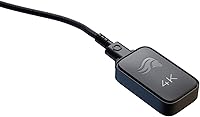
  • Connectivity: Connects via a 2.4GHz USB dongle for wireless use or via the included USB-C cable for wired use; Bluetooth is not supported.
  • Battery Life: Delivers up to 80 hours of use at 1,000Hz polling or approximately 35 hours at 4,000Hz polling on a single full charge.
  • Switches: Equipped with Glorious optical switches rated for 100 million clicks with a 0.2ms actuation response time.
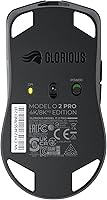
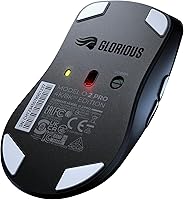
  • Mouse Feet: Ships with G-Skates 100% PTFE feet for consistent low-friction glide across most hard and soft desk surfaces.
  • Buttons: Features 6 total buttons: two primary clicks, a scroll wheel click, two side buttons, and a DPI toggle.
  • Onboard Storage: Stores up to 3 custom profiles directly on the mouse, accessible without requiring software on the connected PC.
  • Lift-Off Distance: Lift-off distance is set at 2mm, providing a consistent sensor cutoff point when the mouse is raised from the surface.
  • Max Speed: The BAMF 2.0 sensor supports tracking speeds of up to 650 IPS, handling fast and aggressive movements without accuracy loss.
  • Acceleration: Maximum sensor acceleration is rated at 50G, ensuring reliable tracking during rapid directional changes.
  • Charging: Charges via USB-C and supports play-while-charge functionality, keeping the mouse fully usable during a charging session.
  • Cable: Includes the Ascended USB-C cable at 2m (6.5ft) in length, built with an ultra-flexible design to minimize desk drag.
  • RGB Lighting: No RGB lighting is included; the design is intentionally minimalist with no illumination zones anywhere on the body.
  • Compatibility: Officially supported on Windows 7 and later; macOS and Linux are not listed as supported platforms by Glorious.

Related Reviews
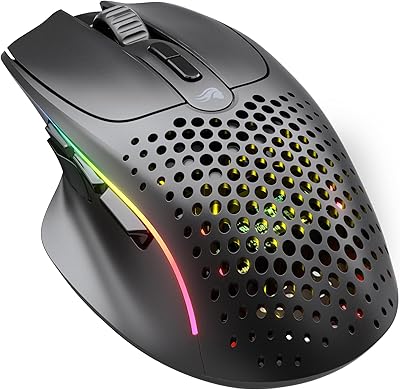
Glorious Model O Wireless Gaming Mouse
89%
94%
Precision & Performance
93%
Lightweight & Comfort
89%
Battery Life
88%
Build Quality & Durability
91%
Wireless Stability
More
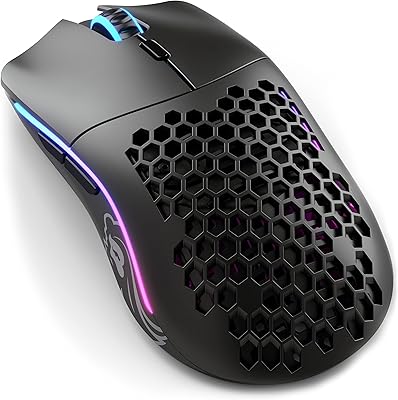
Glorious Model I 2 Wireless Gaming Mouse
87%
91%
Performance
94%
Ergonomics & Comfort
90%
Battery Life
88%
Customization & Features
85%
Build Quality & Durability
More
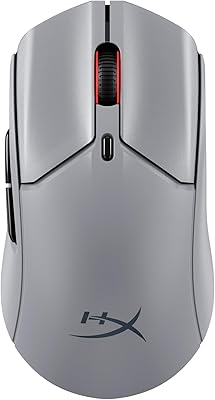
Glorious Model D- Wireless Gaming Mouse
87%
92%
Performance
88%
Ergonomics & Comfort
91%
Battery Life
84%
Build Quality
89%
Wireless Connectivity
More
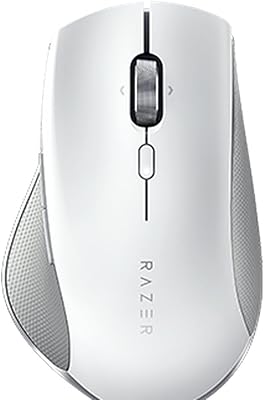
HyperX Pulsefire Haste 2 Pro Gaming Mouse
77%
93%
Sensor Accuracy
88%
Polling Rate Performance
91%
Weight & Ergonomics
89%
Battery Life
87%
Wireless Connectivity
More
Alienware Pro Wireless Gaming Mouse
83%
91%
Precision and Performance
74%
Battery Life
88%
Ergonomics and Comfort
84%
Customization Options
90%
Build Quality
More
Razer Pro Click Wireless Mouse
84%
88%
Ergonomics & Comfort
91%
Precision & Performance
94%
Battery Life
85%
Multi-Device Connectivity
82%
Programmable Buttons
More
memzuoix WM-2017 Wireless LED Mouse

74%
88%
Value for Money
83%
RGB Lighting Quality
91%
Portability & Size
94%
Ease of Setup
72%
Battery Life
More
CMF Buds Pro 2 Wireless Earbuds
79%
93%
Value for Money
78%
Active Noise Cancellation
84%
Sound Quality
71%
Fit & Comfort
91%
Battery Life
More
Razer Pro Click V2 Wireless Mouse
80%
91%
Ergonomic Comfort
93%
Sensor Performance
88%
Multi-Device Connectivity
89%
Battery Life
71%
AI Shortcut Button
More
Dell MS5120W
Dell MS5120W
81%
91%
Wireless Connectivity
94%
Battery Life
63%
Ergonomics & Comfort
78%
Tracking Performance
81%
Build Quality & Durability
More

FAQ

Officially, Glorious lists Windows 7 and later as the only supported operating system. At the hardware level, the mouse will likely move and click on macOS without any drivers since it is plug-and-play, but you will not have access to Glorious CORE software for DPI adjustments or profile customization on a Mac. If you are a Mac user who just needs a reliable wireless mouse and does not plan to touch the software, it will probably function day-to-day, but it is not something Glorious guarantees or supports.

For most casual gaming, the difference is subtle and genuinely debatable. Where it becomes more tangible is in fast-paced competitive play — particularly FPS titles where rapid micro-corrections are constant — because at 4,000Hz the mouse is reporting its position four times more frequently per second, which can reduce perceived input lag during demanding moments. It is a real technical advantage, but you need to be playing at a competitive level to notice it reliably.

The Glorious Model O 2 PRO Wireless Mouse competes in the same ultralight wireless category as the G Pro X Superlight 2, but the two take different approaches. The Superlight 2 is generally regarded as offering a more refined overall build quality and a more established sensor pedigree, while the Model O 2 PRO's distinct edge is its 4K wireless polling rate, which the Logitech does not match at a comparable price. If overall build polish and brand confidence matter most, Logitech holds an advantage; if pushing polling rate performance is the priority, the Glorious option makes a strong case.

Worth being direct about this: the shape is marketed as ambidextrous, but it clearly favors right-handed users in practice. The curves and side contours feel most natural for right-handed palm and claw grips, and left-handed gamers will likely find the layout awkward compared to a purpose-built symmetrical design. If you are left-handed, this mouse is not a good fit.

They feel lighter and slightly crisper — there is no physical bump or audible snap the way a standard mechanical switch delivers, just a clean, immediate actuation. Some people prefer this; others miss the tactile feedback of a traditional click. The more practical benefit is long-term reliability: optical switches use a light beam instead of a metal contact, which eliminates the double-clicking issue that tends to develop in mechanical switches after extended use.

You can plug it straight in and use it immediately — the mouse ships with three on-board profiles pre-loaded, and you can cycle through them with the DPI button without installing anything. If you want to customize DPI steps, remap buttons, or change the polling rate, you will need to download Glorious CORE software to configure those settings first and then save them to the mouse. After that initial setup, the mouse stores everything on-board, so the software is only needed again if you want to make further changes.

Most buyers report that the 2.4GHz connection is stable during normal gaming use. The most common issue is dongle placement — if the USB receiver is plugged into a rear port on a desktop tower with significant distance or physical obstructions between it and the mouse, some users have experienced occasional brief drops. Moving the dongle to a front port or using a short USB extension to position it closer to the mousepad resolves this in most cases.

Glorious does not publish an official charge time, but based on user reports and the battery capacity, a full charge from empty typically takes around 1.5 to 2 hours. The play-while-charge feature works well in practice — the included Ascended cable is flexible enough that the added wire does not feel particularly restrictive, so topping up during a session is genuinely usable rather than just a technical checkbox.

It is one of the most consistent complaints this mouse receives, so it is worth taking seriously. The scroll wheel functions correctly — it scrolls and clicks without issue — but the build quality feels noticeably cheaper relative to the polished impression the rest of the mouse gives. If scroll precision and feel matter to you, whether for in-game weapon cycling or general desk use, this is a real concern to weigh before buying. It is not defective, just underwhelming for the price point.

At 1,000Hz, the 80-hour claim is realistic for most users and translates to weeks of use before needing a charge. Bumping up to 4,000Hz brings that down to around 35 hours, which still covers roughly a week of daily 3 to 4 hour gaming sessions before you need to plug in. For most competitive players who prioritize the polling rate advantage, that trade-off lands in an acceptable range, though lighter users running extended sessions may want to keep the cable nearby.

Where to Buy