


Overview

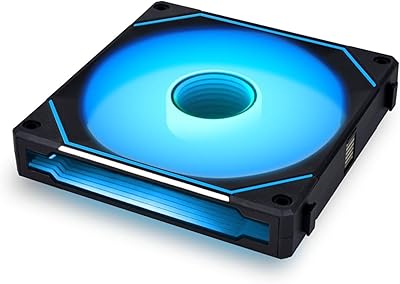
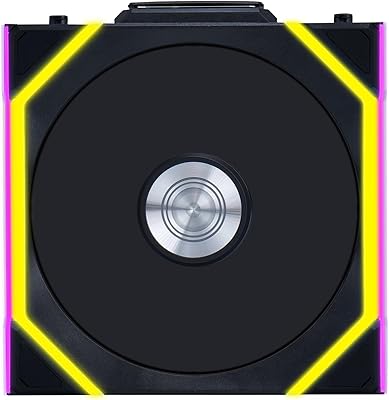
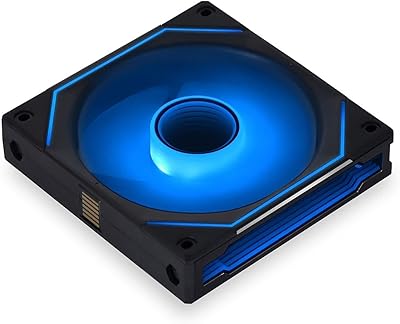
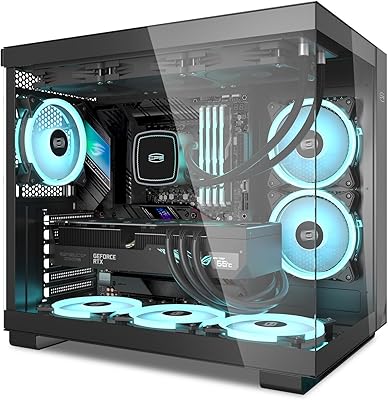
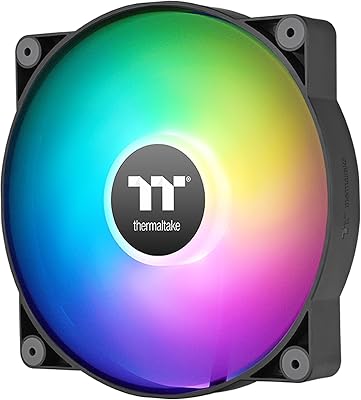
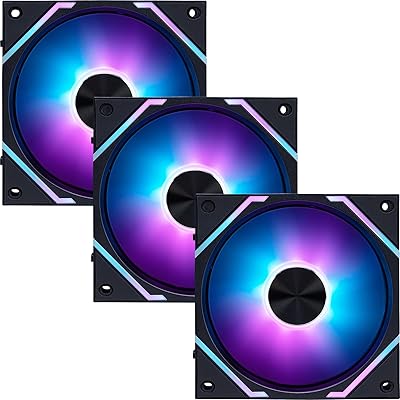
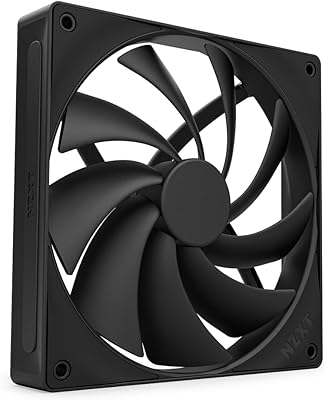
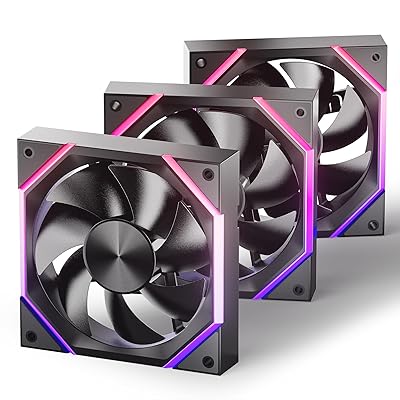
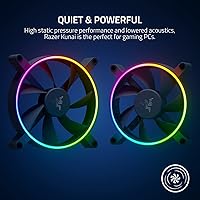
The Razer Kunai Hydraulic 140mm aRGB PC Fan is a high-performance cooling solution designed to enhance your gaming rig’s airflow while offering customizable lighting effects. This fan strikes a balance between quiet operation and powerful airflow, making it suitable for gaming PCs or any high-performance desktop system. Powered by Razer Chroma RGB, it provides access to 16.8 million colors and various lighting effects, allowing users to match their setup’s aesthetics. This Razer fan is ideal for users seeking both functionality and style in one package.

Features & Benefits

The Razer Kunai fan features a hydraulic design that ensures quiet operation while maintaining efficient cooling, with speeds ranging from 500 to 1600 RPM. It also supports a PWM controller, allowing users to adjust fan speeds based on cooling needs. The ability to daisy-chain up to 8 fans adds versatility to your system, synchronizing both airflow and lighting across multiple fans. With a noise level ranging from 15 to 30 dBA, this fan provides a quiet environment, even during intense gaming sessions, without compromising on performance.

Best For

This cooling solution is ideal for PC builders looking to optimize airflow and lighting in their desktop setups. Gamers will find it especially appealing due to its quiet operation and customizable RGB effects that enhance both performance and appearance. It’s also great for users who have cases that support aRGB fans and PWM controllers, enabling a fully personalized experience with coordinated lighting and airflow across their entire system. Whether building a new PC or upgrading an existing one, this fan suits a variety of use cases.

User Feedback

Users generally praise the Razer Kunai fan for its quiet performance, even at higher speeds. Many appreciate the ease of installation and the ability to customize lighting with Razer Synapse, making it an attractive choice for those who value both function and design. However, some users have noted that the fan lacks a PWM controller in the package, which can limit the customization options without purchasing an additional controller. While overall satisfaction is high, the absence of the controller is a point of consideration for those seeking full fan control.

Pros

  • This Razer fan operates quietly even at higher speeds, making it ideal for gaming setups that require minimal noise.
  • The customizable RGB lighting with Razer Chroma offers a wide range of colors, adding a dynamic touch to any build.
  • Easy installation and integration with Razer Synapse make it simple for users to manage lighting and fan speeds.
  • The ability to daisy-chain up to 8 fans ensures synchronized lighting and airflow, which is great for larger, multi-fan setups.
  • With a speed range of 500-1600 RPM, this fan provides versatile cooling performance suited for most gaming and workstations.
  • Its low noise level, ranging from 15 dBA to 30 dBA, is perfect for users who prioritize quiet performance during extended gaming sessions.

Cons

  • The fan does not include a PWM controller in the package, requiring users to purchase one separately for full customization.
  • Its 140mm size may not fit in smaller or more compact cases, limiting its compatibility with certain builds.
  • Some users find the lack of additional mounting accessories for certain case types to be a minor inconvenience.
  • While the fan offers good airflow, enthusiasts looking for extreme cooling performance may find it insufficient for heavy overclocking needs.
  • A few users have reported that the daisy-chaining feature can be tricky to set up in tightly packed cases.
  • The fan's design, while functional, is not as visually sleek as some other premium RGB fans, which may disappoint users looking for more aesthetics.

Ratings

After analyzing verified user reviews from multiple platforms and languages, the feedback for the Razer Kunai Hydraulic 140mm aRGB PC Fan reflects a generally positive sentiment, with both strengths and areas for improvement. Spam, bot-generated, or exaggerated reviews have been filtered out to ensure that only authentic, high-quality feedback informs the final ratings. Users have highlighted its performance and aesthetic appeal, while also noting some concerns about customization options that require additional components.

Cooling Performance
88%
Users appreciate the solid performance of this fan, as it offers a reliable cooling solution for high-performance PCs. Many find it efficient at maintaining low temperatures even under heavy load, making it a great choice for gaming setups or intensive tasks.
Some users have noted that while the fan offers good performance, it could be even more effective at higher speeds. A few mentioned that the cooling power could be improved for extremely overclocked systems or those in warmer environments.
Noise Level
92%
The low noise output is highly praised by most users, with many noting that even at higher RPMs, the fan remains relatively quiet. This makes it a great choice for quiet builds or for those who prefer a less noisy environment during gaming or work.
While generally quiet, some users did mention that at maximum speeds, the fan still produces a noticeable noise, especially in quieter rooms. However, this is a common trade-off for high airflow and cooling efficiency.
RGB Customization
85%
The vibrant and customizable RGB lighting is a big hit with users who want to personalize their PC setup. Thanks to Razer Chroma RGB support, many users enjoy having full control over lighting effects, with millions of colors to choose from.
Some buyers have expressed frustration with the lack of a PWM fan controller in the package, which limits the full customization options. To achieve the best effects, they must purchase additional hardware, which can be a downside for those expecting a complete out-of-the-box solution.
Build Quality
90%
The fan's build quality is well-regarded, with users noting the sturdy construction and premium materials. The fan's copper components ensure good durability, and the overall design feels solid, contributing to its long-lasting performance.
A few users have mentioned that the fan's housing feels slightly heavier than expected, which could be a concern for those with limited space in smaller cases. While not a major issue, it can be something to consider for tight builds.
Installation Ease
86%
Most users found the installation process straightforward and hassle-free. The fan's 4-pin connector and compatibility with most standard cases make it easy to set up, and many appreciated the clear instructions provided.
However, some buyers experienced slight difficulties when installing the fan in specific cases, especially those with limited clearance or unconventional mounting options. A few users also wished for a more intuitive guide for beginners.
PWM Control Compatibility
78%
22%
Users who already have a PWM fan controller appreciate how well this fan integrates into existing cooling systems, allowing for efficient speed adjustments based on system temperature and load.
The main downside is that the PWM controller is not included in the package, which some buyers find inconvenient. This means that users must spend extra money to fully utilize the fan's speed adjustment features.
Value for Money
84%
The fan offers good value for money considering its performance, quiet operation, and RGB features. Many buyers feel that it provides a solid combination of cooling and aesthetics without a high price tag compared to some premium options.
A few buyers feel that, considering the lack of a PWM fan controller, the overall value could be improved. The need to buy additional accessories for full customization makes the product less cost-effective for those on a budget.
Fan Speed Range
80%
20%
The fan's speed range of 500–1600 RPM offers decent flexibility for various cooling needs. Users found it suitable for most setups, providing a good balance between airflow and noise levels at different speeds.
However, some users felt that the upper limit of 1600 RPM is not high enough for extreme performance cooling, particularly in systems with overclocked components. It may struggle to keep temperatures down in very high-demand setups.
Daisy-Chaining Capability
89%
The ability to daisy-chain up to 8 fans is highly valued by users with larger builds or those wanting to create a synchronized lighting and airflow setup. This feature makes it easier to manage multiple fans with a single connection and controller.
Some users experienced challenges when chaining multiple fans together, with occasional issues in syncing the lighting effects across all units. A few found the daisy-chaining feature to be more complex than anticipated, especially when paired with non-Razer products.
Size and Fit
88%
The 140mm fan size is a good fit for many standard cases, and users appreciate its compact design that doesn’t take up too much space. It’s versatile enough for most builds, offering good airflow without overcrowding the system.
However, some users with smaller cases or more compact form factors found that the fan was a tight fit. This can be a consideration for those with limited space inside their builds or smaller cases that may not support the 140mm size.
Lighting Brightness
87%
The lighting is bright and vibrant, with a wide range of colors that really stand out. Users enjoyed how the lighting affects the overall look of their PC, especially in dark environments where the lights can shine through clearly.
A few users mentioned that the brightness could be slightly improved, especially in well-lit rooms or in builds with multiple fans. In these cases, the lighting might not be as noticeable as in darker setups.
Controller Not Included
65%
35%
For users who already own a compatible PWM fan controller, this isn’t a major issue. They were able to integrate the fan into their existing setups without much trouble, allowing full control over fan speed and lighting.
The lack of a controller included in the package was a significant disappointment for many. Buyers expecting an all-in-one solution found it frustrating to purchase additional components, which made the fan less convenient and raised the overall cost of the setup.
Customer Support
75%
25%
Several users mentioned positive experiences with Razer's customer support, particularly when it came to warranty inquiries and product issues. They appreciated the helpful and responsive team that quickly addressed concerns.
On the other hand, some buyers have reported long wait times when trying to get support, especially for more complex technical issues. A few found the support process to be more difficult than expected, with responses being delayed.

Suitable for:

The Razer Kunai Hydraulic 140mm aRGB PC Fan is ideal for PC builders and gamers who are looking to enhance both the cooling performance and aesthetics of their setups. With its efficient hydraulic design, it strikes a great balance between powerful airflow and quiet operation, making it perfect for high-performance gaming PCs or workstations. Gamers who want customizable RGB lighting through Razer Chroma will especially appreciate the 16.8 million color options and seamless integration with Razer Synapse. Additionally, its ability to daisy-chain up to 8 fans for synchronized lighting makes it a strong choice for those building larger, more visually striking systems.

Not suitable for:

This fan may not be the best option for users with very compact or custom-built cases, especially those with limited space or unconventional fan mounts. While it performs well in most systems, its 140mm size might cause fitment issues in smaller cases. Furthermore, the lack of a PWM fan controller in the package is a downside for users seeking full customization right out of the box, as additional hardware is required. Overclocking enthusiasts or those in need of extreme cooling performance might find its speed range and airflow limitations less than ideal for their demanding setups.

Specifications

  • Fan Size: The fan has a 140mm diameter, suitable for medium to large PC cases.
  • Speed Range: Operates between 500 and 1600 RPM, allowing for adjustable airflow based on cooling needs.
  • Airflow: Generates an airflow between 34.48 and 81 CFM, ensuring efficient cooling performance.
  • Noise Level: The fan operates quietly with a noise level range from 15 dBA to 30 dBA.
  • Power Consumption: It consumes 3.6W of power, ensuring low energy use during operation.
  • Voltage: The fan operates at 12V for stable performance across compatible systems.
  • Lighting: Features Razer Chroma RGB, with 16.8 million color options for customizable lighting effects.
  • PWM Control: Supports PWM control for dynamic speed adjustments, though a controller is sold separately.
  • Connector Type: Uses a 4-pin connector for compatibility with most modern motherboards and fan controllers.
  • Daisy-Chain Support: Supports daisy-chaining of up to 8 fans for synchronized lighting and airflow management.
  • Bearing Type: Uses a hydraulic bearing design for quiet operation and improved longevity.
  • Material: The fan is constructed with copper for enhanced heat dissipation and durability.
  • Dimensions: Measures 6.69″L x 6.1″W x 2.64″H, fitting most mid to full-tower PC cases.
  • Weight: The fan weighs 1.54 pounds, which provides stability without being overly heavy.
  • Software Compatibility: Compatible with Razer Synapse for easy lighting and fan speed management.
  • Manufacturer: Manufactured by Razer, known for high-quality gaming peripherals and PC components.
  • Launch Date: The fan was launched on October 21, 2021.

FAQ

This fan is designed to offer both quiet operation and powerful airflow, making it ideal for gaming PCs that need efficient cooling without generating too much noise. The customizable Razer Chroma RGB lighting also lets you tailor your PC's appearance with 16.8 million color options.

You can customize the lighting using Razer Synapse, which allows you to adjust the fan’s RGB colors and effects. This software integrates easily with your system for seamless control over all Razer RGB-enabled devices.

The 140mm size of the Razer fan is compatible with most mid-tower and full-tower cases. However, it's important to check if your case supports 140mm fans, especially in compact builds where space may be limited.

You can daisy-chain up to 8 fans using the included connectors. This feature is useful if you want synchronized lighting and airflow across multiple fans for a clean, coordinated setup.

Yes, while the Razer Kunai fan supports PWM control for dynamic speed adjustment, the controller is sold separately. If you want full fan speed management and precise cooling control, you’ll need to purchase the PWM fan controller.

The fan operates at a noise level ranging from 15 dBA to 30 dBA, making it quite quiet even at higher speeds. It’s designed for users who want efficient cooling without excessive noise, perfect for gaming and work environments.

While the Razer Kunai fan offers solid cooling performance, enthusiasts doing extreme overclocking may find that it doesn’t provide the same level of cooling as higher-end, larger fans or liquid cooling solutions. It’s better suited for moderate to high-performance setups.

The fan includes standard mounting hardware for most PC cases, but you may need additional adapters or screws depending on your case’s design. Always verify compatibility with your case before installation.

The hydraulic bearing design helps reduce friction, resulting in quieter operation and increased fan lifespan. This design ensures that the fan runs efficiently while minimizing the noise that could otherwise disrupt your gaming or work environment.

Some users have noted that the lack of a PWM controller in the package can be a downside, especially for those who want fine-grained control over fan speed. Additionally, users with smaller cases may have difficulty fitting the 140mm fan if their case is too compact.