

Overview

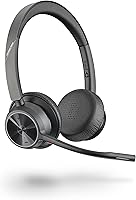
The Poly Voyager 4320 UC Wireless Headset sits comfortably in the mid-range of the UC headset market, built specifically for the hybrid worker splitting time between a home desk and a corporate office. It's a stereo over-ear headset with passive noise isolation designed for all-day wear, connecting to your computer via the included BT700 USB-A Bluetooth adapter while pairing directly to your phone over Bluetooth 5.2. Teams, Zoom, and most other UC platforms recognize it without any driver fuss. Within Poly's broader Voyager 4300 UC lineup, this model targets everyday productivity rather than audiophile-grade performance — a pragmatic tool for getting calls done reliably, day after day.

Features & Benefits

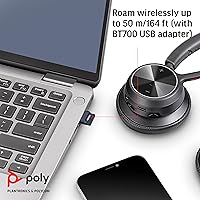
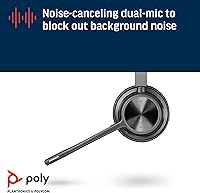
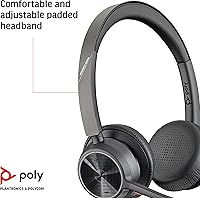
The dual-microphone boom is where this Poly wireless headset earns its keep. Poly's Acoustic Fence technology uses both mics to isolate your voice from background noise — keyboard clatter, a nearby TV, street noise bleeding through a window. That's meaningfully different from active noise cancellation, which blocks what you hear rather than what callers hear. Battery life is genuinely impressive at up to 24 hours of talk time, and a full charge takes under two hours. The BT700 adapter handles Bluetooth 5.2 with a range of up to 50 meters, though it's USB-A — a potential snag on modern laptops with only USB-C ports. At 162 grams with a padded adjustable headband, it won't wear you down through back-to-back meetings.

Best For

This UC headset is a strong fit for hybrid professionals who bounce between home setups and shared office environments and need a headset that handles Teams calls and Zoom meetings without extra configuration. If your workday is heavy on voice calls and light on ambient noise concerns, the mic performance will suit you well. It's also a practical pick for anyone wanting to stay connected across both a laptop and a smartphone without constantly re-pairing. Just keep in mind that without active noise cancellation, loud or open-plan environments can still bleed through to your ears. People needing serious sound isolation should consider a step-up model, but for most remote and hybrid workers, this strikes a sensible price-to-performance balance.

User Feedback

Across roughly 400 ratings, the Voyager 4320 UC lands at 3.9 out of 5 — respectable, but not without caveats. On the positive side, users consistently point to comfortable all-day wear and reliable call clarity as standout strengths, and most find setup straightforward with the plug-in BT700 adapter. Where opinions turn mixed is around the absence of active noise cancellation — some buyers expected it at this price point and were caught off guard. A smaller but vocal group has flagged occasional Bluetooth stability hiccups and adapter reliability concerns over extended use. Build quality feedback is generally positive short-term, though a handful of long-term owners note the ear cushions and headband show wear faster than the price might suggest. Solid overall, with real room to improve.

Pros

  • Dual-mic boom with Acoustic Fence technology keeps your voice clear on calls even in moderately noisy spaces.
  • Up to 24 hours of talk time means most users can go multiple days without reaching for the charging cable.
  • Fast charging gets the headset from empty to full in under two hours — useful when you forget to charge overnight.
  • Bluetooth 5.2 provides a stable, responsive connection with up to 50 meters of wireless range from your desk.
  • Pairs simultaneously with a laptop via the BT700 USB adapter and a smartphone over Bluetooth, with no re-pairing needed.
  • At 162 grams, it's light enough to wear through a full workday without neck or ear fatigue.
  • Works out of the box with Teams, Zoom, and other major UC platforms without extra software or configuration.
  • Wired USB audio fallback mode means a dead battery never has to derail an important call.
  • Dual LED indicators let you check connection and status at a glance without unlocking your computer.

Cons

  • No active noise cancellation means loud environments bleed through to your ears during calls and deep-focus work.
  • The BT700 adapter is USB-A only, which is an immediate compatibility issue on modern USB-C-only laptops.
  • Extended wireless range up to 91 meters requires the Voyager Office Base, an accessory sold separately at additional cost.
  • Some long-term users report the ear cushions and headband padding show visible wear sooner than expected.
  • Occasional Bluetooth stability complaints appear in user reviews, particularly around adapter reliability over time.
  • Mic performance, while solid on voice calls, is not well-suited for podcast recording or any audio work beyond conferencing.
  • The 3.9 out of 5 average rating signals a product that meets expectations for most buyers but leaves a noticeable minority disappointed.
  • No dedicated mobile app for call management or firmware updates, which some competing headsets include at a similar price.

Ratings

Our AI rating system analyzed hundreds of verified global user reviews for the Poly Voyager 4320 UC Wireless Headset, actively filtering out incentivized, bot-generated, and outlier feedback to surface what real buyers consistently experience. The scores below reflect an honest cross-section of sentiment — strengths are credited where earned, and recurring pain points are not softened. Whether this UC headset is the right fit for your workflow depends on priorities this breakdown is designed to help you weigh clearly.

Microphone Clarity
84%
Call recipients consistently report that the speaker's voice comes through cleanly, even when there is moderate noise in the background — a barking dog, a running dishwasher, or an open window onto a busy street. The dual-mic Acoustic Fence setup genuinely does its job for everyday work calls on Teams and Zoom.
In louder or more chaotic environments, background noise does bleed through noticeably, and some callers report occasional audio thinning. It is not a studio-grade mic, and users who host podcasts or record content will find it falls well short of what they need.
Battery Life
91%
For most hybrid workers, a full charge genuinely stretches across two or three workdays of moderate call usage, which means charging becomes a weekend habit rather than a daily chore. The fast charge feature adds a practical safety net when you forget — a short top-up before a morning call buys several hours.
Heavy users who are on calls for six or more hours daily will find the 24-hour ceiling tighter than it sounds on paper. A small number of users also report that battery capacity degrades noticeably after 12 to 18 months of daily use, which is worth factoring into long-term ownership expectations.
Wearing Comfort
82%
18%
At 162 grams with a cushioned, adjustable headband, the Voyager 4320 UC is easy to forget you are wearing during a two-hour meeting block. Most users with average head sizes report genuine all-day comfort, and the over-ear design reduces the pressure points that plague on-ear alternatives.
Users with larger heads or those sensitive to heat find the ear cups become warm and slightly uncomfortable after three to four hours. The clamping force also feels firmer than some competitors, which a portion of reviewers flag as a fatigue factor during marathon workdays.
Connectivity Reliability
76%
24%
For the majority of users, the BT700 adapter establishes a stable connection quickly and holds it reliably through a standard workday. Simultaneously maintaining a laptop connection and a smartphone pairing works as advertised for most buyers and is frequently cited as a genuine day-to-day convenience.
A recurring thread in user reviews involves the BT700 adapter losing its connection intermittently, particularly in office environments with dense wireless traffic. Some users have also reported the adapter becoming unresponsive after firmware updates, requiring an unplug-and-replug to recover — a minor but irritating pattern.
Noise Isolation (Listening)
63%
37%
The passive over-ear design does provide a reasonable degree of ambient sound reduction for a headset in this category, helping users stay focused during calls in moderately busy home offices. For low-to-mid noise environments, it is adequate for the intended use case.
Without active noise cancellation, this UC headset falls short for anyone in a genuinely noisy setting — open-plan offices, shared apartments, or co-working spaces. Users who switched from ANC-equipped headsets consistently express disappointment, and it is one of the most frequently cited reasons for negative reviews.
Ease of Setup
88%
Plug in the BT700 adapter, power on the headset, and it pairs in seconds — most users report the entire setup taking under two minutes with no drivers or software required. Teams and Zoom recognize it immediately on both PC and Mac, which removes a common friction point for less technical buyers.
The USB-A adapter is a stumbling block for users on newer laptops with only USB-C ports, requiring an additional adapter that is not included. A handful of IT-managed enterprise environments have also reported needing manual audio routing adjustments before the headset works correctly with call platforms.
Wireless Range
74%
26%
The 50-meter rated range with the BT700 adapter is more than sufficient for moving freely within a single-floor home office or open workspace, and most users report a clean, uninterrupted signal while walking to a kitchen or stepping into a nearby room mid-call.
Real-world range drops considerably through walls and in environments with high wireless interference, with practical usability often closer to 20 to 25 meters in a typical home or office layout. The advertised 91-meter extended range requires the Voyager Office Base, which is sold separately and not included — a detail that surprises some buyers.
Build Quality
69%
31%
The polyurethane and metal construction gives the headset a professional appearance and feels sturdy enough to withstand the routine handling of daily desk use. Initial impressions from most buyers are positive, and the headset does not feel cheap or fragile out of the box.
Longer-term owners report that the ear cushion material begins to crack or peel after 12 to 18 months of daily use, and the headband padding compresses over time. For a headset expected to last several years with heavy use, the material durability is a genuine weak point that surfaces consistently in critical reviews.
UC Platform Integration
86%
Call answer and end controls work reliably with both Teams and Zoom without needing companion software, which is a meaningful convenience for users who live in these platforms all day. The dual LED indicators make it easy to confirm you are connected and active before a call begins.
Some users report that mute status synchronization between the headset hardware button and the software mute indicator in Teams occasionally falls out of sync, causing confusion about whether they are actually muted. This is an intermittent issue rather than a constant one, but it has caused some embarrassing moments for affected users.
Value for Money
77%
23%
For a name-brand UC-certified headset with solid mic performance, 24-hour battery life, and reliable dual-device connectivity, the price is reasonable relative to the certified alternatives from competitors. Buyers who need a dependable daily driver without paying for ANC they will not use will find the value proposition fair.
The lack of ANC and the durability concerns around long-term material wear make the value calculus tighter than it first appears. Buyers who keep headsets for two or more years and work in noisy environments may find the total cost-of-ownership less compelling once replacement ear cushions or a full unit swap enters the picture.
Multi-Device Pairing
81%
19%
The ability to stay paired to both a laptop and a smartphone simultaneously is one of the more practical real-world features of the Voyager 4320 UC, allowing users to take a mobile call without any manual re-pairing or switching. Transitions between audio sources are generally smooth for most users.
Switching between active audio sources is not always instantaneous, and a small percentage of users report occasional hesitation or failed handoffs when an incoming call arrives on one device while audio is playing on the other. It works reliably enough for the majority, but power users with complex multi-device setups may find it less polished than expected.
Audio Quality (Listening)
71%
29%
For voice calls and online meetings, the dynamic drivers deliver clear, intelligible audio that makes following a conversation easy without fatigue. Listening to spoken content like webinars or recorded presentations is comfortable, and the stereo design adds a subtle sense of space that mono headsets lack.
Music playback reveals the limits of a voice-tuned headset fairly quickly — bass is thin, treble can feel flat, and the overall audio profile is clearly optimized for speech rather than entertainment. Users who also want to listen to music during focus work will likely find the audio quality underwhelming compared to consumer headphones in a similar price range.
Portability
66%
34%
The 162-gram weight makes the headset easy to carry between a home office and a corporate desk, and it does not include bulky foldable mechanisms that tend to fail over time. For users who commute a few days a week, it is manageable in a work bag.
The headset does not fold flat or collapse into a compact form, and no carrying case is included in the box. Tossing it loose into a bag risks scratching or bending the headband over time, and frequent travelers or daily commuters will need to source their own protective solution.

Suitable for:

The Poly Voyager 4320 UC Wireless Headset is built for hybrid professionals who spend a meaningful chunk of their workday on calls and need a headset that works reliably across both a laptop and a smartphone without a complicated setup. If your week splits between a home office and a corporate desk, this UC headset handles that transition well — plug the BT700 adapter into your work laptop, pair your phone over Bluetooth, and you're covered on both fronts. Workers who run back-to-back Zoom or Teams meetings will appreciate the 24-hour battery life, which realistically means you can go several days between charges depending on usage. The lightweight build and padded headband also make it a sensible choice for people who wear a headset for five or more hours a day and can't afford the distraction of discomfort. If your priority is being heard clearly on calls rather than blocking out everything around you, the dual-mic Acoustic Fence setup does that job well in moderately noisy environments.

Not suitable for:

The Poly Voyager 4320 UC Wireless Headset is not the right tool for anyone working in a consistently loud environment — open-plan offices with heavy ambient noise, shared spaces, or noisy households — because it offers passive isolation only, with no active noise cancellation to block what reaches your ears. Buyers who have grown accustomed to ANC headsets will likely find the audio environment noisier than expected during long listening sessions. The included BT700 adapter is USB-A, which is a real friction point if your laptop only has USB-C ports; you'd need a separate adapter, which adds cost and one more thing to carry. Users hoping for an extended wireless range beyond 50 meters should also know that the 91-meter range advertised by Poly requires the Voyager Office Base, which is a separately purchased accessory and not included in the box. Finally, buyers expecting premium build quality that holds up to years of daily heavy use may find the ear cushions and headband materials wear down faster than the price point suggests they should.

Specifications

  • Weight: The headset weighs 162 g (5.7 oz), keeping it light enough for all-day wear without causing neck or ear fatigue.
  • Battery Life: Rated for up to 24 hours of continuous wireless talk time on a full charge under normal usage conditions.
  • Charging Time: A full charge takes approximately 1.6 hours, and fast charging support means a short charge session can restore meaningful talk time quickly.
  • Bluetooth Version: Uses Bluetooth 5.2, offering a more stable and efficient wireless connection compared to older Bluetooth standards.
  • Wireless Range: Provides up to 50 m (164 ft) of wireless range when used with the included BT700 USB-A Bluetooth adapter.
  • Microphone: Features a flexible boom arm with a dual-microphone array and Poly's Acoustic Fence technology to isolate the speaker's voice from surrounding background noise.
  • Ear Design: Over-ear, stereo configuration with passive noise isolation and cushioned ear cups designed for extended wearing comfort.
  • Included Adapter: Ships with the BT700 Bluetooth USB-A adapter, which plugs into a standard USB-A port on a PC or Mac to enable wireless connectivity.
  • Impedance: Driver impedance is rated at 32 Ohm, appropriate for standard computer audio output levels without requiring an external amplifier.
  • Driver Type: Equipped with dynamic audio drivers, tuned for voice clarity and communication use rather than high-fidelity music reproduction.
  • Materials: The headset is constructed primarily from polyurethane (PU) and metal, balancing lightweight durability with a professional look and feel.
  • Compatibility: Works with PC and Mac computers via the BT700 adapter, pairs directly with smartphones and tablets over Bluetooth, and is certified for Microsoft Teams and Zoom.
  • Active Noise Cancel: Does not include active noise cancellation; audio isolation is achieved through passive ear cup design and Acoustic Fence microphone technology.
  • Wired Fallback: Supports a wired USB audio cable mode, allowing the headset to function as a corded device when the battery is depleted.
  • Dimensions: Product dimensions are approximately 1.97 x 8.27 x 7.09 inches, making it a standard-sized over-ear headset suitable for most head sizes.
  • Special Feature: Fast charging capability is included, reducing the time needed to restore battery life during brief breaks between meetings.
  • Connection Status: Dual LED indicators on the headset provide a clear visual signal for connection status and call activity without needing to check the connected device.
  • Water Resistance: Carries no water resistance rating and is not designed to withstand moisture, rain, or sweat exposure.

Related Reviews
Poly Voyager 4310 UC Wireless Headset
82%
88%
Microphone Quality
91%
Battery Life
72%
Comfort & Fit
86%
Wireless Connectivity
84%
Call Audio Clarity
More
Jabra Motion UC Bluetooth Headset
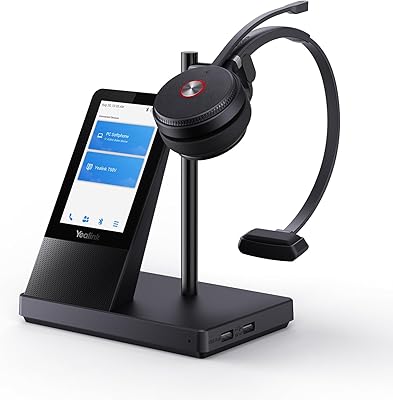
76%
91%
Call Audio Quality
74%
Comfort & Fit
89%
PC Connectivity
78%
Battery Life
88%
Platform Compatibility
More
Yealink WH66 DECT Wireless Headset
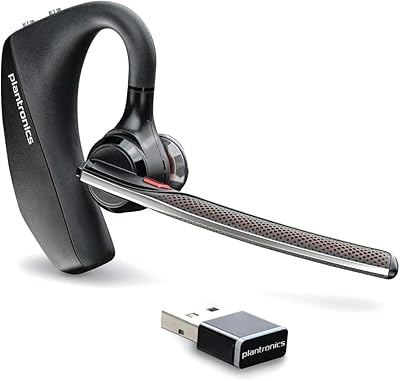
77%
91%
Call Audio Clarity
88%
DECT Wireless Range
79%
Battery Life
74%
Touch Screen Usability
83%
Comfort During Extended Wear
More
Poly Voyager 5200 UC
80%
94%
Voice Isolation & DSP
88%
Microphone Clarity
82%
Wireless Range & Stability
77%
All-Day Comfort
79%
Value for Money
More
Plantronics Voyager 6200 UC B6200 Bluetooth Headset
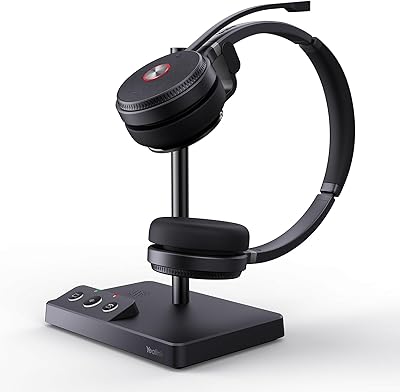
88%
91%
Audio Quality
89%
Comfort for Extended Use
87%
Noise Cancellation Performance
88%
Bluetooth Connectivity
84%
Battery Life
More
Yealink WH62 Dual UC DECT Wireless Headset
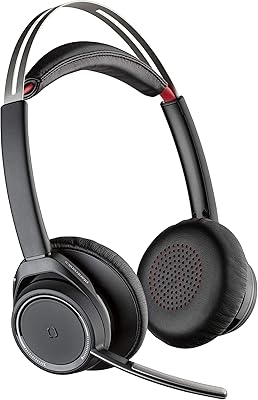
82%
92%
Wireless Range & Stability
88%
Call Audio Clarity
79%
Microphone Noise Cancellation
81%
Comfort & Wearability
87%
Battery Life
More
Plantronics Voyager Focus UC Bluetooth Stereo Headset
78%
91%
Microphone Clarity
74%
Active Noise Canceling
88%
Call Audio Quality
83%
Battery Life
61%
Comfort & Fit
More
Cisco Headset 561 Wireless On-Ear DECT Headset
75%
91%
Wireless Range & Reliability
84%
Call Audio Clarity
93%
Cisco Ecosystem Integration
82%
Battery Life
67%
Comfort During Extended Wear
More
Delton 95X Wireless Headset
77%
91%
Battery Life
68%
Microphone Quality
84%
Comfort & Fit
76%
Call Performance
71%
Connectivity & Pairing
More
Dytole DY107
Dytole DY107
82%
93%
Battery Life
88%
Microphone Quality
74%
Comfort & Fit
91%
Sound Quality for Calls
86%
Connectivity & Range
More

FAQ

For most users, yes — the Voyager 4320 UC is designed to be recognized by Teams and Zoom without extra driver installation. You plug in the BT700 USB-A adapter, pair the headset, and your UC platform should detect it automatically. Some IT-managed environments may require minor audio settings adjustments, but out-of-the-box compatibility is one of its genuine strengths.

Not directly — the included BT700 adapter uses a USB-A connector, which won't fit a USB-C port without a separate adapter. You'd need to pick up a USB-A to USB-C adapter, which is inexpensive but adds a step. Alternatively, you can pair the headset directly to your laptop over native Bluetooth if your device supports it, though call controls and UC integration may be slightly more limited that way.

Yes. The headset maintains a Bluetooth connection to your laptop via the BT700 adapter and simultaneously pairs with your smartphone over Bluetooth. You can switch between the two devices during a call or take an incoming mobile call without manually re-pairing. It's one of the more practical features for people who handle both work calls and personal calls throughout the day.

It is worth being precise here: this headset uses Acoustic Fence technology on the boom mic, which employs two microphones to pick up your voice and reduce background sounds that reach callers. That is different from active noise cancellation, which would block noise from reaching your own ears. The mic performance in moderately noisy environments is solid, but if you work in a genuinely loud space, callers may occasionally hear some background bleed.

Poly rates it at up to 24 hours of talk time, and most users report it comes close to that figure during normal workday use. If you are on calls most of the day, expect to charge every two to three days rather than daily. The fast charging feature means that even if you forget to charge it overnight, a short top-up before a morning meeting can restore a few hours of life.

Generally, yes — at 162 grams with a padded, adjustable headband, it is designed for extended wear. Most user feedback reflects positively on comfort during long sessions. That said, comfort is personal, and a small number of users with larger heads or sensitivity to over-ear designs find the ear cups become warm or slightly tight after several hours.

The 50-meter range is achievable in open space, but in a typical home or office with walls, doors, and other wireless devices, expect a practical range of around 20 to 30 meters before the signal becomes unreliable. That is still plenty for moving around a single floor or stepping into a nearby room during a call. If you need extended range up to 91 meters, that requires the Voyager Office Base, which is a separate accessory not included in the box.

The headset supports a wired USB audio cable mode, so you can plug it in and continue your call without losing audio. It is a practical safety net for critical meetings, and it is worth keeping the cable nearby if your workday is call-heavy and you are not always mindful of the battery level.

The headset is built from a combination of polyurethane and metal, and it feels reasonably solid for daily professional use. Short-term impressions from users are largely positive. However, some longer-term owners have noted that the ear cushions and headband padding begin to show wear after a year or more of heavy use, which is not unusual at this price tier but worth knowing if you expect a multi-year lifespan without any maintenance.

Not without purchasing additional accessories. The UC version pairs with computers and smartphones via Bluetooth, but connecting to a traditional desk phone requires the Voyager Office Base, which is sold separately. If desk phone integration is important to your setup, factor that extra cost into your buying decision before committing to this model.