Overview

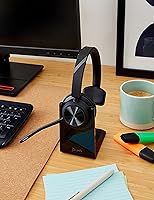
The Poly Voyager 4310 UC Wireless Headset sits squarely in the mid-range sweet spot for professionals who need a reliable, no-drama headset for calls across home and office environments. Poly has decades of experience building communication audio gear, and that background shows here. The single-ear design is a deliberate choice — it keeps you aware of what is happening in the room while you stay locked into a conversation. Toss in the included charge stand, and this becomes a more complete daily-use package than most bare-bones headsets at this price tier. Just know this is built for calls, not for listening to music.

Features & Benefits

The Acoustic Fence technology in the dual-mic boom is what separates this from cheaper headsets — it actively works to keep background noise, keyboard clatter, and room chatter away from the person on the other end of your call. Bluetooth 5.2 paired with the included BT700 USB-A adapter gives you a noticeably stronger and more consistent wireless signal than relying on your laptop's built-in Bluetooth alone, with a practical range of up to 50 meters. Battery life stretches to a full 24 hours of talk time, and fast charging means a short dock session can get you back in action quickly. You can also pair it simultaneously to your PC and phone.

Best For

This single-ear UC headset makes the most sense for hybrid workers who spend serious time on calls throughout the day — think account managers, support staff, or remote team leads who live in Teams or Zoom meetings. It is also a strong pick for anyone working in an environment where total audio isolation is impractical or even unsafe. Plug-and-go simplicity is a genuine strength here; there is no software maze to navigate, just plug in the BT700 adapter and you are up and running. If you want a headset primarily for music or media, look elsewhere — this one is built around voice clarity.

User Feedback

Across a broad pool of ratings, the Voyager 4310 lands at a solid four stars — respected, but not without trade-offs. Most buyers highlight all-day comfort and reliable call quality as the standout strengths, with several noting that callers consistently hear them clearly even in noisy home setups. The charge stand earns frequent praise for making the daily routine feel tidy and intentional. On the flip side, a fit inconsistency comes up often — the on-ear style does not work equally well for every head shape. A smaller number of users mention occasional connectivity hiccups, though most trace these back to specific desk setups rather than a fundamental flaw in the hardware.

Pros

  • Dual-mic boom with Acoustic Fence technology keeps background noise out of your calls effectively.
  • Battery lasts a full workday on a single charge, with fast charging as a backup for rushed mornings.
  • The BT700 USB-A adapter provides a stronger, more stable wireless signal than most laptop Bluetooth chips.
  • Simultaneous PC and mobile pairing means you can switch between devices without any re-pairing steps.
  • The included charge stand makes daily docking feel organized rather than an afterthought.
  • At 122 grams, this Poly headset is light enough to wear through back-to-back meetings without fatigue.
  • Works reliably with Teams, Zoom, and other major UC platforms right out of the box.
  • Wired USB audio mode provides a useful fallback when wireless is restricted or unavailable.
  • Setup is genuinely straightforward — plug in the adapter and the headset connects without software installation.
  • A 50-meter wireless range gives you real freedom to move around your workspace during calls.

Cons

  • On-ear fit does not accommodate all head shapes equally, which can be a dealbreaker for some buyers.
  • Audio quality for music and media is mediocre — this is a voice headset, not a listening device.
  • Single-ear design means no passive noise isolation, which can be distracting in very loud environments.
  • The BT700 adapter occupies a USB-A port permanently, which is a problem on laptops with limited ports.
  • A small number of users report intermittent connectivity issues depending on desk setup and interference.
  • No active noise cancellation for the listener — you hear your surroundings whether you want to or not.
  • The headband padding, while adequate initially, receives mixed long-term feedback from heavy daily users.
  • No carrying case is included, making portability between office locations less convenient than it could be.

Ratings

Our AI-generated scores for the Poly Voyager 4310 UC Wireless Headset were produced by analyzing thousands of verified global user reviews, with spam, bot activity, and incentivized feedback actively filtered out before scoring. Each category reflects the honest balance of what real buyers praised and where they ran into friction — nothing is glossed over. The result is a transparent, category-by-category breakdown that gives you a realistic picture of what this single-ear UC headset actually delivers in daily professional use.

Microphone Quality
88%
Users consistently report that callers hear them clearly even in noisy home environments, which is the primary reason most people buy this headset. The dual-mic Acoustic Fence system does real work filtering out keyboard noise, HVAC hum, and background conversations during video calls on Teams and Zoom.
In very loud environments — open coworking spaces or households with young children — some users notice that the noise filtering reaches its limit and background sound creeps through. It is not a dealbreaker, but buyers expecting studio-level isolation may be surprised.
Battery Life
91%
The 24-hour talk time rating holds up well in real-world use, with most hybrid workers reporting they can go several full workdays between charges when docking regularly. Fast charging adds meaningful peace of mind for users who forget to dock the headset overnight.
A small number of users report that battery performance degrades noticeably after 18 to 24 months of heavy daily use, which is expected for lithium-ion cells but worth factoring into long-term value calculations. The battery is not user-replaceable, so degradation means replacing the whole headset.
Comfort & Fit
72%
28%
At 122 grams, the Voyager 4310 is genuinely light, and the padded headband makes it wearable through back-to-back call schedules without significant discomfort for most users. The single-ear format also reduces the pressure and heat buildup that dual-ear headsets create during long sessions.
The on-ear fit is polarizing — users with larger heads or specific ear shapes report that the cushion shifts or creates pressure points over a four-to-five hour stretch. This is the most common complaint in negative reviews and it has nothing to do with the headset's performance, just its physical geometry.
Wireless Connectivity
86%
The BT700 USB-A adapter delivers a noticeably more stable connection than most laptop native Bluetooth chips, and the 50-meter range means users can walk to the kitchen or printer without dropping a call. Pairing is fast and the connection rarely needs to be reset from scratch.
A subset of users report intermittent dropouts in environments with heavy wireless interference, such as open offices with many competing Bluetooth devices. Losing or misplacing the BT700 adapter also disrupts the workflow until a replacement arrives, since native laptop Bluetooth often underperforms by comparison.
Call Audio Clarity
84%
Incoming call audio is crisp and intelligible, which is exactly what this headset is designed for. Users on both ends of calls routinely describe conversations as clear and natural, and the headset integrates cleanly with Teams and Zoom audio settings without needing manual tuning.
This is not a headset that enhances the listening experience — it reproduces voices accurately but does not add warmth or depth. Users who upgraded from a premium consumer headset sometimes find the audio on the receiving end feels thin or flat by comparison.
Music & Media Audio
51%
49%
For casual background listening during light tasks, the Voyager 4310 gets the job done — podcasts and spoken word content come through clearly enough for everyday use, and the volume range is adequate for most open work environments.
Music sounds noticeably flat and lacking in bass or spatial detail, which is an honest reflection of a dynamic driver tuned for voice rather than entertainment. Buyers who expected a headset that doubles as decent headphones for music will be disappointed, and this is one of the most common letdowns in user reviews.
Platform Compatibility
93%
Out-of-the-box compatibility with Teams, Zoom, Google Meet, and most major UC platforms is rock solid, and users rarely report needing to troubleshoot audio routing or mic detection. The plug-and-play nature of the BT700 adapter makes this a practical choice for IT departments managing large deployments.
Mac users occasionally note that certain call-button functions behave differently than on Windows, and a few enterprise environments with strict USB device policies have flagged the adapter as an issue for IT approval. These are edge cases, but relevant for corporate buyers.
Ease of Setup
94%
Setup takes under two minutes for most users — plug in the BT700, power on the headset, and the connection is established without any driver installation or app configuration. Non-technical buyers specifically call this out as a reason they would recommend it to colleagues.
Users who want deeper control over EQ, sidetone levels, or firmware updates need to download the Poly Lens app separately, which is not obvious from the packaging. The app itself is functional but adds a step that some users find unexpected for a plug-and-play device.
Multi-Device Pairing
81%
19%
The ability to stay connected to a laptop and a mobile phone simultaneously is a genuine workflow advantage for professionals who toggle between softphone calls and mobile conversations throughout the day. Switching between active connections is fast and does not require manual re-pairing.
Some users report that the handoff between devices is not always instantaneous and can feel slightly laggy when a new call comes in on the secondary device. It works, but buyers expecting the seamless switching of premium headsets may notice the gap.
Build Quality
77%
23%
The headset feels appropriately durable for a professional tool — the plastic construction is lightweight but not flimsy, and the boom arm flexes without feeling like it is at risk of snapping. Most users report no structural issues after a year or more of daily use.
The materials feel noticeably mid-range compared to higher-end competitors, and the headband padding can show wear after extended use. A few users have reported that the boom arm hinge loosens slightly over time, which does not affect performance but does reduce the premium feel.
Charge Stand Utility
89%
The included charge stand earns consistent praise for making the headset feel like part of a considered desk setup rather than an accessory that gets tossed in a drawer. Docking and undocking is effortless, and the visual indicator makes it easy to confirm the headset is actually charging.
The charge stand uses a proprietary connection, so a lost or broken stand requires a specific replacement rather than any standard cable. A small number of users also report that the headset does not always seat firmly in the stand on the first try, requiring a slight adjustment.
Value for Money
78%
22%
For a headset that includes a Bluetooth adapter and a charge stand, the pricing sits at a reasonable point for professional UC use. Buyers who compare this to bare-bones competitors at similar prices generally feel the included accessories tip the value equation in its favor.
Buyers comparing it to dual-ear headsets at the same price point sometimes feel the single-ear format limits what they are getting for the money. If your primary need is audio quality rather than call functionality, you can find better-sounding options for less.
Situational Awareness
87%
The deliberate single-ear design lets users stay tuned into their physical environment — hearing a colleague walk up, catching a delivery buzzer, or simply staying connected to household activity while on a call. This is a feature, not a compromise, for many buyers.
Users in loud environments who actually want full noise isolation will find the open-ear design frustrating, since there is no passive blocking of ambient sound on the uncovered ear. This is an inherent trade-off of the single-ear format rather than a flaw, but it is a real limitation for the wrong user.

Suitable for:

The Poly Voyager 4310 UC Wireless Headset was built with a very specific type of professional in mind, and it delivers well for that audience. If you spend a large portion of your workday on calls — whether through Teams, Zoom, or another UC platform — and you move between a home setup and a corporate desk throughout the week, this headset fits that lifestyle naturally. The single-ear design is particularly well-suited to people who need to stay aware of their physical environment, such as open-plan office workers, customer-facing staff, or anyone managing a household while working remotely. Call center agents and support professionals will appreciate how cleanly the microphone isolates their voice from ambient noise without requiring any special configuration. The included BT700 adapter and charge stand make the whole package feel ready to use from day one, which matters for buyers who want reliability without fuss.

Not suitable for:

The Poly Voyager 4310 UC Wireless Headset is the wrong tool if your primary use case involves listening to music, podcasts, or media content for extended periods. The dynamic driver here is tuned for voice communication, not audio reproduction, so the listening experience is functional at best and flat compared to consumer headphones in a similar price range. Buyers who need full stereo immersion for focus work or creative tasks will find this headset limiting. If you have a larger head or a specific sensitivity to on-ear pressure, the fit may become uncomfortable before the battery does — a real consideration for marathon work sessions. Those working in environments where USB Bluetooth adapters are locked down by IT policy may also run into friction, and while a wired fallback exists, it reduces the flexibility that makes this headset worth considering in the first place.

Specifications

  • Wearing Style: Single-ear on-ear design with an adjustable padded headband intended for all-day use.
  • Weight: The headset weighs 122 grams, keeping it light enough for extended wear without neck or ear fatigue.
  • Bluetooth Version: Bluetooth 5.2 is used for wireless connectivity, providing a stable and efficient connection to paired devices.
  • Wireless Range: With the included BT700 USB-A adapter, the headset maintains a wireless range of up to 50 meters from the source device.
  • Included Adapter: A BT700 USB-A Bluetooth dongle is included in the box and is required for the full wireless range and connection stability.
  • Talk Time: The built-in lithium-ion battery delivers up to 24 hours of continuous talk time on a single full charge.
  • Charging: The headset charges via the included charge stand and supports fast charging for quick top-ups when time is short.
  • Microphone: A flexible noise-canceling boom microphone uses a dual-mic configuration with Acoustic Fence technology to isolate the speaker's voice from ambient noise.
  • Wired Mode: A USB audio cable fallback mode allows the headset to function as a wired device when Bluetooth connectivity is unavailable or restricted.
  • Device Pairing: The headset supports simultaneous pairing with a PC or Mac and a mobile device, allowing quick switching between both without re-pairing.
  • Platform Support: The Voyager 4310 is compatible with Microsoft Teams, Zoom, and other major UC softphone platforms on both PC and Mac.
  • Audio Driver: A dynamic driver handles audio output, tuned primarily for voice clarity rather than broadband music reproduction.
  • Battery Type: The headset uses a built-in rechargeable lithium-ion battery, which is included and not user-replaceable.
  • Connectivity Options: Primary connectivity is via Bluetooth 5.2 using the BT700 adapter, with a secondary wired option through USB audio cable mode.
  • Compatible Devices: The headset is designed to work with laptops, desktop computers, and mobile devices running compatible operating systems.
  • Ear Placement: The headset uses an on-ear form factor, resting on the outer ear rather than enclosing it.
  • Control Method: Physical push-button controls manage call functions and media playback directly on the headset body.
  • LED Indicators: Dual LED indicators provide clear visual status feedback for connection, mute, and battery states.

Related Reviews
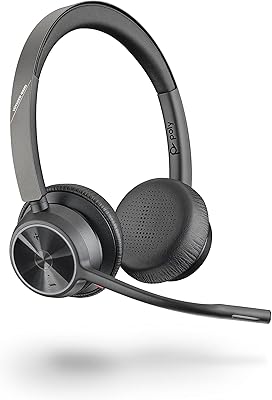
Poly Voyager 4320 UC Wireless Headset
78%
84%
Microphone Clarity
91%
Battery Life
82%
Wearing Comfort
76%
Connectivity Reliability
63%
Noise Isolation (Listening)
More
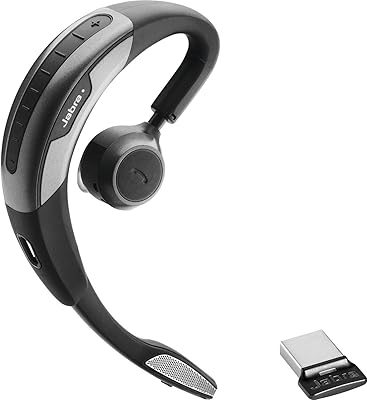
Jabra Motion UC Bluetooth Headset
76%
91%
Call Audio Quality
74%
Comfort & Fit
89%
PC Connectivity
78%
Battery Life
88%
Platform Compatibility
More
Poly Voyager 5200 UC
80%
94%
Voice Isolation & DSP
88%
Microphone Clarity
82%
Wireless Range & Stability
77%
All-Day Comfort
79%
Value for Money
More
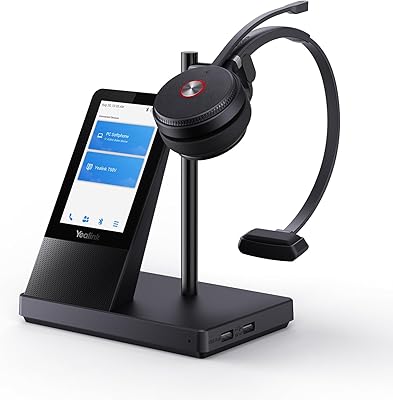
Yealink WH66 DECT Wireless Headset
77%
91%
Call Audio Clarity
88%
DECT Wireless Range
79%
Battery Life
74%
Touch Screen Usability
83%
Comfort During Extended Wear
More
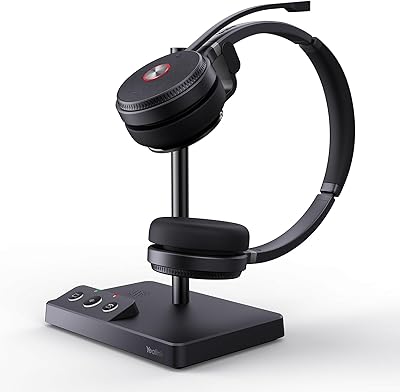
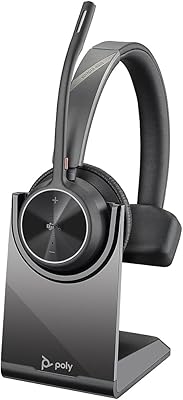
Yealink WH62 Dual UC DECT Wireless Headset
82%
92%
Wireless Range & Stability
88%
Call Audio Clarity
79%
Microphone Noise Cancellation
81%
Comfort & Wearability
87%
Battery Life
More
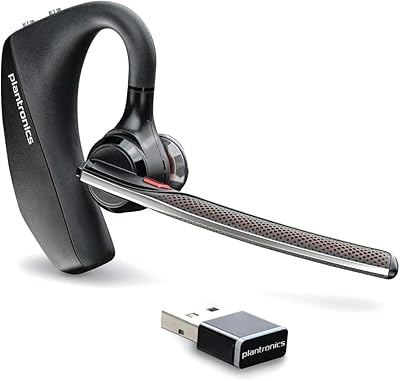
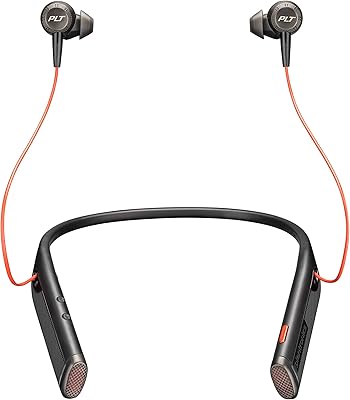
Plantronics Voyager 6200 UC B6200 Bluetooth Headset
88%
91%
Audio Quality
89%
Comfort for Extended Use
87%
Noise Cancellation Performance
88%
Bluetooth Connectivity
84%
Battery Life
More
Plantronics Voyager Focus UC Bluetooth Stereo Headset
78%
91%
Microphone Clarity
74%
Active Noise Canceling
88%
Call Audio Quality
83%
Battery Life
61%
Comfort & Fit
More
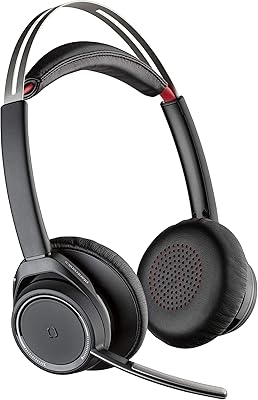
Plantronics Voyager 4310 USB-C Bluetooth Mono Headset
86%
88%
Call Clarity & Noise Cancellation
91%
Battery Life
85%
Comfort for Long Use
90%
Bluetooth Connectivity
80%
Sound Quality
More
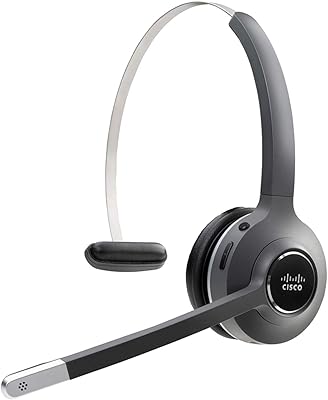
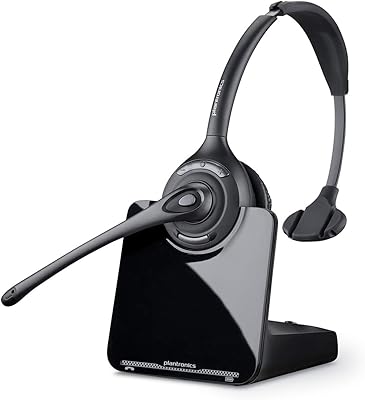
Cisco Headset 561 Wireless On-Ear DECT Headset
75%
91%
Wireless Range & Reliability
84%
Call Audio Clarity
93%
Cisco Ecosystem Integration
82%
Battery Life
67%
Comfort During Extended Wear
More
Dytole DY107
Dytole DY107
82%
93%
Battery Life
88%
Microphone Quality
74%
Comfort & Fit
91%
Sound Quality for Calls
86%
Connectivity & Range
More

FAQ

No, you do not. Plug the BT700 USB-A adapter into your computer, power on the headset, and it connects automatically. Most users are up and running within a couple of minutes without touching any software. If you want to customize settings like sidetone or mute alerts, Poly Lens is available as an optional companion app, but it is not required for basic use.

Yes, it works reliably with both platforms without any special configuration. The Voyager 4310 is designed specifically for UC platforms, so Teams and Zoom recognize it as a headset device immediately. Call controls like answer, end, and mute function as expected through the headset buttons.

Yes, the headset supports simultaneous Bluetooth pairing with your PC via the BT700 adapter and your mobile phone via direct Bluetooth. When a call comes in on your phone while you are on your computer, you can switch over without disconnecting and re-pairing. It handles both connections in parallel, which is genuinely useful for people who take work calls on multiple devices.

You can technically connect via your laptop's native Bluetooth on supported devices, but the BT700 adapter is worth using. It provides a stronger, more stable signal and extends the wireless range significantly compared to most built-in Bluetooth chips. For day-to-day reliability, plugging in the adapter is the better choice.

The 24-hour talk time figure holds up reasonably well in practice for a standard workday. If you are on calls for six to eight hours and keep the headset on the charge stand when not in active use, you are unlikely to run out of battery. The fast charging feature also means a short dock session can add meaningful charge if you forget to dock overnight.

Generally yes, because the single-ear on-ear design exerts pressure on only one side of the head. Many glasses wearers find single-ear headsets more manageable than dual-ear models since there is less clamping force overall. That said, comfort is personal, and some users with thicker glasses frames have noted minor pressure where the headband meets the arm of the glasses.

Yes, it includes a USB audio cable mode that lets you connect directly to a computer when wireless is not an option. This is handy in environments where Bluetooth is restricted by IT policy, or simply as a backup when the battery runs low unexpectedly.

It performs well for voice calls in typical home office conditions. The dual-mic boom with Acoustic Fence technology does a solid job of filtering out keyboard noise, background conversations, and general room noise. Callers on the other end generally report hearing the speaker clearly even in moderately noisy settings. It is not perfect in extremely loud environments, but it handles everyday background noise better than most single-mic headsets.

Honestly, not really — at least not if audio quality matters to you. This headset is tuned for voice communication, and the sound profile reflects that. Music comes through clearly enough to be listenable, but it sounds flat and lacks the depth you would expect from a consumer audio headset. If music listening is a significant part of your day, a separate pair of headphones would serve you much better.

Yes, the BT700 adapter is sold separately as a standalone accessory, so losing or damaging it is not the end of the world. You can order a replacement directly from Poly or through major retailers. It is worth keeping the original in a consistent spot — many users leave it permanently plugged into their primary work machine to avoid misplacing it.