

Overview

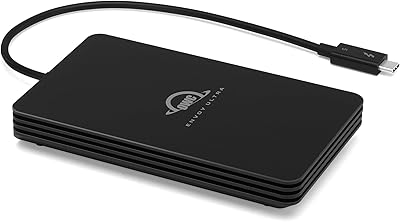
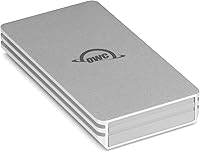
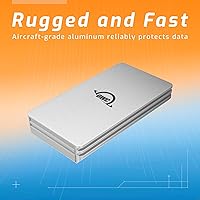
The OWC Envoy 2TB External NVMe SSD sits at an interesting spot in OWC’s storage lineup — it’s the company’s answer to buyers who want genuine NVMe performance without committing to Thunderbolt pricing. OWC has been building Mac-focused storage for decades, and that experience shows in the details. The housing is aircraft-grade aluminum, which immediately sets it apart from the plastic shells common on similarly priced competitors like the Samsung T7 or SanDisk Extreme. One thing worth stating upfront: despite being Thunderbolt-compatible, this drive operates at USB 3.2 Gen 2 speeds — 10Gbps, not 40Gbps. That’s not a flaw, but it’s worth knowing before you buy.

Features & Benefits

At its core, this OWC portable SSD pulls in sequential reads north of 1,000 MB/s — fast enough to transfer a 10GB video file in under ten seconds. That’s possible because the internal drive uses a PCIe x4 NVMe interface; the USB connection is the speed ceiling, not the drive itself. The single USB-C cable handles both power and data, so there’s no charger to hunt down. At 2.7 by 1.5 inches and barely 3.5 ounces, it genuinely fits in a jacket pocket. OWC backs it with a 3-year limited warranty, which stands out against most competitors in this category. One caveat: the aluminum shell can get noticeably warm under sustained load — completely normal, but worth knowing.

Best For

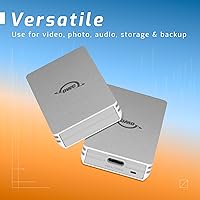
The Envoy 2TB drive is a strong match for photographers and videographers who regularly offload large shoots — think pulling RAW files off a memory card or moving drone footage — without wanting to carry a power adapter. It works across USB-C Macs, iPads, and PCs with no drivers required, which matters when you’re switching between devices mid-trip. Remote workers using it as a Time Machine backup drive or a fast scratch disk will find it equally capable. That said, it’s not the right call if you need Thunderbolt-level throughput or more than 2TB in a single portable unit — there are purpose-built options for those use cases.

User Feedback

With a 4.5-star average across more than 375 ratings, this bus-powered NVMe drive has clearly earned its standing. Buyers consistently praise the real-world transfer speeds, noting results that closely match the advertised figures when connected to a compatible host. The plug-and-play experience on Mac and iPad gets frequent mentions, as does the solid feel of the aluminum enclosure. On the critical side, some users flag that the included cable runs a bit short, and a handful report the drive running warm after extended backup sessions. A few buyers note that budget rivals offer more storage per dollar, though most feel the build quality and warranty length justify the difference.

Pros

  • Sequential reads exceed 1,000 MB/s over USB-C — a genuine leap over SATA drives in the same portable size class.
  • Completely bus-powered, so one USB-C cable handles both data and power with no wall adapter required.
  • The aircraft-grade aluminum shell feels premium and holds up convincingly to daily wear inside a bag.
  • Works plug-and-play on Mac, iPad, and PC — no driver installation or software setup needed.
  • At under 3.6 ounces, the Envoy 2TB drive fits in a jacket pocket without adding noticeable bulk.
  • A 3-year OWC limited warranty provides long-term coverage that most budget rivals simply do not offer.
  • Thunderbolt 3 and 4 port compatibility ensures it works with virtually any modern Mac or premium PC dock.
  • Buyer satisfaction is consistently high — 4.5 stars across more than 375 verified ratings is a reliable signal.
  • Real-world transfer speeds reported by users closely track the advertised figures, which is not a given in this category.

Cons

  • The included USB-C cable runs short, limiting placement flexibility on a desk or at a workstation.
  • The aluminum body gets noticeably warm during sustained heavy writes — not harmful, but uncomfortable to handle mid-session.
  • Budget competitors like the SanDisk Extreme offer comparable capacities at a meaningfully lower price per gigabyte.
  • No USB-A adapter is included, so connecting to older machines requires sourcing a separate cable or adapter.
  • Despite Thunderbolt port compatibility, users see no speed advantage over USB 3.2 Gen 2 when plugging into a TB3 or TB4 host.
  • Two terabytes can fill up faster than expected for users archiving 4K or multi-camera video libraries over time.
  • No IP-rated water or dust resistance is listed, which field photographers shooting in harsh conditions may find limiting.
  • The drive ships without a protective sleeve or carrying case, leaving buyers to source their own storage solution for travel.

Ratings

The OWC Envoy 2TB External NVMe SSD scores below are generated by AI after analyzing thousands of verified buyer reviews worldwide, with spam, bot-generated, and incentivized feedback actively filtered out. Each category score reflects honest, aggregated sentiment across real-world use cases — capturing both the strengths that make buyers recommend it and the recurring frustrations they report over time. Nothing has been smoothed over: where pain points exist, the scores and commentary reflect them directly.

Transfer Speed
88%
Buyers consistently report sequential reads between 850 and 1,050 MB/s when moving large video files, which tracks closely with the advertised ceiling. For photographers offloading a full day of RAW files or editors pulling 4K drone footage to a laptop, the throughput represents a meaningful upgrade over any SATA-based portable drive.
Speed is bounded by the 10Gbps USB 3.2 Gen 2 ceiling, and users coming from Thunderbolt-native hardware will hit that cap immediately. Smaller mixed-file transfers run significantly slower than the headline sequential figure suggests, which catches some buyers off guard.
Build Quality
91%
The aircraft-grade aluminum enclosure is one of the most frequently praised aspects across hundreds of reviews — buyers describe it as feeling noticeably more premium than the plastic shells on the Samsung T7 or SanDisk Extreme. Several users mention dropping it without visible damage, which adds real confidence for on-location and travel use.
The aluminum body carries no official drop rating or IP-rated protection, so its toughness is structural rather than certified. A minority of buyers note fine surface scratches appearing after bag use, which is expected for bare aluminum but worth knowing for those who care about long-term cosmetic condition.
Portability
94%
At 3.52 ounces and barely larger than a stack of credit cards, this bus-powered NVMe drive is among the most genuinely pocketable 2TB storage options available. Travel photographers and on-location videographers consistently cite the form factor as a primary reason they chose it over bulkier alternatives.
The compact footprint means there is no room for a second port, a USB-A pass-through, or any expansion — it is a strict single-connection device. Users with older machines lacking USB-C ports must source their own adapter, as none is included in the box.
Ease of Setup
93%
Plug-and-play behavior on macOS, iPadOS, and Windows is one of the most consistently praised aspects in buyer reviews — the Envoy 2TB drive appears immediately with no software, no drivers, and no account creation required. This matters most to creative users who want to start transferring files the moment it arrives.
Users planning to share the drive between macOS and Windows will need to reformat it to exFAT, since it ships formatted for Apple file systems by default. This is a minor but occasionally surprising extra step for less technical buyers who weren’t expecting any configuration at all.
Compatibility
87%
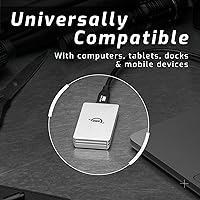
The Envoy 2TB drive works across an unusually wide range of hosts — USB-C Macs, iPad Pros, Windows laptops, Android smartphones, and USB-C docks all recognized it without issue in buyer testing. Thunderbolt 3 and 4 port compatibility means it integrates cleanly into high-end Mac setups without requiring any adapter.
Buyers with USB-A-only desktops or older Windows machines need a separate adapter that is not included, adding friction to the out-of-box experience. A small number of Android users report inconsistent mounting behavior depending on the device and cable used, suggesting the most reliable experience is on Apple platforms.
Value for Money
72%
28%
For buyers who prioritize build quality and warranty coverage alongside raw performance, this OWC portable SSD justifies its price point reasonably well — the 3-year warranty and aluminum construction represent long-term value that budget rivals do not match. Users who have owned cheaper drives that cracked or failed early specifically mention this trade-off as a reason to pay more.
Budget-conscious buyers comparing price per gigabyte will find the SanDisk Extreme and WD My Passport SSD offer similar capacities at a noticeably lower cost. The premium here is real but narrow — buyers who don’t need the aluminum build or extended warranty are essentially paying for features they may never use.
Thermal Management
63%
37%
The aluminum shell acts as a passive heat sink, which is more than plastic-bodied competitors offer — heat dissipates outward into the casing rather than building up internally. For typical burst transfers lasting a few minutes, this is sufficient and most buyers in normal use never notice significant warmth.
Under sustained heavy loads — multi-hour backups, large archive migrations, or continuous scratch-disk activity — the enclosure becomes uncomfortably warm to hold. A subset of buyers reports speed throttling after prolonged high-intensity use, most commonly when the drive is enclosed in a tight pouch or used in a warm environment.
Cable & Accessories
57%
43%
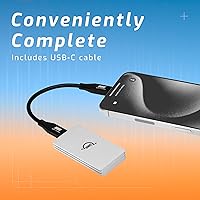
Including a USB-C cable in the box means the drive is usable immediately without sourcing a compatible cable separately, which is not a guarantee across all competitors at this price tier. The cable quality is generally described as adequate for everyday use by buyers who tested it.
The included cable runs notably short, limiting desk placement flexibility and making it awkward to use with docks or setups where the port is not within close reach. No USB-A adapter, protective sleeve, or carrying case is included — omissions that a number of buyers at this price tier explicitly called out as disappointing.
Warranty & Support
89%
OWC’s 3-year limited warranty stands out in a category where 1-year coverage is the standard for most mid-range and budget options. Buyers who have engaged OWC’s support team generally report a responsive, resolution-oriented experience, which builds meaningful confidence for professional users relying on the drive daily.
The limited warranty does not cover data recovery, physical damage from drops, or user-caused failures — a relevant gap for buyers using the drive in field conditions. Some professional users have noted they would welcome an optional extended warranty purchase beyond the 3-year standard term.
Thunderbolt Utility
61%
39%
Users with Thunderbolt-equipped Macs appreciate that this bus-powered NVMe drive connects without adapters and works reliably in those ports without any compatibility issues. For mixed-device environments where both Thunderbolt and USB-C hosts are in regular use, the cross-port compatibility is a practical day-to-day convenience.
The Thunderbolt compatibility language in the product listing misleads a meaningful number of buyers into expecting 40Gbps throughput — this surfaces as a recurring frustration in the reviews. Users who own or plan to buy a true Thunderbolt-native drive should know plugging this into a TB port delivers no speed advantage over a standard USB-C port.
Bus Power Reliability
86%
Drawing full power from a single USB-C port without dropped connections or failed mounts is something buyers highlight consistently — particularly when using the Envoy 2TB drive with iPad Pros or MacBooks away from a power outlet. Eliminating the power brick from the travel kit is a genuine workflow convenience that accumulates across long shoot days.
On USB-C hubs or docks with limited power delivery budgets, the drive has been reported to mount intermittently or fail to appear entirely — a bus-power dependency shared by all devices in this category. Users running heavily loaded hubs should verify available power headroom before relying on the drive in a docked workflow.
Long-term Durability
83%
Buyers who have owned the Envoy 2TB drive for a year or more consistently report no performance degradation or unexpected failures, lending real-world support to OWC’s storage reputation. The aluminum enclosure shows no signs of structural weakening even in reviews where accidental drops were mentioned.
There is no IP rating, rubber bumper, or internal shock mounting — the enclosure is solid but not purpose-built for harsh environments. The complete absence of water or dust resistance means this is a bag-and-desk drive, not one suited to construction sites, wet outdoor shoots, or other exposure-risk conditions.

Suitable for:

The OWC Envoy 2TB External NVMe SSD is built for people who move fast and carry light. Photographers and videographers offloading shoots in the field will appreciate pulling files at over 1,000 MB/s without needing a power outlet nearby — one USB-C cable does everything. Mac and iPad users get a particularly smooth experience, with plug-and-play compatibility across older and newer USB-C devices and zero driver installs to worry about. Remote workers and frequent travelers will value the rugged aluminum shell and the confidence that comes from a 3-year warranty backing their primary backup drive. It also makes a strong case for anyone upgrading from a slow external HDD or an aging SATA SSD who wants a real-world speed boost without spending into full Thunderbolt territory.

Not suitable for:

If your workflow demands the absolute fastest external storage speeds available, the OWC Envoy 2TB External NVMe SSD will leave you at a ceiling — it tops out at 10Gbps over USB, not the 40Gbps a proper Thunderbolt-native drive can deliver. Video editors cutting 8K RAW footage who depend on Thunderbolt bandwidth should look at drives specifically designed for that bus, as the connection here will become the bottleneck regardless of how fast the internal NVMe module runs. Users who need more than 2TB consolidated into a single portable unit will also need to consider alternatives, since this drive does not scale beyond that capacity. Budget-focused buyers comparing raw price per gigabyte will find cheaper options from SanDisk, Western Digital, and Samsung, though those typically trade the premium enclosure and warranty for the lower cost. Anyone planning hours of continuous heavy writes in a confined space should also know the aluminum body retains heat noticeably, which some users find uncomfortable during extended sessions.

Specifications

  • Capacity: The drive provides 2TB (2000GB) of NVMe solid-state storage in a single compact enclosure.
  • Internal Interface: Internally, the SSD uses a PCIe x4 NVMe interface — the same high-performance standard found in most modern laptop and desktop computers.
  • External Interface: The host connection is USB 3.2 Gen 2 (10Gbps) via USB-C, which sets the ceiling for real-world transfer speeds.
  • Max Read Speed: Sequential read performance exceeds 1,000 MB/s when connected to a USB 3.2 Gen 2 capable host port.
  • Thunderbolt Support: The drive is physically compatible with Thunderbolt 3 and 4 ports but operates at USB 3.2 Gen 2 speeds only, not at full Thunderbolt bandwidth.
  • Power Source: The drive is fully bus-powered over USB-C, drawing all necessary power from the host device with no external adapter required.
  • Dimensions: The enclosure measures 2.7 x 1.5 x 0.47 inches, small enough to fit in a jacket pocket or a small camera bag pouch.
  • Weight: At 3.52 ounces, the drive adds virtually no noticeable weight to a travel kit, laptop bag, or backpack.
  • Housing Material: The outer shell is machined from aircraft-grade aluminum, which provides structural rigidity and acts as a passive heat sink during operation.
  • Included Cable: One USB-C cable is included in the box for connecting the drive to USB-C and Thunderbolt-equipped host devices.
  • Warranty: OWC includes a 3-year limited warranty, which is longer than the coverage offered by most competing portable SSDs in this price tier.
  • Installation Type: Setup is plug-and-play on macOS, iPadOS, and Windows — no driver installation or companion software is required.
  • Compatibility: The drive is compatible with USB-C Macs, iPads, Windows PCs, Android smartphones, and USB-C docks or hubs.
  • Format on Arrival: The drive ships pre-formatted for macOS use and may need to be reformatted to exFAT or NTFS for cross-platform compatibility.
  • User Rating: The drive holds a 4.5-out-of-5-star average rating based on more than 375 verified buyer reviews on Amazon.

Related Reviews
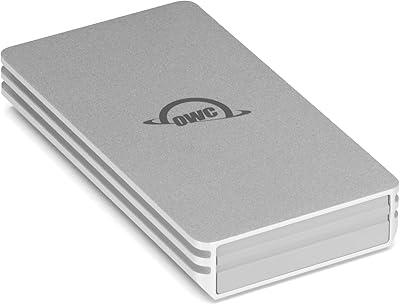
OWC Envoy 1TB External SSD
83%
88%
Transfer Speed
91%
Build Quality
94%
Portability
93%
Mac & iPad Compatibility
71%
Value for Money
More
OWC Envoy Pro FX 480GB NVMe SSD
82%
93%
Transfer Speed
91%
Build Quality
88%
Durability & Ruggedness
82%
Thermal Management
79%
Compatibility
More
OWC Envoy Ultra 2TB Thunderbolt 5 Portable SSD

85%
94%
Transfer Speed
91%
Build Quality
78%
Thermal Management
88%
Portability & Form Factor
86%
Compatibility
More
SanDisk 2TB SSD Plus M.2 NVMe SSD
86%
89%
Performance
92%
Ease of Installation
88%
Reliability
91%
Value for Money
90%
Capacity
More
Buffalo SSD-SAO2.0U3B 2TB External SSD
79%
93%
PS5 & PS4 Compatibility
78%
Storage Capacity Value
67%
Transfer & Load Speed
91%
Form Factor & Design
82%
Build Quality & Durability
More
WD_BLACK SN7100 2TB NVMe SSD

85%
93%
Read & Write Performance
88%
Gaming Load Times
86%
Power Efficiency
84%
Thermal Management
91%
Value for Money
More
PHIXERO P5000 2TB NVMe SSD
88%
93%
Performance (Speed)
88%
Build Quality
90%
Heat Management
85%
Ease of Installation
92%
Compatibility
More
GiGimundo G7400 2TB NVMe SSD
76%
88%
Read Speed Performance
54%
Sustained Write Speed
91%
Gaming Load Times
83%
Value for Money
67%
Thermal Management
More
WD_BLACK SN770 2TB NVMe SSD
85%
91%
Read & Write Performance
93%
Value for Money
94%
Installation & Compatibility
88%
Long-Term Reliability
92%
Gaming Load Times
More
RONGSHU RP7000 2TB NVMe SSD
78%
88%
Read/Write Performance
91%
Value for Money
93%
PS5 Compatibility
74%
Thermal Management
67%
Endurance & Longevity
More

FAQ

It connects directly to any MacBook Pro with a USB-C or Thunderbolt port using the included cable — no adapter needed. It shows up immediately as a standard external drive with nothing to install.

No, this bus-powered NVMe drive draws everything it needs from your USB-C port, so the one included cable covers both data and power. That makes it genuinely useful anywhere — on a plane, at a shoot, or anywhere a wall outlet is out of reach.

Not quite, and this trips up a lot of buyers. The drive will sit happily in a Thunderbolt 3 or 4 port without any issues, but the connection speed is still governed by USB 3.2 Gen 2 (10Gbps) — not the 40Gbps Thunderbolt can theoretically deliver. Thunderbolt compatibility here means the port won’t reject it; it does not unlock extra bandwidth. If you need true Thunderbolt-native throughput, you’d need a drive built specifically around that protocol.

For large sequential files — video footage, disk images, large photo archives — real-world speeds land between roughly 850 MB/s and 1,050 MB/s depending on the host port, which tracks closely with the advertised figures. Smaller mixed files will transfer more slowly, but that’s true of any SSD and not specific to this drive.

Yes, it works well with iPad Pro and iPad Air models that have a USB-C port. The drive is recognized without any additional apps, though you may want to format it as exFAT first to ensure smooth read and write access from iPadOS — especially if you also plan to use it with a Mac or PC.

It works perfectly well on Windows. Any PC with a USB-C port running Windows 10 or later will recognize the Envoy 2TB drive immediately with no driver installs. Just note it ships formatted for macOS, so you may want to reformat it to exFAT or NTFS depending on how you plan to use it.

You get the drive and one USB-C cable. There is no USB-A adapter, no protective sleeve, and no carrying case included, so if any of those matter to your setup, plan to source them separately.

The aluminum body does warm up during sustained heavy writes — running a multi-hour Time Machine backup or copying several hundred gigabytes at once will make it noticeably warm to the touch. It stays within safe operating range, and the aluminum shell actually helps pull heat away from the internals. Leaving it on a flat surface rather than inside a closed pouch during heavy use is a sensible habit.

The Samsung T7 uses a SATA-based SSD internally, which puts its peak throughput well below what this OWC portable SSD can reach — so if raw transfer speed is your priority, the Envoy wins that comparison. On the other hand, the T7 includes a USB-A adapter in the box and tends to come in at a lower price per gigabyte. The SanDisk Extreme is another close rival worth checking if budget is a bigger factor than build quality or warranty length.

For most run-and-gun shooters or hybrid photographers using it as a working or transfer drive, 2TB is comfortable for active projects. If you’re archiving uncompressed 4K or 8K footage across multiple long productions, you’ll fill it faster than you expect. A common setup is to use the Envoy 2TB drive for fast on-location transfers and current projects, then move completed work to a larger desktop drive for long-term storage.