Overview

The greenDracaena Osprey 240mm AIO CPU Cooler comes from Dracaena, a brand that lacks the name recognition of Corsair or NZXT but makes a credible case for itself at a mid-range price point. What stands out immediately is the all-copper construction — both the radiator and cold plate use copper rather than the aluminum you typically encounter at this tier, which translates to better thermal conductivity from the start. Socket support is impressively broad, covering current Intel LGA1700 and AMD AM5 alongside several older platforms. The pump head also includes a live digital readout displaying real-time stats, a feature rarely found without paying noticeably more. That said, keep expectations grounded: this is built for solid mid-range performance, not extreme overclocking.
Features & Benefits

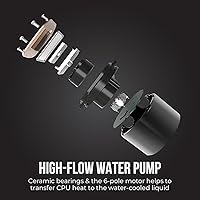
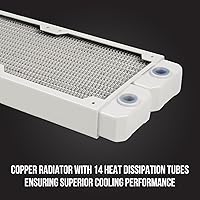
The copper radiator here is not just a marketing talking point. With 14 high-density heat dissipation tubes packed into a standard 274 x 122mm footprint, it moves heat away from the CPU faster than comparable aluminum-based coolers. The ceramic-bearing pump runs at 2400 RPM and displays its speed — along with fan RPM and CPU temperature — directly on the pump head's LED screen, which is genuinely useful during stress testing without opening software. The CSM Utility App handles monitoring and adjustments on Windows desktops. The two 120mm fans use FDB bearings rated for 40,000 hours and stay under 26 dB(A) at full tilt. Lighting runs through 21 ARGB modes, controlled via remote, hub, or direct header sync.

Best For

This 240mm liquid cooler makes the most sense for builders ready to leave air cooling behind but unwilling to spend big on a premium AIO. If you are running a Ryzen 5 or 7 on AM4 or AM5, or an Intel Core on LGA1700, the mounting hardware supports you out of the box. It also suits ARGB-themed builds where pump head, fans, and lighting need to follow a coherent aesthetic. For gaming, everyday productivity, and light creative workloads, thermal performance is more than adequate. However, if you plan on heavy sustained overclocking or pushing a high-TDP flagship chip flat-out for extended periods, a 360mm cooler would be the smarter investment.

User Feedback

Early buyers of the Osprey cooler frequently highlight how straightforward installation is — mounting hardware is clearly labeled and most users report getting it seated without revisiting the manual. Idle and moderate-load temperatures come in noticeably lower than stock coolers, which is reassuring for first-time AIO converts. Pump noise is rarely flagged as a concern, though fans at peak RPM are audible. The digital display draws mixed reactions: some find it handy during benchmarks, while others see it as visual flair more than a practical tool. The CSM app has attracted complaints about inconsistent ARGB sync on certain motherboards. As a newer brand, long-term reliability data remains limited, so that is worth monitoring over time.

Pros

  • Copper radiator and cold plate construction delivers better heat transfer than aluminum alternatives common at this price point.
  • Broad socket support covers current AMD AM5 and Intel LGA1700 platforms without needing extra adapters.
  • The live digital display on the pump head shows CPU temp, fan RPM, and pump speed at a glance.
  • Dual PWM fans self-adjust based on CPU load and stay impressively quiet during light and moderate use.
  • 21 ARGB lighting modes with both remote and hub control give genuine flexibility for themed builds.
  • FDB fan bearings rated for 40,000 hours suggest solid longevity under normal operating conditions.
  • 300mm tubing length handles most mid-tower and full-tower cases comfortably without routing stress.
  • Installation process is straightforward, with clearly labeled hardware that most builders complete without difficulty.
  • The CSM Utility App provides real-time system monitoring directly from the Windows desktop.
  • Idle and moderate-load temperatures offer a noticeable improvement over stock coolers for mainstream CPUs.

Cons

  • The CSM Utility App has reported issues with ARGB sync on some motherboards, requiring manual remote control as a workaround.
  • greenDracaena is a newer brand with limited long-term reliability data and less established warranty support than industry veterans.
  • No software support exists for Linux or macOS users, locking monitoring and control features to Windows only.
  • At high fan RPM the noise output becomes noticeable, which may bother users in quiet room environments.
  • The digital pump head display can be difficult to read clearly once installed inside a closed case.
  • Not suited for sustained heavy overclocking or high-TDP flagship CPUs that demand 360mm radiator surface area.
  • Tubing flexibility is limited at 300mm, which could create fitment challenges in compact or unconventional case layouts.
  • As an early-stage product, independent thermal benchmarks from trusted reviewers are still sparse.
  • The included hub and remote add cable clutter inside the case, which can frustrate builders focused on clean cable management.
  • Brand recognition is low enough that resale value and community support resources are thinner than with established competitors.

Ratings

The scores below reflect an AI-driven analysis of verified global user reviews for the greenDracaena Osprey 240mm AIO CPU Cooler, with spam, incentivized submissions, and bot activity actively filtered out to ensure the data reflects real buyer experiences. Ratings span everything from thermal performance and noise levels to software reliability and brand trust, giving you an honest picture of where this cooler earns its praise and where it falls short.

Thermal Performance
74%
26%
For gaming PCs and productivity builds running mainstream Ryzen or Intel Core processors, this 240mm liquid cooler keeps idle temps impressively low and handles moderate gaming loads without breaking a sweat. Users upgrading from stock coolers consistently report a 15 to 20 degree Celsius drop under typical workloads.
The 240mm radiator surface area starts showing its limits when paired with high-TDP chips under sustained all-core stress, such as extended video encoding or large-scale compiling sessions. A few users with Core i9 and Ryzen 9 chips reported thermal throttling during prolonged peak loads.
Noise Level
81%
19%
During everyday desktop use and moderate gaming, this Osprey AIO is genuinely quiet. The FDB-bearing fans ramp up gradually rather than spiking, and many users noted they forgot the cooler was running at all during light productivity tasks.
Push the fans toward their 1800 RPM ceiling under heavy CPU load and the noise becomes audible, particularly in a quiet room or open-air setup. The pump itself is largely silent, but a small number of users reported a faint whine from the pump head during the first few weeks of use.
Build Quality
78%
22%
The all-copper radiator and cold plate feel notably more substantial than plastic-heavy competitors at a similar price point. Tubing has a sturdy, reinforced feel and users report no visible kinking or soft spots after installation in tight routing configurations.
The pump head housing has a somewhat plasticky finish that does not quite match the premium look suggested by the copper internals. A handful of early buyers also noted that the ARGB remote feels lightweight and inexpensive compared to the rest of the package.
Installation Experience
83%
Mounting hardware is clearly sorted by platform, which takes a lot of guesswork out of the process for first-time AIO builders. Most users completed installation on both AM5 and LGA1700 systems without consulting extra tutorials, which speaks well to the clarity of the included guide.
The 300mm tubing length is adequate for most standard tower cases but leaves little slack for creative routing or unconventional radiator placements. A few users with compact mid-towers noted the tubing felt slightly taut when mounting the radiator at the top of the case.
Value for Money
86%
Copper construction at this price tier is rare, and pairing it with a digital display pump head and a full ARGB lighting kit with remote makes this 240mm liquid cooler a genuinely competitive package for budget-conscious builders. Most buyers feel they are getting hardware that punches slightly above what the price tag suggests.
The value proposition is strongest when you account for the hardware alone. Factor in the software shortcomings and the brand uncertainty around long-term support, and some buyers may feel more comfortable paying a modest premium for a cooler backed by a more established manufacturer.
Pump Head Display
69%
31%
The live readout showing pump RPM, fan speed, and CPU temperature without needing any software open is a genuinely practical feature during benchmarking or initial system setup. Enthusiast builders who stress test new rigs especially appreciate having that data visible in real time.
Once the system is inside a case, the display is only useful if the pump head faces a side window and the socket position cooperates. In many builds the head ends up angled away from view, reducing it from a functional tool to a decorative detail that most users stop checking after the first week.
ARGB Lighting
77%
23%
With 21 modes covering solid colors, slow pulsing, gradients, and a lights-off option, the lighting system is flexible enough to match nearly any build aesthetic. The remote control option is a thoughtful inclusion for users who prefer not to rely on motherboard ARGB headers for basic customization.
ARGB header sync does not behave consistently across all motherboard brands, with several users reporting desync or color mismatch when using the 3-pin header. Those who relied on the remote as a workaround found it functional but noted the range is short and the buttons lack tactile feedback.
Software (CSM App)
58%
42%
When it works as intended, the CSM Utility App provides a clean real-time dashboard for fan curves, pump speed, and temperature monitoring. Users who got it running smoothly appreciated having a single interface for adjusting cooling behavior without diving into BIOS.
Stability complaints are common enough to be a genuine concern. Several users experienced ARGB sync failures, unexpected app crashes, and settings that failed to persist after system restarts. The app is Windows-only, leaving users on other operating systems entirely dependent on the physical remote and BIOS fan controls.
Fan Performance
79%
21%
The PWM control curve is well-tuned out of the box, with fans staying in a near-silent low RPM range during idle and light use before ramping proportionally under load. At 73 CFM maximum airflow the fans move enough air to take full advantage of the copper radiator surface.
At peak RPM the airflow comes with a noticeable increase in turbulence noise that some users found disruptive in quiet environments. Static pressure at 1.86 mm H₂O is adequate but not class-leading, which means performance could slip slightly if dust accumulates on radiator fins over time.
Socket Compatibility
91%
The breadth of supported platforms is one of the most straightforward strengths of the Osprey cooler. Covering everything from legacy AMD FM1 and AM3 sockets up through current AM5 and Intel LGA1700 means this cooler can follow a builder through multiple upgrade cycles without needing replacement brackets.
While the socket list is impressively long, some users noted that instructions for older or less common sockets were less detailed than for the current mainstream platforms. Builders on LGA2011 in particular reported spending extra time cross-referencing online guides to confirm correct mounting orientation.
Brand Reliability
61%
39%
Dracaena appears to be actively engaged with early buyers, and the hardware quality on arrival has been consistently acceptable. Nothing in the early feedback points to systemic defects or widespread build failures, which is an encouraging baseline for a newer brand.
The brand simply does not have the multi-year track record that gives buyers confidence in long-term durability and pump longevity. Warranty resolution experiences are limited in number, making it difficult to assess how reliable post-purchase support actually is when something goes wrong.
Cable Management
63%
37%
Cables for the fan PWM and ARGB connections are reasonably sleeved and long enough to reach standard headers without awkward tension. Builders following typical radiator-top or radiator-front routing will not find themselves fighting the wiring.
The hub and remote receiver add extra components that need to be routed and hidden inside the case, which takes time and planning. Users who prioritize extremely clean builds reported frustration with finding a discreet spot for the hub while keeping all ARGB and PWM connections tidy.
Tubing Quality
76%
24%
The rubber tubing feels reinforced rather than flimsy, and users report it holds its shape after bending rather than collapsing or kinking at tighter angles. Early adopters who have been running the cooler for several months note no visible degradation or softening of the tubes.
At approximately 300mm the tubing is on the shorter side for larger full-tower cases, limiting radiator placement options compared to AIOs that ship with 350 to 400mm tubes. This is not a problem for standard builds, but it is worth measuring your case before committing.

Suitable for:

The greenDracaena Osprey 240mm AIO CPU Cooler is a strong fit for PC builders who are making their first move from air cooling to liquid and want genuine thermal gains without stretching their budget into premium territory. If your build centers on a mainstream AMD Ryzen processor on AM4 or AM5, or an Intel Core chip on LGA1700, this cooler slots in without any adapter headaches thanks to its broad out-of-the-box socket support. Builders putting together ARGB-coordinated systems will appreciate that the lighting is flexible enough to sync through a motherboard header or run independently via the included remote and hub. For everyday use cases — gaming sessions, content consumption, light video editing, and general productivity — this 240mm liquid cooler keeps temperatures meaningfully lower than a mid-range tower air cooler without demanding a premium price. First-time AIO buyers will also find the installation process approachable, and the digital pump head display adds a layer of real-time feedback that helps newcomers feel more confident about their cooling setup.

Not suitable for:

The greenDracaena Osprey 240mm AIO CPU Cooler is not the right tool if your workload involves sustained, heavy all-core loads — think long rendering sessions, repeated compile jobs, or pushing a high-TDP processor through extended overclocking. In those scenarios, a 360mm AIO or a robust dual-tower air cooler will serve you better. Buyers who prioritize software polish should also think twice: the CSM Utility App has drawn criticism for unreliable ARGB sync on certain motherboards, and users outside the Windows ecosystem have no software support at all. Dracaena is a relatively young and lesser-known brand, which means warranty support and long-term parts availability carry more uncertainty than they would with established names, and that is a legitimate concern for anyone building a workstation expected to run hard for many years. Finally, if your case has tight radiator clearance or non-standard mounting zones, the fixed 300mm tubing length leaves little room to maneuver.
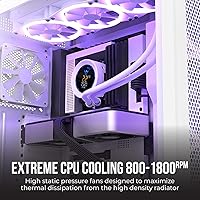
Specifications

  • Radiator Size: The radiator measures 274 x 122 x 30 mm, fitting any case that accepts a standard 240mm AIO in a dual 120mm fan slot.
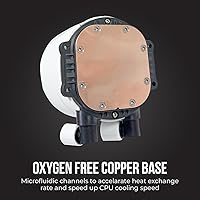
  • Radiator Material: Both the radiator and cold plate are constructed from copper, which conducts heat more efficiently than the aluminum used in many coolers at this price tier.
  • Fan Dimensions: Two 120 x 120 x 25 mm fans are included, connecting via a PWM 4-pin connector for speed control and a 3-pin ARGB header for lighting.
  • Fan Speed: The fans operate on a PWM curve and scale up to a maximum of 1800 RPM based on CPU temperature demand.
  • Fan Noise: At peak speed the fans measure no more than 26 dB(A), which is within the range most users would describe as quiet during normal desktop use.
  • Fan Airflow: Each fan is rated for up to 73 CFM of airflow, with a static pressure of 1.86 mm H₂O to push air efficiently through the radiator fins.
  • Fan Bearing: The fans use Fluid Dynamic Bearings (FDB) with a rated operational lifespan of 40,000 hours under normal conditions.
  • Pump Speed: The ceramic-bearing pump runs at 2400 RPM (plus or minus 10%) and draws 4.2W from a 12V DC connection.
  • Tubing Length: The rubber tubing connecting the pump head to the radiator measures approximately 300 mm, providing enough slack for most mid-tower and full-tower case layouts.
  • Pump Display: An integrated LED digital display on the pump head shows live readings for pump RPM, fan RPM, and CPU temperature without requiring any software to be open.
  • ARGB Lighting: The cooler supports 21 distinct lighting modes, including solid colors, gradients, and a no-light option, controllable via the included remote, hub, or motherboard ARGB header.
  • Socket Support: Compatible sockets include Intel LGA1700, LGA1200, LGA115X, LGA2011, and LGA2011-V3, as well as AMD AM5, AM4, AM3, AM2+, FM2+, and FM1.
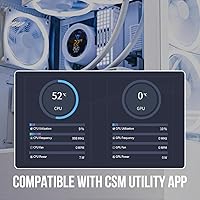
  • Monitoring App: The CSM Utility App runs on Windows desktops and allows users to view system cooling metrics and adjust settings in real time.
  • Package Weight: The complete package, including radiator, fans, pump head, tubing, mounting hardware, hub, and remote, weighs approximately 5 pounds.
  • Manufacturer: This cooler is manufactured by Dracaena and sold under the greenDracaena brand, a relatively new entrant in the PC cooling market.

Related Reviews
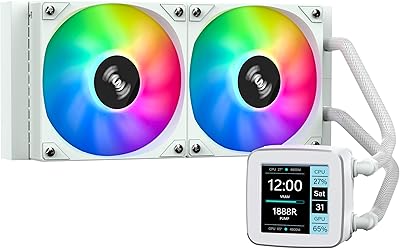
SAMA LD 240 AIO Liquid CPU Cooler
77%
88%
Value for Money
74%
Thermal Performance
83%
LCD Display Quality
71%
Noise Level
76%
Build Quality
More
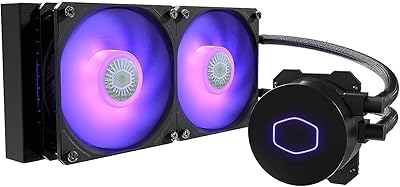
Cooler Master MasterLiquid ML240L V2 AIO Cooler
77%
78%
Thermal Performance
91%
Installation Experience
63%
Pump Noise & Vibration
82%
Fan Performance
88%
ARGB Lighting
More
upHere P360K 360mm AIO Liquid CPU Cooler
77%
78%
Thermal Performance
67%
Noise Level
71%
Build Quality
88%
Installation Experience
86%
Compatibility
More
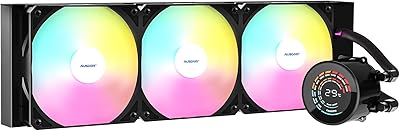
AUSDOM S360 360mm AIO Liquid CPU Cooler
78%
83%
Thermal Performance
81%
Noise Level
76%
Build Quality
88%
Installation Experience
79%
RGB & Lighting Quality
More
SAMA Q70 360mm AIO Liquid CPU Cooler
80%
83%
Cooling Performance
88%
LCD Display Quality
61%
Display Software & Setup
79%
Fan Noise Level
72%
Pump Noise & Reliability
More
SAMA Q60 360mm AIO Liquid CPU Cooler
82%
83%
Thermal Performance
79%
Noise Level
88%
LCD Display Quality
74%
Installation Experience
86%
Value for Money
More
Thermalright FW360 360mm AIO Liquid CPU Cooler
81%
88%
Thermal Performance
91%
LCD Display Quality
86%
Noise Level
58%
Software & LCD Setup
83%
Installation & Mounting
More
NZXT Kraken 240 AIO CPU Liquid Cooler
81%
78%
Thermal Performance
81%
Noise Level
83%
LCD Display
52%
Software Experience
91%
Installation Ease
More
Thermalright FW240 240mm AIO CPU Liquid Cooler
79%
76%
Thermal Performance
88%
LCD Display Quality
54%
Software Experience
84%
Noise Level
81%
Installation Experience
More
GAMDIAS Aura GLV2 360mm AIO Liquid CPU Cooler
87%
91%
Cooling Performance
88%
Noise Level
90%
ARGB Lighting Customization
85%
Ease of Installation
93%
Compatibility with Intel & AMD
More

FAQ

Yes, the Osprey AIO includes mounting hardware for Intel LGA1700, which covers 12th, 13th, and 14th Gen Core processors. You should not need any additional adapters for that platform.

In most cases, yes. The radiator follows the standard 240mm form factor at 274 x 122 x 30 mm, so any case that lists 240mm AIO support should accommodate it. Just confirm your case has a dual 120mm radiator mount with enough depth clearance for a 30mm thick radiator plus fan thickness.

During typical gaming workloads the fans tend to run at mid-range RPM and stay largely unnoticeable, especially inside a closed case. The rated ceiling is 26 dB(A) at full 1800 RPM, which only kicks in under sustained heavy load. Most users report that day-to-day noise is not an issue.

Absolutely. The included remote and hub let you cycle through lighting modes and adjust brightness completely independently of any software. If your motherboard has an ARGB 3-pin header, you can also sync the lighting from within your motherboard's own software suite.

It depends on where your pump mounts in relation to your case window. If you have a side-panel window and your CPU socket is positioned so the pump head faces outward, the display is easy to read. In cases where the head ends up angled away or blocked by other components, it becomes more of a background detail than a useful reference.

Yes, AM5 is explicitly supported and the mounting hardware for it is included in the box. No separate bracket purchase should be necessary for Ryzen 7000 series builds.

The app is listed as Windows desktop software, and based on typical compatibility for software of this type it should run on Windows 10 and Windows 11. That said, greenDracaena is a newer brand and the app has drawn some mixed feedback around stability and ARGB sync reliability on certain motherboard combinations, so it is worth keeping the remote as a backup option.

It can handle those chips during everyday use and moderate gaming, but if you plan to push a high-TDP i9 or Ryzen 9 through sustained all-core workloads like long rendering jobs or repeated compiles, a 240mm radiator may struggle to keep temperatures in a comfortable range. For heavy workstation use with top-end CPUs, a 360mm AIO would be a safer choice.

The process is manageable for a first-timer. The mounting hardware is labeled by platform, and the steps follow the same general pattern as most 240mm AIOs on the market. The main steps are attaching the backplate, threading the standoffs, applying thermal paste, and seating the pump head. Budget around 30 to 45 minutes your first time through.

Dracaena is a newer brand and warranty terms should be verified directly with the seller or manufacturer before purchase, as they may differ from the multi-year guarantees offered by more established names. For a liquid cooler, confirming support availability is worth the extra step since pump or leak issues down the line are the scenarios where brand reliability matters most.