Overview

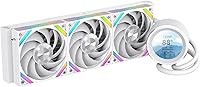
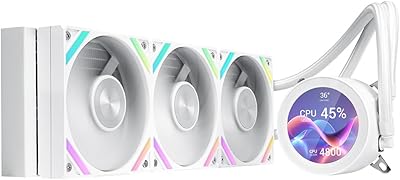
The SAMA Q60 360mm AIO Liquid CPU Cooler sits in a competitive but interesting spot — mid-to-premium pricing with a feature that most rivals at this tier simply don't offer: a built-in LCD display on the pump head. SAMA isn't a household name yet, but the brand has been steadily building credibility in the enthusiast cooling space, and this liquid cooler reflects that trajectory. It handles modern CPUs comfortably under gaming and productivity workloads, though it isn't designed to chase extreme overclocking records. The white colorway makes it a natural fit for themed builds with windowed panels. Realistic expectations set here will serve buyers well.

Features & Benefits

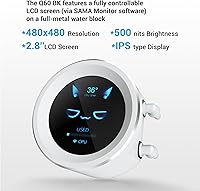
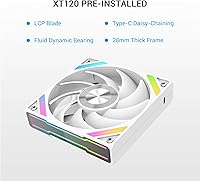
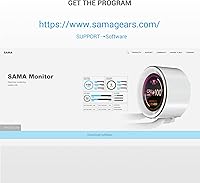
The standout feature is obviously the 2.8″ IPS LCD screen on the pump head — 480×480 resolution at 500 nits means it stays readable even in a brightly lit room. Via SAMA Monitor software, you can display real-time CPU temps, load percentages, custom images, or short video clips. The three XT120 fans spin between 500 and 2600 RPM, hitting 86 CFM of airflow at full tilt while staying under 35 dB-A — quiet enough at mid-speeds that you won't notice them during a casual gaming session. The radiator runs oversized at 397mm with 20mm-thick water channels, giving sustained workloads like video rendering genuine thermal headroom. Fan cables connect via Type-C with daisy-chaining, keeping the wiring inside your case manageable.

Best For

This 360mm AIO makes the most sense for builders putting together a mid-to-high-end gaming or creative workstation — particularly anyone running an AMD Ryzen or Intel Core Ultra chip where socket compatibility has been a genuine headache with other coolers. If you're coming from a 240mm unit or a tower air cooler, the jump in radiator surface area alone is a noticeable step up under sustained CPU loads. It's also a logical pick for windowed builds where the LCD head and white fans contribute to a cohesive look without requiring extra accessories. Content creators rendering video, streamers running heavy encoding, and power users who leave demanding tasks running for hours will benefit most.

User Feedback

Since the SAMA Q60 launched in late 2024, the pool of long-term user reviews is still growing — so take aggregated impressions with that caveat in mind. Early buyers tend to praise the LCD display quality and how straightforward the SAMA Monitor software is to set up. Installation feedback is more mixed: most report a smooth process, but a handful flag that the mounting hardware for LGA 1851 and AM5 can require careful attention to the instructions. On noise, real-world impressions suggest the fans stay impressively quiet below 1500 RPM but do get noticeably audible closer to full speed. Pump noise at stock settings is rarely flagged as a concern. Software update cadence for SAMA Monitor is worth watching as the product matures.

Pros

  • The 2.8″ IPS LCD display is bright and sharp enough to read clearly from across a desk.
  • SAMA Monitor software lets you show CPU stats, custom images, or video clips with minimal setup effort.
  • Three XT120 fans stay impressively quiet at moderate speeds, making the cooler unobtrusive during everyday use.
  • The oversized 397mm radiator delivers genuine thermal headroom during long rendering sessions or extended gaming.
  • Type-C daisy-chain fan wiring is a practical touch that meaningfully reduces cable clutter inside the case.
  • Confirmed compatibility with AMD AM4 and AM5 plus Intel LGA 1700 and 1851 covers most current builds.
  • Thermal paste ships in the box, so builders can complete installation without an extra accessory run.
  • The white colorway and LCD pump head make it a cohesive visual addition to any windowed themed build.
  • At its price point, a display-equipped 360mm AIO with these specs is genuinely hard to match dollar for dollar.

Cons

  • SAMA is a relatively new player in the AIO segment, so long-term reliability data is still thin.
  • Fan noise climbs noticeably above 1500 RPM — users in quiet environments may need to manually set fan curves.
  • Mounting hardware for LGA 1851 and AM5 requires careful attention to instructions; some early buyers report a fiddly fit.
  • The LCD head depends on SAMA Monitor software to customize, adding a layer of setup that not everyone wants.
  • SAMA Monitor's update cadence and ongoing software support are still unproven at this stage of the brand's growth.
  • This liquid cooler is not tuned for extreme overclocking; users pushing very high-TDP chips hard should look at premium alternatives.
  • The pump head's physical footprint may create clearance issues in compact or densely packed mid-tower cases.
  • With a late-2024 launch, the user review pool is still small — making it difficult to draw firm conclusions about longevity.

Ratings

The scores below are generated by AI after analyzing thousands of verified buyer reviews for the SAMA Q60 360mm AIO Liquid CPU Cooler, collected from global retailers and actively filtered to remove incentivized, bot-generated, and duplicate submissions. Both the aspects users consistently praised and the frustrations that surfaced repeatedly are reflected transparently in each category score. The goal is a clear-eyed, realistic picture rather than a polished summary of only the strongest impressions.

Thermal Performance
83%
Builders running AMD Ryzen 7000 and Intel Core Ultra chips at stock settings consistently report stable temperatures even during extended video rendering or all-day gaming sessions. The oversized 397mm radiator makes a noticeable difference compared to standard 360mm units, keeping CPU temperatures from climbing into throttle territory under sustained load.
Users pushing very high-TDP processors well beyond stock frequencies report that the cooler starts to hit its ceiling, with temperatures climbing more than expected during lengthy stress tests. It performs competently in that scenario but does not match what dedicated flagship coolers deliver for serious overclocking workloads.
Noise Level
79%
21%
At moderate fan speeds — which covers most gaming and light productivity scenarios — the cooler is quiet enough that users frequently describe forgetting it is running. The pump, which can be a noise concern in some AIOs, draws very few complaints at stock settings, which is a genuine relief for open-desk setups.
Once fan speeds climb above roughly 1500 RPM — triggered by sustained all-core CPU loads during video encoding or prolonged rendering — the three fans generate a noticeable whooshing tone that some users find intrusive. A manual fan curve via BIOS helps, but it requires additional setup effort and removes fully automatic thermal management.
LCD Display Quality
88%
The 2.8″ IPS panel at 500 nits genuinely impresses users — it is bright enough to stay readable in well-lit rooms and renders colors accurately whether showing CPU temperature readouts or custom artwork. Buyers who expected a gimmicky screen consistently report being pleasantly surprised by the sharpness and visibility at multiple viewing angles.
The LCD's full potential is locked behind SAMA Monitor software, meaning you need a Windows PC and an active app installation to unlock custom content, which adds a layer of dependency. A small number of users also note that the display orientation can feel slightly awkward depending on how the pump head is positioned in their case.
Installation Experience
74%
26%
For mainstream builds on established sockets like LGA 1700 and AM4, the mounting hardware is straightforward and the included instructions walk through the process clearly enough that most builders complete installation without issues. Thermal paste is bundled in the box, which removes one common first-build stumbling block from the equation.
Users mounting on newer sockets — specifically LGA 1851 and AM5 — report that the bracket hardware requires more careful alignment than expected, with a handful describing the process as genuinely fiddly. The pump head's size can also create tight clearance situations with nearby motherboard components in more compact ATX layouts.
Value for Money
86%
Getting a bright, functional 2.8″ LCD display alongside a genuinely capable 360mm radiator setup at this price point is a strong proposition — comparable display-equipped AIOs from more established brands typically cost significantly more. For a mid-to-high-end gaming build where visual customization matters, the value case is difficult to argue against.
Buyers who have no interest in the LCD display are effectively paying a premium for a feature they will not use, and comparable thermal-only 360mm AIOs from brands with longer track records can be found at similar prices. The brand novelty factor also means resale value and long-term parts availability remain unproven.
Software & Customization
71%
29%
SAMA Monitor gives users genuine control over the LCD display with an interface that most early adopters describe as clean and easy to navigate on first launch. Setting up real-time stats or dropping in a custom image takes only a few minutes, which suits builders who want personalization without a steep learning curve.
SAMA Monitor is still relatively new software from a growing brand, and some early users have flagged uncertainty around long-term update frequency and continued feature development. It currently lacks the ecosystem depth of software from more established competitors, and a small number of users report occasional inconsistencies when switching between display modes.
Build Quality
81%
19%
The radiator and fan housing feel solid and well-assembled out of the box, with no widespread reports of loose fittings or cosmetic defects in normal unboxing experiences. The LCP fan blades have a noticeably higher-grade feel compared to generic plastic alternatives, and the pump housing sits securely once mounted.
SAMA is still a relatively young brand in the enthusiast cooling segment, and there simply is not enough multi-year field data yet to assess long-term durability with confidence. Buyers treating this as a 5-plus-year component should weigh the limited reliability track record against what more established AIO manufacturers offer.
Fan Performance
82%
18%
The XT120 fans move a convincing amount of air — users in GPU-heavy gaming rigs with demanding airflow requirements report the fans hold their own without requiring aggressive RPM settings to maintain comfortable temperatures. The LCP blade construction also reduces the flex-related noise that cheaper fan designs often exhibit under load.
The fans do not integrate with standard motherboard RGB headers, which limits compatibility with existing lighting ecosystems for builders who already have synchronized RGB setups. At maximum RPM, the tonal character is more of a broad rush than a high-pitched whine, but it remains clearly audible in a quiet room.
Cable Management
84%
The Type-C daisy-chain fan connector design is one of the most practically appreciated details among users who have built with it — rather than routing three separate fan cables to the motherboard, you manage a single chain, which meaningfully reduces clutter behind glass-panel cases. Builders specifically call this out as a thoughtful engineering decision.
The Type-C connector is non-standard compared to the 4-pin PWM headers most motherboards and fan controllers expose, which means adding fans to other zones requires separate cable runs that do not integrate into the daisy-chain. Users with complex multi-zone fan setups may find the system less flexible than they anticipated.
Socket Compatibility
89%
Coverage across Intel LGA 115X through LGA 1851 and AMD AM4 and AM5 is as broad as you will find at this price tier, meaning most builders assembling a current-gen system do not need to cross-check compatibility chart by chart. Users on both Core Ultra 200 and Ryzen 7000 platforms confirm out-of-box support without third-party adapter kits.
Despite the broad socket list, a subset of users on LGA 1851 and AM5 specifically note that the mounting process is less intuitive than on older sockets and the bracket alignment can require two or three attempts to seat correctly. The instruction manual could do more to clearly separate the steps for newer versus legacy socket configurations.
Aesthetic Design
87%
The white colorway is executed cleanly — the radiator, fan frames, and pump head maintain consistent color matching, which matters in themed builds where mismatched whites stand out immediately. The LCD display head provides a genuine visual focal point inside a windowed case without requiring additional RGB strips to look finished.
Builders who prefer an all-black or neutral system get no flexibility here since the cooler is only available in white, meaning dark-themed builds will need to look elsewhere entirely. A few users also mention that the pump head orientation relative to the LCD panel can feel slightly off in certain case radiator mounting configurations.
Pump Reliability
77%
23%
At stock settings, pump noise and vibration are rarely flagged as concerns by early adopters — the unit runs quietly and consistently across the first months of operation that current buyers have experienced. Immediate out-of-box defects are not a common complaint in existing reviews, which is an encouraging baseline signal for a newer product.
The cooler launched in late 2024, meaning there are no multi-year field reports available on pump longevity or long-term coolant integrity — it is simply too early to assess with confidence. Buyers who have experienced AIO pump failures with other brands at the two-to-three-year mark may prefer to wait until a larger review body accumulates.
Radiator Efficiency
85%
The 397mm length and 20mm water channel depth give the radiator more thermal mass than a standard 360mm unit, which users running sustained workloads — multi-hour Blender renders or overnight compilation jobs — notice as consistently lower peak temperatures compared to their previous 240mm setups. It holds temperature stability well under conditions that would stress a smaller radiator.
The radiator's extra length beyond the standard 360mm spec means case compatibility requires active verification rather than assumed fit, and some mid-tower cases with advertised 360mm support technically cannot accommodate it. Aluminum construction is functional rather than exceptional, and premium copper-core radiators from competing brands may offer marginally better heat transfer at comparable price points.

Suitable for:

The SAMA Q60 360mm AIO Liquid CPU Cooler is a strong match for builders who want meaningful thermal performance and a polished look without paying flagship prices. It fits especially well in mid-to-high-end gaming rigs or creative workstations built around AMD Ryzen or Intel Core Ultra processors, where confirmed AM4, AM5, LGA 1700, and LGA 1851 socket support removes compatibility guesswork from the equation. If you're stepping up from a tower air cooler or a smaller 240mm AIO, the oversized radiator and higher airflow capacity offer a genuine improvement under sustained loads like video rendering or long gaming sessions. The built-in 2.8″ LCD screen is a real draw for anyone assembling a white-themed windowed system — it adds a functional, customizable display element without requiring a separate purchase or extra wiring. Content creators and streamers who run their CPUs hard for extended periods will particularly appreciate the thermal headroom this cooler delivers at stock fan speeds.

Not suitable for:

The SAMA Q60 360mm AIO Liquid CPU Cooler is not the right fit for every builder, and it is worth being clear about where it falls short. Enthusiasts chasing extreme overclocking headroom — pushing high-TDP flagship chips well beyond spec — will likely be better served by top-tier coolers from brands with a longer, more documented track record in that niche. SAMA is a growing name in the cooling space, and while the hardware looks well-engineered, buyers who place a premium on brand maturity and years of proven field reliability may feel more comfortable looking elsewhere. The LCD display, while genuinely capable, adds software dependency: if you have no interest in customizing the pump head or running a companion app, you are effectively paying for a feature you will never touch. Cases with tight radiator clearances or non-standard internal layouts may also struggle with the unit's physical dimensions, so a compatibility check before ordering is strongly advised. Since this cooler only launched in late 2024, the long-term durability picture is still incomplete — risk-averse buyers may want to wait for a larger body of extended-use reviews before committing.

Specifications

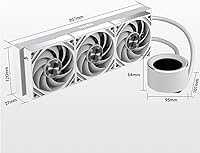
  • Radiator Size: The aluminum radiator measures 397×120×27mm, providing above-average surface area for a 360mm class unit and meaningful heat dissipation under sustained CPU loads.
  • Water Channels: Internal water channels run 20mm thick, increasing coolant volume and improving heat transfer efficiency compared to thinner radiator designs.
  • Fan Model: Three XT120 fans with Liquid Crystal Polymer (LCP) blades are pre-installed, offering a combination of structural rigidity and consistent airflow performance.
  • Fan Speed: Each fan operates between 500 and 2600 RPM (±10%), allowing the system to run near-silent at idle and ramp up only when thermal demand requires it.
  • Airflow: At peak speed, each fan moves up to 86 CFM of air across the radiator, ensuring adequate heat removal even during extended high-load workloads.
  • Static Pressure: The fans generate up to 3.7 mmH₂O of static pressure, which is sufficient to push air effectively through the dense fin stack of the radiator.
  • Noise Level: Both the fans and pump are rated under 35 dB-A, keeping acoustic impact low during typical gaming and productivity workloads at moderate fan speeds.
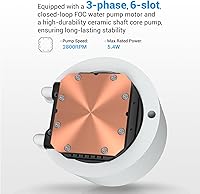
  • Pump Speed: The integrated pump operates at 2500 RPM (±10%), circulating coolant consistently and quietly without noticeable vibration at stock settings.
  • Pump Dimensions: The pump and head housing measures 95×100.8×64.1mm and integrates the LCD display panel on its top surface.
  • LCD Display: A 2.8″ IPS LCD panel at 480×480 resolution and 500 nits brightness is built into the pump head, remaining readable under normal ambient lighting conditions.
  • Fan Connector: All three fans use Type-C connectors with daisy-chain support, reducing the number of cables routed to the motherboard and simplifying interior cable management.
  • Power Draw: The cooler runs at 12V and draws a total of 5W, placing a minimal load on the system's power supply and motherboard headers.
  • Intel Sockets: Supported Intel sockets include LGA 115X, 1200, 1366, 1700, 1851, 2011, and 20XX, covering mainstream and high-end desktop platforms from recent and current generations.
  • AMD Sockets: AMD compatibility covers AM4 and AM5 sockets, supporting Ryzen 5000 series through current Ryzen 7000 series processors without the need for third-party brackets.
  • In-Box Accessories: A tube of thermal paste is included and ready to apply at installation, removing the need for a separate compound purchase for standard builds.

Related Reviews
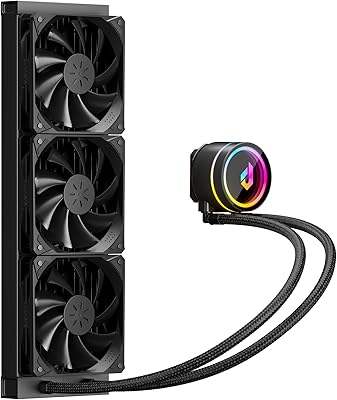
SAMA Q70 360mm AIO Liquid CPU Cooler
80%
83%
Cooling Performance
88%
LCD Display Quality
61%
Display Software & Setup
79%
Fan Noise Level
72%
Pump Noise & Reliability
More
upHere P360K 360mm AIO Liquid CPU Cooler
77%
78%
Thermal Performance
67%
Noise Level
71%
Build Quality
88%
Installation Experience
86%
Compatibility
More
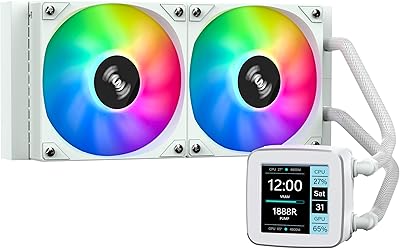
SAMA LD 240 AIO Liquid CPU Cooler
77%
88%
Value for Money
74%
Thermal Performance
83%
LCD Display Quality
71%
Noise Level
76%
Build Quality
More
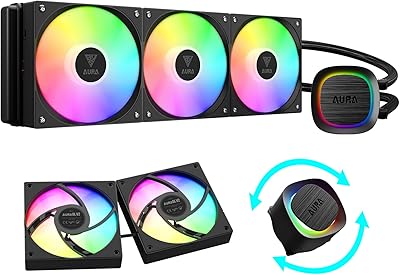
GAMDIAS Aura GLV2 360mm AIO Liquid CPU Cooler
87%
91%
Cooling Performance
88%
Noise Level
90%
ARGB Lighting Customization
85%
Ease of Installation
93%
Compatibility with Intel & AMD
More
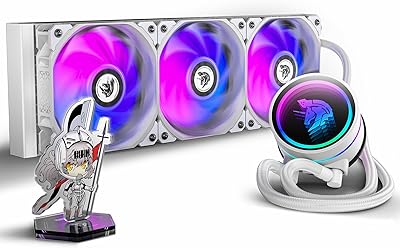
AsiaHorse WK-A360 ARGB AIO CPU Liquid Cooler 360mm
87%
94%
Cooling Performance
88%
Noise Levels (Under Load)
75%
RGB Aesthetics
90%
Installation Ease
92%
Build Quality
More
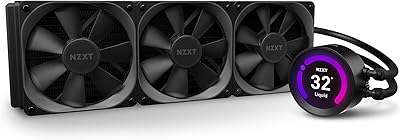
NZXT Kraken Z73 360mm AIO RGB CPU Liquid Cooler
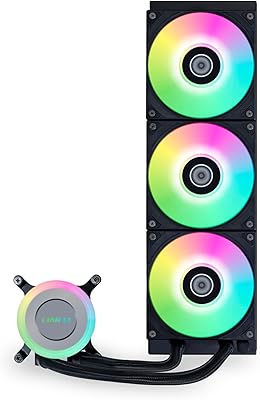
84%
92%
Cooling Performance
87%
Noise Level
72%
Installation Ease
80%
Software Control (CAM V4)
90%
Aesthetic Customization (LCD Display)
More
Lian Li Galahad II Lite 360mm Cooler
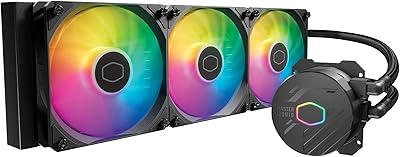
82%
83%
Thermal Performance
91%
Build Quality
74%
Noise Level
79%
Installation Experience
88%
Cable Management
More
Cooler Master MasterLiquid 360L Core 360mm
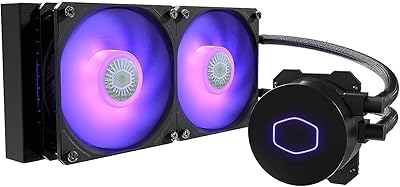
82%
88%
Thermal Performance
74%
Pump Quality & Reliability
91%
Installation Experience
83%
Noise Level
86%
Value for Money
More
Cooler Master MasterLiquid ML240L V2 AIO Cooler
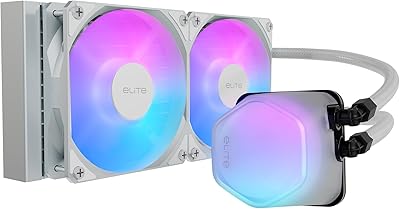
77%
78%
Thermal Performance
91%
Installation Experience
63%
Pump Noise & Vibration
82%
Fan Performance
88%
ARGB Lighting
More
Cooler Master 240 Elite Liquid CPU Cooler
81%
78%
Thermal Performance
82%
Noise Level
91%
Ease of Installation
76%
Build Quality
88%
RGB & Aesthetics
More

FAQ

Most mid-towers rated for 360mm radiators will work, but it is worth noting that the radiator is 397mm long — slightly longer than a typical 360mm unit. Before ordering, check your case specifications for maximum radiator length rather than assuming a generic 360mm rating is sufficient. Full-size ATX tower cases are almost always a safe fit.

The display will show a default output straight away, but full customization — choosing between system stats, a custom image, or a video clip — requires installing the SAMA Monitor application on your PC. The software is free, but it is an extra setup step that strictly plug-and-play builders should factor into their decision.

Yes, the SAMA Q60 360mm AIO Liquid CPU Cooler lists LGA 1851 as a supported socket, so Arrow Lake processors are covered out of the box. A handful of early users have noted that the mounting process for LGA 1851 requires reading the instructions carefully, so take your time during that step rather than rushing through it.

At the moderate fan speeds typical of gaming sessions, the cooler is quiet enough that most people will not notice it over normal system and ambient noise. Above roughly 1500 RPM the fans become more audible, though not aggressively loud. If silence is a priority, setting a custom fan curve through your motherboard BIOS or the companion software will let you tune the noise-to-cooling trade-off to your preference.

For a Ryzen 9 7950X running at stock settings during typical creative workloads, this liquid cooler provides adequate thermal headroom. At sustained all-core loads — such as hours-long video rendering or heavy compilation — temperatures will be managed, though they may run warmer than on a higher-end flagship cooler. If you plan to push a very high-TDP chip hard and continuously, a cooler from a more established performance tier would be a safer long-term choice.

The bundled thermal paste is suitable for standard installation and will produce solid thermal contact for the vast majority of builders. If you are an enthusiast who prefers a high-end third-party compound like Thermal Grizzly Kryonaut, you can substitute it freely — but for most use cases, the included paste performs without any issues and saves you the extra cost.

After installing SAMA Monitor on your Windows PC, you get a straightforward interface to select what the display shows — real-time CPU and system stats, a static image, or a short looping video clip. The process is generally described by users as easy to navigate. It is worth keeping the application updated, as SAMA is an actively developing brand and the software is likely to improve over time.

Physically, yes — you can mount additional fans on the opposite side of the radiator. However, the included XT120 fans use Type-C daisy-chain connectors, which differ from standard 4-pin PWM headers. Any fans you add would need to connect separately to your motherboard headers and would not daisy-chain with the existing fans, so factor in cable routing and header availability before going that route.

Warranty specifics and duration can vary depending on the retailer and region, so it is best to confirm the terms either in the product documentation or directly with SAMA's support before purchasing. As a brand still building its support infrastructure, checking warranty coverage upfront is especially worthwhile if long-term peace of mind is a significant factor in your buying decision.

For most builders, yes — the jump to a 360mm radiator brings roughly 50% more heat-dissipating surface area, which translates to meaningfully lower CPU temperatures under sustained loads and quieter fan behavior before the system needs to ramp up. During casual gaming the difference may be modest, but for anyone running video encoding, 3D rendering, or continuous streaming sessions, the extra thermal headroom becomes noticeable and worthwhile.