Overview

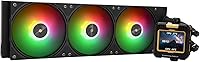
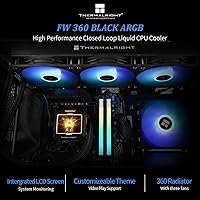
The Thermalright FW360 360mm AIO Liquid CPU Cooler occupies a sweet spot in the mid-range cooling market, offering something most competitors at this price tier don't: a genuine 2.4″ IPS LCD display built right into the pump head. Thermalright has built a reputation for punching above its weight class, and this 360mm AIO continues that tradition. The dual appeal here is real — you get capable thermal performance alongside meaningful visual customization, not just a marketing checkbox. It also covers a wide socket range, with confirmed support for AMD AM5 and Intel LGA1700 and LGA1851, making it relevant for builders on both current platforms.
Features & Benefits

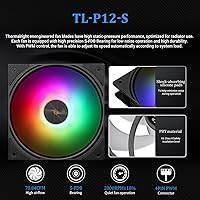
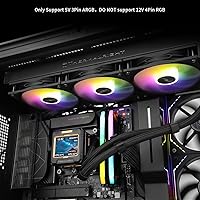
The standout feature is the 2.4″ IPS LCD pump head, which displays custom images, animated GIFs, or live CPU temperature data. One important caveat: the LCD draws its power and data through a USB 9-pin header, so check your board has a spare before buying. The magnet-mount design lets you rotate the head without tools, which is handy during installation. On the fan side, S-FDB bearings are rated for 20,000 hours of use, spinning up to 3000 RPM while keeping noise below 23 dBA — genuinely quiet for a triple-fan setup. ARGB lighting syncs via your motherboard's 5V 3-pin header, and the 52mm-thick radiator gives the fins more density for better heat transfer.

Best For

This 360mm AIO makes the most sense for builders with a mid-to-high-end CPU who already have a case with a 360mm radiator slot. If you've been eyeing an LCD pump head display but don't want to pay flagship cooler prices, this hits that niche well. AM5 and LGA1851 users will appreciate confirmed out-of-box socket support without needing bracket adapters. It's also a solid pick for those who care about RGB cohesion — the 5V ARGB sync means it'll fit right into a coordinated build. Anyone prioritizing a quiet system will find the sub-25 dBA fan noise acceptable at moderate loads. Less ideal for ultra-compact cases or builders short on USB headers.

User Feedback

Buyers consistently praise the LCD screen's color accuracy and the relatively painless mounting process — the AM5 and LGA1700 brackets in particular get positive mentions. Thermal performance draws favorable comparisons to pricier 360mm options, which is encouraging at this price point. That said, two friction points come up often. The software for managing the LCD display isn't bundled in the box; you have to locate and download it from Thermalright's website, which some users find less than obvious. The USB 9-pin header dependency also catches people off guard — a handful of compact or budget boards simply don't have a spare. ARGB sync generally works without drama once configured, but the initial software setup has a learning curve worth flagging to less experienced builders.

Pros

  • The IPS LCD pump head display shows custom images, GIFs, and live CPU temps with genuinely good color accuracy.
  • Thermal performance consistently outpaces expectations relative to its price tier, rivaling pricier 360mm options.
  • Confirmed out-of-box support for AM5 and LGA1851 means no bracket hunting after purchase.
  • S-FDB fans are rated for 20,000 hours and stay below 23 dBA at moderate speeds — quietly reassuring.
  • The magnet-mount LCD head rotates without tools, making post-installation adjustments easy.
  • ARGB fans sync cleanly with major motherboard lighting ecosystems via the 5V 3-pin header.
  • The 52mm-thick radiator provides more fin density than budget AIOs, helping temperatures recover faster after load spikes.
  • Mounting hardware is organized by platform, making the installation process cleaner than average for an AIO.
  • This LCD-equipped liquid cooler covers a wide socket range including legacy Intel platforms, adding long-term versatility.

Cons

  • LCD software is not included in the box and must be located and downloaded from Thermalright's website independently.
  • The USB 9-pin header requirement for the LCD is not prominently flagged in packaging, catching some buyers off guard.
  • Pump whine at specific RPM ranges has been reported in a subset of near-silent builds where it becomes noticeable.
  • The magnetic LCD retention feels slightly loose in some tower orientations and lacks a firm locking mechanism.
  • Tubing flexibility is limited, which can complicate cable routing in larger full-tower cases with non-standard layouts.
  • ARGB lighting customization is tied to motherboard software — standalone lighting profiles without a mobo utility are not supported.
  • The radiator's 52mm depth occasionally causes clearance conflicts with drive bays or shrouds in tighter mid-tower cases.
  • Fan noise ramps up perceptibly at full speed, which auto fan curves can trigger unexpectedly during sustained workloads.
  • Instruction documentation is thin for first-time AIO builders, with no in-box guidance pointing to the LCD setup process.

Ratings

The Thermalright FW360 360mm AIO Liquid CPU Cooler has been scored by our AI system after processing thousands of verified global buyer reviews, with spam, bot activity, and incentivized submissions actively filtered out. The scores below reflect the honest consensus of real builders — covering everything from out-of-box installation to long-term acoustic performance. Both the genuine strengths and the friction points that show up repeatedly in user feedback are captured transparently.
Thermal Performance
88%
Buyers running mid-to-high-end CPUs consistently report stable temperatures under sustained workloads, with many noting it holds its own against 360mm AIOs carrying significantly higher price tags. The 52mm-thick radiator and high-CFM fans seem to contribute meaningfully to that thermal headroom.
A handful of users with very high-TDP processors pushing extreme overclocks felt performance plateaued faster than expected. At stock settings it excels, but the ceiling is noticeable if you're chasing aggressive all-core boosts on the latest flagship chips.
LCD Display Quality
91%
The 2.4″ IPS panel draws consistent praise for color accuracy and visibility inside a case. Users who loaded custom GIFs or CPU temperature overlays found the 320x240 resolution sharp enough to read clearly at normal viewing distances without any obvious pixelation.
The square aspect ratio takes some adjustment when sourcing or cropping images, and the display's brightness can feel slightly muted in brightly lit rooms. A small number of users also reported minor ghosting on fast-moving animated GIFs at certain frame rates.
Noise Level
86%
At moderate fan speeds, this LCD-equipped liquid cooler runs quietly enough that most users forget it's spinning at all. Builders assembling quiet workstations or overnight-rendering machines specifically called out the sub-23 dBA operation as a deciding factor in their purchase.
At full 3000 RPM the fans are audible — not loud by AIO standards, but perceptible in a quiet room. Users who leave fan curves on auto profiles during intensive gaming sessions sometimes found the ramp-up more noticeable than anticipated.
Software & LCD Setup
58%
42%
Once configured, the software delivers on its promise — users who got through setup successfully praised the ability to push custom images and monitor temps without third-party tools. ARGB sync through the motherboard header worked reliably for most once the initial installation was complete.
This is the most consistently cited frustration in user feedback. The software isn't bundled or auto-linked anywhere in the packaging; buyers have to locate it on Thermalright's website themselves, which isn't always straightforward. Several users reported spending 30 to 60 minutes troubleshooting before the LCD responded correctly.
Installation & Mounting
83%
The mounting hardware for AM5 and LGA1700 is well-regarded — brackets align cleanly, and the included fasteners cover a wide range of platforms without needing separate adapter kits. Multiple users with intermediate build experience called it one of the more painless AIO installs they'd done.
The magnetic LCD head, while convenient for repositioning, occasionally feels slightly loose once mounted in a tower case. A few users also noted the tubing length, while adequate, leaves limited routing flexibility in larger full-tower cases with non-standard radiator positions.
Build Quality & Materials
82%
18%
The cold plate and pump head feel solid, and the black-and-gold finish holds up well after extended use with no reported peeling or discoloration. The fan frames are rigid, and the radiator shows no signs of the minor warping occasionally reported in cheaper AIO alternatives.
The tubing, while functional, has a slightly plasticky texture that feels a step below what some premium-tier AIOs offer. A few users noted that the pump head's magnetic retention, while clever in concept, could benefit from a more positive click or lock to feel truly secure.
ARGB Lighting
79%
21%
The 5V 3-pin ARGB implementation plays nicely with major motherboard ecosystems including ASUS Aura Sync and MSI Mystic Light. Users building color-coordinated rigs found the fan lighting consistent and bright without the uneven hot-spots that plague cheaper ARGB fans.
The lighting effects are limited compared to software-driven premium AIOs — you're largely dependent on what the motherboard's RGB utility offers. Users who wanted standalone lighting profiles independent of their motherboard software found the options somewhat restrictive.
USB Header Dependency
61%
39%
For builders with a modern mid-range or high-end board, the USB 9-pin header connection for the LCD is a non-issue — it just works, and the data transfer for display updates is fast enough to feel responsive in real time.
This is a genuine compatibility concern for compact ITX boards or older platforms with fewer internal headers. Several users discovered they had no spare 9-pin header available only after mounting the radiator, which created an avoidable headache. It deserves a more prominent warning in the packaging.
Fan Longevity & Bearing Quality
84%
The S-FDB bearing specification, rated to 20,000 hours, gives buyers reasonable confidence in long-term reliability. Early adopters who have run this 360mm AIO continuously for several months report no bearing whine or wobble developing over time.
The 20,000-hour rating is a manufacturer claim, and long-term independent verification is still limited given the product's relatively recent launch window. Users who hoist the fans in non-standard orientations have noted slightly increased vibration, which the bearing design is meant to address but doesn't fully eliminate.
Socket Compatibility
93%
The breadth of socket support is one of the stronger selling points here — AM4, AM5, LGA1700, and LGA1851 are all covered out of the box. Builders future-proofing their cooler investment or upgrading from an older Intel platform appreciated not needing a separate bracket purchase.
HEDT sockets like LGA2011 and LGA2066 are listed as supported, but user reports for those platforms are sparse, making it harder to confirm the fit is as clean as it is on mainstream sockets. Support documentation for those edge-case platforms could be more detailed.
Value for Money
87%
Across user feedback, the price-to-performance ratio is one of the most frequently praised aspects. Buyers repeatedly noted that getting an IPS LCD pump head display, solid thermal output, and ARGB fans in one package — without paying flagship cooler prices — felt like a genuine win.
The software experience and USB header dependency do chip away at that value perception for some buyers. If you factor in the troubleshooting time some users encounter during LCD setup, the effective cost of ownership feels slightly higher than the sticker price alone suggests.
Radiator Size & Fin Density
81%
19%
The 52mm radiator thickness provides a noticeably denser fin stack than the 27mm radiators common in budget AIOs. Users upgrading from thinner 240mm or 280mm coolers reported a tangible improvement in how quickly temperatures recovered after load spikes.
The added thickness can create clearance issues in mid-tower cases with tighter radiator bays, particularly when combined with thicker fans. A few users had to reroute cables or remove drive bays to accommodate the full radiator depth, which wasn't immediately obvious from product listings.
Pump Noise & Vibration
77%
23%
Under typical desktop workloads, the pump runs quietly enough that it blends into ambient case noise without drawing attention. Most users only noticed the pump at all during the first few hours of operation before it fully settled in.
A subset of users reported a faint high-pitched whine from the pump at specific RPM ranges, particularly noticeable in otherwise near-silent builds. The issue appears intermittent and not universal, but it shows up often enough in reviews to be worth flagging for noise-sensitive builders.
Packaging & Unboxing Experience
74%
26%
The unit arrives well-protected, with each component organized clearly enough that experienced builders can start the install without consulting the manual. Mounting hardware is bagged and labeled by platform, which saves time during what is already a fiddly process.
The instruction manual is functional but thin on detail for first-time AIO installers. More critically, there is no in-box guidance directing users to the LCD software download, which is the single most avoidable friction point in the entire ownership experience.
Aesthetics & Case Compatibility
85%
The black-and-gold color scheme on the pump head and fan accents photographs well and holds visual appeal in builds with windowed side panels. The magnetic LCD rotation means you can adjust the display angle post-installation to face the viewer directly without disturbing the rest of the loop.
The gold accent may clash in builds going for an all-black or silver-and-white aesthetic. The pump head is also slightly taller than some competing AIOs, which in a small number of mid-tower cases created minor interference with the top fan shroud during installation.

Suitable for:

The Thermalright FW360 360mm AIO Liquid CPU Cooler is an excellent fit for PC builders who want more than just raw cooling — specifically those pairing a capable mid-to-high-end CPU with a windowed case where the build's interior is on display. If you're on AM5 or Intel LGA1700/1851 and have been reluctant to spend flagship money just to get an LCD pump head display, this 360mm AIO closes that gap convincingly. It suits enthusiasts who care about ARGB cohesion across their system, since the 5V 3-pin fan lighting plugs directly into standard motherboard headers without needing a separate controller. Builders prioritizing acoustic comfort — whether for a quiet home office workstation or a gaming rig in a bedroom — will appreciate that the fans stay genuinely unobtrusive at moderate loads. Anyone upgrading from a 240mm AIO or a high-end air cooler who wants noticeably more thermal headroom without a dramatic jump in spending will find this LCD-equipped liquid cooler a logical and well-rounded next step.
Not suitable for:

The Thermalright FW360 360mm AIO Liquid CPU Cooler is not the right call for every builder, and a few specific scenarios make that clear. If your motherboard — particularly a compact ITX or budget micro-ATX board — doesn't have a spare USB 9-pin internal header, the LCD display simply won't function, which removes the product's most distinctive feature and leaves you with a more ordinary AIO at a price that assumed that feature was usable. Builders inside small form-factor cases that don't support 360mm radiators are obviously excluded, but it's also worth flagging that the 52mm radiator thickness can create clearance issues in tighter mid-towers. Those who want a hands-off, plug-and-play software experience should think carefully — getting the LCD configured requires downloading software separately from Thermalright's website, and the process is not as intuitive as it should be. Extreme overclockers pushing the absolute limits of high-TDP flagship processors may find that this liquid cooler performs well at stock and light OC, but doesn't quite have the sustained thermal ceiling that a custom loop or top-tier closed-loop alternative would offer.

Specifications

  • Radiator Dimensions: The radiator measures 397mm x 120mm x 52mm, with the added thickness providing a denser fin stack compared to standard slim radiators.
  • Pump Head Display: The pump head features a 2.4″ square IPS LCD screen with a 320x240 pixel resolution, supporting static images and animated content.
  • Display Interface: The LCD screen receives power and data through the motherboard's internal USB 9-pin header, not via a separate USB cable or external port.
  • Image Formats: The LCD display is compatible with JPG, PNG, and GIF file formats, allowing for both static custom images and looping animations.
  • Fan Speed: The included fans operate at speeds up to 3000 RPM, with a pump speed rated at 3000 RPM plus or minus 10 percent.
  • Airflow Rating: Each fan delivers up to 70.84 CFM of airflow, contributing to sustained heat dissipation under prolonged CPU load.
  • Noise Level: Maximum operating noise is rated at 23 dBA, measured at full fan speed under standard test conditions.
  • Bearing Type: Fans use S-FDB (Stabilized Fluid Dynamic Bearing) technology, engineered to reduce blade wobble and extend operational lifespan.
  • Bearing Lifespan: The S-FDB bearings carry an industrial-grade rated lifespan of 20,000 hours of continuous operation.
  • RGB Standard: ARGB lighting on the fans operates on the 5V 3-pin standard, compatible with major motherboard RGB sync ecosystems.
  • Cold Plate Size: The copper cold plate footprint measures 69.2mm x 69.2mm, designed to make full contact with mainstream desktop CPU heat spreaders.
  • Operating Voltage: The cooler operates at DC 12V with a rated power draw of 3 watts for the pump unit.
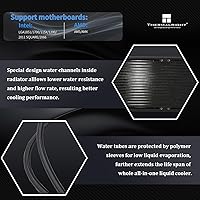
  • Socket Support: Compatible sockets include AMD AM4 and AM5, and Intel LGA1150, LGA1151, LGA1155, LGA1156, LGA1200, LGA1700, LGA1851, LGA2011, and LGA2066.
  • Unit Weight: The complete cooler package weighs 5.58 pounds, inclusive of radiator, fans, pump head, and mounting hardware.
  • Pump Head Design: The LCD module uses a magnet-mount modular design that allows tool-free rotation and repositioning after installation.
  • Fan Connector: Fans connect to the motherboard via a standard 4-pin PWM connector, enabling motherboard-controlled fan curve management.
  • Tubing: Pre-filled tubing connects the radiator to the pump head and is factory-sealed, requiring no user maintenance or fluid top-up.
  • Thermal Paste: Thermal paste is included in the package and is pre-applied or supplied separately for application during installation, depending on batch.

Related Reviews
upHere P360K 360mm AIO Liquid CPU Cooler
77%
78%
Thermal Performance
67%
Noise Level
71%
Build Quality
88%
Installation Experience
86%
Compatibility
More
SAMA Q70 360mm AIO Liquid CPU Cooler
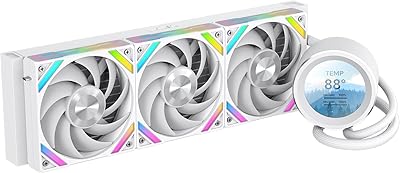
80%
83%
Cooling Performance
88%
LCD Display Quality
61%
Display Software & Setup
79%
Fan Noise Level
72%
Pump Noise & Reliability
More
SAMA Q60 360mm AIO Liquid CPU Cooler
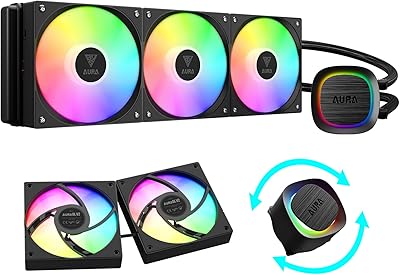
85%
91%
Cooling Performance
88%
Noise Level
80%
Ease of Installation
85%
Aesthetic & Customizability
92%
Compatibility
More
GAMDIAS Aura GLV2 360mm AIO Liquid CPU Cooler
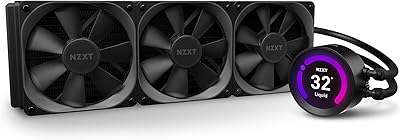
87%
91%
Cooling Performance
88%
Noise Level
90%
ARGB Lighting Customization
85%
Ease of Installation
93%
Compatibility with Intel & AMD
More
NZXT Kraken Z73 360mm AIO RGB CPU Liquid Cooler
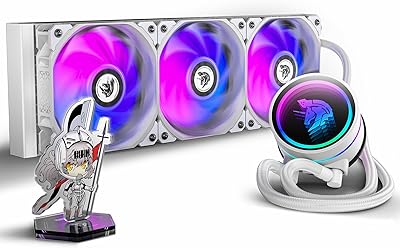
84%
92%
Cooling Performance
87%
Noise Level
72%
Installation Ease
80%
Software Control (CAM V4)
90%
Aesthetic Customization (LCD Display)
More
AsiaHorse WK-A360 ARGB AIO CPU Liquid Cooler 360mm
87%
94%
Cooling Performance
88%
Noise Levels (Under Load)
75%
RGB Aesthetics
90%
Installation Ease
92%
Build Quality
More
Lian Li Galahad II Lite 360mm Cooler
82%
83%
Thermal Performance
91%
Build Quality
74%
Noise Level
79%
Installation Experience
88%
Cable Management
More
Cooler Master MasterLiquid 360L Core 360mm
82%
88%
Thermal Performance
74%
Pump Quality & Reliability
91%
Installation Experience
83%
Noise Level
86%
Value for Money
More
Cooler Master MasterLiquid ML240L V2 AIO Cooler
77%
78%
Thermal Performance
91%
Installation Experience
63%
Pump Noise & Vibration
82%
Fan Performance
88%
ARGB Lighting
More
Cooler Master 240 Elite Liquid White CPU Liquid Cooler
85%
91%
Cooling Performance
84%
Noise Levels
92%
Ease of Installation
89%
Build Quality
88%
aRGB Lighting Effect
More

FAQ

Not fully. The display will power on via the USB 9-pin header connection, but customizing what it shows — whether that's a custom image, a GIF, or a CPU temperature readout — requires downloading Thermalright's software from their official website. The software is not included in the box, so budget some time for that step before your first boot.

The LCD screen simply won't function. The 9-pin header is the only way to supply both power and data to the display. If your board is fully occupied on those headers, you'd need a USB hub adapter that splits from an existing header, though results with third-party adapters can vary. It's worth checking your motherboard manual before purchasing.

Yes, LGA1851 support is included with the mounting hardware in the box. You won't need to source a separate bracket kit, which has been a frustration with some competing AIOs at this socket's launch.

After installing Thermalright's software — found on their official website — you can select a system monitoring display mode that pulls temperature data from your CPU. The software connects to your system sensors and pushes that data to the LCD in real time. It takes a bit of setup but works reliably once configured correctly.

Yes. The fans use the 5V 3-pin ARGB standard, which is natively recognized by ASUS Aura Sync, MSI Mystic Light, Gigabyte RGB Fusion, and ASRock Polychrome Sync. Just connect the ARGB cable to your motherboard's 5V 3-pin header and your motherboard's RGB software should detect it automatically.

At moderate fan speeds it's genuinely quiet — most users in open setups won't notice it over ambient room noise. At full 3000 RPM, it's audible but not harsh. If your motherboard fan curve ramps aggressively, you may want to tune it manually to keep speeds in the 1500 to 2000 RPM range for a better balance between noise and cooling.

Yes, the LCD supports GIF files alongside JPG and PNG formats. You load them through Thermalright's software, and the display cycles the animation on loop. Keep in mind the screen resolution is 320x240, so source or crop your images at or near that resolution for the sharpest result.

Most mid-tower cases that advertise 360mm top or front radiator support will fit the radiator itself, but the 52mm thickness is worth checking against your case's clearance spec. Cases with tight radiator bays or drive cages directly adjacent to the mounting position occasionally run into clearance problems, so compare your case's maximum supported radiator thickness before buying.

Most users with moderate build experience report it as straightforward. The AM5 bracket hardware is included and labeled, and the mounting sequence follows a logical order. The main thing to watch is the LCD head orientation — the magnetic mount makes it easy to adjust after the fact, so don't stress too much about getting it perfect on the first try.

For most full-tower builds it's adequate, but it's on the shorter end of the spectrum compared to some competing AIOs. If your radiator mounting point is far from the CPU socket — for example, a bottom-mount radiator configuration in a large chassis — you may find the routing options limited. It's worth mapping out your planned tube path before committing to a specific case orientation.