Overview

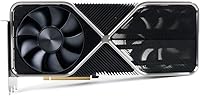
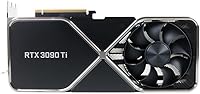
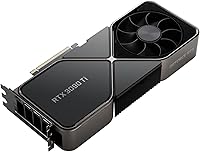
The NVIDIA GeForce RTX 3090 Ti Graphics Card sits at the very top of NVIDIA's Ampere generation — the last and most powerful card before the company moved to Ada Lovelace. Released in early 2022, it arrived in a crowded high-end GPU market yet carved out a clear identity: maximum Ampere performance, full stop. The Founders Edition comes direct from NVIDIA rather than a third-party board partner, meaning a reference thermal design and build consistency you won't always get elsewhere. That said, this is not a card for everyone. If you're not pushing memory-intensive workloads or demanding 4K performance headroom, the investment is genuinely hard to justify.
Features & Benefits

Start with the memory. 24GB of GDDR6X on a 384-bit bus is the reason this card can hold an entire Unreal Engine 5 scene in VRAM, or run large language model inference without constantly offloading to system RAM. The RTX 3090 Ti also packs 10,752 CUDA cores with a boost clock near 1860 MHz, which translates to meaningful rendering speed gains in Blender and DaVinci Resolve over its predecessor. DLSS 2.x and hardware ray tracing remain strong assets, particularly for 4K gaming where frame rates stay smooth without gutting visual quality. The dual-axial fan design keeps temperatures manageable under typical loads, though sustained rendering sessions do push it. NVLink support for multi-GPU rigs is available but firmly niche.

Best For

The RTX 3090 Ti makes the most sense for a fairly specific set of buyers. 4K gamers chasing maximum performance headroom will find it satisfying, though the gap over the standard 3090 in gaming alone is narrower than the cost difference might imply. Where this flagship GPU genuinely pulls ahead is professional creative work — 3D artists in Blender or Cinema 4D, VFX teams running complex simulations, and video editors cutting 8K RAW footage in DaVinci Resolve. Machine learning practitioners who need large unified VRAM for model training or inference also get real, tangible value. Enthusiasts building a high-end workstation with long-term staying power will find it a strong anchor choice.

User Feedback

Across 74 ratings, this Founders Edition card holds a 4.2-star average — which, for something this specialized, reflects a satisfied but clear-eyed buyer base. Consistent praise centers on raw 4K output and VRAM headroom that competing cards simply cannot match. The criticism is equally consistent: the 450W TDP demands a quality 850W or higher power supply at minimum, and several buyers mention hitting PSU limits they did not anticipate. Physical size is another real concern — at 12 inches long and nearly 7 pounds, case compatibility needs to be confirmed before buying. Almost universally, owners wrestle with the cost-versus-performance question, noting that gains over the standard 3090 are genuine but incremental in most everyday workloads.

Pros

  • 24GB of GDDR6X VRAM handles the largest 3D scenes, 8K timelines, and AI model workloads without breaking a sweat.
  • The RTX 3090 Ti is NVIDIA's fastest Ampere card, delivering the highest ceiling the generation has to offer.
  • DLSS 2.x keeps 4K frame rates strong while maintaining excellent visual quality in supported titles.
  • Hardware ray tracing performance is among the best available on the Ampere architecture.
  • The Founders Edition build quality is solid and consistent — no lottery on cooling or component quality.
  • PCIe 4.0 and HDMI 2.1 support keep the card compatible with high-end display setups, including 4K at 120Hz.
  • NVLink support opens up multi-GPU configurations for niche professional rendering pipelines.
  • 10,752 CUDA cores translate to real, measurable time savings in Blender, DaVinci Resolve, and similar software.
  • Dual-axial cooling keeps temperatures in check during typical gaming and moderate creative workloads.

Cons

  • A 450W TDP demands a high-quality 850W or higher PSU — undersized power supplies cause instability or shutdowns.
  • At 12 inches long and roughly 7 pounds, case compatibility is a genuine pre-purchase research task, not an afterthought.
  • Power consumption under sustained rendering loads is substantial, noticeably affecting electricity costs over time.
  • Gaming performance gains over the standard RTX 3090 are real but modest — not enough to justify the price jump for gamers alone.
  • This is a last-generation Ampere card; newer architectures now offer better performance-per-watt at competitive price points.
  • The premium price tier is difficult to rationalize for buyers whose workloads do not fully exploit the 24GB VRAM buffer.
  • Sustained full-load operation generates significant heat, which can stress lesser case airflow setups.
  • Resale value has softened considerably as newer GPU generations have matured and become widely available.

Ratings

The scores below reflect AI-driven analysis of verified global buyer reviews for the NVIDIA GeForce RTX 3090 Ti Graphics Card, with spam, bot submissions, and incentivized feedback actively filtered out before scoring. Each category is weighted against real-world usage patterns reported by professionals, enthusiasts, and power users across multiple regions. Both the strengths that make this card compelling and the pain points that give buyers pause are transparently reflected in every score.

Raw Performance
94%
Users running Blender renders, DaVinci Resolve timelines, and demanding 4K gaming sessions consistently report that the RTX 3090 Ti delivers the highest Ampere-generation output available. Render times that took hours on previous cards drop noticeably, and 4K frame rates hold strong even in visually intensive titles with ray tracing active.
The performance lead over the standard RTX 3090 in gaming scenarios is narrower than the price gap suggests, hovering in the single digits to low double-digit percentage range depending on the workload. Buyers expecting a transformational jump in games specifically may come away feeling the uplift was incremental rather than dramatic.
VRAM Capacity
97%
The 24GB GDDR6X buffer is the single feature buyers cite most often as justifying this card over anything else in the Ampere lineup. 3D artists loading full-resolution texture sets, ML engineers fine-tuning large models locally, and video editors with 8K RAW timelines all report a tangible reduction in frustrating cache swaps and out-of-memory errors.
For buyers whose daily workloads sit comfortably within 8GB or 12GB of VRAM, the extra capacity delivers no practical benefit and represents a significant portion of the cost premium. The advantage is real but conditional — users not actively pushing memory limits will not feel it.
Thermal Management
76%
24%
Under typical gaming loads, the Founders Edition dual-axial cooler keeps temperatures in a reasonable range and fan noise stays manageable. Users in well-ventilated full-tower cases report steady thermals even during extended gaming sessions lasting several hours.
Under sustained rendering workloads, temperatures climb noticeably and fan speeds ramp up to compensate, which users in quieter workspaces find disruptive. Several buyers also note that the card's exhaust design pushes heat into the case interior, making good case airflow a non-negotiable rather than a nice-to-have.
Power Efficiency
41%
59%
For workloads where absolute compute throughput matters more than efficiency — large-scale 3D rendering, AI inference, sustained 4K gaming — buyers accept the power draw as the cost of maximum Ampere performance. Those upgrading from older generation cards report the performance-per-task improvement still feels meaningful.
A 450W TDP is the most common complaint across all review segments, and for good reason — electricity costs over time are noticeably higher, and the mandatory 850W-plus PSU requirement catches some buyers off guard during the build planning phase. Compared to newer-architecture alternatives, the performance-per-watt ratio is firmly behind the curve.
Build Quality
88%
The Founders Edition construction consistently earns positive remarks for its solid, premium feel — the metal shroud and overall fit and finish stand out compared to budget AIB alternatives. Buyers appreciate receiving a reference card directly from NVIDIA with no concerns about third-party manufacturing variance.
At nearly 7.08 pounds, the card's weight is a recurring concern, with several users noting visible PCIe slot sag after installation without an aftermarket support bracket. Some buyers also wished the cooler vented heat out the rear bracket rather than into the case interior.
Case Compatibility
58%
42%
Buyers with full-tower builds report a straightforward installation experience with no clearance issues, and the card's 12-inch length is well within the supported range for most large cases on the market.
Mid-tower and compact case owners frequently report compatibility headaches, with several buyers needing to remove drive cages or swap cases entirely after discovering insufficient GPU clearance after purchase. The combination of length and weight makes this card a poor fit for any build where space is at a premium.
4K Gaming Capability
91%
Users running 4K monitors at high refresh rates — particularly on titles with DLSS enabled — report smooth, consistent frame delivery that other cards in the segment struggle to match. The headroom at 4K means even future titles with higher graphical demands are unlikely to bring this flagship GPU to its knees quickly.
In games without DLSS support, native 4K performance in the most demanding titles can still dip below comfortable frame rate targets, and the improvement over the RTX 3090 in these scenarios rarely justifies the cost difference for gamers exclusively.
DLSS & Ray Tracing
86%
Buyers using DLSS 2.x in supported titles consistently note that image quality at Performance and Quality modes is strong enough that the upscaling is invisible in normal gameplay. Ray tracing in titles like Cyberpunk 2077 and Control runs at settings that are impractical on lower-tier cards.
DLSS 2.x, while effective, has since been superseded by DLSS 3 on Ada Lovelace cards, meaning this generation misses out on Frame Generation technology. Buyers comparing this card to current-generation alternatives should factor that in, especially if future DLSS 3 adoption expands further.
Professional Rendering
93%
3D artists and VFX professionals using Blender Cycles, Octane, or Redshift report substantial time savings on complex scenes compared to previous-generation or lower-VRAM alternatives. The combination of CUDA core count, VRAM, and memory bandwidth makes it genuinely productive for studio-grade workloads on a local machine.
For studios already running dedicated rendering servers or cloud pipelines, the advantage narrows considerably. The card also lacks ECC memory, which some professional compute environments require for data integrity in scientific or mission-critical workloads.
Value for Money
53%
47%
Buyers with specific, VRAM-intensive professional workflows report that the productivity gains — particularly in 3D rendering and ML work — offset the premium cost in actual billable time saved. For that narrow audience, the return on investment is defensible.
The broader consensus is that the value proposition is difficult to justify, especially now that newer-generation cards offer comparable or superior performance at better efficiency and in some cases lower cost. The original launch pricing and the modest gaming uplift over the standard 3090 remain the most frequently cited disappointments.
Display Output & Connectivity
89%
HDMI 2.1 support is widely praised by users running 4K 120Hz televisions as primary monitors, eliminating the need for an adapter or compromise on refresh rate. Three DisplayPort 1.4a outputs give multi-monitor workstation users ample flexibility without needing a hub.
Users hoping to drive three high-refresh-rate 1440p displays simultaneously note that bandwidth is shared, and some niche multi-monitor configurations require careful planning. There is no USB-C output, which a small number of buyers flagged as a missing convenience.
PSU Requirement
44%
56%
Buyers who planned ahead with a quality 1000W PSU report no power-related issues whatsoever, and the included 16-pin adapter works reliably with standard 8-pin PCIe cables for those without a native connector.
The 450W TDP creates a ripple effect that catches underprepared builders off guard — those upgrading from a mid-range card often discover their existing PSU is no longer adequate and face an additional unplanned expense. Several reviews specifically warn that daisy-chaining 8-pin cables off a single PSU rail caused instability.
Driver Stability
82%
18%
The RTX 3090 Ti has benefited from a mature driver ecosystem, and buyers using it for both gaming and professional applications report generally stable day-to-day operation across Windows 10 and Windows 11 environments.
A subset of users report occasional driver timeout errors under specific conditions, particularly when switching between gaming and GPU compute workloads without a full driver reset. These issues are not widespread but appear consistently enough in reviews to warrant mention.
NVLink & Multi-GPU
61%
39%
For professional rendering pipelines that actively support NVLink — such as certain Chaos V-Ray and Redshift configurations — the ability to bridge two cards and pool VRAM is genuinely useful and a capability most competing cards at this tier cannot offer.
NVLink support for gaming has been effectively deprecated, and most modern applications and games do not benefit from a multi-GPU setup. Buyers considering this feature should verify their specific software supports it before treating it as a meaningful purchasing factor.
Noise Level
71%
29%
During light gaming sessions and everyday desktop use, the Founders Edition cooling system operates quietly enough that users in typical home environments rarely notice it above ambient noise. The fan curve under moderate loads is reasonably conservative.
Under full rendering loads or extended high-demand gaming, fan speeds ramp significantly and become clearly audible in quiet room environments. Users who prioritize a quiet workstation and run sustained compute jobs report this as a meaningful daily annoyance.

Suitable for:

The NVIDIA GeForce RTX 3090 Ti Graphics Card was built for a specific kind of buyer, and if you fall into that group, it genuinely delivers. Professional 3D artists and animators working with large scene files in Blender, Cinema 4D, or Houdini will feel the difference immediately — 24GB of GDDR6X VRAM means complex assets stay loaded in memory instead of forcing constant cache swaps that kill productivity. Video editors cutting 8K RAW timelines in DaVinci Resolve or managing heavy multi-stream projects in Premiere Pro will similarly find the headroom liberating rather than optional. Machine learning practitioners who need substantial unified VRAM for model training or local inference workloads also get a card that can handle jobs that would otherwise require expensive cloud compute. Hardcore 4K PC gamers who want the absolute ceiling of Ampere performance — and have the rest of the system to match — will not be disappointed either. Workstation builders thinking five or more years ahead will find this flagship GPU holds its relevance longer than most alternatives at this tier.

Not suitable for:

If your workloads are primarily 1080p or 1440p gaming, the RTX 3090 Ti is a significant overspend — the performance advantages over less expensive cards at those resolutions are not proportionate to the price gap. Buyers with power supplies under 850W should walk away until they can upgrade, because the 450W TDP is not a spec to work around; it is a hard system requirement. Small-form-factor or mid-tower builds also need careful measurement before committing — at 12 inches long and nearly 7 pounds, this card physically will not fit in many popular cases. Casual gamers, students, or anyone primarily running productivity software like Office or browser-based tools will see zero real-world benefit from what this card offers. Buyers comparing this Founders Edition card to newer Ada Lovelace or RDNA 3 alternatives should also weigh that this is a last-generation product now, and newer architectures offer better efficiency at comparable or lower price points in the current market.

Specifications

  • GPU Architecture: Built on NVIDIA's Ampere architecture using the GA102 chip, the same silicon found in the RTX 3090 but fully unlocked.
  • CUDA Cores: Features 10,752 CUDA cores, giving it a meaningful compute advantage over the RTX 3090's 10,496 cores for parallel processing tasks.
  • VRAM: Equipped with 24GB of GDDR6X memory, providing ample headroom for large 3D scenes, 8K video timelines, and substantial AI model workloads.
  • Memory Bus: Uses a 384-bit memory bus width, enabling high memory bandwidth that reduces bottlenecks when handling large textures or datasets.
  • Boost Clock: Reaches a boost clock of approximately 1860 MHz, making it the fastest factory-clocked card in the Ampere generation at launch.
  • TDP: Carries a total board power of 450W, the highest of any Ampere consumer GPU and a critical figure when planning a system build.
  • PSU Requirement: NVIDIA officially recommends an 850W or higher power supply to ensure stable operation under full gaming and rendering loads.
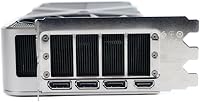
  • Display Outputs: Offers one HDMI 2.1 port and three DisplayPort 1.4a outputs, supporting up to four simultaneous displays.
  • Max Resolution: Supports native output at up to 3840x2160 (4K UHD) and can drive 8K displays via DisplayPort with DSC compression enabled.
  • PCIe Interface: Uses a PCIe 4.0 x16 interface, though it remains fully backward compatible with PCIe 3.0 motherboards at a modest bandwidth reduction.
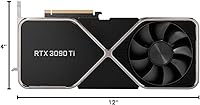
  • Card Length: Measures 12 inches in length, requiring careful case clearance checks before installation in mid-tower or compact enclosures.
  • Card Weight: Weighs approximately 7.08 pounds, which is substantial enough that a PCIe slot support bracket is strongly advisable for long-term use.
  • Cooling System: The Founders Edition uses NVIDIA's dual-axial push-pull fan design, which exhausts heat through the card rather than directly out the rear bracket.
  • NVLink Support: Supports NVLink for multi-GPU configurations, allowing two RTX 3090 Ti cards to be bridged for professional rendering or compute applications.
  • API Support: Fully supports DirectX 12 Ultimate, Vulkan, and OpenGL 4.6, covering the complete range of modern gaming and professional graphics APIs.
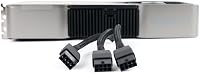
  • Power Connector: Requires a 16-pin (PCIe 5.0 style) power connector, with an adapter included in the Founders Edition box for use with standard 8-pin PSU cables.
  • Ray Tracing: Includes third-generation RT cores that accelerate real-time ray tracing in supported games and rendering applications such as Blender Cycles.
  • Tensor Cores: Contains fourth-generation Tensor cores that power DLSS 2.x AI upscaling and accelerate certain deep learning inference tasks.

Related Reviews
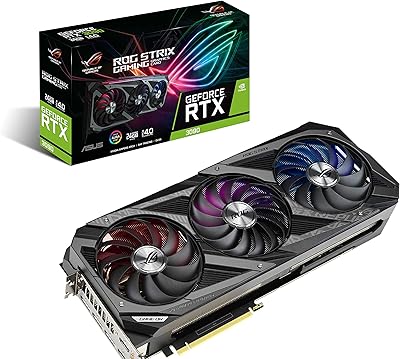
ASUS ROG Strix NVIDIA GeForce RTX 3090 24GB GDDR6X Graphics Card
87%
96%
Gaming Performance
94%
Ray Tracing Quality
91%
Cooling Efficiency
89%
Build Quality
92%
AI and DLSS Support
More
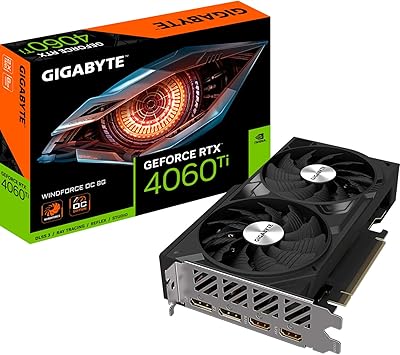
Gigabyte NVIDIA GeForce RTX 4060 Ti WINDFORCE OC 8GB Graphics Card
86%
90%
Gaming Performance
92%
Value for Money
89%
Ray Tracing & DLSS
88%
Cooling & Noise
85%
Installation & Setup
More
ASUS TUF RTX 3090 OC Graphics Card
80%
91%
Raw Gaming Performance
88%
Thermal Management
93%
Build Quality
94%
VRAM Capacity & Usefulness
83%
Noise Levels
More
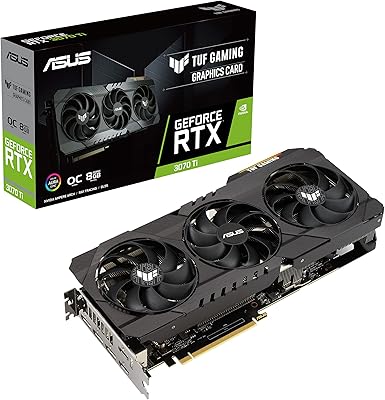
ASUS TUF RTX 3070 Ti Graphics Card
80%
88%
Gaming Performance
91%
Thermal Management
93%
Noise Levels
89%
Build Quality
61%
VRAM Capacity
More
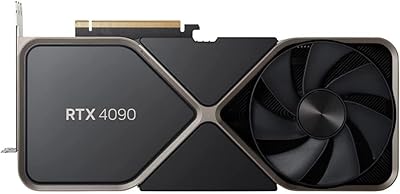
NVIDIA GeForce RTX 4090 Founders Edition Graphics Card
84%
96%
Gaming Performance
94%
Ray Tracing & Visual Fidelity
62%
Power Consumption
89%
Build Quality & Design
93%
VR Compatibility
More
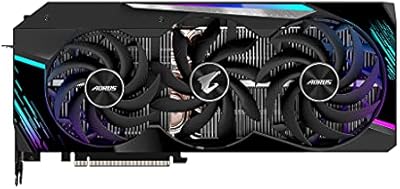
Gigabyte AORUS GeForce RTX 3080 Ti Master 12GB Graphics Card
88%
93%
Overall Performance
96%
4K Gaming Experience
91%
Ray Tracing Capabilities
88%
Cooling Efficiency
89%
Build Quality
More
GIGABYTE GeForce RTX 4060 Ti Gaming OC 8GB Graphics Card
86%
92%
Performance
88%
Cooling Efficiency
89%
Value for Money
85%
Build Quality
91%
Ease of Setup
More
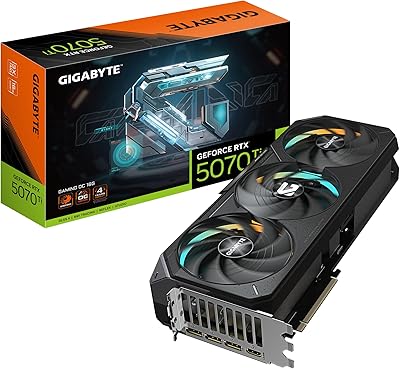
GIGABYTE GeForce RTX 5070 Ti Gaming OC 16G
86%
91%
4K Gaming Performance
89%
Ray Tracing & DLSS 4
93%
Cooling Efficiency
94%
VRAM & Memory Speed
87%
Acoustic Performance
More
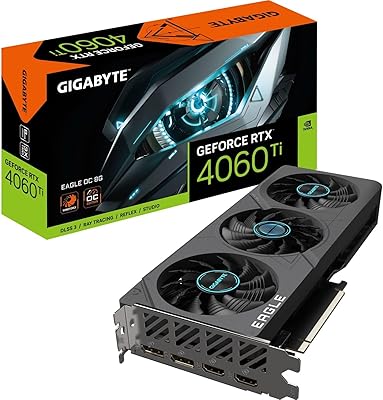
Gigabyte RTX 4060 Ti Eagle OC GPU
82%
83%
Gaming Performance
88%
Thermal Management
84%
Noise Level
86%
DLSS 3 & Frame Generation
61%
VRAM & Memory
More
GIGABYTE RTX 5060 Ti 8GB Graphics Card

84%
88%
1440p Gaming Performance
91%
DLSS 4 & AI Upscaling
66%
VRAM Capacity & Adequacy
93%
Thermal Performance & Cooling
86%
Noise Level
More

FAQ

NVIDIA recommends at least 850W, and that figure assumes a reasonably modern CPU and a limited number of other power-hungry components. If your build includes a high-end Intel or AMD processor and multiple storage drives, pushing to a 1000W unit gives you a comfortable safety margin. Don't cut corners here — the 450W TDP is real, and an undersized PSU will cause instability or shutdowns under load.

At 12 inches long and just over 7 pounds, this card is physically large. Most full-tower cases handle it without issue, but mid-tower and compact builds need a specific clearance check against your case's published GPU length limit. Also factor in the weight: without a support bracket, that kind of sustained load on a PCIe slot can cause the card to sag and eventually stress the motherboard slot.

In pure gaming benchmarks, the difference is real but modest — typically somewhere between 5 and 12 percent depending on the title and resolution. At 4K with ray tracing enabled, the gap can be slightly wider. If gaming is your only use case, the standard RTX 3090 or even a newer-generation card may offer better value for the money. The 3090 Ti's strongest argument over its sibling is in professional creative and compute workloads.

Yes, genuinely so. The 24GB of GDDR6X VRAM is the key factor — it lets you load larger models and run bigger batch sizes locally compared to cards with 8GB or 16GB. For fine-tuning mid-sized language models, training image generation networks, or running local inference on demanding models, this card handles tasks that would otherwise push you to cloud compute. It is not a replacement for a dedicated data center GPU, but for a local workstation it is one of the most capable options in this generation.

The Founders Edition dual-axial design is actually quite competitive thermally. NVIDIA's in-house cooler exhausts heat through the card body rather than out the rear bracket, which means good case airflow matters more than it would with a traditional blower card. Under gaming loads, temperatures typically land in a reasonable range. Under sustained rendering workloads, it runs hotter — but that is true of any card drawing 450W. A well-ventilated case makes a meaningful difference.

For video output and media playback at 8K, yes — HDMI 2.1 and DisplayPort 1.4a with DSC can drive 8K displays. For actual 8K gaming at playable frame rates, the RTX 3090 Ti struggles like every other current consumer GPU; 8K gaming is effectively not viable at this performance tier without heavy upscaling via DLSS.

The Founders Edition ships with an adapter that converts four standard 8-pin PCIe connectors to the 16-pin connector the card uses. You do not need a PSU with a native 16-pin output, though if your PSU supports it natively that is the cleaner option. The adapter works fine, but make sure each 8-pin cable runs to a separate rail or cable from your PSU rather than daisy-chaining multiple connectors off one cable.

It depends entirely on your workload and budget. For professional creative work where 24GB of VRAM is genuinely needed, the RTX 3090 Ti remains a capable and often well-priced second-hand option. For gaming-only builds, newer-generation cards from both NVIDIA and AMD offer better performance-per-watt and often better rasterization performance at lower cost. If you find this flagship GPU at a significantly reduced price, the value equation is more compelling than it was at launch.

Yes — one HDMI 2.1 and three DisplayPort 1.4a outputs give you up to four simultaneous display connections. HDMI 2.1 supports 4K at 120Hz or 8K at 60Hz (with DSC), making it a strong option for high-refresh-rate 4K monitors without needing DisplayPort.

The card uses a PCIe 4.0 x16 interface, but it is fully backward compatible with PCIe 3.0 slots, which are found on most mid-generation Intel and AMD motherboards. Running on PCIe 3.0 results in a small bandwidth reduction that is essentially unmeasurable in real gaming or creative workloads. If your motherboard only has a shorter PCIe slot (x4 or x8 electrically), that is a different concern worth checking before purchase.

Where to Buy