Overview

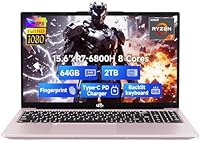
The NIMO N155R 15.6″ Gaming Laptop arrives as a genuine surprise in a crowded budget market — not because it reinvents anything, but because it makes smart choices where competitors cut corners. The rose gold metal chassis immediately sets it apart from the sea of matte-black gaming slabs, and NIMO's brand story adds a layer of reassurance: partially assembled in the USA, backed by a two-year manufacturer warranty and a generous 90-day return window. That said, this AMD Ryzen machine has a clear identity — it is built for students, remote workers, and casual gamers who want serious CPU and RAM headroom without paying for a dedicated GPU they may not need.
Features & Benefits

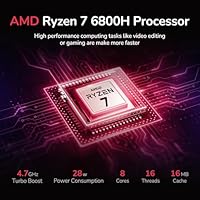
The Ryzen 7 6800H is a proven, capable processor — not cutting-edge by today's standards, but still punchy enough to chew through spreadsheets, browser tabs, video exports, and streaming simultaneously without breaking a sweat. What genuinely stands out is the 64GB of DDR5 RAM at 4800MHz — a spec you rarely see outside workstation-class machines at this price tier, meaning serious multitaskers simply won't hit memory ceilings. The 2TB PCIe 4.0 SSD delivers fast load times with room for large project files or game libraries. On the graphics side, the Radeon 680M handles light gaming and graphic work competently, but be clear-eyed: demanding AAA titles at high settings are genuinely beyond its reach.

Best For

The N155R makes the most sense for college students who juggle multiple apps at once without wanting to think about RAM, and for professionals doing photo editing, light video work, or data crunching on the road. Casual gamers will find it handles indie titles and older games at medium settings without issue — cloud gaming works well here too. One underrated advantage is that both the RAM and SSD are user-upgradeable, which is genuinely uncommon at this price point. Add in the 100W GaN USB-C charger that doubles for phones and tablets, and this NIMO laptop becomes a surprisingly practical travel companion for people who already carry too many cables.

User Feedback

Buyers who have picked up this AMD Ryzen machine generally settle around 4.2 stars, and the pattern in positive reviews is consistent: people are pleasantly surprised by the build quality for the money, impressed by day-to-day snappiness, and relieved by the fast-charging convenience. The criticisms are equally consistent — the integrated GPU is a real ceiling for anyone expecting traditional gaming performance, and the five-hour battery rating should be treated as a best-case figure rather than a daily guarantee, especially under load. Some buyers mention initial hesitation about NIMO's brand recognition, though the warranty coverage and straightforward return policy appear to ease those concerns reasonably well after purchase.

Pros

  • 64GB of DDR5 RAM is exceptionally rare at this price tier and future-proofs heavy multitasking for years.
  • The 2TB PCIe 4.0 SSD offers fast load times and enough space for large project files and game libraries.
  • Both RAM and SSD are user-upgradeable, giving buyers flexibility without voiding the warranty.
  • The 100W GaN USB-C charger powers the laptop and doubles as a fast charger for phones and tablets.
  • The Ryzen 7 6800H is a proven eight-core processor that handles productivity and creative workloads with ease.
  • A metal chassis in rose gold is a genuine aesthetic differentiator in a market dominated by plastic black slabs.
  • The fingerprint reader on the touchpad makes daily login fast and genuinely convenient.
  • A two-year manufacturer warranty and 90-day return window provide solid purchase confidence for a lesser-known brand.
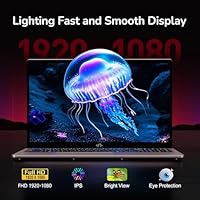
  • The IPS anti-glare display delivers accurate, comfortable visuals for long work or study sessions.
  • At 3.8 pounds, the N155R is portable enough for daily commutes without feeling like a burden.

Cons

  • The integrated Radeon 680M cannot run demanding modern AAA games at acceptable frame rates.
  • The five-hour battery rating is optimistic; expect noticeably less under real workloads or sustained CPU use.
  • NIMO has limited brand recognition, which may make some buyers uneasy despite the stated warranty coverage.
  • Wi-Fi is capped at 802.11ac, missing the speed and range improvements of Wi-Fi 6 or 6E.
  • The 2MP webcam is mediocre for video calls, especially in lower-light environments.
  • Only one USB 2.0 port and three USB 3.0 ports — no Thunderbolt or USB4 support listed.
  • The Ryzen 7 6800H launched in 2022, so buyers are not getting a current-generation CPU architecture.
  • Fan noise and thermal behavior under sustained CPU loads have not been widely documented by independent reviewers.
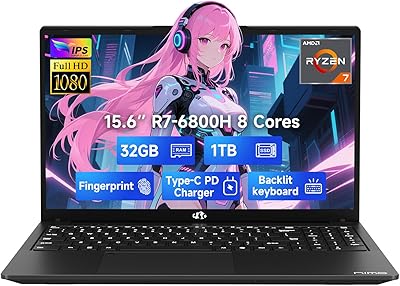
  • The listing shows two configurations — 32GB/1TB and 64GB/2TB — which can create confusion when comparing prices.
  • No dedicated number pad row feedback on key travel depth or tactile quality from enough verified users yet.

Ratings

The NIMO N155R 15.6″ Gaming Laptop has been evaluated by our AI rating engine after analyzing verified global buyer reviews, with spam, bot-generated, and incentivized feedback actively filtered out to reflect genuine user sentiment. Scores across each category are weighted by review recency, purchase verification, and regional consistency, giving a transparent picture of where this AMD Ryzen machine genuinely delivers and where real-world frustrations surface. Both the standout strengths and the honest pain points are reflected below, so buyers can make a fully informed decision.
Processing Performance
88%
Users consistently report that day-to-day multitasking feels responsive and unhurried, whether that means running dozens of browser tabs alongside a spreadsheet, encoding a short video clip, or managing virtual machines for coursework. The eight-core Ryzen 7 6800H holds up well under sustained productivity workloads where many budget laptops begin to throttle.
The 6800H launched in 2022, meaning buyers are not getting the latest architecture, and those coming from newer Ryzen 7000 or Intel Core Ultra machines will notice the generational gap in efficiency and AI-accelerated tasks. A handful of users noted that sustained heavy loads cause the CPU to throttle moderately as thermals build up.
Gaming Capability
52%
48%
For casual gaming — indie titles, older releases, 2D platformers, or cloud-streamed games via Xbox Game Pass — the Radeon 680M handles the job without major complaints. Users playing titles like Stardew Valley, Hades, or older Tomb Raider entries report a smooth enough experience at 1080p on lower settings.
Anyone expecting to run modern AAA titles at playable frame rates will run into a hard wall fast — the integrated GPU simply lacks the dedicated VRAM and shading throughput required. Multiple buyers who purchased expecting gaming performance were visibly disappointed, and this remains the single most common negative theme across reviews.
RAM & Multitasking
93%
Sixty-four gigabytes of DDR5 RAM at this price tier is genuinely unusual, and users notice it immediately — running multiple heavy applications simultaneously, keeping extensive browser sessions open, or working inside memory-hungry creative suites like Photoshop and Premiere feels fluid rather than stressful. Developers running local servers alongside IDEs and browsers are particularly pleased.
For the average user doing standard productivity tasks, 64GB is well beyond what they will realistically use, which means some buyers feel they paid for headroom they may never need. The dual-channel configuration is correct, but memory speed at 4800MHz is not the fastest DDR5 available, leaving some performance on the table for bandwidth-sensitive workloads.
Storage Speed & Capacity
91%
The 2TB PCIe 4.0 SSD earns consistent praise for how quickly the system boots, applications launch, and large files transfer — users moving between projects or importing large photo libraries notice a real difference compared to older SATA-based systems. Having two terabytes available also means most users will never feel the anxiety of running low on space.
PCIe 4.0 performance varies significantly depending on the specific SSD vendor NIMO sources, and the exact brand or model of the drive installed is not disclosed — a few buyers report sequential speeds that fall short of premium PCIe 4.0 drives. There is also no secondary M.2 slot confirmed, limiting expansion options.
Display Quality
74%
26%
The IPS anti-glare panel at 1920x1080 produces accurate-enough colors for general productivity, streaming, and casual photo review, and the anti-glare coating is genuinely appreciated by users who work near windows or in brightly lit offices. Viewing angles are wide enough for comfortable side-by-side collaboration.
Color gamut coverage specifications are not published, which frustrates users doing color-sensitive creative work who cannot verify sRGB or DCI-P3 accuracy. The 60Hz refresh rate is also a limiting factor for gamers accustomed to smoother high-refresh panels, and peak brightness has been flagged as underwhelming in very bright outdoor environments.
Battery Life
57%
43%
Under genuinely light usage — document editing, note-taking in class, or low-brightness video playback — some users do reach close to the five-hour rated figure, making short school or work sessions away from an outlet feasible. The fast-charging USB-C setup at least means topping up is quick when a plug is available.
The moment workloads increase — video calls, compiling code, or running any sustained CPU task — battery drain accelerates sharply, and real-world endurance for mixed users lands closer to three hours or less. This is a significant pain point for anyone relying on the laptop through a full college or workday without access to a charger.
Charging System
89%
The 100W GaN USB-C charger is one of the most practically useful inclusions in this package — users traveling with phones, tablets, and the laptop can consolidate to a single adapter, which frequent commuters and campus students find genuinely convenient. The 6.56ft cable length gives comfortable reach across most desk and cafe table setups.
USB-C charging dependency means users without a spare USB-C power brick have fewer fallback options compared to traditional barrel-plug chargers, which remain more universally available in offices and libraries. A small number of users also reported the cable connection feeling slightly loose at the laptop port over time.
Build Quality & Design
82%
18%
The metal A-shell chassis draws consistent positive reactions from buyers who expected a plastic-heavy budget build and were pleasantly surprised by the premium feel. The rose gold colorway is described as tasteful rather than garish, and it stands out favorably in professional and academic settings where black gaming laptops feel out of place.
The metal lid finish shows fingerprints and light scratches more readily than darker surfaces, which bothers detail-conscious users over time. Some flex has been noted in the keyboard deck area under firm typing pressure, suggesting the internal frame does not fully match the premium impression the lid creates.
Thermal Management
63%
37%
During light to moderate tasks, the N155R runs quietly and the chassis stays cool enough to use comfortably on a lap. Users doing web browsing, note-taking, or streaming report that the fans are largely unobtrusive in quiet environments.
Under sustained heavy loads — long video exports, extended gaming sessions, or compiling large codebases — fan noise becomes noticeable and some CPU throttling has been observed, suggesting the thermal solution is tuned conservatively for a slim chassis. A few users reported the bottom panel getting uncomfortably warm during extended use.
Keyboard & Input
78%
22%
The backlit keyboard with a full numeric keypad is appreciated by users who work with spreadsheets, accounting tools, or data entry — a numpad is a feature many competing 15-inch budget laptops skip. Backlighting is functional and visible enough for low-light typing without being distracting.
Key travel depth and tactile feedback are described as adequate but unremarkable by users who type heavily throughout the day — it does not feel as satisfying as keyboards found on business-class ThinkPads or MacBooks. A few buyers noted that the keycap legends show early wear, raising concerns about long-term legibility.
Connectivity & Ports
66%
34%
Four USB ports total — including three USB 3.0 — cover the basics for most users connecting mice, external drives, and USB hubs without immediately reaching for a dock. Bluetooth 5.2 is a modern standard that pairs reliably with wireless peripherals.
The absence of Thunderbolt 4 or USB4 is a meaningful limitation for power users who rely on high-speed external displays or fast eGPU docks, and the single USB 2.0 port feels dated in an otherwise modern spec sheet. Wi-Fi is capped at 802.11ac, missing the improved throughput and reduced congestion of Wi-Fi 6 or 6E.
Webcam Quality
44%
56%
The 2MP webcam handles baseline video calls in well-lit rooms acceptably, and for quick check-ins or online classes, most users find it marginally functional without needing an external camera immediately.
In anything other than ideal lighting, image quality drops off noticeably — grain, soft focus, and poor low-light rendering are recurring complaints from users doing frequent remote meetings or online teaching. At this price point, a 1080p webcam is becoming increasingly common among competitors, making the 2MP sensor feel like a genuine cost-cut.
Value for Money
84%
When users focus on the raw specification-to-price ratio — particularly the 64GB DDR5 RAM and 2TB PCIe SSD combination — satisfaction is high, as these specs would typically cost considerably more in a machine from a tier-one brand. Buyers who knew exactly what they needed from a productivity and storage standpoint feel well-served.
Value perception drops among buyers who purchased expecting meaningful gaming performance, since the integrated GPU significantly narrows the real use-case compared to similarly priced competitors with entry-level discrete GPUs. The lesser-known brand also introduces a small trust discount that makes some buyers feel they need to stress-test the warranty promise rather than simply trust it.
Brand & After-Sales Support
69%
31%
NIMO's stated two-year warranty and 90-day return policy are stronger safety nets than many budget competitors offer, and users who have interacted with support report responses that are generally prompt and solution-oriented. Partial USA assembly adds a modest layer of quality assurance credibility.
NIMO has a limited public track record compared to established brands, which means long-term durability data and widespread independent repair support are essentially unavailable. Users who hit warranty issues describe a process that works but requires patience, and finding third-party service centers outside of NIMO's own support channel is not straightforward.

Suitable for:

The NIMO N155R 15.6″ Gaming Laptop is genuinely well-matched to buyers who need serious processing power and ample storage without stepping up to a dedicated GPU machine. College students who regularly run virtual machines, browser-heavy research sessions, or creative software like Lightroom and DaVinci Resolve will find the 64GB of DDR5 RAM and fast PCIe SSD a real day-to-day advantage over most similarly priced competitors. Remote workers who travel frequently will appreciate the 100W GaN USB-C charger that eliminates the need for multiple adapters across devices. Casual gamers who primarily enjoy indie titles, retro games, or cloud streaming services — rather than demanding modern AAA releases — will get reasonable mileage from the Radeon 680M without needing to budget for a pricier discrete GPU. The user-upgradeable RAM and SSD slots are a meaningful long-term value add, letting buyers scale the machine over time rather than replacing it outright.
Not suitable for:

Anyone prioritizing serious gaming performance should look elsewhere before considering this AMD Ryzen machine — the integrated Radeon 680M simply cannot handle modern AAA titles at playable frame rates on medium-to-high settings, full stop. Video editors working with 4K footage or 3D rendering professionals will also hit real bottlenecks, since GPU-accelerated workflows depend heavily on dedicated graphics memory that an integrated chip cannot provide. Battery life is another honest concern: the rated five hours reflects light, controlled usage, and real-world sessions under any meaningful load will fall noticeably shorter, making it a poor fit for people who need an all-day unplugged device. Buyers who strongly prefer established laptop brands with extensive retail support networks may find NIMO's relatively low public profile uncomfortable, despite the warranty terms. Finally, anyone needing the latest Wi-Fi 6E connectivity or a high-refresh-rate display will find the N155R's specs fall short of those expectations.

Specifications

  • Processor: AMD Ryzen 7 6800H with 8 cores, 16 threads, and a boost clock of up to 4.7GHz, built on a 6nm process node.
  • Graphics: AMD Radeon 680M integrated GPU, sharing system memory, with no discrete graphics card included.
  • RAM: 64GB of DDR5 SDRAM running at 4800MHz in dual-channel configuration, with detachable slots for user upgrades.
  • Storage: 2TB PCIe 4.0 SSD offering fast sequential read and write speeds, user-accessible for future upgrades.
  • Display: 15.6″ FHD IPS Anti-Glare panel at 1920x1080 resolution with an 85% screen-to-body ratio.
  • Operating System: Ships with Windows 11 pre-installed.
  • Charger: 100W GaN USB-C Power Delivery charger included, with a 6.56ft USB-C to USB-C cable.
  • Battery: Built-in Lithium Polymer battery rated at 11.4V with approximately 5 hours of rated battery life under light use.
  • USB Ports: Four total USB ports: one USB 2.0 and three USB 3.0; no Thunderbolt or USB4 support is listed.
  • Wireless: Wi-Fi supporting 802.11a/b/g/n/ac standards alongside Bluetooth 5.2.
  • Webcam: Built-in 2MP front-facing camera suitable for standard video calls.
  • Security: Fingerprint reader integrated into the touchpad for biometric Windows Hello login.
  • Keyboard: Backlit keyboard with a dedicated numeric keypad included in the layout.
  • Chassis: Metal A-shell construction in a Rose Gold finish, measuring 14.07 x 8.98 x 0.76 inches.
  • Weight: 3.8 pounds total, making it portable enough for daily commuting or campus use.
  • Warranty: Two-year manufacturer warranty provided by NIMO Direct Inc., with a 90-day hassle-free return window.
  • Assembly: Partially assembled in the USA and subjected to quality checks before shipping.
  • Configurations: Available in at least two configurations: 32GB RAM with 1TB SSD, and 64GB RAM with 2TB SSD.

Related Reviews
NIMO N155L 32GB/1TB
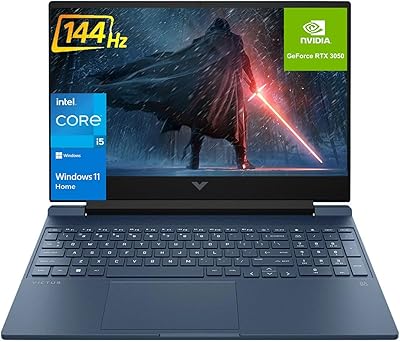
NIMO N155L 32GB/1TB
72%
88%
Processing Performance
91%
RAM & Memory Experience
87%
Storage Speed & Capacity
58%
Gaming Capability
66%
Display Quality
More
HP Victus 15.6″ RTX 3050 Gaming Laptop
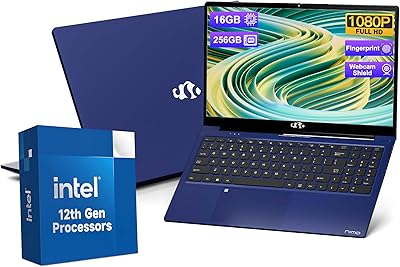
71%
67%
Gaming Performance
83%
Display Quality
88%
RAM & Multitasking
86%
Storage Speed & Capacity
58%
Thermal Management
More
NIMO N157B 15.6-inch Intel N150 Laptop
68%
83%
Value for Money
71%
Performance
78%
Display Quality
63%
Build Quality
76%
Keyboard & Typing Experience
More
NIMO 15.6″ Laptop (N100, 16GB RAM, 256GB SSD)
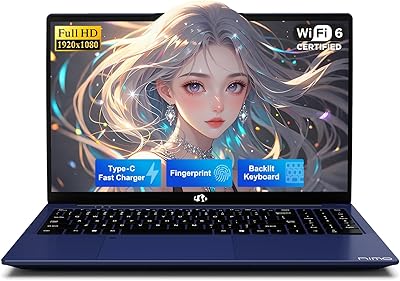
74%
88%
Value for Money
82%
Everyday Performance
79%
Display Quality
61%
Battery Life
74%
Build Quality & Design
More
HP Pavilion Gaming 15.6″ Laptop
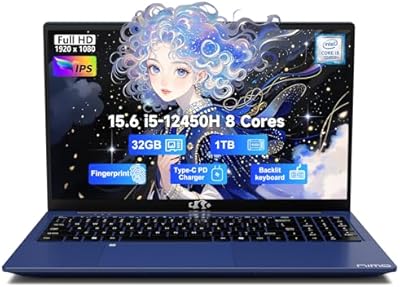
62%
62%
Gaming Performance
81%
Display Quality
38%
Storage Speed
73%
Value for Money
74%
Build Quality
More
Dell G5 15.6-inch Gaming Laptop 32GB/1TB
73%
74%
Gaming Performance
82%
Value for Money
89%
RAM and Multitasking
86%
Storage Performance
67%
Display Quality
More
NIMO N156B 15.6″ 1TB Business Laptop
71%
88%
Value for Money
83%
Processing Performance
71%
Display Quality
54%
Battery Life
67%
Build Quality
More
NIAKUN LAITMIN 15.6-inch Gaming Laptop
65%
74%
Value for Money
41%
Gaming Performance
78%
Productivity Performance
67%
Display Quality
53%
Build Quality
More
MSI GV15 15.6″ Gaming Laptop - Intel Core i5-11400H, GTX 1650, 8GB RAM, 256GB SSD
83%
92%
Value for Money
80%
Gaming Performance
88%
Display Quality
85%
Portability
67%
Battery Life
More
HP Victus 15 32GB 1TB Gaming Laptop
70%
63%
Gaming Performance
81%
Display Quality
89%
RAM & Memory
86%
Storage Performance
78%
CPU Performance
More

FAQ

It depends heavily on which games you have in mind. The Radeon 680M is AMD's strongest integrated graphics chip from that generation, so lighter titles, indie games, and older AAA releases at reduced settings are genuinely playable. However, if you are expecting to run something like Cyberpunk 2077 or Black Myth: Wukong at medium-to-high settings, you will be disappointed — integrated graphics simply cannot compete with a dedicated GPU for those workloads. Cloud gaming services like Xbox Game Pass or GeForce Now are a practical workaround if modern titles are important to you.

Treat that figure as a ceiling, not an average. Five hours is achievable during light tasks like document editing or video streaming at reduced brightness, but once the CPU ramps up for heavier workloads, battery drain accelerates noticeably. Most users doing mixed productivity work should plan on 3 to 4 hours of real-world runtime. Keeping the charger in your bag is a smart habit with this one.

NIMO is not a household name, which is a fair thing to notice. What they do offer is a two-year manufacturer warranty and a 90-day return policy — both of which are stronger safety nets than many competing budget brands provide. The partial USA assembly claim suggests some quality control oversight beyond pure overseas drop-shipping. That said, long-term brand track record data is limited, so factoring the warranty terms into your purchase decision is wise.

Yes, and this is one of the genuinely appealing aspects of the N155R. Both the RAM and SSD are described as detachable and user-upgradeable, which is increasingly rare at this price tier. NIMO explicitly supports this, so you are not stuck with what you buy on day one. If you ever want to swap the 2TB SSD for a larger drive or add more RAM down the line, the door is open.

Yes, the included 100W GaN USB-C charger is a standard Power Delivery charger, which means it is compatible with any device that charges over USB-C — including most modern Android phones, iPhones, and iPads. It is a genuinely useful travel accessory that reduces how many chargers you need to carry.

Both configurations use the same Ryzen 7 6800H processor and Radeon 680M GPU. The key difference is storage and memory capacity. The 64GB/2TB variant reviewed here is the higher-spec option, offering twice the RAM and twice the SSD space compared to the base model. For most users, 32GB is already sufficient for productivity work, but the 64GB variant makes more sense for heavy multitaskers, developers, or anyone running virtual machines.

The 15.6″ IPS panel at 1080p is a reasonable choice for general photo editing, and the anti-glare coating helps in brighter environments. That said, NIMO does not publish color gamut specifications like sRGB or DCI-P3 coverage, so professional colorists or print designers who require highly calibrated displays should verify independently before committing. For everyday Lightroom work or social media content creation, it will serve most users adequately.

Independent thermal testing data for this specific model is limited, which is common for newer or lesser-known brands. Based on similar Ryzen 7 6800H configurations, expect the fans to spin up audibly during sustained CPU-heavy tasks like video exports or large file transfers. During light browsing or document work, it should remain relatively quiet. If fan noise is a top priority, you may want to wait for more independent user reviews to accumulate.

NIMO has not published a detailed list of pre-installed software beyond Windows 11. Like most Windows laptops, some trial software or manufacturer utilities may be present out of the box. A fresh Windows installation or a quick pass through the apps list after setup is always a good first step if a clean environment matters to you.

From available product imagery, the rose gold finish on the metal A-shell is relatively understated — closer to a warm champagne tone than a bright pink. It is distinct enough to stand out from typical black gaming laptops without looking garish in a professional or classroom setting. Whether that aesthetic suits you is personal, but it does not appear to be an overtly loud design choice.