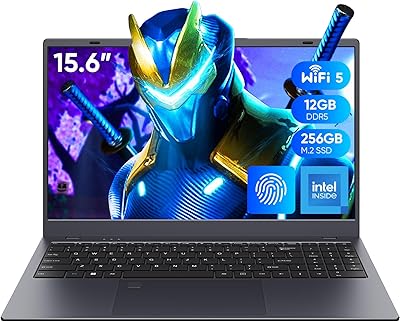
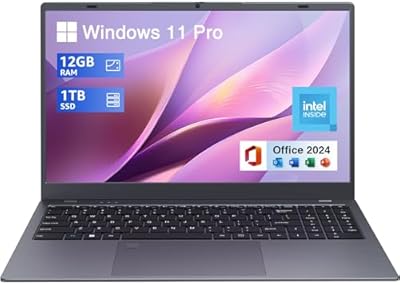
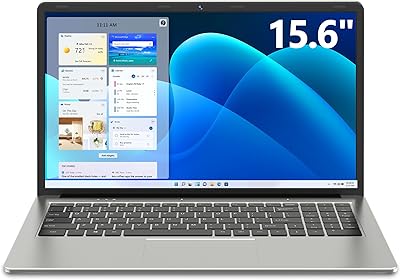
Overview

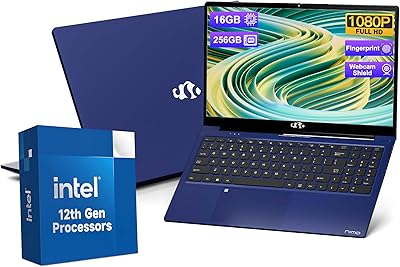
The NIMO N157B 15.6-inch Intel N150 Laptop enters a crowded budget market with a spec sheet that punches above its price point — at least on paper. NIMO isn't a household name, and that's worth acknowledging upfront; you won't find the brand backed by decades of retail reputation. What you do get is a quad-core Intel N150 processor that, in day-to-day tasks, holds its own against aging Core i3 chips from a few years back. The IPS anti-glare display is genuinely pleasant for extended reading and video watching. A 2-year warranty and 90-day return window are solid for a brand at this level — they suggest the company stands behind what it's shipping.

Features & Benefits

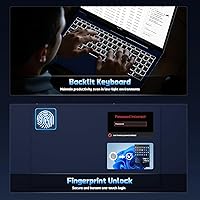
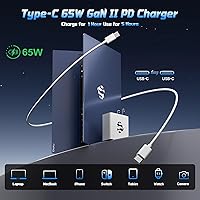
Sixteen gigabytes of RAM is genuinely useful for a student laptop — it means you can have thirty browser tabs, a Google Doc, and a Zoom call running without the machine grinding to a halt. The 1TB PCIe SSD is the other standout: boot times are quick, file access feels instant, and you won't be scrambling for external drives anytime soon. Wi-Fi 6 and Bluetooth 5.2 keep this NIMO laptop current for campus networks and wireless peripherals. The fingerprint reader makes daily logins fast and fuss-free, the backlit keyboard has adjustable brightness for late-night sessions, and the bundled 65W USB-C charger — which also works with phones and tablets — is a practical inclusion that saves you from buying extra accessories.

Best For

The N157B fits a specific kind of buyer well. College or high school students who spend most of their time in Google Docs, research portals, or streaming lecture recordings will find it more than capable. It also suits remote workers and freelancers who need a portable backup machine rather than a primary workhorse. The Intel N150 is efficient for light tasks, but it won't handle video editing, 3D rendering, or serious gaming — anyone needing that kind of performance should look elsewhere. For everyone else, the upgradable RAM and SSD slots mean the machine can grow with your needs over time, which is a genuine long-term advantage at this price tier.

User Feedback

Buyers who've picked up this student laptop generally report satisfaction with day-to-day use — the display gets consistent praise for being clear and easy on the eyes, and the keyboard action surprises people positively for the price. Build quality draws more mixed opinions; some find it solid and portable enough for daily commuting, while others note the plastic chassis can feel a bit flimsy under pressure. Speakers are thin and quiet — fine for video calls, not much else. The 2MP webcam is similarly mediocre. NIMO's after-sales support gets cautiously positive mentions, but a few buyers flag listing inconsistencies around screen size and RAM type that make it hard to know exactly what you're getting before purchase.

Pros

  • 16GB of RAM handles real student multitasking — tabs, docs, video calls — without slowdowns.
  • The 1TB PCIe SSD offers fast boot times and plenty of room for files, projects, and media.
  • Wi-Fi 6 and Bluetooth 5.2 keep this NIMO laptop current with modern campus and home networks.
  • The IPS anti-glare display is genuinely comfortable for long reading and study sessions.
  • A bundled 65W USB-C charger adds cross-device convenience right out of the box.
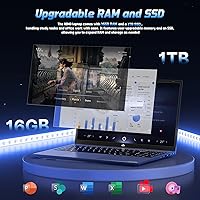
  • Both RAM and SSD are user-upgradable, extending the machine's useful lifespan.
  • The fingerprint reader makes logging in fast and adds a basic but welcome layer of security.
  • A 2-year warranty and 90-day return window offer stronger buyer protection than most budget rivals.
  • At under 4 pounds, the N157B is portable enough for daily commutes between class and home.
  • The backlit keyboard with adjustable brightness is practical for late-night study environments.

Cons

  • NIMO is an unfamiliar brand with limited long-term reputation data for reliability or durability.
  • The Intel N150 chip struggles under sustained heavy workloads and is not suited for creative software.
  • The 2MP webcam produces mediocre image quality — a real drawback for frequent video callers.
  • Built-in speakers are thin and quiet, making them inadequate for anything beyond basic audio.
  • The plastic chassis feels lightweight in a way that raises questions about long-term build durability.
  • Product listing inconsistencies around screen size and RAM type make it hard to know exactly what arrives.
  • Integrated graphics rule out even casual gaming or any GPU-reliant creative applications.
  • Battery life claims are optimistic; real-world screen-on usage will likely fall short of stated figures.
  • No Ethernet port listed, which can be a problem in dorms or offices where wired connections are preferred.
  • Brand support infrastructure is unproven compared to established manufacturers with local service centers.

Ratings

The scores below for the NIMO N157B 15.6-inch Intel N150 Laptop were generated by our AI engine after analyzing verified purchase reviews from buyers worldwide, with spam, incentivized, and bot-flagged submissions actively filtered out. Each category reflects the honest spread of real user experiences — both what genuinely impressed buyers and what left them frustrated. Nothing has been smoothed over to make this machine look better than it is.
Value for Money
83%
Most buyers feel the spec sheet justifies the asking price when compared against rivals at a similar tier. Getting 16GB of RAM, a 1TB SSD, Wi-Fi 6, and a bundled fast charger in one package is hard to argue with for students on a tight budget.
A handful of buyers felt the value calculation shifts once you factor in the unknown long-term reliability of a lesser-known brand. If this NIMO laptop requires a repair outside warranty, sourcing support could prove costly and inconvenient.
Performance
71%
29%
For the daily grind of student life — writing assignments, streaming lectures, video calls, and keeping a dozen browser tabs open — the Intel N150 chip keeps up without complaint. Boot times are quick thanks to the PCIe SSD, and the machine rarely feels sluggish during light use.
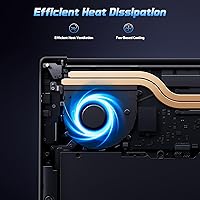
Push it beyond productivity tasks and the cracks show quickly. Users who tried running photo editing software or compiling code reported noticeable slowdowns, and the chip has limited thermal headroom for sustained heavier workloads over long sessions.
Display Quality
78%
22%
The IPS panel earns consistent praise from buyers who use it for long study sessions. Colors look accurate and stable from different viewing angles, and the anti-glare coating makes it genuinely usable near windows or in brightly lit classrooms without excessive reflections.
Peak brightness is modest, which can make the screen feel a little dim in very bright outdoor environments. A small number of buyers also noted that contrast levels are average at best — acceptable for documents and streaming, but nothing that would satisfy a design-focused user.
Build Quality
63%
37%
The N157B feels reasonably solid when sitting on a desk, and most buyers find it sturdy enough for daily bag-to-classroom commutes. At just under 4 pounds it travels without becoming a burden.
The plastic chassis is the most common complaint — several buyers noticed flex in the lid and keyboard deck under pressure. It does not feel like a machine built to survive years of rough handling, and the hinge mechanism drew occasional criticism for feeling loose over time.
Keyboard & Typing Experience
76%
24%
Students who type for long stretches report that the keyboard is comfortable and well-spaced, with enough key travel to avoid the flat, mushy feel common on cheap laptops. The adjustable backlight is a practical addition for late library sessions or early morning study.
The key feel is satisfying but not consistent across the board — a few buyers noted that some keys register less reliably at the edges. The backlighting, while useful, has limited brightness levels and does not distribute perfectly evenly across all keys.
Battery Life
67%
33%
Under light use — note-taking, browsing, and streaming at moderate brightness — most buyers report getting through a full school day without needing to plug in. The compact USB-C charger is easy to throw in a bag as backup.
The claimed 12.75 hours is optimistic by real-world standards. With Wi-Fi active and screen brightness at a comfortable level, most users land closer to 7 to 9 hours, which is adequate but falls short of what the spec sheet implies.
RAM & Multitasking
84%
Sixteen gigabytes of RAM is a meaningful advantage at this price point — it allows students to keep research tabs, a word processor, a music app, and a video call open simultaneously without the system grinding. The expandable slot is a smart future-proofing feature.
There is some ambiguity in the listing around whether the installed RAM is DDR4 or DDR5, which has frustrated a few technically minded buyers who wanted certainty before considering upgrades. NIMO should clarify this more transparently in product documentation.
Storage & Speed
82%
18%
The 1TB PCIe SSD delivers noticeably fast file access and startup times — a real day-to-day improvement over older SATA-based drives found in competing budget machines. Students storing large project files or video downloads have room to breathe without scrambling for external drives.
Transfer speeds, while fast by budget standards, are not in the same league as premium NVMe drives in higher-tier laptops. A small number of buyers also flagged that confirming the exact SSD spec from the listing was unnecessarily confusing.
Wireless Connectivity
86%
Wi-Fi 6 support is a standout feature at this price — users on crowded campus networks or busy cafe hotspots report noticeably more stable connections compared to older Wi-Fi 5 machines they replaced. Bluetooth 5.2 pairs reliably with headphones and peripherals.
The absence of an Ethernet port is a limitation for users in dorms or shared housing where wired connections are the norm. A USB-to-Ethernet adapter resolves it, but it is an extra cost and one more thing to carry.
Webcam Quality
44%
56%
The built-in 2MP webcam is adequate for quick check-in calls and low-stakes virtual meetings where the other party is not scrutinizing your video quality. It works without additional drivers or setup.
In anything less than ideal lighting, the image degrades rapidly — buyers consistently describe it as grainy, washed out, and soft. For students attending regular video lectures or remote workers on client calls, an external USB webcam is almost a necessity rather than a luxury.
Audio Quality
41%
59%
The speakers are sufficient for solo video calls and listening to background music at low volume. They get loud enough to be heard clearly in a quiet room without distortion at moderate levels.
Bass is essentially absent, and the overall sound profile is thin and tinny. Multiple buyers flagged that audio quality is one of the weakest aspects of the machine — headphones or an external speaker are strongly recommended for anything beyond bare-minimum use.
Port Selection
74%
26%
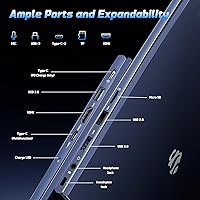
Three USB 3.0 ports is generous for a budget laptop — most students and remote workers can connect a mouse, external drive, and USB hub without needing a separate dock. USB-C charging adds modern flexibility.
The single USB 2.0 port feels like a leftover from an older design era, and the lack of HDMI or Ethernet means buyers who need to connect to projectors or wired networks must invest in adapters from day one.
Brand Reliability & Support
58%
42%
NIMO's 2-year warranty and 90-day return policy represent stronger buyer protection than many comparable no-name laptops offer. Early support interactions reported by buyers are described as responsive and willing to resolve issues.
NIMO lacks the established service infrastructure of major brands — there are no walk-in service centers, and longer-term reliability data simply does not exist yet. Buyers who had to initiate warranty claims found the process slower and less streamlined than they would have liked.
Software & Out-of-Box Setup
77%
23%
Windows 11 arrives pre-installed and activated, so most buyers had the machine ready for use within minutes of unboxing. The initial setup process is clean and free of excessive bloatware by budget laptop standards.
A few buyers encountered standard Windows 11 setup prompts that pushed Microsoft account sign-in more aggressively than expected. Nothing unusual for the platform, but users who prefer a local-only account setup may find the initial experience mildly frustrating.
Listing Accuracy & Transparency
39%
61%
The core marketing claims — fast SSD, ample RAM, modern wireless, bundled charger — are broadly accurate based on buyer reports. The machine does deliver on its headline promises for everyday use.
Inconsistencies in the product listing around screen size (15.6-inch versus 17.3-inch) and RAM type (DDR4 versus DDR5) have genuinely confused buyers and eroded trust in NIMO's attention to detail. This kind of ambiguity should not exist on a product page and is a recurring frustration in negative reviews.

Suitable for:

The NIMO N157B 15.6-inch Intel N150 Laptop is a solid fit for students — high school or college — who spend most of their day writing papers, jumping between research tabs, attending virtual classes, and streaming the occasional video. If your workload is browser-heavy and productivity-focused, the 16GB of RAM and fast SSD mean you won't be waiting around. Budget-conscious buyers who want genuinely modern connectivity — Wi-Fi 6, Bluetooth 5.2, USB-C — without paying mid-range prices will find the spec-to-cost ratio hard to argue with. Remote workers or freelancers who need a capable secondary machine for travel or client calls will also get real value here. The upgradable RAM and storage slots are a smart long-term consideration for anyone who plans to hold onto a laptop for several years.
Not suitable for:

Anyone expecting the NIMO N157B 15.6-inch Intel N150 Laptop to handle demanding workloads will be disappointed — this is not a machine for video editors, 3D designers, software developers running local servers, or gamers. The Intel N150 is an efficiency-focused chip built for light, sustained use, not sustained heavy processing. Creative professionals who rely on fast rendering, large file manipulation, or GPU-accelerated software should look at machines with dedicated graphics and higher-tier processors. The 2MP webcam and thin speakers also make it a poor primary choice for anyone whose work depends on high-quality video calls or media production. Buyers who are put off by lesser-known brands with no established retail track record may also want to stick with Lenovo, HP, or Acer at a similar price point for added peace of mind.
Specifications

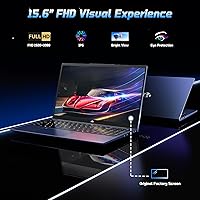
  • Display: 15.6-inch IPS FHD anti-glare panel with a 1920x1080 resolution and an 85% screen-to-body ratio for comfortable all-day viewing.
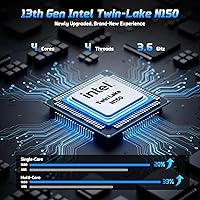
  • Processor: Intel N150 quad-core CPU clocked at up to 3.6GHz, designed for efficient everyday computing and light multitasking.
  • RAM: 16GB DDR4 memory running at 3200MHz, installed in an expandable slot that allows future upgrades.
  • Storage: 1TB PCIe SSD provides fast read and write speeds with an additional upgradable slot for expanded capacity.
  • Operating System: Ships with Windows 11 pre-installed, offering a current software environment out of the box.
  • Graphics: Intel integrated graphics handle standard display output and light media tasks; no dedicated GPU is included.
  • Wireless: Wi-Fi 6 (802.11ax) and Bluetooth 5.2 provide fast, low-latency wireless connectivity across modern networks and peripherals.
  • Ports: Connectivity includes 3x USB 3.0 ports, 1x USB 2.0 port, and a USB-C port for charging and data transfer.
  • Charger: A 65W USB-C PD fast charger with a 6.56ft cable is included in the box and is compatible with phones, tablets, and other USB-C devices.
  • Battery Life: Manufacturer claims up to approximately 12.75 hours of battery life under typical light-use conditions.
  • Webcam: Built-in 2MP front-facing camera suitable for basic video calls and online meetings.
  • Keyboard: Full-size backlit keyboard with adjustable brightness levels, designed for comfortable typing in low-light environments.
  • Security: An integrated fingerprint reader enables fast biometric login through Windows Hello.
  • Weight: The laptop weighs 3.75 pounds, making it manageable for daily commutes between classes or work locations.
  • Dimensions: Physical footprint measures 14.07 x 8.98 x 0.76 inches, keeping the profile slim and bag-friendly.
  • Warranty: Covered by a 2-year manufacturer warranty and a 90-day hassle-free return policy offered directly by NIMO.

Related Reviews

Dell Inspiron 3593 15.6-inch Laptop
68%
74%
Everyday Performance
81%
SSD Speed & Storage
52%
Display Quality
63%
Battery Life
57%
Build Quality
More
NIMO 15.6″ Laptop (N100, 16GB RAM, 256GB SSD)
74%
88%
Value for Money
82%
Everyday Performance
79%
Display Quality
61%
Battery Life
74%
Build Quality & Design
More
Coolby RiaBook 15.6-inch Laptop
73%
78%
Everyday Performance
81%
Display Quality
74%
Build Quality
83%
Keyboard & Typing Experience
57%
Battery Life
More
SGIN M15 15.6-inch Laptop
67%
81%
Value for Money
58%
Performance
44%
RAM & Multitasking
76%
Storage & Speed
67%
Display Quality
More
UOWAMOU BTC512 15.6″ Laptop
68%
83%
Value for Money
71%
Performance & Speed
88%
Storage & Memory
74%
Display Quality
61%
Build Quality & Design
More
HP 15-fd0012nr 15.6-Inch Laptop
73%
77%
Performance
59%
Memory & Multitasking
84%
Storage Speed
68%
Display Quality
73%
Battery Life
More
Lenovo IdeaPad 15.6-inch Laptop, 12GB RAM, 512GB SSD, Intel Celeron N4500
82%
92%
Value for Money
89%
Battery Life
75%
Display Quality
85%
Performance for Basic Tasks
88%
Portability
More
Samsung Galaxy Book4 15.6″ Laptop
78%
88%
Build Quality
91%
Portability
94%
Storage Capacity
83%
Processing Performance
76%
Display Quality
More
HP 15 Core i5-1235U 15.6-inch Laptop
75%
88%
Value for Money
82%
Performance
74%
Display Quality
58%
Battery Life
69%
Build Quality
More
Dell Inspiron 3000 15.6-inch Laptop, Intel Celeron N4020, 16GB RAM, 1TB HDD
81%
91%
Value for Money
88%
Performance for Everyday Tasks
85%
Multitasking Ability
68%
Display Clarity
82%
Battery Life
More

FAQ

For most student workloads — writing papers, browsing research sites, watching lecture videos, and hopping on Zoom — yes, it handles things well. Where it starts to struggle is sustained heavy processing: think video editing software, compiling large code projects, or running virtual machines. Keep your expectations calibrated to productivity tasks and it won't let you down.

According to the listing, both the RAM and SSD slots are user-upgradable. That's a genuine plus at this price tier — it means you're not locked into today's specs forever. That said, always confirm slot compatibility with NIMO support before purchasing new modules, since budget laptops sometimes have quirks around what memory speeds or SSD form factors they accept.

Yes, the N157B ships with Windows 11 pre-installed and should arrive activated and ready to use. You shouldn't need to purchase a separate license or go through a lengthy setup process — just power it on, connect to Wi-Fi, and sign in with your Microsoft account.

Honestly, the 2MP webcam is adequate but nothing more. In decent lighting it produces a usable image for Zoom or Teams calls. In dim conditions the quality drops noticeably. If video quality matters for your work — think client-facing calls or recorded presentations — an external USB webcam would be a worthwhile add-on.

The manufacturer claims around 12.75 hours, but real-world battery life on budget laptops typically runs shorter than rated figures — especially with screen brightness turned up, Wi-Fi active, and multiple apps open. A realistic school day expectation is probably 7 to 9 hours. Bringing the compact 65W USB-C charger along is a smart habit regardless.

This is a fair concern. The product listing contains inconsistencies: the title and display section reference a 15.6-inch screen, while some technical fields list 17.3 inches. Similarly, the RAM is described as DDR4 in one place and DDR5 in another. We recommend reaching out to NIMO directly before purchasing to confirm the exact specifications of the unit you will receive.

Very light gaming only. Older or less demanding titles — think browser-based games, classic indie games, or low-spec Steam titles — may run acceptably. Anything requiring a dedicated GPU or significant CPU headroom will either run poorly or not at all. The NIMO N157B 15.6-inch Intel N150 Laptop is not designed or marketed with gaming in mind.
NIMO doesn't have the established track record of brands like Lenovo or HP, which is worth knowing upfront. The 2-year warranty and 90-day return window are reasonable protections for a lesser-known label. Buyer reports on after-sales support are cautiously positive, but experiences can vary. Make sure you register your purchase and save your proof of purchase documentation from day one.

Based on the available specifications, there is no Ethernet port listed for this laptop. If you regularly rely on wired connections — in a dorm room, for example, or in an office with a strict wired network policy — you would need a USB-to-Ethernet adapter, which is an inexpensive addition but worth factoring in.

Anything that demands sustained processing power or a dedicated GPU is off the table: video editing, graphic design in tools like Adobe Premiere or After Effects, 3D modeling, and serious gaming will all push the chip beyond its comfort zone. It's also not the right choice if you need a high-quality built-in webcam and microphone setup for professional video production. Stick to productivity, research, and media consumption and it performs reliably.