
Overview

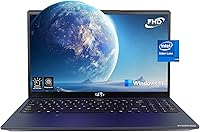
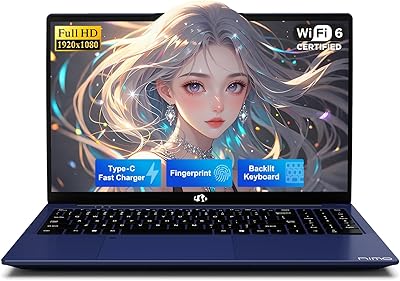
The NIMO N151 15.6-inch 1TB Laptop enters a crowded budget segment with a straightforward pitch: solid everyday specs at a price point that doesn't require much deliberation. Powering it is Intel's N100 chip, a quad-core processor that handles web browsing, document work, and video calls without complaint — though it's not built for anything heavier. The 15.6-inch FHD display is a practical size that students and remote workers tend to appreciate, roomy enough for split-screen work without turning the machine into a burden to carry. NIMO isn't a household name, but the 2-year manufacturer warranty and a 90-day return window provide a reasonable safety net for buyers willing to take a chance on a lesser-known brand.

Features & Benefits

The N151 packs more into its price bracket than you might expect. Intel's N100 processor keeps up with everyday computing — tabs, streaming, Office apps — without breaking a sweat, and the 16GB of DDR4 RAM means multitasking doesn't grind to a halt the way it often does on entry-level machines. The 1TB PCIe SSD is genuinely roomy for a student hauling class files, photos, and downloaded lectures. Wi-Fi 6 and Bluetooth 5.2 keep connectivity current, and the anti-glare IPS panel holds up well during long study sessions. If your RAM or storage needs grow down the road, both slots are user-upgradable, which is a thoughtful touch at this price level.

Best For

This budget 15.6-inch machine makes the most sense for students — high school or college — who need a reliable laptop for writing papers, attending online classes, and managing everyday digital life. Remote workers handling emails, spreadsheets, and video calls will also find it capable. At 3.8 pounds with a slim profile, it's easy enough to toss in a bag for a commute or a library session. That said, anyone expecting to run video editing software or demanding creative applications will hit the N100's ceiling quickly. This laptop rewards users who value storage capacity and RAM headroom over raw processing muscle, and who want warranty coverage from a smaller brand.

User Feedback

Buyer sentiment on the N151 sits solidly in positive territory, with most reviewers landing on a 4.5-star impression. The display and keyboard come up frequently as highlights — users appreciate the screen's clarity and the backlit keys' comfort during evening work. Storage value at this price also earns genuine praise. The sticking points are real, though. Battery life clocks in at roughly five hours, which is short for a full class day, and buyers who head into a lecture hall without a charger will feel that gap. Integrated graphics aren't suited for photo or video editing either. It's worth noting that most reviewers are first-time laptop buyers or students, so expectations tend to be calibrated accordingly.

Pros

  • Generous 1TB PCIe SSD storage is rare at this price tier and eliminates the need to manage space carefully.
  • 16GB of DDR4 RAM handles multitasking comfortably, well above the bare minimum seen in many budget competitors.
  • The IPS anti-glare display delivers solid color accuracy and reduces eye fatigue during long study or work sessions.
  • Wi-Fi 6 and Bluetooth 5.2 mean the wireless setup is current and won't bottleneck modern routers.
  • Both RAM and SSD slots are user-upgradable, giving the N151 more long-term flexibility than most entry-level laptops.
  • A 2-year manufacturer warranty and 90-day return window offer meaningful peace of mind for an unfamiliar brand.
  • At 3.8 pounds, this budget 15.6-inch machine is light enough to carry comfortably in a backpack all day.
  • The backlit keyboard and fingerprint reader add genuine daily convenience that you don't always get at this price.
  • Three USB 3.0 ports give you enough room to plug in peripherals without hunting for a hub.
  • The metal A-shell construction feels more durable than the all-plastic bodies common at this price point.

Cons

  • Battery life of roughly five hours falls noticeably short for a full day of classes or remote work without a charger.
  • Integrated graphics rule out any serious video editing, photo work, or gaming beyond very casual titles.
  • NIMO is a lesser-known brand with limited long-term service infrastructure compared to established laptop makers.
  • The 2MP webcam is mediocre for video calls and unlikely to impress in well-lit or professional settings.
  • The N100 processor, while capable for light tasks, can feel sluggish under heavier or sustained workloads.
  • No Thunderbolt or USB-C port limits connectivity options for users with modern monitors or docking stations.
  • Five-hour battery life means frequent travelers or commuters will need to plan around power outlet availability.
  • Software bloat from the pre-installed Windows 11 setup may require some cleanup before the machine feels snappy.
  • Limited brand recognition makes resale value unpredictable compared to mainstream laptop brands.
  • There is little independent long-term durability data available yet, so reliability over multiple years remains unproven.

Ratings

The scores below reflect an AI-driven analysis of verified global buyer reviews for the NIMO N151 15.6-inch 1TB Laptop, with spam, bot activity, and incentivized feedback actively filtered out before scoring. Each category captures both the genuine praise and the recurring frustrations real users experienced, so you get an honest picture rather than a polished highlight reel. Strengths and pain points are weighted equally to help you decide whether this machine actually fits your needs.

Value for Money
83%
For students and budget-conscious buyers, the combination of 16GB RAM and a 1TB SSD at this price tier repeatedly surprised reviewers who expected far less. Many noted they had shopped around extensively and couldn't find comparable storage and memory specs elsewhere without spending significantly more.
A few buyers felt the value equation weakens once you account for the short battery life and basic webcam — components that affect daily usability more than raw specs do. For users who need all-day portability, the trade-offs chip away at the overall value proposition.
Performance
71%
29%
The N100 processor handles the everyday workload that most student and remote-work users actually throw at it — browser sessions with multiple tabs, Word documents, spreadsheets, and HD video streaming all run without noticeable lag. Reviewers coming from older or slower entry-level machines were often pleasantly surprised.
Push past the basics and the N100 starts showing its limits. Users who tried running Photoshop, video editing software, or even some heavier web applications reported slowdowns that made the machine feel less capable than its RAM spec might suggest. It is a light-use chip, not a workhorse.
Display Quality
78%
22%
The IPS anti-glare panel consistently earned praise for its clarity and color rendering, especially from students doing extended reading or watching lecture recordings. Several reviewers specifically mentioned that eye fatigue was less of an issue compared to glossy screens they had used before.
Brightness at maximum levels is adequate indoors but falls short in sunlit environments, which a handful of users flagged when trying to work near windows. Color accuracy, while good for everyday use, does not meet the standards needed for any serious creative or design work.
Battery Life
44%
56%
The battery is sufficient for short sessions — a couple of hours of class, a quick work sprint at a coffee shop — and charges back up at a reasonable pace. Users who stayed close to an outlet reported no issues with the machine cutting out unexpectedly.
Five hours is consistently cited as the ceiling in real-world use, and that number drops further with screen brightness turned up or multiple applications running. For a student trying to get through a full day of classes without hunting for a power outlet, this is a genuine daily inconvenience.
Build Quality
69%
31%
The metal A-shell on the lid gives the N151 a noticeably more solid feel than the all-plastic budget laptops in its price range, and several buyers mentioned it held up well after months of daily bag-to-desk commuting. The slim 0.76-inch profile also helps it feel more refined than the specs sheet might imply.
The underside and keyboard deck are still plastic, so the premium impression from the lid doesn't carry through the whole chassis. A small number of reviewers noted minor flex in the keyboard area under firm typing pressure, which can undercut confidence in long-term durability.
Keyboard & Touchpad
74%
26%
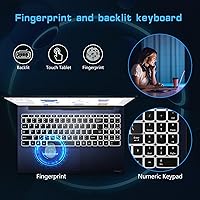
The backlit full-size keyboard with a numeric keypad was one of the most frequently praised aspects across reviews, with users noting that the key travel and layout made long typing sessions comfortable. Students writing lengthy papers or reports found it noticeably more pleasant than the cramped keyboards on competing budget models.
The touchpad received more mixed feedback — tracking accuracy was generally fine, but the click feel was described as shallow and imprecise by several reviewers who relied on it heavily. Users doing detail-oriented navigation tended to plug in an external mouse fairly quickly.
Connectivity
82%
18%
Wi-Fi 6 support was a quiet standout for users on modern routers, delivering stable and fast connections that held up well during video calls and large file downloads. Bluetooth 5.2 paired quickly with headphones, mice, and other accessories without the dropout issues some older budget laptops exhibit.
The absence of a USB-C port is a real gap for users who have built their peripheral setup around that standard. Buyers with USB-C monitors, docking stations, or chargers had to source adapters, which adds friction and cost that erodes the otherwise solid connectivity package.
Storage Capacity
89%
A full terabyte of PCIe SSD storage is one of the clearest strengths of the N151, and buyers noticed it immediately. Students storing large video files, software installations, and years of coursework reported never feeling squeezed for space — a stark contrast to the 256GB configurations common at similar price points.
While capacity is generous, the SSD's sequential read and write speeds, though faster than SATA, are not at the top end of PCIe performance. Heavy users transferring large files regularly may notice the throughput is competent rather than fast, though for typical student or office tasks it is perfectly adequate.
Webcam Quality
41%
59%
The built-in 2MP camera is functional for basic video calls on Zoom or Teams, and in a well-lit room it produces an image that is acceptable for casual use. For students attending virtual office hours or quick check-ins, it gets the job done without requiring an external camera.
In anything less than ideal lighting the image quickly becomes grainy and washed out, which is a problem for evening calls or rooms without dedicated lighting. Anyone conducting regular professional video meetings or recording instructional content will almost certainly want to invest in an external webcam.
Portability
81%
19%
At 3.8 pounds with a sub-inch profile, the N151 slides into a backpack without adding significant weight to a daily carry. Students commuting between classes or remote workers moving between home and a co-working space consistently noted that the machine was easy to transport without strain.
The 15.6-inch footprint means the laptop itself takes up meaningful bag space, and buyers upgrading from a 13-inch or 14-inch machine sometimes found the size adjustment more noticeable than the weight. It is portable, but not compact in the way that ultrabooks are.
Fingerprint Reader
76%
24%
The fingerprint sensor works reliably for Windows Hello login and was appreciated by users who found password entry tedious, especially when waking the machine from sleep. Setup is straightforward and most reviewers reported consistent recognition within the first few uses.
A small number of users reported occasional misreads in cold or dry conditions, which required a fallback to PIN login. The sensor's placement and size are functional rather than refined, and it doesn't quite match the responsiveness of fingerprint readers found on mid-range or premium machines.
Software & OS Experience
66%
34%
Windows 11 Home comes pre-activated, which removes setup friction and means the machine is genuinely ready to use out of the box. Most users appreciated not having to deal with activation prompts or additional license purchases on top of the hardware cost.
Pre-installed bloatware was a recurring complaint, with several reviewers noting the system felt slower until they spent time removing unnecessary applications. A fresh Windows install noticeably improved snappiness for more technically confident buyers, but that step shouldn't be necessary on a new machine.
Brand Trust & Support
58%
42%
The 2-year warranty and 90-day return policy provided meaningful reassurance for buyers nervous about purchasing from an unfamiliar brand, and several reviewers noted that customer support responses were prompt when they had questions before or after purchase.
NIMO's limited brand history means there is very little independent long-term reliability data to draw on, and buyers who needed post-warranty service found support options narrower than with established brands. Trust has to be built on the warranty terms alone, which is a reasonable but thin foundation for some buyers.
Upgradability
77%
23%
Accessible RAM and SSD upgrade slots genuinely extend the useful life of this machine beyond what most budget laptops allow, and technically confident buyers appreciated that they weren't locked into the factory configuration. Several users noted they were factoring in future upgrades as part of their purchase decision.
The upgrade process requires opening the chassis, which voids practical reassurance for less tech-savvy buyers and is not something NIMO explicitly walks users through in detailed documentation. Without clear guidance, the theoretical upgrade path can feel out of reach for the student demographic this laptop primarily targets.

Suitable for:

The NIMO N151 15.6-inch 1TB Laptop is a practical fit for students who need a dependable machine for writing papers, attending virtual classes, and managing everyday digital tasks without spending a lot. High school and college users in particular will appreciate having a full terabyte of storage on hand — plenty of room for lecture recordings, project files, and a media library without constant clean-up. Remote workers handling email, spreadsheets, and video calls will find the N100 processor handles that workload without frustration, and the 16GB of RAM keeps things moving even with a dozen browser tabs open. The backlit keyboard and fingerprint reader are small touches that make daily use more comfortable, especially in low-light environments. Anyone commuting between home, campus, or a co-working space will also appreciate that this machine weighs under four pounds and stays reasonably slim in a bag.

Not suitable for:

The NIMO N151 15.6-inch 1TB Laptop is a poor match for anyone expecting it to pull double duty as a productivity and creative workstation. The Intel N100's integrated graphics simply are not equipped for video editing, 3D rendering, photo retouching in Photoshop, or running modern games at playable settings — buyers with those needs should look at machines with discrete GPUs. Battery life is the other hard reality check: roughly five hours of real-world use means you will need a charger nearby for anything longer than a half-day stretch, which limits how freely you can work untethered. Power users running developer tools, data science notebooks, or virtual machines will also find the N100 hits its ceiling faster than they'd like. Finally, buyers who are brand-conscious or uneasy about purchasing from lesser-known manufacturers may find the NIMO name difficult to trust despite the warranty terms on paper.

Specifications

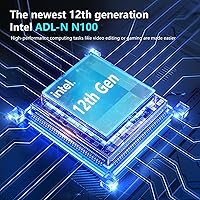
  • Processor: Intel N100 Alder Lake-N quad-core chip runs up to 3.4GHz and handles everyday computing tasks efficiently without excessive heat or fan noise.
  • RAM: 16GB of DDR4 memory runs at 3200MHz, providing comfortable headroom for multitasking across browser tabs, documents, and video calls.
  • Storage: A 1TB PCIe SSD delivers fast file read and write speeds along with ample space for documents, media, and software installs.
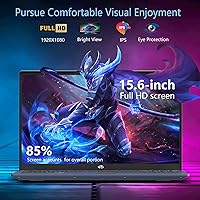
  • Display: The 15.6-inch IPS FHD panel outputs at 1920x1080 resolution with an anti-glare coating and an 85% screen-to-body ratio.
  • Graphics: Intel integrated graphics are built into the N100 processor and are suited for general display output, video playback, and light visual tasks.
  • Operating System: Windows 11 Home comes pre-installed, offering the current Microsoft environment without requiring an additional purchase or activation.
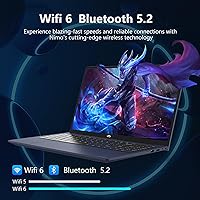
  • Wireless: Wi-Fi 6 (802.11ax) and Bluetooth 5.2 provide fast, modern wireless connectivity for both internet access and peripheral pairing.
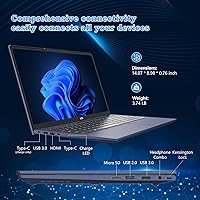
  • Ports: The N151 includes three USB 3.0 ports and one USB 2.0 port for connecting drives, peripherals, and accessories simultaneously.
  • Webcam: A 2MP front-facing camera is built in for video calls and virtual meetings, though image quality is basic at this resolution.
  • Battery Life: Rated at approximately 5 hours of real-world use, the built-in lithium polymer battery requires regular access to a power outlet for all-day sessions.
  • Weight: The laptop weighs 3.8 pounds, making it light enough to carry in a backpack without significant strain during daily commutes.
  • Dimensions: The chassis measures 14.07 x 8.98 x 0.76 inches, keeping the profile slim enough to fit in most standard laptop sleeves and bags.
  • Build Material: The top lid (A-shell) is constructed from metal, adding rigidity and a more durable feel compared to fully plastic budget alternatives.
  • Keyboard: A full-size backlit keyboard with a numeric keypad is included, along with a fingerprint reader integrated into the unit for quick login.
  • Memory Card Slot: A built-in memory card slot allows direct file transfers from cameras and other SD-compatible devices without needing an adapter.
  • Audio: HD audio output is supported through the built-in speakers, suitable for casual media consumption and online calls.
  • Upgradability: Both the RAM and SSD slots are accessible and user-upgradable, allowing owners to expand memory or storage capacity as needs grow.
  • Warranty: NIMO provides a 2-year manufacturer warranty through Nimo Direct Inc., along with a 90-day hassle-free return policy for added purchase confidence.
  • Voltage: The battery operates at 7.6 volts and uses a single lithium polymer cell that ships included with the laptop.
  • Processor Cores: The N100 features 4 physical cores and 4 threads, based on Intel's Gracemont architecture within the 12th Gen Alder Lake-N family.

Related Reviews
NIMO N157B 15.6-inch Intel N150 Laptop
68%
83%
Value for Money
71%
Performance
78%
Display Quality
63%
Build Quality
76%
Keyboard & Typing Experience
More
UOWAMOU BTC512 15.6″ Laptop
68%
83%
Value for Money
71%
Performance & Speed
88%
Storage & Memory
74%
Display Quality
61%
Build Quality & Design
More
THEYETI R1 15.6-inch 2-in-1 Convertible Laptop
75%
71%
Everyday Performance
78%
Multitasking Capability
74%
Display Quality
76%
Touchscreen Responsiveness
69%
Build Quality & Hinge
More
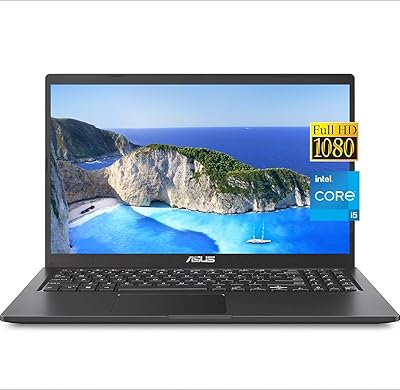
ASUS VivoBook 15.6-inch Laptop
72%
88%
Value for Money
76%
Performance
91%
RAM & Multitasking
87%
Storage Speed
67%
Display Quality
More
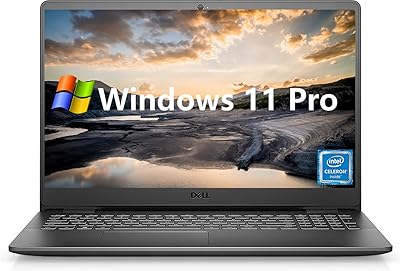
Dell Inspiron 3000 15.6-inch Laptop, Intel Celeron N4020, 16GB RAM, 1TB HDD
81%
91%
Value for Money
88%
Performance for Everyday Tasks
85%
Multitasking Ability
68%
Display Clarity
82%
Battery Life
More
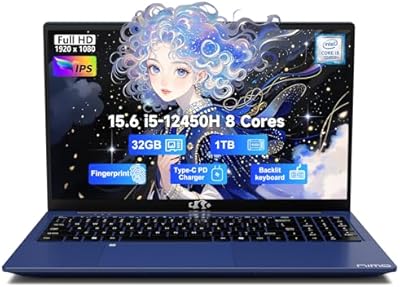
NIMO N155L 32GB/1TB
NIMO N155L 32GB/1TB
72%
88%
Processing Performance
91%
RAM & Memory Experience
87%
Storage Speed & Capacity
58%
Gaming Capability
66%
Display Quality
More
NIMO N156B 15.6″ 1TB Business Laptop
71%
88%
Value for Money
83%
Processing Performance
71%
Display Quality
54%
Battery Life
67%
Build Quality
More
NIAKUN LAITMIN 15.6-inch Gaming Laptop

65%
74%
Value for Money
41%
Gaming Performance
78%
Productivity Performance
67%
Display Quality
53%
Build Quality
More
HP 15.6-inch Laptop 15-ef0021nr, Ryzen 3 3200U, 8GB RAM, 256GB SSD

82%
92%
Value for Money
85%
Performance
83%
Build Quality
89%
Portability
81%
Battery Life
More
Dell Inspiron 15 3520 Laptop
74%
76%
Performance & Speed
81%
Display Quality
83%
Touchscreen Responsiveness
89%
Storage & Memory
62%
Battery Life
More
Dell Inspiron 3593 15.6-inch Laptop
68%
74%
Everyday Performance
81%
SSD Speed & Storage
52%
Display Quality
63%
Battery Life
57%
Build Quality
More

FAQ

Yes, for the vast majority of college tasks it holds up well. Writing papers, browsing the web, attending online lectures, and managing files all run without issue. Just don't expect it to handle anything like video editing or CAD software — that's not what the N100 chip is designed for.

You can. The N151 has accessible slots for both RAM and storage, so if you find yourself needing more down the road, you can upgrade without replacing the whole machine. That kind of flexibility is genuinely useful at this price level.

It's a real limitation worth planning around. Five hours is enough for a couple of classes or a morning of remote work, but it won't get you through a full day untethered. If you're on campus or working somewhere with outlets nearby, it's manageable — but bring the charger.

Yes, Windows 11 Home comes pre-installed and activated out of the box, so you don't need to purchase a separate license or go through a setup activation process.

NIMO is a smaller, lesser-known brand, which understandably raises questions. The 2-year manufacturer warranty and 90-day return window offer a reasonable cushion, and buyer reviews have been largely positive. That said, it doesn't have the established support network of brands like Dell or Lenovo, so set your expectations accordingly.

Yes, video conferencing tools run fine on this machine. The N100 handles those applications comfortably, and Wi-Fi 6 keeps the connection stable. The 2MP webcam is functional but fairly basic — decent enough for calls, though not flattering in low light.

Light photo work in something like Google Photos or basic edits in Paint.NET is fine. Photoshop and Lightroom will technically run but may feel sluggish. Gaming-wise, you're limited to older or low-demand titles — the integrated graphics aren't built for modern games at playable frame rates.

No, the N151 does not include a USB-C or Thunderbolt port. You get three USB 3.0 ports and one USB 2.0 port. If you rely on USB-C for monitors, docks, or charging, you'll need to factor in an adapter or reconsider whether this machine fits your setup.

User feedback on the keyboard is generally positive — it's full-size, includes a numeric keypad, and the backlighting makes it usable in dim environments. For extended typing sessions like essay writing or remote work, most users find it comfortable enough for daily use.

NIMO offers a 90-day hassle-free return policy through Nimo Direct Inc. If something isn't right — whether it's a defect or just not what you expected — you have a solid window to sort it out. For warranty issues beyond that, the 2-year coverage handles manufacturer defects through their support team.