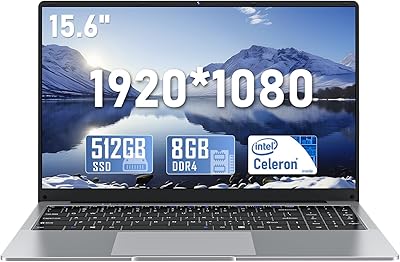
NIAKUN VenBook 15.6″ 8GB/256GB

Overview
The NIAKUN VenBook 15.6″ 8GB/256GB is a no-frills Windows laptop aimed squarely at buyers who need basic computing without spending much. It runs on an Intel Celeron N4020, a dual-core chip that keeps power consumption low and heat manageable — a reasonable trade-off at this price tier. NIAKUN isn't a household name, which is worth acknowledging upfront, but the machine targets a clear audience: students, seniors, and anyone needing a reliable secondary device. At 3.3 lbs with a slim profile, this budget laptop is easy enough to toss in a bag. Expectations need to be calibrated accordingly — this isn't built for demanding work.
Features & Benefits
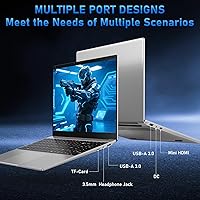
The Celeron N4020 handles everyday tasks — web browsing, Word documents, spreadsheets, YouTube — without much fuss. What makes this entry-level Windows machine stand out at its price is the full HD display; plenty of budget rivals still ship with blurry lower-resolution panels, so the sharp 1920x1080 screen is a genuine plus. The 256GB SSD means boot times are quick, which matters more day-to-day than raw processor speed. Eight gigabytes of RAM keeps things from grinding to a halt with a handful of browser tabs open. The dual USB-A 3.0 ports and mini HDMI cover practical needs, though the absence of USB-C is a noticeable gap for modern accessories.
Best For
This budget laptop makes the most sense for a specific kind of buyer. Students and seniors stand out as the clearest fit — whether it is writing papers, attending video classes, or learning technology for the first time, Windows 11 on a large screen covers those needs well. Parents shopping for a kids homework machine will appreciate the low cost of entry. Remote workers who need a lightweight machine for email and light documentation could use the VenBook as a capable travel companion. If you are upgrading from a slow old netbook, the jump to SSD and full HD will feel like a real step forward.
User Feedback
Buyers tend to highlight the screen as a pleasant surprise — most do not expect a crisp, clear display at this price point. Build quality draws more mixed reactions; the plastic chassis feels light but not particularly solid, and a few users mention the keyboard and trackpad feel basic. Real-world battery life reportedly lands closer to four or five hours under normal use, falling short of the six-hour claim. Opinions on the brand customer service are generally positive, which matters given NIAKUN limited reputation. The most common criticism is performance under multitasking — too many browser tabs open simultaneously can slow things down noticeably.
Pros
- Full HD 1920x1080 display is sharper than many rivals at this price point.
- 256GB SSD means fast boot times and snappy app launches compared to older budget machines.
- Windows 11 Pro included out of the box — a real bonus at this tier.
- 8GB of RAM handles light multitasking without the constant slowdowns seen in 4GB alternatives.
- At 3.3 lbs, this budget laptop is easy to carry between home, class, or a cafe.
- WiFi 5 and Bluetooth 5.0 cover everyday wireless needs without any setup headaches.
- One-year warranty with round-the-clock support adds a meaningful safety net for an unfamiliar brand.
- The large 15.6-inch screen makes it comfortable for extended reading, writing, or video watching.
- TF card slot provides a simple way to expand storage for photos and documents.
Cons
- Real-world battery life often falls closer to four hours, not the six hours advertised.
- The plastic body flexes and creaks in ways that raise durability concerns over time.
- No USB-C port is a noticeable omission as more accessories and monitors adopt the standard.
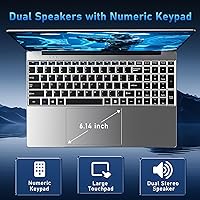
- Trackpad precision is inconsistent — many users switch to an external mouse within days.
- Keyboard feel is shallow and mushy, which fatigues faster typists during long sessions.
- Mini HDMI instead of full-size HDMI means an adapter is needed for most external displays.
- Performance degrades noticeably with more than five or six browser tabs open simultaneously.
- NIAKUN has limited brand recognition, making long-term repair and parts support uncertain.
- 256GB fills up faster than expected once Windows updates and everyday files accumulate.
Ratings
The ratings below for the NIAKUN VenBook 15.6″ 8GB/256GB were generated by AI after analyzing verified buyer reviews from multiple global markets, with spam, bot-generated, and incentivized feedback actively filtered out. Scores reflect the honest consensus of real users who purchased and used this entry-level Windows laptop in their daily lives. Both the genuine strengths and the recurring frustrations are represented transparently so you can decide if this machine fits your needs.
Value for Money
Display Quality
Performance for Daily Tasks
Battery Life
Build Quality
Keyboard & Trackpad
Storage & Speed
RAM & Multitasking
Connectivity & Ports
Software & OS Experience
Portability
Wireless Performance
Brand Trust & Warranty
Display Brightness & Color
Thermal & Fan Noise
Suitable for:
The NIAKUN VenBook 15.6″ 8GB/256GB is a practical choice for anyone whose computing needs are genuinely modest and whose budget is tight. Students writing papers, attending online classes, and jumping between a handful of research tabs will find it capable enough to get through a typical academic day. Seniors or first-time laptop owners who want a familiar Windows environment on a large, readable screen will appreciate the straightforward setup and comfortable display. Parents shopping for a dedicated homework device for younger kids can buy this without much anxiety about handing it over. It also works well as a secondary machine — something you keep around for travel, remote work check-ins, or guest use — where the stakes of performance are lower. Anyone currently grinding away on an ancient netbook with a blurry screen will notice an immediate and welcome improvement in both speed and display clarity.
Not suitable for:
If your day involves more than light computing, the VenBook is likely to frustrate you before long. The Celeron N4020 is a low-power processor designed for efficiency, not speed, and users who run video editing software, multitask heavily, work with large spreadsheets, or rely on demanding web apps will hit its limits quickly. The NIAKUN VenBook 15.6″ 8GB/256GB is also not a strong fit for anyone who needs USB-C connectivity, as the port is absent entirely and modern peripherals and monitors increasingly depend on it. Professionals who use their laptop as a primary work machine for six to eight hours a day will likely find the real-world battery life underwhelming for sustained use. Buyers accustomed to the build quality and keyboard feel of established brands like Lenovo, Acer, or HP at comparable price points may find the plastic chassis and mushy keys harder to overlook. Finally, anyone planning to keep a laptop for four or five years should factor in that the hardware and brand support ecosystem here are less proven over the long run.
Specifications
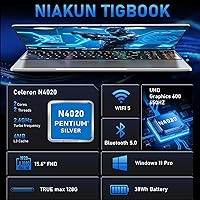
- Processor: Powered by an Intel Celeron N4020 dual-core chip with a base clock of 1.1 GHz and a burst speed of up to 2.6 GHz.
- RAM: Equipped with 8GB of LPDDR4 memory running at 2133 MHz for everyday multitasking.
- Storage: Includes a 256GB solid-state drive offering faster read and write speeds than eMMC-based alternatives.
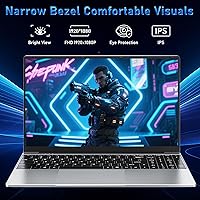
- Display: Features a 15.6″ Full HD IPS-style panel with a native resolution of 1920x1080 pixels.
- Graphics: Runs on integrated Intel UHD Graphics 600, suitable for video playback and light visual tasks.
- Operating System: Ships with Windows 11 Pro pre-installed, including BitLocker encryption and enhanced security features.
- Wireless: Supports WiFi 5 (802.11a/b/g/n/ac) for reliable home and office wireless connectivity.
- Bluetooth: Bluetooth 5.0 enables stable pairing with wireless mice, headphones, and other peripherals.
- Ports: Includes two USB-A 3.0 ports, one mini HDMI output, and a TF card slot supporting cards up to 128GB.
- Battery: Rated for up to 6 hours of use on a single charge under light workload conditions.
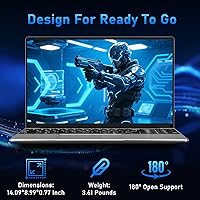
- Weight: The laptop weighs 3.3 lbs, making it manageable for daily carrying in a standard backpack or bag.
- Dimensions: Measures 14.09 x 9.05 x 0.78 inches, keeping the profile slim for a 15.6″ class machine.
- Memory Type: Uses LPDDR4 low-power memory, which contributes to efficient energy consumption during light tasks.
- Color & Finish: Available in a matte gray finish that resists minor fingerprints and has a clean, understated look.
- Warranty: Backed by a one-year manufacturer warranty with 24/7 customer support access.
- Voltage: Operates at 12V DC input, powered via the included proprietary charging adapter.
- Processor Brand: Intel-branded chipset with the UHD Graphics 600 GPU integrated directly into the Celeron N4020 die.
- Card Expansion: TF card slot supports microSD-style cards up to 128GB for convenient storage expansion.
Related Reviews
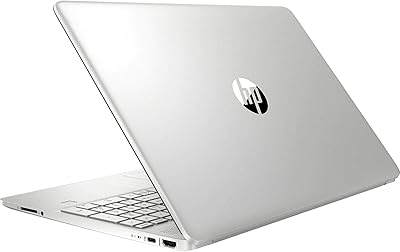
HP 15-DY1031WM 256GB 15.6″ Refurbished Laptop

HP 15.6-inch Laptop 15-ef0021nr, Ryzen 3 3200U, 8GB RAM, 256GB SSD

Dell Inspiron 3593 15.6-inch Laptop
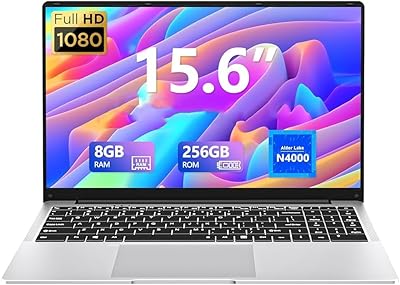
DUNHOO ECOBOOK N4000 15.6-inch Laptop
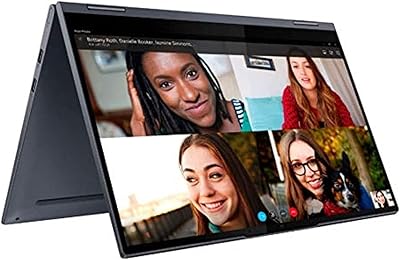
Lenovo Yoga 15.6″ Core i5 256GB Laptop
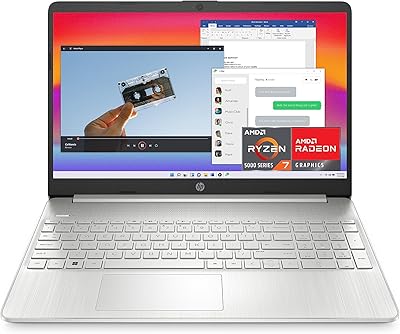
HP 15.6-inch Laptop, AMD Ryzen 7 5700U, 8GB RAM, 256GB SSD
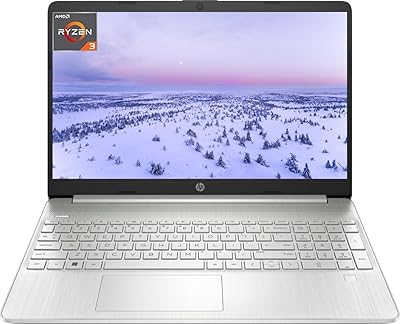
HP 15.6″ Touchscreen i3 Laptop
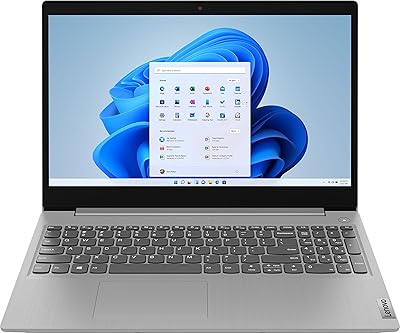
Lenovo IdeaPad 3 15.6″ Laptop
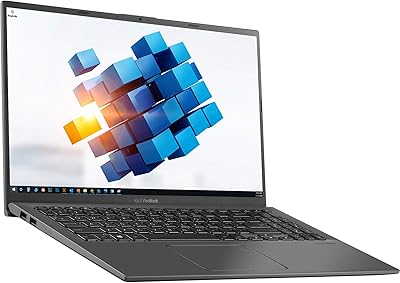
ASUS VivoBook 15.6″ Touchscreen Laptop