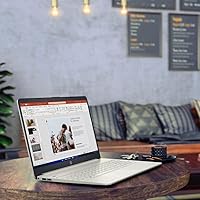
Overview

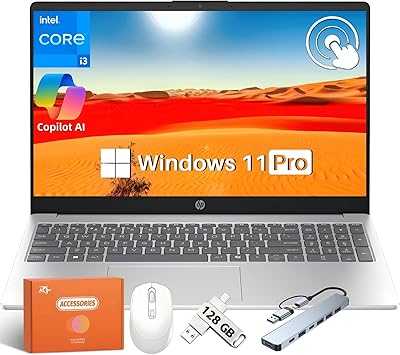
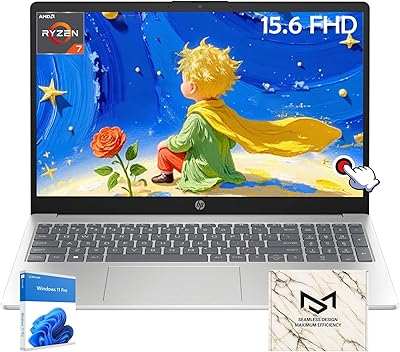
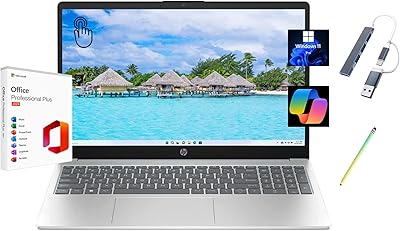
The HP 15.6″ Touchscreen i3 Laptop is one of the more practical choices HP offers at the budget end of the market — a touchscreen at this price is genuinely uncommon, and that single detail sets it apart from most rivals. Under the hood sits an Intel Core i3-1115G4, a modest but noticeable step up from older-generation i3 chips, making it capable enough for everyday tasks without pretending to be a powerhouse. It ships with Windows 11 S Mode, which limits app installs to the Microsoft Store only — a point worth knowing upfront, since exiting S Mode requires a deliberate step. Light use is where this machine truly delivers.

Features & Benefits

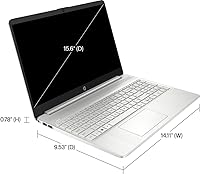
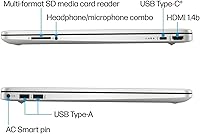
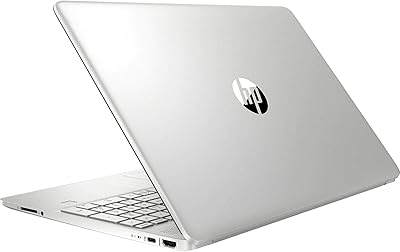
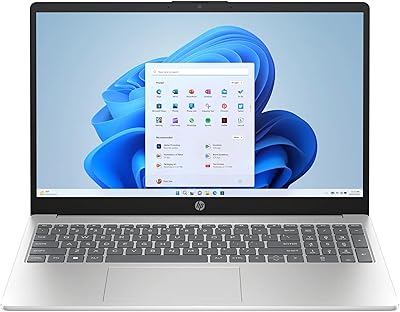
The 15.6-inch touchscreen adds real day-to-day convenience — tapping through menus or scrolling a webpage without reaching for the trackpad is a small but appreciated shift. The resolution sits at 1366x768, which is standard for this price bracket; colors and sharpness are fine for streaming and casual browsing, though anyone accustomed to a full HD display will notice the difference. The i3-1115G4 paired with 8GB of DDR4 RAM keeps things moving reasonably well across browser tabs and document work. The 256GB SSD boots fast and launches apps without lag, but fills up quickly if you store media locally. Port selection — two USB-A, one USB-C, one HDMI — is solid, and the 720p webcam includes a privacy shutter.

Best For

This budget HP laptop makes the most sense for students who need a dependable machine for class notes, research tabs, and the occasional streaming session. The touchscreen is particularly useful for anyone less comfortable with a traditional trackpad — think older family members or younger users getting their first laptop. Remote workers who rely on browser-based tools, email, and video calls will find it capable enough without issue. It also works well as a shared household device — something to keep handy for quick lookups or recipes. Just don't expect this entry-level HP machine to handle video editing or demanding multi-app workloads without showing strain.

User Feedback

Buyers generally respond well to the build quality and appreciate the large screen for the price — the silver finish looks cleaner than many competitors in this range. That said, the most common frustration centers on Windows 11 S Mode: buyers who skip the fine print are often caught off guard when they find they can't install Chrome or other non-Store apps right away. Battery life earns mixed reactions — real-world use typically lands closer to five or six hours rather than the eight-hour rating. The keyboard is considered acceptable by most, and the numeric keypad consistently earns appreciation from users who frequently work with numbers or spreadsheets.

Pros

  • The 15.6-inch touchscreen is a rare and genuinely useful feature at this price point.
  • HP brand reliability offers peace of mind that many no-name budget laptops simply cannot match.
  • The i3-1115G4 processor handles everyday tasks noticeably better than older budget-tier chips.
  • Fast SSD storage means the machine boots quickly and opens common apps without frustrating delays.
  • Port selection is well-rounded, covering USB-A, USB-C, HDMI, and wireless connectivity.
  • The built-in webcam privacy shutter is a small but thoughtful addition for video call users.
  • At 3.75 pounds, this budget HP laptop is light enough to carry comfortably between rooms or classes.
  • The numeric keypad is a practical bonus that many similarly priced laptops skip entirely.
  • Windows 11 S Mode provides a cleaner, more secure out-of-box experience for less tech-savvy users.
  • The large screen size makes media consumption and document work more comfortable than smaller alternatives.

Cons

  • 256GB of storage runs out fast, especially if you download apps, photos, or offline media regularly.
  • Real-world battery life tends to fall well short of the 8-hour rated figure under normal use.
  • The 1366x768 display resolution looks noticeably soft compared to full HD screens on competing machines.
  • Windows 11 S Mode blocks third-party app installs by default, catching many buyers off guard post-purchase.
  • Integrated graphics make this entry-level HP machine unsuitable for even light gaming beyond basic browser titles.
  • The trackpad has drawn criticism for inconsistent responsiveness, particularly with multi-finger gestures.
  • No Wi-Fi 6 support means the wireless chip may bottleneck speeds on modern routers.
  • Upgrading storage later is not straightforward for non-technical users, limiting long-term flexibility.
  • The 720p webcam produces acceptable but noticeably soft video quality in lower-light environments.

Ratings

The scores below for the HP 15.6″ Touchscreen i3 Laptop were generated by our AI system after analyzing thousands of verified global user reviews, with spam, bot submissions, and incentivized feedback actively filtered out. The result is an honest, data-driven snapshot of what real buyers consistently praise and where this budget HP laptop falls short. Both the strengths and the friction points are reflected transparently so you can make the most informed decision possible.

Value for Money
78%
22%
Most buyers feel this budget HP laptop punches above its weight given what competitors offer at a similar price — especially with the touchscreen included. The HP brand name, solid port selection, and SSD storage together create a package that genuinely feels like a fair deal for light everyday use.
A handful of buyers feel the 256GB storage and 1366x768 resolution hold the value proposition back, since similarly priced rivals have started offering full HD displays. Those who need more headroom out of the box may find the storage limitation forces an early external drive purchase.
Performance
69%
31%
The i3-1115G4 handles the everyday stuff — browsing, email, document editing, and video streaming — with minimal hesitation. Users coming from older budget machines with previous-gen processors notice a real difference in snappiness, particularly during app launches and switching between tasks.
Push this entry-level HP machine beyond its comfort zone — multiple heavy browser tabs, large downloads, and a video call running simultaneously — and it starts to strain noticeably. It is not designed for sustained workloads, and users who occasionally dabble in light photo editing report slowdowns that break concentration.
Display Quality
61%
39%
The 15.6-inch screen size is genuinely appreciated for everyday use — watching lectures, scrolling through documents, or streaming shows feels comfortable at this size. Users who have not owned a full HD laptop before tend to find the display perfectly acceptable for general tasks.
The 1366x768 resolution is the most consistently mentioned visual complaint, with buyers who upgrade from higher-resolution screens finding text and images noticeably softer. Outdoor or brightly lit room use can also expose limited brightness headroom, making the screen harder to read comfortably.
Touchscreen Usability
82%
18%
The touchscreen is one of the most positively received features on this machine, particularly among first-time laptop users and older buyers who find trackpad gestures less intuitive. Tapping through menus, scrolling web pages, and navigating apps feels natural and responsive under typical daily use conditions.
The touch layer adds a slight glare coating to the display that some users find distracting under overhead lighting. A small number of buyers also report occasional missed taps near screen edges, which suggests the touch calibration is competent but not class-leading.
Build Quality
74%
26%
HP's construction standards are generally well-regarded even at the budget tier, and this machine carries that reputation. The silver plastic chassis feels solid enough for daily student or home use, and the hinge mechanism holds the lid at chosen angles without wobble during normal typing sessions.
The chassis is plastic throughout, and the lid flexes more than buyers familiar with metal-bodied laptops will expect. A few long-term users have noted minor creaking around the keyboard deck after several months of heavy daily use, which is common for this price bracket but still worth knowing.
Battery Life
58%
42%
Under very light workloads — basic text editing and occasional web browsing with low brightness — this HP touchscreen laptop can approach six hours of genuine use, which is reasonable for classroom note-taking or short travel days without a charger nearby.
The manufacturer-rated 8-hour figure is misleading for most realistic use cases. Buyers who run video calls, stream content, or keep brightness at a comfortable mid-to-high level routinely report 4.5 to 5.5 hours of actual runtime, which is below average for the category and a frequent source of frustration.
Keyboard & Trackpad
67%
33%
The inclusion of a numeric keypad is a standout feature that buyers who work with spreadsheets or financial data genuinely appreciate — it is not a given at this price point. Key travel feels adequate for extended typing sessions, and most users adapt to the layout quickly after a short break-in period.
The trackpad has drawn the most polarizing feedback on this machine — some users find it smooth and reliable, while others report inconsistent multi-finger gesture recognition and occasional cursor drift. The trackpad surface is also smaller than users of premium laptops will be accustomed to.
Webcam Quality
63%
37%
The 720p HP TrueVision camera covers the basics for video calls on Teams, Zoom, or Google Meet under decent lighting conditions. The physical privacy shutter is a small but thoughtful detail that privacy-conscious buyers and parents consistently call out as a welcome addition.
720p is behind the curve in 2024, and the webcam shows its limitations in lower-light environments where the image becomes grainy and colors flatten noticeably. The dual microphones perform adequately but pick up ambient room noise more readily than dedicated noise-canceling systems on higher-tier machines.
Storage Capacity
52%
48%
The SSD format itself is a genuine advantage — boot times are fast, file transfers feel snappy, and the drive handles day-to-day app usage without the sluggishness of older HDD-equipped budget laptops. For document-only users, 256GB can stretch further than expected with disciplined cloud storage habits.
256GB is the single most complained-about specification on this machine, and the frustration is understandable. Windows occupies a significant chunk right out of the box, and buyers who download apps, save videos, or store offline course materials find themselves managing storage actively within the first few months.
Connectivity
83%
The port layout covers practical everyday needs without requiring a hub for most users — two USB-A ports, one USB-C, and an HDMI output handle monitors, peripherals, and accessories comfortably. WiFi and Bluetooth are both built in and connect reliably under standard home and campus network conditions.
The WiFi standard tops out at 802.11ac rather than the newer WiFi 6, which means it may not fully leverage faster modern routers. There is also no SD card slot, which is a minor but noticeable omission for users who work with cameras or portable storage cards regularly.
Software & OS Experience
59%
41%
Windows 11 S Mode keeps the system running clean and secure out of the box, which is genuinely useful for shared household devices or less tech-savvy users who benefit from a controlled app environment. Boot times are fast, and the interface feels polished and modern compared to older Windows versions.
S Mode frustrates a significant portion of buyers who do not realize upfront that they cannot install software like Chrome, VLC, or any non-Microsoft Store application without manually exiting the mode. Exiting S Mode is free and permanent, but the process confuses less technical users, leading to a surprisingly common post-purchase complaint.
Portability
77%
23%
At 3.75 pounds and 0.71 inches thin, this budget HP laptop is comfortable to carry in a backpack or tote bag for a full day of classes or errands. The slim profile means it slides into standard laptop sleeves without the bulk that older 15-inch machines used to require.
Compared to 13 and 14-inch ultrabooks, the 15.6-inch footprint still takes up meaningful bag space and feels less effortless on cramped desks or airplane tray tables. The power adapter is also on the bulkier side, adding noticeable weight if you carry it regularly alongside the laptop.
Audio Quality
54%
46%
The built-in speakers are adequate for casual video watching and occasional background music at home, where users are not competing with ambient noise. Volume output is sufficient for solo use in a quiet room, which covers the basic expectations of the target audience.
Audio quality is thin and treble-heavy, which is a common trait of slim budget laptops with limited speaker chamber depth. Buyers who use this machine for music listening or movies in any slightly noisy environment will find themselves reaching for headphones quickly, as the speakers lack bass and can distort at higher volumes.
Setup & Ease of Use
81%
19%
Initial setup is straightforward for most users — the machine guides you through Windows 11 onboarding clearly, and the touchscreen actually makes initial configuration more intuitive than a traditional laptop experience. HP's pre-installed software footprint is minimal compared to some budget competitors.
The S Mode discovery moment catches a meaningful number of buyers by surprise during setup when they attempt to install their preferred browser or productivity software. A clearer out-of-box prompt explaining S Mode limitations and the exit option would eliminate one of the most common early friction points users report.

Suitable for:

The HP 15.6″ Touchscreen i3 Laptop is a genuinely practical choice for anyone who needs a dependable everyday computer without overcomplicating the budget. Students are a natural fit — the large screen is comfortable for long reading and research sessions, the touchscreen simplifies navigation, and the lightweight Windows 11 S Mode environment keeps things secure and distraction-free on campus. Seniors or first-time laptop buyers tend to respond well to this machine too, since the touchscreen lowers the learning curve considerably compared to trackpad-only navigation. Remote workers handling a steady diet of email, video calls, and cloud-based documents will find it more than adequate for their daily workflow. It also holds up well as a shared household secondary device — reliable enough to pass around without worry.

Not suitable for:

The HP 15.6″ Touchscreen i3 Laptop is not the right tool if you need serious computing muscle. Anyone who regularly works with video editing software, runs virtual machines, or keeps dozens of browser tabs and applications open simultaneously will hit the ceiling of what the i3-1115G4 and 8GB of RAM can handle. The 256GB SSD fills up faster than most buyers expect — if you store large media files, games, or a growing photo library locally, you will need an external drive almost immediately. The 1366x768 resolution is serviceable but will disappoint creative professionals or anyone used to a sharper full HD or higher display. Windows 11 S Mode also blocks the installation of software outside the Microsoft Store, which rules this machine out for users who rely on specific third-party applications like professional tools, custom IDEs, or certain browsers — unless they are willing to exit S Mode, which is a one-way switch.

Specifications

  • Processor: Intel Core i3-1115G4 running at 3GHz base clock with Turbo Boost up to 4.1GHz, featuring 2 cores and 4 threads.
  • RAM: 8GB of DDR4 SDRAM running at 3200MHz, suitable for standard everyday multitasking workloads.
  • Storage: 256GB solid-state drive providing fast boot times and responsive application launches with no moving parts.
  • Display: 15.6″ touchscreen panel with a resolution of 1366x768 pixels, covering standard HD content at this price tier.
  • Graphics: Intel UHD integrated graphics shared with system memory, adequate for video playback and casual media use.
  • Operating System: Windows 11 Home in S Mode ships pre-installed, restricting app installs to the Microsoft Store by default.
  • Webcam: HP TrueVision 720p HD camera with a built-in physical privacy shutter and dual integrated digital microphones.
  • Ports: Two USB-A 3.0 ports, one USB-C 3.0 port, and one HDMI port are available on the chassis.
  • Wireless: WiFi 802.11a/g/n/ac and Bluetooth are both built in for cable-free connectivity.
  • Battery: Manufacturer-rated battery life of up to 8 hours on a single charge under typical light-use conditions.
  • Weight: The laptop weighs 3.75 pounds, keeping it manageable for daily transport between home and classroom or office.
  • Dimensions: The chassis measures 14.1 x 9.53 x 0.71 inches, offering a slim profile without feeling fragile.
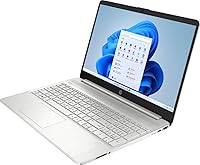
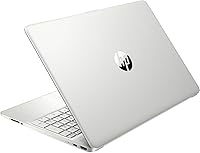
  • Color: Available in Natural Silver, giving it a clean, professional appearance that is common across HP's consumer lineup.
  • Keyboard: Full-size keyboard includes a numeric keypad on the right side, a feature frequently absent at this price range.
  • Optical Drive: No optical drive is included, which is standard for modern thin laptops in this category.
  • Memory Type: DDR4 SDRAM is used, with a maximum supported capacity of up to 32GB if upgraded.
  • Power Input: Powered via corded electric adapter operating at 12 volts DC.
  • Microphone: Dual Array Digital Microphones are built into the display bezel alongside the webcam for clearer voice capture.

Related Reviews
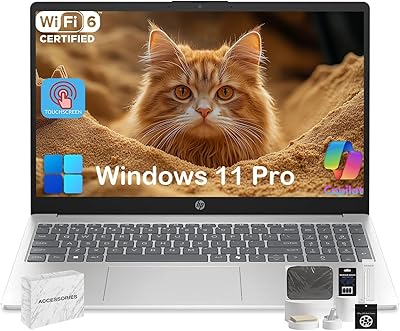
HP 15.6″ Touchscreen Core i3 16GB Laptop
75%
81%
Everyday Performance
58%
Display Quality
83%
Touchscreen Responsiveness
86%
RAM & Storage
54%
Battery Life
More
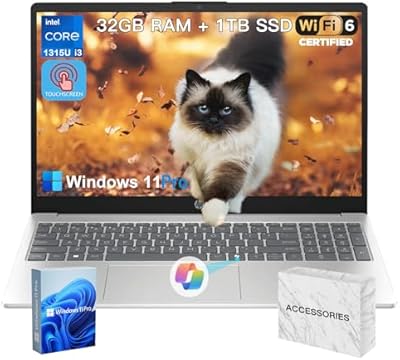
HP 15.6″ i3 1315U 1TB Touchscreen Laptop
76%
83%
Value for Money
76%
Performance
58%
Display Quality
88%
RAM & Multitasking
86%
Storage
More
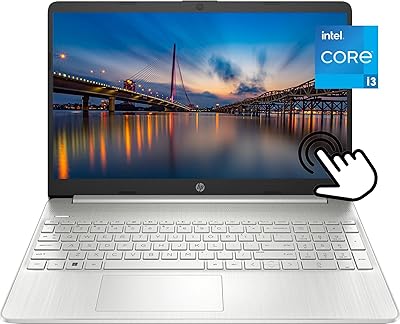
HP 15.6″ Touchscreen Laptop, Intel Core i3-1115G4, 16GB RAM, 1TB SSD
83%
91%
Value for Money
88%
Touchscreen Performance
85%
Battery Life
80%
Build Quality
92%
Storage Capacity
More
HP 15.6″ Touchscreen Laptop (i3-1315U, 64GB, 2TB)
70%
62%
Value for Money
88%
RAM & Multitasking
91%
Storage Capacity
41%
Display Quality
67%
Processor Performance
More
HP 2025 15.6″ HD Touchscreen Laptop, Intel Core i3-1315U, 12GB RAM, 256GB SSD, Windows 11 Pro
84%
91%
Value for Money
89%
Performance for Everyday Tasks
75%
Battery Life
68%
Display Quality
88%
Ease of Use
More
HP 15-DY1031WM Laptop 15.6″ Intel Core i3-1005G1 8GB RAM 256GB SSD
74%
75%
Performance
92%
Value for Money
55%
Battery Life
60%
Build Quality
85%
Portability
More
HP 2020 15 15.6″ HD Touchscreen Laptop, Intel Core i5-1035G1, 16GB RAM, 512GB SSD
82%
89%
Performance
75%
Display Quality
90%
Portability
80%
Battery Life
85%
Build Quality
More
HP 15-fc0047wm 64GB 4TB Touchscreen Laptop
76%
88%
Performance & Speed
93%
RAM & Multitasking
91%
Storage Capacity
76%
Display Quality
82%
Touchscreen Responsiveness
More
HP 15-DY5033DX 15.6″ Laptop (16GB, 1TB)
83%
96%
Software Value
93%
Storage Capacity
88%
Portability & Weight
84%
Multitasking Performance
67%
Display Quality
More
HP 15.6 G9 Laptop, 40GB RAM, 1TB SSD, Intel Core i3-1315U
83%
89%
Value for Money
91%
Battery Life
87%
Performance for Work & Study
90%
Multitasking Ability
82%
Build Quality
More

FAQ

Not right away, because the laptop ships with Windows 11 S Mode, which limits installs to the Microsoft Store only. You can exit S Mode for free through Windows Settings, but it is a one-way switch — once you leave S Mode, you cannot go back. After exiting, you can install any Windows-compatible application normally.

It is genuinely useful for casual everyday tasks like scrolling web pages, tapping through menus, or navigating without reaching for the trackpad. It is not a precision tool for drawing or design work, but for typical home and student use it adds real convenience, especially for users who are more comfortable with tablet-style interaction.

Windows 11 along with pre-installed software typically consumes around 30 to 40GB, leaving you with roughly 210 to 220GB of usable space on the 256GB SSD. That is workable for document-heavy users, but if you plan to store videos, a large photo library, or install many apps, an external drive or cloud storage is a smart addition early on.

Yes, it handles video conferencing comfortably. The built-in 720p webcam and dual microphones cover the basics well, and the processor has no trouble running a Teams or Zoom call alongside a few browser tabs. Just keep in mind the webcam output is 720p, so the video quality is decent but not sharp by today's standards.

The rated 8-hour figure is optimistic under typical conditions. Most users report getting closer to 5 to 6 hours with screen brightness at a comfortable level and a mix of browsing, documents, and occasional streaming. If you keep brightness lower and stick to lighter tasks, you can push it further, but plan to bring the charger for a full workday.

It is a solid fit for most student workloads — writing papers, doing research, attending online classes, and streaming study breaks are all well within its comfort zone. The large screen is easy on the eyes during long sessions, and the touchscreen adds flexibility. Just be aware the 256GB storage fills up faster than expected if you start downloading course materials or media offline.

Technically, the RAM can be upgraded up to 32GB according to the specifications, but whether the slots are user-accessible depends on the specific build variant — some HP budget laptops have soldered RAM. The SSD may also be replaceable, but this typically voids the warranty and requires technical comfort. It is safer to assume what you buy is what you keep unless you verify with HP support first.

The i3-1115G4 in this machine is actually a newer generation chip than the i5-1035G4, and in many real-world tasks it performs comparably or slightly better. The generational architecture improvement matters more than the i3 vs i5 label here, so do not be put off by the i3 designation — it is a more capable processor than its naming alone suggests.

For a budget HP machine, the build quality is generally well-regarded. The lid and chassis have a small amount of flex, which is normal at this price point, but it does not feel cheap or fragile. Most buyers report it feels like a proper HP product, with a clean finish and solid-enough hinges for daily use.

Yes, the HDMI port lets you connect directly to most external monitors or TVs. The USB-C port may also support video output depending on the display adapter you use, though you should confirm cable compatibility before assuming that. Extending to a larger or higher-resolution external screen is a practical way to work around the built-in display limitations.