NETGEAR Nighthawk XR500 Gaming Wi-Fi Router


Overview
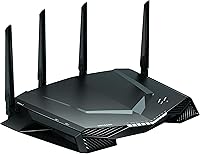
The NETGEAR Nighthawk XR500 Gaming Wi-Fi Router launched in 2018 with one clear priority: cut lag rather than simply chase headline speeds. While most consumer routers treat all traffic equally, this gaming router was engineered around reducing ping for competitive players who care more about consistent latency than peak throughput numbers. It runs on DumaOS, a purpose-built software layer that puts real network control in the hands of the user — something no generic ISP-provided box can match. The AC2600 label reflects combined dual-band output, so per-band speeds are more modest than the number suggests, but for a household built around low-latency gaming, that context matters.
Features & Benefits
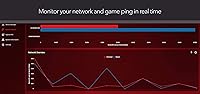
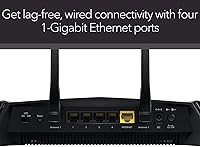
The headline capability is geo-filtering, which lets you restrict your console or PC to servers within a defined geographic radius. In competitive games, connecting to a server 30 miles away versus one 600 miles away is a difference you actually feel. Combine that with traffic prioritization through QoS — which pushes gaming packets ahead of a roommate's background downloads and streams — and those random lag spikes become far less frequent. The real-time dashboard shows per-device and per-app bandwidth consumption as it happens, so you can immediately see what is eating your connection. Four Gigabit Ethernet ports keep wired consoles and PCs rock-solid, and the dual-core processor handles the routing workload without choking under a busy household load.
Best For
The XR500 is built for competitive online gamers — ranked-match players in shooters, battle royale titles, or fighting games where a handful of extra milliseconds can genuinely affect outcomes. It also suits shared households where one person needs guaranteed priority on the network without constantly battling streaming devices or smart TVs for bandwidth. If unexplained lag spikes have been a recurring frustration, this gaming router provides the diagnostic tools to identify the source and address it directly. That said, the router rewards patience during setup; buyers expecting a simple plug-and-play experience may find the DumaOS configuration process a steeper climb than anticipated.
User Feedback
Gamers who invested time properly configuring the QoS and geo-filter settings consistently report a measurable drop in ping, especially in fast-paced online titles — and that feedback holds up across a large pool of long-term owners. The most common friction point involves firmware updates, with a meaningful number of users noting that certain releases introduced new instability or wiped custom configurations, which understandably wears on patience over months of ownership. Wi-Fi range gets described as adequate for average-sized homes but not something to brag about. The sharpest long-term concern is that the Nighthawk XR500 runs on Wi-Fi 5, so buyers cross-shopping against current Wi-Fi 6 options are essentially trading newer wireless hardware for deeper gaming-specific software controls.
Pros
- Geo-filtering noticeably reduces ping in online games by keeping you connected to nearby servers.
- QoS traffic prioritization ensures your gaming traffic gets through even when other devices are active.
- The real-time dashboard shows exactly which device or app is consuming bandwidth at any given moment.
- Four Gigabit Ethernet ports provide rock-solid, low-latency wired connections for consoles and PCs.
- DumaOS gives experienced users a level of network control that generic routers simply cannot match.
- The dual-core processor handles a busy household network without visible slowdown or stuttering.
- Beamforming support helps maintain a more stable wireless signal for devices that cannot go wired.
- Over four thousand owner ratings back up the router's reputation for delivering on its core ping-reduction promise.
Cons
- Wi-Fi 5 hardware feels dated alongside current Wi-Fi 6 routers available at comparable prices.
- Wireless range is adequate for smaller homes but falls short in larger or multi-floor spaces.
- The DumaOS interface has a steep learning curve that can frustrate less technical users.
- Some firmware updates have introduced instability or reset custom configurations without warning.
- Geo-filtering effectiveness varies considerably depending on the game and your region — it is not a universal fix.
- Setup time is significantly longer than a standard plug-and-play router, which may deter casual buyers.
- Users who never configure QoS or geo-filtering will not see meaningful gains over a cheaper router.
- Long-term firmware support has been inconsistent, raising questions about ongoing software improvements.
Ratings
Our AI-generated scores for the NETGEAR Nighthawk XR500 Gaming Wi-Fi Router are built by analyzing thousands of verified owner reviews worldwide, with spam, bot-submitted, and incentivized feedback actively filtered out before scoring. Every category reflects the genuine balance of praise and frustration real buyers have reported — nothing is glossed over or inflated. Where this router earns strong marks and where it falls short are both represented honestly below.
Ping Reduction
DumaOS Software
Wired Performance
QoS Traffic Control
Wi-Fi Range
Wireless Speed
Setup Experience
Firmware Reliability
Hardware Longevity
Value for Money
Real-Time Monitoring
Build Quality
Compatibility
Suitable for:
The NETGEAR Nighthawk XR500 Gaming Wi-Fi Router is a strong fit for dedicated online gamers — particularly those who play competitive, fast-paced titles where consistent low ping matters more than raw download speed. If you regularly deal with unexplained lag spikes and suspect congestion from other devices in your home, the built-in QoS and real-time bandwidth monitoring give you actual tools to diagnose and fix the problem rather than just hoping for the best. Console players who game wired will get the most out of the four Gigabit Ethernet ports, and the geo-filtering feature is genuinely useful for anyone playing games where server location has a direct impact on match quality. It also works well in shared households where one person needs to claim network priority without constant conflict over bandwidth. If you are willing to spend some time learning the DumaOS dashboard, the level of control on offer is well beyond anything a standard ISP-provided router can give you.
Not suitable for:
The NETGEAR Nighthawk XR500 Gaming Wi-Fi Router is not the right call for buyers who primarily need strong whole-home Wi-Fi coverage, since its wireless range is adequate but not impressive compared to modern mesh systems or dedicated Wi-Fi 6 routers in a similar price range. Shoppers who want a straightforward setup experience should also look elsewhere — the DumaOS interface has a real learning curve, and the payoff only comes if you are willing to configure it properly. Anyone building a new network in 2024 and beyond should seriously weigh whether Wi-Fi 5 hardware suits their long-term needs, especially as more devices are designed to take advantage of Wi-Fi 6 speeds and efficiency. Casual gamers or those who only play single-player titles offline will see little practical benefit from the gaming-specific features that justify this router's price. Finally, buyers who have had frustrating experiences with router firmware updates in the past should note that this is an area where long-term XR500 owners have raised legitimate concerns.
Specifications
- Wi-Fi Standard: The router uses 802.11ac (Wi-Fi 5), a dual-band standard that remains capable for most gaming scenarios but does not support the newer Wi-Fi 6 protocol.
- Speed Class: Rated AC2600, which represents the combined theoretical maximum across both bands — not a single-band figure buyers should expect in practice.
- 2.4 GHz Band: The 2.4 GHz band delivers theoretical speeds up to 800 Mbps, offering better range at the cost of higher potential interference from nearby networks.
- 5 GHz Band: The 5 GHz band reaches theoretical speeds up to 1733 Mbps, providing faster throughput with lower interference for devices in closer proximity to the router.
- Processor: A 1.7 GHz dual-core processor manages routing tasks and the DumaOS software layer without becoming a bottleneck under typical multi-device household loads.
- Memory: The router includes 512 MB of RAM, which supports smooth operation of the DumaOS dashboard and concurrent network management tasks.
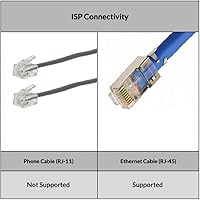
- Wired Ports: Four Gigabit Ethernet LAN ports are included alongside one Gigabit WAN port for connecting the router to a modem or ISP gateway.
- USB Ports: Two USB 3.0 ports allow connection of external storage drives or printers for basic network sharing functionality.
- Antennas: Four external detachable antennas support beamforming (both implicit and explicit) to direct wireless signal more precisely toward connected devices.
- Operating System: The router runs DumaOS, a gaming-focused network management platform providing geo-filtering, QoS controls, and a real-time bandwidth monitoring dashboard.
- Dimensions: The unit measures 2.2 x 12.7 x 9.6 inches, giving it a wide, flat profile that requires adequate horizontal surface space near your modem.
- Weight: At 3.71 pounds with antennas attached, the XR500 is a solid, stable unit that stays in place on a desk or shelf without issue.
- Power Input: The router is rated at 220 Volts, so buyers outside regions with compatible voltage should verify compatibility with their local power supply before purchasing.
- Beamforming: Both implicit and explicit beamforming are supported, allowing the router to focus its wireless signal toward specific devices for a more stable connection.
- Key Software Features: Core software capabilities include geo-filtering by radius, per-device and per-application QoS prioritization, and a live network monitoring dashboard built into DumaOS.
- Included Accessories: The package includes the router unit, four detachable antennas, one Ethernet cable, a power adapter, and a quick start guide.
- Color: The router ships in a matte black finish with angular styling that fits the aesthetic of a gaming desk setup without being overly aggressive in design.
Related Reviews
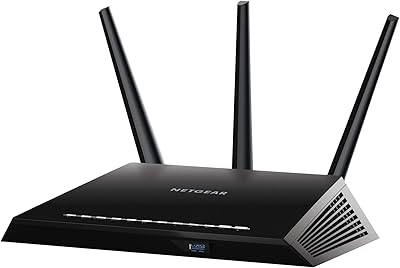
NETGEAR Nighthawk R6900P Wi-Fi Router
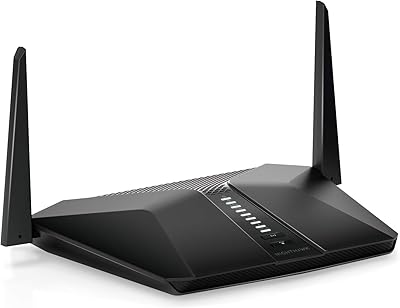
Netgear Nighthawk AX4 RAX40 Wi-Fi 6 Router
Netgear R6400 AC1750 Wi-Fi Router
Netgear Nighthawk X4 R7500-200NAS Gaming Router
NETGEAR WNDR3400 N600 Dual Band Wi-Fi Router
NETGEAR R6250 AC1600 Dual Band Wi-Fi Router
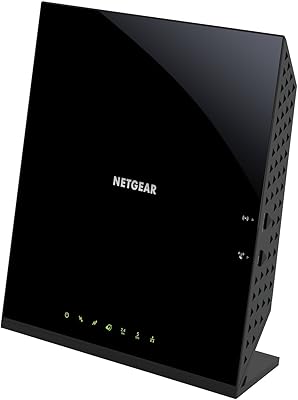
NETGEAR C6250 AC1600 Modem Router Combo
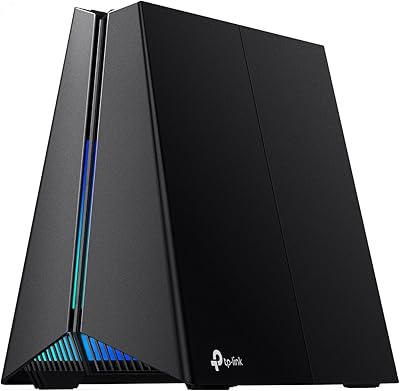
TP-Link Archer GE650 Wi-Fi 7 Gaming Router
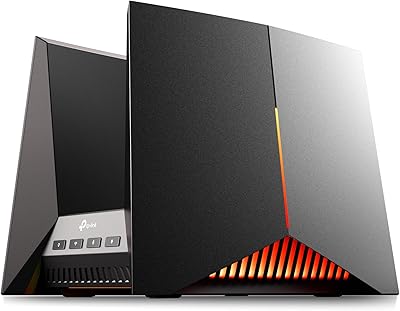
TP-Link Archer GE800
