QIXZOCV MWE 43-Inch Touchscreen Digital Signage Kiosk



Overview
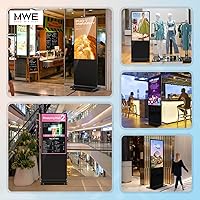
The QIXZOCV MWE 43-Inch Touchscreen Digital Signage Kiosk entered the market in late 2023 and has quietly climbed to a top-two category ranking — which tells you something about its reception. This is a commercial-grade floor-standing display built for businesses that need more than a TV on a stand. The slim enclosure looks genuinely modern, ditching the chunky steel-frame aesthetic of older kiosk designs. At its price point, it targets small-to-mid-size business owners and operations managers, not home users. If you're running a retail space, a clinic waiting room, or a hospitality venue and need dynamic digital communication without cobbling together separate hardware, this floor-standing kiosk makes a credible case.
Features & Benefits
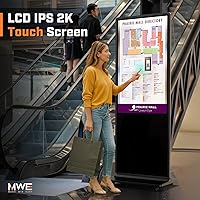
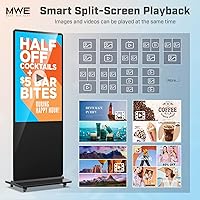
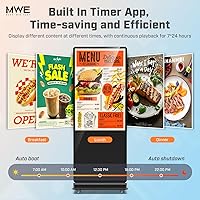
The 43-inch IPS panel delivers crisp 1080p visuals with a 178-degree viewing angle, meaning content stays readable even when customers approach from sharp angles — useful in high-traffic corridors. Android sits at the core, giving you real app flexibility: load your preferred digital signage software, connect over Wi-Fi, or push content via USB or HDMI. The built-in media player handles scheduled playback autonomously, so you're not babysitting a loop. The capacitive touch layer opens up genuine interactivity — product lookups, self-service menus, wayfinding maps. One genuinely useful feature is the split-screen layout engine, which lets you run a promotional video alongside a ticker or secondary brand message simultaneously. The low-power panel design is also worth noting: less heat means longer screen life in continuous-run environments.
Best For
This interactive digital totem is a natural fit for retail environments where rotating promotions need to grab attention without staff involvement. Restaurants and hospitality venues will find the scheduled playback particularly practical — set up a breakfast menu in the morning, switch to lunch automatically, done. It also works well in larger venues like malls, airports, or hospitals where interactive wayfinding reduces front-desk load. Exhibition halls and trade show booths get an eye-catching centerpiece that doubles as a lead engagement tool. Importantly, the self-contained design — no external media player required — makes it a realistic option for SMBs that want professional-grade signage without layering on additional hardware complexity or ongoing subscription dependencies.
User Feedback
With 59 ratings averaging 4.6 stars, the MWE signage display has earned genuine buyer confidence for a relatively new entrant in a niche category. Reviewers frequently cite the ease of initial setup and the display's visual clarity as highlights, with several deploying units in restaurant and retail contexts. Build quality and the protective shipping packaging — a dual honeycomb and gravity box — also draw positive mentions. On the critical side, some buyers flag a learning curve around the Android content management software, and a handful note that touch sensitivity calibration can require adjustment out of the box. There's also some confusion in the listing around touch versus non-touch variants, so confirm the exact configuration before purchasing. The three-year support period is a reassuring plus at this investment level.
Pros
- Sharp 1080p IPS panel with a 178-degree viewing angle keeps content readable across wide, open retail and venue spaces.
- Built-in media player with scheduling means content cycles run automatically — no staff needed to manage daily transitions.
- Android OS allows installation of your preferred signage app rather than locking you into proprietary software.
- Slim, modern enclosure design looks professional in customer-facing environments without the bulk of legacy kiosk hardware.
- Capacitive touchscreen opens up real interactive use cases: self-service menus, wayfinding directories, and customer surveys.
- Split-screen layout support lets operators run multiple content zones simultaneously on a single display.
- Wi-Fi, dual USB 2.0, and HDMI input cover most standard content delivery scenarios without extra hardware.
- Protective dual-layer packaging means units arrive undamaged in the vast majority of buyer-reported cases.
- A three-year maintenance period provides meaningful post-purchase coverage rarely offered at this price tier.
- Strong 4.6-star rating across real verified buyers signals consistent satisfaction across diverse deployment environments.
Cons
- No built-in CMS is included — sourcing and configuring third-party signage software adds time and often ongoing subscription cost.
- Touch sensitivity requires manual calibration out of the box; edge-zone registration can be unreliable for precision-dependent interfaces.
- At over 100 pounds, installation requires at least two people and proper planning — solo setup is not realistic.
- Listing confusion between touch and non-touch variants has caused some buyers to receive a configuration different from what they ordered.
- Glossy panel surface creates noticeable glare in venues with strong overhead lighting or natural window light.
- No documented Ethernet LAN port limits deployment options in enterprise or security-sensitive network environments.
- Android version specifics are poorly documented, creating compatibility friction for buyers using specific third-party CMS platforms.
- Long-term reliability data is limited given the 2023 launch date — multi-year durability is still largely unproven in the field.
- Remote management requires additional software configuration that many buyers found underdocumented and time-consuming to set up.
- Vendor support quality is inconsistent — some buyers report prompt help while others describe slow or generic responses to technical issues.
Ratings
The QIXZOCV MWE 43-Inch Touchscreen Digital Signage Kiosk earns an overall strong reception across verified global buyers, and the scores below reflect what real deployers — restaurant owners, retail managers, and venue operators — actually experienced after getting this unit on the floor. Our AI has analyzed confirmed purchase reviews worldwide, actively filtering out incentivized, bot-generated, and unverified feedback, so the numbers you see here account for both the genuine strengths and the friction points buyers encountered. Nothing has been smoothed over: where the hardware impresses, the scores show it; where the setup process or hardware specifics create headaches, that is reflected too.
Display Clarity
Build Quality
Touchscreen Responsiveness
Android OS Flexibility
Content Management & Scheduling
Installation & Setup Experience
Split-Screen Layout Capability
Connectivity Options
Value for Money
Vendor Support & After-Sales
Heat Management & Longevity
Portability & Repositioning
Variant Clarity & Listing Accuracy
Suitable for:
The QIXZOCV MWE 43-Inch Touchscreen Digital Signage Kiosk is built squarely for business operators who need a professional, self-contained display solution without assembling separate hardware components. Retail store owners running rotating promotions will get immediate practical value from the scheduled playback and split-screen capabilities, while restaurant and café operators can automate menu board transitions across dayparts without any staff intervention. Hospitality venues, clinics, and hospital lobbies benefit from the interactive wayfinding functionality, reducing front-desk load during busy periods. Small and mid-size business owners who want a modern-looking floor-standing display — one that does not scream bargain-bin hardware — will appreciate the slim enclosure and sharp IPS panel. Exhibition and trade show teams looking for an interactive centerpiece that engages visitors without requiring a dedicated operator will also find this floor-standing kiosk a practical fit. Essentially, if your use case involves continuous public-facing display in a controlled indoor environment, and you have at least basic comfort with Android device setup, this unit delivers real commercial utility.
Not suitable for:
Buyers expecting a fully polished, zero-configuration plug-and-play experience should think carefully before committing to the MWE signage display. The Android environment is open and flexible, but that flexibility comes with a setup learning curve — there is no proprietary CMS included, and achieving a professional scheduled content loop typically means sourcing and configuring a third-party digital signage app. Buyers without any IT support on staff may find the initial configuration process genuinely frustrating, especially if they are not familiar with Android device management. The unit also weighs over 100 pounds and stands over 71 inches tall, which makes solo installation impractical and means frequent relocation between venues is a real logistical challenge. Anyone considering this interactive digital totem for outdoor or semi-outdoor environments should look elsewhere entirely — it is strictly an indoor product with no weather or moisture resistance. Finally, buyers who need guaranteed Ethernet LAN connectivity for enterprise network security compliance will find the reliance on Wi-Fi a potential blocker. If your budget is tight and you are hoping the sticker price covers everything including software, factor in the likely cost of a third-party CMS subscription before finalizing your decision.
Specifications
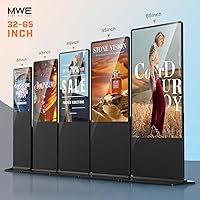
- Screen Size: The display panel measures 43 inches diagonally, providing a large, attention-commanding viewing area suitable for high-traffic commercial environments.
- Resolution: The IPS panel outputs a native resolution of 1920x1080 pixels (Full HD 1080p), delivering crisp text, sharp imagery, and smooth video playback.
- Aspect Ratio: The screen uses a standard 16:9 widescreen aspect ratio, compatible with the vast majority of commercial media content and video formats.
- Panel Type: An IPS (In-Plane Switching) panel with a glossy surface finish is used, offering accurate color reproduction and consistent brightness across wide viewing angles.
- Viewing Angle: The IPS panel supports a 178-degree viewing angle both horizontally and vertically, ensuring content remains visible to viewers approaching from nearly any direction.
- Operating System: The unit runs a built-in Android OS that supports third-party app installation, enabling flexible content management and digital signage software compatibility.
- Connectivity: The kiosk includes Wi-Fi for wireless network access, one HDMI input for external source connection, and two USB 2.0 ports for plug-and-play media delivery.
- Touch Technology: A capacitive touchscreen layer supports multi-point touch input, enabling interactive applications such as self-service menus, wayfinding directories, and customer engagement tools.
- Media Playback: A built-in media player supports automatic content playback, USB-loaded media, timed on/off scheduling, and remote content management via network connection.
- Split-Screen: The display supports a multi-zone split-screen layout engine, allowing simultaneous display of different content formats — including images, videos, and animations — across configurable screen regions.
- Dimensions: The full unit measures 17.72 inches deep by 24.02 inches wide by 71.26 inches tall, making it a full floor-standing totem format appropriate for open commercial floor space.
- Weight: The assembled unit weighs approximately 100.8 pounds, requiring at least two people for safe unboxing, positioning, and installation.
- Power Input: The unit operates on a DC 5V power supply, designed for standard indoor commercial electrical environments with low overall power consumption.
- Heat Management: The low-power open-cell IPS panel technology is engineered to minimize heat generation during extended operation, helping preserve panel longevity in continuous-run deployments.
- Warranty & Support: The manufacturer provides a stated 3-year maintenance and support period, offering longer post-purchase coverage than is typical for consumer-grade display products in this category.
- Packaging: The unit ships in a dual-layer protective configuration combining a honeycomb structural box and a gravity box, designed to prevent damage during freight transit.
- Form Factor: The product is a freestanding floor kiosk (totem) design requiring no wall mounting, anchor hardware, or permanent installation in standard indoor commercial settings.
- Exterior Finish: The enclosure is finished in black with a slim-bezel design intended to present a modern, professional aesthetic consistent with contemporary retail and hospitality interiors.
Related Reviews
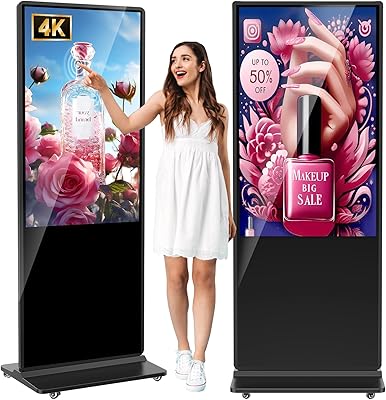
YCKJNB 55-inch Floor Standing Digital Signage Kiosk

NexFoto 27-Inch Touchscreen Digital Picture Frame
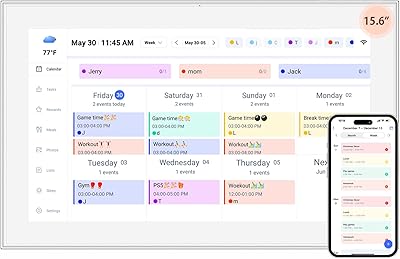
YENOCK 15.6-inch Touchscreen Digital Family Calendar
SYLVOX Deck Pro 2.0 43-inch Outdoor TV
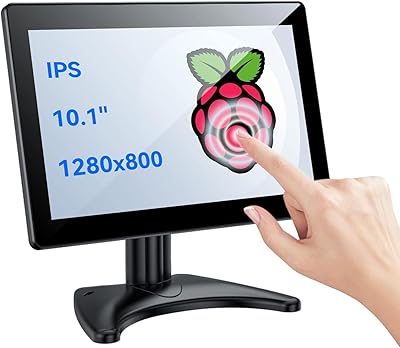
Eyoyo EM101T 10-inch Touchscreen Monitor
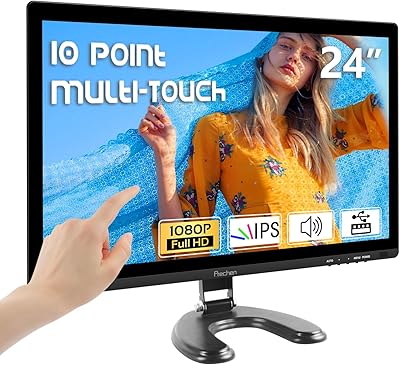
Prechen HD-24 24-Inch Touchscreen Monitor
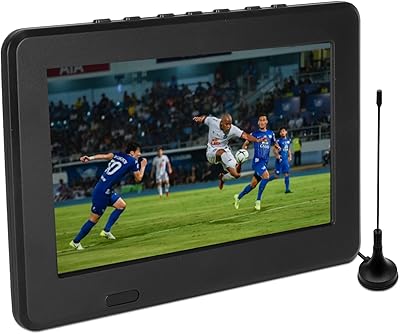
Yoidesu 7-Inch ATSC Portable TV
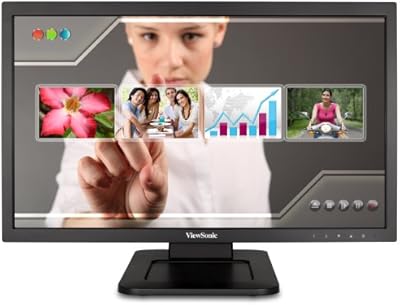
ViewSonic TD2220 22-Inch Touchscreen Monitor
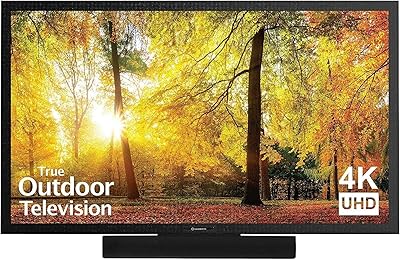
SunBriteTV SE 43-inch 4K Outdoor TV
