Overview

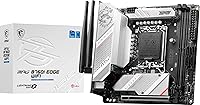
The MSI MPG B760I Edge WiFi Mini-ITX Motherboard is one of the more capable small-form-factor boards you can build around Intel's LGA 1700 platform, fitting 12th, 13th, and 14th Gen processors into a 6.7 x 6.7-inch footprint without stripping out features that actually matter. It sits in MSI's MPG gaming lineup — above the budget tier but short of flagship Z790 territory — which means you're getting real hardware value without overpaying. Compared to ATX alternatives on the same B760 chipset, you do give up expansion slots and some headers, but going Mini-ITX is a deliberate choice, not a compromise, for people who know what they want. With nearly 400 user ratings averaging 4.4 stars, real-world feedback backs up the specs.
Features & Benefits

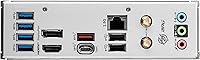
DDR5 memory support is the headliner here, with the B760I Edge pushing speeds up to 7200+ MHz under overclocked profiles — not just spec-sheet numbers, but headroom that memory-sensitive workloads like video editing and competitive gaming can actually use. The single PCIe 5.0 slot handles today's GPUs with bandwidth to spare, and both M.2 slots run at Gen4 speeds behind MSI's Shield Frozr heatsinks, which genuinely help with sustained NVMe performance. Wireless is handled by Intel's Wi-Fi 6E chip — in practice that means low-latency connections even in congested environments. The 2.5G wired LAN is a welcome step up from standard gigabit. Rear I/O covers USB 3.2 Gen 2, HDMI 2.1, and DisplayPort 1.4 — enough for most desk setups without needing an add-on hub.

Best For

This compact gaming motherboard is a strong fit for builders who have already committed to Mini-ITX and just need the right board to anchor the build. That means people putting together compact gaming rigs, home theater PCs, or clean desk setups where size and cable management actually matter. It also suits upgraders coming from older Intel platforms who want to land on DDR5 and modern I/O without jumping to a Z790 board and paying extra for overclocking headroom they may never fully use. What it is not right for: if you need multiple GPU slots, extra PCIe expansion, or a workstation-grade array of add-in cards, an ATX alternative will serve you better.

User Feedback

Across close to 400 reviews, this Mini-ITX board holds a 4.4-star average — a consistent signal that most buyers walk away satisfied rather than just tolerating their purchase. Recurring praise centers on BIOS accessibility and build quality, with users noting the interface feels cleaner than expected at this price tier. Wi-Fi 6E gets specific credit for real-world stability, not just headline speeds. On the downside, some builders hit a learning curve getting DDR5 kits to run at XMP or EXPO-rated frequencies — a known DDR5 platform quirk, not strictly a board defect. A handful of users in tightly packed cases flag VRM thermals as worth planning around. No widespread hardware failure patterns appear, which is reassuring.

Pros

  • DDR5 support with speeds up to 7200+ MHz gives genuine headroom for performance-focused builds.
  • Dual Gen4 M.2 slots with Shield Frozr heatsinks keep NVMe drives cool during sustained read and write tasks.
  • Intel Wi-Fi 6E delivers stable, low-latency wireless that holds up well in real-world congested environments.
  • 2.5G wired LAN is a meaningful upgrade over standard gigabit for gamers and content creators.
  • PCIe 5.0 x16 slot ensures the board stays relevant as next-gen GPUs become mainstream.
  • BIOS is widely praised as clean and accessible, even for builders who are newer to DDR5 tuning.
  • Onboard Bluetooth 5.3 removes the need for a separate adapter for peripherals and audio devices.
  • HDMI 2.1 and DisplayPort 1.4 outputs make it viable as a standalone display hub without a discrete GPU.
  • Build quality is consistently rated as solid, with the Shield Frozr heatsinks adding a premium feel.
  • Covers 12th, 13th, and 14th Gen Intel CPUs, giving buyers flexibility when choosing or upgrading their processor.

Cons

  • Only two DIMM slots mean you are locked into dual-channel DDR5 with no room for future RAM expansion.
  • A single PCIe slot rules out any multi-card or add-in PCIe expansion from the start.
  • Getting DDR5 kits to run at rated XMP or EXPO speeds can require BIOS trial and error for some users.
  • VRM thermals can climb in small cases without deliberate airflow planning — case selection matters a lot here.
  • Internal headers are limited compared to ATX boards, which can frustrate builders with complex front-panel setups.
  • Only two USB 2.0 ports available, which may feel tight for users with multiple legacy peripherals.
  • B760 chipset caps overclocking flexibility — CPU clock adjustments are restricted compared to Z790 boards.
  • At this price point, buyers expecting three or more M.2 slots will need to look at larger form factor options.

Ratings

The scores below for the MSI MPG B760I Edge WiFi Mini-ITX Motherboard were generated by our AI system after analyzing verified global buyer reviews, actively filtering out incentivized, bot-generated, and outlier feedback to surface what real builders actually experienced. Both the strengths and the genuine frustrations are reflected here — nothing is smoothed over to make the board look better than it is.
Build Quality
88%
Builders consistently note that the B760I Edge feels solid for a compact board — the Shield Frozr heatsinks have real heft, the PCB shows no flex during installation, and component placement suggests genuine engineering care rather than cost-cutting. For a board destined for tight ITX cases where handling stress is higher than usual, that robustness matters.
A handful of users noted that the rear I/O shield fit required more force than expected during case installation. Nothing structural failed, but it suggests tolerances that are slightly tighter than ideal for first-time ITX builders who may not anticipate the resistance.
Feature Set
93%
Packing PCIe 5.0, dual Gen4 M.2, DDR5, Wi-Fi 6E, 2.5G LAN, and USB 3.2 Gen 2 into a 6.7-inch board is genuinely impressive. Builders who switched from older ATX platforms found almost nothing missing in day-to-day use — the connectivity checklist reads more like a mid-tower board than a compact one.
The single PCIe slot is the unavoidable ceiling here, and users who later wanted to add a capture card or NVMe expansion card hit that wall quickly. It is a design constraint of the form factor rather than a product failure, but it still limits who this board can grow with over time.
BIOS & Software
82%
18%
MSI Click BIOS 5 gets consistent praise for being navigable even for builders who haven't touched a UEFI in years. Fan curve controls, XMP profile toggling, and boot order settings are all surfaced clearly, and the interface rarely requires digging through nested menus to find common options.
Getting DDR5 kits above 6000 MHz stable required multiple BIOS saves and reboots for a notable share of users. The XMP and EXPO profile support works, but pushing memory beyond standard rated speeds is less plug-and-play than experienced builders might expect from a board at this price point.
Wireless Performance
86%
The Intel Wi-Fi 6E module earns genuine praise in real living environments — users in apartments with crowded 2.4 and 5 GHz bands reported noticeably better stability and lower ping after switching to the 6 GHz band during gaming sessions. Bluetooth 5.3 held steady connections with headsets and controllers without interference.
A small number of users in buildings with thick concrete walls or basement setups reported that Wi-Fi range was not substantially better than previous Wi-Fi 5 cards. The 6 GHz band also requires a compatible router, so buyers without Wi-Fi 6E routers won't see the full benefit.
Thermal Management
74%
26%
The Shield Frozr M.2 heatsinks perform well under sequential read and write workloads — NVMe throttling is largely a non-issue under everyday use. The VRM design handles mid-range CPUs like the Core i5 and i7 without breaking a sweat in cases with at least modest airflow.
Under a Core i9 with extended all-core workloads in a poorly ventilated ITX case, VRM temperatures attracted enough user complaints to form a clear pattern. This is not a catastrophic failure risk, but it is a real constraint — case airflow planning is not optional if you are pairing this board with a high-TDP chip.
Value for Money
81%
19%
Relative to ATX alternatives on the same B760 chipset, this board commands a premium — but buyers generally feel it is earned. Getting Wi-Fi 6E, 2.5G LAN, PCIe 5.0, and dual Gen4 M.2 without spending up to a Z790 board represents a realistic sweet spot for ITX builders who know exactly what they need.
If you compare the price against a full ATX B760 board, the ITX tax is real — you are paying more for fewer slots and less expandability. Buyers who later realized they needed more USB headers or PCIe lanes felt the cost-to-flexibility ratio was unfavorable in hindsight.
Installation Experience
79%
21%
Most builders found the installation process straightforward, with clear silkscreen labeling for headers and a logical component layout given the space constraints. The included documentation covers the essentials, and MSI's online BIOS update tools worked reliably for users who needed a pre-install firmware update.
ITX builds are inherently cramped, and this board is no exception — cable routing around the single PCIe slot and M.2 area required patience. A few users also flagged that the 24-pin ATX power connector placement made cable management noticeably awkward in certain popular ITX cases.
DDR5 Compatibility
76%
24%
The board's DDR5 support is broad, and users running kits at 5600 MHz or 6000 MHz under standard XMP profiles reported stable boots with no drama. MSI's memory compatibility list is reasonably extensive, and kits from major brands like G.Skill, Kingston, and Corsair performed reliably at their rated speeds.
Pushing DDR5 beyond 6400 MHz on this B760 platform can become unstable without careful voltage and timing tuning — something the chipset limits compared to Z790. Users expecting to run 7200 MHz kits out of the box on the first boot were frequently disappointed.
Networking — Wired
84%
The 2.5G LAN port delivered consistent real-world improvements for users who upgraded their routers or switches to support it — faster local network transfers for NAS setups and lower-variance latency for competitive online gaming were the two most cited benefits. It works exactly as advertised with no driver issues reported broadly.
The benefit is only fully realized if the rest of your network hardware supports 2.5G speeds. Users on standard gigabit routers see no difference at all, and a small number of buyers didn't realize this limitation until after purchase, which led to some frustrated reviews that weren't really about the board itself.
I/O Port Selection
73%
27%
The rear I/O panel is well-stocked for a Mini-ITX board — USB 3.2 Gen 2, display outputs, 2.5G LAN, Wi-Fi antenna connectors, and audio jacks are all present. For a typical gaming or home office setup, most users found everything they needed without reaching for a USB hub.
Two USB 2.0 ports feel thin in 2024, especially for users with multiple legacy peripherals like older keyboards, mice, or capture dongles. The internal header count is also noticeably limited compared to ATX boards, which caused issues for builders with cases offering multiple front-panel USB connections.
Overclocking Headroom
71%
29%
For a B760 board, the 8+1+1 phase power design provides more VRM capacity than strictly necessary for stock operation, which gives mild overclockers useful headroom on mid-range CPUs. Enthusiasts running a Core i5-13600K at moderate all-core speeds found the board handled it without thermal or stability complaints in well-ventilated cases.
The B760 chipset does not support CPU overclocking beyond base clock adjustments — that ceiling is a chipset limitation, not a board flaw, but it still frustrates buyers who discover this after purchase. Memory overclocking is possible but inconsistent above 6400 MHz compared to what Z790 boards can achieve.
Long-Term Reliability
78%
22%
Across the available review pool, there are no widespread patterns of early hardware failure — capacitor failures, dead M.2 slots, or burnt VRMs are absent as recurring themes. Users who have run this board for over a year under moderate loads report no degradation in performance or connectivity stability.
The long-term reliability picture for VRMs under sustained high-TDP workloads in cramped cases is less clear, as only a subset of reviewers have run the board hard enough and long enough to stress that aspect. Users who do so without planning case airflow carefully are taking a risk that existing reviews don't fully quantify yet.
Aesthetics & Form
83%
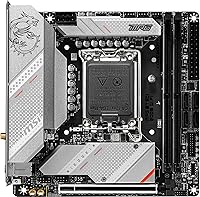
The board has a clean, matte-dark aesthetic that works well in cases with glass side panels — RGB is present but not overbearing, and builders who prefer understated looks appreciate that the lighting can be turned off entirely via the BIOS or MSI Center software. The Shield Frozr heatsinks add a premium visual anchor to an otherwise compact layout.
RGB customization options are more limited than on MSI's higher-end MPG and MEG boards, which may disappoint builders who want deep per-zone lighting control. The onboard RGB headers are also limited in count, constraining lighting ecosystems in more elaborate builds.

Suitable for:

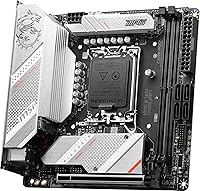
The MSI MPG B760I Edge WiFi Mini-ITX Motherboard is purpose-built for a specific kind of builder — one who wants a genuinely capable gaming or productivity PC in the smallest reasonable footprint, without gutting the spec sheet to get there. It hits a sweet spot for people planning compact desk setups, living room gaming rigs, or home theater PCs where a full ATX tower simply isn't an option or isn't wanted. Upgraders stepping into Intel's 12th, 13th, or 14th Gen ecosystem for the first time will find DDR5 support, PCIe 5.0, and onboard Wi-Fi 6E already accounted for — no extra cards needed. Mild overclockers on a budget also benefit here, since the B760 chipset and 8+1+1 phase power design give real headroom without requiring a more expensive Z790 platform. If your priority is a clean, modern, space-efficient build that doesn't cut corners on networking or storage speed, this board is a genuinely smart anchor for that project.
Not suitable for:

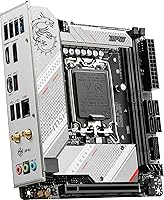
The MSI MPG B760I Edge WiFi Mini-ITX Motherboard is not the right call if your build depends on expansion. You get one PCIe slot — that's it — so anyone planning a multi-GPU setup, a capture card alongside a discrete GPU, or a bank of add-in PCIe storage devices will immediately hit a wall. Power users who run demanding workloads for extended periods in tight, poorly ventilated cases should also think carefully, since VRM thermals in cramped ITX enclosures can become a real concern without adequate airflow planning. Users who want a large array of USB headers, front-panel connectors, or fan channels will find the internal I/O more limited than a mid-tower ATX board at a similar price. And if aggressive DDR5 overclocking beyond standard XMP profiles is a core part of your plan, a Z790 platform gives you meaningfully more control and flexibility than the B760 chipset can offer.
Specifications

  • Form Factor: Mini-ITX at 6.7 x 6.7 inches, designed to fit compact ITX cases while retaining a full-featured I/O layout.
  • CPU Socket: LGA 1700 socket supporting Intel 12th, 13th, and 14th Gen Core, Pentium Gold, and Celeron processors.
  • Chipset: Intel B760 chipset, which enables modern connectivity and mild overclocking without the premium cost of the Z790 platform.
  • Memory Support: Two DDR5 DIMM slots supporting dual-channel memory up to 7200+ MHz under overclocked profiles via Memory Boost.
  • PCIe Slot: One PCIe 5.0 x16 slot for discrete GPU installation, providing full bandwidth headroom for current and near-future graphics cards.
  • M.2 Storage: Two Gen4 M.2 slots, both covered by Shield Frozr heatsinks to manage thermal output during sustained NVMe workloads.
  • Wired Network: Onboard 2.5G LAN port delivering wired network speeds beyond standard gigabit, suitable for gaming and large file transfers.
  • Wireless: Intel Wi-Fi 6E module with Bluetooth 5.3 included onboard, covering the 6 GHz band for reduced congestion in dense environments.
  • Display Output: Rear I/O includes one HDMI 2.1 and one DisplayPort 1.4 output for direct monitor connection without a discrete GPU.
  • USB Connectivity: USB 3.2 Gen 2 ports on the rear I/O panel, alongside two USB 2.0 ports for legacy peripheral support.
  • Power Design: Direct 8+1+1 phase power delivery with Core Boost technology to support stable CPU operation under sustained and overclocked loads.
  • Dimensions: Board measures 6.7 x 6.7 x 2.5 inches and weighs 2.18 pounds, consistent with standard Mini-ITX mounting specifications.
  • OS Support: Fully compatible with Windows 10 and Windows 11, with driver and BIOS support maintained through MSI's update infrastructure.
  • Audio: Onboard audio solution is present on the rear I/O, eliminating the need for a basic discrete sound card in most use cases.
  • BIOS Interface: MSI Click BIOS 5 provides a graphical UEFI interface with XMP and EXPO profile support for DDR5 memory configuration.
  • Fan Headers: Multiple fan and pump headers are available onboard, though total header count is more limited than on full ATX boards.
  • Model Number: Official MSI model number is 9B13-144-596, sold under the MPG B760I Edge series designation.
  • Release Date: First made available in March 2023, giving the board a solid period of real-world user feedback to draw from.

Related Reviews
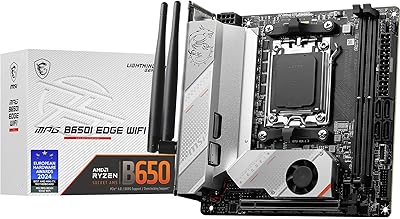
MSI MPG B650I EDGE WIFI AMD AM5 M-ITX Motherboard
87%
88%
Performance
91%
Build Quality
85%
Ease of Installation
90%
Wi-Fi and Connectivity
89%
Compatibility with Ryzen 7000 Series
More
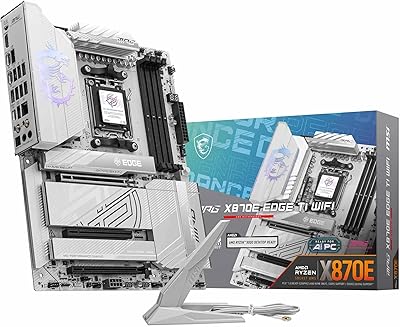
MSI MPG X870E EDGE TI WIFI Motherboard
83%
93%
VRM & Power Delivery
84%
BIOS Usability
91%
Storage Performance
88%
Wireless Connectivity
82%
DDR5 Overclocking
More
MSI MPG B850 Edge TI WiFi Motherboard
86%
91%
Performance
89%
Build Quality
93%
Cooling Efficiency
75%
Ease of Installation
90%
Wi-Fi and Connectivity
More
MSI MPG Z790 Edge WiFi DDR4 Gaming Motherboard
86%
89%
Performance
92%
Power Delivery System
88%
Cooling Efficiency
91%
Ease of Installation
84%
Wi-Fi Connectivity
More
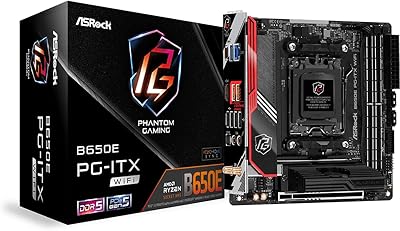
ASRock B650E PG-ITX WiFi Mini-ITX Motherboard
84%
88%
Performance
84%
Build Quality
91%
Wi-Fi Connectivity
72%
Overclocking Stability
89%
Compatibility
More
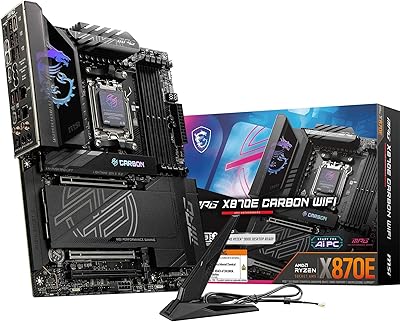
MSI MPG X870E Carbon WiFi Motherboard
82%
94%
VRM & Power Delivery
91%
Thermal Management
89%
Memory Overclocking
93%
Storage Expandability
67%
BIOS & Tuning Experience
More
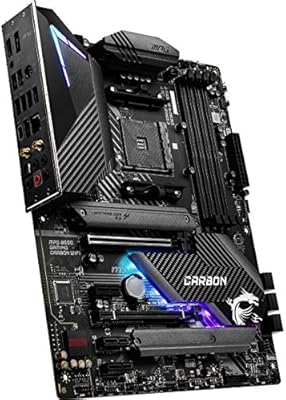
MSI MPG B550 Gaming Carbon WiFi Motherboard
87%
93%
Gaming Performance
89%
Wi-Fi Performance
91%
Connectivity Options
88%
Build Quality
85%
Overclocking Stability
More
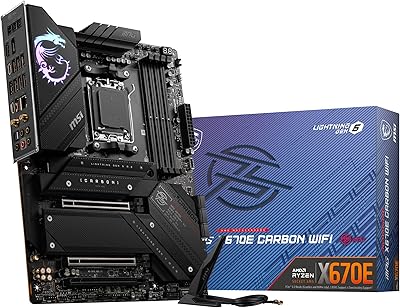
MSI MPG X670E Carbon WiFi ATX Motherboard
78%
91%
Build Quality
88%
VRM & Thermal Performance
63%
BIOS Experience
67%
DDR5 Compatibility & Memory Tuning
86%
PCIe 5.0 & Storage Expandability
More
ASRock B850i Lightning WiFi Mini ITX Motherboard
85%
91%
Performance
88%
Build Quality
93%
Overclocking Stability
89%
Connectivity
75%
Ease of Setup
More
MSI MPG Z790 Carbon WiFi II Motherboard
84%
91%
VRM & Power Delivery
84%
DDR5 Compatibility & Memory OC
88%
BIOS Experience
86%
Wireless Connectivity (Wi-Fi 7 & BT 5.4)
93%
M.2 Storage Expansion
More

FAQ

It should, but check the MSI website for the latest BIOS version before installing a 14th Gen chip. Some boards shipped before 14th Gen launched may need a BIOS update first, which requires a compatible 12th or 13th Gen CPU to flash. MSI does offer USB BIOS FlashBack on some models, so verify whether that feature is available here before buying if you only have a 14th Gen chip on hand.

No. This board is DDR5-only — the memory slots are not compatible with DDR4 modules at all. If you have existing DDR4 RAM from a previous build, you will need to budget for new DDR5 kits alongside this board.

Realistically, most DDR5 kits will boot at a lower default speed and need XMP or EXPO profiles enabled manually in the BIOS to hit their rated frequency. This is normal behavior across most B760 and Z790 boards, not specific to this one. Some users report a bit of trial and error getting kits above 6000 MHz stable, so sticking to a kit on MSI's tested memory compatibility list reduces headaches.

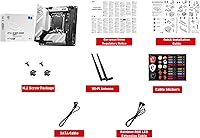
Yes, MSI includes an external Wi-Fi antenna in the package for the Intel Wi-Fi 6E module. You attach it to the rear I/O antenna connectors and position it for best signal — a straightforward setup that takes under a minute.

That depends entirely on your case rather than the board itself. The board's LGA 1700 socket is standard, so cooler compatibility is a case clearance question. Low-profile coolers or compact 120mm AIOs are common choices for ITX builds. Always check your case's CPU cooler height limit before buying.

No, the B760 chipset does not support ECC (error-correcting code) memory. If ECC is a requirement for your workload — server use, critical data processing — you will need a different platform entirely, such as Intel Xeon with a compatible workstation chipset.

Yes. The HDMI 2.1 and DisplayPort 1.4 outputs on the rear I/O are connected to the CPU's integrated graphics, so you can run a display directly from the board with any Intel processor that includes an integrated GPU. Just note that not all Intel CPUs include iGPU — the F-series variants do not.

The Shield Frozr heatsinks on the M.2 slots help meaningfully with NVMe drive temperatures. VRM thermals are the more common concern in tightly packed ITX builds — the 8+1+1 power design is solid, but if your case has poor airflow, adding a small fan directed at the VRM area is worth considering for sustained heavy workloads or overclocking.

Yes, there is a front-panel USB 3.2 Gen 2 Type-C header onboard, which is genuinely useful for modern ITX cases that include a front USB-C port. Just confirm your specific case's front-panel connector type lines up before assuming compatibility.

MSI typically covers motherboards with a 3-year limited warranty in most markets, though it is worth confirming the terms for your region at purchase. User experiences with MSI support are mixed — straightforward RMA cases tend to go smoothly, but complex technical issues can require persistence. Keeping your purchase receipt and noting your board's serial number from the start makes any warranty claim process much easier.

Where to Buy