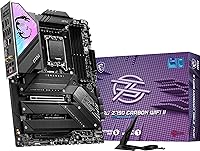
MSI MPG Z790 Carbon WiFi II Motherboard
Overview
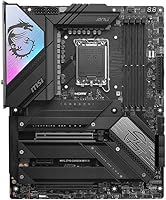
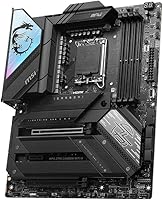
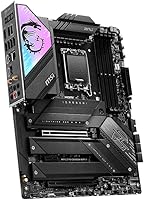
The MSI MPG Z790 Carbon WiFi II Motherboard arrived in early 2024 as a meaningful step up from its predecessor, bringing Wi-Fi 7 and a more refined power delivery setup to the LGA 1700 platform. It sits firmly in the upper-mid tier, where it goes head-to-head with ASUS ROG Strix and Gigabyte Aorus boards chasing the same enthusiast dollar. What makes this Z790 board interesting is that it does not demand you be a hardcore overclocker to get value from it — the defaults are solid, the BIOS is approachable, and the feature set holds up whether you are pushing a chip to its limits or just building a clean, capable system.
Features & Benefits
The 19+1+1 phase power design is the backbone here — it gives high-TDP processors like the i9-14900K the stable current they need during extended all-core loads without thermal throttling on the VRM side. Storage flexibility is a real strength: five M.2 slots, including one running at Gen 5 speeds, mean you can stack fast NVMe drives without sacrificing PCIe bandwidth elsewhere. The Wi-Fi 7 and Bluetooth 5.4 combo is the best wireless stack you can get on a consumer board right now, handling high-bitrate transfers without the congestion issues older standards struggle with. The onboard ALC4080 audio also punches above what you typically find at this price point.
Best For
This MSI flagship motherboard makes the most sense for builders running power-hungry K-series chips who want VRM headroom without stepping up to a fully exotic board. Content creators juggling multiple NVMe drives for video editing or raw file workflows will appreciate the five-slot M.2 layout — no add-in cards, no compromises. Gamers who want Wi-Fi 7 built in rather than burning a PCIe slot on a separate card will find it convenient. It also suits DDR5 enthusiasts chasing aggressive XMP or manual overclocks, with support stretching past 7800 MHz. Those moving off Z690 will find it a natural, feature-complete upgrade without unnecessary friction.
User Feedback
Owners consistently highlight the BIOS layout as one of the cleaner implementations in this class — logical, responsive, and not cluttered with redundant menus. DDR5 XMP compatibility has drawn praise too, with most kits training reliably on the first boot. On the critical side, some early adopters ran into RAM stability quirks at very high frequencies, though firmware updates have addressed the most reported cases. A handful of users noted the Wi-Fi antenna mount can be awkward in tighter mid-tower cases depending on rear I/O clearance. Overall, the consensus is that the feature density justifies the asking price, with build quality that feels appropriately premium for the tier.
Pros
- Five M.2 slots including one Gen 5 handle multi-drive storage builds without any add-in cards
- Wi-Fi 7 and Bluetooth 5.4 are fully integrated, freeing up a PCIe slot for other uses
- VRM power delivery handles high-TDP K-series processors confidently under sustained all-core loads
- DDR5 XMP compatibility is reliable across most major kit brands right out of the box
- M.2 heatsinks are included for all slots and genuinely effective at keeping drives cool under sustained workloads
- BIOS layout is logical and well-organized, making overclocking and fan tuning approachable for experienced builders
- Intel 2.5G LAN delivers noticeably better local network throughput than standard gigabit for file-heavy workflows
- ALC4080 audio codec provides cleaner headphone output than what most mid-range boards offer
- Build quality feels premium — reinforced slots, solid heatsink finish, and a clean aesthetic that suits most case themes
- Firmware has matured well since launch, with updates resolving most of the early RAM training inconsistencies
Cons
- Buyers should plan on flashing a BIOS update before first boot to ensure stable high-frequency DDR5 operation
- Wi-Fi antenna bracket can be awkward to position in mid-tower cases with tight rear I/O clearance
- No Thunderbolt 4 port is a notable omission for a board at this price targeting professional workflows
- MSI Center software has a history of background process bloat that many users prefer to avoid entirely
- Total rear USB port count is adequate but not generous for builders with many permanently connected peripherals
- PCIe 5.0 GPU bandwidth advantage is largely theoretical with current graphics card generations
- Chipset area can run warm in low-airflow builds without a dedicated fan directing air toward it
- RGB coverage is restrained compared to competing boards, which may disappoint builders pursuing coordinated lighting setups
- Installing multiple M.2 drives simultaneously involves removing several heatsink assemblies in a somewhat fiddly sequence
- At full retail pricing, competing Z790 options occasionally match the feature set during sales, tightening the value case
Ratings
The MSI MPG Z790 Carbon WiFi II Motherboard scores below are generated by AI after analyzing verified buyer reviews from global markets, with spam, bot-submitted, and incentivized feedback actively filtered out. Ratings reflect real-world usage patterns across enthusiast builders, content creators, and competitive gamers — strengths and genuine pain points are represented equally. Where users were divided, scores land in the middle range rather than being inflated toward either extreme.
VRM & Power Delivery
DDR5 Compatibility & Memory OC
BIOS Experience
Wireless Connectivity (Wi-Fi 7 & BT 5.4)
M.2 Storage Expansion
Wired Networking (2.5G LAN)
PCIe 5.0 Slot Implementation
Onboard Audio
Build Quality & Aesthetics
Thermal Management
USB & I/O Rear Panel
Software & Utility Suite
Value for Money
Out-of-Box Setup Experience
Suitable for:
The MSI MPG Z790 Carbon WiFi II Motherboard is a strong fit for experienced builders who know what they want from a high-end Intel platform and are not willing to compromise on the fundamentals. If you are pairing it with a Core i9-14900K or i7-14700K, the robust power delivery means you can push those chips hard without babysitting VRM temperatures. Content creators running multiple NVMe drives simultaneously — whether for video editing, 3D rendering, or large asset libraries — will find the five M.2 slots genuinely useful rather than a spec sheet checkbox. Gamers who want Wi-Fi 7 integrated rather than wasting a PCIe slot on an add-in card will appreciate not having to make that trade-off. DDR5 memory enthusiasts chasing aggressive overclocks will also feel at home here, as the board handles high-frequency kits more confidently than many alternatives at this tier. Anyone upgrading from a Z690 system who wants a feature-complete refresh without moving to a new socket will find this a logical and well-rounded destination.
Not suitable for:
The MSI MPG Z790 Carbon WiFi II Motherboard is not the right choice for every type of builder, and being honest about that matters at this price point. If you are running a more modest CPU like a Core i5 or a non-K processor with no overclocking ambitions, you will be paying for VRM headroom and connectivity features you will likely never use — a mid-range Z790 or even a B760 board would serve you just as well for significantly less. Builders who prioritize Thunderbolt 4 connectivity for high-speed peripherals or professional docking stations may find this board lacking, as that feature is absent despite the premium positioning. Those who prefer a set-it-and-forget-it experience without any firmware involvement should be aware that squeezing the best out of the board — particularly with high-frequency DDR5 — may require a BIOS update early on. RGB enthusiasts building a heavily lit system around synchronized lighting ecosystems may also find the Carbon WiFi II too understated compared to what ASUS ROG Strix or Gigabyte Aorus boards offer visually. Budget-conscious builders cross-shopping purely on price-per-feature should also keep an eye on competing boards that occasionally undercut this one during promotional periods.
Specifications
- Chipset: The board is built on the Intel Z790 chipset, supporting the full range of 12th, 13th, and 14th Gen Intel Core, Pentium Gold, and Celeron processors on the LGA 1700 socket.
- CPU Socket: Uses the LGA 1700 socket, compatible with Intel 12th, 13th, and 14th Gen desktop processors including unlocked K-series chips.
- Form Factor: Standard ATX form factor measuring 13.46 x 10.55 inches, fitting full-size ATX mid-tower and full-tower cases without modification.
- Memory Support: Four DDR5 DIMM slots in dual-channel configuration supporting speeds from standard DDR5 frequencies up to 7800+ MHz via XMP overclocking profiles.
- Power Phases: Features a direct 19+1+1 phase power design with Core Boost and Memory Boost technologies for stable delivery under high CPU load.
- PCIe Slots: Provides one PCIe 5.0 x16 slot for the primary GPU, one PCIe 4.0 x16 slot, and one PCIe 3.0 x1 slot for additional expansion cards.
- M.2 Slots: Equipped with five M.2 slots total: one PCIe Gen 5 x4 slot and four PCIe Gen 4 x4 slots, all covered by included heatsinks.
- Ethernet: Onboard Intel 2.5 Gigabit LAN controller provides wired network connectivity at up to 2.5 Gbps for low-latency gaming and fast local file transfers.
- Wireless: Integrated Wi-Fi 7 and Bluetooth 5.4 module delivers the latest generation of wireless connectivity for both high-throughput data and peripheral pairing.
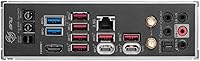
- USB (Rear): Rear I/O includes USB 3.2 Gen 2x2 (20 Gbps) Type-C, multiple USB 3.2 Gen 2 Type-A, and USB 2.0 ports for broad peripheral compatibility.
- Display Output: One HDMI 2.1 port on the rear I/O supports display output via Intel integrated graphics when no discrete GPU is installed.
- Audio Codec: Realtek ALC4080 high-definition audio codec provides improved signal-to-noise ratio and cleaner analog output compared to standard ALC897-based implementations.
- USB 2.0 Headers: The board provides four internal USB 2.0 headers for connecting front-panel ports, fan controllers, and other internal USB devices.
- Dimensions: Physical dimensions are 13.46 x 10.55 x 2.7 inches, with a total weight of 5.15 pounds including factory-installed heatsinks.
- BIOS Flash: Supports BIOS flashback functionality allowing firmware updates without an installed CPU or RAM, useful for pre-boot compatibility preparation.
- Fan Headers: Multiple 4-pin PWM fan and pump headers are distributed across the board to support complex cooling setups including AIOs and custom water loops.
- Platform: Officially supported and certified for Windows 11, with driver and utility support provided through MSI Center software.
- Release Date: The board became commercially available in January 2024, positioning it as a second-generation refresh of the original MPG Z790 Carbon WiFi.
Related Reviews
MSI MPG X870E Carbon WiFi Motherboard
MSI MPG B550 Gaming Carbon WiFi Motherboard
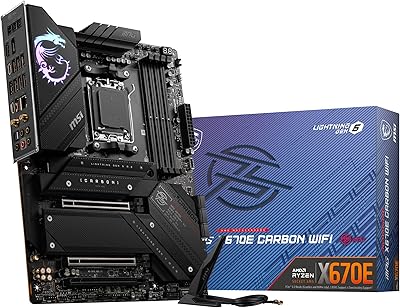
MSI MPG X670E Carbon WiFi ATX Motherboard
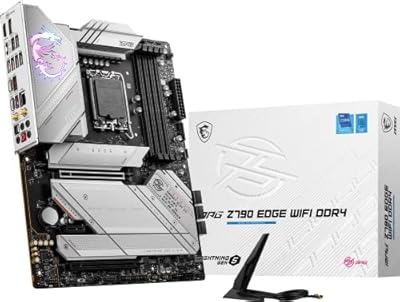
MSI MPG Z790 Edge WiFi DDR4 Gaming Motherboard
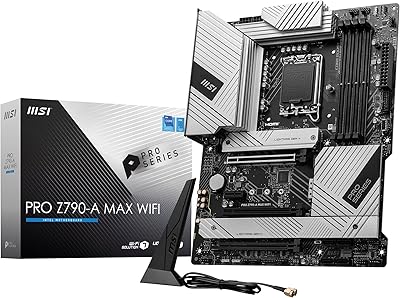
MSI PRO Z790-A MAX WiFi
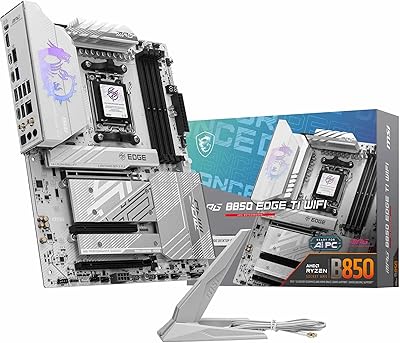
MSI MPG B850 Edge TI WiFi Motherboard
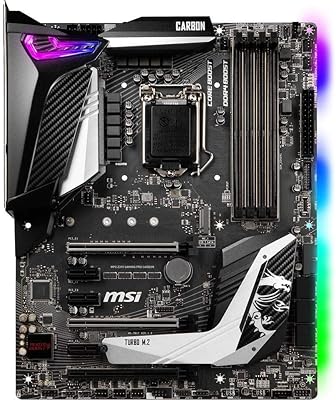
MSI MPG Z390 Gaming PRO Carbon Motherboard
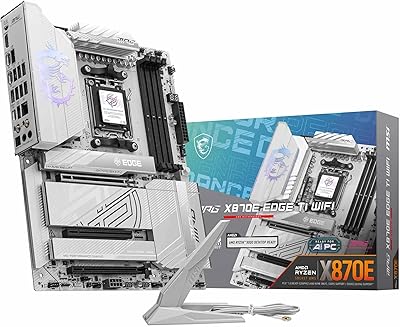
MSI MPG X870E EDGE TI WIFI Motherboard
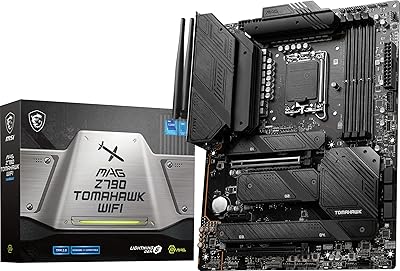
MSI MAG Z790 Tomahawk WiFi Motherboard