Overview

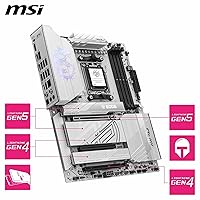
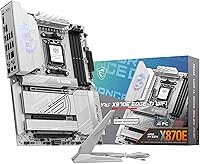
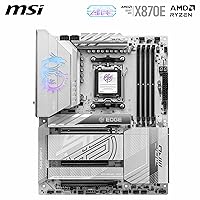
The MSI MPG X870E EDGE TI WIFI Motherboard sits in a compelling middle ground within MSI's MPG lineup — premium enough to handle serious workloads, but not so far up the stack that it becomes overkill for most enthusiast builds. The AMD X870E chipset on AM5 is where high-end Ryzen 9000 builds live right now, offering PCIe 5.0 across both storage and graphics without compromise. MSI's design philosophy here centers on three things: robust power delivery, proactive thermal management, and a rear I/O that does not leave you wanting. Standard ATX dimensions mean it drops into virtually any full-size case without hassle, keeping expansion options wide open.
Features & Benefits

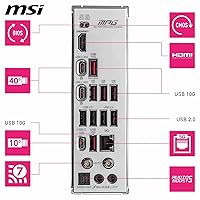
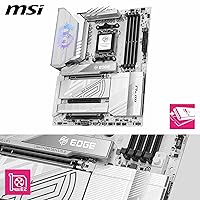
The 14-phase Duet Rail VRM — built around 80A power stages — is the kind of foundation that lets a Ryzen 9 9950X run flat-out without the board becoming a bottleneck. Storage is genuinely well-sorted: two Gen5 x4 M.2 slots hit 128 Gbps each, while two Gen4 x4 slots round things out, all kept cool by Shield Frozr heatsinks. On the memory side, four DDR5 DIMM slots push beyond 8400 MT/s for those willing to dial in an XMP or EXPO profile. Connectivity is a real highlight — Wi-Fi 7 with Bluetooth 5.4, 5Gbps wired LAN, and a USB4 Type-C port capable of 40Gbps with display output cover almost every modern peripheral scenario.

Best For

This X870E board is a natural fit for anyone building around a Ryzen 9000 series processor and wanting the platform to stay relevant for several years. Content creators who juggle large file transfers, fast NVMe storage, and reliable network throughput will find the spec set practical rather than gratuitous. It is also well-matched to serious DDR5 overclockers who want four slots of headroom without sacrificing stability. If you regularly use high-bandwidth peripherals — external SSDs, docks, or a secondary display off the rear I/O — the USB4 port alone is worth factoring into your decision. Builders who care about onboard audio quality will also appreciate the 7.1-channel Audio Boost 5 implementation.

User Feedback

With around 155 ratings and a 4.7-star average, early reception for the MPG X870E EDGE TI has been largely positive — though that sample size warrants some caution before treating it as settled consensus. Buyers consistently highlight out-of-box stability and the quality of MSI's BIOS, with many noting smooth memory compatibility on first boot. The EZ M.2 Clip II gets called out repeatedly as a small but genuinely useful quality-of-life addition. On the critical side, a handful of users have flagged MSI's companion software as clunky, and a few mention that packaging could be sturdier for a board at this price tier. Against competing X870E options, most reviewers feel the feature-to-cost ratio holds up well.

Pros

  • The 14-phase VRM handles even top-tier Ryzen 9000 processors without throttling under extended workloads.
  • Four M.2 slots — including two Gen5 — give content creators and power users serious storage flexibility.
  • Wi-Fi 7 and 5Gbps LAN together make this one of the better-connected boards at this price point.
  • The USB4 Type-C rear port supports 40Gbps data and display output, useful for docks and high-speed peripherals.
  • DDR5 support up to 8400+ MT/s gives overclockers meaningful headroom beyond standard rated speeds.
  • FROZR GUARD thermal pads and heatsink coverage help keep both the VRM and M.2 drives running cool long-term.
  • EZ M.2 Clip II makes drive installation genuinely tool-free, a small but appreciated build-quality detail.
  • Early user feedback points to solid out-of-box memory compatibility with minimal manual BIOS tuning.
  • The 7.1-channel onboard audio with S/PDIF output is strong enough that many users skip a discrete sound card.
  • Standard ATX layout means no compatibility headaches with cases or aftermarket cooling ecosystems.

Cons

  • MSI's bundled software suite feels dated and clunky compared to what ASUS and Gigabyte offer at this tier.
  • Packaging has been flagged by a handful of buyers as insufficient for a board at this price level.
  • With roughly 155 reviews, the user feedback pool is still relatively small — long-term reliability data is limited.
  • No on-board power or reset buttons, which can be inconvenient during open-bench testing and troubleshooting.
  • The premium price is hard to justify if your build does not actively use Gen5 storage or USB4 connectivity.
  • Bluetooth 5.4, while current, is not a dramatic upgrade for users coming from Bluetooth 5.2 or 5.3 boards.
  • Four DDR5 DIMM slots can limit single-rank memory performance at the highest overclocking frequencies.
  • BIOS updates, while generally smooth, have occasionally introduced memory compatibility regressions per some users.
  • The board offers no significant advantage over X670E options for users sticking with Ryzen 7000 at stock speeds.

Ratings

The scores below for the MSI MPG X870E EDGE TI WIFI Motherboard were generated by our AI engine after analyzing verified buyer reviews from global markets, with automated filtering applied to remove incentivized, duplicate, and bot-driven submissions. The result is an honest, balanced picture of where this board genuinely excels and where real users have run into friction — no spin, no omissions.
VRM & Power Delivery
93%
Builders running power-hungry Ryzen 9 chips under sustained all-core workloads — rendering, compilation, heavy simulation — consistently report stable voltages with no thermal throttling. The 80A power stages give the board headroom that most users will never fully exhaust, which translates to long-term reliability rather than just a spec sheet number.
A small number of users note that the VRM heatsink runs noticeably warm during extended overclocking sessions in cases with poor front-to-back airflow. It is not a dealbreaker, but builders in compact or low-airflow enclosures should factor in an extra intake fan.
BIOS Usability
84%
MSI's Click BIOS 5 interface gets consistent praise for being logically organized and relatively approachable, even for builders who do not spend much time in firmware menus. Memory configuration in particular — enabling XMP or EXPO profiles — is straightforward and works reliably on first boot for most DDR5 kits.
Advanced overclocking menus can feel buried, and a handful of users report that BIOS updates have occasionally reset custom fan curve settings without warning. Those coming from ASUS's BIOS ecosystem may find MSI's layout less intuitive during the first few sessions.
Storage Performance
91%
Having two Gen5 M.2 slots available simultaneously — without disabling any other slot — is a genuine differentiator that content creators and prosumers appreciate. Users transferring large video project files to and from Gen5 drives report the kind of throughput that removes storage as a workflow bottleneck entirely.
Gen5 SSDs currently run hot, and even with the Shield Frozr heatsinks installed, a few users in warm ambient environments report drives occasionally stepping back from peak speeds. The heatsinks do their job well, but Gen5 thermals remain a hardware-wide challenge, not specific to this board.
Wireless Connectivity
88%
The Wi-Fi 7 module is one of the more practical upgrades on this board for users in congested apartment buildings or open-plan offices. Gamers specifically mention lower ping variance compared to their previous Wi-Fi 6 setups, and the Bluetooth 5.4 connection handles wireless headsets and peripherals without the dropout issues some older modules had.
Wi-Fi 7 benefits are most apparent only when paired with a Wi-Fi 7 router, which many users do not yet own — meaning the module performs like a solid Wi-Fi 6E card for most buyers today. A couple of users also noted antenna placement in certain full-tower cases reduced signal strength noticeably.
DDR5 Overclocking
82%
18%
The four-DIMM layout handles DDR5-6000 to DDR5-7200 kits with XMP or EXPO enabled very reliably, and users pushing to DDR5-8000 and beyond report the board holds those frequencies stably once timings are dialed in manually. For enthusiasts building a memory-overclocked productivity rig, the headroom here is legitimate.
Running four sticks at the highest advertised frequencies — above DDR5-7600 — requires more BIOS tuning effort than running two sticks, which is a platform-wide AM5 characteristic rather than a board flaw. A few users report needing to loosen secondary timings to achieve stability at peak speeds.
Rear I/O & USB
89%
The USB4 Type-C port at 40Gbps with display output is genuinely appreciated by users who run high-bandwidth external SSDs or Thunderbolt 4 docks, allowing a clean single-cable desk setup. The overall port count and mix — covering USB 3.2, USB 2.0, and USB4 — satisfies most users without needing a PCIe USB expansion card.
A few users with legacy peripheral collections note the absence of enough USB-A 3.2 Gen 2 ports at the rear, requiring them to use front-panel headers or a hub. There is no USB4 Type-A port, which means some older high-speed USB devices need an adapter to take advantage of the USB4 lane.
Thermal Management
87%
The FROZR GUARD heatsink system keeps the VRM and M.2 areas cool enough that users rarely see thermal warnings even during extended stress tests. Builders who have switched from competing boards with lighter heatsink coverage describe the difference in long-session stability as tangible.
The chipset heatsink runs warmer than some competitors under sustained disk I/O across all four M.2 slots simultaneously. It stays within safe limits, but users monitoring temperatures in software will notice it climbing during prolonged NAS-style file operations.
Build & Installation Experience
86%
The EZ M.2 Clip II system draws repeated positive comments from builders who are tired of fumbling with tiny screws during M.2 installation. The overall board layout is considered well-thought-out, with the 24-pin and CPU power connectors positioned to reduce cable management headaches in standard ATX builds.
Some users find the heatsink assembly around the VRM area slightly cumbersome to navigate when routing CPU power cables in tighter cases. The board is also on the heavier side for ATX, requiring a careful approach when seating it to avoid stressing the PCIe slot or M.2 connectors.
Onboard Audio
81%
19%
For a motherboard audio solution, Audio Boost 5 earns genuine praise from users who previously relied on discrete sound cards at similar price points. Gamers using high-quality wired headsets report clear positional audio and a clean noise floor, and the S/PDIF output works reliably for users connecting to external DACs or AV receivers.
Dedicated audiophiles using high-impedance headphones above 150 ohms still find the onboard solution lacking sufficient output power without an external headphone amplifier. The audio software companion app has also received criticism for its interface feeling outdated compared to Creative or ASUS's offerings.
Software Ecosystem
63%
37%
MSI Center covers the basic bases — fan control, RGB management, system monitoring — and users who stick to the most-used features find it functional enough for day-to-day management. The fan curve editor, in particular, is reasonably intuitive for setting up quiet idle profiles.
MSI Center is the most consistently criticized aspect of this board across user reviews, with complaints ranging from bloated installation packages to occasional crashes and features that reset after updates. Users coming from ASUS Armoury Crate or Gigabyte's Control Center will likely find MSI's software the weakest link in an otherwise strong package.
Packaging & Unboxing
67%
33%
The included accessories are practical — cables, M.2 screws, documentation, and antenna hardware are all present and accounted for, and the accessory bundle is well-matched to what a builder actually needs at installation time.
Several buyers have flagged that the outer box and internal foam protection feel underengineered for a board at this price tier, with a handful of reports of minor cosmetic transit damage on arrival. Competing boards in the same segment tend to arrive in noticeably more robust packaging that better reflects the product's value.
Value for Money
76%
24%
For builders who will actually use the Wi-Fi 7, USB4, and dual Gen5 M.2 slots, the price feels defensible when compared directly to competing X870E boards with similar feature counts. Users who maximized those connectivity options consistently rate the board as worth its asking price.
Buyers who primarily need stable CPU power delivery and basic storage — and are not chasing Wi-Fi 7 or USB4 — will find the value proposition harder to justify against capable X670E alternatives at a significantly lower cost. The premium is real, and it only pays off if your build actively exploits the high-end connectivity features.
Long-Term Stability
83%
Early adopters who have been running this X870E board for several months report consistent stability with no unexpected shutdowns or POST failures, which is the baseline expectation but not always guaranteed with newer platform releases. BIOS maturity has improved notably with each firmware release since launch.
The review pool is still relatively modest at around 155 ratings, so long-term failure rates and multi-year durability are not yet well-documented. Buyers who prioritize years of community-tested stability data may want to wait another product cycle before fully committing.
PCIe & Expansion
88%
Full PCIe 5.0 x16 for the primary graphics slot means current and next-generation GPUs run at their maximum bandwidth capability, and the Steel Armor II reinforcement is sturdy enough that even large triple-fan cards feel secure without a separate GPU support bracket.
The secondary PCIe slots run at lower bandwidth, which is standard for the platform but worth noting for users planning to run multiple discrete cards or high-bandwidth capture and networking PCIe cards simultaneously. Slot count is adequate rather than generous for a heavily expanded workstation build.

Suitable for:

The MSI MPG X870E EDGE TI WIFI Motherboard is built for enthusiast PC builders who want a high-performance AM5 platform without paying flagship prices for features they will never use. If you are pairing a Ryzen 9000 series chip with fast DDR5 memory and multiple NVMe drives, this board gives you the power delivery and thermal headroom to run that hardware confidently under sustained load. Content creators who move large files regularly will appreciate having two Gen5 M.2 slots and a USB4 rear port that doubles as a docking station connection. Gamers and workstation users who demand reliable wireless will find Wi-Fi 7 a meaningful upgrade over older standards, especially in congested environments. Overclockers with ambitions beyond stock DDR5 speeds will also find the four-DIMM layout and strong VRM a genuinely capable foundation.
Not suitable for:

The MSI MPG X870E EDGE TI WIFI Motherboard is not the right call for budget-conscious builders who simply want a stable Ryzen system without the premium connectivity stack. If your build does not call for Wi-Fi 7, USB4, or Gen5 storage, you are paying for features that will sit unused, and several capable X670E boards offer similar day-to-day performance at a lower cost. Builders working in compact or micro-ATX cases will also need to look elsewhere, as the ATX footprint is non-negotiable here. Users who rely heavily on vendor companion software for fan control and RGB management may find MSI's ecosystem frustrating compared to competitors. And if you are running a Ryzen 5000 series processor, this board is simply incompatible — AM5 only.
Specifications

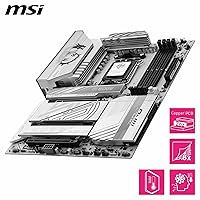
  • Chipset: The board uses the AMD X870E chipset, the top-tier option in AMD's current AM5 lineup, offering full PCIe 5.0 support across both CPU and chipset lanes.
  • CPU Socket: Socket AM5 (LGA1718) is the only supported socket, compatible with AMD Ryzen 7000, 8000, and 9000 series processors.
  • Form Factor: Standard ATX (305mm x 244mm) form factor fits the vast majority of mid-tower and full-tower cases on the market.
  • VRM Design: A 14-phase Duet Rail Power System uses 80A Smart Power Stage (SPS) MOSFETs with a Core Boost Architecture for stable voltage delivery under high CPU loads.
  • Memory Support: Four DDR5 DIMM slots support up to 8400+ MT/s via XMP or EXPO profiles, with a maximum supported capacity determined by available DDR5 module densities.
  • M.2 Storage: Four M.2 slots are included: two PCIe Gen5 x4 slots at up to 128 Gbps each, and two PCIe Gen4 x4 slots at up to 64 Gbps each, all covered by Shield Frozr heatsinks.
  • PCIe Slot: One PCIe 5.0 x16 primary slot with Steel Armor II reinforcement supports current-generation discrete graphics cards at full bandwidth.
  • Wireless: An integrated Wi-Fi 7 module provides high-throughput wireless connectivity, paired with Bluetooth 5.4 for peripheral and audio device support.
  • Wired LAN: A single 5Gbps Ethernet port handles wired networking, offering five times the throughput of a standard 1Gbps connection for fast local transfers.
  • USB Rear I/O: The rear panel includes a USB4 Type-C port running at 40Gbps with display output capability, alongside additional USB 3.2 and USB 2.0 ports.
  • Onboard Audio: Audio Boost 5 delivers 7.1-channel surround sound output with S/PDIF support, using dedicated audio circuitry isolated from the rest of the PCB.
  • Thermal System: FROZR GUARD cooling includes an extended VRM heatsink, 7W/mK MOSFET thermal pads, supplementary choke thermal pads, and a combination pump-and-system fan header running at up to 3A.
  • M.2 Installation: EZ M.2 Shield Frozr II with EZ M.2 Clip II allows tool-free M.2 drive installation and heatsink removal without needing a screwdriver.
  • Weight: The board weighs 2.2 pounds (approximately 1kg), consistent with a fully featured ATX motherboard with substantial heatsink coverage.
  • Chipset Heatsink: A dedicated chipset heatsink is included on the board to manage thermals from the X870E chipset under sustained data throughput.
  • Compatible CPUs: Supported processors include AMD Ryzen 7000 series, Ryzen 8000 series, and Ryzen 9000 series desktop CPUs — Ryzen 5000 and older are not compatible.
  • Power Input: The board requires a 24-pin ATX main power connector and at least one 8-pin EPS CPU power connector for proper VRM operation under load.

Related Reviews
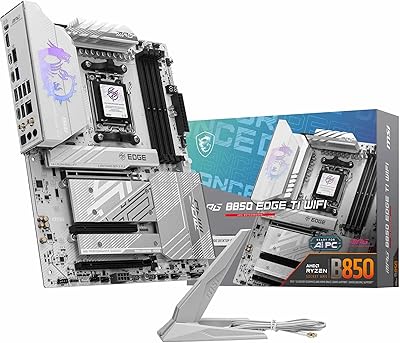
MSI MPG B850 Edge TI WiFi Motherboard
86%
91%
Performance
89%
Build Quality
93%
Cooling Efficiency
75%
Ease of Installation
90%
Wi-Fi and Connectivity
More
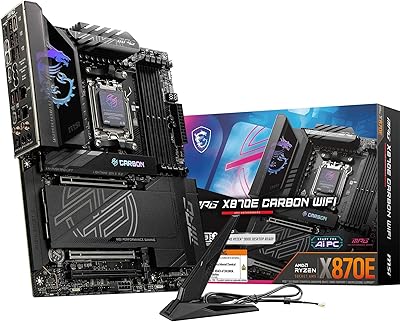
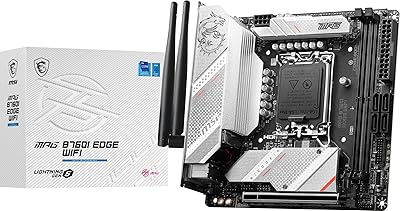
MSI MPG X870E Carbon WiFi Motherboard
82%
94%
VRM & Power Delivery
91%
Thermal Management
89%
Memory Overclocking
93%
Storage Expandability
67%
BIOS & Tuning Experience
More
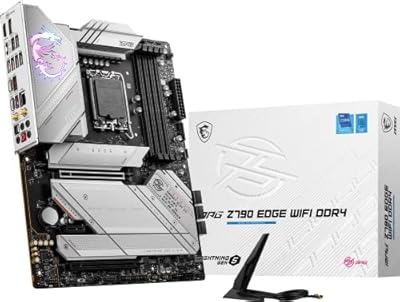
MSI MPG B760I Edge WiFi Mini-ITX Motherboard
81%
88%
Build Quality
93%
Feature Set
82%
BIOS & Software
86%
Wireless Performance
74%
Thermal Management
More
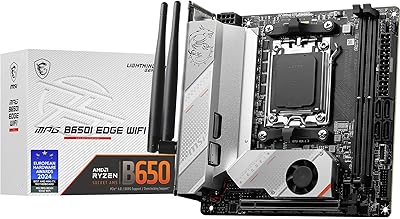
MSI MPG Z790 Edge WiFi DDR4 Gaming Motherboard
86%
89%
Performance
92%
Power Delivery System
88%
Cooling Efficiency
91%
Ease of Installation
84%
Wi-Fi Connectivity
More
MSI MPG B650I EDGE WIFI AMD AM5 M-ITX Motherboard
87%
88%
Performance
91%
Build Quality
85%
Ease of Installation
90%
Wi-Fi and Connectivity
89%
Compatibility with Ryzen 7000 Series
More
MSI MPG B550 Gaming Carbon WiFi Motherboard
87%
93%
Gaming Performance
89%
Wi-Fi Performance
91%
Connectivity Options
88%
Build Quality
85%
Overclocking Stability
More
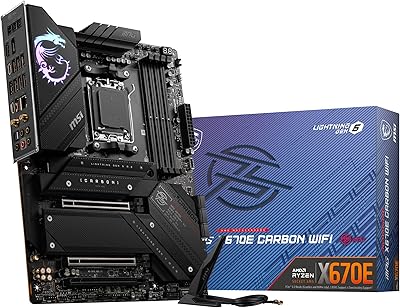
MSI MPG X670E Carbon WiFi ATX Motherboard
78%
91%
Build Quality
88%
VRM & Thermal Performance
63%
BIOS Experience
67%
DDR5 Compatibility & Memory Tuning
86%
PCIe 5.0 & Storage Expandability
More
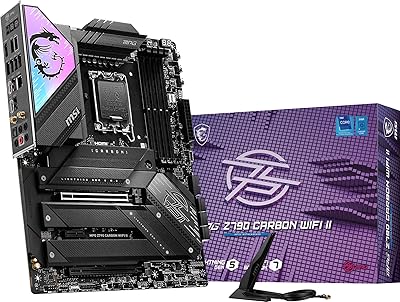
MSI MPG Z790 Carbon WiFi II Motherboard
84%
91%
VRM & Power Delivery
84%
DDR5 Compatibility & Memory OC
88%
BIOS Experience
86%
Wireless Connectivity (Wi-Fi 7 & BT 5.4)
93%
M.2 Storage Expansion
More
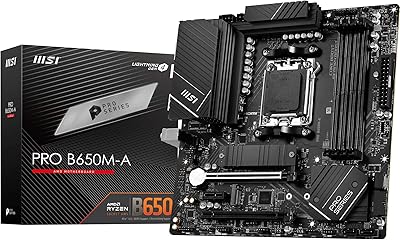
MSI PRO B650M-A WiFi V1 Motherboard
79%
88%
Value for Money
91%
BIOS & Setup Experience
86%
Memory Compatibility & OC
84%
Thermal Management
72%
Connectivity & I/O
More
MSI MPG B550 GAMING PLUS Motherboard
86%
92%
Performance with Ryzen CPUs
90%
PCIe 4.0 Support
85%
Cooling Efficiency
88%
Ease of Installation
87%
Wireless Connectivity (Wi-Fi and Bluetooth)
More

FAQ

It works perfectly with Ryzen 7000 series processors — you do not need to buy a new CPU. The AM5 socket covers Ryzen 7000, 8000, and 9000 series, so your existing chip will drop right in. That said, if you are planning to upgrade to Ryzen 9000 down the road, this board is well-prepared for it.

Potentially, yes. Newer CPU generations sometimes require a BIOS update to be recognized. MSI typically ships recent boards with a BIOS that already supports Ryzen 9000, but it is worth checking the MSI support page for your board's model number before building. If you only have a Ryzen 9000 chip and no older CPU to boot with, check whether your retailer offers BIOS flashing services.

You absolutely do not need to buy the fastest DDR5 kits to get good performance here. DDR5-6000 is the sweet spot for Ryzen 9000 and is well within this board's capabilities. The 8400+ MT/s ceiling is there for enthusiasts who want to push things further, not a requirement for everyday use.

Both. The primary x16 slot runs PCIe 5.0 for your graphics card, and two of the four M.2 slots also run PCIe Gen5 x4, meaning you can install current-generation Gen5 NVMe drives and get the full sequential read and write speeds they are rated for.

All four M.2 slots can be populated simultaneously on the X870E platform. Unlike some older chipsets where enabling certain slots disabled others, X870E has enough PCIe lanes to keep all four active without forcing any bandwidth sharing or slot deactivation.

For video calls and general browsing, the real-world difference between Wi-Fi 6E and Wi-Fi 7 is modest unless you are in a congested wireless environment. Where Wi-Fi 7 shows its value is in sustained high-throughput tasks — large file transfers to a NAS, for instance — and in environments with many competing devices. If you are mostly doing calls and light browsing, it is a future-proofing benefit more than an immediate upgrade.

Quite a bit. At 40Gbps, it supports Thunderbolt 4 devices, fast external NVMe enclosures, USB4 docks that split out multiple peripherals from a single cable, and even display output if you connect a compatible monitor or dock. It is particularly useful if you run an external SSD workflow or want a clean desk setup with a single cable docking station.

For most people, yes. The Audio Boost 5 implementation is a step above typical integrated audio, with isolated PCB traces to reduce interference and proper DAC hardware for 7.1-channel output. Audiophiles running high-impedance headphones through a dedicated amp might still want an external DAC, but for gaming headsets, studio monitors, and general listening, the onboard solution is solid.

Surprisingly easy, which is a genuine selling point of the MPG X870E EDGE TI. MSI's EZ M.2 Clip II system means you flip up the retention clip, slide the drive in, and it locks down — no screwdriver needed. Removing the heatsink is similarly straightforward. For builders who have wrestled with tiny M.2 screws in the past, this is a welcome change.

A small number of users have reported occasional memory compatibility quirks when running four sticks at very high XMP frequencies, which is fairly common across most AM5 boards. Starting at JEDEC speeds and enabling XMP afterward resolves this in most cases. MSI also releases BIOS updates regularly that improve memory compatibility, so keeping the firmware current is a good habit with this board.

Where to Buy