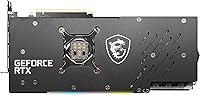
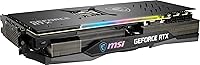
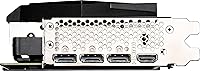
Overview

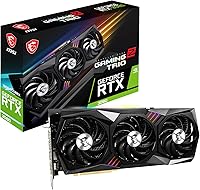
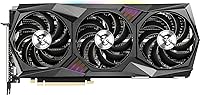
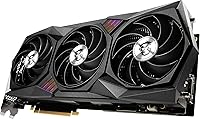
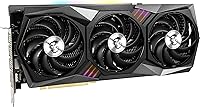
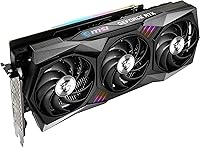
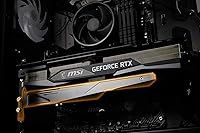
The MSI RTX 3080 Gaming Z Trio GPU represents MSI's most ambitious spin on NVIDIA's Ampere-based RTX 3080, sitting at the top of their 30-series AIB lineup. Where budget alternatives trim the cooler or leave clocks at stock, this Gaming Z Trio does neither — it ships with a triple-fan heatsink and a factory overclock dialed in from the box. The 12GB GDDR6X buffer is a genuine improvement over the earlier 10GB cards, particularly for workloads that devour VRAM. This is not a card for someone building cautiously on a budget; it's aimed squarely at enthusiasts who expect the hardware to match the ambition.

Features & Benefits

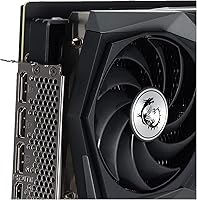
The RTX 3080 Z Trio arrives with a 1815 MHz boost clock ready out of the box — no software tweaking required. Underneath that, 12GB of GDDR6X memory runs across a 384-bit bus at 19 Gbps, which keeps bandwidth from becoming the limiting factor in demanding 4K scenes. The Torx Fan 4 cooler uses a combination of traditional and dispersion fan blades to improve airflow without the noise spike you'd expect from lesser coolers. Display connectivity is well-covered with three DisplayPort 1.4 outputs and one HDMI port, supporting resolutions up to 7680x4320. MSI Mystic Light RGB and NVLink support round out a feature set that leaves little to ask for.

Best For

MSI's flagship 3080 is well-suited to anyone building a high-refresh 4K rig who wants strong out-of-box performance without touching overclocking utilities. Serious gamers running titles with heavy ray tracing loads will get good use from the wider VRAM and the clock headroom MSI has already unlocked. It's equally compelling for content creators — video editors and 3D artists leaning on GPU rendering in Blender or Premiere Pro will find the 12GB buffer genuinely useful. The low noise profile under sustained load is a practical benefit for anyone who spends several hours a day at their workstation. MSI Mystic Light users also get a natural RGB fit with no extra setup.

User Feedback

This Gaming Z Trio has earned a 4.7-star average from 251 Amazon buyers, which is a strong signal that the card delivers on its promises in real-world hands. Recurring praise centers on physical build quality and thermal stability during long sessions — owners note it stays quieter than expected under sustained load. The sticking points are worth knowing: at 12.7 inches long, the card can conflict with drive bays in tighter cases, and the power draw requires a capable PSU. A handful of reviews question whether the Ampere generation still justifies the cost against newer alternatives — a valid concern that depends entirely on your current setup and upgrade timeline.

Pros

  • Factory overclock of 1815 MHz boost clock means strong performance straight out of the box, no tuning required.
  • The 12GB GDDR6X frame buffer handles VRAM-heavy games and creative workloads without bottlenecking throughput.
  • Triple Torx Fan 4 cooling keeps temperatures in check during extended sessions without ramping up to distracting noise levels.
  • Buyers consistently praise the physical build quality — this Gaming Z Trio feels and looks like a premium product.
  • Three DisplayPort 1.4 outputs plus HDMI cover virtually any multi-monitor or high-resolution display setup.
  • MSI Mystic Light RGB integration works cleanly for users already in the MSI ecosystem.
  • NVLink support adds flexibility for niche multi-GPU professional setups.
  • A 4.7-star average across over 250 ratings reflects genuine, broad buyer satisfaction rather than a small sample fluke.
  • The 384-bit memory interface delivers bandwidth that holds up well in demanding 4K scenarios.

Cons

  • At 12.7 inches long, the card can conflict with drive cages or front-panel connectors in tighter mid-tower cases.
  • Power consumption is high — an underpowered or aging PSU is a real compatibility risk, not just a footnote.
  • Newer GPU generations have since launched, which makes the raw performance-per-dollar calculation harder to justify for new builds.
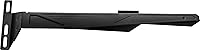
  • The card weighs over three pounds, which can stress PCIe slots over time without a GPU support bracket.
  • LHR (Lite Hash Rate) designation is irrelevant for gamers but worth noting for any buyer who had mixed use cases in mind.
  • Some buyers have reported inconsistent shipping conditions, with packaging damage appearing more often than expected for a premium item.
  • Driver-related issues surface occasionally in negative reviews, though these are rarely hardware-specific and often resolved by updates.
  • The premium cooling and factory OC come at a cost — buyers who do not need that headroom are paying for features they may never use.

Ratings

The MSI RTX 3080 Gaming Z Trio GPU has been scored below using an AI-driven analysis of verified global user reviews, with spam, bot activity, and incentivized feedback actively filtered out before scoring. Each category reflects both the genuine enthusiasm and the honest frustrations real buyers have shared — nothing has been smoothed over. Where this Gaming Z Trio earns its stripes and where it falls short are both represented transparently in the scores.

Gaming Performance
91%
Buyers running demanding titles at 4K consistently report that the RTX 3080 Z Trio handles the workload without breaking a sweat. The factory overclock means real-world frame rates land slightly ahead of reference RTX 3080 cards, and users notice the difference in open-world and ray-traced titles especially.
A small number of users note that at the absolute top of 4K resolution in the most demanding titles, the card can occasionally dip into territory where a newer-generation GPU would hold steadier. For competitive high-refresh 4K gaming, the generational gap with more recent cards is starting to show in isolated scenarios.
Thermal Management
88%
The triple Torx Fan 4 cooler is one of the most consistently praised aspects across all reviews. Users running extended four-to-six-hour gaming sessions report GPU temperatures that stay well within comfortable operating ranges, and the cooler does this without ramping fans to uncomfortable speeds.
A handful of users in poorly ventilated cases report that ambient temperatures can push junction temps higher than expected, reminding buyers that even a strong cooler depends on good airflow from the chassis. The card's 2.5-slot footprint can also restrict airflow to neighboring components in dense builds.
Noise Levels
86%
The alternating blade design of the Torx Fan 4 cooler produces a notably smoother noise profile than blower-style or cheaper triple-fan solutions. Users working at a desk directly next to their tower describe the card as noticeably quieter than previous cards they have owned, even under sustained gaming load.
Under absolute peak load — stress tests or particularly intensive rendering jobs — the fans do spin up to audible levels, though users generally describe the sound as a low hum rather than a sharp whine. Buyers coming from passively cooled or very quiet builds may need to adjust expectations slightly.
Build Quality
93%
The physical construction of MSI's flagship 3080 draws consistent praise, with buyers describing a card that feels genuinely premium in hand — solid backplate, tight shroud fitment, and no flex in the PCB under the card's own weight. Several users explicitly note that it looks and feels better in person than in product photos.
The card's weight of over three pounds means the PCIe slot and bracket take on real mechanical stress without a GPU support bracket, which is not included in the box. A small number of long-term owners have flagged minor sag over time in cases where a support bracket was not added after installation.
VRAM & Memory Bandwidth
89%
The 12GB GDDR6X frame buffer running on a 384-bit bus gives this card a meaningful advantage over the original 10GB RTX 3080 in memory-intensive workloads. Content creators using Blender or DaVinci Resolve note that the extra VRAM headroom reduces the frequency of memory-related slowdowns during complex scene renders.
While 12GB was genuinely ample at launch, newer games with aggressive texture streaming or large open-world assets are beginning to test those limits in ways that were not anticipated in early 2022. For pure 4K gaming this is rarely a bottleneck today, but the trajectory of game asset sizes is worth keeping in mind.
Cooling System Design
84%
The physical cooler design — triple fans, dense fin stack, dual BIOS — is clearly engineered for headroom rather than just barely adequate thermal performance. Users who push the card beyond stock settings via MSI Afterburner report that the cooler has enough reserve capacity to handle modest manual overclocking without thermal throttling.
The cooler adds significant size and weight compared to more compact AIB designs, which is a real constraint for anyone with a smaller form factor build. A few users also note that cleaning the dense fin stack after months of use requires more effort than simpler dual-fan cooler designs.
Out-of-Box Setup
87%
Installation is described by most buyers as straightforward — seat the card, connect the power cables, install NVIDIA drivers, and the factory overclock is active with no additional software needed. Users who specifically wanted a plug-and-play premium experience without touching overclocking utilities are consistently satisfied.
MSI Mystic Light, the software required to control RGB behavior, has a reputation among some users for being bloatier than it needs to be and occasionally conflicting with other RGB management software in mixed-brand builds. It works, but it is not the most elegant software experience in the ecosystem.
RGB & Aesthetics
78%
22%
The RGB implementation is clean and well-integrated into the shroud design, and Mystic Light gives users enough control to either set a static color that matches their build or run effects. For buyers fully committed to an MSI build, the synchronization with other Mystic Light components works reliably.
Users in mixed-brand builds note that cross-platform RGB synchronization with non-MSI components can be finicky and sometimes requires third-party workarounds. The RGB also cannot be toggled off without software, which is a minor frustration for users who prefer a cleaner aesthetic or run their PC headless.
Case Compatibility
61%
39%
For buyers in full-tower or large mid-tower cases, the physical fit is a non-issue and installation goes smoothly. The card's length is well within the stated GPU clearance limits of most enthusiast-class chassis that were designed with large AIB cards in mind.
At 12.7 inches, this is one of the longer cards in its class, and real buyers have reported conflicts with front-panel mounts, drive cages, and radiator brackets in popular mid-tower cases. This is one of the most frequently cited pre-purchase concerns in buyer questions, and for good reason — it does not fit everywhere.
Power Efficiency
58%
42%
The Ampere architecture is capable enough that users who stay at stock settings get strong performance from their power budget, and the factory overclock does not push consumption dramatically beyond what a reference card draws at similar performance targets.
By the standards of newer GPU architectures, the RTX 3080's power draw is relatively high for the performance it delivers today, and several users running older 650W or 750W PSUs have encountered stability issues or had to upgrade their power supply alongside the card. This is a recurring theme in one-star and two-star reviews.
Value for Money
63%
37%
Buyers who purchased this Gaming Z Trio at or near its original launch window generally feel they got fair value for a top-tier AIB card with strong thermals and a factory overclock — especially given that competing AIB options at the time were comparably priced.
With newer GPU generations now available, the value equation for the RTX 3080 Z Trio has become harder to defend at full retail pricing. Several buyers in recent reviews explicitly note that they would direct new buyers toward newer alternatives, and the generational performance-per-dollar gap is the single most common source of buyer ambivalence.
Driver Stability
74%
26%
The vast majority of users report a stable, problem-free experience once NVIDIA's drivers are properly installed, and out-of-box compatibility with Windows 10 and 11 is consistently described as reliable. Long-term owners using the card for daily gaming or creative work over one-plus years report no hardware-related driver issues.
A small but notable cluster of reviews flags early driver conflicts, particularly for users upgrading from a different GPU brand where residual driver files caused instability until a clean install was performed. These issues are generally resolvable but require a level of technical comfort that not all buyers possess.
Shipping & Packaging
69%
31%
The majority of buyers receive the card in good condition, and MSI's internal packaging does use protective foam and card bracing that holds up well under normal shipping conditions. Most buyers describe unboxing as a premium experience that matches the product tier.
A recurring thread in negative reviews involves boxes arriving with visible external damage, raising concerns about whether the internal packaging is sufficient for the card's weight during rougher transit. Several users have flagged receiving cards with minor cosmetic blemishes they attribute to shipping handling rather than manufacturing defects.
Multi-Monitor Support
82%
18%
Three DisplayPort 1.4 outputs and one HDMI port give buyers meaningful flexibility for multi-monitor setups, and users running triple 1440p or 4K monitor configurations report stable, clean signal output across all connected displays. High-refresh-rate monitors running at 144Hz or above are handled without issue.
Four outputs is functional but not exceptional for users who need more than four simultaneous displays for professional workstation setups. The HDMI port is limited to a single connection, so buyers pairing the card with a TV and two or more monitors will need to plan their output combination carefully.

Suitable for:

The MSI RTX 3080 Gaming Z Trio GPU is best matched to enthusiast PC builders who are targeting serious 4K gaming performance and want a card that arrives ready to perform without any manual tuning. If you regularly play titles that are GPU-bound at high resolutions — open-world games, ray-traced titles, or anything pushing beyond 1440p — the 12GB GDDR6X buffer and factory overclock give you meaningful headroom that mid-range cards simply cannot match. Content creators who spend time in GPU-accelerated workflows like Blender rendering, DaVinci Resolve, or Premiere Pro will also find the wide memory bus and VRAM capacity genuinely useful, not just a spec-sheet talking point. The triple-fan cooler makes this Gaming Z Trio a strong fit for anyone who runs long sessions and cannot tolerate a loud system — users consistently report that it stays composed under sustained load. If you are already using MSI components and appreciate a unified RGB setup through Mystic Light, that cohesion is an added practical benefit rather than just a cosmetic one.

Not suitable for:

Buyers on a tighter budget or those primarily gaming at 1080p should look elsewhere — the RTX 3080 Z Trio is priced at the top of its generation, and most of its advantages only become apparent at 4K or in memory-intensive workloads. At 12.7 inches long and weighing over three pounds, this card is physically demanding: mid-tower cases with restricted lower clearance or drive bay conflicts may not accommodate it without modification. The card also draws substantial power, so pairing it with an underpowered PSU is a real risk that some buyers have flagged. Anyone considering a new GPU build from scratch should honestly evaluate whether newer-generation cards from the current lineup offer a better performance-per-watt argument before committing here. The MSI RTX 3080 Gaming Z Trio GPU, while excellent within its generation, is not the right answer for compact builds, small-form-factor cases, or anyone whose workload does not stress a GPU beyond 1080p or light creative tasks.

Specifications

  • GPU Chip: The card is built on NVIDIA's GeForce RTX 3080 LHR (Lite Hash Rate) Ampere architecture chip.
  • VRAM: 12GB of GDDR6X memory provides ample headroom for 4K gaming and GPU-accelerated creative workloads.
  • Memory Interface: A 384-bit memory bus allows for high bandwidth data transfer between the GPU and its frame buffer.
  • Memory Speed: GDDR6X modules run at 19 Gbps, contributing to strong real-world throughput in demanding scenarios.
  • Boost Clock: MSI's factory overclock pushes the boost clock to 1815 MHz out of the box, above NVIDIA's reference specification.
  • Cooling System: A triple Torx Fan 4 cooler uses alternating dispersion and traditional fan blades to improve airflow efficiency and reduce noise.
  • RGB Lighting: Integrated RGB lighting is compatible with MSI Mystic Light software for synchronized lighting control across MSI components.
  • Display Outputs: The card provides three DisplayPort 1.4 ports and one HDMI port for a total of four simultaneous display connections.
  • Max Resolution: Display output supports a maximum resolution of 7680x4320 (8K), suitable for next-generation monitor setups.
  • NVLink: NVLink connector is present, enabling multi-GPU configurations in supported professional or enthusiast workstation environments.
  • Card Length: The card measures 12.7 inches (approximately 322mm) in length, requiring clearance verification in mid-tower and smaller cases.
  • Card Height: At 5.5 inches tall, the card occupies a standard dual-slot-plus footprint within a PCIe x16 slot.
  • Slot Width: The cooler shroud spans 2.5 slots, meaning adjacent PCIe slots will be partially or fully obstructed after installation.
  • Card Weight: The card weighs 3.39 pounds (approximately 1.54 kg), which is substantial and may benefit from a GPU support bracket.
  • Power Connector: The card requires external PCIe power connectors; a high-capacity PSU of at least 750W is strongly recommended for stable operation.
  • PCIe Interface: The card connects via a PCIe x16 slot and is compatible with PCIe 4.0 and backwards-compatible with PCIe 3.0 motherboards.
  • Release Date: This model was first made available in February 2022, placing it in the latter phase of NVIDIA's 30-series Ampere product cycle.
  • Amazon Rating: The card holds a 4.7-out-of-5-star average rating based on 251 verified customer ratings on Amazon.

Related Reviews
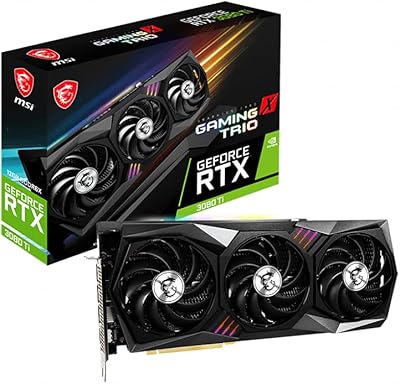
MSI GeForce RTX 3080 Ti Gaming X Trio 12G
86%
94%
Cooling Performance
92%
4K Gaming Performance
88%
Build Quality
91%
Noise Levels Under Load
85%
Installation and Setup
More
MSI RTX 3070 Gaming X Trio Graphics Card
76%
93%
Thermal Performance
91%
Noise Levels
89%
1440p Gaming Performance
88%
Build Quality
74%
Value for Money
More
MSI RTX 4070 Gaming X Trio GPU
82%
92%
1440p Gaming Performance
93%
Thermal Performance
91%
Noise Levels
89%
Build Quality
71%
Value for Money
More
MSI GeForce RTX 2080 Ti Gaming X Trio
87%
94%
Gaming Performance
91%
Ray Tracing Quality
88%
Thermals and Cooling
90%
Build Quality
65%
Noise Level Under Load
More
MSI GeForce RTX 3060 Gaming X Trio 12G
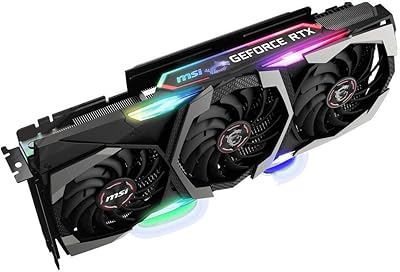
84%
91%
Gaming Performance
94%
Cooling Efficiency
87%
Build Quality
89%
Value for Money
70%
Compatibility with Cases
More
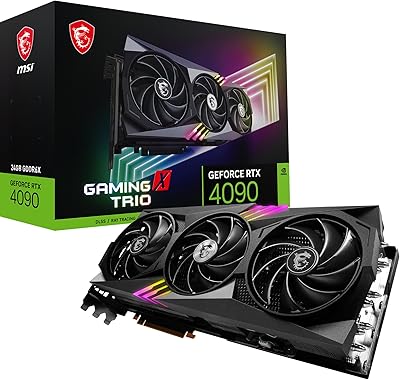
MSI RTX 4090 Gaming X Trio GPU
84%
93%
Thermal Performance
89%
Noise Levels
96%
Raw Gaming Performance
91%
VRAM & Memory
88%
Build Quality
More
MSI Radeon RX 6800 XT GAMING Z TRIO 16GB
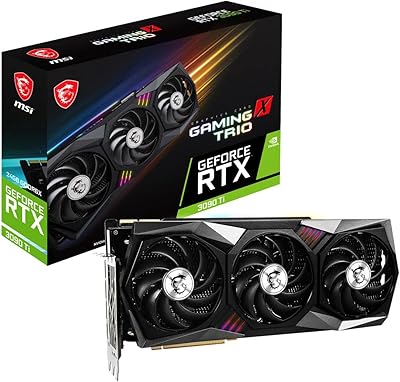
88%
94%
Gaming Performance
89%
Cooling Efficiency
92%
Build Quality
87%
Noise Level
90%
Value for Money
More
MSI GeForce RTX 3090 Ti Gaming X Trio 24GB
84%
94%
Gaming Performance
70%
Power Consumption
88%
Cooling Efficiency
65%
Size and Compatibility
92%
Overclocking Performance
More
MSI GeForce RTX 3070 Ti Gaming X Trio 8GB
85%
92%
Gaming Performance
89%
Cooling Efficiency
88%
4K Gaming Experience
85%
RGB Customization
70%
Size & Compatibility
More
MSI RTX 3060 Ti X Trio GPU
77%
93%
Thermal Performance
91%
Noise Levels
88%
1440p Gaming Performance
89%
Build Quality
67%
Value for Money
More

FAQ

That depends on your specific case. This Gaming Z Trio is 12.7 inches long and 2.5 slots wide, which is large by any standard. Check your case's listed GPU length clearance carefully, and also verify that a front-mounted radiator or drive cage won't obstruct the card's end. If you are borderline, it is worth pulling the measurement tape rather than assuming it will fit.

NVIDIA and MSI both recommend at least a 750W PSU for the RTX 3080, but if you have a high-core-count CPU or multiple storage drives, budgeting for an 850W or higher unit gives you proper headroom. The card's power draw under full load is significant, and pairing it with a marginal or aging PSU is one of the more common causes of stability issues users report.

Yes, this is exactly what the RTX 3080 Z Trio was built for. The 12GB GDDR6X buffer and 384-bit bus handle 4K textures well, and the factory overclock means you are getting near the top of what Ampere can deliver without touching any settings yourself. Competitive-level frame rates at 4K in demanding titles will still depend on the specific game, but this card handles modern titles at that resolution comfortably.

It is fully controllable through MSI's Mystic Light software. You can set static colors, dynamic effects, or sync it with other MSI components in your build. If you prefer no lighting at all, you can disable it through the same software. It is worth noting that Mystic Light requires a Windows installation to manage — there is no hardware toggle on the card itself.

This is one of the areas where the RTX 3080 Z Trio earns its premium positioning. Owners consistently report that the Torx Fan 4 triple-fan setup keeps noise levels noticeably lower than they expected, even during extended sessions in demanding titles. It is not silent, but the noise profile is smooth rather than sharp, which most users find far less fatiguing over time.

For gaming purposes, yes — performance is identical. The LHR designation refers to a hardware-level reduction in cryptocurrency mining efficiency that NVIDIA introduced to improve GPU availability for gamers. It has zero impact on gaming frame rates, rendering performance, or any typical consumer workload.

Technically yes, the MSI RTX 3080 Gaming Z Trio GPU includes an NVLink connector. However, NVLink multi-GPU support is largely limited to specific professional applications and a shrinking number of games. For gaming, a single card is the practical choice — most game engines do not scale well across two GPUs anymore, and the setup complexity rarely pays off.

That is a fair question and one worth taking seriously. The RTX 3080 Z Trio remains a capable card for 4K gaming, but newer architectures from both NVIDIA and AMD have since launched with better efficiency and feature support. Whether this card makes sense comes down to your current system, your resolution target, and what you can find it for today versus alternatives. It is not a bad card — it is a generational positioning question.

GPU compatibility is determined by your PCIe slot and your operating system, not by your CPU or motherboard brand. The RTX 3080 Z Trio works in any system with a PCIe x16 slot, whether it is running an Intel or AMD processor. You will need to install NVIDIA's drivers, which are available for Windows and Linux.

Three things are worth confirming before you purchase. First, measure your case's GPU clearance against the card's 12.7-inch length. Second, confirm your PSU's wattage and that it has the required PCIe power connectors. Third, check that your motherboard's PCIe slot is not blocked by a large CPU cooler or other expansion cards — the 2.5-slot width can be tight in dense builds.

Where to Buy