Overview

The MONSGEEK FUN60 Pro 60% Gaming Keyboard arrives at a price point that would make most Hall Effect keyboard buyers do a double-take. Hall Effect technology — which uses magnetic sensors instead of physical contact points — has historically lived behind a much steeper price wall. MONSGEEK, operating as an Akko sub-brand with a quietly growing reputation among keyboard enthusiasts, has pushed that barrier down considerably. The compact 60% layout strips away the numpad and function row, freeing up desk space for wider mouse movements — a setup competitive players often prefer. The case is ABS plastic, so build quality expectations should be calibrated accordingly. It's honest value, not a luxury product.
Features & Benefits

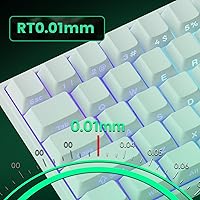
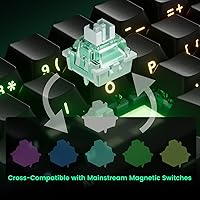
The FUN60 Pro's headline spec is its rapid trigger resolution of 0.005mm — a figure that matters most in fast-paced shooters. Rapid trigger works by re-arming a keypress the instant you release it, rather than waiting for the key to physically reset to a fixed point. In CS2 or Valorant, that translates to tighter counter-strafes and fewer missed inputs. Actuation adjusts from 0.1mm to 3.3mm, and the 8K Hz polling rate cuts communication latency to nearly nothing compared to standard 1K Hz boards. Five third-party magnetic switch brands are supported, which is real flexibility at this tier. The south-facing PCB and individually addressable ARGB lighting round things out with cleaner LED glow through the shine-through keycaps.

Best For

This Hall Effect 60% board makes the most sense for competitive FPS players who want genuine rapid trigger performance without spending a lot. If CS2 counter-strafing or Valorant peek-shooting is a meaningful part of your gaming routine, the input responsiveness here is hard to match at this price. It also works well as an entry point for keyboard enthusiasts wanting to explore magnetic switch customization — the switch compatibility breadth makes it approachable for modding. That said, the 60% layout is a real commitment. No numpad, no dedicated F-row, and relying on key combinations for things you might currently do in one keypress takes adjustment. If you need a board that doubles as an office workhorse, this isn't it.

User Feedback

With over 400 ratings averaging 4.5 stars, MonsGeek's rapid trigger keyboard has clearly landed well with buyers. The most consistent praise centers on out-of-box performance — people report the switches feeling snappy and responsive right away, and the RGB presentation tends to exceed expectations given the price. Packaging and included accessories (USB-C cable, keycap puller) get positive mentions too. On the critical side, some users flag that the MonsGeek driver software has a learning curve, and a handful note that keycap quality feels thin compared to pricier boards. A few buyers also mention uncertainty about long-term switch durability, though it's early days for a keyboard that launched in late 2024. Overall, a strong start.

Pros

  • Rapid trigger resolution of 0.005mm is class-leading performance at this price tier.
  • Hall Effect sensors eliminate physical contact wear, which bodes well for longevity compared to traditional switches.
  • The 8K Hz polling rate delivers near-zero input latency that most standard wired keyboards cannot match.
  • Actuation distance is adjustable from 0.1mm to 3.3mm, giving fine-grained control over how the board responds.
  • Support for five third-party magnetic switch brands makes it genuinely modular and future-proof.
  • ARGB lighting with individually addressable LEDs looks noticeably clean through the shine-through keycaps.
  • The 60% layout frees up meaningful desk space, a real advantage for low-sensitivity mouse users.
  • Out-of-box experience is consistently praised — packaging, included cable, and keycap puller all deliver solid first impressions.
  • Advanced functions like DKS and Mod-Tap give power users meaningful programmability well beyond basic gaming setups.
  • 4.5-star average across 400-plus ratings signals broad buyer satisfaction for a keyboard that only launched in late 2024.

Cons

  • ABS plastic case feels light and hollow compared to keyboards with aluminum or polycarbonate builds.
  • The MonsGeek driver software has a noticeable learning curve that can frustrate less technical users on first setup.
  • Switch calibration after a swap requires going through the driver, which adds friction to an otherwise fun modding process.
  • Keycap quality is adequate but thin — enthusiasts will likely want to replace them sooner rather than later.
  • No wireless option; the wired-only connection limits placement flexibility on certain desk setups.
  • Long-term switch durability remains unproven given the product only entered the market in December 2024.
  • The 60% layout removes the function row entirely, which can disrupt workflows for users not accustomed to key combinations.
  • Driver-dependent features mean core functionality like rapid trigger configuration is not accessible without software installation.
  • Sound profile may not appeal to users who prefer a deeper, thockier typing feel over the sharper character of magnetic switches.

Ratings

The MONSGEEK FUN60 Pro 60% Gaming Keyboard scores below are generated by AI after analyzing verified buyer reviews worldwide, with spam, bot submissions, and incentivized feedback actively filtered out to ensure integrity. Across more than 400 ratings, both the genuine strengths and recurring frustrations of this Hall Effect board are reflected without bias. Where the FUN60 Pro punches above its weight, the scores show it — and where trade-offs are real, we have not glossed over them.
Rapid Trigger Performance
93%
This is the category where MonsGeek's rapid trigger keyboard genuinely earns its reputation. Players report noticeably tighter counter-strafes in CS2 and faster re-actuation in Valorant compared to standard mechanical boards, and the 0.005mm resolution holds up under pressure even in extended sessions.
Unlocking the full benefit of rapid trigger requires time in the driver to dial in the right actuation and reset thresholds — out of the box, the default settings are functional but not optimized. Users who skip configuration may not feel the full performance advantage this technology is capable of delivering.
Value for Money
91%
Hall Effect keyboards have historically cost considerably more, so buyers consistently express surprise at how much performance this Hall Effect 60% board delivers relative to its asking price. The combination of 8K Hz polling, genuine rapid trigger, and switch swappability at this tier is genuinely difficult to find elsewhere.
The value proposition comes with strings attached — ABS plastic, thinner keycaps, and driver-gated features are the obvious cost-saving measures. Buyers expecting premium materials or a polished software experience at this price point will find the value equation less flattering than pure spec hunters.
Input Latency & Polling Rate
89%
The 8K Hz polling rate puts this board among the fastest-communicating keyboards available at any price, and competitive players running high-refresh monitors report a perceptibly tighter connection between keypress and on-screen action. For ranked play where timing margins are razor-thin, this is a real advantage.
The latency benefit is most meaningful on high-end gaming PCs with high-refresh displays — on lower-spec setups or consoles, the practical gains are minimal. A small number of users also report that 8K Hz mode can cause occasional CPU overhead spikes on older systems.
Switch Feel & Customization
86%
The Glare Magnetic Switches feel snappy and consistent out of the box, and the ability to swap in any of five supported third-party magnetic switch brands gives enthusiasts a meaningful customization path. Being able to mix different switch types across different keys simultaneously is a feature few boards at this price even attempt.
Switch calibration after a swap requires going through the MonsGeek driver, which adds an extra step that some users find unnecessarily fiddly. The stock switches also have a somewhat sharp, bright tactile character that not everyone prefers — users wanting a softer or quieter feel will need to invest in an alternative.
RGB Lighting Quality
84%
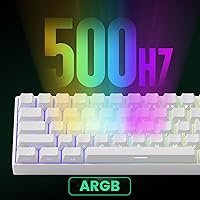
The south-facing PCB orientation and shine-through keycap design work together unusually well here, producing even, clean illumination with minimal bleed onto the legends. The 500Hz LED refresh rate means dynamic effects like breathing and wave animations look smooth rather than choppy, which buyers consistently highlight as a positive surprise.
RGB customization depth is tied to the driver software, so users who prefer not to install additional applications are limited to whatever lighting modes the board ships with. A handful of users have also reported that certain lighting effects look less impressive in brightly lit rooms where the glow washes out.
Software & Driver Experience
63%
37%
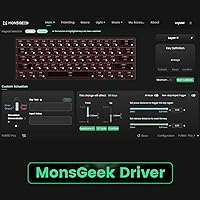
The MonsGeek driver does offer a genuinely broad set of configuration options — actuation adjustment, rapid trigger thresholds, DKS programming, Mod-Tap, and per-key RGB are all accessible. Users who invest time learning the interface report feeling in full control of the board's behavior.
The learning curve is one of the most consistently flagged pain points across reviews. The interface is not immediately intuitive, and first-time Hall Effect keyboard users in particular can find the calibration and rapid trigger setup process confusing without external tutorials. Occasional software stability reports add to the frustration for some.
Build Quality & Materials
61%
39%
For the price, the assembly is solid enough — keycaps are seated evenly, switches feel consistent, and there are no widespread reports of units arriving with defects or misaligned parts. The lightweight build makes it easy to toss into a bag for LAN events or travel gaming setups.
The ABS plastic case is the most common gripe in critical reviews, with users noting chassis flex under firm pressure and a hollow sound on heavier keystrokes. Compared to boards with aluminum top plates or polycarbonate construction, this Hall Effect 60% board simply does not feel as premium in the hand.
Keycap Quality
58%
42%
The included shine-through keycaps serve their purpose well for RGB presentation and are printed cleanly without obvious alignment issues. For users primarily interested in gaming rather than heavy typing, they are serviceable enough to use indefinitely without feeling like an urgent replacement is needed.
The keycaps are noticeably thin, which affects both the sound profile and the long-term durability of the legends under heavy use. Enthusiasts familiar with thicker PBT keycaps will likely find the stock set a weak point and budget for an upgrade fairly quickly after purchase.
Typing Experience
71%
29%
For short-burst gaming input, the switch response feels immediate and satisfying — the Hall Effect mechanism has a crispness that membrane and basic mechanical switches cannot replicate, and most users report enjoying the feel for gaming sessions. The south-facing PCB also helps reduce resonance compared to north-facing designs.
Extended typing sessions reveal that the ABS case amplifies higher-frequency sound, giving the board a slightly hollow, bright acoustic character. Users who type for hours daily — writers, coders, or students — may find the sound and feel less comfortable over time than a board tuned specifically for productivity.
Out-of-Box Experience
82%
18%
Packaging and unboxing experience draw consistently warm feedback — the included USB-C cable, keycap puller, and user manual are all present and functional, and the board itself arrives ready to use without requiring additional setup for basic operation. First impressions on arrival are generally positive across the review pool.
The user manual is fairly minimal for a board with this many configurable features, leaving some buyers to rely on online forums or video guides to understand the full capability of the driver and advanced functions. A more thorough quick-start guide would reduce the frustration reported by less technical users.
Layout Practicality
67%
33%
For competitive gamers who have already committed to a 60% workflow, the layout delivers on the promise of a cleaner desk and more mouse room without sacrificing any keys that matter during gameplay. Esports-oriented buyers tend to rate the form factor highly as a deliberate, purposeful choice.
The missing function row, numpad, and navigation cluster are a genuine adjustment for anyone coming from a full-size or tenkeyless board. Users who frequently use F-keys for software shortcuts, spreadsheet navigation, or productivity tools report a frustrating period of relearning key combinations that can last several weeks.
Actuation Adjustability
88%
The 0.1mm to 3.3mm actuation range and 0.005mm step increments give users finer control over keyboard behavior than almost any other board at this price point. Players who prefer a hair-trigger setup for fast games and a deeper actuation for typing find this flexibility genuinely useful.
The granularity of adjustment is only as useful as the software that drives it — and as noted elsewhere, the driver interface makes accessing these settings less intuitive than it should be. Beginners may set sub-optimal values without realizing it, effectively neutralizing one of the board's best features.
Long-Term Durability
69%
31%
Hall Effect sensors have no physical contact points to wear out from repeated keystrokes, which theoretically gives magnetic switch keyboards a significant lifespan advantage over traditional mechanical designs. Early adopters report no degradation in switch feel or accuracy after several months of consistent use.
Because the board only launched in late 2024, there is simply not enough long-term data to assess how the ABS case, PCB, and switches hold up over multiple years of heavy gaming. The durability score reflects this uncertainty — the technology is promising, but the track record is still being written.

Suitable for:

The MONSGEEK FUN60 Pro 60% Gaming Keyboard was clearly built with one primary audience in mind: competitive FPS and battle royale players who want Hall Effect rapid trigger technology without paying a premium price for it. If your game library revolves around CS2, Valorant, or similar titles where milliseconds between key release and re-actuation can cost you a round, this board delivers a legitimately high-performance input experience at a fraction of what most Hall Effect keyboards cost. Keyboard hobbyists looking for an approachable first step into magnetic switch territory will also find it compelling, especially given compatibility with five third-party switch brands that invites experimentation. It suits smaller desk setups well — the 60% form factor opens up considerable mouse space, which matters for low-sensitivity players. Budget-conscious gamers upgrading from membrane boards or entry-level mechanicals will likely feel the performance jump immediately.
Not suitable for:

The MONSGEEK FUN60 Pro 60% Gaming Keyboard is a harder sell for anyone whose daily workflow extends beyond gaming. There is no numpad, no dedicated function row, and no media controls — tasks that are effortless on a full-size or tenkeyless board require learning key combinations that some users never fully get comfortable with. The ABS plastic case is functional but does not feel substantial in hand, which matters to buyers who prioritize build rigidity or a premium desk presence. Users who prefer quieter, subdued keyboards for shared office or home environments will find the switch feel and overall profile better suited to a gaming room than a meeting-adjacent workspace. Those who are not comfortable navigating driver software to configure actuation points, rapid trigger thresholds, and advanced functions like DKS or Mod-Tap may find the setup process more involved than expected. If long-term switch durability is a major concern, it is worth noting the keyboard only launched in late 2024, so real-world wear data is still limited.
Specifications

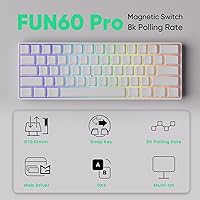
  • Form Factor: 60% compact layout, omitting the numpad, function row, and navigation cluster for a minimal footprint.
  • Switch Type: Glare Magnetic Switch using Hall Effect sensor technology, which detects key position magnetically rather than through physical contact.
  • Rapid Trigger: Rapid trigger resolution is 0.005mm, with actuation distance adjustable in 0.005mm increments between 0.1mm and 3.3mm.
  • Polling Rate: Global 8K Hz polling rate, meaning the board communicates its state to the host device 8,000 times per second.
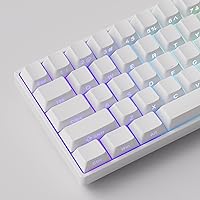
  • PCB Orientation: South-facing PCB design positions the LEDs below the switch housing, reducing light bleed onto keycap legends for cleaner illumination.
  • Lighting: Fully addressable per-key ARGB lighting with a 500Hz LED refresh rate and Alpha channel support for smoother dynamic effects.
  • Case Material: ABS plastic construction for both the top case and bottom housing, keeping weight and cost low.
  • Dimensions: The board measures 13.35 x 6.85 x 2.2 inches, making it well-suited for compact desk setups.
  • Weight: The keyboard weighs 1.8 pounds, which is typical for a wired 60% board without premium internal weighting.
  • Connectivity: Wired connection only via the included USB-C to USB-A cable; no wireless or Bluetooth mode is available.
  • Switch Compatibility: Compatible with five third-party magnetic switch brands, selectable and calibrated through the MonsGeek driver software.
  • Advanced Functions: Supports DKS (Dynamic Keystroke), Toggle Key, and Mod-Tap programmable functions configurable through the MonsGeek driver.
  • Compatible Devices: Works with PC, laptop, tablet, smartphone, and gaming console — any device with a USB-A port or appropriate adapter.
  • Included Accessories: Package includes a USB-C to USB-A cable, a keycap puller, and a printed user manual.
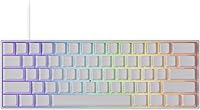
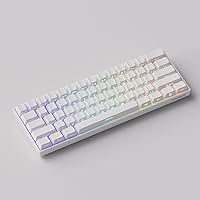
  • Keycap Profile: Ships with shine-through SP White keycaps designed to maximize ARGB light transmission through the legends.
  • Brand Origin: MONSGEEK is a sub-brand operated under Akko, a keyboard manufacturer with an established presence in the enthusiast market.
  • Release Date: The keyboard became available in December 2024, making it a relatively recent addition to the Hall Effect keyboard segment.
  • User Rating: Holds a 4.5-star average rating from over 403 verified buyer ratings on Amazon as of early 2025.

Related Reviews
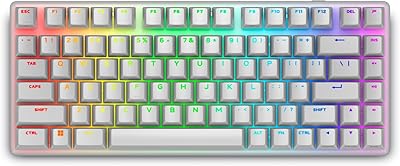
Alienware Pro Wireless Gaming Keyboard
87%
93%
Connectivity
89%
Customization (Hot-Swappable Switches)
91%
Ergonomics and Layout
88%
RGB Lighting
85%
Battery Life
More
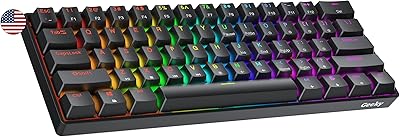
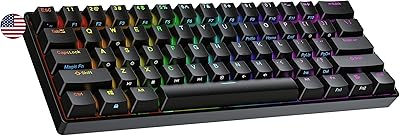
Geeky GK61 60% Mechanical Keyboard
77%
88%
Value for Money
91%
Hot-Swap Performance
67%
Build Quality
72%
Typing Experience
84%
RGB Lighting
More
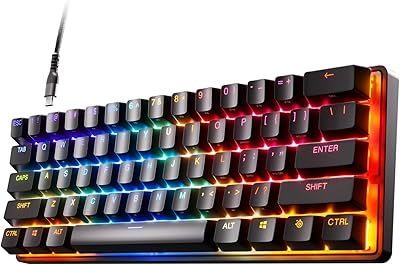
SteelSeries Apex Pro Mini HyperMagnetic Gaming Keyboard
86%
94%
Performance
88%
Build Quality
91%
Customizability
93%
Portability
78%
Software Experience
More
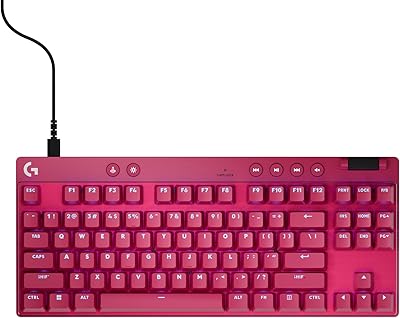
Logitech G PRO X TKL Gaming Keyboard
86%
88%
Performance
92%
Build Quality
85%
Usability & Ergonomics
90%
Portability
89%
Customization Options
More
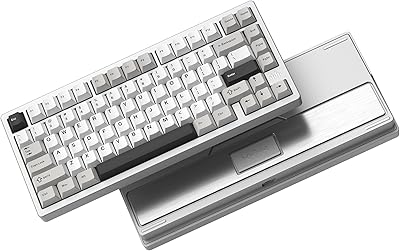
Womier RD75 Pro 75% Wireless Mechanical Keyboard
79%
91%
Build Quality
84%
Typing Feel
86%
Wireless Performance
73%
Battery Life
88%
Value for Money
More
GravaStar Mercury K1 Pro Mechanical Gaming Keyboard
80%
91%
Build Quality
88%
Typing Feel
86%
Switch Performance
79%
Wireless Reliability
74%
Battery Life
More
Lenovo Legion K510 Mini Pro Mechanical Keyboard
80%
83%
Build Quality
81%
Typing Feel
91%
Hot-Swap Feature
86%
RGB Lighting
58%
Software Experience
More
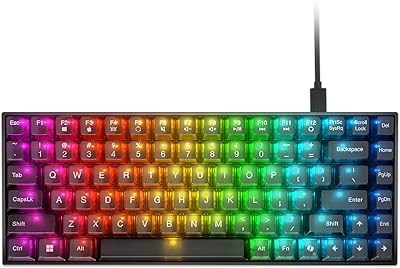
Ranked Nova N60 60% Hot Swappable Mechanical Gaming Keyboard
83%
91%
Customization Flexibility
86%
Build Quality
93%
RGB Lighting
88%
Ease of Use
65%
Keycap Quality
More
ZAGG Pro Keyboard 17 Wireless Keyboard
75%
88%
Wireless Reliability
76%
Multi-Device Switching
83%
Typing Comfort
81%
Qi Wireless Charging
84%
Battery Life
More
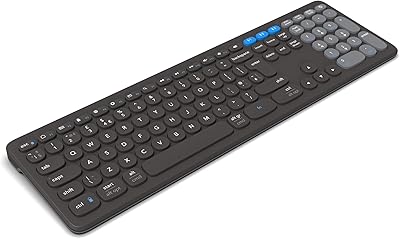
AULA S99 Pro Wireless Membrane Keyboard
75%
88%
Multi-Device Connectivity
81%
Wireless Stability
63%
Typing Feel
67%
Build Quality
84%
Rotary Knob
More

FAQ

It works plug-and-play right out of the box for standard typing and gaming. However, if you want to configure rapid trigger sensitivity, adjust actuation points, or set up advanced functions like DKS or Mod-Tap, you will need to download and install the MonsGeek driver. Some users find the software intuitive; others report a bit of a learning curve, so set aside some time for initial setup if you plan to customize it heavily.

Rapid trigger is a feature that resets a key the moment you start releasing it, rather than waiting for it to travel back to a fixed physical reset point. In fast-paced shooters like CS2 or Valorant, this means your movement or action keys re-arm almost instantly after you let go, which can meaningfully improve counter-strafing precision and overall responsiveness. The FUN60 Pro pushes that reset resolution down to 0.005mm, which is about as fine-grained as this technology currently gets.

Yes, this Hall Effect 60% board supports five different third-party magnetic switch brands. After swapping, you just need to select the corresponding switch profile in the MonsGeek driver and run a calibration — the software walks you through it. You can even mix different magnetic switches across different keys simultaneously, which is a nice touch for customization enthusiasts.

Honestly, for most players the difference between 8K Hz and a standard 1K Hz polling rate is subtle rather than dramatic. Where it does make a measurable difference is in reducing micro-fluctuations in input timing, which matters most in high-level competitive play. If you are gaming casually, you are unlikely to notice it. If you are grinding ranked matches and scrutinizing every frame, the lower latency is a genuine, if incremental, advantage.

The ABS plastic case is functional and lightweight, but it does not feel premium. There is some flex to the chassis if you press firmly on it, and the overall impression is solidly mid-tier rather than anything approaching a flagship. For the price this keyboard sells at, it is an expected trade-off rather than a defect — just go in with realistic expectations. If a sturdy, heavy build is important to you, this board will probably disappoint.

It is listed as compatible with gaming consoles and connects via a standard USB-C to USB-A cable, so it should work for basic input on consoles that support USB keyboards. Keep in mind that console compatibility is generally limited to simple keypress input — advanced driver features and rapid trigger configuration are only available on PC or laptop.

It depends on how deeply your workflow depends on the missing keys. Losing the function row, numpad, and navigation cluster means relying on function-layer combinations for things like F-keys, Delete, and arrow inputs. Most gamers adapt within a week or two, especially if they primarily use the keyboard for gaming. For productivity-heavy users who frequently jump between spreadsheets, code editors, or tools requiring those keys, the learning curve is steeper and the frustration is real.

MonsGeek's rapid trigger keyboard gets consistently positive comments about its RGB. The south-facing PCB placement and shine-through keycap design work together to produce clean, even lighting with minimal bleed onto the legends. The 500Hz LED refresh rate also means effects animate smoothly without flickering. It is one of the stronger points of the board and noticeably above average for the price bracket.

The included shine-through SP White keycaps are decent for what they are, but they are on the thinner side — a common cost-saving measure at this price point. If you type heavily, you may find them less satisfying than thicker PBT alternatives. For gaming-only use, most people are fine keeping them. Enthusiasts who care about sound profile or texture will probably want to swap them out eventually.

Hall Effect magnetic switches generally have tighter tolerances than standard mechanical switches because there are no physical contact leaves to flex. Out-of-box reports on this board are mostly positive regarding switch feel and consistency. A small number of users have mentioned minor variations in feel across the board, but this appears to be the exception rather than the norm based on the overall review pattern.

Where to Buy