Overview

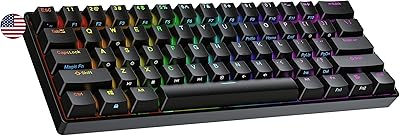
The Geeky GK61 60% Mechanical Keyboard sits in an interesting spot — it's not just another cheap board thrown at budget shoppers, but a genuine entry point into the hot-swap 60% world. Clearing desk clutter while keeping a full typing experience intact is the core appeal of the compact form factor, and the GK61 delivers that without asking much from your wallet. Two types of buyers tend to gravitate toward it: hobbyists itching to experiment with different switches, and casual gamers who want RGB flair in a tight footprint. Expectations should be calibrated honestly — this is a solid foundation board with the tradeoffs you'd expect at this price tier.

Features & Benefits

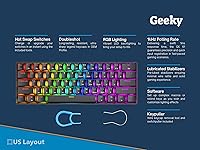
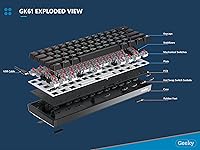
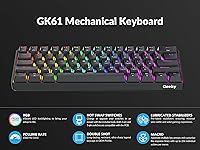
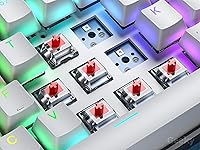
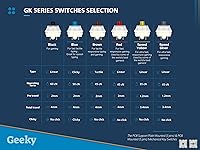
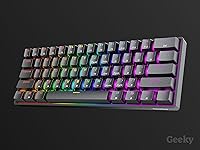
Hot-swap capability is arguably the standout feature here. Being able to pull the included Red linear switches and drop in tactile or clicky alternatives — without a soldering iron anywhere near the board — is genuinely useful for anyone still figuring out their preferred switch feel. The per-key RGB is bright and punchy in a dim room, with 20 preset patterns accessible through the companion software. That software, though, is functional rather than polished — expect a barebones interface that handles macros and key remapping but won't impress anyone used to more mature ecosystems. The doubleshot ABS keycaps resist legend fading well, though the plastic will develop a noticeable shine with heavy daily use.

Best For

This compact mechanical keyboard makes the most sense for a few specific types of buyers. If you're new to the hobby and want to experiment with switches without investing in something premium, the solderless hot-swap system makes this a low-risk playground. Space-conscious gamers will appreciate the 60% footprint freeing up room for mouse movement. It also works well as a travel board — the detachable USB-C cable and sub-300mm width make it genuinely bag-friendly. Students who want a functional, portable setup on a tight budget will find it more than adequate. Just don't expect the GK61 to replace a dedicated productivity board if you're logging heavy typing hours daily.

User Feedback

Across more than 650 ratings, the GK61 holds a 4.6-star average — impressive for its price tier and a sign that most buyers feel they got more than they paid for. The hot-swap ease and RGB punch come up repeatedly in positive reviews, with many buyers noting they swapped switches within the first week just because they could. On the critical side, ABS keycap shine is a real pattern — several longer-term users flag that the keycaps start looking greasy after a few months of intensive use. Stabilizer quality is more variable; some units feel noticeably better than others out of the box. The biggest divide in feedback falls along use-case lines: gamers tend to be satisfied, while heavy typists are more lukewarm about the overall typing feel.

Pros

  • Solderless hot-swap PCB makes switch swapping fast and beginner-friendly with no extra tools needed.
  • Supports both 3-pin and 5-pin switches, opening up a wide range of compatible aftermarket options.
  • Per-key RGB is noticeably bright for the price, with 20 preset lighting patterns to cycle through.
  • Detachable USB-C cable makes packing and transporting this board far more practical than fixed-cable alternatives.
  • Pre-lubed stabilizers reduce out-of-the-box rattle without requiring any immediate hands-on modification.
  • Doubleshot keycap legends resist fading and wear, holding up well even after months of regular use.
  • The GK61 ships with both a key puller and switch puller included, which many competing boards skip.
  • Works across PC, Mac, PS5, and Xbox, making it a flexible board for multi-device households.
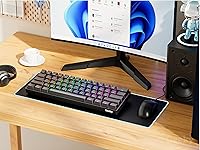
  • The 60% footprint reclaims meaningful desk space without sacrificing the core alphanumeric typing layout.
  • A 4.6-star average across hundreds of verified buyers signals consistently strong satisfaction for this price tier.

Cons

  • ABS keycaps develop a greasy shine with prolonged use — a noticeable surface degradation compared to PBT options.
  • The companion software feels barebones and carries reliability quirks that more mature keyboard ecosystems avoid.
  • All-ABS frame construction gives the board a hollow, lighter feel that stands out against aluminum-chassis rivals.
  • Stabilizer consistency varies between individual units, so out-of-the-box feel can differ from one board to the next.
  • Linear Red switches will frustrate typists who prefer tactile or audible feedback during extended writing sessions.
  • Losing the arrow keys and function row demands a real relearning period that not every buyer anticipates.
  • No wireless mode keeps you permanently tethered by cable, which complicates cleaner or more flexible desk arrangements.
  • RGB lighting customization beyond presets requires the companion app, which has reported inconsistencies on non-Windows systems.

Ratings

The scores and analysis below for the Geeky GK61 60% Mechanical Keyboard were generated by our AI system after processing hundreds of verified buyer reviews from global markets, with spam, incentivized responses, and bot-generated feedback actively filtered out. Each category score reflects a balanced synthesis of real user experiences — not just the most vocal opinions at either extreme. Both the areas where this board consistently impresses and the recurring frustrations that hold it back are represented honestly in every score.

Value for Money
88%
At this price point, getting a hot-swap PCB and per-key RGB is genuinely unusual — most competing boards charge significantly more for the same combination. Buyers consistently note that the GK61 feels like it punches above its price bracket, and the inclusion of both a key puller and switch puller adds tangible day-one value.
The value perception takes a modest hit once buyers realize that the ABS construction and barebones software are the compromises funding that hot-swap feature. A small but vocal group of reviewers felt the savings were not entirely worth the build quality trade-off compared to spending a bit more for a metal-framed alternative.
Hot-Swap Performance
91%
The solderless hot-swap system works as advertised and handles both 3-pin and 5-pin switches without issue, which is not always the case on budget boards. Users report successfully swapping through multiple switch types — tactile browns, clicky blues, silent reds — within the first week of ownership, using just the included puller.
A handful of users have noted that the hot-swap sockets can feel slightly loose after repeated swapping cycles, raising questions about long-term socket durability under heavy switch experimentation. The sockets appear robust for casual modding but may not withstand the aggressive swap frequency of a dedicated enthusiast testing dozens of switches over months.
Build Quality
67%
33%
For its weight class and price tier, the GK61 feels more solid than many entry-level boards — there is minimal flex in the PCB during normal use, and the plate mounting provides a reasonably firm keystroke foundation. Buyers who came from membrane keyboards consistently report a noticeable step up in perceived quality.
The all-ABS plastic frame is the most divisive aspect of the build — it produces an audible hollow sound when tapped and lacks the satisfying heft of aluminum-chassis boards. Several buyers who previously owned metal-framed keyboards describe the GK61 as feeling lightweight in a way that reads as fragile rather than portable.
Typing Experience
72%
28%
Gamers and users accustomed to linear switch boards genuinely enjoy the smooth, frictionless feel of the Red switches during fast-paced sessions, and the pre-lubed stabilizers mean the spacebar and shift keys feel quieter than expected. First-time mechanical keyboard users often report being pleasantly surprised by the improvement over standard membrane keyboards.
Writers and productivity-focused users tend to find the linear Red switches too light and imprecise for sustained document work, reporting more typos than on tactile or clicky alternatives. The fixed 6-degree tilt with no adjustable feet also limits ergonomic flexibility during longer sessions, a recurring note in reviews from desk-bound professionals.
RGB Lighting
84%
The per-key RGB is a genuine highlight — it covers each key individually rather than illuminating zones, which produces a cleaner visual effect and makes the 20 preset patterns pop effectively. Several buyers note that the lighting holds up well against ambient room light during evening gaming sessions, exceeding expectations for the price tier.
Customizing RGB effects beyond the onboard presets requires the companion software, which receives mixed feedback for stability and ease of use. A few users on non-Windows systems report that some lighting profiles do not transfer correctly or revert to defaults after unplugging, which is a real limitation for Mac users who want persistent custom setups.
Keycap Durability
74%
26%
The doubleshot manufacturing process ensures the legends on every key are formed from two separate plastic layers, meaning they cannot fade or wear off no matter how much you type — a durability advantage that cheaper single-shot or printed keycap sets simply cannot match. Buyers appreciate not having to replace caps just because the lettering rubbed off.
ABS plastic, while fine for the doubleshot process, develops a visible shine on high-contact keys — particularly A, S, D, W, and the spacebar — after a few months of daily use. This cosmetic degradation is well-documented in the keyboard community and several reviewers confirm it begins appearing sooner than expected on this board specifically.
Stabilizer Performance
71%
29%
The pre-lubed stabilizers deliver a noticeably cleaner feel on the spacebar and shift keys than most budget boards ship with, reducing the wire rattle that typically plagues entry-level mechanical keyboards straight out of the box. For buyers who do not want to mod their board immediately, this is a meaningful quality-of-life improvement.
Stabilizer quality is not perfectly consistent across units — some buyers receive boards where the larger keys feel tight and rattle-free, while others report noticeable wobble on the spacebar that requires re-lubing to fix. This unit-to-unit variance is a minor but real frustration that affects first impressions for buyers who receive a less-refined example.
Software Experience
58%
42%
The companion software covers the essential bases — key remapping, macro assignment, and RGB profile customization are all accessible, and the onboard memory means your settings travel with the keyboard without needing the app installed on every machine. For users who only want basic customization, the software does the job adequately.
The app has a dated, clunky interface that multiple reviewers describe as frustrating to navigate compared to polished alternatives from established keyboard brands. It appears to be built primarily for Windows, and Mac users report partial functionality or outright crashes, which is a significant shortcoming for Apple ecosystem users who rely on advanced features.
Portability
86%
At under 300 mm wide and 0.6 kg in total weight, this compact mechanical keyboard slides into a laptop bag without any meaningful bulk or heft, making it a practical daily carry for students and remote workers. The detachable USB-C cable removes the tangle-prone fixed-cable problem, and several buyers specifically cite the GK61 as their preferred travel board.
The fixed wired USB-C connection, with no Bluetooth or wireless option, is the primary portability constraint for users who move between devices frequently or prefer a cleaner cable-free desk setup. Buyers who work across multiple machines in different locations find the lack of wireless mode a meaningful limitation compared to similarly priced alternatives that offer it.
Sound Profile
77%
23%
The Linear Red switches produce a relatively quiet, smooth keystroke that performs well in shared spaces like offices, dorm rooms, or late-night gaming sessions where louder clicky switches would be disruptive. The pre-lubed stabilizers contribute to a cleaner overall sound signature by eliminating most of the rattle common in budget keyboards.
While the switches themselves are quiet, the ABS plastic case amplifies the bottom-out sound of each keystroke more than a denser material would, creating a slightly hollow thock that some users find unsatisfying. Buyers who specifically want a deep, muted sound profile typically report needing to add foam dampening inside the case to improve it.
Gaming Performance
83%
Linear Red switches are a natural fit for fast-paced gaming — the light actuation force and smooth travel make rapid keypresses comfortable during extended sessions, and the 60% form factor frees up substantial desk real estate for wider mouse movements. Many competitive gamers specifically seek out this layout for exactly that reason.
The missing arrow keys and function row require using function-layer combinations, which can disrupt gaming workflows for titles that rely on those keys as default bindings. New users regularly note a reconfiguration period for their game keybinds, and games without rebinding support may become temporarily awkward until muscle memory fully adjusts.
Out-of-Box Setup
82%
18%
Plug-and-play functionality means the GK61 is ready to use the moment it is connected, with no driver installation required for basic operation. The included key puller and switch puller tools, combined with the pre-lubed stabilizers, mean buyers genuinely do not need to purchase anything additional to start exploring switch modding right away.
The physical setup documentation is minimal — the manual is sparse, and users new to 60% layouts or function-layer key combinations tend to rely on community guides and video tutorials rather than anything included in the box. This is a minor friction point but a common complaint among first-time mechanical keyboard buyers unfamiliar with compact layouts.
Layout Adaptability
63%
37%
Buyers who have used 60% layouts before, or who come from a gaming background where compact boards are standard, adapt quickly and find the stripped-down layout refreshingly minimal after the transition period. The function-layer system is logical once memorized, and most daily tasks remain fully accessible without reaching for a separate keyboard.
The complete absence of dedicated arrow keys, a function row, and a numpad creates a genuinely steep adaptation curve for users switching from a full-size or tenkeyless board — several reviewers report taking multiple weeks to feel fully comfortable. Users in data entry, accounting, coding, or navigation-heavy roles consistently flag this as a practical daily friction point.

Suitable for:

The Geeky GK61 60% Mechanical Keyboard is a strong match for anyone taking their first serious step into the mechanical keyboard hobby, particularly those who want to experiment with different switches without committing to a soldering setup. Gamers with cluttered or limited desk space will find the compact 60% footprint a genuine practical advantage — more room for mouse movement without giving up a functional board. It is equally well-suited to students and remote workers who carry a keyboard between locations, since the lightweight build and detachable USB-C cable make it genuinely portable. Hobbyists planning to mod, lube, or test switches will appreciate having a hot-swap board as a low-stakes practice platform. If your priority is getting the most customization headroom for the least financial commitment, this 60% hot-swap board punches above its weight.

Not suitable for:

The Geeky GK61 60% Mechanical Keyboard is not the right choice for writers or professionals who depend on a keyboard for extended daily typing, since the linear Red switches and ABS keycaps make for a less satisfying experience over long hours. Anyone expecting premium build quality — a metal chassis, PBT keycaps, or a polished companion app — will find the all-ABS construction and barebones software underwhelming compared to mid-range alternatives. The 60% layout also eliminates dedicated arrow keys, a function row, and the numpad entirely, creating a steep adjustment period and ongoing friction for users accustomed to a full-size or tenkeyless board. Those who need arrow keys immediately accessible for productivity tasks, coding, or navigation-heavy workflows will find the layered key workaround genuinely inconvenient. If you primarily work with spreadsheets, data entry, or anything requiring a numpad, this compact mechanical keyboard simply is not designed for your use case.

Specifications

  • Form Factor: 61-key 60% layout in ANSI US QWERTY arrangement, omitting the numpad, dedicated arrow keys, and function row.
  • Dimensions: The board measures 290 × 102 × 40 mm (approximately 14.8″ × 5.2″ × 0.9″).
  • Weight: Complete unit weighs approximately 0.6 kg (1.28 lbs), not including the detachable cable.
  • Switch Type: Ships with Linear Red mechanical switches offering a smooth, low-resistance keypress with no tactile bump or audible click.
  • Hot-Swap PCB: Solderless hot-swap sockets accept both 3-pin and 5-pin MX-style mechanical switches, allowing switch replacement without soldering equipment.
  • Backlighting: Per-key RGB backlighting supports 16.8 million colors across 20 onboard and software-configurable lighting patterns.
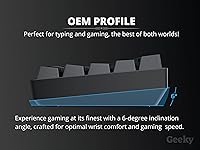
  • Keycaps: ABS doubleshot keycaps in OEM profile, with legends sandwiched between two plastic layers to prevent fading.
  • Frame Material: Case and frame are constructed from ABS plastic, which keeps weight low but offers less rigidity than aluminum builds.
  • Cable: Includes a detachable USB-A to USB-C braided cable measuring 1.5 m (approximately 5 ft) in length.
  • Stabilizers: Factory pre-lubed plate-mounted stabilizers are installed on all larger keys to reduce wire rattle from the moment it arrives.
  • Tilt Angle: The keyboard sits at a fixed 6-degree typing incline with no adjustable rear feet included.
  • Compatibility: Connects via USB to PC, Mac, PS5, Xbox, and tablets — no wireless or Bluetooth mode is available on this model.
  • PCB Support: The PCB accommodates both plate-mounted (3-pin) and PCB-mounted (5-pin) switch formats across the full 61-key layout.
  • Software: Companion software supports full key remapping, macro assignment, and RGB effect customization beyond the onboard preset modes.
  • Power Source: Powered entirely through its USB-C port with no internal battery or separate power supply required.
  • Accessories: Ships with a dedicated key puller and switch puller tool included in the box for immediate use.

Related Reviews
Pauroty 60% Wireless Mechanical Keyboard
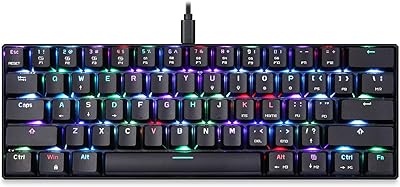
86%
88%
Connectivity Options
75%
Battery Life
93%
Portability
84%
Ergonomics
91%
RGB Customization
More
MOTOSPEED CK61 60% Mechanical Keyboard
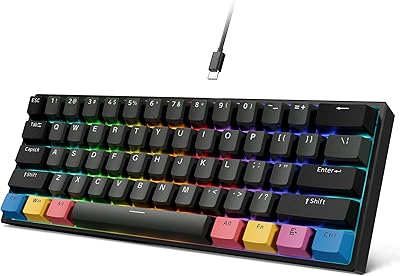
85%
89%
Typing Experience
92%
RGB Lighting Customization
85%
Build Quality
91%
Key Switch Smoothness
94%
Portability/Size
More
OHY H61 60% Mechanical Keyboard
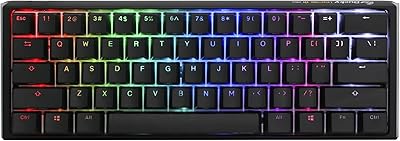
78%
91%
Value for Money
78%
Typing Feel
93%
Hot-Swap Feature
67%
Build Quality
82%
RGB Lighting
More
Ducky One 3 Mini 60% Mechanical Keyboard
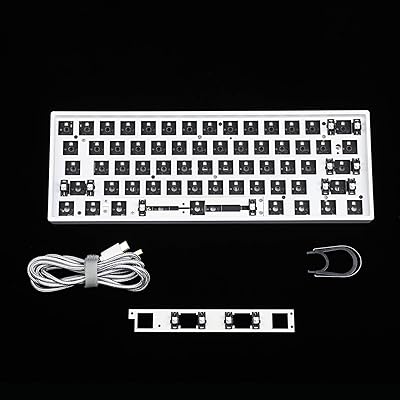
81%
91%
Build Quality
88%
Typing Sound & Acoustics
86%
Switch Feel
93%
Hot-Swap Functionality
89%
Keycap Quality
More
YMDK GK61X Hot-Swap Keyboard DIY Kit
78%
91%
Hot-Swap Functionality
86%
Value for Money
74%
Build Quality
69%
Ease of Assembly
89%
Switch & Keycap Compatibility
More
Ranked Nova N60 60% Hot Swappable Mechanical Gaming Keyboard

83%
91%
Customization Flexibility
86%
Build Quality
93%
RGB Lighting
88%
Ease of Use
65%
Keycap Quality
More
Merdia Triple Mode 100-Key Wireless Mechanical Keyboard
74%
88%
Value for Money
84%
Wireless Connectivity
81%
Typing Experience
83%
Hot-Swap Functionality
67%
Build Quality
More
Satechi SM3 Full-Size Mechanical Keyboard
79%
91%
Build Quality
88%
Typing Experience
86%
Multi-Device Connectivity
89%
Mac Compatibility
83%
Battery Life
More
RYMEK Typewriter Style Mechanical Keyboard
72%
93%
Visual Design
74%
Typing Feel
58%
Bluetooth Reliability
62%
Value for Money
49%
Noise Level
More
MageGee Typewriter Mechanical Keyboard
77%
93%
Aesthetic & Visual Design
81%
Build Quality
78%
Typing Feel & Switch Performance
61%
Sound Level
83%
Keycap Quality & Durability
More

FAQ

Yes — the Geeky GK61 60% Mechanical Keyboard has a fully hot-swappable PCB that accepts both 3-pin and 5-pin MX-style switches. You just use the included switch puller to pop the stock Red linears out, then press your preferred switches straight into the sockets. The whole board can be re-switched in under 30 minutes with no soldering experience needed — that is the main reason this board gets recommended to beginners exploring the hobby.

It works on Mac for standard typing and gaming straight away, no drivers required. The companion software, however, is built primarily for Windows, so advanced features like macro programming and deep RGB customization may be limited or unavailable on macOS. For day-to-day use on Apple hardware it is perfectly functional — just keep the software limitation in mind if you were planning to build complex macros.

The GK61 uses a function layer, typically Fn plus keys in the bottom-right cluster, to access arrow key inputs. It takes a few days to rewire your muscle memory, and most users get comfortable with it quickly. That said, if arrow keys are part of your constant workflow — coding, spreadsheets, document editing — the transition can be genuinely disruptive at first and worth factoring into your decision.

The per-key RGB is legitimately bright and vibrant, especially in a dimmed room or gaming setup — it holds its own against boards priced considerably higher. In strong ambient lighting it is naturally less dramatic, as with any backlit keyboard. The 20 preset effects cover the most popular patterns: wave, ripple, reactive, breathing, and static single-color modes, among others.

The legends themselves will not fade, because these are doubleshot keycaps where the characters are formed by two separate layers of plastic rather than printed on top. The real trade-off is the ABS material, which develops a shiny, slightly greasy-looking surface with months of heavy use — it is a known characteristic of ABS at this price point. If that bothers you down the line, dropping in an aftermarket PBT keycap set is a straightforward and affordable upgrade.

No — the GK61 is fully plug-and-play and works immediately without any drivers or software installation. The companion app is only necessary if you want to configure custom macros, remap keys, or tweak RGB effects beyond the onboard presets. For the majority of users, the built-in modes accessible via key combinations cover everything they need without touching the software at all.

It is a reasonable everyday typer, but dedicated writers may have reservations. Linear Red switches are smooth and quiet but lack the tactile bump that many typists rely on for feedback and accuracy over long sessions. The fixed 6-degree incline is comfortable enough for shorter stints, though the absence of adjustable feet limits ergonomic flexibility. If writing is your primary use, a board with tactile or clicky switches would likely serve you better.

The pre-lubed stabilizers perform better than you would expect for this price, and most users report minimal rattle on the spacebar and shift keys right out of the box. That said, there is some unit-to-unit variance, meaning some boards feel noticeably tighter than others — a common reality in budget manufacturing. If you receive a unit with audible rattle, re-lubing the stabilizers yourself is a well-documented and accessible fix.

No — this compact mechanical keyboard is strictly wired and connects only via USB-C. There is no Bluetooth, 2.4 GHz dongle, or battery option available on this model. If a wireless setup is important to your desk arrangement, you would need to look at a different board entirely.

Hot-swap PCBs at this price point are genuinely uncommon — most similarly priced boards lock you into whatever switches they ship with. The GK61 also includes both a key puller and switch puller in the box, and the factory pre-lubed stabilizers mean it arrives ready to use without immediate modifications. The main concessions relative to pricier alternatives are the all-ABS build and a software experience that feels functional but unrefined — both reasonable trade-offs given what it costs.

Where to Buy