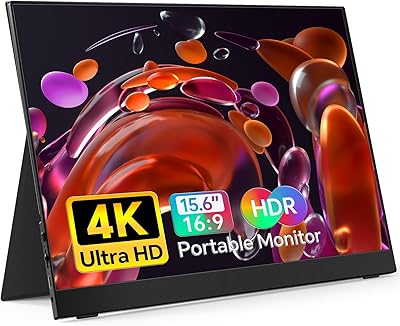
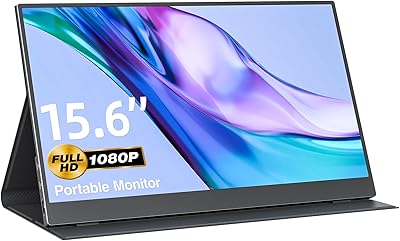
Overview

The MNN 15.6-inch Portable Monitor has quietly become one of the more compelling budget options in a crowded portable display market. It targets remote workers, students, and travelers who want a lightweight second screen without a heavy spend. What makes it stand out at this price point is the dual USB-C connectivity — single-cable setup is a genuine convenience that many pricier rivals also offer. That said, this is not a prosumer display, and nobody should expect it to perform like one. Its strong sales rank in the computer monitors category speaks to its popularity, though popularity and perfection are different things.

Features & Benefits

The 15.6-inch IPS matte panel covers the basics well — 1080p resolution, a 178-degree viewing angle, and a matte finish that cuts down on glare in cafes or bright office spaces. Plug in a single USB-C cable from a compatible laptop and you get both power and video in one go, no dongle required. There are also dual full-feature USB-C ports plus HDMI for flexibility. The included PU leather cover acts as a kickstand, so you are not hunting for a separate stand. Built-in speakers handle video calls and casual media without issue. HDR mode adds a noticeable pop to supported content, though the 300-nit brightness has its limits.

Best For

This travel monitor is a strong fit for remote and hybrid workers who want a second screen on the road but do not want to carry something heavy. Students cramped in a dorm or library will appreciate the extra display real estate for referencing notes while writing. Casual gamers connecting a Switch or PS5 will find the screen size a genuine upgrade over a laptop display. At 1.53 lbs and 0.3 inches thin, it slides easily into a backpack alongside a laptop. And if you have never owned a portable monitor before, the low price of entry makes this a low-risk way to find out if dual-screen working actually suits you.

User Feedback

Most owners highlight the plug-and-play setup and slim profile as the biggest wins — pull it out of the bag, connect one cable, and you are working within seconds. The included cover doubling as a stand is also consistently praised. Where things get honest: USB-C compatibility trips up some buyers. This portable display requires Thunderbolt 3 or USB 3.1 DP Alt Mode support, and using anything other than the included cable can cause connection issues. A few users note colors look slightly washed compared to higher-end panels, and the speakers are functional rather than impressive. At 300 nits, bright outdoor use is a struggle. Satisfaction tends to be high among buyers who had realistic expectations.

Pros

  • Genuinely ultraportable at 1.53 lbs — it disappears into a backpack without adding noticeable weight.
  • Single USB-C cable handles both power and video on compatible devices, keeping your desk clean and your bag light.
  • The included PU leather cover doubles as a kickstand, so no separate stand accessory is needed.
  • Plug-and-play setup on supported hardware means you are working within minutes, no driver installation required.
  • The matte IPS panel reduces glare effectively in mixed-light indoor environments like cafes and offices.
  • Multiple display modes — extended, mirror, and portrait — cover most everyday productivity and presentation scenarios.
  • HDMI port provides a reliable fallback for consoles and laptops without USB-C video output support.
  • At this price tier, the feature set is hard to match: speakers, HDR support, and a cover all included.
  • 1080p at 15.6 inches is sharp and comfortable for documents, spreadsheets, and video calls.
  • Low-flicker behavior and the matte coating make extended work sessions noticeably easier on the eyes than glossy screens.

Cons

  • USB-C compatibility is a real hurdle — your device must support Thunderbolt 3 or USB 3.1 DP Alt Mode, and many do not.
  • Using any cable other than the included one frequently causes connectivity issues, making replacements a headache.
  • At 300 nits, the display washes out quickly in bright sunlight or near large windows.
  • Color accuracy is noticeably limited compared to even mid-range monitors, making it unsuitable for creative or color-sensitive tasks.
  • The smart cover stand offers a fixed, narrow tilt range that does not suit all desk heights or seating positions.
  • Built-in audio is thin and lacks bass — adequate for calls, but not for music or immersive media.
  • HDR mode provides only a modest visual uplift given the panel brightness ceiling; do not expect dramatic results.
  • The hinge on the smart cover has been reported to loosen over time with regular daily use.
  • HDMI connectivity requires a separate power cable, undermining the clean single-cable setup that makes portable monitors appealing.
  • Older devices and budget Android phones are frequently incompatible, leading to avoidable returns from buyers who did not check specs first.

Ratings

The MNN 15.6-inch Portable Monitor scores below are generated by AI after analyzing thousands of verified global user reviews, with spam, bot activity, and incentivized feedback actively filtered out. The ratings reflect real-world buyer experiences across a wide range of use cases — from daily work setups to travel and casual gaming — and transparently surface both what this portable display does well and where it falls short.

Value for Money
91%
At its price point, buyers consistently express surprise at what they get: a full-size IPS panel, a protective cover, and dual USB-C ports bundled together. For first-time portable monitor buyers or anyone on a tight budget, the cost-to-feature ratio is hard to argue with.
A small portion of users feel that minor build compromises and brightness limitations slightly dent the overall value equation, especially when slightly pricier rivals close the gap on display quality. Expectations management is doing a lot of heavy lifting here.
Portability & Weight
89%
At 1.53 lbs and just 0.3 inches thick, this travel monitor genuinely disappears into a laptop bag without adding noticeable bulk. Commuters and frequent flyers repeatedly call it one of the lightest screens they have traveled with, and the slim profile earns consistent praise.
A handful of users note that the included smart cover, while practical, adds a little thickness when attached during transit. Nothing deal-breaking, but those chasing the absolute minimum pack size may notice it.
Display Quality
74%
26%
The IPS matte panel delivers a clean, stable image for productivity tasks — spreadsheets, documents, and video calls all look sharp at 1080p. The matte coating genuinely helps in mixed-lighting environments like coffee shops, reducing distracting reflections compared to glossy alternatives.
Color accuracy is the most frequently cited limitation, with some users describing colors as slightly muted or cooler than expected, especially compared to higher-end panels. It is capable for everyday work, but photo editors or anyone needing color-critical output will want to look elsewhere.
Brightness & Visibility
61%
39%
In typical indoor office or home settings, 300 nits is enough to keep things comfortable and readable throughout a standard workday. Users working in dim rooms or at desks away from windows report no issues at all.
Step outside or sit near a sunlit window and the limitations become apparent fast. Multiple reviewers flag that the display washes out in bright ambient light, making it a poor companion for outdoor cafes or open-plan offices with lots of natural light streaming in.
USB-C Connectivity
78%
22%
When it works, the single-cable USB-C setup is exactly what portable monitor buyers want — power and video through one port, no adapter, no fuss. MacBook and modern laptop users with Thunderbolt 3 or USB 3.1 DP Alt Mode report a smooth, consistent experience.
Compatibility is the most divisive issue in user reviews. Devices that do not support DP Alt Mode over USB-C simply will not drive the display, which catches some buyers off guard. The insistence on using only the included cable also frustrates users whose original cable gets lost or damaged.
Setup & Ease of Use
86%
Plug-and-play is a phrase that genuinely applies here for compatible devices. Most users describe getting up and running within a minute or two, with no driver installation required. Extended mode, mirror mode, and portrait orientation all switch over cleanly on supported hardware.
The experience is less smooth for users who hit the USB-C compatibility wall — troubleshooting that issue is not intuitive, and the manual offers limited guidance. HDMI users generally have an easier fallback, though that requires carrying an extra cable.
Built-in Speakers
59%
41%
Having speakers at all on a monitor this thin and affordable is a genuine convenience for video calls and casual YouTube watching. Users on work-from-home setups appreciate not needing a separate Bluetooth speaker just to hear a meeting.
Audio quality is thin and lacks any meaningful bass, which is about what you would expect from drivers this compact. For anything beyond voice calls or background content, most users end up reaching for headphones or an external speaker anyway.
Smart Cover & Stand
82%
18%
The included PU leather cover pulls double duty well — it protects the screen in transit and folds into a stable kickstand at the desk. Not having to buy or carry a separate stand accessory is a practical win that users mention more often than expected.
The stand only offers a limited range of tilt angles, which does not suit everyone's desk height or ergonomic preference. A few users on low desks or couch setups find the fixed angle awkward for extended sessions.
HDMI Performance
77%
23%
The HDMI port is a reliable fallback for users whose laptops lack USB-C DP Alt Mode support, and it works well with consoles like the PS5 and Xbox. Gamers using this as a travel console screen tend to rate the HDMI experience positively overall.
Using HDMI requires a separate power source since the video connection does not carry power, adding a cable to the equation. This slightly undermines the clean single-cable promise that draws many buyers to portable monitors in the first place.
Build Quality & Durability
69%
31%
The overall construction feels solid for a budget-tier display — the chassis has minimal flex and does not creak during normal handling. The matte plastic surround looks presentable in professional settings without drawing attention to itself.
Some users report that the bezels and rear shell feel noticeably lightweight, which can read as cheap depending on your expectations. There are occasional mentions of the smart cover hinge loosening after several months of regular use.
HDR Performance
55%
45%
HDR mode does produce a visible improvement in contrast on supported content, giving darker scenes a bit more depth and bright highlights a little more punch than the standard mode. For casual streaming, it is a welcome addition at this price.
The underlying panel brightness of 300 nits significantly limits how impactful HDR can actually be — true HDR requires far more headroom than this screen provides. It is more of a mild enhancement than the transformative experience the spec sheet implies.
Gaming Experience
72%
28%
For casual and indie gaming, particularly with a Switch or as a secondary screen for PC titles, the display holds up respectably. 1080p at 15.6 inches looks sharp enough for most game genres, and input lag is not a major complaint among typical users.
There is no mention of a high refresh rate, so competitive gamers used to 120Hz or higher will feel the difference immediately. The brightness ceiling also makes darker game environments harder to read than they would be on a proper gaming monitor.
Multi-Device Compatibility
76%
24%
The range of supported devices is broad on paper — and largely accurate for modern MacBooks, Windows laptops with the right USB-C spec, and consoles via HDMI. Users with up-to-date hardware rarely hit compatibility issues and appreciate the flexibility.
Older laptops, budget Android phones, and devices with USB-C ports that carry only charging duties are frequently incompatible, and the product listing does not make this restriction obvious enough. It results in a disproportionate number of avoidable returns.
Cable Management
63%
37%
The single-cable USB-C setup keeps the desk tidy for users with compatible hardware, and the relatively short supplied cable is adequate for most side-by-side laptop placements. It is a noticeably cleaner experience than monitors requiring separate power bricks.
The strict requirement to use only the supplied cable creates a fragile dependency — if that cable is misplaced or fails, users report difficulty finding a reliable third-party replacement that works consistently. A backup cable option in the box would go a long way.
Eye Comfort
80%
20%
The matte IPS panel combined with the monitor's low-flicker behavior makes extended work sessions reasonably comfortable for most users. People who switched from glossy laptop screens specifically mention reduced eye fatigue after long afternoons of document work.
Blue light reduction is mentioned in the product description but is not a hardware filter — it relies on software mode adjustments. Users who prefer a dedicated hardware blue light filter may not find the effect as strong as expected during late-night sessions.

Suitable for:

The MNN 15.6-inch Portable Monitor is a strong fit for anyone who needs a lightweight second screen without a significant financial commitment. Remote and hybrid workers who shuttle between home, a coffee shop, and the office will appreciate how effortlessly it slides into a laptop bag, and how quickly it is up and running once they sit down. Students working in shared spaces — dorms, libraries, study halls — benefit from the extra screen real estate without the bulk or cost of a desktop setup. Casual gamers who want a larger display for a Switch or a console gaming session on the road will find the 15.6-inch panel a genuine step up from a laptop screen. First-time portable monitor buyers are perhaps the ideal audience: the included smart cover stand, plug-and-play USB-C connection, and overall accessibility make the learning curve almost nonexistent for anyone with a compatible, modern laptop.

Not suitable for:

Buyers who need precise color reproduction for photo editing, graphic design, or any color-critical creative work should steer clear — this portable display is not built for that level of accuracy, and the panel limitations will frustrate professionals who rely on consistent color output. Anyone who frequently works outdoors or in brightly lit spaces will find the 300-nit brightness a persistent annoyance; it simply cannot compete with ambient sunlight. Competitive or performance-focused gamers expecting a high refresh rate will also be disappointed, as the screen is better suited to casual play than fast-paced titles. Users with older laptops, budget smartphones, or any device whose USB-C port only handles charging — not video output — may find the MNN 15.6-inch Portable Monitor incompatible straight out of the box, which is a frustrating and avoidable surprise. If you are after a display that doubles as an audiophile listening setup, the built-in speakers will fall well short of what you need.

Specifications

  • Screen Size: The display measures 15.6 inches diagonally, offering a comfortable viewing area for productivity tasks, media, and casual gaming.
  • Resolution: Native resolution is 1920x1080 (Full HD), delivering sharp text and clear imagery suitable for everyday computing and video content.
  • Panel Type: Uses an IPS matte panel, which provides consistent color and contrast from wide angles while reducing surface reflections in mixed-light environments.
  • Viewing Angle: Rated at 178 degrees horizontally and vertically, meaning image quality remains stable even when viewed significantly off-center.
  • Brightness: Peak brightness is rated at 300 nits, which is adequate for indoor use but may feel insufficient in brightly lit or outdoor settings.
  • HDR Support: The monitor supports HDR mode, which enhances contrast and color depth on compatible content, though the 300-nit ceiling limits its full impact.
  • Aspect Ratio: Standard 16:9 widescreen aspect ratio, consistent with most laptops and desktop displays for seamless extended or mirrored setups.
  • Ports: Equipped with two full-feature USB-C ports and one HDMI port, supporting both single-cable USB-C connections and traditional HDMI video input.
  • Power Input: Operates at 5V via USB-C, meaning a compatible laptop can supply both power and video signal through a single cable with no external adapter required.
  • Display Modes: Supports Extended Mode, Mirror (Copy) Mode, Second Screen Mode, and Portrait Mode to accommodate a range of professional and personal use scenarios.
  • Weight: The monitor body weighs 1.53 lbs, making it one of the lighter options in the 15.6-inch portable display category for daily carry.
  • Dimensions: Physical dimensions are 14.48 x 8.85 x 0.3 inches, allowing it to fit flat inside most standard laptop sleeves and backpack compartments.
  • Built-in Speakers: Integrated stereo speakers are included, providing basic audio output suitable for video calls and casual media without requiring an external speaker.
  • Smart Cover: Comes bundled with a PU leather protective cover that also functions as a folding kickstand, supporting the monitor in landscape or portrait orientation.
  • Compatibility: Compatible with laptops, desktop PCs, MacBooks, Android phones, PS4, PS5, Xbox, and Nintendo Switch via USB-C DP Alt Mode or HDMI connection.
  • USB-C Requirement: USB-C single-cable use requires the host device to support Thunderbolt 3 or USB 3.1 with DisplayPort Alt Mode; standard charging-only USB-C ports are not compatible.
  • Screen Surface: The matte screen coating diffuses ambient light to reduce glare, making it more comfortable to use in offices, libraries, and other non-controlled lighting environments.
  • Refresh Rate: The monitor operates at a standard 60Hz refresh rate, which is appropriate for productivity and casual use but not optimized for high-frame-rate competitive gaming.

Related Reviews

Topmonitor P15.6/2.5K Portable Monitor 15.6-inch 2560×1680
86%
94%
Display Quality
90%
Portability/Size/Weight
91%
Color Accuracy
87%
Connectivity (USB-C, HDMI)
85%
Build Quality
More
HotYeah 15.6-inch Portable Monitor
86%
91%
Display Quality
95%
Portability & Weight
88%
Compatibility & Connectivity
89%
Ease of Use & Setup
60%
Speaker Quality
More
Anyuse PM1561P 15.6-inch Portable Monitor
74%
91%
Portability & Form Factor
84%
Image Clarity
72%
Setup & Compatibility
74%
Build Quality & Durability
61%
Brightness & Outdoor Usability
More
Westinghouse 15.6 Inch Portable Monitor
82%
88%
Display Quality
92%
Portability
86%
Connectivity Options
94%
Ease of Setup
80%
Build Quality
More
VILVA V156F1 15.6-inch Portable Monitor
69%
74%
Display Quality
61%
Portability
82%
Connectivity & Compatibility
67%
Build Quality
83%
Value for Money
More
CAPERAVE 15.6-inch Portable Monitor
85%
88%
Display Quality
92%
Portability
93%
Setup and Ease of Use
90%
Compatibility
80%
Gaming Performance
More
LUMIPIX 15.6-Inch Portable Monitor
84%
91%
Portability
89%
Display Quality
93%
Ease of Setup
87%
Connectivity
84%
Build Quality
More
InnoView INVPM406 15.6-inch Portable Monitor
75%
91%
Ease of Setup
83%
Display Clarity
78%
Portability & Build
62%
USB-C Compatibility
88%
Value for Money
More
cocopar 15.6-inch FHD Portable Monitor
77%
83%
Display Quality
91%
Portability
72%
USB-C Connectivity
76%
Build Quality
81%
Stand & Cover Design
More
ViewSonic VA1655 15.6-Inch Portable Monitor
77%
93%
Portability & Form Factor
87%
Display Quality
82%
USB-C Connectivity
74%
Build Quality
91%
Ease of Setup
More

FAQ

It depends on which MacBook you have. Most MacBook Pro and MacBook Air models from 2018 onward support Thunderbolt 3 or USB 3.1 with DisplayPort Alt Mode, which is exactly what this portable display needs for single-cable use. If your MacBook meets that spec, you plug in the included USB-C cable and it just works — power and video together. Older MacBooks may need an HDMI connection instead.

No drivers are required. The MNN 15.6-inch Portable Monitor is designed for plug-and-play use — connect it to a compatible device and your operating system should recognize it automatically within a few seconds. Windows, macOS, and most modern Android devices handle detection natively without any software installation.

Yes, but not via USB-C directly from the Switch itself — the Switch in handheld mode does not output video over USB-C. You would connect the Switch dock to this monitor using the HDMI port, then power the monitor separately via one of its USB-C ports. Many users set it up this way for a portable gaming station on the road.

This is one of the most common frustrations buyers run into. Not all USB-C cables carry video signals — many only handle power or data. The cable included in the box is specifically rated to carry DisplayPort Alt Mode signals, which is what drives the display. Using a random USB-C cable from your drawer, even a high-quality one, may simply not support video output. Keep the included cable safe, or source a verified full-featured USB-C cable if you need a replacement.

The included PU leather cover folds back and props the monitor up at a fixed angle, similar to how a tablet smart cover works. It is stable on flat surfaces for typical desk use, and most users find it solid enough for a full workday. The main limitation is that you cannot freely adjust the tilt angle, so if your desk or seating setup is unconventional, the fixed position might feel slightly awkward.

In a typical indoor environment away from direct sunlight, 300 nits is comfortable. Sit near a large south-facing window on a bright day, though, and the image can start to look washed out. If most of your work happens in a controlled indoor setting, you likely will not notice any issue. For outdoor or high-ambient-light use, this travel monitor is not the best choice.

Yes, portrait mode is supported and works well for tasks like coding, reading PDFs, or scrolling through long documents. You rotate the monitor physically and then change the display orientation in your operating system settings — on Windows it is a quick right-click on the desktop, and on macOS it is handled in Display Preferences. The smart cover stand also supports portrait orientation.

It can work with Android phones that support DisplayPort Alt Mode over USB-C — a feature found on some Samsung Galaxy, OnePlus, and other flagship Android devices. iPhones do not support this natively. If your phone is compatible, you can mirror or extend your phone screen to this portable display, which is useful for presentations or media playback. Check your specific phone model before assuming compatibility.

They are adequate for voice calls, background music, and casual video content in a quiet space. Do not expect rich or loud audio — the speakers are small and the output reflects that. For meetings and YouTube in a personal workspace, they do the job. For anything where audio quality matters, headphones or an external Bluetooth speaker will serve you better.

The display runs at 60Hz, which is the standard for most everyday monitors. For casual gaming — side-scrollers, RPGs, strategy titles, or console games on a Switch or PS4 — 60Hz is perfectly fine and most players will not notice any limitation. If you are a competitive PC gamer who plays fast-paced shooters and is accustomed to 120Hz or 144Hz, you will feel the difference and this screen is probably not the right tool for that use case.