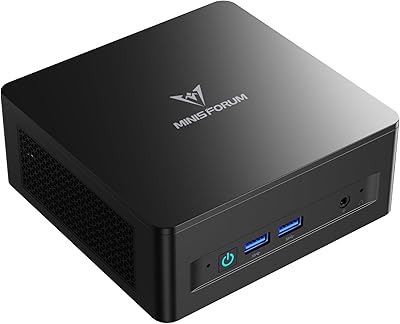
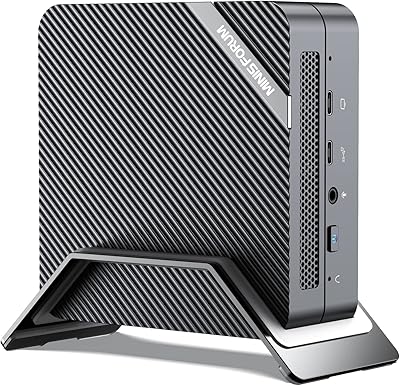
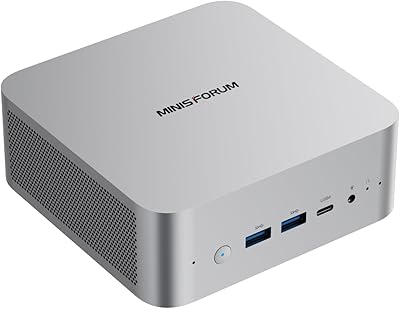
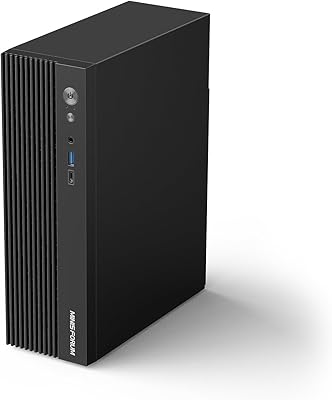
Overview

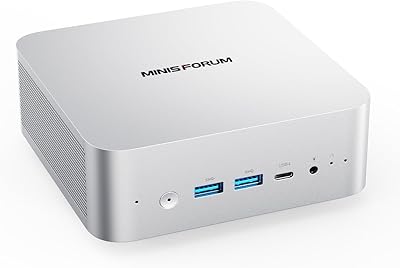
The MINISFORUM UM870 Slim Mini PC is one of those rare compact machines that punches well above its physical size. Roughly the footprint of a thick paperback book and weighing under three pounds, this mini PC tucks behind a monitor, sits on a corner of your desk, or fits into a bag without complaint. It is aimed squarely at home office workers, educators, and multimedia enthusiasts who want genuine desktop-class performance without committing to a full tower. The processor is capable, the connectivity is modern, and the price lands in mid-range territory. Just be clear going in: no discrete GPU means demanding 3D gaming is off the table.
Features & Benefits

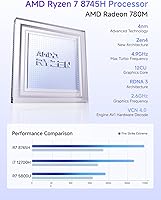
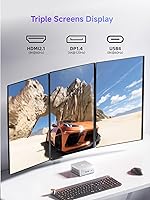
What makes the UM870 Slim stand out is not just the chip choice — it is how aggressively it is configured. The Ryzen 7 8745H runs at up to 65W in performance mode, which is unusually generous for a slim chassis and translates to noticeably snappier responsiveness under real workloads. The AMD Radeon 780M graphics hold their own for video editing, color grading, and casual gaming on older titles. Running 32GB of DDR5 in dual-channel mode means dozens of browser tabs, an active video call, and a creative app can coexist without a slowdown. Topping it off, the triple display output via HDMI 2.1, USB4, and DisplayPort covers almost any monitor configuration you can think of.

Best For

This compact desktop is a strong fit for remote workers who need a capable, multi-monitor workstation without a bulky tower eating up desk space. Students and educators will find it handles everything from video calls and document work to light photo editing, and it is small enough to move between rooms or pack for travel. Media enthusiasts can lean into the 8K output options for a clean home theater setup. If you are upgrading from an older NUC or entry-level mini PC, the performance jump is real and noticeable. That said, anyone whose workflow involves GPU-intensive rendering or modern AAA gaming should look elsewhere — this machine simply is not built for that.

User Feedback

Buyers who have spent real time with the UM870 Slim consistently praise its fast boot times and how quietly it runs during everyday tasks. The USB4 port earns particular appreciation — users are often surprised how much it simplifies their desk setup as a single-cable docking connection. Generous RAM and storage expansion headroom also generates goodwill among those who think long-term. On the downside, some owners note the fan becomes audibly active under sustained heavy workloads, a fair trade-off for the slim form factor but worth knowing upfront. A smaller number of users have reported occasional driver friction when running Linux, though the BIOS appears flexible enough for those comfortable with a bit of configuration.

Pros

  • The Ryzen 7 8745H delivers genuine multi-core muscle that most competing slim mini PCs at this price cannot match.
  • Triple independent display output — including two 8K-capable ports — is a rare and practical feature for multi-monitor setups.
  • 32GB of dual-channel DDR5 RAM handles heavy multitasking without breaking a sweat, and it is expandable to 96GB.
  • The USB4 port doubles as a fast docking connection, keeping desk cable clutter to a minimum.
  • At under three pounds and roughly paperback-sized, this mini PC is easy to relocate, mount behind a monitor, or pack for travel.
  • The 780M integrated graphics are strong enough for 4K video editing, light creative work, and casual older-title gaming.
  • Wi-Fi 6E and 2.5Gbps LAN together give you flexible, fast networking whether you are wired or wireless.
  • Dual SSD slots and upgradeable RAM mean the hardware can grow with your needs over several years.
  • Fast boot times and responsive everyday performance are consistently highlighted by owners who use it as a primary machine.
  • The USB4 port supports 65–100W power delivery input, so one cable can both power the machine and connect a dock.

Cons

  • The fan becomes audibly active under sustained heavy workloads — not ideal for recording studios or very quiet spaces.
  • No discrete GPU means the UM870 Slim is a hard pass for anyone running GPU-intensive rendering or modern high-demand games.
  • Only two USB 2.0 ports alongside the faster USB 3.2 ports — users with many peripherals may need a hub.
  • The slim chassis can thermal-throttle the CPU during extended all-core loads, which may frustrate sustained compute tasks.
  • Linux users have reported occasional driver and compatibility issues that require extra troubleshooting out of the box.
  • No included display cable in the box means you will need to source the right cable for your monitor setup separately.
  • The DC 19V barrel power input means you are tied to the included adapter unless you use the USB4 PD option.
  • At roughly 7 by 6 inches, the footprint is still larger than the very smallest palm-sized mini PCs on the market.

Ratings

The scores below were generated by our AI engine after analyzing verified buyer reviews from global markets, actively filtering out incentivized, duplicate, and bot-generated submissions to surface what real owners actually experienced. The MINISFORUM UM870 Slim Mini PC earns strong marks in processing power and connectivity, while the ratings also reflect honestly reported frustrations around thermal management and software setup. Both the genuine strengths and the real-world trade-offs are reflected transparently so you can make a genuinely informed decision.
Processing Performance
91%
Owners consistently report that the Ryzen 7 8745H handles demanding multitasking without hesitation — running video calls, browser-heavy workflows, and media editing simultaneously feels natural and fluid. The 65W TDP headroom means the chip can sustain strong clock speeds for longer bursts than most competing slim mini PCs.
Under prolonged all-core stress tests or extended rendering tasks, some users notice clock speed dips as the slim chassis struggles to sustain peak thermal output. It is not a dealbreaker for typical office use, but workloads that demand sustained maximum CPU throughput will eventually hit a thermal ceiling.
Integrated Graphics
74%
26%
For a machine without a discrete GPU, the Radeon 780M genuinely impresses in day-to-day creative tasks — 4K video playback is smooth, light photo editing in tools like Lightroom moves along without frustration, and older gaming titles run at playable settings. Users upgrading from older integrated graphics report a very noticeable improvement.
Modern AAA games and GPU-intensive workflows expose the 780M's limits quickly, with frame rates dropping to unplayable levels on demanding titles at higher settings. Users who expected near-GTX 1650 performance in real gaming scenarios report disappointment, as the comparison holds mainly for compute and media workloads rather than real-time 3D rendering.
Thermal Management
66%
34%
During typical home office use — video calls, document editing, light multitasking — the cooling system keeps temperatures well in check and the machine stays whisper-quiet, which owners in shared workspaces particularly appreciate. The fan rarely spins up noticeably unless you are pushing the hardware hard.
Extended heavy workloads like prolonged video encoding or large compilation tasks cause the fan to ramp up audibly, and some users have reported thermal throttling that clips CPU performance after 10 to 15 minutes of sustained load. The slim chassis simply does not have the airflow volume to sustain peak performance indefinitely.
Multi-Monitor Support
93%
Triple independent display output through three different port types is a standout feature that buyers in home office and trading setups specifically call out as a major reason for their purchase. Running three monitors at 4K across different connections works reliably, and the 8K-capable outputs provide real headroom for future display upgrades.
A small number of users report occasional display detection issues when all three outputs are connected on boot, requiring a restart or cable reseat to resolve. The 4K@120Hz cap on the DisplayPort output may also disappoint users chasing high-refresh-rate content on all three screens simultaneously.
Connectivity & Ports
88%
The USB4 port in particular draws consistent praise — users running a single-cable dock setup find it dramatically cleans up their desk, handling display output, data transfer, and power delivery through one connection. The 2.5Gbps wired LAN and Wi-Fi 6E combination gives both speed and flexibility for different network environments.
Having only two USB 2.0 ports alongside the faster USB 3.2 options means users with several peripherals often need an external hub, which partially undercuts the clean desk appeal. There is also no Thunderbolt certification on the USB4 port, which matters to users relying on Thunderbolt-specific accessories or eGPU enclosures.
RAM & Expandability
89%
Shipping with 32GB of dual-channel DDR5 already installed means most buyers get a genuinely capable machine straight out of the box without needing an immediate upgrade. The expandability headroom to 96GB and dual SSD slots up to 4TB total give the machine a practical multi-year upgrade path that budget mini PCs simply do not offer.
Some users note that accessing the RAM and SSD slots requires opening the chassis, which while not technically difficult, may feel intimidating for less confident buyers who are not used to PC hardware upgrades. DDR5 SO-DIMM pricing also means expanding the RAM is a more significant cost commitment than equivalent DDR4 upgrades would be.
Build Quality & Design
81%
19%
The silver chassis feels solid and premium compared to cheaper plasticky mini PCs in this price range, and the compact footprint is genuinely impressive given the hardware packed inside. Owners who display the unit on their desk rather than hiding it report satisfaction with how it looks alongside modern monitor setups.
A few users note that the chassis shows fingerprints and light scratches more readily than expected for a desktop unit, particularly around the top panel. The ventilation design, while functional, does channel warm air in a fairly narrow direction, which can be a minor inconvenience depending on placement.
Noise Levels
72%
28%
Under light and moderate workloads the UM870 Slim is genuinely quiet — users working in bedrooms or small shared offices report being unable to hear it during typical productivity tasks. The fan profile at idle is very conservative, which makes a good first impression when you first power the machine on.
The fan noise under stress is a recurring theme in negative feedback, with some users describing it as more intrusive than expected for a desktop unit that sits on a desk rather than a laptop on your lap. Those using the machine in recording environments or for audio work without acoustic isolation will want to factor this in.
Software & OS Setup
61%
39%
The BIOS is reported to be accessible and flexible, with users noting that boot order customization and performance mode configuration are straightforward for anyone with basic PC knowledge. Windows 11 installs cleanly via USB without hardware compatibility issues for the vast majority of buyers.
Shipping without a pre-installed OS is a friction point for less experienced buyers who were not expecting to source and install an operating system themselves. Linux users in particular have flagged driver inconsistencies — primarily around wireless networking and power management — that require additional troubleshooting before the machine is fully functional.
Value for Money
84%
Most buyers feel the combination of a powerful processor, generous RAM, fast storage, and a strong connectivity suite at the mid-range price point represents a genuinely competitive package. Owners who previously paid more for similar or lower-spec configurations from other mini PC brands specifically call out the value as a standout positive.
The lack of an included operating system adds a real cost that is easy to overlook in the initial purchase decision, which slightly dents the overall value calculation for buyers who need a Windows license. Users who do not need triple display output or the USB4 port may feel they are paying for features they will never use.
Form Factor & Portability
86%
At under three pounds and roughly the size of a thick paperback, the UM870 Slim genuinely lives up to its portability potential — users who move between a home office and a client site report it fits easily into a bag alongside a laptop without dominating the load. The VESA mount compatibility also earns praise from users who want a truly invisible desk setup.
At 7.1 x 6.3 x 4.5 inches, it is not the most compact mini PC on the market, and users who specifically need the smallest possible footprint may find competing palm-sized options more appealing. The barrel power connector also means you cannot go fully cable-minimal without using the USB4 PD input, which requires a high-wattage charger that is not included.
Networking Performance
87%
The 2.5Gbps wired LAN is a meaningful upgrade over the standard gigabit ports found on most competitors at this tier, and users with a capable home router or NAS setup report noticeably faster file transfers. Wi-Fi 6E performance is consistently reported as fast and stable across typical home and small-office distances.
A small subset of Linux users have reported that the Wi-Fi adapter requires manual driver installation or firmware updates to reach its full performance potential. Bluetooth 5.3 is functional and reliable for most peripherals, though a handful of users noted occasional pairing latency with older Bluetooth devices.
Out-of-Box Experience
67%
33%
The hardware itself arrives well-packaged and in good condition, and buyers who already have a Windows license report being up and running within 30 to 45 minutes including OS installation. The included power adapter is appropriately specced for the machine without being unusually bulky.
The absence of a display cable in the box is a recurring complaint, particularly from first-time mini PC buyers who assumed basic accessories would be included. The documentation is minimal, and users who are less familiar with BIOS configuration or OS installation have noted that setup felt less guided than they expected at this price point.

Suitable for:

The MINISFORUM UM870 Slim Mini PC is a genuinely strong choice for anyone who wants real desktop performance without dedicating a corner of their room to a tower. Remote workers and home-office professionals will appreciate the triple-display support and the 2.5Gbps wired network port — that combination alone makes it a productive daily driver for spreadsheets, video calls, and multitasking across applications. Students and educators get a machine that handles everything from light photo editing to 4K video playback, and it is small enough to move between a desk and a bag without fuss. Media enthusiasts who want a clean, minimal setup connected to a large display will find the 8K output options surprisingly practical. If you are coming from an older NUC or a budget mini PC from a few years back, the performance step-up here is meaningful and immediately noticeable in everyday use.

Not suitable for:

The MINISFORUM UM870 Slim Mini PC is the wrong tool if your workload depends heavily on a discrete GPU — real-time 3D rendering, AI model training, or playing modern AAA titles at high settings are simply outside what integrated graphics can deliver, regardless of how capable the 780M is relative to its class. Serious gamers should budget for a machine with a dedicated graphics card rather than expecting this compact desktop to fill that role. The slim chassis also comes with a thermal compromise: under prolonged heavy CPU loads, the cooling system works harder and the fan becomes noticeably louder, which may frustrate users in quiet environments. Those who need extensive legacy port options — think multiple USB-A hubs, serial connections, or older display standards — may find the I/O layout a little lean. And if you run Linux as a primary OS, be prepared for the possibility of occasional driver friction that Windows users simply will not encounter.

Specifications

  • Processor: AMD Ryzen 7 8745H with 8 cores and 16 threads, boosting up to 4.9GHz with a 16MB L3 cache and a performance TDP of up to 65W.
  • Integrated GPU: AMD Radeon 780M based on the RDNA3 architecture, featuring 12 compute units running at up to 2600MHz.
  • RAM: 32GB DDR5 SO-DIMM at 5600MHz in dual-channel configuration (2x16GB), expandable up to 96GB across two slots.
  • Storage: 1TB M.2 2280 PCIe 4.0 SSD included, with a second M.2 slot available for expansion up to a total of 4TB.
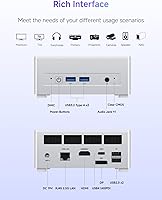
  • Display Output: Three independent display outputs: HDMI 2.1 at 8K@60Hz, USB4 at 8K@60Hz, and DisplayPort 1.4 at 4K@120Hz.
  • USB4 Port: One USB4 port supporting 40Gbps data transfer, 8K display output, and 65–100W power delivery input.
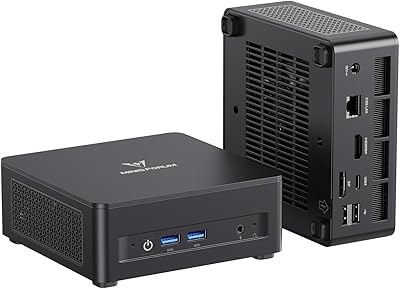
  • USB-A Ports: Two USB 3.2 Gen2 Type-A ports and two USB 2.0 Type-A ports are included for peripheral connectivity.
  • Networking: 2.5Gbps wired LAN port, Wi-Fi 6E (802.11ax), and Bluetooth 5.3 are all built in.
  • Audio: One 3.5mm combo audio jack is provided for headphones or a headset connection.
  • Power Input: Primary power via DC 19V barrel connector; the USB4 port also accepts 65–100W USB Power Delivery input.
  • Dimensions: The unit measures approximately 7.13 x 6.30 x 4.53 inches, making it compact enough to mount behind most monitors.
  • Weight: The device weighs 2.72 pounds, making it easy to relocate or pack for travel.
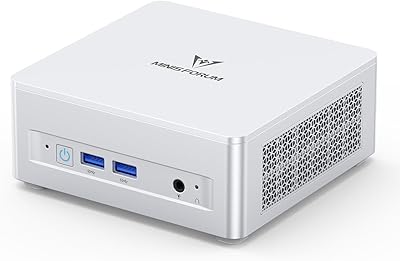
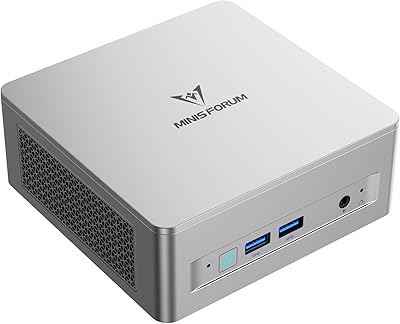
  • Form Factor: Slim mini desktop PC in a silver aluminum-finish chassis designed for low-profile desk or VESA-mount placement.
  • Operating System: Ships without a pre-installed OS; Windows 11 is compatible and buyers must supply their own license.
  • Memory Type: DDR5 SO-DIMM modules are used, which are the standard laptop-style RAM form factor for mini PCs.
  • SSD Interface: The primary drive uses an M.2 2280 PCIe 4.0 x4 interface, delivering fast sequential read and write speeds.
  • Availability: First made available for purchase on December 30, 2024, placing it among the more recent mini PC releases in its segment.

Related Reviews

MINISFORUM UM870 Slim Mini PC (Barebone)

80%
88%
CPU Performance
74%
Integrated Graphics
91%
Build Quality & Design
93%
Connectivity & I/O
89%
Multi-Monitor Support
More
MINISFORUM UM690L Mini PC
79%
91%
CPU Performance
74%
GPU & Display Output
88%
Memory & Storage Speed
76%
Thermal Management
82%
Noise Level
More
MINISFORUM UM750L Slim Mini PC
78%
87%
CPU Performance
83%
Value for Money
92%
Display Versatility
78%
Thermal Management
86%
Connectivity
More
MINISFORUM DeskMini UM760 Slim Mini PC, AMD Ryzen 5 7640HS, 16GB RAM, 1TB SSD
86%
89%
Performance
92%
Value for Money
84%
Build Quality
91%
Connectivity
95%
Compact Design
More
MINISFORUM X1-255 Barebone Mini PC
78%
83%
Performance
78%
Build Quality
71%
Value for Money
91%
Connectivity
69%
Thermal Management
More
MINISFORUM 790S7 Mini ITX PC
73%
93%
CPU Performance
78%
GPU Expandability
84%
Build Quality
76%
Value for Money
67%
Thermal Management
More
MINISFORUM UM560 XT Mini PC
86%
91%
Performance
88%
Build Quality
84%
Connectivity
92%
Portability
60%
Cooling/Heat Management
More
MINISFORUM DeskMini UM690L Slim Mini PC
79%
91%
Processing Performance
88%
Multi-Monitor Support
58%
RAM Adequacy & Upgradeability
89%
Storage Speed & Expansion
73%
Integrated Graphics (Radeon 680M)
More
MINISFORUM M1 Pro 125H Mini PC Barebone
79%
88%
Processing Performance
67%
GPU & Graphics Capability
91%
Build Quality & Chassis
93%
Connectivity & I/O
71%
OCuLink eGPU Support
More
Shuttle DS10U5 Fanless Mini Barebone PC
80%
91%
Build Quality
83%
Fanless Passive Cooling
88%
Display Output Versatility
93%
Memory Expandability
89%
Connectivity & Port Selection
More

FAQ

No, the MINISFORUM UM870 Slim Mini PC ships without an operating system. You will need to purchase and install Windows 11 separately, or install a Linux distribution of your choice. The BIOS is generally flexible enough to support both without major issues.

Yes, all three display outputs can drive independent monitors simultaneously — HDMI, USB4, and DisplayPort each carry a separate signal. This is a genuine hardware capability, not a marketing simplification. Just make sure all three monitors are connected before booting for the best compatibility experience.

During everyday tasks like browsing, video calls, and office work, the fan stays very quiet — most users barely notice it. Under sustained heavy workloads like video encoding or large file compression, the fan does spin up audibly. It is not disruptive, but if you need near-silent operation for recording or a very quiet workspace, that is worth factoring in.

Yes, and quite generously. The two DDR5 SO-DIMM slots can be upgraded to a total of 96GB of RAM, and the second M.2 2280 slot lets you add a second SSD for up to 4TB of total storage. Both upgrades are accessible without voiding the warranty, though you should confirm current MINISFORUM policy at time of purchase.

Yes. The USB4 port supports 65–100W USB Power Delivery input, so a compatible USB-C PD charger or dock can power the unit. This is handy if you want a single-cable desk setup with a USB-C dock that also connects your monitors and peripherals.

It handles older and less demanding titles quite well — think games from a few years back at 1080p on medium settings. For anything modern and GPU-heavy, you will hit the ceiling of integrated graphics fairly quickly. It is not a gaming machine, but it is the best integrated option available at this form factor and price range.

Most major distributions install and run without major problems, and the BIOS is flexible enough for custom boot setups. That said, a small number of users have reported driver issues — particularly around Wi-Fi or suspend/resume behavior — depending on the distro and kernel version. If Linux is your primary OS, it is worth checking community forums for your specific distribution before buying.

The unit measures about 7.1 x 6.3 x 4.5 inches, so it is on the larger side for a mini PC but still very manageable. MINISFORUM does offer VESA mount kits for their mini PCs, so mounting behind a compatible monitor is a realistic option — just verify the mount accessory availability at the time of your purchase.

For most home office and productivity use cases, 32GB is genuinely comfortable — you can run a browser with many tabs, a video call, a creative app, and background processes without any noticeable slowdown. If you are doing heavy video editing, virtual machines, or running multiple memory-intensive applications simultaneously, bumping to 48GB or 64GB is a reasonable upgrade down the line.

The box includes the mini PC unit, a power adapter, and basic documentation. It does not include a display cable, keyboard, mouse, or operating system. You will need at least one compatible cable (HDMI, USB-C, or DisplayPort) for your monitor, and a Windows license or Linux install media to get the machine up and running.