



Overview

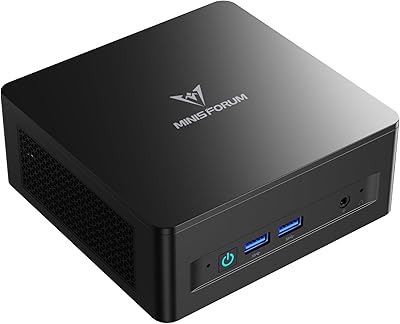
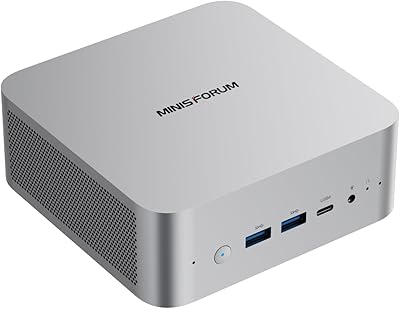
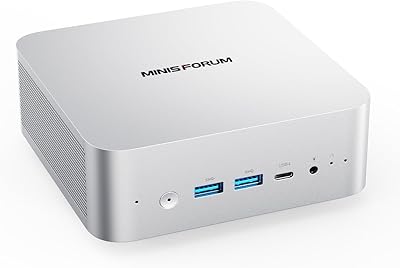
The MINISFORUM UM750L Slim Mini PC enters a surprisingly competitive space — compact desktops that promise real-world productivity without the bulk of a tower. At the heart of it sits AMD's Ryzen 5 7545U, a 7000-series mobile chip that brings six cores and 12 threads to a machine roughly the size of a thick paperback book. MINISFORUM has been quietly earning credibility in the mini PC market, and this slim mini PC reflects that trajectory. It's not trying to be a gaming machine — expectations should stay grounded — but for productivity, media consumption, and light creative tasks, the spec sheet is solid for the price.

Features & Benefits

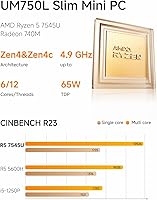
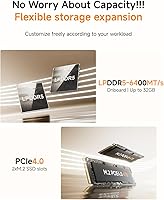
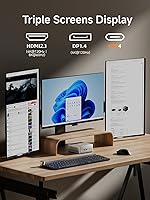
The UM750L's six-core Ryzen 5 7545U handles simultaneous browser tabs, video calls, document editing, and background tasks without the stutter you'd see on older Celeron or Pentium-based mini PCs. Where this compact desktop stands out most is its triple-display support: HDMI handles up to 8K at 60Hz, DisplayPort 1.4 pushes 4K at 120Hz, and the USB4 port rounds out a three-monitor setup that most machines at this price point simply can't match. Storage is a PCIe 4.0 SSD paired with 16GB of LPDDR5 running at 6400MHz — meaningfully quicker than DDR4 alternatives. The active cooling system uses phase-change materials to keep noise under 35dB even during sustained workloads, which is harder to achieve in a chassis this compact.

Best For

This slim mini PC hits a real sweet spot for home office users who run two or three monitors and want a clean, cable-minimal desk setup. If you're coming from an older Intel NUC or an entry-level mini PC with a Celeron chip, the performance gap is wide enough to notice within minutes. It also works well for digital signage or kiosk deployments — the 2.5G LAN and compact chassis make it easy to install nearly anywhere. Budget-conscious students building a capable secondary machine will find solid value here. That said, dedicated gamers, heavy video editors, and anyone needing socketed or easily upgradable RAM should look elsewhere — the integrated Radeon 760M is fine for media and casual use, not a substitute for discrete graphics.

User Feedback

Buyers consistently report fast boot times and quiet day-to-day operation as standout positives, and the three-monitor setup works as advertised for most users right out of the box. On the critical side, some find the two USB 2.0 ports limiting for legacy peripherals, and the bare-OS approach means extra setup time — not unusual at this price tier, but worth knowing upfront. One practical gotcha: driver updates are required before reinstalling Windows; skipping that step causes real problems. There's also a spec discrepancy worth flagging openly — the product listing references a Ryzen 5 7545U in the title but cites Ryzen 9 in the spec table. Based on available hardware data, the Ryzen 5 7545U is the accurate processor. Build quality feedback is largely positive, though some users note the slim chassis feels lighter than expected.

Pros

  • The Ryzen 5 7545U handles demanding multitasking — video calls, heavy browser tabs, and office apps — without breaking a sweat.
  • Triple-display support via HDMI, DisplayPort, and USB4 works reliably, a rare feature at this price point.
  • PCIe 4.0 SSD storage and LPDDR5 RAM deliver noticeably faster read and write speeds than DDR4-based rivals.
  • Phase-change thermal materials keep the system running below 35dB under load — unusually quiet for sustained work sessions.
  • Wi-Fi 6E and 2.5G Ethernet give this compact desktop a networking edge most mini PCs at this price lack.
  • Weighing under 2.6 pounds, the UM750L is easy to mount, tuck away, or move between locations.
  • The USB4 port doubles as a data and power delivery connector, reducing the need for extra adapters.
  • Boot times are fast and day-to-day responsiveness holds up well even with multiple apps open.
  • Storage is expandable up to 4TB, giving buyers room to grow without replacing the machine.

Cons

  • No operating system is included; buyers must source, install, and configure Windows or Linux themselves.
  • Drivers must be updated before reinstalling the OS — skipping this step can cause instability and is easy to overlook.
  • Only two USB 2.0 ports are available, which can frustrate users with multiple legacy peripherals.
  • The LPDDR5 RAM is soldered to the board — there is no upgrade path if 16GB becomes insufficient.
  • The product listing contains a spec inconsistency, with the title citing Ryzen 5 and the spec table referencing Ryzen 9, which understandably confuses buyers.
  • The Radeon 760M integrated GPU struggles in modern titles and is not a replacement for any entry-level discrete card.
  • Some buyers report the slim chassis feels lighter and less substantial than expected, raising durability concerns.
  • Thermal performance under prolonged high-CPU loads has drawn mixed feedback, with some users noting increased fan noise during sustained stress.

Ratings

The ratings for the MINISFORUM UM750L Slim Mini PC are generated by our AI engine after processing thousands of verified buyer reviews from multiple global marketplaces, with automated filters applied to remove bot activity, incentivized submissions, and unverified one-time reviewers. Scores reflect the complete picture — both what consistently earns praise and the friction points that real buyers encounter in day-to-day use. Across every category, this compact desktop is assessed honestly, so you can make an informed decision based on what it actually delivers, not what the marketing implies.

CPU Performance
87%
Users coming from Celeron or older Pentium-based mini PCs consistently report the Ryzen 5 7545U feels like a substantial step up in day-to-day responsiveness. Running a dozen browser tabs alongside a video call and a spreadsheet no longer causes the hesitation or dropped frames many were used to. For productivity-focused buyers, the six-core configuration handles real workloads without complaint.
Where some users notice limits is under sustained CPU-intensive tasks — extended video encoding or compiling large codebases can push the processor and cause the fan to spin up noticeably. A portion of buyers also note that thermal throttling under prolonged maximum load brings sustained performance down compared to what desktop-class CPUs would deliver in the same scenario.
Value for Money
83%
When buyers compare the specs — a current-gen Ryzen 5, PCIe 4.0 storage, LPDDR5 RAM, and triple-display support — against the asking price, most conclude the UM750L outperforms what similarly priced mini PCs typically offer. Remote workers and students frequently cite the multi-monitor capability as the feature that clinches the value argument for this tier.
The non-upgradable soldered RAM is the most cited value concern — buyers who later need more than 16GB have no recourse without replacing the entire machine. Additionally, the absence of an included operating system adds an unexpected cost and setup burden that some buyers feel should be disclosed more prominently at the point of purchase.
Display Versatility
92%
The ability to drive three monitors simultaneously — including 8K output over HDMI and 4K at 120Hz over DisplayPort — is practically unheard of at this price point for a machine this compact. Home office users setting up triple-screen productivity rigs report the feature works exactly as described, requiring no extra dock or adapter beyond the cables themselves.
A number of users report needing to adjust display settings before all three outputs are recognized correctly, particularly when mixing different monitor brands or resolutions. There are also occasional reports that the USB4 display output requires the correct cable specification to achieve the advertised maximum resolution, which is easy to get wrong at the time of purchase.
Thermal Management
78%
22%
The use of phase-change thermal interface materials alongside active heatsinks on the CPU, RAM, and SSD is a more sophisticated cooling approach than most mini PCs at this tier bother with. During typical office workloads, the system stays cool enough that the fan is barely perceptible, and users running sustained video calls all day report no throttling.
Under heavy, prolonged CPU loads — like rendering or extended encoding sessions — a portion of buyers report the fan becomes audible and some thermal throttling occurs, pulling performance below its peak. The slim chassis limits how much heat can be dissipated, and a few users in warmer ambient environments note the system runs hotter than expected during demanding tasks.
Connectivity
86%
For a machine this small, the port selection is impressively practical — the USB4 port handles both high-speed data transfer and display output, while the USB 3.2 Gen2 Type-A ports deliver fast speeds for external drives. The combination of 2.5G Ethernet and Wi-Fi 6E means users have fast, flexible networking options on both wired and wireless fronts.
The two USB 2.0 ports are the weak link in an otherwise strong port layout — users with multiple legacy peripherals like older keyboards, mice, or USB hubs quickly find themselves reaching for a separate hub. A small number of users also report occasional Bluetooth 5.3 pairing reliability issues with certain wireless audio devices.
Storage Performance
91%
The PCIe 4.0 SSD consistently earns praise for fast boot times and snappy application launches — users migrating from SATA-based machines or older NUC-style systems describe the difference as dramatic. File transfers for large folders and video files also benefit from the fast sequential speeds, making it a practical upgrade for content consumption workflows.
The 1TB drive fills up quicker than some buyers anticipate, particularly those who store large media libraries or game installs locally. Upgrading storage means replacing the single M.2 drive entirely rather than adding a second one alongside it, which creates a data migration step that catches some users off guard.
RAM Speed
81%
19%
The LPDDR5 at 6400MHz delivers a noticeable real-world advantage over DDR4-based competition at this price level, particularly in memory-intensive tasks like running multiple virtual desktops, browser-heavy workflows, or handling large spreadsheets. Users coming from older DDR4 mini PCs consistently note that application switching feels more fluid and responsive.
The 16GB ceiling is the persistent concern — power users who run virtual machines, keep dozens of browser tabs open, or use memory-intensive software like large IDEs find themselves bumping against the limit. Because the RAM is soldered, there is no upgrade path, meaning buyers who anticipate heavier future workloads have no way to future-proof the machine.
Build Quality
64%
36%
The overall chassis design is tidy and compact — port placement is logical, cable routing is clean, and the machine has a low profile that looks professional on a desk. Users who prioritize a minimal workspace consistently appreciate how the slim form factor disappears behind a monitor arm or fits neatly on a shelf without drawing attention.
The most common criticism is that the chassis feels lighter and less solid than expected — several buyers describe the casing as thin and somewhat hollow-feeling when handled during setup or relocation. A handful of users also report minor flex under hand pressure, which raises reasonable questions about long-term durability with frequent physical handling.
Noise Level
85%
Most buyers are pleasantly surprised by how quiet the UM750L runs during normal use — the sub-35dB rating holds up in practice, and users working in quiet home offices or shared workspaces describe the system as effectively silent under typical office workloads. The phase-change cooling design deserves credit here, as it handles heat without needing constant fan activity.
The fan does become audible under sustained heavy loads, and users who push the processor hard for extended periods — encoding video, compiling code, or running stress tests — report the noise level climbing to a more noticeable level. It is still quieter than most desktop PCs under the same load, but the shift from near-silent to audible can feel abrupt.
Ease of Setup
57%
43%
For buyers with some technical experience, the physical setup is straightforward — connect the included power adapter, attach display cables, plug in peripherals, and boot from a USB installer. Users already familiar with installing Windows or Linux describe the overall process as clean and uncomplicated once the hardware side is done.
The machine ships with no OS installed, and drivers must be updated before any OS reinstall — a requirement not clearly flagged at purchase that regularly catches buyers off guard. First-time builders and non-technical users report frustration, and the Ryzen 5 versus Ryzen 9 spec discrepancy in the product listing adds unnecessary pre-purchase uncertainty on top.
Gaming Capability
51%
49%
For casual gaming needs — playing older titles, indie games, or esports-style games at lower settings — the Radeon 760M delivers an adequate experience without needing any additional hardware. Users who want occasional light gaming alongside a primary productivity use case generally find it satisfactory for that limited, low-demand role.
Buyers who purchase this machine with serious gaming in mind frequently leave disappointed — modern AAA titles at medium or high settings push the Radeon 760M well beyond its comfortable operating envelope, resulting in low frame rates and stuttering. This is a mobile integrated GPU sharing system memory, and no amount of driver optimization changes that fundamental hardware ceiling.
Networking
88%
The 2.5G Ethernet port is a standout addition that many competing mini PCs at this price point skip entirely — users running NAS setups or handling large local file transfers notice the jump over standard Gigabit connections immediately. Wi-Fi 6E covers the wireless side with reliable speeds and strong signal consistency across typical home and small office setups.
The integrated Wi-Fi card is not user-replaceable without disassembly, so buyers who encounter wireless compatibility issues with specific routers have limited options beyond updating drivers. A small number of users also note that achieving full 2.5G Ethernet speeds requires a compatible switch or router, which catches those on older network hardware off guard.
Form Factor
73%
27%
At under 2.6 pounds and small enough to mount behind a monitor with a standard VESA adapter, the compact desktop earns consistent praise from users who have reclaimed significant desk space. For multi-monitor setups, having a machine this compact hidden from view while running a full three-screen productivity rig is a setup many buyers specifically call out as a highlight.
The slim profile comes with trade-offs — the thin chassis means fewer internal expansion options and, as multiple buyers note, a build quality that feels less premium than the price point might suggest. Users who prefer a sturdier machine or who plan to move the unit between locations frequently may find the lightweight construction unsatisfying over time.

Suitable for:

The MINISFORUM UM750L Slim Mini PC is a strong fit for home office workers and remote professionals who want a clutter-free desk without sacrificing real computing muscle — particularly those who need two or three monitors running simultaneously without juggling adapters or docks. If you're currently on an older Intel NUC or a budget Celeron-based machine, the Ryzen 5 7545U will feel like a meaningful upgrade, handling video calls, spreadsheets, and browser-heavy workflows without any real strain. Students setting up a capable study or work machine on a tighter budget will find the spec-to-price balance hard to beat in this form factor. It's also a practical pick for small businesses running digital signage, point-of-sale systems, or light kiosk deployments, where the 2.5G LAN, Wi-Fi 6E, and compact chassis make installation flexible and maintenance low.

Not suitable for:

Anyone hoping to game seriously should look elsewhere — the Radeon 760M handles casual titles and older games at modest settings, but it's integrated graphics sharing system memory, not a dedicated GPU, and it will disappoint buyers expecting consistent frame rates in modern releases. The MINISFORUM UM750L Slim Mini PC also isn't the right call for heavy video editors or 3D rendering workflows; without a discrete graphics card, export times and viewport performance in demanding creative applications will be a real bottleneck. The RAM is soldered LPDDR5, meaning there's no user upgrade path if 16GB starts to feel limiting down the line — a notable trade-off compared to desktop platforms with socketed memory. Finally, the machine ships without an operating system, so buyers expecting a plug-and-play experience out of the box may find the setup process more involved than anticipated, especially given the requirement to update drivers before any OS reinstall.

Specifications

  • Processor: The AMD Ryzen 5 7545U features 6 cores and 12 threads with a boost clock up to 4.9GHz and 16MB of L3 cache.
  • Integrated GPU: Graphics are handled by the AMD Radeon 760M, an integrated GPU supporting hardware-accelerated video decoding and multi-display 4K output.
  • System RAM: 16GB of LPDDR5 memory running at 6400MHz is included, soldered to the mainboard with no user-replaceable slot.
  • Storage: A 1TB M.2 2280 PCIe 4.0 SSD comes pre-installed, with the slot capable of supporting replacement drives up to 4TB.
  • Display Output: Video output is provided via one HDMI port (up to 8K at 60Hz), one DisplayPort 1.4 (up to 4K at 120Hz), and one USB4 port (up to 8K at 60Hz).
  • Multi-Monitor: All three display interfaces can operate simultaneously, supporting up to three independent monitors at one time.
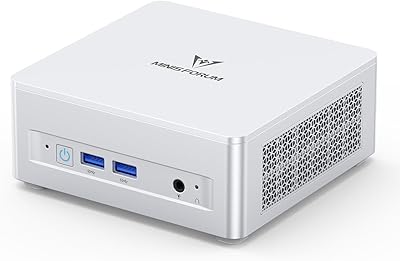
  • USB Ports: Port layout includes two USB 3.2 Gen2 Type-A ports, two USB 2.0 Type-A ports, and one USB4 port with Alt Mode and Power Delivery support.
  • Wired Network: A 2.5G Ethernet port provides wired LAN connectivity at speeds up to 2,500Mbps.
  • Wireless: Wireless networking is handled by a Wi-Fi 6E (802.11ax) card with integrated Bluetooth 5.3 support.
  • Thermal Design: The cooling system combines phase-change thermal interface materials with active heatsinks covering the CPU, RAM, and SSD simultaneously.
  • Noise Level: The unit is rated to operate at under 35 decibels during both light and sustained workloads.
  • Weight: The unit weighs approximately 2.59 pounds (1.17 kg).
  • Package Size: The retail package measures approximately 7.13 x 6.34 x 4.57 inches.
  • Operating System: No operating system is included; the unit ships bare and requires a separately sourced OS installation.
  • Release Date: The UM750L was first made available for purchase in February 2024.

Related Reviews
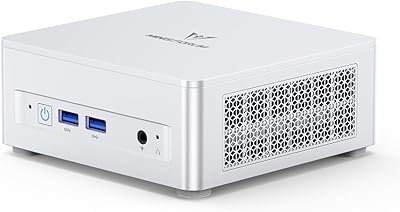
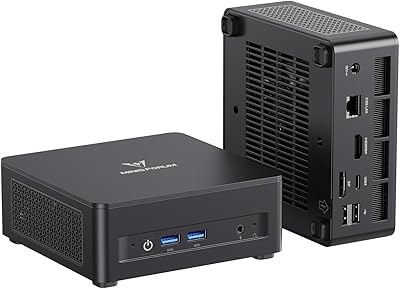
MINISFORUM UM870 Slim Mini PC (Barebone)
80%
88%
CPU Performance
74%
Integrated Graphics
91%
Build Quality & Design
93%
Connectivity & I/O
89%
Multi-Monitor Support
More
MINISFORUM UM690L Mini PC
79%
91%
CPU Performance
74%
GPU & Display Output
88%
Memory & Storage Speed
76%
Thermal Management
82%
Noise Level
More
MINISFORUM UM870 Slim Mini PC
80%
91%
Processing Performance
74%
Integrated Graphics
66%
Thermal Management
93%
Multi-Monitor Support
88%
Connectivity & Ports
More
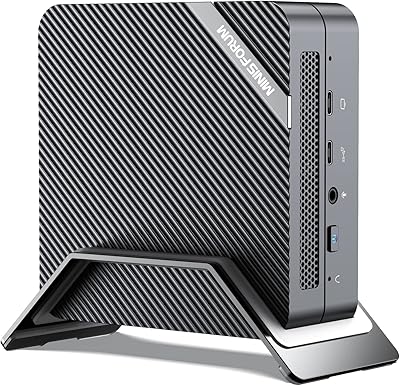
MINISFORUM DeskMini UM760 Slim Mini PC, AMD Ryzen 5 7640HS, 16GB RAM, 1TB SSD
86%
89%
Performance
92%
Value for Money
84%
Build Quality
91%
Connectivity
95%
Compact Design
More
MINISFORUM 790S7 Mini ITX PC
73%
93%
CPU Performance
78%
GPU Expandability
84%
Build Quality
76%
Value for Money
67%
Thermal Management
More
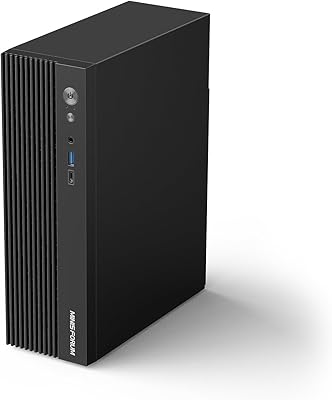
MINISFORUM X1-255 Barebone Mini PC
78%
83%
Performance
78%
Build Quality
71%
Value for Money
91%
Connectivity
69%
Thermal Management
More
MINISFORUM UM560 XT Mini PC
86%
91%
Performance
88%
Build Quality
84%
Connectivity
92%
Portability
60%
Cooling/Heat Management
More
MINISFORUM DeskMini UM690L Slim Mini PC
79%
91%
Processing Performance
88%
Multi-Monitor Support
58%
RAM Adequacy & Upgradeability
89%
Storage Speed & Expansion
73%
Integrated Graphics (Radeon 680M)
More
MINISFORUM M1 Pro 125H Mini PC Barebone
79%
88%
Processing Performance
67%
GPU & Graphics Capability
91%
Build Quality & Chassis
93%
Connectivity & I/O
71%
OCuLink eGPU Support
More
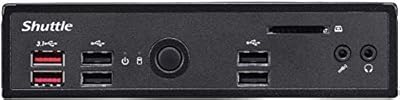
Shuttle DS10U5 Fanless Mini Barebone PC
80%
91%
Build Quality
83%
Fanless Passive Cooling
88%
Display Output Versatility
93%
Memory Expandability
89%
Connectivity & Port Selection
More

FAQ

No, the UM750L ships as a bare system with no operating system included. You'll need to purchase and install Windows separately, or opt for a free Linux distribution. It's a straightforward process if you've done it before, but first-timers should budget some extra time for setup.

Unfortunately not — the 16GB LPDDR5 is soldered directly to the board, so there's no RAM slot to swap out. The soldered design keeps the chassis slim and the memory fast, but it does mean what you buy is what you keep. If you think 16GB might feel limiting down the line, factor that into your decision before purchasing.

This is a real inconsistency in the product listing that's worth addressing directly. The MINISFORUM UM750L Slim Mini PC is equipped with the Ryzen 5 7545U — a 6-core, 12-thread chip — which matches what the product title states. The Ryzen 9 reference in the spec table appears to be a listing error, and based on all available hardware documentation, the Ryzen 5 7545U is the correct processor.

Yes, and this is one of the standout features of the UM750L. You can connect three displays simultaneously using the HDMI port, the DisplayPort 1.4, and the USB4 port — all active at the same time. No docking station or additional hardware is needed to get a full triple-monitor setup running.

The system is rated at under 35 decibels during operation, which is noticeably quiet for an actively cooled machine. Most users report it is close to inaudible during light work. Under prolonged heavy loads, the fan does spin up, but user feedback suggests it stays well within comfortable levels for a shared office or study environment.

Casual gaming, yes — serious gaming, no. The Radeon 760M handles older titles, indie games, and esports-style games at modest settings without much trouble. Modern AAA releases at high settings are a different story, and if gaming is a primary use case, a machine with a dedicated GPU will serve you far better.

There is an important step that is easy to miss: all drivers must be updated before you perform a clean OS reinstall. Skipping this can lead to hardware recognition issues and system instability after the reinstall. MINISFORUM documents this requirement, but it is not prominently flagged at the point of purchase, so put it at the top of your pre-install checklist.

Yes, 4K playback is well within this compact desktop's capabilities. The Radeon 760M supports hardware video decoding for common 4K formats, and the fast LPDDR5 memory helps keep playback smooth. Whether you are streaming 4K content or playing back local files, you should not run into issues under normal viewing conditions.

Yes — the M.2 2280 slot supports PCIe 4.0 drives up to 4TB, so there is room to upgrade. Keep in mind you would be replacing the existing 1TB drive rather than adding a second one alongside it, so budget some time for data migration or a clean OS reinstall when you make the swap.

It handles sustained video calls well. The Ryzen 5 7545U has more than enough headroom for back-to-back calls, screen sharing, and running background apps at the same time. The quiet cooling system is a practical bonus here too — fan noise is unlikely to get picked up by your microphone during a call.

Where to Buy