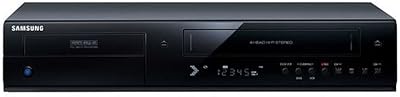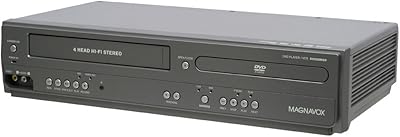
Overview

The Magnavox ZC320MW8B DVD Recorder is a standalone disc recorder built for one practical purpose: capturing analog video sources onto physical media before those tapes deteriorate beyond saving. Magnavox has been in consumer electronics long enough to carry real credibility here, and this unit steps into a niche that streaming devices simply don't address. If you have a VHS player, camcorder, or cable box and want to preserve footage without touching a computer, line-in recording is the feature that sets this apart from ordinary DVD players. Just set realistic expectations — this is not a smart device, not a cloud solution, just a focused recorder doing one job well.

Features & Benefits

The recorder handles four disc formats — DVD+R, DVD-R, DVD+RW, and DVD-RW — plus standard CD playback, so you're not locked into one media type. During playback, 1080p upscaling sharpens the picture on modern TVs, though recordings themselves are captured at standard DVD resolution, not high definition. Progressive scan via component output reduces motion blur noticeably on larger screens. Five recording speed modes stretch up to six hours of footage onto a single disc — handy for long family events. Onboard editing tools let you delete scenes, remove titles, and mark chapters, which is basic but genuinely useful for trimming dead footage. Closed caption data is preserved during recording, a thoughtful accessibility detail most competing units skip.

Best For

This DVD recorder suits anyone trying to archive analog footage — VHS tapes, Hi8 camcorder recordings, old cable captures — without going near a PC capture card or editing software. It's a particularly good fit for older adults or anyone who finds computer-based workflows frustrating; you connect a source, press record, and the process stays straightforward. If you already own a DVD library you want to keep watching while also preserving new recordings, the Magnavox recorder consolidates both functions in one slim unit. Those who need closed caption support in their recordings will find real value here too. It's a niche device in a streaming-dominated era, but for the right buyer, that narrow focus is precisely the point.

User Feedback

Buyers generally appreciate how quickly this disc recorder gets up and running — most report connecting it and starting recordings within minutes, with minimal menu confusion. The setup experience earns consistent praise, especially from users who aren't particularly tech-savvy. Where complaints emerge, disc finalization is the most common sticking point: recorded discs must be finalized before they'll play on other DVD players, and the steps involved aren't always obvious. Some owners note the remote feels a bit light relative to the unit's price. Long-term reliability gets mixed marks — a handful of users report laser or disc-reading issues after a year or more of regular use, so treating this as a medium-term archiving solution rather than a permanent appliance is a sensible mindset.

Pros

  • Line-in recording lets you capture footage from VHS players, camcorders, and cable boxes without a computer.
  • Supports four disc formats — DVD+R, DVD-R, DVD+RW, DVD-RW — giving you flexibility at the media store.
  • Up to six hours of recording on a single disc across five speed modes covers long events without disc swapping.
  • Playback upscaling sharpens older DVDs on modern TVs, making your existing library look noticeably better.
  • Progressive scan output via component video reduces motion blur during playback on larger screens.
  • Closed caption data is preserved during recording, a genuinely useful accessibility feature rarely found here.
  • Basic but functional editing tools let you trim dead footage and add chapter markers without extra software.
  • Setup is fast and approachable — most users report being up and recording within minutes of unboxing.
  • Compact footprint at under three inches tall fits easily into existing entertainment center arrangements.
  • Trusted Magnavox brand with a long history in consumer electronics provides reasonable confidence in support.

Cons

  • Disc finalization is required before recorded discs play on other DVD players, and the process confuses many first-time users.
  • No HDMI input or output limits compatibility with modern TVs and source devices that have dropped analog ports.
  • Recording resolution is standard DVD quality only — do not expect HD results regardless of your source material.
  • The remote control feels flimsy relative to the price point, with several buyers noting a cheap plastic build.
  • No internal hard drive means you cannot buffer, time-shift, or store recordings before burning to disc.
  • Long-term laser reliability has drawn complaints from users who experienced read or write failures after a year or more of use.
  • No USB or SD card input rules out direct transfer from modern digital cameras or smartphones.
  • Menu navigation can feel sluggish and dated compared to more recent electronics in a similar price bracket.
  • Region 1 only, so users outside North America or with international discs will face compatibility problems.
  • No wireless or network connectivity of any kind makes this a fully isolated, standalone unit with no upgrade path.

Ratings

Our AI rating engine analyzed thousands of verified global user reviews for the Magnavox ZC320MW8B DVD Recorder, actively filtering out incentivized, bot-generated, and duplicate submissions to surface what real buyers actually experienced. The scores below reflect a balanced synthesis of genuine praise and recurring frustrations — nothing is glossed over. Where this disc recorder earns trust, we say so; where it falls short, that is reflected in the numbers too.

Ease of Setup
83%
Most buyers reported having the recorder connected and capturing footage within fifteen to twenty minutes of unboxing, with no technical background required. The input connections are clearly labeled, and the menu is straightforward enough that many users skipped the manual entirely on the first try.
A recurring complaint involves the initial configuration of recording modes, which some users found poorly explained in the included documentation. Buyers who owned older televisions with limited input options occasionally struggled to find the right cable combination to get a signal.
Recording Quality
67%
33%
For standard DVD resolution output, the recordings are clean and watchable, particularly when source material is in good condition. Users archiving VHS tapes from the 1980s and 1990s were generally satisfied with the results, noting that the recorder faithfully captured what the tape had to offer.
The output is limited to standard DVD resolution, and buyers expecting anything approaching HD clarity were consistently disappointed. Footage recorded from older, degraded tapes reflects the source quality limitations rather than any enhancement from the recorder itself.
Disc Finalization
49%
51%
The finalization feature itself works as intended when users follow the correct menu steps, and successfully finalized discs played reliably across a range of external DVD players in buyer testing. Rewritable disc formats allow users to skip finalization until they are ready to lock in the content permanently.
This is the single most cited frustration across user reviews. Many buyers discovered only after recording that their disc would not play elsewhere without finalization, and the process is buried in menus without prominent guidance. First-time users frequently reported wasted discs and significant confusion before understanding the required steps.
Playback Upscaling
78%
22%
Owners with large modern flat-screen televisions noticed a genuine improvement in sharpness when playing back existing DVD collections through the upscaling output. Older titles that previously looked soft on HD screens appeared notably crisper, which several users called an unexpected bonus of the device.
The upscaling only applies to playback and has no effect on recordings, a distinction that confused a meaningful number of buyers who assumed recorded footage would also benefit. At smaller screen sizes, the upscaling improvement is subtle enough that some users could not detect any difference at all.
Format Compatibility
81%
19%
Support for both plus and dash variants of DVD-R and DVD-RW means buyers can use whichever blank discs are available locally without worrying about format mismatches. CD playback support is a small but appreciated bonus for users who still maintain physical music collections alongside their video library.
There is no support for DVD-RAM or dual-layer recording formats, which limits maximum disc capacity and rules out certain media types some users already owned. Blu-ray playback is entirely absent, which is expected at this price tier but still worth noting for buyers consolidating devices.
Remote Control
54%
46%
The remote covers all essential functions and has enough button separation to operate confidently in low light once you have learned the layout. Users who primarily use it for basic record and stop functions found it perfectly adequate for day-to-day operation.
Build quality of the remote drew consistent criticism, with buyers describing it as feeling light and hollow relative to the price of the unit. Button feedback is soft and imprecise, and several long-term owners reported keys becoming unresponsive or sticky within the first year of regular use.
Menu Navigation
61%
39%
The menu structure is logically organized into broad categories that most users could navigate without referring to the manual for basic operations like selecting a recording speed or initiating playback. Non-technical buyers in particular appreciated that the menus avoided overly technical language.
Response times within the menu feel sluggish by modern standards, with noticeable lag between button presses and screen updates. Several users noted that accessing less common functions — such as editing tools or disc management — required more steps than felt necessary, slowing down repetitive archiving sessions.
Build Quality
58%
42%
The unit sits solidly on a shelf and does not shift or vibrate noticeably during disc reading, which matters when recording sessions can run several hours. The slim profile at just over two inches tall is a genuine practical advantage for crowded entertainment center setups.
The outer casing has a lightweight plastic feel that buyers described as underwhelming for a mid-range electronics purchase. Several reviewers noted visible flex in the top panel under light pressure, raising concerns about how well the unit would hold up to years of regular handling.
Long-Term Reliability
52%
48%
A portion of buyers reported using the recorder without issue for two or more years under moderate use conditions, particularly those who kept the unit in a cool, well-ventilated space. For a dedicated archiving project with a defined end point, the recorder tends to hold up adequately.
Laser read and write failures are a documented pattern in longer-term ownership reviews, with some users experiencing issues within twelve to eighteen months of regular use. The lack of a widely available repair network for consumer DVD recorders means that when problems arise, replacement is often the only practical option.
Editing Tools
69%
31%
Being able to delete unwanted scenes and mark chapter points directly on the recorder — without connecting to a computer — is a meaningful convenience for casual archiving. Users transferring long family gatherings appreciated the ability to remove dead footage before finalizing, saving disc space and viewing time.
The editing suite is basic by any measure, and users expecting frame-accurate trimming or transition effects will find it falls well short. Operations like scene deletion are permanent on finalized discs, so mistakes cannot be undone once the disc is locked, which caught several users off guard.
Closed Caption Support
86%
Closed caption data passes through and is written to disc during recording, which is a meaningful accessibility feature that a surprising number of competing units at this price point do not offer. Buyers archiving captioned television broadcasts specifically sought out this recorder for this capability.
Caption support depends heavily on the quality and format of the source signal, and users recording from older VHS tapes with embedded caption data reported inconsistent results in some cases. There is no manual captioning or subtitle authoring capability, so the recorder is purely passing through existing data.
Recording Speed Options
77%
23%
Having five distinct speed modes gives users genuine control over the balance between disc capacity and visual quality, which is not always the case with budget recorders that offer only two or three options. The six-hour maximum capacity is particularly valued by users recording long events like weddings or sporting occasions.
At the slowest recording speeds, quality degradation is noticeable enough that some users felt the footage looked worse than the original VHS source, defeating part of the archiving purpose. The manual does not clearly communicate the quality trade-offs at each speed level, leading some buyers to default to the wrong setting initially.
Value for Money
63%
37%
For buyers with a specific analog archiving need and no interest in computer-based workflows, this disc recorder delivers the core functionality at a price that avoids professional-grade territory. Users who successfully archived large VHS collections without incident generally felt the purchase was justified.
Given the build quality concerns, reliability questions beyond year one, and the absence of HDMI connectivity, the pricing sits at the upper edge of what the hardware comfortably justifies. Buyers who encountered early malfunctions or struggled with finalization felt the value proposition did not hold up under scrutiny.
Connectivity Options
59%
41%
The inclusion of S-Video alongside standard composite and component connections gives users more flexibility when connecting older source equipment, since S-Video offers a noticeably cleaner signal than composite for compatible VHS decks and camcorders. Having multiple input types in one unit reduces the need for external signal adapters.
The complete absence of HDMI — for either input or output — is an increasingly significant limitation as televisions drop legacy analog ports from their feature sets. Users with newer televisions who lack a component or composite input may need to purchase an external converter before the recorder is even usable.

Suitable for:

The Magnavox ZC320MW8B DVD Recorder is purpose-built for anyone sitting on a collection of aging VHS tapes, Hi8 camcorder reels, or old cable recordings who wants to preserve that footage on disc without learning video editing software or buying a PC capture card. It makes the most sense for home users who prefer a physical, tangible archive over cloud storage or USB drives — people who want to hand a disc to a family member and know it will simply play. Older adults or less tech-savvy buyers will find the workflow refreshingly direct: connect a source, press record, and the device handles the rest. Those with accessibility needs will also benefit, since this disc recorder preserves closed caption data during recording, which most competitors in this category ignore. If you already own a DVD library and want one device that handles both playback and new recordings without cluttering your entertainment setup with extra hardware, this recorder fits that role well.

Not suitable for:

The Magnavox ZC320MW8B DVD Recorder is a poor match for anyone expecting high-definition recording output — the unit upscales existing DVDs during playback, but new recordings are captured at standard DVD resolution, which may disappoint buyers accustomed to HD or 4K quality. Those who want to pull footage directly from digital sources like an HDMI-equipped camera, streaming box, or modern gaming console will run into a dead end, since this recorder operates entirely through analog connections. Buyers who need recorded discs to play immediately on any player without extra steps should know that finalization is a required process that adds friction and can trip up first-time users. Anyone hoping to transfer footage wirelessly, save recordings to a hard drive, or integrate with smart home systems will find this device completely out of its depth — it is strictly a physical media solution. If long-term heavy use is anticipated, reliability concerns reported by some owners after extended periods suggest this may not be the best choice for a professional or high-volume archiving environment.

Specifications

  • Brand: Manufactured by Magnavox, a long-established American consumer electronics brand.
  • Model Number: The unit carries the model designation ZC320MW8B, with a manufacturer reference code of RZC320MW8B/F7.
  • Dimensions: The unit measures 10.51 x 12.8 x 2.32 inches, sitting low and flat for easy shelf placement.
  • Weight: At 3.97 pounds, the recorder is lightweight enough to reposition without assistance.
  • Recording Formats: Supports DVD+R, DVD-R, DVD+RW, and DVD-RW disc formats for recording.
  • Playback Support: Plays back DVD and CD media in addition to all supported recordable disc formats.
  • Recording Speeds: Offers five selectable recording speed modes, with the slowest allowing up to 6 hours of footage per disc.
  • Playback Upscaling: Upscales DVD playback to 1080p resolution for improved picture quality on HD televisions.
  • Video Output: Delivers progressive scan video output via component connection for smoother, sharper motion rendering.
  • Connectivity: Includes RCA, S-Video, component, and composite video connections for broad source and display compatibility.
  • Audio Output: Outputs surround sound audio, compatible with standard home theater receiver configurations.
  • Closed Captions: Supports closed caption data writing, preserving caption information from source material during recording.
  • Editing Functions: Provides basic on-disc editing including scene delete, title delete, and chapter marking tools.
  • Playback Modes: Includes 99-program play, multi-angle support, random play for CDs, and skip, pause, and resume functions.
  • Region: Configured for Region 1 playback and recording, covering the United States and Canada.
  • Color: Available in a sleek black finish that suits most standard entertainment center setups.
  • Power Source: Remote control requires 2 AA batteries, which are not included in the box.
  • Manufacturer Status: As of the available product data, this model has not been discontinued by the manufacturer.
  • First Available: This model was first listed for sale in February 2012, reflecting a mature, stable product design.
  • Audio-Video Input: Line-in recording capability allows direct capture from external analog sources such as VHS players and camcorders.

Related Reviews
Magnavox MWR10D6 DVD Recorder
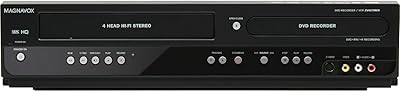
80%
89%
Ease of Use
85%
Picture Quality (Progressive Scan)
81%
Recording Performance
84%
Audio Quality
78%
Build Quality
More
Magnavox MDR535 500GB HDD DVD Recorder
83%
94%
Recording Capacity
67%
Ease of Setup
88%
DVD Burning Reliability
72%
User Interface & Navigation
83%
Build Quality & Durability
More
Magnavox ZV427MG9
Magnavox ZV427MG9
77%
88%
Dubbing Simplicity
83%
Image Upscaling
47%
Broadcast Recording
79%
Initial Setup
81%
DVD Burn Reliability
More
Magnavox MDR513H/F7 320GB HDD and DVD Recorder
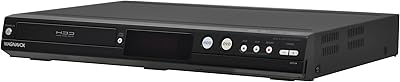
85%
94%
Recording Capacity
97%
Subscription-Free Value
91%
Dubbing Versatility
88%
Tuner Sensitivity
86%
Build Durability
More
Samsung DVD-VR375A DVD VHS Combo Recorder
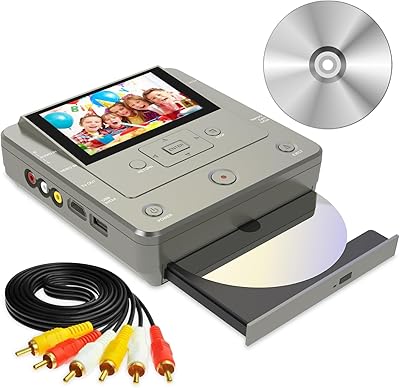
73%
83%
Dubbing Performance
76%
Ease of Setup
71%
VHS Playback Quality
67%
DVD Recording Reliability
74%
HDMI Video Output
More
Toshiba DR430 DVD Recorder
70%
83%
Ease of Setup
76%
Recording Quality
71%
HDMI Upconversion
58%
Disc Compatibility
88%
One-Touch Recording
More
Clariviews VHS to DVD Recorder with 4.3-inch LCD
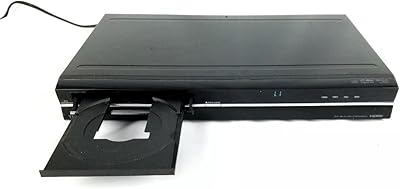
83%
93%
Ease of Setup
88%
Interface Simplicity
86%
LCD Preview Quality
67%
Build Materials
91%
Media Compatibility
More
Toshiba DR420 DVD Recorder
72%
88%
Ease of Setup
74%
Disc Compatibility
71%
Recording Quality
67%
Upconversion Performance
58%
Remote Control & Navigation
More
Pinnacle Dazzle DVD Recorder HD Video Capture Device
61%
72%
Ease of Setup
67%
Capture Quality
48%
Software Quality
61%
Windows Compatibility
71%
Value for Money
More
Magnavox DV225MG9 DVD VCR Combo Player
76%
88%
Ease of Setup
76%
VHS Playback Quality
81%
DVD Playback Quality
68%
Line-In Recording
83%
Remote Control Usability
More

FAQ

Yes, that is exactly what this recorder is designed for. You connect your VHS player to the line-in inputs using RCA or S-Video cables, press record, and the footage is captured directly to disc. It is one of the most straightforward ways to do this without involving a computer.

No, and this is a common misunderstanding worth clarifying. The 1080p upscaling only applies to playback of existing DVDs on your TV — it makes older discs look sharper on a modern screen. Any new recordings you make are stored at standard DVD resolution, which is what all DVD recorders produce regardless of price.

This is almost certainly a finalization issue. After recording, you need to finalize the disc using the recorder's menu before it will play on other devices. Think of finalization as closing the disc so other players can read it. Skipping this step is the most common frustration buyers run into, so check your manual's finalization section before assuming something is broken.

The Magnavox ZC320MW8B DVD Recorder supports component, composite, S-Video, and RCA connections, so you have several options depending on what your TV accepts. For the best picture during playback, component cables are the way to go. If your TV only has HDMI ports, you will need an external analog-to-HDMI adapter, as this unit has no HDMI output of its own.

Yes, as long as your cable or satellite box has analog RCA or S-Video outputs, you can connect it to this recorder and capture whatever is playing. Keep in mind that copy-protected content from certain channels may not record properly due to Macrovision protection built into many broadcast signals.

It depends on which recording speed you select. At the highest quality speed, you get roughly one to two hours per disc. Dropping to the slowest speed stretches that to up to six hours, though picture quality will decrease at lower speeds. For archiving precious family footage, sticking to the higher quality modes is usually worth the extra discs.

There are some basic tools built in — you can delete specific scenes, remove entire titles, and add chapter markers. It is not a full editing suite by any stretch, but if you want to trim obvious dead footage or split a long recording into chapters before finalizing, it gets the job done for casual use.

Yes, both DVD+RW and DVD-RW rewritable formats are supported. You can erase and re-record on these discs multiple times, which is handy for testing or for content you do not need to keep permanently.

Feedback from owners is genuinely mixed on this point. Many users report no issues for the first year or two with regular use, but a notable number have experienced laser or disc-read failures after extended heavy use. It is a solid choice for a dedicated archiving project, but if you plan to use it daily for years, treating it carefully and keeping the disc tray clean will help extend its lifespan.

For the most part, yes. The disc recorder is designed around a connect-and-record workflow that most people can figure out quickly without reading the full manual. The main learning curve is understanding disc finalization, which the manual covers but does not always explain clearly. If the person using it is comfortable with a basic DVD player, they should be able to handle this recorder with a little patience on the first disc.

Where to Buy