Overview

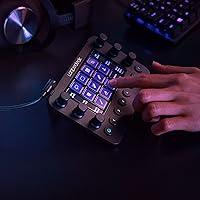
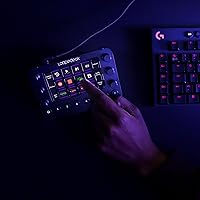
The Loupedeck Live Stream Control Console is a physical control surface built for streamers, video editors, and photographers who want to interact with their software in a more direct, hands-on way. Rather than memorizing a wall of keyboard shortcuts, you get physical dials, buttons, and a touchscreen you can actually reach for. The aluminum chassis is compact enough to sit beside a keyboard without crowding the desk, yet solid enough to feel like serious equipment. That build quality matters at this price tier, because buyers here expect durability and thoughtful design — not plastic that flexes the moment you press it.
Features & Benefits

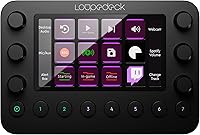
What sets this control console apart is how much you can actually configure. The LED touch buttons and haptic dials can be organized into unlimited pages — one layout for OBS during a live stream, another for Lightroom when you switch to editing. Out of the box, native profiles for Premiere Pro, Final Cut Pro, After Effects, and Capture One mean you are not starting from scratch. The Custom Actions builder takes things further, letting you chain commands, add delays, and assign your own icons to buttons. OS-level controls for volume, brightness, and Spotify playback round things out so you rarely need to break your workflow to touch the keyboard.

Best For

The Loupedeck Live is best suited for people who live inside one or two demanding applications for hours at a time. Live streamers managing multiple scenes and audio sources in OBS or Ecamm will find the per-app control pages genuinely practical — switching scenes or silencing a source becomes a single button press. Photo editors get tactile dials for exposure and color grading instead of dragging sliders. Video editors in Premiere Pro or Final Cut Pro gain faster timeline navigation. If you run a solo production setup and want to stop breaking focus hunting for shortcuts, this stream deck alternative makes a strong case for itself.

User Feedback

Owners who invest time in building custom profiles consistently praise the tactile dial feel and the confidence that comes from knowing every button does exactly what you set it to do. That said, the learning curve is real — initial setup can run several hours, and buyers expecting a plug-and-play experience have come away disappointed. Windows users in particular have flagged occasional instability with the Streamlabs integration; Mac users tend to have a smoother ride. A smaller number of reviewers have reported connection hiccups following firmware updates. The overall picture is fairly consistent: satisfaction scales directly with how much effort someone puts into the customization process.

Pros

  • Physical haptic dials give precise, tactile control for color grading and audio mixing that a mouse simply cannot replicate.
  • Ready-made profiles for OBS, Premiere Pro, Lightroom, and Final Cut Pro significantly cut down initial configuration time.
  • Unlimited custom pages per application mean one device can serve completely different workflows without compromise.
  • The aluminum build feels genuinely premium and holds up well to daily desk use.
  • OS-level controls for volume, brightness, and media playback reduce how often you reach for the keyboard mid-session.
  • The Custom Actions macro builder lets advanced users chain complex command sequences behind a single button press.
  • Compact footprint fits comfortably beside a full-size keyboard without dominating the desk.
  • Users who invest in full customization report measurable time savings across editing and streaming sessions.
  • LED backlighting makes button identification easy in low-light studio or streaming environments.
  • Compatible with both Windows and macOS, covering the majority of professional creative setups.

Cons

  • Initial software setup is time-consuming and can take several hours before the device feels fully functional.
  • Windows users have reported intermittent instability, particularly with the Streamlabs integration.
  • Some users have experienced connection drops or unexpected behavior following firmware updates.
  • Out-of-the-box default profiles are a starting point only — the real value requires significant personal configuration.
  • The price tier is difficult to justify for casual or infrequent streamers who will not use it daily.
  • No wireless connectivity option; the wired USB-only setup can feel limiting in certain desk arrangements.
  • The learning curve in the companion software is steep enough that less tech-savvy buyers frequently feel overwhelmed.
  • Value perception varies widely — buyers who under-customize consistently rate satisfaction lower than those who go deep.
  • Mac users tend to have a noticeably smoother software experience than those on Windows, creating an uneven user base.
  • Some niche software applications have no native profile support, requiring fully manual mapping from scratch.

Ratings

Our AI rating engine analyzed thousands of verified global purchases of the Loupedeck Live Stream Control Console, actively filtering out incentivized, bot-generated, and unverified feedback to surface what real daily users actually experience. The scores below reflect both the genuine strengths that keep creative professionals loyal to this control console and the recurring friction points that temper enthusiasm for certain buyer profiles. Nothing has been smoothed over — the highs and the frustrations are both represented transparently.

Build Quality
91%
The aluminum chassis earns consistent admiration from users who have owned plastic alternatives and immediately felt the difference. Reviewers describe the body as rigid, weighty in a reassuring way, and free of the flex or rattle that cheaper controllers develop over time. Daily desk users report no degradation in feel after months of continuous use.
A small number of users noted that the touchscreen surface picks up fingerprints and smudges quickly, requiring regular cleaning to keep it looking sharp. A few reviewers also flagged that the button keycaps, while functional, feel slightly less premium than the chassis itself suggests they should.
Dial Feel & Haptics
88%
The haptic analog dials are among the most praised physical elements of this device. Users doing color grading in Lightroom or mixing audio describe the incremental click-through feedback as genuinely satisfying and precise — far more controlled than dragging a mouse slider across a fine parameter. The tactile confirmation makes subtle adjustments feel deliberate rather than accidental.
Some users with larger hands find the dial spacing slightly cramped during extended sessions, particularly when trying to operate two adjacent dials simultaneously. A handful of reviewers also noted that the haptic resistance feels slightly uneven between individual dials out of the box, though this was not universal.
Software & Setup Experience
58%
42%
Once profiles are fully configured, the companion software delivers on its promise of deep, application-specific control. Users who dedicate a proper setup session report that switching between OBS, Premiere Pro, and Lightroom feels fluid and purposeful. The Custom Actions builder is genuinely powerful for anyone comfortable with macro logic.
The initial setup experience is a consistent source of frustration. Many reviewers describe the companion software interface as unintuitive, especially for users without a technical background. Getting from unboxing to a fully functional, personalized layout routinely takes several hours, and the documentation does not always fill the gaps that first-time users encounter.
Software Stability
61%
39%
Mac users on current macOS versions generally report a stable, reliable experience with most native integrations performing as advertised. Those using Final Cut Pro, Lightroom Classic, and Premiere Pro on Mac tend to have the fewest complaints about unexpected disconnections or software crashes.
Windows users face a notably bumpier experience, with Streamlabs integration in particular generating a disproportionate share of stability complaints. Firmware updates have occasionally introduced new connection issues for a subset of users, and the rollback options provided by Loupedeck are limited, leaving some buyers stuck troubleshooting after a routine update.
Native App Integrations
82%
18%
The breadth of out-of-the-box profiles is a genuine selling point — OBS, Premiere Pro, Final Cut Pro, Capture One, After Effects, and Lightroom Classic are all covered with ready-made starting points. For creators working within these ecosystems, the Loupedeck Live significantly reduces the time needed before the device starts pulling its weight in a real workflow.
Integration depth varies meaningfully between applications. Some platforms get rich, parameter-level control while others offer relatively shallow shortcut mapping that barely surpasses what you could do manually. Software that falls outside the official list requires fully manual configuration, which can be time-consuming and occasionally incomplete.
Customization Depth
86%
The unlimited pages per application and the Custom Actions macro system give advanced users a level of control that goes well beyond simple button-to-shortcut mapping. Uploading custom icons, chaining commands with delays, and building multi-step macros allow power users to create a console that reflects exactly how they work rather than how Loupedeck imagines they work.
The depth of customization is also its barrier — casual users rarely explore beyond the default profiles, which means they often do not experience the device at its best. The gap between what a basic user gets and what a deeply configured setup delivers is large enough to split buyer satisfaction into two very distinct camps.
Value for Money
67%
33%
For professional content creators and editors who use it daily, the time savings from a fully configured setup can justify the mid-to-high price over months of consistent use. Users in that group frequently describe it as one of the more impactful peripheral investments they have made for their production workflow.
For part-time streamers or those still exploring whether creative production is a long-term pursuit, the price is difficult to defend given the setup investment required before meaningful returns appear. Several reviewers noted that the value proposition only clicks once you have spent significant time with the software — which is a risky proposition at this price point.
Ease of Use
54%
46%
Once muscle memory sets in and profiles are dialed in, daily operation becomes second nature. Users who push through the initial learning curve report that reaching for the console instead of the keyboard starts to feel instinctive within a few weeks of regular use.
Getting to that point is genuinely hard for non-technical buyers. The software interface is not designed with beginners in mind, and the default profiles, while a useful starting point, leave enough gaps that new users frequently feel under-supported. Loupedeck's tutorials help, but they do not cover every edge case that real-world setups produce.
Compact Design
84%
At under 6 × 4.5 inches, this control console fits into even tight desk arrangements without demanding a dedicated zone. Reviewers working in small home studio setups appreciate that it can sit between a keyboard and a monitor arm without blocking anything or requiring a reorganized layout.
The compact size does come with a trade-off in control density — users who want a wider array of dedicated, always-visible buttons per application may find themselves navigating between pages more than they would prefer. Those accustomed to larger control surfaces sometimes describe the footprint as slightly limiting in complex, multi-layer workflows.
Connection Reliability
69%
31%
For the majority of users on stable setups, the wired USB connection is dependable across long streaming and editing sessions. Users who plug into a powered USB hub or directly into a desktop port report very few issues with the device dropping or failing to register inputs during active use.
A recurring complaint across reviews involves connection instability following firmware updates, with some users reporting that the device intermittently disconnects or fails to wake from sleep properly. These issues appear to affect a minority of users but are impactful enough to surface consistently in critical reviews.
Mac Compatibility
87%
Mac users across both Intel and Apple Silicon machines report a consistently strong experience, with native integrations for Final Cut Pro, Capture One, and Lightroom Classic performing reliably. The companion software feels more polished and stable on macOS, and update-related issues are far less common on this platform.
Even on Mac, some less common applications with no native profile support require manual shortcut mapping that can feel tedious. A small number of Apple Silicon users also noted early compatibility issues post-launch, though subsequent updates have addressed most of those cases.
Windows Compatibility
59%
41%
Core applications like OBS Studio and Premiere Pro generally function well on Windows, and users in those specific workflows report acceptable day-to-day reliability. The device does work as intended for a meaningful portion of the Windows user base when used within supported software.
The Windows experience is clearly the weaker side of this device. Streamlabs instability, driver conflicts, and firmware update fallout appear disproportionately in Windows user reviews. Buyers planning to use this primarily on a Windows machine should research the current firmware state carefully before committing.
Profile Switching Speed
78%
22%
Application-aware automatic profile switching works well in practice for users who move between a handful of core apps. Reviewers who jump between Premiere Pro and OBS during a live editing-and-streaming session describe the transition as quick enough to feel transparent rather than disruptive.
Automatic switching can occasionally lag or misfire when multiple supported applications are open simultaneously, requiring a manual override. Users running complex multi-app setups — such as a live stream with a simultaneous recording and a music application active — sometimes find the profile logic does not always prioritize the expected foreground app.
Icon & Visual Clarity
76%
24%
The LED backlighting and the ability to upload custom icons to touch buttons give this stream deck alternative a visual clarity that generic keyboard shortcut setups cannot match. Streamers who label scene switches and audio toggles with recognizable icons report fewer on-air mistakes during high-pressure live sessions.
The touchscreen resolution, while functional, is not high enough to display highly detailed icons cleanly at the button scale. Users who upload complex or small-text icons frequently find them difficult to read at a glance, which partly defeats the purpose of visual labeling during a fast-moving stream.

Suitable for:

The Loupedeck Live Stream Control Console was designed with a specific type of user in mind: someone who spends serious, sustained time inside demanding creative software and feels the friction of keyboard shortcuts every single day. Live streamers running OBS or Ecamm will get the most immediate return, since managing scenes, audio sources, and overlays through dedicated physical buttons is considerably faster and less error-prone than hunting across a keyboard mid-broadcast. Photo editors in Lightroom Classic or Capture One Pro are another strong match — the haptic dials translate directly into the kind of fine, incremental adjustments those workflows demand for exposure, tone, and color grading. Video editors in Premiere Pro or Final Cut Pro benefit from faster timeline control and effect tweaking without breaking concentration. If you work across several applications daily and are willing to spend time building out custom profiles for each one, this control console pays dividends in both speed and reduced cognitive load.
Not suitable for:

The Loupedeck Live Stream Control Console is a poor fit for anyone expecting a plug-and-play experience straight out of the box. The software setup is genuinely involved, and buyers who lack patience for configuring profiles, mapping macros, and troubleshooting integration quirks will likely feel the price is hard to justify. Windows users in particular should go in with tempered expectations, as Streamlabs integration and occasional firmware updates have caused instability for a notable portion of that user base. Casual streamers who go live a few times a month and rely on simple, static setups will not recoup the investment the way a daily-use professional would. If your workflow is already fast and your shortcut muscle memory is solid, the improvement this stream deck alternative delivers may not be dramatic enough to warrant the cost. Budget-conscious buyers or those still exploring whether streaming or video editing is a long-term pursuit should consider starting with a less expensive option first.
Specifications

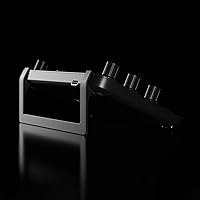
  • Model Number: The official model identifier for this device is LOUPEDECK LIVE.
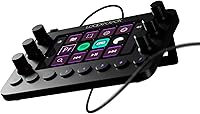
  • Dimensions: The unit measures 5.91 × 4.33 × 1.18 inches, making it compact enough to fit beside a standard keyboard.
  • Weight: At 8.1 ounces, the console is light enough to reposition easily but substantial enough to stay put during use.
  • Material: The chassis is constructed from aluminum, giving it a solid, premium feel that distinguishes it from plastic alternatives in the same category.
  • Color: The device is available in black, with a dark finish that suits most professional desk setups.
  • Display: An integrated LED touchscreen panel serves as the central visual interface for navigating pages and touch-mapped controls.
  • Buttons: LED backlit customizable buttons allow users to assign actions and upload custom icons for clear, at-a-glance identification.
  • Dials: Six haptic analog dials provide incremental tactile feedback, suited for fine adjustments in color grading, audio mixing, and similar tasks.
  • Connectivity: The console connects via wired USB, requiring no wireless pairing or driver complexity beyond the companion software installation.
  • OS Compatibility: The device is officially supported on both Windows and macOS, though some integrations perform more consistently on macOS.
  • Native Integrations: Out-of-the-box profiles are available for OBS Studio, Streamlabs, Twitch, Ecamm, vMix, Premiere Pro, After Effects, Lightroom Classic, Final Cut Pro, Capture One Pro, Illustrator, Audition, Photoshop, and Spotify.
  • Custom Profiles: Users can create unlimited pages of controls per application, allowing entirely separate layouts for each software environment.
  • Macro Support: The Custom Actions builder supports complex macros with chained commands, configurable delays, and user-uploaded button icons.
  • OS Controls: The console can manage system-level functions including volume, screen brightness, media playback, app launching, and folder or webpage access.
  • Backlighting: All physical buttons feature LED backlighting for visibility in dim studio or streaming environments.
  • First Available: The product was first listed in August 2020, giving it several years of real-world user feedback and iterative firmware development.

Related Reviews
Razer Stream Controller Streaming Keypad
77%
88%
Hardware Build Quality
84%
Haptic Key Performance
91%
Analog Dial Usability
79%
LCD Touchscreen Utility
58%
Software & Companion App
More
AVKANS Go Wireless Live Streaming 4K Camera
84%
92%
Image Quality
89%
Wireless Connectivity
84%
Battery Life
68%
Ease of Setup
90%
Streaming Flexibility
More
Logitech Mevo Start Live Streaming Camera
71%
88%
Ease of Setup
74%
Video Quality
61%
App Dependency & Control
83%
Connectivity Flexibility
69%
Auto-Director Feature
More
Blackmagic Design ATEM Mini Pro
82%
91%
Build Quality
93%
Streaming Performance
89%
Video Quality
86%
Audio Mixing
74%
Ease of Setup
More
Living Proof Style Lab Control Hairspray, 7.5 oz
86%
89%
All-Day Hold
92%
Non-Sticky Finish
80%
Fragrance
88%
Suitability for All Hair Types
85%
Packaging Design
More
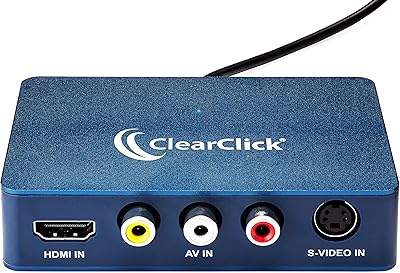
ClearClick Video2USB
79%
91%
Ease of Setup
78%
Analog Capture Quality
74%
HDMI Capture Performance
67%
Software Usability
93%
Input Versatility
More
AC Infinity Controller 2 Fan Speed Controller
80%
88%
Temperature Accuracy
83%
Ease of Setup
91%
Fan Speed Control
74%
Build Quality
86%
Noise Reduction
More
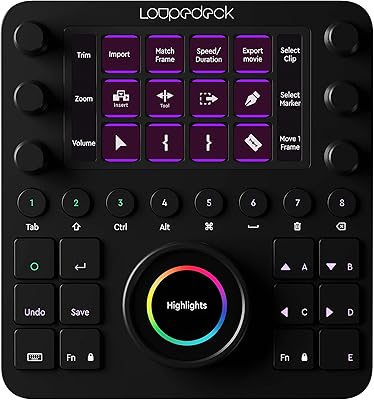
Loupedeck CT Creative Editing Console
73%
91%
Build Quality
88%
Dial Precision
74%
Software Integration
58%
Software Stability
86%
Customization Depth
More
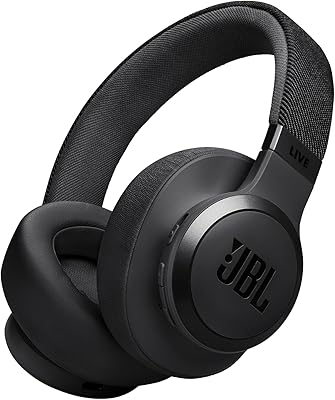
JBL Live 670NC On-Ear Headphones
78%
93%
Battery Life
74%
Noise Cancellation
61%
Comfort & Fit
76%
Sound Quality
88%
Value for Money
More
JBL Live 770NC
JBL Live 770NC
79%
88%
Comfort & Wearability
91%
Battery Life
71%
Noise Cancellation
83%
Sound Quality
67%
Call Quality & Microphone
More

FAQ

Realistically, expect to spend at least two to three hours before everything feels comfortable. Installing the companion software is straightforward, but building out profiles for your specific applications — mapping dials, assigning button actions, organizing pages — takes real time. Users who treat the first session as a setup investment tend to be far more satisfied than those who expect to unbox and stream within minutes.

It works on both platforms, but the experience is not identical. Mac users generally report fewer software hiccups across the board. On Windows, OBS compatibility is solid, but Streamlabs in particular has had stability issues for some users. If you are a Windows-based Streamlabs user, it is worth checking the Loupedeck community forums for the latest firmware notes before purchasing.

Yes. If your application supports keyboard shortcuts — and most do — you can create a fully custom profile by manually mapping those shortcuts to buttons and dials. You will not get the deep, parameter-level integration that native profiles offer, but for general workflow acceleration it works well. The Custom Actions builder also lets you construct macros that go well beyond simple single-key presses.

It is genuinely well-suited to that use case, particularly in Lightroom Classic and Capture One Pro, which have native profiles. The haptic dials are ideal for exposure, contrast, highlights, and color adjustments — the kind of incremental changes that feel clumsy when dragged with a mouse. If photo editing is your primary use, this control console is one of the more practical hardware options available at this tier.

The haptic dials are one of the most consistently praised aspects of this device. They click through incremental steps with clear tactile feedback, which makes precise adjustments feel controlled rather than erratic. Users doing color grading or audio mixing particularly appreciate being able to feel each increment rather than guessing at fine slider positions.

This is a real concern that some users have raised. Loupedeck does periodically release firmware updates, and a small number of users have experienced connection issues or unexpected behavior afterward. Official rollback options are limited, so it is worth checking the Loupedeck support pages and user community before applying any update, especially if your current setup is working well.

Yes, and it is apparent immediately when you pick it up. The aluminum body has a weight and rigidity that cheaper plastic controllers simply do not replicate. The dials and buttons feel like they are built to last through daily use, and there is no flex in the chassis when pressed. For a device you plan to use professionally and consistently, that build quality matters.

Technically you can assign any keyboard shortcut or macro to it, so gaming use is possible in theory. In practice, the layout and dial-heavy design is optimized for creative and production workflows rather than fast-paced gaming inputs. Most buyers in gaming contexts find purpose-built controller options better suited to their needs.

There is no hard cap — the software supports unlimited pages of controls per application. In practice, most users settle into a few well-organized pages per app rather than building dozens, but the flexibility is there if your workflow demands it. You can also organize pages into named workspaces to keep things manageable.

Honestly, probably not to the degree that justifies the price. This stream deck alternative delivers its best return when you are using it daily or near-daily, because the setup investment and the muscle memory you build around it compound over time. Occasional streamers who go live a few times a month are unlikely to feel a dramatic difference in their workflow, and there are more affordable entry points worth considering first.