Overview

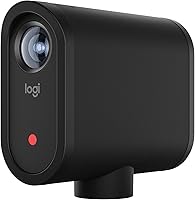
The Logitech Mevo Start Live Streaming Camera entered the market as a compact, app-controlled solution built for solo creators and small teams who want to go live without constructing a full production setup around a dedicated PC encoder. It sits comfortably within the Logitech for Creators ecosystem, designed to complement independent broadcasters rather than replace professional studio rigs. The entire workflow runs through a smartphone — which is both its greatest convenience and a real consideration before committing. At this price tier, you are paying for wireless streaming freedom, not cinema-grade optics. If you need a traditional video camera, look elsewhere — but as a purpose-built live streaming tool, it holds its ground.
Features & Benefits

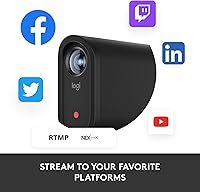
The Mevo Start shoots in 1080p through a CMOS sensor with an f/2.0 aperture — bright enough for most indoor environments, though the fixed 3.6mm lens does impose real low-light limits worth knowing upfront. Where this streaming camera genuinely stands apart is connectivity: push a live signal over Wi-Fi, wired Ethernet, or your phone's LTE network, which proves invaluable when streaming from venues with unpredictable infrastructure. The companion app handles Auto-Director mode, an AI-driven feature that cuts between virtual angles automatically — useful once you clear its learning curve. Simultaneous broadcasting to YouTube, Twitch, Facebook, and custom RTMP destinations, plus NDI|HX protocol support, rounds out a surprisingly capable package.

Best For

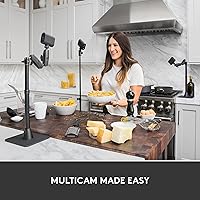
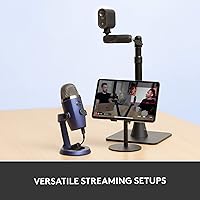
This wireless live streaming cam is built for people who need polished output without a crew behind them. Think solo event streamers — church services, local sports, conferences, corporate presentations — where one operator runs everything from a phone. Educators and small businesses will appreciate how little technical knowledge is required to achieve a clean, multi-platform broadcast. The multicam capability, supporting up to three units simultaneously, is especially compelling for budget-conscious teams wanting broadcast-style angle switching without a full production kit. If reliable LTE streaming in Wi-Fi-dead locations is on your must-have list, few cameras this compact can match what the Mevo Start offers.

User Feedback

Buyers regularly praise how fast the Mevo Start goes from unboxing to live — setup is genuinely quick compared to traditional encoder-based workflows, and app connectivity earns consistent positive marks. Image quality gets favorable comments for the category, though the absence of 4K is a recurring frustration, especially for creators thinking long-term. The built-in microphone handles casual streams adequately but gets called out frequently as insufficient for anything requiring broadcast-level clarity. Battery life during extended multi-hour events draws notable criticism, with users often needing workarounds. The deepest structural concern across reviews is app dependency — without a smartphone present, the camera's core functionality shrinks considerably, and that trade-off genuinely bothers a portion of buyers.

Pros

  • Setup from unboxing to live broadcast takes most users under fifteen minutes, even without technical experience.
  • Streaming over LTE hotspot makes the Mevo Start one of the most field-deployable cameras in its class.
  • Simultaneous multi-platform broadcasting to YouTube, Twitch, Facebook, and RTMP saves meaningful time and hardware costs.
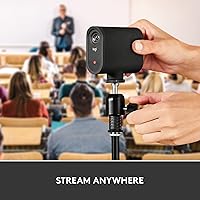
  • Compact enough to carry in a jacket pocket, yet capable of anchoring a full solo broadcast setup.
  • Multicam support for up to three units lets small teams produce broadcast-style angle switching on a tight budget.
  • NDI|HX protocol support opens integration with professional software like OBS and vMix for more advanced workflows.
  • Auto-Director mode offers hands-free virtual camera direction that works reliably for single-speaker and panel formats.
  • The f/2.0 aperture performs well in typical indoor event lighting without requiring additional light sources.

Cons

  • The camera loses most of its core functionality without an active smartphone running the companion app nearby.
  • Hard 1080p ceiling makes this streaming camera feel dated as 4K becomes standard across competing products.
  • Battery life during multi-hour live events is a genuine operational risk without access to a power source.
  • The built-in microphone picks up noticeable room noise and lacks the clarity needed for music or professional interviews.
  • App crashes during live streams are infrequent but have been reported consistently enough to concern event broadcasters.
  • Wi-Fi stability degrades in crowded RF environments like large venues and trade show floors.
  • Running a multicam setup requires multiple smartphones or tablets, adding logistical complexity for solo operators.
  • Fixed 3.6mm lens offers no zoom, making it difficult to reframe shots from a fixed mounting position.
  • Low-light performance drops off sharply in dimly lit venues, producing visible noise that 1080p makes harder to hide.
  • Long-term value is uncertain as competing streaming cameras continue to improve at comparable or lower price points.

Ratings

Our AI rating system analyzed thousands of verified global user reviews for the Logitech Mevo Start Live Streaming Camera, actively filtering out incentivized, bot-generated, and duplicate feedback to surface what real buyers consistently experience. The scores below reflect an honest synthesis of both the standout strengths and the friction points that matter most to creators before committing to this camera. Nothing has been softened — where users struggled, the scores show it.

Ease of Setup
88%
Getting from unboxing to a live broadcast takes most users under fifteen minutes, which is genuinely rare at this level of streaming capability. Church AV volunteers and solo event operators repeatedly highlight how little technical knowledge is required to push a clean signal to multiple platforms simultaneously.
The initial app pairing can occasionally stall on first-time connections, and users switching between networks mid-event report having to restart the pairing process. A small but consistent group found the onboarding less intuitive on Android compared to iOS.
Video Quality
74%
26%
In well-lit indoor environments — conference halls, classrooms, sanctuaries — the 1080p output looks crisp and broadcast-ready without any post-processing. The f/2.0 aperture pulls in enough light to keep footage clean during daytime outdoor events where other cameras in this category visibly struggle.
Low-light performance drops off noticeably in dim venues, producing noise and softness that becomes obvious on larger screens. The fixed 3.6mm lens offers no optical zoom, which limits framing flexibility and frustrates users streaming from fixed positions who need to cover a wide stage or field.
App Dependency & Control
61%
39%
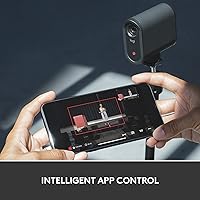
The Mevo app genuinely centralizes everything — switching angles, adjusting exposure, starting and stopping streams — in one place from across a room. For solo operators managing an event alone, this level of wireless control from a pocket device is a meaningful practical advantage.
The camera is heavily neutered without an active smartphone running the app nearby, which is a structural limitation many buyers only fully grasp after purchase. App crashes during live streams, while infrequent, have been reported across both platforms and carry obvious consequences for anyone broadcasting a one-take event.
Connectivity Flexibility
83%
The ability to push a live stream over Wi-Fi, wired Ethernet, or a smartphone LTE hotspot makes this wireless live streaming cam far more field-deployable than most competitors at this price. Users streaming from outdoor festivals, parking lot events, and remote venues specifically call out LTE fallback as a deciding factor.
Wi-Fi connectivity can be inconsistent in crowded RF environments like trade shows or large conference centers where the 2.4GHz band is congested. A handful of users report that maintaining a stable connection during multi-hour streams requires monitoring, particularly when relying on hotspot LTE rather than a dedicated connection.
Auto-Director Feature
69%
31%
Auto-Director delivers surprisingly watchable output for passive solo streaming — it intelligently pans and zooms within the frame to simulate live direction, which works well for single-speaker presentations and panel discussions. Users who lean into it as a hands-free tool rather than expecting manual-level precision tend to come away satisfied.
The feature has a genuine learning curve and can produce jarring cuts during fast-moving subjects or crowded scenes. Several users streaming sports or live performances found the AI direction disorienting for their audiences, ultimately disabling it and relying on static framing instead.
Multicam Capability
77%
23%
Running two or three units together to cover a room from multiple angles is a compelling proposition for budget-conscious production teams, and users setting up for church services or small conference stages report that the sync between units holds up reliably. The broadcast-style switching this enables would cost significantly more with traditional encoder-based workflows.
Coordinating multiple units requires multiple smartphones or tablets running the app simultaneously, which adds logistical overhead that solo operators find difficult to manage alone. The multicam experience is also more stable on iOS than Android, and users mixing both operating systems in one setup have reported sync inconsistencies.
Audio Quality
58%
42%
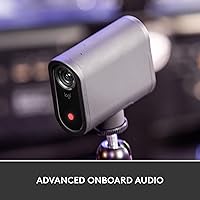
The built-in microphone performs adequately for casual live streams — talking-head broadcasts, classroom instruction, or worship services where the speaker is within a few feet of the camera. For straightforward setups where simplicity matters more than studio-grade clarity, most users find it acceptable.
For any production where audio quality is a priority — interviews, music performances, or professional corporate streams — the built-in mic consistently falls short, picking up room noise and producing a thin, hollow character. The lack of a direct headphone monitoring port adds frustration for users who want to verify audio before going live.
Battery Life
55%
45%
Battery performance is adequate for short-to-medium streams in the one-to-two-hour range, covering most standard use cases like a Sunday service, a webinar, or a short live event. Users who keep the camera plugged in during extended broadcasts sidestep the issue entirely and report no power-related disruptions.
Multi-hour live events — conferences running three or four hours, all-day outdoor broadcasts — routinely push the battery past its comfortable range, and users have reported unexpected shutdowns without much prior warning. The Mevo Start does not support hot-swappable batteries, so planning for power access at the venue becomes a non-optional consideration.
Build Quality & Portability
79%
21%
At just over eight ounces and small enough to pocket, the Mevo Start is genuinely portable in a way that larger streaming cameras simply are not. The housing feels solid and well-constructed, and users carrying it to recurring events appreciate that it survives regular transport without obvious wear.
The plastic construction does not inspire confidence for rough field environments, and a few users have flagged that the mounting foot feels less robust than expected given the overall price. It is not ruggedized in any meaningful way, so outdoor or high-movement use cases require careful handling.
Multi-Platform Streaming
84%
Simultaneously pushing to YouTube, Twitch, Facebook, and a custom RTMP destination from one small camera is a legitimately strong capability that competitors often gate behind additional software or hardware. Event organizers covering multiple audience channels find this reduces both cost and complexity considerably.
The simultaneous multi-platform feature leans on cloud re-streaming infrastructure, meaning the upstream quality of your internet connection becomes a visible bottleneck when streaming to multiple destinations at once. Users on marginal connections report that splitting the stream degrades quality noticeably compared to targeting a single platform.
Software & Firmware Reliability
66%
34%
Logitech has issued firmware updates that resolved several early complaints around connectivity stability and app responsiveness, and users who purchased in later production runs generally report a more stable experience than the original launch cohort. Regular app updates signal ongoing developer attention.
A persistent segment of users across review periods continues to report random disconnections, stream interruptions, and app freezes that appear unrelated to network conditions. For a camera used in live, irrepeatable events, software instability carries disproportionate consequences, and the pattern of complaints suggests it has not been fully resolved.
Value for Money
71%
29%
For creators who specifically need wireless live streaming without a capture card or encoding PC in the chain, the Mevo Start represents a reasonable consolidation of hardware and software at a mid-to-upper price point. Users who fully leverage the multicam capability across two or three units feel the per-camera cost is justified by the production value gained.
Buyers who discover the app dependency, 1080p ceiling, and battery limitations after purchase frequently revisit whether the asking price was warranted. In a market where dedicated streaming devices and capable webcams continue to improve, the Mevo Start faces real competition that sometimes offers comparable output for less.
NDI and Protocol Support
81%
19%
NDI|HX support is a meaningful addition for users integrating the Mevo Start into existing broadcast workflows with software like OBS, vMix, or Wirecast. IT administrators and AV professionals setting up semi-permanent streaming installations specifically highlight this as elevating the camera above pure consumer territory.
NDI|HX requires network infrastructure that casual users rarely have, and the setup process is considerably more involved than the basic app workflow. Users expecting plug-and-play NDI performance without prior experience configuring network streams report a steep learning curve that the documentation does not fully address.
4K and Future-Proofing
43%
57%
For creators whose audience consumes content exclusively on mobile or in standard definition environments, the 1080p output is more than sufficient and the lack of 4K does not visibly affect their viewer experience. The current resolution cap is not a dealbreaker for every use case.
With 4K streaming becoming increasingly standard across competing products and platforms, the hard 1080p ceiling makes this camera feel dated for buyers thinking more than one product cycle ahead. Creators investing at this price tier who anticipate 4K needs in the near future should factor in the likelihood of upgrading sooner than expected.

Suitable for:

The Logitech Mevo Start Live Streaming Camera is built for a specific kind of creator, and when it lands in the right hands, it genuinely delivers. Solo operators running weekly church services, local sports broadcasts, school events, or corporate webinars will find it hard to beat the combination of wireless freedom and multi-platform output at this scale. Small nonprofits and community organizations that cannot justify hiring a video crew will appreciate how quickly one person can stand this camera up and push a clean signal to YouTube, Facebook, and a custom RTMP destination simultaneously. Educators teaching hybrid classes and small business owners hosting live product demonstrations will also feel at home here — the setup overhead is low enough that it does not compete with actual content preparation time. Creators already using other Logitech for Creators hardware who want a compatible, ecosystem-native streaming camera will find the Mevo Start slots in without friction.
Not suitable for:

If your priorities include 4K resolution, smartphone-independent operation, or professional-grade audio straight out of the box, the Logitech Mevo Start Live Streaming Camera is likely to leave you frustrated. Videographers and documentary filmmakers expecting a versatile field camera with optical zoom, interchangeable lenses, or raw recording capability will quickly hit the walls of what this hardware is designed to do — it is a live streaming device first and a video camera a distant second. Event producers running uninterrupted six-plus-hour broadcasts, such as full-day conferences or endurance competitions, will need to plan carefully around the battery limitations or risk mid-event shutdowns. Any buyer who wants to pick up a camera and start streaming without a smartphone app in the loop should genuinely reconsider this model, as the app is not an optional convenience but a core functional dependency. Similarly, creators working in loud or acoustically complex environments — concerts, busy trade floors, large outdoor venues — will likely need to budget for an external microphone immediately, as the built-in audio will not meet their needs.
Specifications

  • Video Resolution: Records and streams at a maximum of 1080p HD (1920x1080), which is the hard ceiling for this camera — no 4K option exists.
  • Sensor Type: Uses a CMOS image sensor designed to balance color accuracy and light sensitivity for live streaming applications.
  • Aperture: Fixed f/2.0 aperture allows reasonable light intake in moderately lit indoor environments without requiring supplemental lighting.
  • Focal Length: Fixed 3.6mm lens provides a wide field of view suited to static mounting positions, with no optical zoom capability.
  • Connectivity: Supports Wi-Fi, wired Ethernet, and LTE streaming via a paired smartphone acting as a mobile hotspot.
  • Streaming Protocols: Compatible with RTMP, NDI|HX, and Webcam Mode, enabling integration with professional broadcast software and standard streaming platforms.
  • Streaming Platforms: Supports simultaneous live output to YouTube, Twitch, Facebook Live, and any custom RTMP destination from a single unit.
  • Multicam Support: Up to three units can be connected and controlled together through the Mevo app for multi-angle broadcast-style productions.
  • Audio: Equipped with a built-in microphone and supports external audio input; records in AAC format alongside MP4 video.
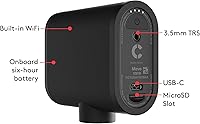
  • Storage: Records locally to a Micro SD card (not included), allowing simultaneous streaming and local recording for post-event archiving.
  • Video Format: All recorded video is saved in MP4 format, which is universally compatible with standard editing and playback software.
  • Dimensions: Measures 3.43 x 1.34 x 2.97 inches, making it compact enough to mount discreetly on a tripod or flat surface.
  • Weight: Weighs 8.2 ounces, keeping the unit light enough for portable setups without requiring heavy-duty mounting hardware.
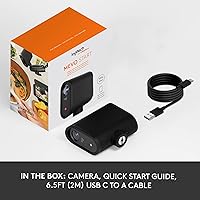
  • Battery: Powered by a built-in rechargeable lithium-ion battery included in the box; not user-replaceable and not hot-swappable during live events.
  • App Control: Requires the Mevo app (iOS and Android) for full operation, including stream management, Auto-Director, exposure control, and multicam switching.
  • Model Number: Official Logitech model number is 961-000498, useful when verifying warranty coverage or sourcing compatible accessories.
  • Manufacturer: Designed and produced by Logitech under its Logitech for Creators product line, targeting independent content creators and small production teams.
  • Release Date: First made available for purchase in April 2020, placing it in a mid-generation position relative to current streaming camera offerings.

Related Reviews

AVKANS Go Wireless Live Streaming 4K Camera
84%
92%
Image Quality
89%
Wireless Connectivity
84%
Battery Life
68%
Ease of Setup
90%
Streaming Flexibility
More
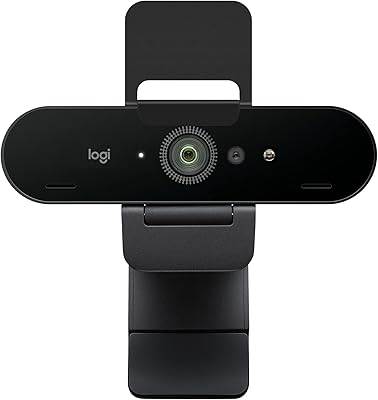
Logitech BRIO Stream Webcam
87%
94%
Video Quality
91%
Low Light Performance
72%
Field of View
95%
Ease of Setup
85%
Audio Quality
More
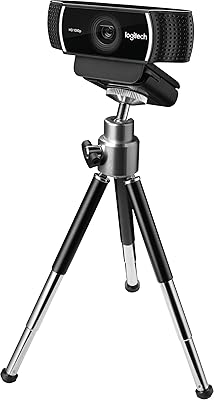
Logitech C922 Pro Stream Webcam
77%
88%
Image Quality in Good Lighting
71%
Low-Light Performance
67%
Autofocus Reliability
63%
Microphone Quality
74%
Frame Rate & Streaming Performance
More
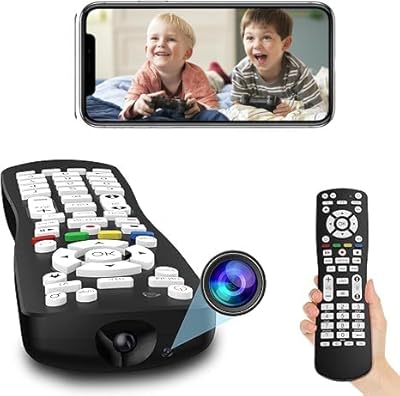
LIVE PARTY HD 1080P TV Remote Hidden Camera
83%
88%
Video Quality
91%
Ease of Use
65%
Battery Life
83%
WiFi Connectivity
94%
Design and Discreetness
More
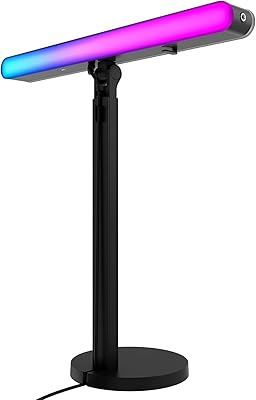
Logitech G Litra Beam LX Streaming Key Light
86%
88%
Lighting Quality
91%
Ease of Use
85%
RGB Customization
92%
Skin Tone Accuracy (TrueSoft Technology)
78%
Brightness
More
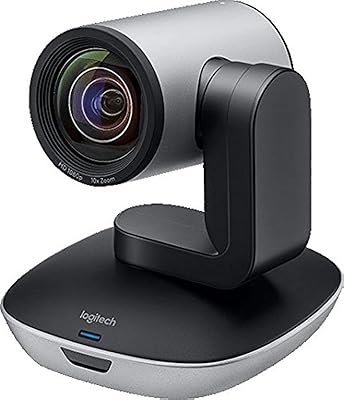
Logitech PTZ Pro 2
Logitech PTZ Pro 2
78%
83%
Image Quality
88%
Pan, Tilt & Zoom Performance
86%
Build Quality & Durability
91%
Ease of Setup & IT Manageability
84%
Platform Compatibility
More
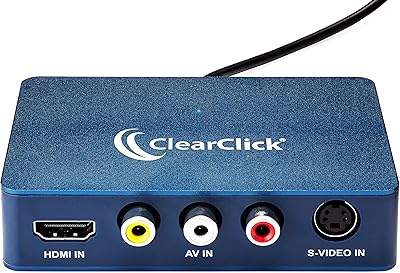
ClearClick Video2USB
79%
91%
Ease of Setup
78%
Analog Capture Quality
74%
HDMI Capture Performance
67%
Software Usability
93%
Input Versatility
More
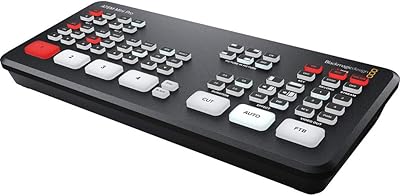
Blackmagic Design ATEM Mini Pro
82%
91%
Build Quality
93%
Streaming Performance
89%
Video Quality
86%
Audio Mixing
74%
Ease of Setup
More
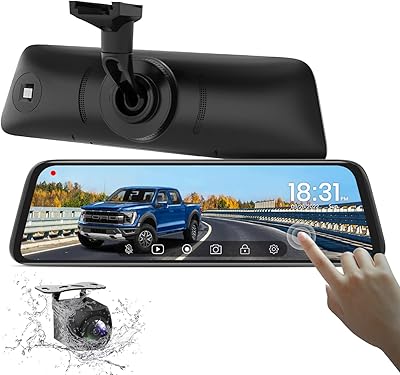
AUTO-VOX T9 9.35″ Rear View Mirror Camera
79%
88%
Image Clarity
83%
Night Vision Performance
91%
Display Size & Usability
58%
Installation Experience
79%
Build Quality & Finish
More
eufy Security E340 Floodlight Camera
78%
88%
Image Clarity & Resolution
91%
Night Vision & Floodlight Performance
84%
360° PTZ Coverage
79%
AI Detection Accuracy
58%
Installation Experience
More

FAQ

No, that is actually one of the main reasons people buy the Logitech Mevo Start Live Streaming Camera — it handles encoding and streaming entirely on its own, without a PC or capture card in the chain. You control everything through the Mevo app on your smartphone, which manages the stream, adjusts settings, and handles platform connections. Just power it on, connect it to your network, and you are ready to go live.
Yes, and this is one of the Mevo Start's more practical advantages. You can share your smartphone's LTE data connection as a mobile hotspot and stream through that signal directly. It works reliably for standard 1080p streaming as long as you have a decent cellular signal, though you will want to monitor data usage on longer broadcasts.

Unfortunately, if the app goes down mid-stream, your broadcast will be interrupted — the camera depends on the app to manage the live connection. App crashes are not a daily occurrence for most users, but they have been reported often enough that anyone streaming a live, one-take event should be aware of the risk. Keeping your phone updated, closing background apps before going live, and testing your full setup ahead of time reduces the likelihood considerably.

For a speaker positioned reasonably close to the camera in a quiet room, the built-in mic is workable for casual streaming. However, in larger spaces, acoustically challenging rooms, or any setting where audio quality genuinely matters to your audience, most users find it falls short. An external microphone connected through a mixer or audio interface is the recommended path for professional-sounding audio in those environments.

In real-world use, expect roughly 90 minutes to two hours of continuous streaming before the battery needs attention. For shorter events this is generally fine, but for anything running three hours or longer, you will want to keep it plugged into a power source throughout. There is no hot-swap battery option, so planning your power access at the venue is a practical necessity for extended broadcasts.

Yes, the Mevo Start supports simultaneous local recording to a Micro SD card while streaming live. This is genuinely useful — it gives you a clean local copy for editing or archiving even if your stream experiences any hiccups. The Micro SD card is not included in the box, so pick one up before your first event.

Yes, through two different paths. In Webcam Mode, the camera shows up as a standard USB webcam that OBS and similar software recognize directly. Alternatively, NDI|HX support allows it to feed into a local network for use with vMix, Wirecast, and other NDI-compatible broadcast tools. The NDI setup requires some network configuration knowledge, but it works well for more advanced production environments.

Up to three units can be linked and controlled through the Mevo app simultaneously. Each camera needs its own smartphone or tablet running the app to manage the individual feeds, which is an important logistical consideration if you are a solo operator. When it works well, the angle switching between units produces broadcast-quality output that would typically require much more expensive equipment.

Yes, simultaneous multi-platform streaming is one of this wireless live streaming cam's standout capabilities. You can push to YouTube, Facebook Live, Twitch, and a custom RTMP destination at the same time from a single camera. Keep in mind that splitting your stream to multiple destinations does place higher demands on your upload bandwidth, so a strong, stable connection matters more in this mode.

It can work for that use case, but with some caveats worth knowing. The fixed 3.6mm lens gives you a wide field of view, but there is no optical zoom — so if you need to cover a full-size field and follow action at distance, you will feel that limitation quickly. Auto-Director mode handles moderate movement reasonably well, but fast-paced action across a large area tends to produce cuts that feel disjointed. Mounting it at an elevated position covering a smaller section of the field tends to produce the best results.

Where to Buy