



Overview

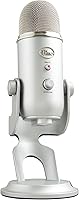
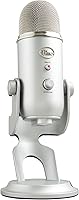
The Blue Yeti USB Microphone has been a trusted benchmark in home and semi-pro recording for well over a decade, and for good reason. Plug it into a USB port and it works — no audio interface, no drivers, no fuss. It arrives with a solid metal build and a desktop stand already included, so you are ready to record almost immediately. This is a mic aimed squarely at podcasters, streamers, content creators, and home musicians who want broadcast-quality audio without engineering a complex setup around it.

Features & Benefits

What separates the Yeti from cheaper USB mics is its three-capsule array, which captures audio at 16-bit/48kHz with noticeably richer detail than a single-capsule design. The real standout is the selection of four polar patterns — cardioid for solo recording, stereo for instruments, bidirectional for two-person interviews, and omni for capturing a whole room. Onboard controls let you adjust gain, switch patterns, and mute instantly without touching your computer. The 3.5mm headphone jack provides zero-latency monitoring, so you hear exactly what is being recorded. Blue VOICE software adds optional vocal processing, though many users never need it.

Best For

If you are a podcaster or streamer tired of your voice sounding flat and distant, this USB condenser mic is probably the most straightforward upgrade you can make. Remote workers will notice the difference on calls immediately — clarity that a built-in laptop mic simply cannot match. Solo vocalists or acoustic musicians recording demos at home will appreciate the stereo and cardioid modes, which handle both voice and instruments well. Even gamers benefit, getting clean voice chat without a separate audio interface. For first-time mic buyers, the plug-and-play setup means you are recording within minutes, with no technical knowledge required.

User Feedback

With a 4.6-star average from over 60,000 buyers, the Blue Yeti clearly earns its reputation over time. Users consistently praise the rich, full-bodied sound and how effortless the initial setup is — most people are recording within minutes of opening the box. The mute button gets specific mentions for its satisfying, tactile click. That said, criticisms are worth noting: background noise sensitivity in cardioid mode can be a real issue in untreated rooms, and the mic footprint is genuinely large for a compact desk. Several buyers quickly swap the included stand for a boom arm. Balanced overall, but go in with realistic expectations about room acoustics.

Pros

  • Genuinely plug-and-play — works on Windows and Mac with zero driver installation.
  • Four polar patterns give you real recording flexibility that most USB mics cannot match.
  • The metal body feels premium and holds up well after years of daily use.
  • Onboard mute button with LED indicator is responsive and practical during live sessions.
  • Zero-latency headphone monitoring lets you hear your voice in real time without software delay.
  • Broadcast-quality audio at a price point accessible to beginners and hobbyists.
  • Compatible with virtually every recording, streaming, and communication app out of the box.
  • The Yeti has sustained a 4.6-star average across over 60,000 global ratings — a rare long-term consistency.
  • Bidirectional mode makes two-person interview recording possible without a second microphone.

Cons

  • Highly sensitive to ambient noise — a loud keyboard or open window will show up clearly in recordings.
  • The desk footprint is large enough to cause real problems on compact or cluttered workspaces.
  • No USB-C connector means newer MacBook and tablet users need an adapter.
  • The included stand offers limited positioning range, nudging many buyers toward a separate boom arm purchase.
  • The pivot joint can loosen over time and may not hold a tilted angle as firmly as when new.
  • Blue VOICE software requires account registration to unlock full features, which many users find unnecessary.
  • The USB-B port on the mic body is prone to wear if the cable is frequently disconnected and reconnected.
  • No hardware mix control to blend mic input with desktop audio during monitoring.
  • Buyers who only use cardioid mode pay a premium for multi-pattern versatility they may never actually need.

Ratings

The scores below were generated by AI after analyzing thousands of verified global user reviews for the Blue Yeti USB Microphone, with spam, bot activity, and incentivized feedback actively filtered out. The results reflect a balanced picture — where this mic genuinely excels and where real buyers have run into friction. Both sides are represented honestly.

Audio Quality
91%
The three-capsule design produces a noticeably warm, full-bodied sound that most users describe as a dramatic step up from headset or laptop audio. Podcasters and streamers frequently comment that their audience notices the difference immediately, without any post-processing applied.
In untreated rooms, the condenser capsules pick up everything — keyboard clicks, HVAC hum, street noise. Users in acoustically bare spaces often find the raw recordings need more cleanup than expected, which can frustrate beginners who assumed the mic would handle room issues on its own.
Ease of Setup
96%
Plug it in and it works. No drivers, no interface, no configuration required on Windows or Mac. Buyers consistently report being up and recording within two to three minutes of opening the box, which is genuinely rare at this level of audio quality.
A small number of users on older systems or certain Linux distributions report inconsistent recognition, though this appears to be an edge case. The Blue VOICE software installation process draws occasional complaints about bloat and account requirements.
Polar Pattern Versatility
88%
Having four selectable patterns on a single USB mic is genuinely unusual. The bidirectional mode is a practical tool for two-person podcast interviews, while stereo mode adds surprising depth when recording acoustic instruments. Most competing USB mics lock you into cardioid only.
Switching patterns requires physically rotating a dial on the back of the mic, which can be awkward mid-session if the mic is positioned close to a monitor. There is no software-based pattern switching, so users who forget to set it before recording sometimes end up with the wrong capture.
Build Quality
89%
The all-metal body gives the Yeti a substantial, professional feel that cheaper plastic mics cannot match. Buyers who have owned one for several years routinely note it has held up without any degradation in feel or function, which speaks well to long-term durability.
The weight and size that come with that metal construction make it one of the bulkier USB mics on the market. A few users have reported that the pivot joint connecting the mic to the stand loosens over time and does not hold a tilted angle as firmly as it did when new.
Onboard Controls
83%
The front-facing mute button with its LED indicator is one of the most consistently praised physical features — it gives a clear visual cue that you are muted, which matters during live streams or calls. The gain knob provides enough range to dial in a clean signal across different voice volumes.
The headphone volume knob and gain dial are close together on a small surface, making it easy to accidentally adjust the wrong one during a broadcast. Some users also wish the mute button had a more prominent position, since reaching behind the mic to hit it mid-conversation feels awkward.
Background Noise Rejection
61%
39%
In a dedicated home studio or a quiet, soft-furnished room, the cardioid pattern does a solid job focusing on the speaker and minimizing room reflections. Users with treated spaces or who pair it with a reflection filter report clean, professional-sounding recordings.
This is the most cited frustration across thousands of reviews. In a typical home office with hard floors, an open window, or a loud mechanical keyboard nearby, the mic captures it all. Unlike dynamic microphones, condenser designs inherently pick up more ambient noise, and the Yeti is no exception.
Headphone Monitoring
84%
The zero-latency headphone output is a practical feature that lets vocalists and podcasters hear themselves in real time without the disorienting delay that software monitoring introduces. The output volume is strong enough to drive most consumer headphones without an additional amp.
There is no dedicated monitoring mix control to blend mic input with desktop audio playback, which is a limitation compared to higher-end interfaces. Users who want to hear both their voice and game audio simultaneously have to rely on software routing workarounds.
Desk Footprint
58%
42%
The included stand keeps the mic stable and upright on any flat surface, and the pivot mount allows some repositioning without additional accessories. For users with spacious desks, it sits comfortably without consuming the entire workspace.
On a compact or cluttered desk, the Yeti commands a noticeable amount of real estate. The base is wide and the mic sits relatively high, which means it can block part of a monitor or interfere with keyboard placement. A large portion of buyers end up purchasing a boom arm to reclaim desk space.
Included Stand
62%
38%
The stand is functional and gets you recording right away without any additional investment. It is sturdy enough for stationary setups where the mic stays in one fixed position, and the threading is compatible with most standard boom arms if you decide to upgrade later.
Positioning flexibility is limited — you can tilt the mic slightly, but you cannot get it close to mouth level without elevating your desk setup. Many buyers report replacing the stand within weeks, which raises questions about whether it adds meaningful value or just pads the box.
Software (Blue VOICE)
67%
33%
For streamers who want to add vocal effects, noise suppression, or HD audio samples without a separate plugin chain, Blue VOICE provides a reasonably accessible set of tools at no extra cost. The real-time processing works with most streaming and recording software.
The software requires an account to unlock its full feature set, which many users find unnecessary for what is essentially a hardware companion app. Reviews frequently mention that it feels unpolished compared to third-party alternatives like Nvidia RTX Voice or Adobe Audition.
Value for Money
78%
22%
Relative to the audio quality and feature set on offer — four polar patterns, onboard controls, zero-latency monitoring, metal build — the Yeti represents solid value in the mid-range USB mic category. It has consistently held its position as a go-to recommendation for years, which suggests the pricing holds up.
The market has grown significantly, and several newer competitors offer comparable audio at a lower price point. Buyers who only ever use cardioid mode for solo recording may feel they are paying a premium for polar pattern flexibility they never actually use.
Compatibility
92%
Works natively with Windows and Mac without any additional setup, and integrates cleanly with virtually every recording, streaming, and communication application — OBS, Audacity, Zoom, Discord, GarageBand. The USB-A connection covers the overwhelming majority of desktop and laptop setups.
There is no USB-C version, which means users on newer MacBooks or tablets need a dongle. Mobile recording on iOS or Android is not directly supported, which limits use cases for content creators who want to record on the go.
Long-Term Reliability
86%
The 4.6-star average sustained across more than 60,000 global ratings over many years is a meaningful signal. Buyers who have owned the Yeti for three, four, or five years frequently return to leave updated reviews noting the mic still performs exactly as it did on day one.
A recurring complaint in lower-star reviews involves the USB connection becoming intermittent after extended use, particularly when the cable is moved frequently. The proprietary USB-B cable connection means wear on the mic-side port can require a repair or replacement.

Suitable for:

The Blue Yeti USB Microphone is an excellent fit for anyone who wants a significant audio upgrade without having to learn the ins and outs of audio interfaces, mixers, or XLR signal chains. Podcasters and streamers benefit most — the plug-and-play simplicity means you spend your time creating content rather than troubleshooting gear. Remote workers who spend hours on Zoom or Teams calls will immediately notice how much clearer they sound compared to a laptop microphone, which matters when you are trying to make a professional impression. Solo musicians or home vocalists recording rough demos will appreciate the stereo and cardioid modes, which handle both voice and acoustic instruments competently for informal projects. Gamers moving up from a headset mic get noticeably crisper voice chat without any additional hardware investment. The durable metal build also makes this a sensible long-term buy — this is not a mic you will be replacing after a year.

Not suitable for:

If you record in a noisy, acoustically untreated space — think hard floors, bare walls, an open window onto a busy street — the Blue Yeti USB Microphone will likely frustrate you. Condenser microphones are inherently sensitive, and this one picks up background noise that a dynamic mic like the Shure SM7B or even a cheaper dynamic USB option would largely ignore. Users who need a compact, travel-friendly setup should also look elsewhere — the Yeti is a desk-bound mic with a wide base that demands real estate, and there is no USB-C connection for those on newer laptops or mobile devices. Professional musicians expecting studio-grade fidelity will find the 16-bit output falls short of what a proper audio interface and large-diaphragm condenser can deliver. And if you only ever need basic cardioid recording, the price premium built into this mic for its multi-pattern capability may not be justified when narrower-feature alternatives exist at a lower cost.

Specifications

  • Capsule Config: Three custom condenser capsules arranged in an array to capture audio with broadcast-level clarity and detail.
  • Polar Patterns: Four selectable pickup patterns — cardioid, omnidirectional, bidirectional, and stereo — switchable via onboard dial.
  • Frequency Response: Captures audio across a 20Hz–22kHz range, covering the full spectrum of human voice and most acoustic instruments.
  • Sample Rate: Records at 48kHz with 16-bit depth, which is the standard for broadcast and streaming audio applications.
  • Signal-to-Noise Ratio: Rated at 100dB, meaning the mic produces very little self-noise relative to the signal it captures.
  • Max SPL: Handles sound pressure levels up to 120dB before distortion, making it suitable for louder sound sources like close-mic'd instruments.
  • Impedance: Output impedance is rated at 16 Ohm, optimized for direct USB connection without an external preamp.
  • Connection: Connects via USB (USB-A plug, USB-B mic-side port) and is bus-powered directly from the host device — no external power supply needed.
  • Headphone Output: Includes a 3.5mm headphone jack on the base of the mic for zero-latency direct monitoring of the input signal.
  • Onboard Controls: Features a front-facing mute button with LED indicator, a gain dial, a headphone volume knob, and a polar pattern selector on the rear.
  • Build Material: The mic body and housing are constructed from metal, giving the unit a durable, premium-feel build compared to plastic alternatives.
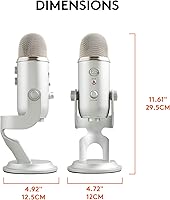
  • Dimensions: The mic and stand assembly measures 4.72″ x 4.92″ x 4.57″, making it one of the larger desktop USB microphones available.
  • Included Accessories: Ships with a threaded desktop stand and a USB cable; no additional accessories or software purchases are required to begin recording.
  • Compatible Platforms: Works natively on Windows and Mac via USB Audio Class compliance, with no driver installation required on either platform.
  • Software: Compatible with the optional Blue VOICE application on Windows and Mac, which provides real-time vocal effects, noise reduction, and HD audio samples.
  • Power Source: Fully bus-powered over USB, drawing power directly from the connected computer with no batteries or wall adapter needed.
  • Headphone Impedance: The headphone amplifier is optimized for standard consumer headphones, with reliable output volume for impedances typically between 16 and 150 Ohm.
  • Manufacturer: Designed and originally developed by Blue Microphones, now operating under the Logitech for Creators brand umbrella.

Related Reviews
Blue Yeti Pro USB & XLR Microphone
86%
91%
Sound Quality
89%
USB and XLR Connectivity
84%
Ease of Use
90%
Build Quality
88%
Polar Pattern Versatility
More
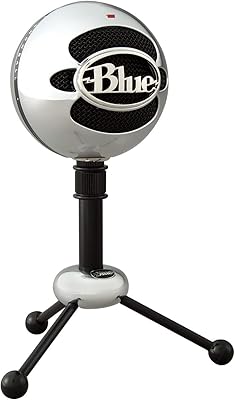
Logitech Blue Snowball USB Microphone
84%
88%
Sound Quality
94%
Ease of Setup
82%
Build Quality
75%
Noise Cancellation
85%
Versatility (Pickup Patterns)
More
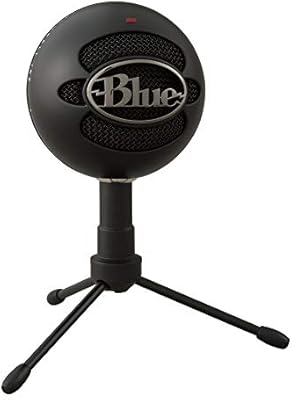
Logitech Blue Snowball iCE USB Microphone
85%
89%
Sound Quality
93%
Ease of Setup
92%
Value for Money
82%
Build Quality
72%
Background Noise Rejection
More
Blue Microphones Blueberry Cardioid Condenser Microphone
87%
91%
Sound Quality
89%
Build Quality
88%
Ease of Use
94%
Performance in Studio Settings
90%
Noise Rejection (Cardioid Pickup)
More
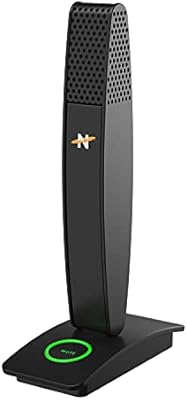
Neat Microphones Skyline USB Desktop Condenser Microphone
89%
94%
Audio Quality
91%
Ease of Use
89%
Build Quality
90%
Mute Button Functionality
92%
Value for Money
More
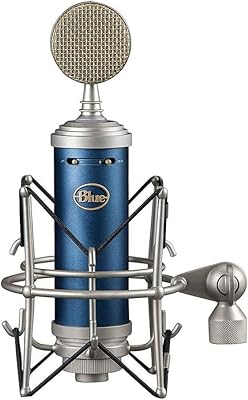
Blue Microphone Bluebird SL XLR Cardioid Condenser Microphone
88%
92%
Sound Quality
88%
Ease of Setup
90%
Noise Reduction
91%
Build Quality
87%
Value for Money
More
Blue Kiwi Microphone
85%
92%
Sound Clarity
88%
Build Quality
91%
Versatility of Polar Patterns
77%
Ease of Setup
94%
XLR Connection Quality
More
ROCCAT Torch USB Microphone
86%
92%
Audio Quality
88%
Ease of Use
85%
Microphone Sensitivity
89%
Versatility (Pickup Patterns)
91%
RGB Lighting & Visual Feedback
More
JLab Talk USB Microphone
89%
94%
Audio Clarity
91%
Directional Pattern Versatility
96%
Ease of Setup
82%
Build Quality
87%
Portability
More
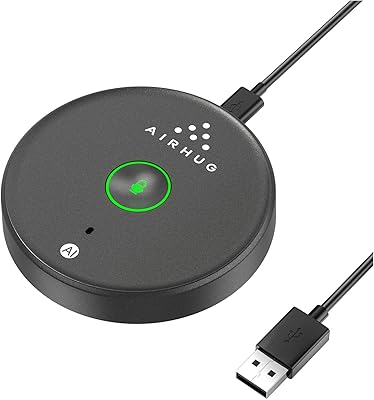
AIRHUG 21 USB Microphone
82%
83%
Audio Clarity
74%
Noise Reduction
96%
Ease of Setup
67%
Build Quality
91%
Mute Button & LED Indicator
More

FAQ

No, the Blue Yeti USB Microphone is plug-and-play on both Windows and Mac. Your computer recognizes it automatically as a USB audio device the moment you plug it in. Blue VOICE software is available optionally, but you do not need it to start recording.

Yes, the base of the mic has a standard 5/8-inch threaded mount, which is compatible with the vast majority of boom arms and mic stands on the market. Many users make this swap early on to free up desk space, since the included stand has a fairly wide footprint.

Cardioid is the right choice for solo recording — it focuses on the sound directly in front of the mic and rejects most audio from the sides and rear. Just make sure you are speaking into the front face of the mic, not the top, since the Yeti is a side-address design.

Condenser microphones are more sensitive than dynamic mics, and the Yeti is no exception. If you are in an untreated room with hard surfaces, it will pick up keyboard clicks, fan noise, and room reflections. Lowering the gain on the mic itself and positioning it closer to your mouth can help significantly, as can adding soft furnishings or a basic reflection filter.

Yes — switch to bidirectional mode and position the mic between two speakers facing each other. It captures audio from the front and back of the mic while rejecting sound from the sides, which works well for in-person interview-style podcasts.

The 3.5mm jack provides direct zero-latency monitoring of your mic input, but it does not automatically blend in your desktop audio. To hear both simultaneously, you would need to configure a software monitoring mix through your operating system or your recording application.

It works with the PlayStation 4 and PlayStation 5 via USB without any additional setup. Xbox consoles do not natively support USB audio devices in the same way, so compatibility there is limited and generally requires workarounds.

A distance of about 6 to 12 inches works well for most voices in a typical home environment. Getting too close in cardioid mode can introduce proximity effect, which adds low-end bass buildup. If your room is noisy, moving closer and lowering the gain is usually a better trade-off than sitting far away.

The mute button is a hardware mute — it physically cuts the mic signal and the LED on the front turns red to confirm it. This makes it reliable for live situations where you need a guaranteed instant mute without depending on software to respond.

The Yeti uses a standard USB-B connector on the mic end — the same square-style plug you find on many desktop printers. Replacement cables are widely available and inexpensive, so losing the included cable is not a problem.