Overview

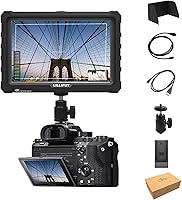
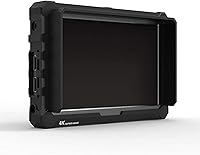
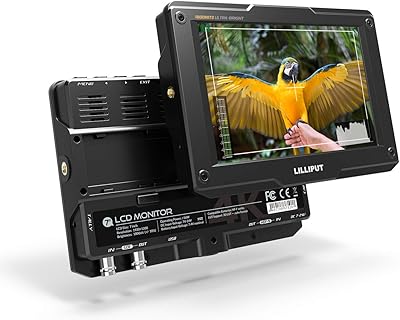
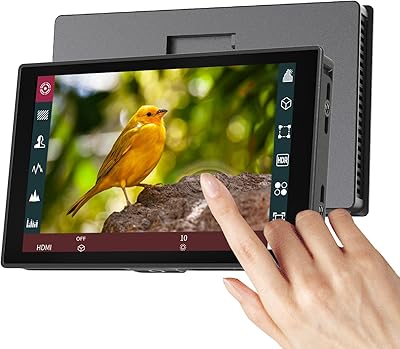
The Lilliput A7S 7″ Camera Field Monitor sits in an interesting spot — priced for serious hobbyists and semi-pro videographers who want more than a basic on-camera display without spending broadcast-monitor money. The 1920x1200 IPS panel is genuinely impressive at this tier; most competitors at a similar price point settle for 1080p or less. This VIVITEQ exclusive version comes wrapped in a black silicon rubber case, which sets it apart from the standard model and adds a layer of physical protection. It pairs with a wide range of popular bodies — Sony A7-series, Panasonic GH5, Canon 5D Mark IV, and DJI Ronin M gimbal setups — making it a flexible addition to different rigs.

Features & Benefits

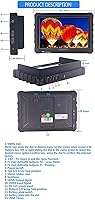
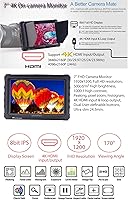
The 7-inch screen runs at a native 1920x1200 — that 16:10 ratio and 324ppi density mean you can actually catch soft focus in the field before it becomes a post-production headache. Focus peaking, false color, histogram, and audio level meter are all on board, giving you a solid monitoring toolkit without paying extra for separate accessories. Brightness hits 500 cd/m², which holds up in most outdoor conditions, though under direct midday sun it is adequate rather than exceptional. The 4K HDMI pass-through lets the signal flow from camera to monitor and then out to another recording device — useful for more complex setups. Programmable F1/F2 shortcut keys and a trim 320g build mean this Lilliput monitor barely adds bulk on a gimbal arm.

Best For

The A7S field monitor is a natural fit for solo shooters who cannot rely on a dedicated operator to pull focus for them. If you are running a GH5, Sony A7-series, or Canon 5D Mark IV and have been squinting at your rear LCD outdoors, the jump to a 7-inch screen with real monitoring tools is immediately noticeable. Gimbal operators benefit too — the low weight and slim profile do not fight the Ronin M balance the way heavier monitors do. Content creators moving from consumer to semi-pro setups will find it easier to nail exposure in tricky light. If you need absolute broadcast-grade accuracy, look at higher-end options — but for field work at this level, this 7-inch camera monitor delivers where it counts.

User Feedback

The most consistent praise in user reviews centers on screen clarity and color rendering relative to the price — many buyers describe it as a meaningful upgrade from a camera body's built-in LCD. The included sun shade does its job in typical outdoor conditions, though a handful of users found it underwhelming in harsh direct sunlight. On the flip side, HDMI port durability and the mount connection have drawn recurring criticism for feeling less robust than expected, worth noting if your rig takes regular physical stress. The menu system carries a noticeable learning curve, which some found frustrating in the first few sessions. The 3.8-star average reflects a divided crowd: a satisfied majority and a vocal minority with specific hardware reliability concerns.

Pros

  • The 1920x1200 IPS panel delivers noticeably sharper image review than most rivals at this price point.
  • Focus peaking and false color tools make nailing exposure and focus far more reliable in unpredictable conditions.
  • At 320g and 20.5mm thin, the A7S field monitor sits comfortably on a gimbal without throwing off balance.
  • 4K HDMI pass-through lets your signal feed both the monitor and an external recorder simultaneously — no splitter needed.
  • The F1 and F2 shortcut keys save real time during fast-paced shoots by cutting out repetitive menu navigation.
  • Wide 170-degree viewing angle means the screen stays readable even at awkward rig angles or when showing a client the shot.
  • The bundled silicon rubber case and sun shade add meaningful protection without requiring a separate purchase.
  • Broad camera compatibility covers Sony, Canon, Panasonic, and DJI setups without needing adapters or workarounds.

Cons

  • Multiple users have flagged the HDMI port and mounting connection as less durable than expected under regular use.
  • The menu system has a steep learning curve that can slow you down during the first several shoots.
  • At 500 cd/m², brightness is adequate but can struggle in harsh direct midday sunlight despite the included shade.
  • The rubber case, while protective, adds noticeable bulk that minimalist or weight-sensitive rig builders may find frustrating.
  • A 3.8-star average across nearly 100 ratings suggests quality consistency is not fully reliable across all units.
  • No touchscreen functionality means all navigation relies on physical buttons, which some users find slower to operate.
  • Color accuracy, while good for the price tier, falls short of what serious colorists need for on-set grading decisions.

Ratings

The scores below reflect AI-synthesized analysis of verified global user reviews for the Lilliput A7S 7″ Camera Field Monitor, with spam, bot-generated, and incentivized feedback actively filtered out before scoring. Each category is evaluated using real-world usage patterns reported by buyers — from solo videographers on outdoor shoots to gimbal operators in demanding production environments. Both the genuine strengths and the documented pain points are reflected transparently in every score.

Image Clarity
84%
Users consistently praised the 1920x1200 IPS panel for delivering noticeably sharper detail than competing monitors at this price tier. Videographers working with Sony A7-series and GH5 bodies found it significantly easier to judge focus accuracy compared to their camera's built-in rear screen during outdoor shoots.
A handful of users noted that in very high-contrast scenes, the 8-bit panel can show subtle gradation limitations that a more experienced eye will catch. It is not an issue for most field work, but those doing critical on-set review reported occasional hesitation trusting shadow detail.
Build Quality
61%
39%
The overall chassis feels solid for a monitor in this weight class, and the VIVITEQ black rubber case adds a meaningful layer of drop and scratch protection that users on busy run-and-gun shoots genuinely appreciated. Several buyers noted the slim 20.5mm profile held up well after extended use on gimbal rigs.
The HDMI port and mounting connection drew the most consistent criticism in user reviews, with multiple buyers reporting looseness or wear after regular plugging and unplugging. For high-frequency professional use or rental scenarios, the port durability is a real concern that is hard to overlook.
Brightness & Outdoor Use
71%
29%
At 500 cd/m², the A7S field monitor performs well in overcast and partially shaded outdoor conditions, which covers a large proportion of real-world shooting scenarios. The bundled sun shade helps meaningfully by cutting glare, and most users shooting during golden hour or under cloud cover reported comfortable visibility.
Under harsh midday direct sunlight, brightness becomes a genuine limiting factor, and even with the sun shade attached some users described the image as difficult to read confidently. Buyers who regularly shoot in bright desert, beach, or open-sky environments flagged this as a recurring frustration.
Monitoring Assist Tools
88%
Focus peaking, false color, histogram, and audio level meter together form a toolkit that solo shooters found highly practical for getting reliable exposure and focus feedback without a dedicated camera assistant. The ability to catch soft focus frames in real time during a handheld shoot was a frequently mentioned benefit in positive reviews.
Several users noted that the menu system for configuring these tools — especially setting peaking color and level — requires a learning investment upfront that can slow you down during your first few shoots. The assist functions themselves work well once configured, but the initial setup is not intuitive.
Menu Usability
57%
43%
Once users spent time with the interface and programmed the F1 and F2 shortcut keys to their most-used functions, day-to-day operation became considerably smoother. Experienced monitor users who had worked with other Lilliput products found the logic of the menu system familiar and manageable.
First-time field monitor users and those coming from simpler on-camera displays frequently described the menu as confusing and slow to navigate without the manual. The absence of a touchscreen means every adjustment requires cycling through physical button presses, which frustrated users in time-sensitive shooting situations.
Weight & Portability
91%
At 320g, this 7-inch camera monitor is light enough that gimbal operators using the DJI Ronin M reported being able to balance and use it without significant counterweight adjustments. Content creators switching between handheld and tripod configurations appreciated not having to reconfigure their rig every time they moved.
The rubber case, while protective, does add a perceptible amount of bulk compared to the bare chassis, which minimalist rig builders noted as a minor but real trade-off. Users running ultra-compact setups where every millimeter of thickness matters occasionally removed the case, sacrificing protection to keep the profile trim.
HDMI Connectivity
69%
31%
The 4K HDMI input and pass-through output genuinely expand how the monitor can be used — shooters recording to an external device like an Atomos recorder appreciated being able to feed both the monitor and recorder from a single camera output. Compatibility across Sony, Canon, and Panasonic HDMI signals was reported as reliable during normal use.
Port durability complaints temper what would otherwise be a strong connectivity story — the physical HDMI socket showed wear signs faster than users expected, particularly for those who connect and disconnect cables multiple times per day. A locking or reinforced HDMI connector design would have addressed the most common hardware complaint in the review pool.
Value for Money
82%
18%
The combination of a high-resolution IPS panel, a full monitoring toolkit, and 4K HDMI pass-through at this price tier represents strong value for hobbyists and semi-pros who would otherwise need to spend significantly more for comparable specs from better-known brands. Buyers stepping up from a camera rear LCD frequently described it as a worthwhile investment for the capability jump alone.
A few buyers who experienced HDMI port issues early in the product lifespan felt the long-term value proposition weakened if hardware reliability proved inconsistent. If you factor in potential repair or replacement costs for a port failure, the price-to-longevity equation becomes less favorable for heavy users.
Sun Shade Effectiveness
66%
34%
In typical outdoor conditions — shooting under trees, in open shade, or during overcast days — the included sun shade does a reasonable job of reducing screen glare and improving readability without requiring a separate purchase. Users doing event and wedding videography in variable lighting found it adequate for most of their working conditions.
Under intense direct sunlight, particularly at midday, multiple users found the sun shade insufficient on its own to make the display fully comfortable to use. A deeper or more rigid aftermarket shade was a common upgrade recommendation among buyers who regularly shoot in bright open-air environments.
Compatibility
89%
The A7S field monitor worked reliably across a wide range of popular camera bodies — Sony A7-series, Panasonic GH5, Canon 5D Mark IV, and DJI Ronin M setups — without requiring firmware updates or signal adjustments in the vast majority of user-reported experiences. This breadth of compatibility made it a practical choice for shooters who work across multiple camera systems.
A small number of users reported signal handshake issues with specific camera firmware versions, requiring a cable reseat or monitor restart to resolve. These were not widespread complaints, but they are worth noting for users who rely on a fast, reliable signal lock during time-sensitive productions.
Shortcut Keys
78%
22%
The programmable F1 and F2 keys were a genuinely appreciated feature among users who took the time to configure them — having one-press access to focus peaking or false color during a fast-moving shoot reduced the distraction of navigating nested menus mid-take. Experienced videographers called them a practical time-saver once set up correctly.
Out of the box, the keys are not pre-mapped to any function, which means new users have to navigate the menu system before they can benefit from them — somewhat defeating the purpose during a first-use scenario. The limited number of assignable shortcuts also left power users wishing for more customization depth.
Protective Case
74%
26%
The silicon rubber case included with the VIVITEQ exclusive version was consistently noted as a practical differentiator over the standard model, giving field shooters confidence that accidental drops and knocks would not immediately damage the chassis. Users working in dusty or rough outdoor conditions appreciated having that protection built into the purchase.
The rubber material, while grippy and protective, does attract dust and lint more than a hard-shell alternative, which some users found aesthetically frustrating over time. A few buyers also noted the case added just enough thickness to create minor compatibility issues with certain quick-release plates and mounting accessories.
Screen Uniformity
76%
24%
For the price tier, the IPS panel showed reasonably consistent brightness and color rendering across the display surface, which users checking wide shots or using the histogram for exposure guidance found reliable enough for field decision-making. Most buyers operating in standard shooting conditions did not report uniformity as a concern during daily use.
A small portion of users noticed slight backlight variation toward the corners of the panel under certain solid-color display conditions, which is not uncommon for IPS monitors in this price class but is worth noting for users who require perfectly even illumination across the entire frame. It rarely affected practical shooting but was flagged in more critical reviews.

Suitable for:

The Lilliput A7S 7″ Camera Field Monitor is built for solo videographers and semi-pro shooters who have outgrown squinting at a 3-inch rear LCD but are not ready — or do not need — to invest in a professional broadcast display. If you shoot with a Sony A7-series, Panasonic GH5, or Canon 5D Mark IV and spend meaningful time working outdoors or on gimbal rigs like the DJI Ronin M, this monitor fills a real gap in your workflow. The 1920x1200 IPS panel gives you enough pixel density to judge sharpness and focus with genuine confidence, and the built-in assist tools — peaking, false color, and histogram — replace the guesswork that comes with relying on a camera body's limited display. Content creators who are scaling up their production quality without a dedicated camera assistant will find the monitoring toolkit especially practical. The rubber-protected VIVITEQ exclusive version also suits shooters who work in rough or fast-moving environments where an unprotected monitor would be a liability.

Not suitable for:

The Lilliput A7S 7″ Camera Field Monitor is not the right choice for professionals who require broadcast-accurate color grading in the field — the 8-bit IPS panel and mid-range brightness are solid for their price tier, but they are not a substitute for higher-end monitors used in serious production environments. If your workflow depends on a rock-solid HDMI connection under constant physical stress — frequent cable swaps, heavy-use rental scenarios, or demanding run-and-gun conditions — recurring user reports about port durability are worth taking seriously before committing. The silicon rubber case, while genuinely protective, does add some bulk, so minimalist rig builders or operators who need to shave every gram will want to factor that in. Users who prefer a plug-and-play experience may also find the menu system and assist function setup frustratingly involved at first. Anyone shooting primarily in controlled studio conditions with reliable lighting will likely find the feature set overkill relative to simpler, lighter monitoring options.

Specifications

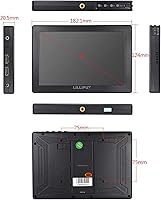
  • Screen Size: The display measures 7 inches diagonally with a 16:10 aspect ratio suited to widescreen video monitoring.
  • Resolution: Native resolution is 1920x1200 pixels, delivering a pixel density of 324 ppi for sharp, detailed image review.
  • Panel Type: The monitor uses an 8-bit IPS LCD panel, offering consistent color and contrast across the viewing area.
  • Brightness: Peak brightness is rated at 500 cd/m², providing usable visibility in most outdoor shooting conditions.
  • Contrast Ratio: The panel has a 1000:1 contrast ratio, which supports clear differentiation between shadow and highlight areas.
  • Viewing Angle: The IPS panel maintains acceptable image quality up to 170 degrees horizontally and vertically.
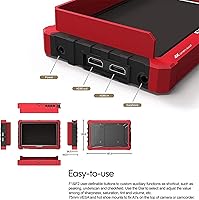
  • HDMI Connectivity: The monitor includes both 4K HDMI input and HDMI output, supporting signal pass-through to an external recording device.
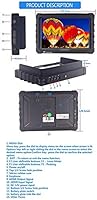
  • Assist Functions: Built-in monitoring tools include focus peaking with adjustable color and level, false color, exposure display, histogram, and audio level meter.
  • Custom Buttons: Two programmable shortcut keys, F1 and F2, can be assigned to frequently used monitor functions for faster in-field access.
  • Weight: The monitor body weighs 320 g, making it light enough for gimbal and handheld rig use without significant balance impact.
  • Thickness: At 20.5 mm thin, the A7S field monitor maintains a compact profile suitable for space-restricted camera rigs.
  • Package Weight: The full retail package, including accessories, weighs 2.31 pounds as shipped.
  • Package Dimensions: The retail box measures 8.07 x 5.91 x 3.5 inches, accommodating the monitor and all included accessories.
  • Included Accessories: The VIVITEQ exclusive version ships with a black silicon rubber protective case and a sun shade hood for outdoor use.
  • Model Variant: This listing corresponds to model number A7S BLACK, an exclusive variant distributed by VIVITEQ with the black rubber case included.
  • Manufacturer: The monitor is designed and manufactured by LILLIPUT, a brand with a long-standing catalog of camera field monitors.
  • Availability Date: This product was first made available on Amazon on October 20, 2017.
  • Discontinuation: As of the most recent product data, this monitor has not been discontinued by the manufacturer.

Related Reviews
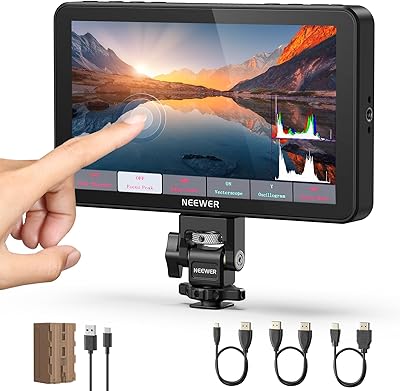
NEEWER F700 7″ Field Monitor
78%
91%
Outdoor Visibility
86%
Touch Screen Responsiveness
54%
Fan Noise
88%
3D LUT Support
89%
Battery & Power Versatility
More
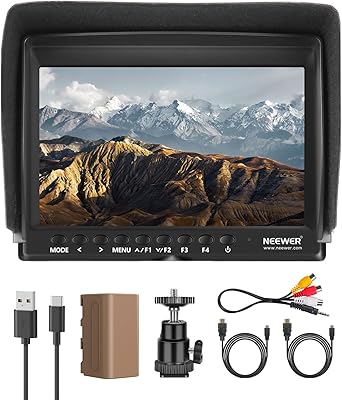
NEEWER F100 7-inch Field Monitor
78%
83%
Image Quality
66%
Outdoor Visibility
71%
Build Quality
68%
Ball Head & Mounting
78%
Battery Life
More
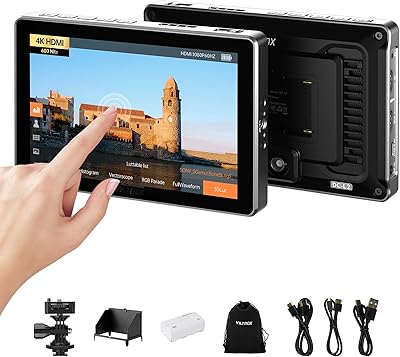
VILTROX DC-L2 7″ 4K Camera Field Monitor
86%
93%
Display Quality
89%
Portability
70%
Battery Life
85%
Ease of Use
88%
Build Quality
More
Lilliput H7S 7″ On-Camera Monitor
61%
83%
Outdoor Brightness
47%
Build Quality
79%
Connectivity & I/O
41%
Touchscreen Responsiveness
44%
Menu & Interface Usability
More
Feelworld FW759 7″ Field Monitor
72%
83%
Image Clarity
58%
Brightness & Outdoor Usability
81%
Focus Peaking Performance
89%
Portability & Form Factor
54%
Build Quality & Durability
More
VILTROX DC-L1 7-Inch Touchscreen Camera Field Monitor
87%
93%
Display Quality
89%
Portability
85%
Power Options
91%
Sunshade Effectiveness
88%
Ease of Use
More
FEELWORLD FW279 7-Inch Field Monitor
77%
93%
Outdoor Brightness
88%
Panel Sharpness & Clarity
71%
Color Accuracy
67%
Build Quality & Durability
84%
Mounting Flexibility
More
Osee T7 7-inch Field Monitor
81%
93%
Outdoor Visibility
88%
Color Accuracy
91%
Monitoring Toolset
84%
Scene Preset System
74%
Build Quality
More
ZEROXCLUB B3C 3-Camera Wireless Backup Camera System
76%
84%
Video Signal Reliability
83%
Image Quality
76%
Night Vision Performance
71%
Installation Experience
88%
Weather & Build Durability
More
Camecho 7-Inch Monitor Backup Camera System
78%
71%
Image Quality
58%
Night Vision Performance
83%
Camera Durability
86%
Ease of Installation
88%
Cable Quality & Length
More

FAQ

Yes, the A7S field monitor connects via HDMI and is compatible with the broader Sony A7-series lineup, including the A7 III and A7R IV. As long as your camera has a standard HDMI output, you should have no issues getting a signal to the monitor.

The HDMI output lets you route the same video signal from your camera through the monitor and out to a second device — like an external recorder — at the same time. If you only need to monitor your shot, you may never use it. But if you want to record externally while also keeping an eye on your frame, that second HDMI port becomes genuinely useful.

It handles overcast and partly sunny conditions well, but under harsh direct sunlight it can be a challenge to see clearly. The included sun shade helps significantly, and most users find it workable in typical outdoor scenarios — just do not expect performance comparable to dedicated high-brightness monitors rated at 1000 cd/m² or above.

At 320 g and 20.5 mm thick, this 7-inch camera monitor is on the lighter end for its screen size, and many gimbal operators have reported using it on the Ronin M without major balance issues. You will still need to re-balance the gimbal after mounting, but the weight itself is not prohibitive.

There is a noticeable learning curve, especially when setting up the assist functions for the first time. Most users get comfortable with the core features within a few shoots, but the initial setup — particularly programming the F1 and F2 shortcut keys — can feel unintuitive without reading the manual first.

The silicon rubber case on the VIVITEQ exclusive version is a protective sleeve rather than a built-in housing, so it can be removed if you prefer a slimmer profile. That said, removing it does leave the chassis without impact or scratch protection, so most users keep it on for field work.

Focus peaking is a function of the monitor itself, not the camera — so it works regardless of which camera brand you connect, as long as the monitor is receiving a clean HDMI signal. It overlays color highlights on in-focus edges directly on the monitor's display.

This is a legitimate concern flagged by a number of buyers. The HDMI connection point has drawn some criticism for feeling less robust than expected, particularly for users who frequently plug and unplug cables or work in physically demanding conditions. Handling the cable connection with care and using a cable with a secure locking mechanism where possible is a reasonable precaution.

The monitor is typically powered via a Sony NP-F style battery plate or DC input, which is standard for Lilliput monitors in this range — however, no battery is included in the package. You will need to source a compatible NP-F battery or use a DC power supply separately.

It is best treated as a field monitoring and assist tool rather than a color-accurate grading reference. The 8-bit IPS panel and 1920x1200 resolution are genuinely useful for checking focus, exposure, and framing in real time, but professional colorists requiring precise color fidelity should look at higher-tier monitors with factory calibration and wider color gamut coverage.

Where to Buy