Overview

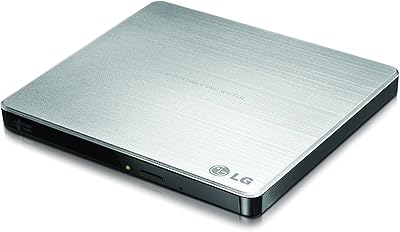
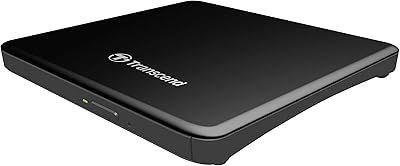
The LG AP70NS50 Portable External DVD Writer is one of those quietly useful devices that fills a real gap for anyone running a thin ultrabook or slim laptop without a built-in optical drive. Launched back in 2014, it has held up well in a niche where the options haven't changed drastically. The silver slot-loading design looks tidy on a desk and packs down small enough to toss in a laptop bag without a second thought. No external power brick, no tray flapping open — just plug it into USB and you're ready. For the mid-range price it sits at, it competes respectably against both budget and higher-end alternatives.
Features & Benefits

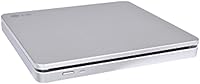
The biggest practical win with this slot-loading DVD drive is how much quieter and more compact it feels compared to a tray-based unit. Feeding a disc in takes a second — no fumbling with a flap. At 8x read and write speeds, it handles ripping CDs, burning data discs, and watching DVDs without any frustrating lag. The M-DISC support is genuinely useful for long-term archiving; rather than relying on organic dye layers that degrade over time, M-DISC etches data into a rock-like surface built to last. Double Layer DVD writing means you can fit more onto a single disc. USB bus power works well in most cases, though older or low-power ports may need the optional Y-cable to deliver enough juice.

Best For

This portable LG burner makes the most sense for people whose laptops simply don't have an optical drive built in — think thin ultrabooks, recent MacBooks, or budget Chromebooks. If you occasionally need to install software from a legacy disc, rip a CD collection, or watch a DVD on a long flight, it covers all of those without fuss. The M-DISC archival capability makes it especially worthwhile for anyone backing up irreplaceable family photos or important documents for the long haul. At just 12 ounces and not much bigger than a paperback book, it travels well. Home users and small offices needing a reliable secondary drive will find it pulls its weight without demanding much in return.

User Feedback

With over 200 ratings averaging 4.4 out of 5 stars, the AP70NS50 has earned a consistent reputation. Buyers tend to praise the quiet operation and the clean look — the slot-loading design genuinely does run more silently than tray-based alternatives. Compatibility across both Mac and Windows gets positive mentions too, with most users reporting plug-and-play success out of the box. The sticking point that comes up regularly is the USB power situation: on some older machines or low-power hubs, the drive won't spin up reliably without the Y-cable, which LG doesn't include. A handful of buyers note that cheaper no-name alternatives undercut it on price, though most feel the LG build quality justifies paying a little more.

Pros

  • Slot-loading design operates quietly and takes up less space than tray-based alternatives.
  • Works as a plug-and-play device on both Mac and Windows with no driver hunting required.
  • M-DISC support enables genuinely long-lasting archival burns that standard DVD-R media cannot match.
  • At under a pound with no power adapter needed, it travels exceptionally well in a laptop bag.
  • Double Layer DVD writing expands how much data you can fit on a single disc.
  • A 4.4-star average across hundreds of verified buyers signals consistent real-world reliability.
  • The clean silver finish looks at home next to modern ultrabooks rather than clashing with them.
  • USB bus-powered operation keeps the setup simple — one cable, no wall outlet required in most cases.
  • LG build quality holds up well over years of occasional use, outperforming cheaper no-name options.

Cons

  • The Y-cable needed for underpowered USB ports is not included in the box, which feels like an oversight.
  • 8x write speed means burning a full Double Layer disc takes longer than some buyers expect.
  • M-DISC blank media costs significantly more than standard DVD-R, raising the ongoing archival cost.
  • No Blu-ray support at all — strictly a DVD and CD drive with no upgrade path.
  • The silver plastic finish shows fingerprints and light scratches more readily than darker alternatives.
  • Slot-loading is less tolerant of warped or low-quality older discs compared to tray-based drives.
  • The included documentation is minimal, leaving power-issue troubleshooting to trial and error.
  • Budget-focused buyers who only need basic playback may struggle to justify the mid-range price.

Ratings

The LG AP70NS50 Portable External DVD Writer scores here reflect an AI-driven analysis of verified global buyer reviews, with spam, bot-generated, and incentivized feedback actively filtered out before scoring. Across hundreds of real-world accounts — from ultrabook owners to archiving enthusiasts — both the strengths and the friction points are honestly represented. The result is a balanced scorecard that tells you exactly where this slot-loading drive earns its reputation and where it falls short.

Build Quality
83%
Most buyers note that the AP70NS50 feels noticeably sturdier than cheaper no-name alternatives in the same category. The slot mechanism in particular draws consistent praise — it glides discs in cleanly without the flimsy feel common on budget drives. For a unit that gets tossed in a laptop bag regularly, that durability matters.
A minority of long-term users report that the slot loading edge can develop minor scuff marks over time, particularly on the silver plastic finish. It is not a structural issue, but it does affect the clean look that draws people to it in the first place.
Portability
91%
At 12 ounces and roughly the footprint of a slim paperback, this drive genuinely disappears into a laptop bag. Travelers and remote workers specifically call out how easy it is to carry daily without adding noticeable weight. No external adapter makes the whole package self-contained and bag-friendly.
The 7.5-inch length means it sticks out slightly from smaller ultrabook sleeves, which a few users found mildly annoying during transit. It is a minor point, but worth knowing if your bag fits snugly.
Read & Write Performance
78%
22%
At 8x speed, everyday tasks like ripping a CD, burning a data disc, or running a software installer from optical media finish at a pace that does not feel like a step back in time. Users doing regular backups or media ripping report consistent, predictable throughput without errors.
8x is not a high-speed rating by modern optical standards, and buyers who need to burn large batches of Double Layer discs regularly will notice the time adds up. It handles occasional use well, but it is not a production workhorse for anyone burning discs in volume.
USB Power Reliability
61%
39%
On most modern laptops and USB 3.0 hubs, the bus-powered setup works cleanly — no adapter, no fuss. Users with recent MacBooks and Windows ultrabooks frequently report plug-and-play power with zero issues, which is exactly the experience LG designed for.
This is the most consistently cited frustration in the review pool. Older USB ports, certain hubs, and some lower-power machines fail to supply enough current, causing the drive to spin up partially or not recognize discs. The Y-cable fix works, but LG does not include it in the box, which feels like an oversight at this price point.
Compatibility (OS & Disc Formats)
86%
Cross-platform support is genuinely broad — Windows and macOS users alike report straightforward recognition with no driver hunting required in most cases. Double Layer DVD support and M-DISC compatibility add practical format flexibility that cheaper drives often skip.
A handful of macOS users on newer operating system versions mention needing to verify disc format support before committing. Nothing deal-breaking, but it is worth confirming compatibility with your specific workflow before assuming full feature parity across every format.
M-DISC Archival Capability
88%
For buyers specifically looking to archive irreplaceable data — family photos, legal documents, home videos — the M-DISC support is a standout feature that most competing drives in this tier simply do not offer. The rock-layer recording surface is designed to outlast standard recordable discs by decades, and users who understand the technology treat this as a primary buying reason.
M-DISC media itself costs significantly more than standard DVD-R blanks, so the ongoing archival cost is higher than casual users might expect. The drive does not come with any M-DISC sample media either, so first-time users need to budget separately.
Noise & Operation
89%
Quiet operation is one of the most praised aspects across reviews. The slot-loading mechanism avoids the mechanical clunk of a tray drive entirely, and spin noise during reads is low enough that most users describe it as barely noticeable in a quiet room or library setting.
At peak read speeds on pressed DVDs, there is an audible spin-up hum that some users in silent environments find more noticeable than expected. It is far from loud, but it is not completely silent either — the marketing impression of total silence is slightly oversold.
Value for Money
74%
26%
Most buyers feel the AP70NS50 lands at a fair price for an LG-branded, slot-loading unit with M-DISC support. Compared to no-name budget drives that fail within months, the track record here justifies the premium for users who want something that holds up over time.
Budget alternatives undercut it noticeably, and for buyers who only need basic DVD playback once in a while, paying more for M-DISC support they will never use is hard to justify. The value story is strongest for users who actually need the archival capability.
Setup & Ease of Use
92%
Plug-in-and-go is the dominant user experience here. The vast majority of reviewers across both Mac and Windows report zero setup steps beyond connecting the USB cable — the drive is recognized immediately and disc insertion is intuitive even for first-time optical drive users.
The small number of power-related setup issues covered elsewhere can make the initial experience confusing for users who do not realize the Y-cable situation until they hit a problem. The manual provides limited guidance, which amplifies that frustration.
Design & Aesthetics
81%
19%
The clean silver finish and absence of a disc tray give the AP70NS50 a noticeably more polished look than most external optical drives on the market. Users who care about a tidy desk setup or matching the look of a silver ultrabook frequently call this out as a genuine positive.
Silver plastic can show fingerprints and light scratches more readily than darker finishes. Users who keep their gear pristine may find themselves wiping it down more often than expected, particularly around the disc slot opening.
Disc Handling & Reliability
77%
23%
Day-to-day disc handling — inserting, reading, ejecting — gets positive marks for consistency. Users report smooth loading across standard DVD, CD, and Double Layer media, with rare misfeeds on discs in good condition.
A small cluster of reviews mentions issues with slightly warped or older discs not feeding cleanly through the slot. Tray-based drives handle irregular disc conditions more forgivingly, so if you regularly work with older or lesser-quality media, this is worth factoring in.
Cable & Accessory Inclusion
53%
47%
The included USB cable is long enough for practical desktop use and feels reasonably well-made for a bundled accessory. Users doing standard desk setups find the included cable sufficient without needing to source their own.
The Y-cable needed for underpowered ports is absent from the box entirely, which is a recurring complaint. Given that the power limitation is a known issue with this drive, omitting the Y-cable feels like a cost-cutting decision that creates a poor first impression for affected buyers.
Long-Term Durability
76%
24%
The AP70NS50 has been in circulation since 2014, and many reviewers are reporting continued reliable operation years after purchase. LG brand consistency and the absence of a mechanical tray contribute to a lower failure surface over extended use.
A portion of reviews from heavy users — those burning or ripping multiple discs weekly — report that the slot mechanism begins to feel less precise after a year or two of intensive use. For occasional users this is unlikely to matter, but it is not a drive built for production-level volume.

Suitable for:

The LG AP70NS50 Portable External DVD Writer is a practical buy for anyone whose laptop simply does not have a built-in optical drive — which covers most ultrabooks, thin-and-light Windows machines, and every MacBook released in the last several years. If you occasionally need to rip a CD collection, watch a DVD on a long flight, or run a software installer that only exists on disc, this slot-loading drive handles all of it without demanding a power outlet or a separate adapter in most cases. It is also a genuinely smart pick for anyone serious about long-term data preservation — the M-DISC support means you can archive family photos, legal files, or irreplaceable home videos onto a medium designed to outlast standard recordable discs by decades. Travelers and remote workers will appreciate that it weighs under a pound and fits in the same sleeve as a laptop without adding meaningful bulk. Small office or home office setups that need a reliable secondary optical drive on a reasonable budget will also find it earns its place on the desk.

Not suitable for:

The LG AP70NS50 Portable External DVD Writer is not the right tool for anyone who needs to burn discs in volume or at high speed on a regular basis — 8x is a workable pace for occasional use, but it will test your patience if you are duplicating batches of discs routinely. Buyers running older machines with USB 2.0 ports or low-output hubs should be aware that the drive may not get sufficient power to operate reliably without a Y-cable that LG does not include in the box, which is a real inconvenience right out of the gate. If your only need is basic DVD playback a few times a year, cheaper no-name alternatives exist at a noticeably lower price and may be perfectly adequate for that limited use case. Users who regularly work with older, scratched, or slightly warped discs may also find that the slot-loading mechanism is less forgiving than a traditional tray drive. Finally, anyone expecting Blu-ray support will need to look elsewhere — this is strictly a DVD and CD drive.

Specifications

  • Brand: Manufactured by LG Electronics, a South Korean multinational with a long-standing track record in optical storage hardware.
  • Model Number: The specific model identifier is AP70NS50, distinguishing it from other LG portable optical drive variants.
  • Drive Type: This is a DVD rewriter supporting read, write, and rewrite functions across DVD and CD formats.
  • Loading Mechanism: Slot-loading design accepts discs directly without a mechanical tray, resulting in quieter operation and a more compact footprint.
  • Write Speed: Maximum DVD write speed is 8x, suitable for routine disc burning and data archival at a steady, reliable pace.
  • Read Speed: Maximum DVD read speed is 8x, covering playback and data retrieval across standard DVD and CD media.
  • Double Layer Support: Supports Double Layer DVD writing, allowing a single disc to store approximately 8.5 GB of data.
  • M-DISC Support: Compatible with Millenniata M-DISC media, which uses a rock-like inorganic layer engineered for significantly longer archival life than standard dye-based discs.
  • Interface: Connects via USB, drawing power directly from the host port without requiring a separate power adapter in most configurations.
  • Power Requirements: Bus-powered through USB; a Y-type USB cable (not included) may be required when connected to older or low-output ports.
  • Dimensions: The drive measures 7.5 × 6.5 × 1.5 inches, keeping it slim enough to fit alongside a laptop in most standard sleeves.
  • Weight: Weighs 12 ounces, making it one of the lighter options in the portable external optical drive category.
  • Color & Finish: Available in silver with a smooth plastic exterior designed to complement the aesthetic of modern ultrabooks and slim laptops.
  • OS Compatibility: Officially compatible with Windows 8 and macOS; broadly functional on other modern Windows and Mac operating system versions.
  • Manufacturer: LG Electronics; the product is not listed as discontinued by the manufacturer as of the most recent available data.
  • Date Introduced: First made available for purchase on June 16, 2014, making it a long-running model in LG's portable drive lineup.
  • Bestseller Rank: Ranked #113 in the External CD and DVD Drives category on Amazon, reflecting sustained buyer interest over multiple years.
  • Average Rating: Holds a 4.4 out of 5 star average across more than 200 verified ratings, indicating broadly positive real-world satisfaction.

Related Reviews
LG GP65NB60 Portable USB DVD Burner
81%
96%
Ease of Setup
88%
Read & Burn Performance
93%
Portability & Size
62%
Build Quality
81%
Disc Compatibility
More
LG GP70NS50 Portable DVD Rewriter
87%
88%
Write Speed Performance
92%
Ease of Use
91%
Portability & Design
85%
Compatibility Across Systems
93%
M-DISC Support
More
Verbatim 43886 Slimline External DVD Writer
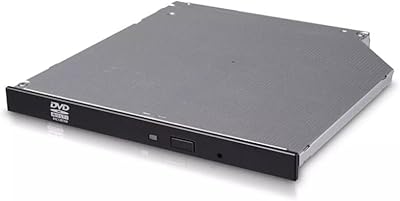
79%
92%
Ease of Setup
81%
Build Quality
94%
Portability
78%
Read Performance
74%
Write Performance
More
Hitachi-LG GP96Y External DVD Drive
74%
91%
Ease of Setup
83%
OS Compatibility
77%
Fire TV Integration
84%
Read Performance
63%
Write Performance
More
LG GUD0N Ultra Slim External DVD Writer
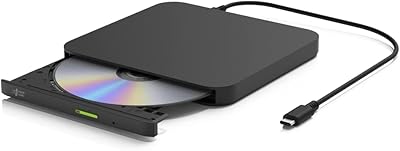
76%
91%
Noise Level
93%
Portability
88%
Disc Format Support
94%
Ease of Setup
62%
USB Power Reliability
More
LG GP60NB50
LG GP60NB50
79%
93%
Ease of Setup
91%
Portability & Form Factor
78%
Compatibility
69%
Read & Write Performance
82%
Build Quality & Durability
More
LG BP50NB40 Portable Blu-ray Writer
79%
93%
Portability & Form Factor
91%
Mac Compatibility
88%
M-DISC Archival Support
58%
Transfer & Write Speed
84%
Noise & Vibration During Operation
More
LG GP60NS50 Ultra Slim Portable DVD±RW Drive
82%
94%
Portability & Size
89%
Ease of Use
62%
Writing Speed
91%
M-DISC Support
88%
Compatibility Across Platforms
More
Transcend TS8XDVDS-K Portable DVD Writer
78%
93%
Ease of Setup
91%
Portability & Form Factor
72%
Read Reliability
78%
Write Performance
74%
Build Quality
More
Arafuna 18″ Portable DVD Player
72%
78%
Screen Quality
71%
Swivel & Flip Mechanism
66%
Battery Life
54%
Build Quality
69%
Audio Performance
More

FAQ

No, the drive pulls its power directly from the USB port on your laptop or desktop — no wall adapter needed in most cases. The exception is older machines or USB hubs that cannot deliver enough current, in which case a Y-type USB cable that draws from two ports simultaneously will solve the problem. That cable is not included in the box, so it is worth keeping one on hand if you plan to use the drive with older hardware.

For most MacBook users, yes — the drive is recognized automatically when you plug it in, with no driver download required. macOS handles it natively for basic disc reading and playback. If you want full burning functionality, Apple's built-in Disk Utility or a third-party app like Burn covers everything this slot-loading DVD drive is capable of.

M-DISC is a specialized recordable disc format that uses an inorganic rock-like layer instead of standard organic dye to store data. Standard DVD-R discs can degrade over decades due to dye breakdown, while M-DISC is engineered to be far more resistant to heat, humidity, and light. If you are archiving family photos, legal documents, or anything you genuinely cannot afford to lose, M-DISC is worth the extra cost per disc. For casual use like ripping CDs or burning a movie, standard media is perfectly fine.

The most common cause is insufficient USB power from the port you are using. Try connecting the LG AP70NS50 Portable External DVD Writer directly to a USB port on your laptop rather than a hub, and if the problem persists, use a Y-type USB cable to draw power from two ports simultaneously. Also make sure the disc you are inserting is clean and not warped — the slot mechanism is less forgiving than a tray drive with irregular media.

Yes, that is one of the most common uses for this portable LG burner. On Windows, Windows Media Player handles CD ripping natively, and free tools like HandBrake can rip DVD content. On Mac, you can rip CDs through Music or use third-party software. Just be aware that ripping commercially pressed DVDs may involve copy protection considerations depending on your region and intended use.

LG officially lists Windows 8 as the supported OS, but the drive functions as a standard USB optical device and works correctly on Windows 10 and Windows 11 in real-world use. No special drivers are required — Windows recognizes it automatically. The spec sheet has simply not been updated to reflect newer OS versions.

It is notably quieter than a tray-based optical drive. The slot-loading mechanism eliminates the mechanical clunk of a tray opening and closing, and read noise during normal playback is low. At peak speeds — spinning up a pressed DVD, for example — there is an audible hum, but it is not disruptive in a moderately quiet environment. Most users find it perfectly acceptable in an office or shared workspace.

No, this is strictly a DVD and CD drive. It does not read or write Blu-ray media in any format. If Blu-ray support is on your checklist, you will need to look at a different drive entirely.

For occasional users — a few discs per week at most — the mechanism holds up well over years of use, which is reflected in the long production run of this model since 2014. Heavy users who burn or rip discs daily report that the slot can feel slightly less precise after a year or two of intensive use. It is built for portability and periodic use, not production-level volume.

LG typically offers a one-year limited warranty on this type of peripheral, covering manufacturing defects under normal use conditions. The warranty does not cover physical damage from drops or misuse. For the most current warranty terms, it is worth checking LG's official support site or the documentation included in the box, as terms can vary by region.

Where to Buy