Overview

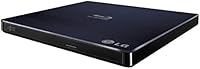
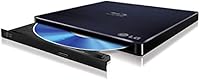
The LG BP50NB40 Portable Blu-ray Writer is the kind of drive you buy when you need optical media access on the road but refuse to lug around a desktop-sized unit. Launched in late 2015, it has stuck around because it solves a real problem well: USB bus-powered, no adapter needed, slim enough to slide into a laptop bag without a second thought. It targets Mac and PC power users who sit in the mid-to-premium tier, and the feature set reflects that. The detail that truly separates it from cheaper alternatives is M-DISC support, which matters to anyone serious about long-term data archival rather than just casual disc burning.
Features & Benefits

Strip away the packaging and this slim optical drive is essentially two things: compact and self-sufficient. At under an ounce and roughly the footprint of a thick paperback, it connects via a single USB cable and draws power directly from your laptop — no wall outlet hunting, no extra cables. A 6x Blu-ray write speed and 8x read speed are adequate for most tasks, though not the fastest option available. Silent Play and Jamless Play keep noise down and cut disc-read errors, a genuine comfort when playing back a film in a quiet room. Mac users will also appreciate that this drive works plug-and-play on macOS — no third-party software required right out of the box.

Best For

This portable Blu-ray writer earns its place in a few specific hands. Home archivists and photographers who distrust cloud-only backups will find the M-DISC capability genuinely useful — it uses specially coated discs designed to survive centuries under ideal conditions, and that kind of physical permanence is hard to put a price on. Mac users who keep a MacBook as their only machine will appreciate no driver conflicts out of the box. Remote workers and travelers who occasionally need to burn a client deliverable or rip a disc get a solution that tucks neatly into a laptop bag. It is less ideal for anyone burning discs daily at high volume; occasional but purposeful use is where it thrives.

User Feedback

Across more than 100 ratings, this slim optical drive holds a 4.2-star average — a score that reflects genuine satisfaction with a few honest caveats. Most buyers praise the quiet operation and how effortlessly it works on macOS from the moment it is plugged in. Reviewers using it for M-DISC archival tend to be the most enthusiastic, citing the peace of mind that physical backups offer. The consistent frustration, however, is the USB 2.0 interface: transferring large Blu-ray files takes noticeably longer than on a USB 3.0-equipped drive, and buyers who do not research this upfront often feel the sting of it. A smaller group has flagged tray durability concerns after extended regular use, which is worth keeping in mind for heavy users.

Pros

  • Connects and works instantly on macOS with zero driver installation required.
  • Single USB cable handles both data and power, eliminating the need for any wall adapter.
  • M-DISC support offers a credible long-term physical archival option for irreplaceable files.
  • Silent Play technology keeps operation remarkably quiet during both playback and burns.
  • Slim enough to slide into a laptop sleeve without adding noticeable bulk or weight.
  • Jamless Play reduces read errors on slightly imperfect discs during playback.
  • Works natively on Windows with built-in OS burning tools right out of the box.
  • LG BP50NB40 Portable Blu-ray Writer has maintained strong sales rankings since 2015, signaling real staying power in a shrinking market.
  • Read and write compatibility spans Blu-ray, DVD, and CD formats without any configuration changes.
  • Quiet, stable operation makes it comfortable to use in open offices or shared workspaces.

Cons

  • USB 2.0 interface creates a meaningful speed bottleneck when transferring large Blu-ray disc images.
  • No Blu-ray playback software is included, and Mac users must purchase a third-party solution separately.
  • The disc tray shows signs of wear under frequent daily use, raising long-term reliability questions.
  • Occasional read failures reported on older or lightly scratched pressed discs.
  • No protective carrying pouch or sleeve is included despite the portable positioning.
  • Proprietary USB cable means a lost or damaged cable requires a specific replacement.
  • M-DISC media is expensive and not easily found in local retail stores.
  • Glossy chassis surface accumulates scratches and fingerprints quickly during regular bag use.
  • Newer competing drives at similar price points offer USB 3.0 connectivity, making the speed tradeoff harder to justify.
  • No bundled disc-burning software for Mac users who are not already familiar with free alternatives.

Ratings

The LG BP50NB40 Portable Blu-ray Writer has been scored by our AI system after analyzing verified buyer reviews from multiple global markets, with spam, bot-generated, and incentivized submissions actively filtered out. The result is a balanced picture that reflects where this slim optical drive genuinely earns its price tag — and where real-world frustrations surface. Both the strengths and the friction points are represented transparently in the scores below.

Portability & Form Factor
93%
Users consistently describe slipping this slim optical drive into a laptop bag alongside their MacBook with zero fuss — it adds almost no perceivable weight or bulk. The footprint is compact enough to sit on a small café table without taking up workspace, which frequent travelers mention as a genuine convenience.
A small number of buyers note that the ultra-slim chassis can feel slightly fragile when handled carelessly, and the glossy finish picks up scratches during daily bag use. It is slim, but not quite pocketable, which occasionally surprises buyers expecting something smaller.
Mac Compatibility
91%
Out-of-the-box recognition on macOS is the single most praised aspect among Apple users. Plug it in, and it mounts immediately — no driver downloads, no compatibility patches, no digging through system preferences. Creative professionals on MacBooks cite this as the main reason they chose this drive over cheaper alternatives.
A handful of users on newer macOS versions report intermittent recognition issues after system updates, requiring an unplug-replug cycle to remount. It is not a widespread problem, but it does surface often enough to mention for buyers on the latest Apple silicon machines.
M-DISC Archival Support
88%
For photographers, archivists, and small businesses preserving irreplaceable files, M-DISC compatibility is a meaningful feature here. Unlike standard recordable discs, M-DISC media uses an inorganic recording layer that resists degradation far longer, and users who understand this distinction tend to be among the most loyal advocates for this drive.
M-DISC media itself is expensive and not universally available in local stores, which limits this feature to buyers willing to source it online. Users who purchased primarily for M-DISC and then struggled to find compatible discs locally expressed frustration that the drive cannot unlock this capability without that specific media.
Transfer & Write Speed
58%
42%
For burning a single-layer BD-R or ripping a DVD to a folder, the 6x write speed is functional and gets the job done without errors under normal conditions. Buyers who use this drive occasionally — once a week or less — rarely flag speed as a dealbreaker.
The USB 2.0 interface is the most consistently criticized aspect of this drive, particularly among buyers who process large Blu-ray disc images. Transferring a 40GB+ full-quality Blu-ray rip can take significantly longer compared to a USB 3.0-equipped drive, and users who discovered this post-purchase often feel the spec sheet did not adequately warn them.
Noise & Vibration During Operation
84%
Silent Play technology makes a noticeable difference in practice — users watching Blu-ray films in quiet rooms or open-plan offices comment that the drive runs far quieter than older optical drives they have owned. Spin-up noise is minimal, and the chassis does not vibrate against a desk surface during playback.
At higher write speeds, a faint mechanical hum becomes audible in very quiet environments, which a small number of sensitive users find distracting. It is not loud by any standard, but buyers expecting completely inaudible operation may occasionally notice it during long burn sessions.
Read Reliability
72%
28%
Jamless Play technology helps the drive recover gracefully from minor disc imperfections, and most users report clean reads on pressed commercial Blu-ray discs and well-stored home-burned media. For newer discs in good condition, read performance is consistently reliable.
Occasional read errors on older pressed discs or scratched media are a recurring complaint. A subset of users specifically mentions that the drive struggles with discs that other, older optical drives handled without issue, suggesting the lens may be less forgiving of surface imperfections than expected.
Build Quality & Durability
67%
33%
The drive feels solid and well-assembled for its size and weight class, and the majority of buyers who use it occasionally report no mechanical issues over months of ownership. The slim chassis does not creak or flex under normal handling.
The tray mechanism draws the most long-term criticism. Users who load and eject discs frequently — multiple times per day — report that the tray becomes looser or less reliable over time. For occasional users this is a non-issue, but it is a real concern for anyone planning heavy daily use.
Setup & Ease of Use
89%
There is genuinely nothing to configure. Connecting the drive to a Windows or Mac machine for the first time results in immediate recognition, and burning software on Windows is built into the OS. The user experience from unboxing to first disc burn is fast and friction-free for most buyers.
Buyers who expected bundled disc-burning software for Mac were occasionally disappointed, as no dedicated software is included in the retail box. This is a minor issue given the availability of free alternatives, but it catches a few users off guard.
Value for Money
74%
26%
For buyers who specifically need M-DISC support or reliable macOS plug-and-play compatibility, the pricing reflects a meaningful feature premium over budget-tier alternatives. Those who use it for archival purposes tend to feel the investment is well justified over time.
Buyers who purchased primarily for speed and found themselves bottlenecked by the USB 2.0 interface feel the price is harder to justify in hindsight. Competing drives at similar or lower prices now offer USB 3.0 connectivity, which makes the value calculation trickier for performance-oriented users.
PC Compatibility
82%
18%
Windows users across multiple OS versions report equally trouble-free recognition. The drive works natively with Windows built-in burning tools and is broadly compatible with third-party disc software without requiring special configuration.
A small number of users on older Windows 7 machines and certain Linux distributions report needing manual driver intervention. This is not a widespread issue for modern Windows setups, but it is worth noting for anyone running legacy systems.
Cable & Connectivity Design
77%
23%
The included USB cable is long enough for comfortable desktop use and the connector feels secure once seated. Single-cable operation covering both data and power is a practical convenience that most users appreciate, especially on the road.
The proprietary cable connection means that losing or damaging the included cable requires sourcing a replacement, which a few buyers found unexpectedly difficult. A standard USB-A to USB-A or more universal connector would have been a more future-proof design choice.
Blu-ray Playback Quality
81%
19%
Film enthusiasts who use this drive for Blu-ray playback on a laptop report smooth, stable performance on well-maintained discs. Combined with the quiet operation, watching a film via this drive on a MacBook or Windows laptop is a genuinely comfortable experience.
Playback software is not included, and Mac users in particular need a third-party application to actually watch Blu-ray films — a requirement that surprises buyers unfamiliar with how Blu-ray licensing works on desktop systems. This is an industry-wide issue, not specific to this drive, but it still generates frustration.
Packaging & Unboxing Experience
71%
29%
The retail box presentation is clean and appropriately premium for the price tier, with the drive well-protected for shipping. Most buyers describe the unboxing as straightforward with no wasted packaging materials.
Some buyers note the accessory contents feel sparse — the cable is included, but there are no disc samples, no carrying pouch, and no printed quick-start guide. At this price point, a small protective sleeve would have been a welcome addition.
Long-Term Ownership Satisfaction
76%
24%
Buyers who use this slim optical drive for its intended niche — occasional archival burns, Mac-compatible disc reading, light portability — report strong satisfaction over months of use. The drive does exactly what it promises for the right user profile.
Users who pushed the drive outside that niche — heavy daily burning, large-file Blu-ray transfers, or extended use as a primary workstation drive — report declining satisfaction over time, both from speed frustrations and mechanical wear concerns.

Suitable for:

The LG BP50NB40 Portable Blu-ray Writer is the right call for anyone who needs occasional optical disc access on the go without committing to a bulky desktop unit. Photographers and home archivists who want a physical backup strategy beyond cloud storage will find real value here, especially given the M-DISC support — a feature that allows burning data onto specially coated discs engineered to resist degradation for decades under proper storage conditions. Mac users in particular will appreciate that this slim optical drive works immediately on macOS without any driver installation or software workarounds, which is a genuine advantage for creative professionals who cannot afford to lose time troubleshooting peripherals. Remote workers and consultants who occasionally need to deliver files on disc, rip legacy media, or read client-provided Blu-rays while traveling will find it packs down small enough to live permanently in a laptop bag. IT professionals and small offices digitizing older disc libraries will also find this a practical, low-friction tool for that kind of one-time or periodic project.

Not suitable for:

Buyers who plan to use an external Blu-ray drive as a high-throughput workhorse should look elsewhere before committing to this portable Blu-ray writer. The USB 2.0 interface is the single biggest technical limitation here — transferring a full-quality Blu-ray disc image of 40GB or more will take noticeably longer than on a USB 3.0-equipped alternative, and that gap adds up fast if you are processing multiple discs regularly. Anyone who needs to burn large volumes of discs on a tight schedule — event videographers, duplication services, or content studios — will find the 6x write speed and USB 2.0 ceiling a persistent bottleneck. Users with physically worn or older pressed discs should also temper expectations, as real-world feedback suggests the drive can struggle with imperfect media where some older drives cope more gracefully. Finally, buyers who expect a true set-it-and-forget-it Blu-ray movie playback experience on Mac should know that no playback software is included, and macOS requires a paid third-party application to decode Blu-ray content — an industry-wide reality that still catches people off guard.

Specifications

  • Manufacturer: This drive is manufactured by LG Electronics under the model designation BP50NB40.
  • Dimensions: The unit measures 8.7 x 7.3 x 1.9 inches, keeping it slim enough to fit in most laptop bag pockets.
  • Weight: The drive weighs 0.84 ounces, making it one of the lightest portable Blu-ray writers in its class.
  • Interface: Connectivity is handled via USB 2.0 with a maximum burst transfer rate of 480 Mbps.
  • Power Source: The drive is fully bus-powered through its USB connection, requiring no external power adapter or separate power cable.
  • Blu-ray Write Speed: Maximum Blu-ray write speed is 6x, suitable for occasional disc burning without generating excessive heat.
  • Blu-ray Read Speed: Maximum Blu-ray read speed is 8x, covering standard playback and data retrieval from BD-ROM discs.
  • Buffer Size: The onboard buffer is 4 MB, which helps maintain consistent write performance and reduces the risk of buffer underrun errors.
  • DVD Access Time: DVD-ROM access time is approximately 200 ms under typical operating conditions.
  • BD Access Time: BD-ROM access time is approximately 250 ms under typical operating conditions.
  • CD Access Time: CD-ROM access time is approximately 200 ms under typical operating conditions.
  • M-DISC Support: The drive supports M-DISC media, which uses an inorganic recording layer designed to resist data degradation significantly longer than standard recordable discs.
  • Silent Play: Silent Play technology actively reduces operational noise during disc playback, keeping spin noise to a minimum in quiet environments.
  • Jamless Play: Jamless Play technology improves read reliability by helping the drive recover from minor disc imperfections without stalling or skipping.
  • Mac Compatibility: The drive is natively compatible with Mac OS X and requires no additional driver installation on supported macOS versions.
  • PC Compatibility: The drive works with Windows operating systems using built-in OS tools, with no bundled third-party software included in the retail box.
  • Color: The retail unit is finished in Black with a glossy surface treatment on the top casing.
  • Availability: This model was first made available for purchase in December 2015 and has not been discontinued by the manufacturer.
  • Disc Formats: The drive supports reading and writing across Blu-ray, DVD, and CD formats, covering the full range of standard optical media types.
  • Box Contents: The retail box includes the optical drive unit and a USB connection cable; no disc-burning or playback software is bundled.

Related Reviews
LG BH16NS55 Blu-ray Writer 16X SATA
84%
88%
Performance
70%
Ease of Setup
85%
Build Quality
91%
Compatibility
90%
Data Storage Durability (M-DISC Support)
More
LG BP330 Blu-ray Disc Player
69%
88%
Disc Playback Reliability
83%
Picture Quality
91%
Ease of Setup
54%
Streaming App Selection
61%
Wi-Fi Stability
More
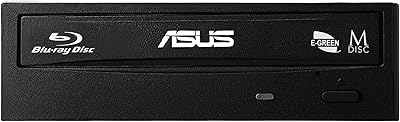
Asus 90DD0200-B20010 Blu-Ray Writer
86%
91%
Write Speed
88%
Energy Efficiency
95%
Compatibility with OS
76%
Ease of Installation
84%
Reliability
More
LG WP50NB40 External Blu-ray Writer
78%
93%
Portability & Form Factor
91%
Bus-Powered Convenience
89%
Plug-and-Play Setup
86%
Burn Quality & Reliability
78%
Blu-ray Playback Performance
More
LG UBK90 Region-Free 4K Blu-ray Player
75%
96%
Region-Free Playback
88%
4K Picture Quality
81%
Dolby Vision Performance
84%
Build Quality
93%
Multi-Voltage/World Use
More
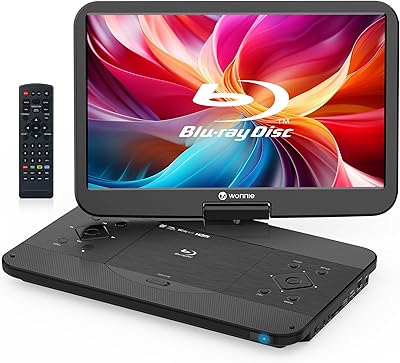
WONNIE W-BR156 17.6″ Portable Blu-ray Player
77%
88%
Screen Size & Clarity
83%
Build Quality & Hinge
67%
Portability & Form Factor
61%
Battery Performance
74%
Disc Compatibility
More
LG BP550 Region Free Blu-ray Player
74%
93%
Region-Free Performance
91%
DVD Compatibility
88%
Audio Quality
62%
Build Quality
54%
Wi-Fi & Streaming
More
LG UBK80 4K Blu-ray Player
77%
89%
4K Picture Quality
83%
DVD & Blu-ray Upscaling
91%
Ease of Setup
74%
Value for Money
51%
Remote Control Quality
More
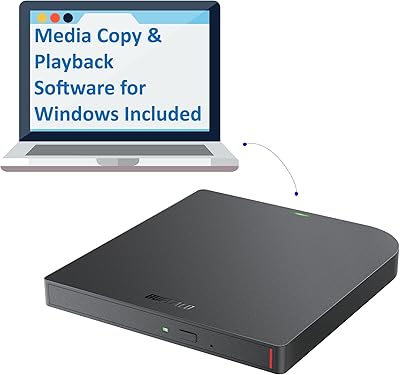
Buffalo BRXL-PUS6U3B Portable Blu-ray Drive
80%
93%
Portability
91%
Plug-and-Play Setup
72%
Blu-ray Read Performance
67%
Blu-ray Write Performance
88%
DVD and CD Performance
More
LG Blu-Ray Disc Player TRG-BPM35-RC
85%
92%
Value for Money
87%
Streaming Performance
90%
Ease of Setup
91%
Video Quality
84%
Build Quality
More

FAQ

No, you do not. This slim optical drive is recognized natively by macOS as soon as you plug it in. You can burn CDs and DVDs using the built-in Disk Utility app without installing anything extra. Keep in mind that if you want to watch Blu-ray films on your Mac, you will need a third-party Blu-ray player application, as macOS does not include native Blu-ray playback support — that is an industry-wide limitation, not specific to this drive.

Yes, entirely. The drive draws all the power it needs directly from your laptop or desktop via the USB cable, so there is no power adapter in the box and none is required. This is one of its most practical strengths for travel use.

M-DISC is a type of recordable optical media that uses a rock-like inorganic layer instead of the standard dye-based layer found in regular BD-R or DVD-R discs. Because the recording layer is more chemically stable, M-DISC media is designed to resist degradation far longer than conventional discs under proper storage conditions. If you are archiving family photos, legal documents, or any files you genuinely cannot afford to lose, it is worth considering. If you are just burning the occasional data backup or ripping a disc for convenience, standard BD-R media works fine and costs significantly less.

Yes, the drive is recognized on Windows 10 and Windows 11 without any additional driver installation. Windows built-in tools handle basic CD and DVD burning natively, though you may want third-party software for Blu-ray burning or advanced disc authoring.

For Blu-ray disc burning itself, the speed difference is modest since the 6x write speed is the real bottleneck, not the USB connection. Where you will feel the USB 2.0 limitation is when transferring large disc image files — a 40GB+ Blu-ray ISO moving from your hard drive to the burn buffer will take noticeably longer than on a USB 3.0 system. For occasional use, most buyers find this acceptable. For regular high-volume work, a USB 3.0 alternative would be a smarter long-term investment.

The drive itself will read Blu-ray discs without any issue. On Windows, you will need a compatible Blu-ray playback application since Windows Media Player does not support Blu-ray natively. On Mac, the situation is the same — you need a paid third-party player. PowerDVD on Windows and Macgo or similar apps on Mac are commonly used options. Once you have playback software sorted, the experience is smooth and quiet thanks to Silent Play technology.

It is a solid choice for that specific purpose, mainly because of M-DISC support. If you use genuine M-DISC media, you are creating physical backups that are far less vulnerable to the kind of gradual data rot that affects standard recordable discs over years or decades. Pair that with offline, climate-controlled storage and it is a genuinely dependable archival strategy. Just factor in the cost of M-DISC media when budgeting, as it is pricier than standard BD-R discs.

For occasional use — a few times a week or less — the tray mechanism holds up well over time based on user reports. The concern raised by a subset of buyers involves heavy daily use, where the tray has shown signs of loosening or becoming less reliable after extended periods. If you plan to load and eject discs multiple times every day, this is worth factoring into your decision.

In most cases, yes. Discs in good condition with no significant scratches or warping read without problems. Where some users have reported trouble is with older pressed discs that have minor surface wear — the drive can occasionally struggle with media that other, older optical drives handle without hesitation. It is not a widespread issue, but if you have a large library of aging discs, it is something to be aware of.

Unfortunately, no. The retail box includes the drive and the USB cable, but no protective pouch or sleeve. Given the glossy surface finish that picks up scratches fairly easily, picking up a small padded sleeve separately is worth considering if you plan to carry this drive regularly in a bag alongside other items.

Where to Buy