Overview

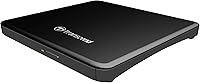
The Transcend TS8XDVDS-K Portable DVD Writer has been quietly doing its job since 2012, and the fact that it still sells steadily says something real about its dependability. If your ultrabook or MacBook shipped without an optical drive and you need one occasionally, this slim external DVD writer is a practical, no-drama answer. It won't win any speed records, and it doesn't try to. What it offers instead is a plug-and-play experience that works without fuss, a solid mid-range build that holds up over time, and a form factor that won't annoy you when it's sitting in your bag unused for weeks.

Features & Benefits

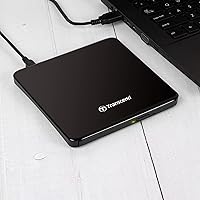
At just 13.9mm thick, the Transcend optical drive slips into a laptop bag without taking up meaningful space — that's thinner than most smartphones. More importantly, it draws all its power through USB, so there's no adapter to forget on your desk when you're heading out. It handles the full range of common disc formats, including dual-layer DVDs, which covers most real-world use cases. Write speeds sit at 8x for DVD and 24x for CD, which is standard for this category — fast enough to burn a disc without watching the clock. CyberLink Power2Go comes bundled, so you're ready to burn on both Windows and macOS straight away.

Best For

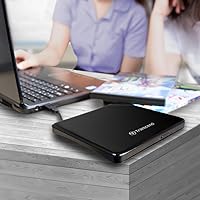
This portable disc burner makes the most sense for people who already know they need optical disc access but don't want it taking up permanent desk space. MacBook and ultrabook owners are the obvious audience — anyone who bought a slim laptop and eventually hit a wall when a disc crossed their path. It's also a natural pick for home users wanting to archive old home video DVDs or work through a CD collection. Students who occasionally need to install older software from disc will find it handles that reliably. Light travelers especially benefit from the no power adapter requirement, keeping cables and clutter to a minimum.

User Feedback

Across a large pool of reviews, the most consistent praise is for how quickly this slim external DVD writer gets recognized by both Windows and macOS — buyers repeatedly mention plugging it in and having it simply work. The thin profile earns appreciation too, particularly from MacBook users who note it looks right alongside their hardware. On the critical side, some buyers report trouble reading scratched or degraded discs, which is worth keeping in mind if you're dealing with older media. A few reviewers also wish the USB cable were slightly longer. Overall the sentiment is calm and positive — not passionate, but reliably satisfied, which for an occasional-use peripheral is exactly the right outcome.

Pros

  • Plug-and-play on both Windows and macOS — no drivers to hunt down, no setup headaches.
  • Bus-powered over USB, so there is no separate power adapter to pack or forget.
  • At just 13.9mm thin, this portable disc burner genuinely fits alongside a slim laptop without adding bulk.
  • Supports dual-layer DVDs and the full range of common disc formats, covering virtually every real-world use case.
  • Has remained on the market and in active use since 2012, which speaks to its consistent reliability over time.
  • CyberLink Power2Go comes included, giving Windows users a functional burning app right out of the box.
  • Broad OS support covers Windows 7 through 10 and macOS 10.7 and later, including modern Apple Silicon machines.
  • Light enough at 8.6 ounces that most users forget it is in their bag until they need it.
  • For occasional use, the build quality holds up well over multiple years without mechanical issues.

Cons

  • Struggles with older, scratched, or low-quality discs that more tolerant drives can still read without issue.
  • The fixed USB cable cannot be swapped for a longer one if your desk setup needs more reach.
  • Write speeds are solidly average — nothing more — and heavy burning sessions will test your patience.
  • The bundled Power2Go software is Windows-only, leaving macOS users to source their own burning solution.
  • On aging laptops with weakened USB ports, intermittent disconnections mid-burn have been reported by some users.
  • The plastic casing, while functional, does not inspire confidence in heavy-use or rough-handling scenarios.
  • No troubleshooting documentation is included, leaving users without guidance when the occasional recognition issue occurs.
  • Tray mechanism stiffness can develop over time in units used more frequently than the occasional-use design intends.

Ratings

The Transcend TS8XDVDS-K Portable DVD Writer scores here are generated by AI after analyzing thousands of verified buyer reviews worldwide, with spam, bot activity, and incentivized feedback actively filtered out. What remains reflects genuine ownership experiences — the real strengths that keep this slim external DVD writer consistently recommended, alongside the honest pain points that prevent a perfect score. Both sides of the story are accounted for.

Ease of Setup
93%
Buyers consistently describe plugging this portable disc burner into a Windows or Mac machine and having it recognized within seconds, no driver hunting required. For users who only touch optical media a few times a year, that frictionless first experience matters enormously and is the single most praised aspect across all reviews.
A small number of users on older systems or less common Linux distributions report the drive not being recognized automatically. These cases are rare, but they do exist, and there is no troubleshooting guide included in the box.
Portability & Form Factor
91%
At just 13.9mm thick and under nine ounces, this slim external DVD writer genuinely disappears in a laptop bag. MacBook and ultrabook users frequently note that it complements their hardware rather than clashing with it, and not needing a separate power adapter keeps the travel kit clean.
The attached USB cable, while convenient, is fixed rather than detachable, which can become a minor annoyance when wrapping it for storage. A few buyers wish the cable were a centimeter or two longer for more relaxed desk placement.
Read Reliability
72%
28%
With pressed commercial discs and well-maintained burned media, the Transcend optical drive reads consistently and without issue. Most users burning or playing back recent discs report no skipping, no failed reads, and dependable performance across DVD and CD formats alike.
Older, scratched, or bargain-brand discs expose a real weakness here. Multiple reviewers note that discs a different drive could still read became unreadable in this unit, suggesting the laser assembly has less tolerance for degraded media than some competing models.
Write Performance
78%
22%
At 8x DVD and 24x CD, the write speeds are squarely in the middle of what this product category offers, and for occasional home or office burning they are perfectly adequate. Burning a full DVD takes a few minutes rather than many, which suits the typical use case well.
This is not a drive for anyone burning discs in volume or on a schedule. The speeds are standard, not impressive, and users coming from an older desktop optical drive may notice the difference. Heavy archiving sessions will simply take longer than expected.
Build Quality
74%
26%
The matte black plastic shell feels more solid than its weight suggests, and the disc tray opens and closes with a reassuring action rather than a flimsy rattle. Most long-term owners report no mechanical failures after years of light to moderate use.
Under close inspection the casing does feel like a budget-to-mid material rather than premium. A few buyers who use the drive more actively report tray mechanism stiffness developing after extended use, which is worth noting for anyone planning regular daily use.
Format Compatibility
88%
Support for DVD±R, DVD±RW, DVD-RAM, DVD±R DL, CD-R, and CD-RW covers nearly every disc format a home or office user is realistically going to encounter. Dual-layer support in particular adds value for users working with full-length video archives or large data backups.
Blu-ray is entirely absent, which is an obvious category limitation rather than a product flaw. Users who assumed optical drive compatibility extended to Blu-ray have left frustrated reviews, though this is clearly a buyer research issue rather than a defect.
Software Bundle
63%
37%
CyberLink Power2Go gives new users an immediately functional burning solution without needing to source third-party software. For someone who just wants to drop files onto a disc and be done with it, the bundled app covers that need adequately.
Power2Go feels dated alongside current software alternatives, and several reviewers note the activation process is more complicated than expected. Users already comfortable with freeware burners tend to ignore it entirely, reducing the bundle to more of a checkbox feature.
USB Power Stability
81%
19%
The bus-powered design works reliably on virtually all modern laptops tested by reviewers, drawing enough current from a single USB 2.0 port to handle read and write operations without hesitation. This is a notable practical advantage over drives requiring a dual USB connector.
On a small number of older laptops with degraded USB ports or hubs delivering lower-than-spec power, users report intermittent disconnections mid-burn. Using a powered USB hub resolves this, but it also defeats part of the no-adapter convenience the drive is designed around.
Noise Level
77%
23%
During normal disc reading and low-intensity burning, the Transcend optical drive runs quietly enough to use in a shared office or library setting without drawing attention. Most users describe the operational noise as a faint hum rather than the pronounced whirring of older desktop drives.
At peak write speeds the drive becomes noticeably louder, and vibration on hard surfaces like glass desks can amplify the sound further. It is not disruptive, but users in noise-sensitive environments should be aware it is not silent under load.
Cable Length & Management
58%
42%
The integrated cable means there is never a separate cord to misplace, which is a genuine convenience for users who move the drive between locations and would otherwise be hunting for a specific cable in a drawer.
The fixed cable length sits around 45cm, which is workable but not generous. Several reviewers in desk setups where the laptop sits at a distance from the working surface find it just slightly too short, and there is no option to swap it for a longer one.
macOS Compatibility
86%
Recognition and performance on macOS are consistently praised, including on Apple Silicon Macs running the latest system versions. Users running macOS in professional environments appreciate that no additional configuration is needed and the drive simply appears as expected.
The bundled Power2Go software is Windows-only, meaning macOS users are left to rely on the built-in Disk Utility or third-party tools for burning. This is a minor gap, but it means the out-of-box software experience is uneven across platforms.
Long-Term Durability
69%
31%
A meaningful portion of reviewers have owned this portable disc burner for three or more years with no functional deterioration under light use. The longevity of the product line since 2012 suggests Transcend is building to a consistent standard rather than cutting corners on component life.
Users who push the drive harder — several burns per week over extended periods — begin to report read inconsistencies and tray hesitation after roughly two to three years. It holds up well for occasional use but was not designed for anything approaching production-level workloads.
Value for Money
82%
18%
At its price point, this slim external DVD writer competes fairly against the broader category. Buyers shopping for a no-frills, reliable optical drive for occasional use consistently describe the purchase as worth it, particularly given the compact build and cable-included design.
A handful of buyers who experienced read issues with older media or early mechanical problems feel the price should come with stronger quality assurance. When the drive underperforms, the value argument weakens quickly since the use case is already niche enough to justify spending a bit more for certainty.

Suitable for:

The Transcend TS8XDVDS-K Portable DVD Writer is built for a specific kind of buyer, and if you fall into that group, it delivers exactly what it promises. The clearest fit is anyone who owns a modern ultrabook or MacBook that shipped without an optical drive and occasionally hits a wall — a software disc that needs installing, a box of family home movies on DVD that deserve a second life as digital files, or old CDs to rip before they degrade further. Students who intermittently encounter course materials or software on disc will find this a practical keep-in-the-bag solution that costs less than a single textbook. Remote workers and light travelers benefit particularly from the no-adapter design, since one less power brick is a genuine quality-of-life gain when packing for a trip. If your optical disc needs are irregular — a few times a month at most — this slim external DVD writer handles them without asking you to dedicate desk space or carry extra cables.

Not suitable for:

The Transcend TS8XDVDS-K Portable DVD Writer is not the right tool if your disc workload is heavy, consistent, or time-sensitive. Content creators burning production runs of DVDs, archivists working through large backlogs on a schedule, or anyone who needs to churn through discs regularly will find the standard 8x write speed a bottleneck and the mid-grade build less reassuring under sustained daily use. If your collection skews toward older, scratched, or cheap off-brand discs, be aware that this portable disc burner has a narrower tolerance for degraded media than more robust units in the category. Blu-ray users should look elsewhere entirely, as this drive does not read or write Blu-ray in any capacity. Anyone who needs a desktop-grade, high-reliability drive for professional duplication or archiving work should invest in a dedicated unit with a better laser assembly and a longer rated lifespan under load.

Specifications

  • Interface: Connects via USB 2.0, which handles data transfer reliably for optical disc speeds without requiring a dedicated high-bandwidth port.
  • Dimensions: The drive measures 5.6 x 5.8 x 0.55 inches (approximately 142 x 147 x 13.9mm), making it one of the slimmer options in the portable optical drive category.
  • Weight: At 8.6 ounces, the drive is light enough to carry daily in a laptop bag without adding meaningful load.
  • Thickness: The chassis is 13.9mm thick, which is thin enough to sit flush alongside most modern ultrabooks and slim laptops.
  • DVD Write Speed: Maximum DVD write speed is 8x for standard single-layer discs, with DVD-RAM supported at up to 5x write.
  • CD Read/Write Speed: CD-R and CD-RW media are supported at up to 24x read and write speeds, which is standard for this drive class.
  • DVD Read Speed: DVD read speed tops out at 8x, covering both single-layer and dual-layer disc playback at a consistent rate.
  • Supported Formats: Compatible media includes CD-R, CD-RW, DVD+R, DVD-R, DVD+RW, DVD-RW, DVD+R DL, DVD-R DL, and DVD-RAM.
  • Dual-Layer Support: The drive reads and writes DVD±R DL (dual-layer) discs, allowing for data capacities of approximately 8.5GB per disc.
  • Power Source: Fully bus-powered through the USB connection, requiring no external power adapter or secondary USB cable for operation.
  • Operating Systems: Compatible with Microsoft Windows 7, 8, and 10, as well as macOS 10.7 (Lion) and all later versions including current macOS releases.
  • Bundled Software: Includes CyberLink Power2Go disc burning software, compatible with Windows only; macOS users will need a separate burning application.
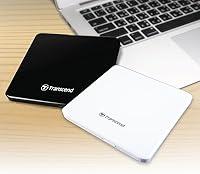
  • Color: Available in matte black, with a low-profile finish that suits most modern laptop aesthetics without drawing attention.
  • Drive Type: Classified as an external DVD Writer, capable of both reading and writing optical media rather than read-only operation.
  • Hardware Platform: Designed primarily for use with laptops and ultrabooks, though it functions equally well connected to a desktop machine via USB.
  • DVD-RAM Speed: DVD-RAM media is supported at up to 5x for both read and write operations, suitable for structured data storage workflows.
  • Release Date: This model was first made available in October 2012 and has remained in continuous production without a manufacturer discontinuation notice.

Related Reviews
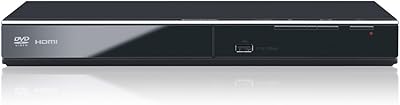
Panasonic DVD-S700 Region-Free DVD Player
78%
93%
Region-Free Playback
88%
PAL/NTSC Compatibility
91%
Setup & Ease of Use
72%
HDMI Upscaling Quality
84%
Format Compatibility
More
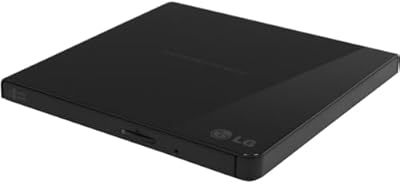
LG GP65NB60 Portable USB DVD Burner
81%
96%
Ease of Setup
88%
Read & Burn Performance
93%
Portability & Size
62%
Build Quality
81%
Disc Compatibility
More
POFOTO PD07 7.5″ Portable DVD Player
72%
88%
Ease of Setup
61%
Battery Life
67%
Screen Quality
63%
Audio Performance
58%
Build Quality & Durability
More
HDJUNTUNKOR HDPDVD-01 10.1″ Portable DVD Player
70%
81%
Value for Money
63%
Screen Quality
67%
Battery Performance
84%
In-Car Usability
52%
Build Quality
More
Arafuna 18″ Portable DVD Player
72%
78%
Screen Quality
71%
Swivel & Flip Mechanism
66%
Battery Life
54%
Build Quality
69%
Audio Performance
More
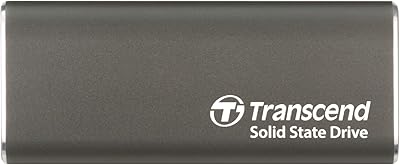
Transcend ESD265C 500GB Portable SSD
82%
88%
Transfer Speed
94%
Portability & Size
91%
Build Quality
83%
Multi-Device Compatibility
86%
Value for Money
More
LG GP70NS50 Portable DVD Rewriter
87%
88%
Write Speed Performance
92%
Ease of Use
91%
Portability & Design
85%
Compatibility Across Systems
93%
M-DISC Support
More
ROADOM 7-Inch Portable DVD Player
76%
88%
Value for Money
76%
Picture Quality
61%
Battery Life
91%
Ease of Use
82%
Bluetooth Performance
More
Verbatim 43886 Slimline External DVD Writer
79%
92%
Ease of Setup
81%
Build Quality
94%
Portability
78%
Read Performance
74%
Write Performance
More
DBPOWER NS-1680 15.6″ Portable DVD Player
76%
88%
Screen Size & Visibility
72%
Picture Quality
63%
Battery Life
74%
Swivel & Hinge Mechanism
91%
Format Compatibility
More

FAQ

No, in almost all cases you do not. Both Windows and macOS recognize this slim external DVD writer automatically as soon as you plug it in. It is genuinely plug-and-play for the vast majority of users, which is one of the most consistently praised aspects of owning it.

Yes, it works well on both. macOS 10.7 and later are supported, which covers all MacBook models sold in the last decade and includes current Apple Silicon machines running the latest macOS versions. Just keep in mind that the bundled CyberLink software is Windows-only, so for burning on a Mac you will want to use the built-in Disk Utility or a third-party app like Burn.

No, it cannot. This is a DVD and CD drive only, with no Blu-ray read or write capability. If Blu-ray support is something you need, you will want to look at a different product category entirely.

Neither. The drive draws all the power it needs directly from the USB port it is connected to. One cable handles both data and power, which is a genuine convenience when you are traveling or working away from your desk.

It depends on the condition of the discs. Well-preserved discs with no visible scratches or degradation should read without issue. However, this portable disc burner has a somewhat limited tolerance for older, scratched, or cheap blank media, and some users have reported read failures on discs that other drives could still handle. If your collection is in rough shape, manage expectations accordingly.

The cable is approximately 45 centimeters long, which is workable but not generous. It is fixed and cannot be replaced with a longer cable, so if your laptop tends to sit at a distance from your working surface, this is worth thinking about before you buy.

Transcend has not officially listed Windows 11 as a supported OS in the original specifications, but in practice many users report it working without any issues on Windows 11 machines since it uses standard USB optical drive protocols that the operating system handles natively. Driver-level compatibility is unlikely to be a problem, though Transcend support would be the definitive source for a formal confirmation.

Yes, absolutely. The drive functions as a standard optical drive, so any ripping software you already use will work with it. On Windows, Windows Media Player handles basic CD ripping, and tools like HandBrake work for DVD content where applicable. On macOS, the built-in Music app rips CDs, and third-party options are available for DVD ripping depending on your needs.

It uses a tray-loading mechanism, where the disc tray slides out and you place the disc on it before closing. This is the standard design for this type of external drive, and it works fine for most discs, though tray-loading mechanisms generally require slightly more care than slot-loading when inserting and removing discs.

In rare situations involving older laptops or low-power USB hubs, the drive may disconnect mid-operation or fail to spin up at all. If you run into this, connecting through a powered USB hub typically resolves the problem. This affects a small minority of users, but it is worth knowing the workaround if you are on an older machine.

Where to Buy