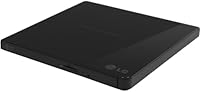
Overview

The LG GP65NB60 Portable USB DVD Burner is one of those quietly useful devices that reminds you optical drives never fully disappeared — they just got optional. Designed for laptops and ultrabooks that skipped the built-in disc slot entirely, this USB disc drive connects through a single cable that handles both data and power, so there is no wall adapter to track down. LG has a long history with optical storage, and this model sits squarely in their practical, no-frills portable lineup. It works with Windows and macOS right out of the box, with zero configuration required. Straightforward, compact, and functional — that about covers it.

Features & Benefits

One thing that stands out immediately is how genuinely thin this portable DVD burner is — at just over half an inch thick, it slips into a laptop bag without taking up any meaningful space. On the performance side, it burns DVDs at up to 24x write speed, fast enough for most archival or backup tasks, while reading at 8x. The single USB connection powers the drive entirely, so there is no second cable to manage. It handles a solid range of formats — DVD±R, DVD±RW, DVD-RAM, CDs — and installs itself automatically on both major operating systems. Older external drives could sound like a small aircraft; this one runs noticeably quieter.

Best For

This USB disc drive makes the most sense for a specific crowd, and that is exactly who should buy it. Students and remote workers with slim modern laptops will find it invaluable the moment they need to install software from a disc or pull files off an old backup. IT professionals who routinely deal with physical media — imaging drives, running installs — benefit from something lightweight and portable over a bulky desktop unit. It is also a solid pick for anyone slowly converting an old DVD collection to digital files. Worth noting: no Blu-ray support, so if that is a priority, look elsewhere. For standard DVD and CD tasks on a reasonable budget, it covers the bases well.

User Feedback

The LG external optical drive holds a strong rating across a meaningful number of reviews, and that consistency does carry weight. Most buyers report it does exactly what they expected — reads and burns discs reliably without any fuss. Portability and the zero-setup experience on both Mac and Windows get repeated praise. On the critical side, some reviewers flag disc recognition issues with certain older or lower-quality media, which is worth keeping in mind. A handful also mention the plastic construction feels light, and questions about long-term durability surface occasionally. Nothing alarming, but if you are burning discs daily, wear over time could be a factor. For casual use, the feedback is overwhelmingly positive.

Pros

  • Single USB cable powers and connects the drive, so there is nothing extra to carry or plug in.
  • Plug-and-play compatibility on both Windows and macOS means zero setup time out of the box.
  • Burns DVDs at up to 24x speed, making disc creation fast enough for everyday tasks.
  • Ultra-slim profile fits in a laptop sleeve or bag pocket without adding noticeable bulk.
  • Supports a broad range of disc formats including DVD±R, DVD±RW, DVD-RAM, CD-R, and CD-RW.
  • Quiet operation during reads and burns compared to older or bulkier external drives.
  • Highly rated across a solid volume of real buyer reviews, pointing to consistent real-world reliability.
  • No wall adapter required, which makes this USB disc drive genuinely travel-friendly.
  • Works well for ripping old DVD collections to digital files without needing specialized software.
  • Approachable price point for a branded, bus-powered optical drive from a reputable manufacturer.

Cons

  • No Blu-ray support whatsoever — cannot read or write Blu-ray discs of any kind.
  • Plastic build feels light and may raise durability concerns under frequent or rough handling.
  • Some users report occasional disc recognition failures with older or lower-quality media.
  • No USB-C connection natively, requiring an adapter on newer ultrabooks with only USB-C ports.
  • Not well-suited for high-volume disc burning workflows where a more durable mechanism is needed.
  • The LG external optical drive does not include any bundled disc burning software in the box.
  • Tray mechanism longevity has been questioned in a subset of longer-term user reviews.
  • Read speed tops out at 8x for DVDs, which is adequate but not fast for large data transfers.
  • No carrying case or protective sleeve is included, which matters for a device marketed as portable.

Ratings

The scores below for the LG GP65NB60 Portable USB DVD Burner were generated by our AI review engine after processing verified global buyer feedback, actively filtering out incentivized, bot-generated, and outlier submissions to surface what real users consistently experience. Both the strengths and the frustrations are reflected honestly — this portable DVD burner earns high marks in several key areas, but a few genuine pain points keep it from a perfect picture.

Ease of Setup
96%
Buyers across both Mac and Windows consistently describe the setup experience as effortless — plug it in and it works, no driver hunting required. For non-technical users who just needed to read one disc on a new ultrabook, that zero-friction experience came as a genuine relief.
A small number of users on older operating systems or obscure Linux distributions reported the drive was not recognized automatically. These cases appear to be edge exceptions rather than a systemic issue, but they exist.
Read & Burn Performance
88%
For everyday tasks — installing software from a disc, ripping a DVD to a hard drive, burning a data backup — the drive performs solidly and consistently. Users burning at the full 24x speed report the process completes without errors on quality media.
Some buyers noted that burn performance degraded noticeably with cheaper or older disc brands, leading to failed burns or coasters. The 8x DVD read speed, while functional, is not fast enough to feel snappy when transferring large disc contents.
Portability & Size
93%
At just over half an inch thick and around one pound, this USB disc drive disappears into a laptop bag without adding meaningful bulk. Frequent travelers specifically mention it as one of the few peripherals they do not think twice about packing.
The drive ships without any protective sleeve or carrying case, which is a real omission for something marketed as portable. A few users reported surface scratches on the casing after carrying it loosely in a bag alongside other gear.
Build Quality
62%
38%
The drive feels adequately solid for light to moderate use, and many buyers who use it only occasionally have had no complaints after extended ownership. For the price tier it occupies, the construction is roughly what you would expect from a consumer-grade peripheral.
The all-plastic chassis feels noticeably lightweight in a way that raises questions about long-term durability. A subset of reviewers specifically flagged concerns about the disc tray mechanism wearing out over time, especially with regular daily use.
Disc Compatibility
81%
19%
Support for DVD±R, DVD±RW, DVD-RAM, and both CD-R and CD-RW covers the formats most buyers will ever encounter in day-to-day use. Users dealing with legacy software, archived data discs, or home-burned media generally report smooth recognition without any fiddling.
There is no Blu-ray support of any kind, which is a hard stop for a meaningful segment of buyers who discover this after purchase. Additionally, a recurring pattern in critical reviews points to disc recognition failures with older pressed discs or low-quality burned media.
Noise Level
79%
21%
Compared to bulkier desktop optical drives or older externals, this portable DVD burner runs at a noticeably quieter baseline. Users working in quiet office environments or shared spaces have flagged this as a genuine quality-of-life improvement.
At higher burn speeds the drive does produce an audible spinning noise that some users in very quiet settings found distracting. It is not unusually loud for the category, but buyers expecting near-silent operation may be slightly caught off guard.
Power & Cable Management
91%
The single-cable bus-powered design is one of the most consistently praised aspects by real buyers, particularly remote workers and travelers who are already managing multiple devices. Not needing a separate power adapter removes a real logistical hassle from the equation.
On a small number of older laptops with weaker USB ports, buyers reported the drive failing to receive sufficient power, causing read or burn interruptions. Connecting through a low-powered USB hub amplifies this problem, which is worth knowing before assuming it will work anywhere.
Value for Money
86%
At its price point, this USB disc drive delivers reliable core functionality from a reputable brand without asking buyers to pay a premium for features they do not need. For occasional use cases — a disc here and there — it represents a reasonable spend.
Buyers who need heavier or more frequent use may find the cost-to-durability ratio less convincing over time, especially if the tray mechanism starts showing wear. There are cheaper generic alternatives, but LG's brand recognition justifies a modest premium for most.
Mac Compatibility
89%
macOS users are often burned by peripheral compatibility issues, so the consistent reports of zero-setup recognition on Mac are genuinely useful data points. Multiple reviewers mention it working across several generations of MacBook Air and MacBook Pro models without any configuration.
A handful of macOS users running the most recent OS versions reported intermittent disc mount failures that required a disconnect-and-reconnect to resolve. These appear infrequent but are worth noting for users who need reliable single-attempt disc reads.
Windows Compatibility
91%
Windows users across multiple versions report clean, automatic recognition with no driver installation needed. IT professionals using it for system imaging and software deployment on Windows machines have noted it behaves predictably across multiple machines.
A very small number of Windows 11 users flagged occasional recognition delays on first connection, though this resolved itself without any manual intervention in most reported cases.
Physical Footprint
88%
The slim 5.55 x 5.37 inch footprint means it takes up minimal desk real estate when parked next to a laptop, which matters in cramped home office or co-working setups. It does not demand its own dedicated space the way desktop drives do.
The flat, featureless design offers no rubber feet or anti-slip surface, so the drive can shift around on smooth desks during operation. A few buyers mentioned needing to hold it lightly in place when inserting or removing discs on a slippery surface.
Included Accessories
44%
56%
The retail package does include a USB cable ready to use out of the box, so buyers can connect the drive immediately without sourcing their own cable. The packaging is straightforward and the unit arrives protected adequately for standard shipping.
There is no bundled software, no protective case, and no USB-C adapter despite the drive being positioned as a travel companion for modern ultrabooks. For the intended audience — laptop users on the go — these omissions feel like a missed opportunity.
Long-Term Reliability
67%
33%
Buyers who use this portable DVD burner casually — pulling it out a few times a month — report it holding up well over a year or more of ownership. For light, intermittent use, the drive appears to deliver consistent performance over time.
The tray mechanism and plastic housing are the two most commonly cited durability concerns among longer-term owners. Users who use it daily or transport it frequently without a case have reported earlier-than-expected wear, suggesting it is optimized for occasional rather than heavy use.

Suitable for:

The LG GP65NB60 Portable USB DVD Burner is a practical match for anyone whose modern laptop shipped without an optical drive but who still runs into physical media with some regularity. Students who occasionally need to install software from a disc, access course materials burned to DVD, or submit archived projects will find it handles those tasks without any friction. Remote workers who travel light will appreciate that the entire setup is a single USB cable — no power brick, no extra bag weight. IT professionals dealing with legacy systems, recovery discs, or physical software deployments will value having something this portable on hand when working at a client site. Home users who have shelves of old DVDs they want to rip into a digital library will also find this drive a cost-effective and reliable tool for the job.

Not suitable for:

The LG GP65NB60 Portable USB DVD Burner is not the right call if your primary need involves Blu-ray discs — this drive does not read or write them, full stop. Users who need to burn discs at high volume or on a daily basis may find the plastic construction and consumer-grade build less reassuring over extended, heavy use. If your laptop only has USB-C ports and no adapter, you will need a dongle, which adds a small but real layer of inconvenience. Anyone expecting a premium, metal-chassis device or a drive that feels substantial in the hand may be disappointed — this is a lightweight, budget-friendly tool, and its build reflects that. Power users who need simultaneous disc access across multiple formats, or those working in professional media production, will likely want a more robust desktop optical drive instead.

Specifications

  • Brand: Manufactured by LG, a well-established electronics brand with a long history in optical storage products.
  • Model Number: The exact model identifier is GP65NB60, which distinguishes it within LG's portable optical drive lineup.
  • Form Factor: Ultra-slim external design measuring 5.55 x 5.37 x 0.55 inches, built specifically for portability alongside laptops.
  • Weight: The drive weighs approximately 1 pound, making it light enough to carry in a laptop bag without noticeable added bulk.
  • Interface: Connects via a single USB Type-A cable that carries both data and bus power, eliminating the need for a separate power adapter.
  • Power Source: Fully bus-powered through USB, meaning no AC adapter or external power supply is required during operation.
  • DVD Write Speed: Supports DVD burning at up to 24x speed, suitable for most everyday disc creation and archival tasks.
  • DVD Read Speed: Reads DVD media at up to 8x speed, adequate for software installation, playback, and data retrieval.
  • CD Write Speed: Burns standard CD-R and CD-RW media at up to 24x speed.
  • Disc Compatibility: Supports DVD±R, DVD±RW, DVD-RAM, CD-R, and CD-RW formats; does not support Blu-ray in any capacity.
  • OS Support: Compatible with Windows and macOS operating systems out of the box, with no driver installation required on either platform.
  • Plug-and-Play: Recognized automatically by both Windows and macOS upon connection, requiring no manual driver setup.
  • Color: Available in black with a matte plastic finish that resists minor smudging during everyday handling.
  • Package Contents: Retail package includes the optical drive unit and a USB connection cable; no disc burning software is bundled.
  • Package Dimensions: The retail box measures approximately 7.1 x 6.8 x 1.4 inches and weighs around 0.7 pounds as packaged.
  • Manufacturer Status: As of the listed availability date, LG has confirmed this model is not discontinued and remains in active distribution.

Related Reviews
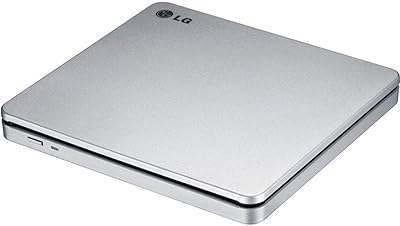
LG GP70NS50 Portable DVD Rewriter
87%
88%
Write Speed Performance
92%
Ease of Use
91%
Portability & Design
85%
Compatibility Across Systems
93%
M-DISC Support
More
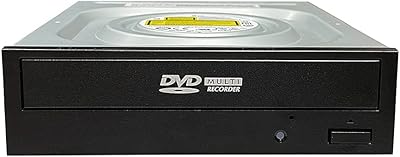
Vinpower Digital GH24NSD0D Internal DVD CD Burner
76%
91%
Burn Reliability
88%
Read Performance
84%
Installation Ease
31%
Software Inclusion
82%
M-DISC Support
More
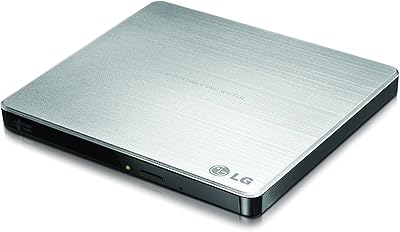
LG GP60NS50 Ultra Slim Portable DVD±RW Drive
82%
94%
Portability & Size
89%
Ease of Use
62%
Writing Speed
91%
M-DISC Support
88%
Compatibility Across Platforms
More
PROSCAN PDVD1336-B 13.3-Inch Portable Blu-Ray Player
71%
83%
Screen Size & Usability
67%
Picture Quality
54%
Battery Life
88%
Multi-Format Compatibility
91%
Ease of Use
More
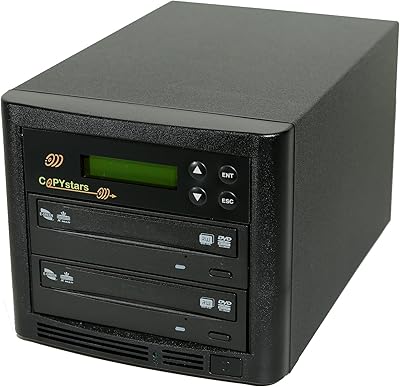
Copystars DVD Duplicator Sata CD-DVD Burner 24X 1 to 1 DVD Copier Duplicator Tower
82%
85%
Performance
92%
Ease of Use
88%
Writing Speed
90%
Compatibility
84%
Reliability
More
HDJUNTUNKOR HDPDVD-01 10.1″ Portable DVD Player
70%
81%
Value for Money
63%
Screen Quality
67%
Battery Performance
84%
In-Car Usability
52%
Build Quality
More
Arafuna 18″ Portable DVD Player
72%
78%
Screen Quality
71%
Swivel & Flip Mechanism
66%
Battery Life
54%
Build Quality
69%
Audio Performance
More
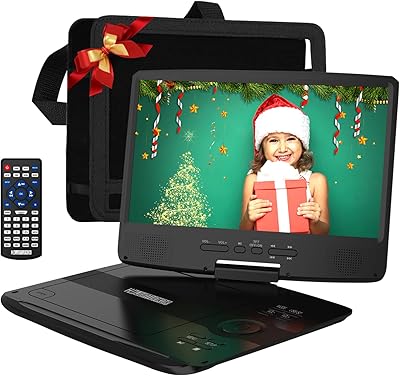
POFOTO PD07 7.5″ Portable DVD Player
72%
88%
Ease of Setup
61%
Battery Life
67%
Screen Quality
63%
Audio Performance
58%
Build Quality & Durability
More
ROADOM 7-Inch Portable DVD Player
76%
88%
Value for Money
76%
Picture Quality
61%
Battery Life
91%
Ease of Use
82%
Bluetooth Performance
More
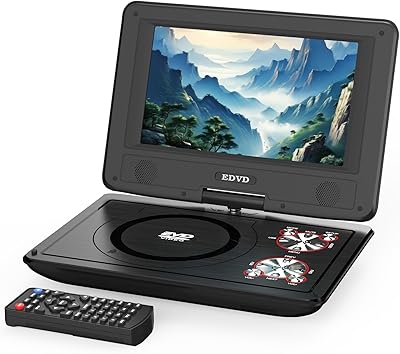
DBPOWER NS-1680 15.6″ Portable DVD Player
76%
88%
Screen Size & Visibility
72%
Picture Quality
63%
Battery Life
74%
Swivel & Hinge Mechanism
91%
Format Compatibility
More

FAQ

No, you do not. Both Windows and macOS will recognize this USB disc drive automatically as soon as you plug it in. There is nothing to download or configure — it just works.

The drive itself uses a standard USB Type-A connector, so if your laptop only has USB-C ports, you will need a USB-A to USB-C adapter or a hub. The adapter itself is not included in the box, but any standard one will do the job.

No, this drive does not support Blu-ray in any form — neither reading nor writing. It handles DVDs and CDs only. If Blu-ray is a priority, you will need a different drive entirely.

Not at all. The LG GP65NB60 Portable USB DVD Burner draws all the power it needs directly through the USB cable connected to your laptop or desktop. No power brick, no wall adapter, no secondary cable required.

It covers the most common ones: DVD+R, DVD-R, DVD+RW, DVD-RW, DVD-RAM on the DVD side, plus CD-R and CD-RW for standard CDs. That covers the vast majority of everyday use cases for burning, ripping, and reading discs.

Generally, no. The drive works with macOS out of the box without any drivers, and users across a range of older and newer Mac models have reported smooth compatibility. That said, for very specific macOS versions or older hardware configurations, it is always worth checking LG's support page to confirm.

It is noticeably quieter than older or bulkier external optical drives. During normal reads and burns you will hear the disc spinning, but it is not distracting. Burning at high speeds can get slightly louder, which is normal for optical drives in general.

Yes, the drive itself will read the discs without any trouble. Keep in mind that you will need third-party ripping software on your computer to do the actual conversion — the drive does not come bundled with any software, so that part is up to you.

It is a lightweight plastic build, which some buyers find adequate and others find less reassuring. For occasional travel and moderate use it holds up well based on user feedback, but if you are planning to use it heavily every day or toss it around in a bag without a case, the tray mechanism may show wear over time.

It is a fair concern. This portable DVD burner is bus-powered, so it relies entirely on your USB port for power. Most modern laptops and desktops deliver enough current through USB to run it without issues, but on some older machines or lower-powered USB hubs, the drive may not receive sufficient power to operate reliably. Connecting directly to a port on your computer rather than through a hub is the safer approach.

Where to Buy