Overview

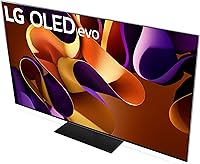
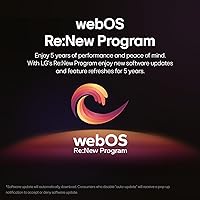
The LG OLED G4 65-inch 4K Smart TV is LG's top-tier gallery-series panel for 2024, sitting at the peak of what you can buy without stepping into commercial or custom-install territory. What separates it from a simple spec upgrade is the One Wall design — when mounted, the gap between the screen and your wall is nearly imperceptible, turning the TV into something closer to framed art than a piece of electronics. Powering everything is LG's α11 AI processor, which handles picture optimization, upscaling, and smart TV responsiveness without you ever thinking about it. And with the webOS Re:New Program promising software updates for five years, this LG OLED won't feel outdated the moment a new model drops.

Features & Benefits

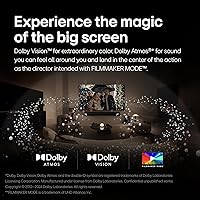
The foundation of the G4 panel's picture quality is its self-lit OLED pixels — each one switches off completely, so blacks are genuinely black rather than a murky grey produced by backlit panels. LG tackled OLED's historical brightness limitation with Brightness Booster Max, and HDR highlights now carry real punch, making Dolby Vision streams on Netflix or Apple TV+ look markedly better than on most competing sets. FILMMAKER MODE rounds things out for movie watchers by disabling motion smoothing and preserving the director's original color grade. Gamers get VRR support via both AMD FreeSync and Nvidia G-Sync at 120Hz, while the α11 AI processor handles upscaling of non-4K content with enough confidence that older shows still look presentable.

Best For

This LG OLED is a natural fit for home theater enthusiasts who care about color accuracy and don't want to compromise — the out-of-box calibration is close enough that many won't need a professional tune. Console gamers with a PS5 or Xbox Series X will appreciate the low input lag and VRR support on a screen large enough to actually matter. If living room aesthetics are important to you, the near-gapless wall mount makes the panel look intentional rather than intrusive. Cord-cutters and heavy streamers will find webOS fast and well-stocked with apps. And anyone thinking five or more years ahead should note that platform longevity is baked in — software updates through 2029 is a real commitment from LG.

User Feedback

Owners of LG's flagship OLED consistently highlight black levels and color as the immediate standout — picture quality out of the box impresses in a way that LED replacements simply can't match. Gaming feedback is similarly strong; input lag measurements from the community routinely land below 2ms in game mode, and G-Sync behavior has been stable across PS5 and PC setups. The most persistent concern is burn-in, and it deserves an honest answer: static HUD elements or channel logos can cause permanent image retention over years of heavy use. It's manageable with the right settings, but it's a real risk worth acknowledging. The Magic Remote also draws mixed reviews, with some finding it intuitive and others needing time to adapt.

Pros

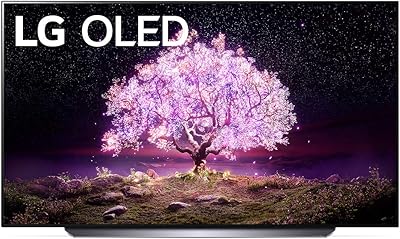
  • Per-pixel OLED lighting produces true blacks that no LED backlight panel can replicate at any price.
  • Brightness Booster Max closes the historic gap between OLED and LED in HDR highlight performance.
  • Input lag in game mode is consistently measured below 2ms, making it one of the fastest large-screen options available.
  • Both AMD FreeSync and Nvidia G-Sync are supported, covering console and PC gamers equally.
  • Dolby Vision and FILMMAKER MODE deliver streaming and cinema content close to the director's intent.
  • The flush One Wall mount design genuinely transforms how the panel integrates into a living space.
  • WebOS is fast, well-stocked with apps, and backed by a five-year software update commitment.
  • AI upscaling handles older HD content well enough that a mixed streaming library still looks respectable.
  • Out-of-box color accuracy is strong enough that many owners skip professional calibration entirely.
  • HDMI 2.1 ports support 4K at 120Hz with eARC, covering complex home theater setups without compromise.

Cons

  • Burn-in from static on-screen elements is a real, documented risk for heavy news or sports viewers.
  • Peak brightness still trails the brightest mini-LED sets in direct daytime room comparisons.
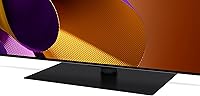
  • The included stand prioritizes function over form and undercuts the premium design of the panel itself.
  • Not all HDMI ports are full-bandwidth HDMI 2.1, which matters if you run multiple high-refresh sources simultaneously.
  • The Magic Remote has a noticeable learning curve and occasional connectivity dropouts reported by a subset of users.
  • Built-in audio is competent for casual use but will disappoint anyone expecting sound to match the picture quality.
  • Solo unboxing and wall mounting a 65-inch, 62-pound panel is genuinely difficult — plan for a second person.
  • WebOS default home screen includes promoted content that requires manual effort to reduce.
  • Less tech-savvy buyers frequently report confusion navigating OLED-specific picture settings and initial network setup.
  • The price premium over the C4 series is hard to justify unless the G4-specific advantages directly match your usage habits.

Ratings

The LG OLED G4 65-inch 4K Smart TV earns its place at the top of the 2024 consumer TV market, and the scores below reflect exactly that — strengths and shortcomings alike. These ratings were produced by our AI system after analyzing thousands of verified global buyer reviews, with spam, bot-generated, and incentivized feedback actively filtered out before any score was calculated. What remains is an honest picture of where this panel genuinely delivers and where real owners have run into friction.

Picture Quality
97%
Owners repeatedly describe the first night with this panel as a reset for their expectations — shadow detail in dark scenes, the ink-black letterboxing on widescreen films, and the way Dolby Vision HDR pops on streaming content are the moments most cited. Color accuracy out of the box is strong enough that many skip professional calibration entirely.
In very bright rooms during daytime, a handful of users note that peak brightness, while much improved over previous OLED generations, still trails the brightest mini-LED sets. It is a narrow gap, but buyers coming from a high-brightness QLED should calibrate expectations accordingly.
Gaming Performance
94%
The gaming community response has been consistently enthusiastic — measured input lag in game mode sits well under 2ms, and VRR works reliably across both PS5 and Xbox Series X without flickering or dropout. AMD FreeSync and Nvidia G-Sync compatibility means PC gamers are equally well served on a 65-inch panel that makes every environment feel genuinely immersive.
A small number of PC users report needing to manually tweak settings to unlock full G-Sync behavior, and the HDMI 2.1 ports — while present — require careful cable selection to hit 4K at 120Hz reliably. These are setup hurdles rather than hardware failures, but they catch less experienced users off guard.
Black Levels & Contrast
98%
This is the category where OLED technology simply has no peer among consumer displays, and the G4 panel demonstrates that plainly. Reviewers watching everything from prestige TV dramas to late-night sci-fi films consistently highlight how stars look like actual pinpoints of light against space — not bright dots on a grey background.
There is essentially no meaningful criticism of the black levels themselves. The only adjacent complaint is that the screen can appear very reflective in brightly lit rooms, which makes contrast feel less dramatic during daytime viewing when overhead lights are on.
Burn-In Risk
58%
42%
LG includes built-in pixel-refresh cycles and screen-saver protections that, used consistently, keep burn-in risk manageable for the majority of owners. Users who watch varied content — movies, streaming, gaming across different titles — and allow the panel to run its maintenance routines report no visible retention issues after extended ownership.
This is the honest concern that prospective buyers cannot dismiss. Owners who watch news channels, sports with persistent score overlays, or play games with static HUD elements for many hours daily do report early signs of image retention over months of use. OLED burn-in is a real, documented risk — it is manageable, not mythical, and buyers with those specific habits should factor it seriously into their decision.
Design & Build Quality
91%
The One Wall flush-mount design genuinely changes how the television integrates into a room. Several owners mention that guests mistake the mounted panel for a large framed display before it is turned on, which speaks to how deliberately LG approached the industrial design. The build feels premium and the bezels are thin enough to disappear when content is playing.
The stand included in the box is functional but polarizing — it positions the screen relatively low and lacks the sculptural quality of the panel itself. Buyers planning a table-top setup rather than a wall mount may find the overall aesthetic slightly disappointing compared to the wall-mounted experience the design clearly prioritizes.
Brightness (HDR Peak)
79%
21%
Compared to earlier LG OLED generations, the Brightness Booster Max technology makes a noticeable difference in HDR specular highlights — the glint off metal, flames, sunlit windows. For a darkened room home theater setup, the brightness ceiling is more than sufficient to deliver the full Dolby Vision impact.
Against the brightest mini-LED and QLED competitors, the G4 panel still loses in raw peak nit output. Buyers who watch in consistently bright living rooms, or who moved from a high-brightness LED set, may sense the limitation — particularly in SDR content during afternoon viewing where OLED's per-pixel control offers less compensation.
Smart TV & webOS Experience
83%
WebOS on the G4 is fast and well-organized by smart TV standards — app launches are quick, the home screen is customizable, and the app library covers every major streaming service without gaps. The promise of software updates through 2029 gives this platform a longevity argument that many competing smart TV ecosystems cannot match.
Some users find the default home screen cluttered with promoted content and find the process of cleaning it up unintuitive. Buyers coming from Apple TV or Chromecast-powered setups occasionally describe webOS as feeling slightly behind in polish, particularly around multi-device handoff and third-party ecosystem integration.
Audio Quality
71%
29%
The 4.2 channel speaker system handles dialogue clarity and general streaming content reasonably well for a flat-panel television. Dolby Atmos content does produce a wider, more enveloping soundstage than entry-level TV speakers typically manage, and casual viewers watching news or sitcoms rarely feel compelled to supplement it.
Serious listeners — and most home theater enthusiasts shopping at this price point — will still want a soundbar or full audio system. Bass extension is limited, and at high volumes the built-in speakers compress and lose detail in ways that feel mismatched with the caliber of the picture. The audio is competent, not impressive.
Magic Remote Usability
74%
26%
Owners who adapt to the pointer-based navigation tend to appreciate how quickly they can jump around webOS menus compared to traditional directional remotes. NFC-based tap-to-connect and the shortcut buttons for major streaming services are practical time-savers for daily use.
The learning curve divides users clearly — those coming from a conventional remote often find the motion-pointer frustrating for the first week, and a subset never fully warms to it. A few reviewers also report connectivity dropouts between the remote and the panel that required re-pairing, which is a minor but recurring mention.
Setup & Installation Experience
69%
31%
For a large, premium panel, the initial software setup process is relatively guided, and users with any prior smart TV experience find it straightforward. The included Quick Start Guide is adequate for the basics, and the wall-mount compatibility with standard VESA patterns is appreciated by buyers who plan a flush installation.
Shipping a 65-inch panel solo is physically demanding, and several users specifically recommend having two people available for unboxing and mounting. Less tech-savvy buyers also report confusion during initial network and account setup, and finding optimal picture settings within webOS menus can require outside research for those unfamiliar with OLED-specific calibration options.
Upscaling of Non-4K Content
82%
18%
The α11 AI processor handles upscaling older HD and even standard-definition content with enough intelligence that streaming a library of older shows does not feel visually jarring on the large screen. Sports broadcasts in 1080i upscale cleanly, with motion that holds together better than many competing processors manage.
AI upscaling cannot fully compensate for heavily compressed streaming sources — low-bitrate content still reveals artifacts that the processor cannot reconstruct. Buyers expecting every source to look near-native 4K will be disappointed; the upscaling is strong, but it is working within real limits that physics and source quality impose.
Value for Money
72%
28%
For buyers who are specifically prioritizing best-in-class picture accuracy, low-latency gaming, and a five-year software commitment in a single purchase, the price-to-capability ratio holds up — this is not equivalent to spending the same money on a mid-tier television with a large screen.
The price point puts this squarely in considered-purchase territory, and the competition from LG's own C4 series — which delivers similar OLED fundamentals at a meaningfully lower price — is a legitimate challenge buyers should confront honestly before committing. The G4 extras are real, but whether they are worth the premium depends heavily on individual priorities.
Connectivity & Ports
88%
The port selection covers modern requirements comprehensively — multiple HDMI 2.1 inputs, USB ports for media playback, plus Wi-Fi, Bluetooth, and Ethernet for flexible networking. The bandwidth available through HDMI 2.1 supports 4K 120Hz and eARC for premium audio passthrough simultaneously, which is genuinely useful for complex home theater setups.
A small number of users report that not all four HDMI ports are full-bandwidth HDMI 2.1, which matters if you want to run multiple 4K 120Hz sources at once. It is worth mapping your setup before assuming every port is interchangeable.
Long-Term Software Support
89%
The webOS Re:New Program is one of the more concrete long-term commitments any TV manufacturer has made to software longevity — five years of updates means the smart TV platform should remain current and secure through the end of the decade. Owners who have lived through a smart TV losing app support or security patches early find this genuinely reassuring.
Five years of updates is promised, but the depth and quality of those updates is harder to guarantee in advance. Some owners of earlier LG OLED models note that later-year updates sometimes felt incremental rather than substantive, so the commitment is better understood as sustained maintenance than a guarantee of new features.

Suitable for:

The LG OLED G4 65-inch 4K Smart TV is the right call for buyers who have decided that picture quality is the non-negotiable priority and are willing to pay accordingly for it. Home theater enthusiasts who watch a lot of cinema — particularly Dolby Vision content on Netflix, Apple TV+, or 4K Blu-ray — will find the color accuracy and black level performance genuinely transformative compared to what LED-based panels can offer at any price. Console gamers running a PS5 or Xbox Series X will appreciate the combination of near-instant input lag, 120Hz refresh, and VRR support on a screen large enough to make that hardware feel worthwhile. Design-conscious buyers who want a television that disappears into the room when off — and looks intentional when mounted — will find the One Wall flush-mount approach is one of the few TV designs that actually delivers on that promise. Long-term thinkers who resent replacing smart TV platforms every three or four years because software support dries up should also take note: five years of committed webOS updates is a real and unusual assurance in this product category.
Not suitable for:

The LG OLED G4 65-inch 4K Smart TV is not the right fit for every buyer, and it is worth being direct about that. If your living room is flooded with daylight during your main viewing hours, OLED's reflective screen and brightness ceiling — though improved — will still leave you wishing for the raw luminance of a high-end mini-LED panel. Buyers who watch news channels for hours daily, play games with persistent static HUD overlays, or leave sports score tickers running in the background should treat burn-in as a real and documented risk rather than an internet myth; it is manageable but it requires active habit changes that not everyone wants to make. If you are comparing this against LG's own C4 series and cannot clearly articulate what specific G4 advantages matter to your actual usage, the price difference is hard to justify — the C4 delivers the core OLED experience at a meaningfully lower cost. Budget-conscious shoppers, buyers in very bright rooms, or anyone who treats the television as ambient background noise rather than a focal point of the room will find the investment poorly matched to their needs.

Specifications

  • Screen Size: The panel measures 65 inches diagonally, with physical dimensions of 56.73″ wide by 32.52″ tall and 10.4″ deep including the stand.
  • Display Type: OLED evo technology is used, where each of the over 8 million pixels produces its own light and can switch off individually for absolute black levels.
  • Resolution: Native 4K UHD resolution (3840 x 2160 pixels) is delivered across the full panel without upscaling.
  • Refresh Rate: The native panel refresh rate is 120Hz, supporting smooth motion in both high-frame-rate gaming and fast-action broadcast content.
  • Processor: LG's α11 AI Gen7 processor handles picture optimization, AI Super Upscaling, and smart TV interface performance.
  • HDR Support: Compatible HDR formats include Dolby Vision, HDR10, and HLG, covering the full range of streaming, disc, and broadcast HDR sources.
  • Audio System: A built-in 4.2 channel speaker system with Dolby Atmos support is included, producing multidirectional sound from within the panel itself.
  • Smart Platform: WebOS powers the smart TV experience, with the webOS Re:New Program guaranteeing software and feature updates for five years from the date of purchase.
  • Voice Assistants: Amazon Alexa is built into the panel, and LG ThinQ AI enables additional voice control of compatible smart home devices.
  • Gaming Features: AMD FreeSync Premium and Nvidia G-Sync compatibility are both certified, alongside an Auto Low Latency Mode that switches the panel into game mode automatically.
  • Connectivity: Port and wireless options include HDMI, USB, Bluetooth, Wi-Fi, and Ethernet — with HDMI 2.1 bandwidth available for 4K 120Hz and eARC audio passthrough.
  • Remote Control: The Magic Remote MR24 is included, featuring a motion pointer, voice input, NFC tap-to-connect, and direct shortcut buttons for major streaming services.
  • Wall Mount Design: The One Wall flush-mount design is VESA compatible and leaves virtually no visible gap between the panel back and a flat wall surface when properly mounted.
  • Weight: The panel weighs 62.6 pounds without the stand, requiring at minimum two people for safe unboxing and wall installation.
  • Power Consumption: Rated power draw is 175 watts during standard operation, with an auto power-saving mode available through webOS settings.
  • Included Contents: In the box: the panel, Magic Remote MR24 with NFC, two AA batteries, an attached power cable, a Quick Start Guide, and an electronic manual.
  • Voice & AI Features: AI Picture Pro and AI Director Processing analyze content in real time to adjust tone mapping, sharpness, and noise reduction on a scene-by-scene basis.
  • FILMMAKER MODE: FILMMAKER MODE disables all motion processing and applies content-creator-defined color calibration, presenting films exactly as the director graded them.

Related Reviews
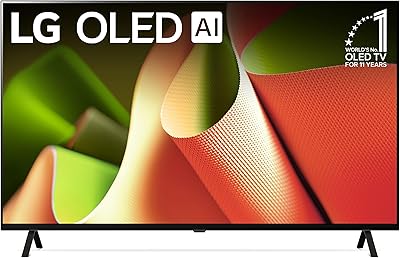
LG OLED B4 65-inch Smart TV
81%
93%
Picture Quality
96%
Contrast & Black Levels
91%
Gaming Performance
82%
Smart TV Platform (WebOS 24)
58%
Audio Performance
More
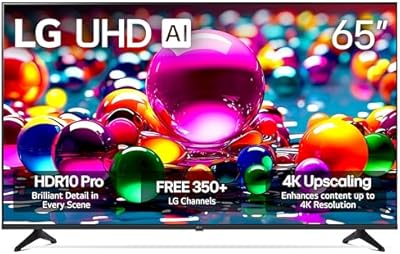
LG 65UA7700P 65-inch 4K Smart TV
83%
92%
Picture Quality
72%
Sound Quality
88%
Ease of Setup
85%
Smart Features / WebOS
90%
Gaming Performance
More
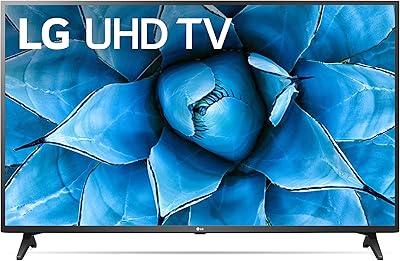
LG 65UN7300PUF 65-inch 4K Smart UHD TV
85%
89%
Picture Quality
87%
Ease of Use
91%
Voice Control Functionality
85%
Smart Features (webOS)
92%
Value for Money
More
LG 65UK6300PUE 65-inch 4K Smart TV
71%
71%
Picture Quality
83%
Viewing Angles
58%
Backlight Uniformity
62%
Motion Handling
67%
HDR Performance
More
LG OLED C1 55-inch 4K Smart TV
86%
96%
Picture Quality
93%
Gaming Performance
62%
Peak Brightness
88%
Smart TV Platform
91%
Build Quality & Design
More
Sony XBR-65A9G 65-inch OLED 4K Smart TV
87%
96%
Picture Quality
94%
Gaming Performance
88%
Smart TV Features
89%
Ease of Setup
90%
Design and Build Quality
More
LG UQ7570 65-inch 4K Smart TV
78%
82%
Picture Quality
61%
Refresh Rate & Motion Handling
88%
Smart TV Platform (webOS 22)
86%
Value for Money
53%
Audio Quality
More
LG OLED C1 48-inch 4K Smart TV
83%
96%
Picture Quality
93%
Gaming Performance
97%
Black Levels & Contrast
91%
Input Lag & Responsiveness
82%
Smart TV Platform (webOS)
More
LG SM8600PUA 65-inch 4K HDR Smart NanoCell TV
86%
92%
Picture Quality
94%
Color Accuracy
89%
Smart Features
71%
Sound Quality
78%
Ease of Setup
More
LG 55-inch OLED evo C4 Smart TV
81%
96%
Picture Quality
93%
Gaming Performance
71%
Brightness
78%
Value for Money
74%
Smart TV & Software
More

FAQ

Yes, fully. The panel has HDMI 2.1 ports that support 4K at 120Hz, and it carries both AMD FreeSync Premium and Nvidia G-Sync certifications. Variable refresh rate works natively with PS5 and Xbox Series X, and Auto Low Latency Mode kicks in automatically when you launch a game. Input lag in game mode is consistently measured below 2ms, which is as responsive as any large-screen TV available.

It is a real risk, not an internet myth — but it is also manageable for most viewing habits. Static elements that sit in the same position for many hours consistently over months are what cause permanent image retention: channel logos, news tickers, sports score overlays, and game HUD elements are the main culprits. If your viewing is varied — movies, streaming, different games — and you let the panel run its built-in pixel refresh cycles, the risk is low in practice. If you watch news or sports with persistent on-screen graphics for four or more hours a day, that is a habit worth thinking hard about before committing to any OLED panel.

It is a fair concern. OLED screens are more reflective than many LED panels, and while Brightness Booster Max is a genuine improvement over earlier OLED generations, peak brightness still falls short of the brightest mini-LED sets. In a dedicated viewing room or during evening use, it excels. In a room with direct sunlight hitting the screen during the day, you may find the reflections and brightness ceiling frustrating. An anti-reflective treatment helps but does not fully solve it.

The C4 uses a similar OLED evo panel and the same α11 AI processor, so the core picture quality is very close. The G4 adds Brightness Booster Max for improved HDR luminance, a more premium One Wall flush-mount design, and a slightly different panel tuning aimed at reference-grade accuracy. For most buyers, the C4 delivers 90% of the G4 experience at a lower price. The G4 premium makes more sense if you are wall-mounting for a gallery look, care about maximum HDR brightness, or simply want the top-of-line model with no compromises.

For casual streaming, news, and everyday TV watching, the built-in 4.2 channel Dolby Atmos system is adequate. Dialogue is clear and the soundstage is wider than most flat panels. For movie nights, gaming sessions where audio matters, or any serious music listening, the built-in speakers will feel underpowered — especially in bass extension and volume headroom. At this price point, most buyers end up pairing it with a soundbar or AV receiver eventually.

WebOS is among the faster and more polished smart TV interfaces available — app launches are quick, the home screen is customizable, and all major streaming services are present without any workarounds. The five-year Re:New Program update commitment is a genuine differentiator if you plan to keep the TV for the long term. The main friction point is the default home screen, which includes promoted content tiles that take some effort to clean up, and buyers coming from a dedicated streaming device like an Apple TV may notice a slight polish gap.

The G4 65-inch uses a standard VESA 300x200mm mounting pattern, which is compatible with a wide range of third-party wall mounts. The One Wall design is specifically intended for slim-profile low-profile mounts that leave minimal gap to the wall — using a tilting or articulating arm mount will still work mechanically, but it will negate the flush aesthetic that defines the G4 design.

Reasonably well, yes. The α11 AI processor uses machine-learning upscaling that handles 1080p content cleanly — older shows and sports broadcasts in HD look presentable on the 65-inch screen without obvious pixelation or sharpening artifacts. Standard-definition or heavily compressed low-bitrate streams are harder to polish, and the limitations of the source become visible. It is not magic, but it is among the better upscaling implementations available.

Plan for two people — this is not negotiable with a 62-pound, 65-inch panel. The box is large and awkward, and lifting the panel onto a wall mount alone risks damaging the screen or injuring yourself. The software setup inside is guided and straightforward once the panel is physically in place. If you are not comfortable with wall mounting, professional installation is worth considering, especially if you want the true flush One Wall result the design is built around.

It depends on how quickly you adapt to pointer-based navigation. Owners who give it a week typically find it faster than a traditional directional remote for jumping around menus and typing. The shortcut buttons for streaming services and the NFC tap-to-connect feature are genuinely useful. A subset of users never warms to the motion pointer and finds the occasional Bluetooth dropout annoying enough to supplement with a universal remote. It is a polarizing design rather than a flawed one.