

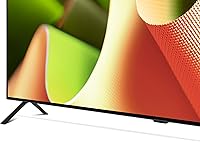
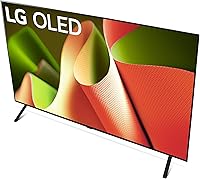
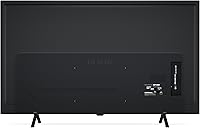
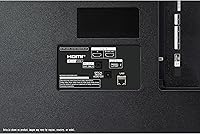
Overview

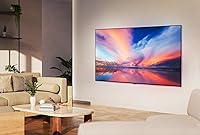
The LG OLED B4 65-inch Smart TV is LG's entry point into their 2024 OLED lineup — and that word entry should not put you off. If you are coming from an LCD or QLED set, the switch to OLED is immediately noticeable. These panels do not rely on a backlight; each pixel generates its own light and shuts off completely to produce true black. At 65 inches, this panel suits a medium to large room, best viewed from around eight to twelve feet away. It is worth being upfront: the B4 sits below the C4 and G4 in peak brightness and processing muscle, but it ships with a 5-year software commitment that adds genuine staying power to the purchase.

Features & Benefits

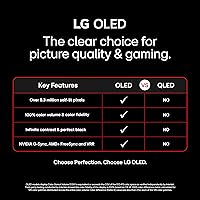
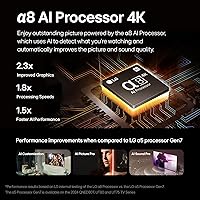
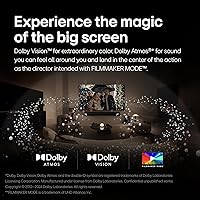
Start with what OLED actually does in practice: every pixel is independently lit, so when a scene cuts to a dark sky or a black title card, you get genuine darkness rather than the gray wash a backlit screen produces. The α8 AI Processor handles content detection automatically — it reads whether you are watching sports, cinema, or HDR content and adjusts picture settings without manual fiddling. Dolby Vision and Filmmaker Mode add proper color grading support, while Dolby Atmos gives the built-in sound some spatial dimension, though the speakers are modest for a screen this size. Gamers get four HDMI 2.1 ports, a native 120Hz panel, 0.1ms response time, and both G-Sync and FreeSync Premium support straight out of the box.

Best For

This LG OLED punches hardest for two distinct audiences: home theater viewers and serious gamers. If you watch a lot of films in a dim or controlled room, the contrast performance here is hard to beat at this price tier — cinematic content simply looks richer on OLED than on most LCD alternatives. Gamers will appreciate the full HDMI 2.1 bandwidth, variable refresh rate, and how responsive the Game Optimizer dashboard feels in practice. It also works well for households that live inside streaming apps, since WebOS 24 is genuinely clean and fast. That said, if your room floods with afternoon sunlight, a high-brightness QLED might serve you better — peak brightness is the one area where the B4 makes a real concession.

User Feedback

Owners of the B4 65-inch consistently praise the out-of-box picture quality — most report needing almost no calibration, with color accuracy and black levels drawing particular applause. Gaming impressions are also largely positive, with users noting genuinely low felt latency and smooth frame delivery across consoles and PC. Where opinions turn more mixed: the built-in 2.0 channel speakers struggle to fill a large room, and a notable share of reviewers suggest pairing this panel with a soundbar early on. Burn-in concerns surface regularly from first-time OLED buyers; LG's pixel refresher cycles help, but static on-screen elements held for long periods still warrant some caution. WebOS setup draws good marks overall, though a handful of users flag inconsistent experiences with LG customer support.

Pros

  • True OLED black levels produce a depth and contrast that no LCD panel in this price range can match.
  • Out-of-the-box color accuracy is strong enough that most owners never need to open the calibration menu.
  • Four HDMI 2.1 ports let gamers connect every current-gen device simultaneously without switching cables.
  • Native 120Hz and 0.1ms response time deliver genuinely smooth, low-latency gaming across consoles and PC.
  • Dolby Vision and Filmmaker Mode make well-mastered streaming content look exactly as the grade intended.
  • WebOS 24 is fast, clean, and ships with every major streaming service pre-installed and ready to go.
  • The 5-year software update commitment means this panel will stay current well beyond most competitors.
  • AMD FreeSync Premium and NVIDIA G-Sync compatibility cover virtually every gaming platform without configuration headaches.
  • The Magic Remote with voice control makes navigating apps and adjusting settings genuinely hands-free.
  • At this price point, the B4 65-inch offers access to OLED technology that was significantly more expensive just two years ago.

Cons

  • Built-in 2.0 channel speakers struggle to fill a large room — a soundbar is practically a necessity, not an accessory.
  • Peak brightness falls noticeably short of the C4 and G4, limiting HDR impact in well-lit spaces.
  • Static on-screen elements — news tickers, game HUDs, desktop taskbars — carry a real long-term burn-in risk.
  • LG customer support quality is inconsistent, with some owners reporting slow or unhelpful warranty resolutions.
  • The stand design is functional but visually underwhelming and offers minimal cable management.
  • Some users report HDMI eARC handshake issues with third-party soundbars that require manual troubleshooting.
  • The home screen accumulates advertising tiles and content recommendations over time, which some owners find intrusive.
  • A small but notable percentage of units show panel uniformity inconsistencies, suggesting some quality control variation.
  • Running VRR and Dolby Vision simultaneously requires workarounds rather than working cleanly out of the box.
  • No wall-mount hardware is included despite the majority of buyers at this price point choosing to wall-mount their set.

Ratings

The scores below were generated by AI after analyzing thousands of verified user reviews for the LG OLED B4 65-inch Smart TV from buyers across North America, Europe, and Asia-Pacific — with spam, bot submissions, and incentivized feedback actively filtered out. This panel draws strong praise in several areas but also carries a few honest trade-offs that real owners flag consistently. Both the highs and the friction points are reflected transparently in each score.

Picture Quality
93%
Owners repeatedly describe the jump to OLED as immediately obvious, especially during nighttime scenes or dark cinematic content where blacks are truly black rather than a murky gray. Color accuracy out of the box earns consistent applause, with many reporting they watched for weeks without touching any picture settings.
In very bright, sunlit rooms the panel can look washed out compared to high-brightness QLED alternatives, and a small number of users note that specular highlights in HDR content do not pop quite as aggressively as on the pricier C4 tier.
Contrast & Black Levels
96%
This is where OLED earns its reputation, and the B4 65-inch is no exception. Viewers watching thriller films or nature documentaries in a dimmed room describe an almost three-dimensional depth to the image that no backlit screen in this price range can replicate.
The only real caveat is that infinite contrast is most impactful in controlled lighting. Buyers who watch primarily during the day with curtains open will gain less practical benefit from this advantage than those who use the TV as a dedicated evening viewing screen.
Gaming Performance
91%
Console and PC gamers consistently highlight how responsive this panel feels during fast-paced titles, crediting the 0.1ms response time and native 120Hz refresh rate for smooth, tear-free motion. The Game Optimizer dashboard is frequently praised for making VRR, black frame insertion, and input lag settings accessible without digging through menus.
A handful of PC gamers note that activating all premium gaming features simultaneously — such as VRR alongside Dolby Vision — requires some workarounds, and peak brightness in game mode falls short of what dedicated gaming monitors offer at similar price points.
Smart TV Platform (WebOS 24)
82%
18%
WebOS 24 loads quickly, the home screen layout is intuitive for new users, and having Netflix, Disney+, Prime Video, Apple TV, and 300-plus free LG Channels available without a streaming stick is genuinely convenient for households that live inside these apps.
Some longer-term owners report that the volume of recommended content and advertising tiles on the home screen increases over time and can feel intrusive. A minority of users also flag occasional app crashes, though these appear to resolve with firmware updates.
Audio Performance
58%
42%
The Dolby Atmos processing does add some perceived width to the soundstage, and for casual news watching or daytime TV the built-in 2.0 channel speakers are perfectly functional. Dialogue clarity in particular holds up reasonably well at moderate volumes.
At 65 inches, most buyers expect more low-end presence than the built-in speakers deliver. Action films and music content expose the speakers' limitations quickly, and a significant share of reviewers consider a soundbar or external audio system a near-essential addition rather than an optional upgrade.
Burn-in Risk
67%
33%
LG's built-in pixel refresher cycles run automatically during standby, and users who primarily watch varied streaming content — films, series, sports — report no burn-in concerns after extended ownership. The risk in practice is considerably lower than older OLED generations.
Users who leave cable news tickers, sports scoreboards, or static game HUDs on screen for many hours daily do report early signs of image retention, even if temporary. First-time OLED owners are often surprised this concern still requires some behavioral adjustment.
HDR Performance
84%
Dolby Vision content on streaming services looks genuinely impressive, with smooth tone mapping and accurate color volume that makes well-mastered films appear rich and film-like rather than over-processed. Filmmaker Mode in particular earns consistent praise from users who care about watching content as it was graded.
The B4 cannot match the peak nit output of the C4 or G4, which means very bright HDR highlights — sunlit skies, specular metal surfaces — do not carry the same punch. For buyers prioritizing HDR spectacle above all else, this is the clearest argument to step up in LG's lineup.
Connectivity & Ports
88%
Four HDMI 2.1 ports is genuinely generous and a practical advantage for households running a games console, a PC, a streaming device, and a soundbar simultaneously without juggling cables. Bluetooth, Wi-Fi, Ethernet, and USB connectivity cover all realistic use cases without adapters.
A small number of users report that HDMI eARC handshake behavior with certain soundbars requires troubleshooting, and the USB ports are limited to media playback rather than functioning as data-transfer hubs — a minor but occasionally noted limitation.
Motion Handling
79%
21%
Sports broadcasts and action-heavy content look fluid at the native 120Hz refresh rate, and the motion clarity holds up well without producing the over-processed soap opera effect that haunts many TV motion interpolation systems when left on default.
Some users find the default motion smoothing settings too aggressive and need to dial them back manually. Fast camera pans in certain streaming-compressed content can also reveal mild judder, which requires some tuning in the picture settings menu to correct.
Design & Build
77%
23%
The slim profile and clean finish look noticeably more premium than most LCD competitors at this price point, and the near-borderless panel face earns positive comments from buyers who care about how the TV looks when mounted on a wall.
The stand design receives mixed reviews — it keeps the TV stable but is not particularly elegant, and the cable management options are minimal. A few buyers also note that the back panel feels less solid than the front presentation suggests.
Remote Control
74%
26%
The Magic Remote is a distinctive input device — the pointer function works well for navigating WebOS quickly, and built-in voice control with Alexa makes searching for content and adjusting settings hands-free a realistic daily habit rather than a novelty.
The remote's build quality feels slightly plasticky for a TV at this price tier, and users coming from simpler remotes sometimes find the pointer-based navigation unintuitive at first. Battery life is also shorter than some users expect from a premium accessory.
Setup & Installation
81%
19%
The initial setup process is guided and quick for most users, with WebOS walking through Wi-Fi, streaming account linking, and picture mode selection in a clear sequence. Wall-mounting is straightforward thanks to standard VESA compatibility.
A recurring note in user reviews involves the number of data-sharing consent prompts during first-time setup, which some buyers find excessive. Wall-mount hardware is not included, which feels like an oversight at this price point given how many buyers mount their sets.
Value for Money
86%
Relative to what OLED technology cost even three years ago, the B4 65-inch represents a meaningful shift in accessibility. Buyers consistently describe the purchase as feeling justified once the set is up and running, particularly those upgrading from entry-level or mid-range LCD panels.
The gap between the B4 and the C4 in peak brightness and processor capability does give some buyers pause, especially when promotional pricing occasionally narrows the price difference between the two tiers. A few reviewers admit wishing they had stretched the budget.
Long-term Reliability
72%
28%
The majority of owners report no hardware issues over their ownership period, and the 5-year webOS Re:New software commitment gives the B4 genuine longevity compared to TVs that stop receiving meaningful updates after two years.
LG customer support experiences are polarized in user feedback — some describe smooth warranty resolutions while others report slow or inconsistent service. Panel uniformity issues appear in a small but notable percentage of early reviews, suggesting some unit-to-unit variation at launch.

Suitable for:

The LG OLED B4 65-inch Smart TV is the right call for buyers who want a genuine OLED experience without committing to flagship pricing — particularly those setting up a dedicated viewing room or a living room where they can manage ambient light. Film and series enthusiasts who watch in the evenings will get the most from the panel's contrast performance, where dark scenes carry real depth rather than the grayish murk of a backlit screen. Console gamers running a PS5, Xbox Series X, or a gaming PC will also find this panel well-equipped: four HDMI 2.1 ports, VRR, G-Sync, and FreeSync Premium are all active simultaneously, covering every major platform without compromise. Streaming-heavy households will appreciate WebOS 24 as a smart platform that genuinely works well out of the box, removing the need for an external streaming stick. If you are upgrading from a mid-range LED TV or an older OLED generation, the step up in picture quality will be immediately and consistently noticeable from day one.

Not suitable for:

The LG OLED B4 65-inch Smart TV is a harder sell if your living room is flooded with natural daylight for most of the day — OLED's contrast advantage is largely neutralized in bright environments, and a high-brightness QLED will simply outperform it under those conditions. Buyers chasing the absolute peak in HDR specular highlights or maximum nit output should look at the C4 or G4 instead, as the B4's α8 processor and brightness ceiling do represent real trade-offs compared to LG's higher tiers. Anyone planning to use the panel as a dedicated PC monitor for long daily sessions with static desktops, taskbars, or HUDs should proceed with caution — the burn-in risk under those usage patterns is meaningfully higher than with mixed content viewing, and no pixel refresher fully eliminates it. Buyers with a strict audio budget who are unwilling to add a soundbar may also find the built-in 2.0 channel speakers underwhelming for a screen this size. Finally, if reliable post-purchase customer support is a top priority for your peace of mind, LG's service experience has been inconsistent enough across user reports to factor into the decision.

Specifications

  • Screen Size: The panel measures 65 inches diagonally, suited for medium to large rooms with a recommended viewing distance of roughly 8 to 13 feet.
  • Display Technology: Uses OLED display technology where each of the over 8 million pixels produces its own light and switches off independently for true black output.
  • Resolution: Native 4K resolution at 3840 x 2160 pixels delivers four times the pixel density of a standard 1080p HD panel.
  • Processor: Powered by LG's α8 AI Processor 4K, which automatically identifies content type and adjusts picture and sound settings in real time.
  • Refresh Rate: Native 120Hz panel refresh rate supports smooth motion in fast-action content and enables high frame rate gaming without interpolation artifacts.
  • Response Time: Rated at 0.1ms response time, minimizing motion blur and ghosting during fast-paced gaming and sports content.
  • HDR Support: Compatible with Dolby Vision, HDR10, and HLG formats, covering the full range of HDR standards used across streaming, Blu-ray, and broadcast sources.
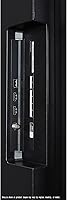
  • HDMI Ports: Equipped with four HDMI 2.1 ports, each supporting 4K at 120Hz, 8K passthrough, VRR, and full bandwidth for current-generation consoles and PCs.
  • Gaming Features: Supports NVIDIA G-Sync, AMD FreeSync Premium, and HDMI Forum VRR simultaneously for tear-free, low-latency gaming across all major platforms.
  • Audio System: Built-in 2.0 channel speaker system with Dolby Atmos processing; no dedicated subwoofer channel is included in the hardware configuration.
  • Smart Platform: Runs WebOS 24 with access to all major streaming applications and over 300 free live channels via LG Channels, with 5 years of software updates guaranteed.
  • Voice Assistants: Amazon Alexa is built directly into the TV, and LG ThinQ AI enables voice control via the Magic Remote without requiring an external smart speaker.
  • Connectivity: Includes Wi-Fi, Bluetooth, Ethernet, multiple USB ports, and four HDMI 2.1 inputs to support wired and wireless devices simultaneously.
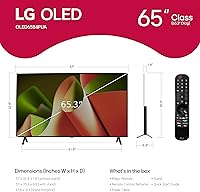
  • Dimensions: Without stand, the panel measures 57.05″ wide, 35.28″ tall, and 9.3″ deep; stand dimensions will vary and add height.
  • Weight: The panel weighs 38.1 pounds without the stand, which is a relevant consideration for wall-mount bracket selection and installation.
  • Power Consumption: Rated at 125.7 watts under standard operating conditions; actual consumption varies based on brightness settings and content type.
  • Included Remote: Ships with the Magic Remote MR24, which features a gyroscopic pointer, scroll wheel, hotkeys for major streaming services, and built-in voice control.
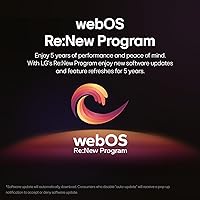
  • Software Updates: Enrolled in LG's webOS Re:New Program, guaranteeing new feature updates and software refreshes for a minimum of 5 years from the product launch date.

Related Reviews
LG OLED G4 65-inch 4K Smart TV
82%
97%
Picture Quality
94%
Gaming Performance
98%
Black Levels & Contrast
58%
Burn-In Risk
91%
Design & Build Quality
More
LG 65UA7700P 65-inch 4K Smart TV
83%
92%
Picture Quality
72%
Sound Quality
88%
Ease of Setup
85%
Smart Features / WebOS
90%
Gaming Performance
More
LG B3 55-Inch OLED 4K Smart TV
81%
93%
Picture Quality
91%
Gaming Performance
96%
Contrast & Black Levels
82%
Smart TV Experience
88%
Gaming Features Depth
More
LG 65UN7300PUF 65-inch 4K Smart UHD TV
85%
89%
Picture Quality
87%
Ease of Use
91%
Voice Control Functionality
85%
Smart Features (webOS)
92%
Value for Money
More
LG B3 55-Inch OLED Smart TV
80%
94%
Picture Quality
91%
Gaming Performance
97%
Contrast & Black Levels
63%
Brightness
82%
Smart TV Experience
More
LG UQ7570 65-inch 4K Smart TV
78%
82%
Picture Quality
61%
Refresh Rate & Motion Handling
88%
Smart TV Platform (webOS 22)
86%
Value for Money
53%
Audio Quality
More
LG SM8600PUA 65-inch 4K HDR Smart NanoCell TV
86%
92%
Picture Quality
94%
Color Accuracy
89%
Smart Features
71%
Sound Quality
78%
Ease of Setup
More
LG OLED C1 55-inch 4K Smart TV
86%
96%
Picture Quality
93%
Gaming Performance
62%
Peak Brightness
88%
Smart TV Platform
91%
Build Quality & Design
More
LG OLED C1 48-inch 4K Smart TV
83%
96%
Picture Quality
93%
Gaming Performance
97%
Black Levels & Contrast
91%
Input Lag & Responsiveness
82%
Smart TV Platform (webOS)
More
LG C3 77-Inch OLED Smart TV
82%
96%
Picture Quality
93%
Gaming Performance
98%
Black Levels & Contrast
67%
Smart TV Interface
78%
HDR Performance
More

FAQ

It depends on how you use it. The B4 uses a slightly less powerful processor and has a lower peak brightness ceiling than the C4, which matters most in bright rooms or for very HDR-intensive content. If you watch primarily in a dim or controlled environment and do not need the absolute brightest highlights, the B4 delivers nearly the same OLED experience at a meaningful price difference. For most living room setups, the gap is real but not dramatic.

For typical mixed use — streaming films, series, sports, and gaming with varied content — burn-in is not a practical concern under normal conditions. LG includes a pixel refresher that runs automatically during standby to maintain panel health. Where burn-in becomes a real risk is extended daily use with static elements, such as a cable news ticker left on for hours, a static game HUD, or using the TV as a PC desktop monitor full-time. If that describes your habits, extra caution is warranted.

Technically no, but practically speaking, most people in a larger room will want one. The built-in speakers handle dialogue and casual TV watching fine, but they lack bass and do not fill a 65-inch-sized room convincingly for action films or music. If audio quality matters to you at all, budgeting for a soundbar alongside the TV is a smart move rather than an afterthought.

Yes, easily. The B4 65-inch has four HDMI 2.1 ports, each capable of carrying 4K at 120Hz with full bandwidth. You can have both consoles, a PC, and a soundbar connected simultaneously without needing a switch or giving anything up in terms of performance.

This is honestly where OLED has a structural limitation. The B4 is not a high-brightness panel, and in a room with strong daylight coming in during the afternoon, the image can look washed out compared to a high-nit QLED. If your room gets significant direct sunlight and you cannot control it with curtains or blinds, a premium QLED with higher peak brightness may be a more practical choice for daytime watching.

Netflix, Amazon Prime Video, Disney+, Apple TV, and HBO Max are all available out of the box, along with YouTube and LG's own free live TV service with over 300 channels. The app store also lets you add most other major services. You generally will not need an external streaming stick unless you have a very specific app that WebOS does not support.

Most people get comfortable with it within a day or two. The gyroscopic pointer function — where you move the remote like a mouse cursor — is intuitive once it clicks, but it can feel odd if you are used to a traditional directional remote. Voice control works reliably for searching content and adjusting volume or inputs. The build quality of the remote itself is a common criticism — it feels a little lightweight for a TV at this price point.

A general rule for 4K resolution is roughly 1 to 1.5 times the screen's diagonal measurement, which puts the ideal range at about 5.5 to 8 feet for maximum pixel resolution benefit. Comfortable viewing for most people lands between 8 and 12 feet. Sitting much farther than 12 feet with a 65-inch panel means you will not fully appreciate the resolution difference between 4K and lower resolutions.

This combination requires some setup. Running VRR and Dolby Vision simultaneously is technically possible on the B4, but it does not work out of the box in a fully straightforward way on all devices and configurations. Some users on PC in particular report needing to adjust settings or accept a workaround. Console users on PS5 and Xbox generally have a smoother experience with LG's specific game picture presets handling the two features together.

The B4 65-inch uses a 300 x 200 mm VESA pattern, which is compatible with a wide range of third-party wall mounts. Wall-mount hardware is not included in the box, which is a common complaint given how many buyers choose to wall-mount at this screen size. You will need to purchase a compatible bracket separately, and given the 38-pound panel weight, a fixed or tilting mount rated appropriately for that load is recommended.

Where to Buy

BJ's Wholesale Club
In stock $996.99