Overview

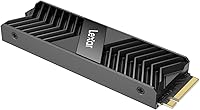
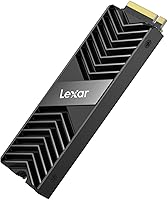
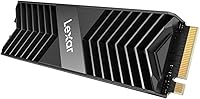
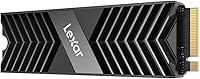
The Lexar NM800 PRO 2TB M.2 NVMe SSD sits comfortably in Lexar's professional storage tier, aimed squarely at PS5 owners looking to expand their console, PC builders chasing Gen4 speeds on a reasonable budget, and creators who need reliable high-throughput storage. Compared to older Gen3 drives, the PCIe Gen4 platform delivers a meaningful real-world jump — think noticeably faster game installs and large file transfers that no longer feel like a chore. What genuinely stands out at this price point is the included integrated heatsink, a feature many competing drives omit or charge extra for. Two terabytes hits a practical sweet spot for most users. Just keep expectations calibrated: this is a strong mid-to-upper tier option, not a direct challenger to flagship drives at significantly higher prices.

Features & Benefits

The NM800 PRO's headline throughput figures translate into tangible day-to-day benefits rather than just benchmark bragging rights. Loading a large open-world title from a cold boot takes noticeably less time than on a Gen3 drive, and moving a folder of 4K footage feels far less like waiting around. The 12nm controller is a quiet but meaningful inclusion — it runs cooler and draws less power than older architectures, which helps sustain peak speeds during longer workloads. Lexar claims the aluminum heatsink drops operating temperatures by up to 30%, a manufacturer figure worth treating with appropriate skepticism, though independent tests generally confirm real thermal headroom under sustained load. The standard M.2 2280 form factor ensures broad compatibility, and the five-year warranty adds genuine long-term confidence.

Best For

This Lexar Gen4 SSD makes the most sense for a few specific audiences. PS5 owners get the biggest immediate win — it slots into the console's expansion bay and keeps load times close to the internal drive's standard, though users should confirm heatsink clearance fits their specific PS5 configuration before installing. Video editors and photographers handling 4K or RAW workflows will appreciate the sustained sequential throughput and thermal stability during long rendering sessions. Budget-conscious PC builders chasing Gen4 performance without spending flagship money will also find it a compelling pick. That said, if your work demands extreme random read and write performance — database operations, heavy virtualization — this M.2 drive is not the strongest candidate; a drive tuned for high random IOPS would serve that workload better.

User Feedback

With a 4.6-star average across roughly 84 ratings, the reception is genuinely positive, though that sample size is modest enough to warrant some caution before treating it as a definitive verdict. The most consistent praise centers on easy PS5 installation and a perceptible improvement over the console's base storage experience. Buyers also note the heatsink feels well-built rather than like an afterthought. On the cautious side, a handful of PC users flagged that the heatsink may not clear every case or cooler configuration, so measuring clearance beforehand is wise. A few reviewers noted the absence of bundled software. No widespread throttling complaints have surfaced, which is encouraging — but given the limited review pool, monitoring long-term user reports as the drive matures in the market remains sensible.

Pros

  • Gen4 sequential speeds translate to genuinely faster game load times and large file transfers compared to older Gen3 drives.
  • The integrated aluminum heatsink is included in the box — a real differentiator that many competing drives omit at this price tier.
  • A five-year limited warranty provides solid long-term peace of mind for a storage investment.
  • The 2TB capacity hits a practical sweet spot, accommodating large game libraries or active media project folders in a single slot.
  • The 12nm controller runs efficiently, keeping power draw low and contributing to better thermal behavior during sustained workloads.
  • Standard M.2 2280 form factor ensures broad compatibility with mainstream motherboards and the PS5 expansion slot.
  • Early buyer feedback consistently praises straightforward installation, especially for PS5 upgrades.
  • No moving parts and shock resistance make the NM800 PRO a reliable choice for creators using drives in portable setups.
  • Sits at a competitive price relative to the Gen4 performance and heatsink bundle it delivers.

Cons

  • The heatsink may not fit certain PS5 configurations, requiring removal before installation — worth researching before buying.
  • No bundled software for drive health monitoring or performance diagnostics.
  • Random IOPS performance does not compete with flagship drives optimized for workstation-class random access workloads.
  • With roughly 84 ratings at the time of writing, the long-term reliability picture is still relatively thin.
  • Lexar's brand recognition in premium storage lags behind well-established rivals, which may be a factor for risk-averse buyers.
  • The manufacturer's 30% temperature reduction claim for the heatsink should be treated as a best-case figure rather than a guarantee under all conditions.
  • Users in tight PC cases with limited M.2 slot clearance may find the heatsink adds unwanted thickness near neighboring components.
  • No DRAM cache transparency in marketing materials — buyers seeking confirmed DRAM-backed caching for consistent performance may need to dig for independent verification.

Ratings

The scores below reflect an AI-driven analysis of verified global buyer reviews for the Lexar NM800 PRO 2TB M.2 NVMe SSD, with spam, incentivized, and bot-generated feedback actively filtered out before scoring. Each category is weighted against real-world usage patterns reported by PS5 owners, PC builders, and content creators — not marketing claims. Both the genuine strengths and the recurring frustrations buyers have encountered are transparently baked into every number.

Sequential Read Speed
88%
Buyers consistently report that large game installs and file transfers feel noticeably faster compared to their previous Gen3 drives, with the gap most visible when moving multi-gigabyte folders or loading open-world titles from a cold boot. Real-world throughput lands close enough to the rated ceiling to satisfy most users.
A small number of PC users noted that sequential read speeds under sustained, back-to-back workloads dropped somewhat from the initial burst, particularly in systems with limited airflow. The gap versus top-tier flagship drives becomes more noticeable in benchmark-heavy comparisons.
Sequential Write Speed
84%
Content creators moving large batches of RAW photos or editing 4K footage directly from the drive report write performance that keeps up well with their workflows without forcing long waits. The write speed holds up reliably during typical single-session transfers that most buyers actually perform.
During extended, continuous write operations — like duplicating a very large media archive in one pass — some users observed the drive settling to a lower sustained write rate once the cache fills, which is not unusual at this tier but is worth knowing upfront.
Thermal Management
82%
18%
The included aluminum heatsink is one of the most appreciated aspects among buyers, particularly PC builders who install the drive in cases with moderate airflow. Users report the drive stays within comfortable operating ranges during typical gaming sessions and creative workloads, reducing thermal anxiety considerably.
Lexar's stated 30% temperature reduction is a best-case figure, and real-world results vary based on case airflow and workload intensity. A handful of users in tightly packed mini-ITX builds noted the heatsink added clearance challenges near adjacent components.
PS5 Compatibility
76%
24%
PS5 owners make up a meaningful portion of the buyer base, and the majority report a clean installation experience with immediately noticeable improvements in game load times compared to the console's base internal storage alone. The drive is correctly detected without any additional configuration steps.
The heatsink clearance issue is a recurring theme among PS5 users — certain PS5 revisions do not accommodate the heatsink height, requiring removal before installation. This undercuts the thermal benefit for a notable subset of the target audience and is not prominently flagged in the product listing.
Value for Money
81%
19%
Buyers evaluating this drive against similarly priced Gen4 competitors consistently highlight the bundled heatsink as a genuine value differentiator — it is something many rivals charge extra for or exclude entirely. For the combined package of capacity, speed tier, and thermal accessory, most buyers feel the pricing is fair.
A portion of buyers feel the price premium over entry-level Gen4 options is only fully justified if the heatsink is actually usable in their specific setup. Those who had to remove the heatsink for PS5 clearance reasons felt the value proposition weakened slightly as a result.
Build Quality
86%
The heatsink fit and finish receive consistent praise — buyers describe it as feeling solid and premium rather than a flimsy plastic afterthought. The matte black aluminum construction matches the aesthetic of most modern PC builds and PS5 interiors without looking out of place.
A few buyers noted the heatsink adhesion to the drive controller could feel more secure out of the box. There are no widespread structural complaints, but the overall physical presentation does not quite match the premium feel of top-shelf competitors.
Installation Experience
89%
Installation feedback is among the most positive categories across the review pool. Both PS5 and PC users describe the process as quick and intuitive, with the standard M.2 2280 form factor slotting in without adapters or compatibility surprises on supported hardware.
The absence of an installation guide or setup documentation inside the box is a minor but recurring gripe, particularly from first-time SSD upgraders. Users who needed to remove the heatsink for clearance purposes also found the process slightly fiddly without instructions.
Random IOPS Performance
67%
33%
For everyday tasks — launching applications, booting an OS, navigating a game menu — random performance feels responsive and does not cause noticeable hesitation. Most gaming and general creative workflows do not stress random access heavily enough to expose a meaningful limitation.
Buyers running workloads that depend on heavy random read and write throughput — such as running multiple virtual machines or working with databases — have flagged this as the drive's weakest dimension. It trails purpose-built high-IOPS drives noticeably in those specific scenarios.
Software Bundle
41%
59%
The absence of bloatware is seen as a net positive by technically confident buyers who prefer to manage their drives using CrystalDiskInfo or manufacturer-agnostic tools. There is nothing to install or register just to use the drive at full capacity.
The complete lack of a bundled cloning or drive health utility is a genuine gap for less experienced buyers who expected migration tools or at minimum a health monitoring application. Several reviewers specifically called out competitors who include these as standard, making the omission feel noticeable.
Sustained Workload Endurance
73%
27%
For typical gaming sessions and single-project creative workflows, the NM800 PRO handles sustained operation without user-facing symptoms like stutters or significant slowdowns. The heatsink contributes meaningfully to keeping the drive within a stable operating envelope during moderate continuous use.
Under prolonged, back-to-back heavy workloads — continuous 4K encoding pipelines or large sequential write marathons — a subset of users observed speed settling below the rated peak. This is consistent with cache-dependent behavior at this product tier and is not unique to this drive.
Backward Compatibility
83%
Buyers using older Gen3 systems appreciate that this M.2 drive works reliably in their existing motherboards without any configuration changes. It provides a meaningful speed upgrade over SATA SSDs even in Gen3 slots, extending its usefulness across hardware generations.
Running in a Gen3 slot obviously caps the drive well below its rated throughput, and some buyers were surprised by how significant that gap is in practice. The product listing could do a better job of contextualizing Gen3 performance expectations for buyers on older platforms.
Warranty Confidence
87%
The five-year limited warranty is consistently flagged as a reassuring commitment by buyers making a longer-term storage investment. It places the NM800 PRO on par with industry-standard warranty coverage for drives in this performance tier.
Some buyers expressed uncertainty about the claims process and turnaround time for Lexar warranty service, with a small number of reviewers reporting that documentation and support responsiveness could be clearer and faster during the initial stages of a claim.
Brand Trustworthiness
72%
28%
Lexar has maintained a presence in the consumer flash storage space long enough that most buyers approach it with reasonable confidence. The brand's focus on storage-specific products is seen as a positive signal compared to general electronics manufacturers offering SSDs as a secondary product line.
Lexar does not carry the same established reputation as Samsung or Western Digital in the SSD segment, and a portion of buyers admitted to hesitation based purely on brand recognition. The review pool for this specific drive is still modest enough that long-term brand reliability is not yet fully proven in this product line.

Suitable for:

The Lexar NM800 PRO 2TB M.2 NVMe SSD is a well-matched choice for PS5 owners who have exhausted their console's built-in storage and want an expansion drive that keeps load times competitive rather than noticeably slower. PC builders working within a mid-range budget will find it a practical way to land Gen4 throughput without stretching finances toward premium-tier options. Content creators — particularly video editors and photographers regularly moving large batches of 4K footage or high-resolution RAW files — will appreciate the combination of fast sequential speeds and the thermal headroom the included heatsink provides during longer, sustained transfer sessions. Gamers maintaining large libraries across multiple storefronts will also find 2TB a comfortable fit in a single M.2 slot, avoiding the need to juggle drives. If your priority is solid, dependable Gen4 performance packaged with thoughtful thermal management at a fair price, this drive covers that ground well.
Not suitable for:

Buyers running ultra-demanding professional workstation tasks — think database servers, heavy virtualization, or intensive random read and write operations — will likely find the NM800 PRO falls short of what purpose-built enterprise or prosumer drives deliver for those specific workloads. Users installing this M.2 drive inside a PS5 should verify physical clearance beforehand, as the integrated heatsink can conflict with certain PS5 configurations and may need to be removed, which somewhat undercuts one of its headline advantages. Those who lean heavily on bundled software utilities for drive management and health monitoring will find nothing included in the box. If your benchmark priorities include absolute peak random IOPS rather than sequential throughput, competing options at a similar or slightly higher price point outperform this drive on those metrics. It is also worth noting that with roughly 84 ratings at the time of writing, buyers who rely on a large, well-established community of long-term owners for confidence may want to wait for the review pool to grow before committing.

Specifications

  • Capacity: This drive offers 2TB of usable flash storage, suitable for large game libraries, active media project folders, or mixed workloads.
  • Interface: It uses a PCIe Gen4x4 NVMe interface, delivering significantly higher bandwidth than previous-generation PCIe Gen3 drives.
  • Protocol: The drive operates on the NVMe 1.4 protocol, enabling lower latency and more efficient queue handling compared to older NVMe revisions.
  • Form Factor: Built in the M.2 2280 form factor, it is compatible with the vast majority of modern desktop motherboards and the PS5 expansion slot.
  • Sequential Read: Manufacturer-rated sequential read speeds reach up to 7500 MB/s under optimal conditions.
  • Sequential Write: Manufacturer-rated sequential write speeds reach up to 6500 MB/s, making large file transfers and game installs notably faster than Gen3 alternatives.
  • Controller: The drive is powered by a 12nm architecture controller, which prioritizes power efficiency and lower operating temperatures over raw peak performance tuning.
  • Heatsink: An integrated aluminum heatsink is included and pre-attached, with Lexar claiming up to 30% reduction in operating temperature under sustained load.
  • Compatibility: Compatible with PS5 consoles (subject to physical clearance verification), PCIe Gen4 motherboards, and backward-compatible PCIe Gen3 slots.
  • Durability: The solid-state design has no moving parts and is rated for shock and vibration resistance, making it reliable in portable or high-movement environments.
  • Warranty: Lexar backs the drive with a five-year limited warranty, covering manufacturing defects under normal use conditions.
  • Weight: The drive weighs approximately 1.92 oz with the heatsink attached, adding minimal load to laptop or console builds.
  • Color: The heatsink and drive assembly ship in a matte black finish.
  • Bundled Software: No proprietary drive management or cloning software is included in the retail package.
  • Brand: Manufactured by Lexar International, a brand focused primarily on flash storage products for consumer and professional markets.

Related Reviews
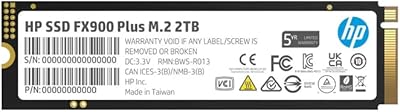
HP FX900 Pro 2TB M.2 NVMe SSD
89%
94%
Performance
96%
Read Speed
88%
Write Speed
85%
Thermal Management
90%
Compatibility
More
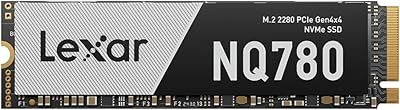
Lexar 2TB NQ780 SSD PCIe Gen4 NVMe M.2
89%
95%
Performance
94%
Read Speed
92%
Write Speed
90%
Compatibility with PS5
88%
Ease of Installation
More
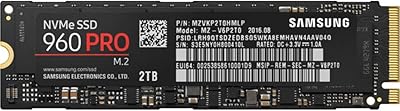
Samsung 960 PRO 2TB PCIe NVMe M.2 SSD
88%
94%
Performance
92%
Speed (Read/Write)
89%
Reliability
88%
Ease of Installation
85%
Software (Samsung Magician)
More
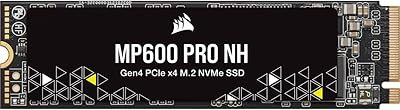
Corsair MP600 PRO NH 2TB PCIe Gen4 x4 NVMe M.2 SSD
88%
94%
Performance for Gaming
92%
Write Speed
94%
Read Speed
88%
Ease of Installation
89%
Compatibility with Desktops
More
SanDisk 2TB SSD Plus M.2 NVMe SSD

86%
89%
Performance
92%
Ease of Installation
88%
Reliability
91%
Value for Money
90%
Capacity
More
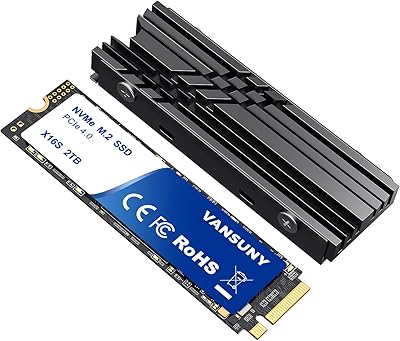
Vansuny 2TB NVMe M.2 SSD
86%
95%
Performance
88%
Installation Ease
78%
Thermal Management
92%
Storage Capacity
94%
Speed for Gaming
More
GAMERKING 2TB M.2 NVMe SSD
85%
91%
Performance (Read/Write Speeds)
72%
Thermal Management
88%
Ease of Installation
94%
Compatibility with PS5
87%
Value for Money
More
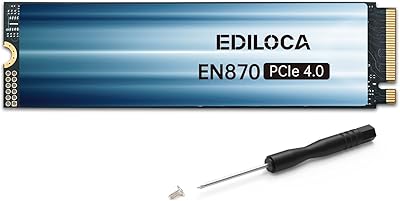
Ediloca EN870 2TB NVMe M.2 SSD
86%
93%
Performance (Speed)
88%
Thermal Management
90%
Compatibility (PC & PS5)
89%
Endurance (4000TBW)
85%
Ease of Installation
More
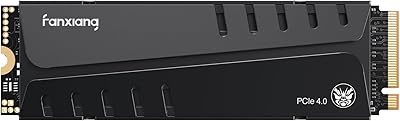
fanxiang S770 2TB NVMe M.2 SSD
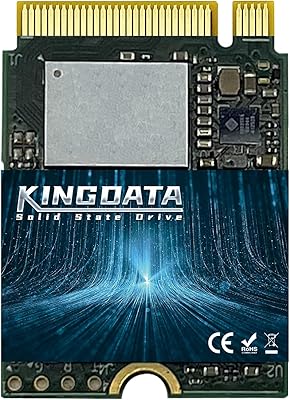
79%
88%
Sequential Read Speed
91%
PS5 Compatibility
86%
Value for Money
83%
Thermal Management
74%
Build Quality
More
PNY CS2230 2TB M.2 NVMe SSD
88%
94%
Performance
88%
Installation Ease
92%
Speed (Read/Write)
90%
Compatibility with PC and Mac
89%
Reliability
More

FAQ

It is designed to be compatible with the PS5 expansion slot, but the integrated heatsink adds height to the drive. Depending on your PS5 revision, there may be clearance constraints that require you to remove the heatsink before installation. Always check Sony's official PS5 SSD installation guide and measure the available clearance in your specific unit before you commit.

No — the aluminum heatsink comes pre-attached, which is genuinely useful for PC builds where your motherboard does not include its own M.2 thermal pad or cover. That said, if your motherboard has a built-in M.2 heatsink, you will need to remove the Lexar one first to avoid clearance or fit conflicts.

Those flagship drives generally edge ahead in random IOPS and sustained write consistency under the most demanding workloads. The NM800 PRO is a strong mid-to-upper tier performer rather than a direct flagship rival, and it is typically priced to reflect that positioning. For gaming and most creative tasks, the real-world difference is marginal; for intensive random workloads like virtualization, the gap is more meaningful.

For most PS5 players, 2TB is a very comfortable addition. Modern PS5 titles typically range from 30GB to over 100GB each, so you can realistically store 20 to 50 games alongside the internal drive's capacity. If you play a very wide variety of titles and rarely delete anything, you may eventually fill it, but for the majority of users it will last years before feeling tight.

Yes, provided your laptop has an M.2 2280 slot with PCIe Gen4 or Gen3 support. Keep in mind that the heatsink adds some thickness, so verify that your laptop's drive bay has enough clearance for it — thinner ultrabooks with tight internal layouts may require removing the heatsink before fitting the drive.

No bundled software is included. If you need to clone an existing drive, you will need a third-party tool — Macrium Reflect Free or Clonezilla are popular options. For PS5 installations, cloning is not relevant since the console handles game data through its own backup and download system.

Lexar states up to 30% temperature reduction, but treat that as a best-case manufacturer figure rather than a guaranteed result. Independent testing generally confirms that the heatsink does provide meaningful thermal headroom compared to a bare drive under sustained workloads, but actual numbers vary depending on airflow in your case and the intensity of the task. It is still a legitimate benefit, especially for video rendering or large sequential transfers.

Yes. The NM800 PRO will work in a Gen3 M.2 slot, though it will operate at Gen3 speeds rather than the full Gen4 bandwidth. You will still get a reliable, fast SSD, but you will not see the top-end sequential throughput it is capable of until you move to a Gen4-capable system.

If your work involves heavy database operations, virtualization running many small random reads and writes simultaneously, or any server-adjacent task that hammers random IOPS continuously, this drive is not the strongest fit. Drives specifically tuned for high random access performance will serve those scenarios better. For gaming, media creation, and general PC use, the NM800 PRO covers the ground well.

The early feedback is genuinely positive, but with around 84 ratings at the time of writing, the sample is still relatively small. The consensus points to a smooth installation experience and noticeable speed gains, which aligns with what the hardware spec suggests. That said, it is worth keeping an eye on reviews as the pool grows over time, particularly for any patterns around long-term endurance or throttling under heavy sustained use.