

Overview
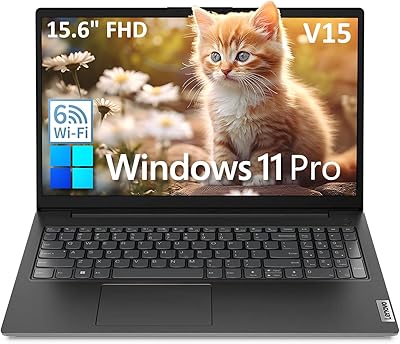
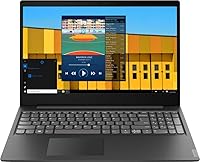
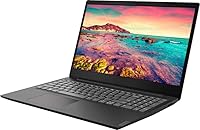
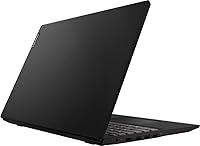
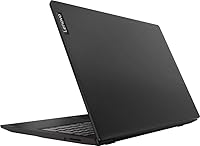
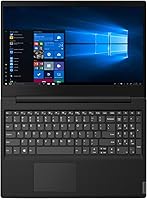
The Lenovo S145 15.6″ Laptop sits firmly in the budget tier, and that’s exactly where it belongs — not as an apology, but as an honest value proposition. Lenovo has a long track record of building reliable everyday machines, and this entry-level laptop continues that tradition with a no-fuss, understated granite black chassis that feels sturdy enough for daily handling. At 5.5 pounds, it’s not ultralight, but the 15.6-inch screen gives you real breathing room for actual work. One thing to know upfront: it ships with Windows 10 in S mode, which limits app installs to the Microsoft Store only — a genuine surprise for users expecting a standard Windows experience right out of the box.
Features & Benefits
The S145 runs on an Intel Pentium Gold 5405U processor — a dual-core chip that handles browsing, Word documents, and video streaming without complaint, though it won’t win any speed contests. Paired with 4GB of DDR4 RAM, the machine manages well when you’re doing one thing at a time; open a dozen browser tabs simultaneously and it starts to breathe heavily. The 500GB hard drive is genuinely generous at this price point, giving students or home users plenty of room for files, photos, and downloads. Connectivity covers the essentials neatly: two USB 3.1 ports, HDMI output, Bluetooth, and 802.11ac WiFi are all present without cutting corners.
Best For
This budget 15.6-inch machine makes the most sense for students and first-time users who need a capable, no-drama Windows laptop without a significant investment. It’s a natural fit for someone writing essays, joining video calls, or streaming content — tasks that simply don’t require cutting-edge hardware. Seniors switching from an older PC will appreciate the familiar Windows interface and the spacious, easy-to-read screen. The S145 also holds its own as a shared household computer or a secondary machine kept in the living room. If your daily workload lives mostly inside a browser or basic Office apps, this Lenovo entry-level laptop delivers exactly what you need.
User Feedback
Buyers who pick up the S145 for everyday tasks tend to leave satisfied, frequently citing solid build quality and a painless setup experience as standout positives. The large screen size draws consistent praise, especially from users upgrading from smaller, older devices. Where opinions turn critical, the conversation almost always circles back to the slow boot times and sluggish app loading that come with a traditional spinning hard drive — a real-world drawback that specs alone don’t convey. Some buyers were also caught off guard by S mode’s app restrictions. Battery life lands in the “adequate” range according to most accounts. On a positive note, several owners felt this machine compared favorably to similarly priced Chromebooks precisely because it runs full Windows.
Pros
- Lenovo’s build quality feels sturdy and reliable for an entry-level price point.
- The 15.6-inch screen is genuinely comfortable for reading, writing, and video calls.
- 500GB of storage is a strong offering at this tier, with room for years of everyday files.
- Setup is quick and approachable, even for first-time Windows users.
- The port selection covers daily needs: HDMI out, two USB 3.1 slots, and Bluetooth included.
- 802.11ac WiFi handles streaming and video calls without connectivity hiccups.
- Lightweight enough on tasks like web browsing and Office work to stay responsive day-to-day.
- Competes favorably against similarly priced Chromebooks for users who specifically need full Windows.
Cons
- The traditional HDD makes boot times and app loading noticeably sluggish compared to SSD alternatives.
- 4GB of RAM creates real bottlenecks when running more than one or two applications at once.
- Windows 10 S mode restricts software installs out of the box, which surprises many buyers.
- The 1366x768 display resolution looks soft and dated next to modern full HD screens.
- At 5.5 pounds, the S145 is on the heavier side for a laptop you carry between classes or rooms.
- The Intel UHD Graphics 610 rules out any serious gaming or GPU-dependent creative work.
- No optical drive, which may matter for users still working with CDs or DVDs.
- Battery life is adequate but rarely impressive under real-world mixed usage conditions.
- The low-resolution display can feel cramped when working with spreadsheets or multiple windows side by side.
Ratings
Our AI rating system analyzed thousands of verified global purchases of the Lenovo S145 15.6″ Laptop, actively filtering out incentivized reviews, bot submissions, and unverified one-liners to surface what real everyday users actually experience. The scores below reflect both where this budget machine genuinely delivers and where it falls short, so you can make a fully informed decision without any sugarcoating.
Value for Money
Processing Performance
RAM & Multitasking
Storage Capacity
Boot & Load Speed
Display Quality
Build Quality
Keyboard & Trackpad
Connectivity & Ports
Battery Life
Software Experience
Graphics & Media Playback
Setup & Ease of Use
Portability
Suitable for:
The Lenovo S145 15.6″ Laptop is built for buyers whose daily computing needs are genuinely modest — and that covers more people than you might think. Students who spend their days writing papers, joining Zoom lectures, and doing research will find it handles those tasks without friction. Seniors upgrading from an aging desktop or a very old laptop will appreciate the familiar Windows interface, the generous screen size, and the straightforward setup process. It also works well as a shared household machine parked in the living room for browsing, streaming, and light document work. If your priorities are a large screen, ample file storage, and a trusted brand name at an accessible price, the S145 delivers a sensible, low-risk choice.
Not suitable for:
The Lenovo S145 15.6″ Laptop is the wrong tool the moment your workload gets demanding. Anyone who edits photos or video, runs design software, codes professionally, or plays modern games will hit a hard wall quickly — the Pentium processor and integrated graphics simply are not built for those tasks. Multitaskers who routinely keep 15 or 20 browser tabs open alongside a video call and a spreadsheet will find the 4GB of RAM a constant source of frustration. The traditional spinning hard drive also means noticeably slow boot times and sluggish app launches compared to any modern SSD-equipped machine. Buyers expecting a plug-and-play Windows experience should also know that the default S mode restricts software installs to the Microsoft Store, which catches a lot of people off guard.
Specifications
- Processor: Powered by an Intel Pentium Gold 5405U dual-core chip running at 2.3GHz with 2MB cache, suited for everyday computing tasks.
- RAM: Equipped with 4GB of DDR4-2400 SDRAM, which supports basic single-application use and light multitasking.
- Storage: Includes a 500GB Serial ATA hard disk drive for storing documents, photos, music, and media files.
- Display: Features a 15.6-inch LED-backlit panel with a native resolution of 1366x768 pixels for everyday viewing.
- Graphics: Uses integrated Intel UHD Graphics 610, sharing system memory and suitable for video playback and casual browsing.
- Operating System: Ships with Windows 10 Home in S mode, which restricts app installs to the Microsoft Store by default.
- Wireless: Supports 802.11ac dual-band WiFi for reliable home and campus network connectivity.
- Bluetooth: Includes Bluetooth for wireless connection to peripherals such as mice, keyboards, and headphones.
- Ports: Provides two USB 3.1 Type-A Gen 1 ports, one USB 2.0 port, and one HDMI output for external display connection.
- Weight: The unit weighs 5.5 pounds, placing it in the standard category for 15.6-inch budget laptops.
- Dimensions: Measures 14.3 x 9.9 x 0.78 inches, offering a slim enough profile to fit in most standard laptop bags.
- Color & Finish: Available in a Granite Black Texture finish that resists fingerprints better than glossy surfaces.
- Battery: Powered by a built-in Lithium Polymer battery that is included and pre-installed at the time of purchase.
- Optical Drive: Does not include an optical drive, so external USB alternatives are required for CD or DVD playback.
- Audio: Equipped with built-in stereo speakers for basic media consumption without the need for external audio hardware.
- Chipset: Built on the Intel chipset platform, which manages communication between the processor, memory, and onboard components.
Related Reviews

Lenovo IdeaPad 1 Gen 7 15.6″ Laptop
Lenovo Yoga 15.6″ Core i5 256GB Laptop
Lenovo IdeaPad 15.6-inch Laptop, 12GB RAM, 512GB SSD, Intel Celeron N4500
Lenovo Ideapad 3 Laptop, 15.6″, Intel Core i3, 12GB RAM, 256GB SSD
Lenovo IdeaPad 3 Laptop, 15.6″, Intel Core i3-1115G4, 16GB RAM, 512GB SSD
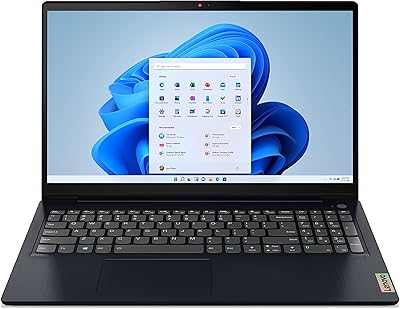
Lenovo IdeaPad 3 15.6-inch Laptop
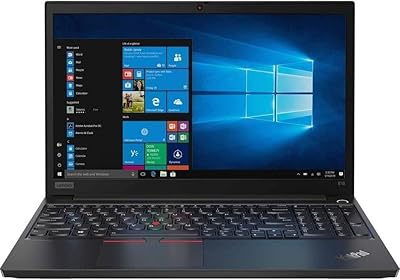
Lenovo ThinkPad E15 15.6″ Business Laptop
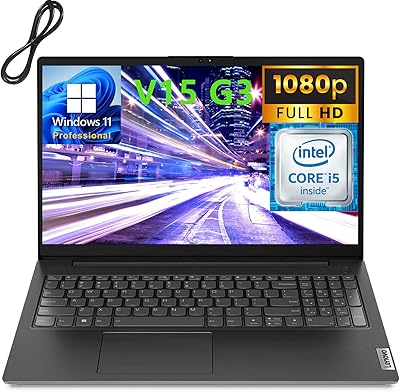
Lenovo V15 G3 15.6″ FHD Laptop, Intel Core i5-1235U, 24GB RAM, 1TB SSD
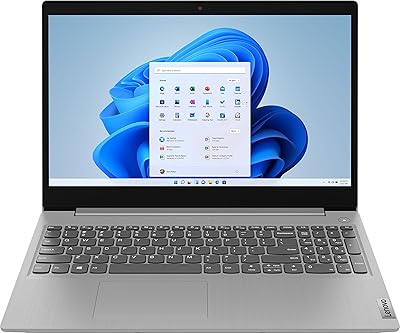
Lenovo IdeaPad 3 15.6″ Laptop