Overview

The Kinhank KHD-12T 12TB Retro Gaming Hard Drive is a plug-and-play solution for PC gamers who would rather spend their time playing than configuring emulators from scratch. The pitch is simple: plug it in, launch the frontend, and access a library spanning arcade cabinets, home consoles, and classic PC titles. At its price point, it sits between a budget DIY emulation setup and a purpose-built retro console, appealing most to buyers who value convenience over technical tinkering. One thing worth clarifying upfront — this is a 3.5-inch mechanical drive, which means it needs a power source and desk space, not a jacket pocket.
Features & Benefits

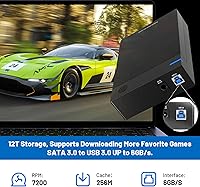
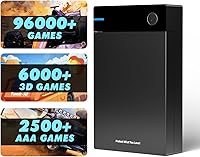
Under the hood, the Kinhank hard drive spins at 7200 RPM with a 256MB cache and connects via USB 3.0, which handles day-to-day game loading without issue. The real draw is the pre-loaded game library — over 96,000 titles covering more than 400 emulated platforms, including roughly 6,000 3D games and 2,500 titles typically categorized as AAA. The front-end interface uses a roulette-style layout with video previews, runs without restarting Windows, and lets you add or remove titles freely. That said, smooth performance on larger 3D titles requires a capable machine — at least an i5 processor and a GTX 1050 Ti-class GPU.

Best For

This plug-and-play game library makes the most sense for people who want to bypass the hours of hunting ROMs, configuring emulators, and troubleshooting compatibility issues one game at a time. It is a solid pick for nostalgia-driven casual gamers, collectors, or anyone looking for a ready-to-gift retro gaming package. It also suits users who enjoy a polished browsing interface rather than a folder full of files. However, if you are running an older or low-powered machine — anything below the recommended specs — you will hit performance walls quickly, particularly with 3D or more demanding titles. This is a desktop solution, not a travel companion.

User Feedback

With a 3.5-star average across 65 reviews, the Kinhank hard drive earns real appreciation for its sheer library breadth and the visual quality of the frontend — buyers who casually browse hundreds of titles and rediscover forgotten favorites tend to love it. The friction comes from a few recurring frustrations: some buyers report reliability concerns with the mechanical drive itself, while others find that a noticeable chunk of the library does not run consistently well. The hardware requirements also catch people off guard when not disclosed upfront. Customer support response times and the pace of software updates draw mixed opinions, making the after-sale experience a genuine wildcard.

Pros

  • Massive pre-loaded library of over 96,000 games covering arcade, console, and classic PC platforms.
  • Supports 400-plus emulators, making it one of the broadest all-in-one retro collections available.
  • Roulette-style frontend with video previews makes browsing genuinely enjoyable rather than purely functional.
  • No system restart required — launch directly from Windows in minutes.
  • 7200 RPM spin speed and 256MB cache keep load times reasonable for most titles.
  • Compatible with Windows 7 through 11, so it works on a wide range of existing machines.
  • Games can be added or removed freely, giving the owner real control over the library.
  • Solid pick as a ready-to-gift retro gaming package that requires minimal technical setup from the recipient.

Cons

  • The 3.5-inch form factor requires external power, making true portability impractical despite how it is sometimes marketed.
  • Recommended hardware specs — i5 CPU and GTX 1050 Ti GPU — are not prominently disclosed upfront, catching some buyers off guard.
  • A meaningful portion of the 96,000-game library runs inconsistently or has emulation issues, so the headline number can mislead.
  • Mechanical hard drive reliability has been flagged by multiple buyers, raising concerns about long-term durability.
  • Customer support response times draw mixed reviews, making post-purchase help uncertain.
  • Software updates appear infrequent, which limits improvements to emulation accuracy or frontend bugs over time.
  • The price point is harder to justify for users who already have the technical know-how to build a comparable DIY setup.
  • No indication of ongoing content updates, so the library is essentially static after purchase.

Ratings

Our AI rating engine analyzed verified global buyer reviews for the Kinhank KHD-12T 12TB Retro Gaming Hard Drive, actively filtering out incentivized, bot-generated, and spam feedback to surface what real users actually experienced. The scores below reflect a candid picture of where this retro gaming drive genuinely delivers and where it falls short, weighted by review recency and purchase verification signals. Both the enthusiastic praise and the recurring frustrations are transparently baked into every category score.

Game Library Size
88%
For buyers who want sheer volume, this plug-and-play game library is hard to argue with. Arcade classics, 16-bit console favorites, and early 3D titles coexist in a single catalog that would take years to curate manually. Many reviewers described spending hours just browsing, rediscovering games they had not thought about in decades.
The headline number of 96,000-plus games masks real variation in what is actually playable. A notable chunk of reviewers found that niche or region-specific titles ran inconsistently, and the overall count includes many duplicates or regional variants that inflate the figure beyond what feels genuinely usable.
Emulator Coverage
83%
Supporting over 400 emulated platforms is a genuinely impressive technical feat, and most of the major systems — NES, SNES, Sega Genesis, PS1, N64, arcade boards — are well-represented and reasonably configured out of the box. For casual retro fans, this breadth means rarely hitting a dead end when searching for a specific system.
Emulator quality is uneven across platforms. Some less common systems ship with outdated emulator versions that have known compatibility bugs, and there is no clear update pathway to swap in newer cores without digging into the file structure manually, which defeats the convenience pitch for non-technical users.
Frontend Interface
79%
21%
The roulette-style visual launcher with video previews drew consistent praise from buyers who appreciated having something that actually looked polished rather than a plain file browser. Not having to restart Windows to launch the frontend is a small but genuinely appreciated convenience that makes the experience feel cohesive.
The interface can feel sluggish when scrolling through very large collections, and a handful of reviewers reported the video previews occasionally freezing or failing to load. Customizing the layout beyond the defaults also requires more effort than most casual users will want to invest.
Setup Experience
74%
26%
The majority of buyers were able to get the drive running without needing to read extensive documentation, which is a meaningful achievement for a product targeting non-technical users. The plugin installation process, while required, is limited to a handful of steps that most Windows-comfortable users can handle in under an hour.
Reviewers with less PC experience hit friction during the plugin installation phase, and the included documentation does not always account for edge cases like antivirus software blocking components. A small but vocal group of buyers found themselves stuck at setup and described customer support response times as slow.
3D Game Performance
61%
39%
On machines that meet or exceed the recommended specs — an i5 processor and a GTX 1050 Ti or better — many 3D and early PS2-era titles run at acceptable frame rates with minimal configuration. Buyers with mid-range gaming PCs reported a surprisingly enjoyable experience with titles they had not played since childhood.
The hardware requirements are not prominently disclosed in the product listing, which led to significant frustration among buyers with older or integrated-graphics machines. On underpowered hardware, 3D games in particular stutter badly, and several reviewers felt the product was misrepresented by the sheer volume of 3D titles advertised without adequate caveats.
Drive Build Quality
58%
42%
The enclosure feels solid enough for desktop use, and the 7200 RPM drive performs in line with what you would expect from a quality mechanical HDD under normal workloads. Buyers who used it consistently in a fixed desktop setup reported no physical issues during the review period.
Concerns about long-term mechanical reliability surfaced in a meaningful portion of reviews, with some buyers reporting early failure symptoms within the first few months of regular use. For a product where the entire value is tied to a single physical drive with no cloud backup, this is a significant risk that several reviewers explicitly warned others about.
Portability
39%
61%
The drive can technically be transported between locations since it is an external unit, and the USB connection means no internal installation is required on the host PC. For someone moving it between a home office and a living room setup, the logistics are manageable.
Calling this drive portable in any practical sense is misleading. It requires its own power adapter, the enclosure is bulky at nearly three pounds, and the 3.5-inch form factor is fundamentally a desktop-class design. Multiple buyers expressed frustration that the product was described or implied as portable when it clearly is not.
Value for Money
66%
34%
For buyers who have no interest in building a DIY emulation setup and genuinely value the convenience of a pre-configured, visually polished system, the all-in-one nature of this retro gaming drive provides real time savings. The raw storage capacity and breadth of the library are hard to dismiss at this price tier.
Technically savvy buyers pointed out that assembling a comparable or superior setup using free emulation software and a standard external drive is achievable at a lower cost. The value calculation depends heavily on how much you value your time versus money, and for buyers who encounter reliability or compatibility issues, the price feels harder to justify.
Windows Compatibility
82%
18%
Broad support across Windows 7 through 11 means this drive can breathe new life into aging hardware sitting in a closet without requiring an OS upgrade. Most reviewers across Windows 10 and 11 reported clean recognition and stable USB connectivity without driver headaches.
A few Windows 11 users noted occasional compatibility quirks with specific emulator components that required manual fixes, and the experience on Windows 7 is functional but noticeably slower due to USB stack limitations on older systems. Official troubleshooting guidance for OS-specific issues is limited.
Game Compatibility Consistency
54%
46%
The most popular and well-documented retro titles — classic Nintendo, Sega, and early PlayStation games — generally run well and deliver on the nostalgia promise. For someone primarily interested in 8-bit and 16-bit gaming, the compatibility rate is reasonably solid.
Consistency drops sharply as you move into less mainstream platforms and later-generation 3D titles. Reviewers found that emulation accuracy — audio sync, graphical rendering, save state reliability — varied widely from one system to the next, making it a frustrating experience for anyone with specific titles in mind beyond the mainstream catalog.
Customization Flexibility
71%
29%
The ability to add and remove games freely through the plugin-based system is a genuine plus, and experienced users found they could meaningfully tailor the library to their preferences. Being able to import your own files means the drive is not entirely static once purchased.
Customization is far from intuitive for casual users, and the process of adding content varies significantly depending on the target platform. Documentation on the customization workflow is sparse, and community support resources are limited compared to established platforms like RetroArch or LaunchBox.
Customer Support
44%
56%
Some buyers reported receiving helpful responses from Kinhank when they reached out through the Amazon messaging system, particularly for basic setup questions. The brand does appear to monitor product listings and respond to some public reviews.
Response times drew repeated complaints, with multiple buyers describing waits of several days or receiving templated replies that did not address their specific issue. For a product this technically involved, slow and generic support is a meaningful drawback that compounds other frustrations around setup and compatibility.
Software Update Frequency
41%
59%
The initial software configuration is stable enough that most users do not encounter critical crashes or system-breaking bugs during normal use. The core frontend and bundled emulators work as shipped for the mainstream use cases the product targets.
Updates to the frontend software and included emulator versions appear infrequent, which means known bugs linger and emulator cores grow increasingly outdated over time. For a product that competes against actively maintained open-source alternatives, stagnant software is a real and growing disadvantage.
Noise Level
63%
37%
For users coming from loud gaming PCs or older desktop hardware, the drive noise blends into the background during normal browsing and light gameplay sessions. At idle, it is quiet enough to be unobtrusive in a living room or bedroom gaming setup.
At 7200 RPM, the drive produces noticeable hum and occasional audible seek clicks during heavy loading sequences, particularly when first launching a large game or switching between emulated systems. Users in quiet environments or those sensitive to mechanical drive sounds mentioned this as a minor but persistent irritant.

Suitable for:

The Kinhank KHD-12T 12TB Retro Gaming Hard Drive is a strong match for nostalgia-driven PC gamers who want an enormous, ready-to-browse library without investing hours into sourcing ROMs, configuring emulators, or troubleshooting platform compatibility. It works especially well for someone with a capable desktop already sitting at or above the recommended specs — an Intel i5 processor and a GTX 1050 Ti-class GPU — who just wants to plug in and start playing the same evening. Casual gamers who grew up with arcade cabinets, SNES cartridges, or early 3D console games will find the sheer breadth of the catalog genuinely rewarding to explore. It also makes a compelling gift for a retro gaming enthusiast who would appreciate a curated, visually polished experience over a bare-bones file dump. Gift buyers who are not technically inclined will appreciate that setup is relatively straightforward and does not demand deep emulation knowledge.

Not suitable for:

The Kinhank KHD-12T 12TB Retro Gaming Hard Drive is a poor fit for anyone expecting a truly portable setup — this is a 3.5-inch mechanical drive that needs its own power connection and a stable desk environment, so buyers picturing a travel-friendly device will be disappointed. Users running older or entry-level Windows machines that fall below the recommended hardware threshold will find that many of the 3D and AAA-category titles run poorly or not at all, which undercuts a significant portion of the advertised library. Technically confident buyers who already know their way around emulation tools like RetroArch or LaunchBox will likely find more value and flexibility building their own curated setup from scratch, often at a lower total cost. Anyone prioritizing long-term drive reliability or consistent software support should also proceed with caution, given recurring buyer feedback about mechanical drive concerns and inconsistent customer service. This plug-and-play game library is also not the right call if you need guaranteed compatibility across every title in the catalog — the raw game count is impressive, but real-world performance across 96,000 entries is inevitably uneven.
Specifications

  • Brand: Manufactured and sold under the Kinhank brand, model designation KHD-12T.
  • Storage Capacity: The drive offers 12TB of total storage, housing the pre-loaded game library with room for additional content.
  • Drive Type: This is a traditional mechanical hard disk drive (HDD), not a solid-state drive.
  • Rotational Speed: The platters spin at 7200 RPM, which is toward the faster end of the mechanical HDD spectrum.
  • Cache: Equipped with a 256MB onboard cache to help buffer data and maintain consistent read performance.
  • Interface: Uses a SATA 3.0 to USB 3.0 adapter connection, with backward compatibility for USB 2.0 ports.
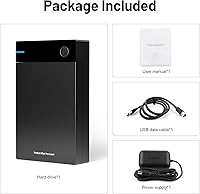
  • Form Factor: Built around a 3.5-inch drive chassis, requiring an external power source and a stable surface to operate.
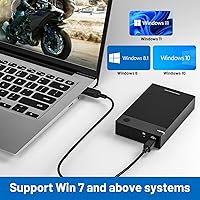
  • OS Compatibility: Works with Windows 7, Windows 8, Windows 10, and Windows 11 operating systems.
  • Preloaded Games: Ships with over 96,000 games pre-installed across arcade, home console, handheld, and classic PC categories.
  • Emulator Support: The included frontend supports over 400 individual emulators covering a wide range of retro platforms.
  • 3D Game Count: Approximately 6,000 of the preloaded titles fall into the 3D game category, spanning multiple console generations.
  • AAA Titles: Around 2,500 titles are classified as AAA-grade games within the pre-loaded library.
  • Recommended CPU: Kinhank recommends an Intel Core i5 processor or faster for smooth performance, especially on 3D titles.
  • Recommended GPU: An Nvidia GTX 1050 Ti or equivalent graphics card is advised for running more demanding games without stuttering.
  • Weight: The drive unit weighs approximately 2.7 pounds, consistent with a standard 3.5-inch desktop hard drive enclosure.
  • Dimensions: The package measures 13.5 x 8.7 x 5.94 inches, reflecting the desktop-class enclosure and included accessories.
  • Frontend Interface: Features a roulette-style visual launcher with video previews for game collections, operable without restarting Windows.
  • Customization: Users can add or remove games from the library using a plugin-based system built into the frontend software.

Related Reviews
Seagate Game Drive for PlayStation 2TB
79%
94%
Ease of Setup
91%
Storage Capacity
93%
PS4 Compatibility
72%
PS5 Compatibility
74%
Transfer Speed
More
Seagate Exos X14 12TB Hard Drive
88%
91%
Performance
94%
Reliability & Durability
88%
Value for Money
89%
Energy Efficiency
92%
Build Quality
More
Seagate FireCuda Gaming Hard Drive 1TB
84%
88%
Performance
91%
Data Transfer Speed
94%
Ease of Setup
80%
RGB Lighting Customization
85%
Compatibility with PC & Mac
More
Toshiba N300 12TB NAS Internal Hard Drive
76%
83%
Reliability & Longevity
81%
Performance Consistency
89%
NAS Compatibility
88%
CMR Recording Quality
62%
Noise & Vibration
More
WD 12TB My Book Desktop External Hard Drive
85%
96%
Storage Capacity
88%
Ease of Use
92%
Data Security & Encryption
85%
Performance Speed
78%
Software/Backup Functionality
More
WD Red Plus 12TB NAS Hard Drive
88%
91%
Performance Under Load
95%
Storage Capacity
87%
Ease of Setup & Integration
90%
Error Recovery & Data Protection
88%
Reliability & Durability
More
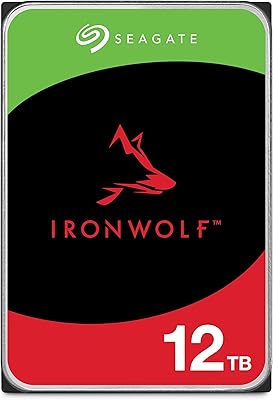
Seagate IronWolf 12TB NAS Internal Hard Drive
82%
93%
NAS Compatibility
84%
Long-Term Reliability
91%
Data Integrity & CMR Technology
82%
Read/Write Performance
88%
Vibration & Noise Management
More
Toshiba X300 PRO 12TB Internal Hard Drive
79%
88%
Sequential Transfer Speed
93%
Workload Endurance
83%
Reliability & Longevity
79%
Value for Money
61%
Noise & Vibration
More
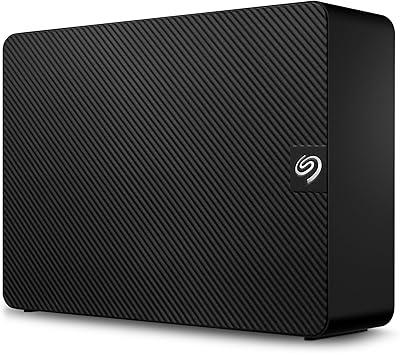
Seagate Expansion 12TB Portable External Hard Drive
70%
94%
Storage Capacity
82%
Value for Money
91%
Ease of Setup
48%
Portability
61%
Long-term Reliability
More
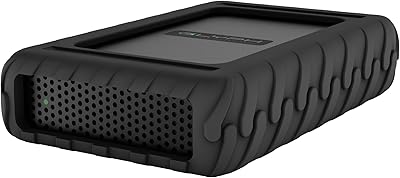
Glyph BlackBox Pro 12TB External Hard Drive
77%
91%
Build Quality
74%
Transfer Speed
93%
Storage Capacity
88%
Reliability
67%
Value for Money
More

FAQ

Not much. The frontend and emulators come pre-installed on the drive itself, so you mostly just need to install a few lightweight plugins that the setup guide points you to. Most buyers report being up and running within 30 to 60 minutes, depending on their familiarity with Windows software installation.

Technically yes — the drive is compatible with Windows 7 and above. The bigger question is whether your laptop meets the recommended hardware specs. If you are running an older i3 or Celeron processor with integrated graphics, expect a lot of titles, particularly 3D ones, to run poorly or not at all. Classic 2D arcade and 16-bit console games should still work fine on modest hardware.

It can travel with you, but calling it truly portable is a stretch. This is a 3.5-inch mechanical drive that needs its own power adapter, so you cannot just toss it in a bag and plug into any laptop via USB the way you would with a flash drive. You need to bring the enclosure, power cable, and USB cable — and your friend's PC still needs to meet the hardware requirements.

Yes, the system supports adding your own content through the plugin-based frontend. You can also remove titles you do not want. The level of effort involved depends on how familiar you are with emulator file structures, but it is not as straightforward as just dragging files into a folder for every platform.

No. The system is built specifically around Windows. The frontend software and emulator configurations are Windows-native, so there is no supported path to use this on macOS or a Linux distribution without significant technical workarounds that Kinhank does not officially support.

The number is real in the sense that those files are on the drive, but not every title runs flawlessly. Emulation quality varies quite a bit across platforms, and some games — particularly in the 3D and AAA categories — will have graphical glitches, audio issues, or performance problems depending on your hardware. Think of the 96,000 figure as a ceiling, not a guarantee.

Like any 7200 RPM mechanical hard drive, it produces a noticeable hum and occasional clicking during heavy read operations. It is not unusually loud for its class, but if you are sensitive to drive noise or expecting something whisper-quiet, you may find it distracting in a quiet room.

Kinhank offers a limited manufacturer warranty, though the exact terms and support responsiveness have drawn mixed feedback from buyers. Because the game library is tied to this specific drive, a hardware failure means losing access to everything on it. There is no official cloud backup or re-download option disclosed, so treat the drive with the same care you would any mechanical HDD.

The core gaming experience is entirely offline — all the games and emulators are stored locally on the drive. An internet connection is not required to browse or play. However, some optional features or plugin updates may prompt you to connect, depending on the software version you are running.

It can be, with some caveats. The setup is simpler than building a DIY emulation rig from scratch, and the visual interface is approachable. That said, the recipient will likely encounter at least a few setup steps or configuration quirks that require some patience. If the person receiving it has zero comfort with PC software, having someone technically minded help them get started the first time is a smart idea.

Where to Buy