Glyph BlackBox Pro 12TB External Hard Drive
Glyph BlackBox Pro 12TB External Hard Drive — image 1
Glyph BlackBox Pro 12TB External Hard Drive — image 2
Glyph BlackBox Pro 12TB External Hard Drive — image 3
Glyph BlackBox Pro 12TB External Hard Drive — image 4
Glyph BlackBox Pro 12TB External Hard Drive — image 5
Glyph BlackBox Pro 12TB External Hard Drive — image 6
77%
23%

Overview

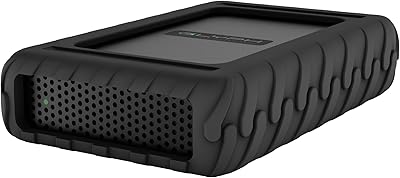
The Glyph BlackBox Pro 12TB External Hard Drive sits firmly in professional territory — built for creatives and power users who need dependable, high-volume storage on their desk. Glyph has a well-earned reputation for reliability in the media production world, and this desktop drive carries that legacy in a solid aluminum chassis. With 12TB of capacity, it handles the kind of sprawling project libraries that would overwhelm smaller drives. Worth noting upfront: this is a mechanical hard drive, not an SSD, so speed expectations should be calibrated accordingly. Also, this model has been discontinued by the manufacturer, which matters when weighing long-term support and future availability.

Features & Benefits

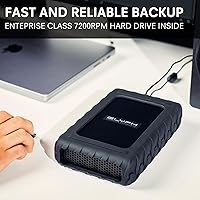
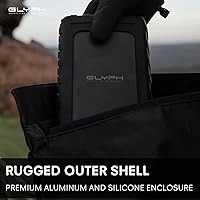
The USB-C 3.1 Gen 2 interface pushes transfer speeds up to 250MB/s — respectable for a spinning disk, and fast enough to move large video files without the grinding wait you get from slower drives. The 7200 RPM spindle helps keep sequential read and write performance solid for day-to-day workflows. Backward compatibility with USB 2.0 and 3.0 means you can plug it into older machines without hunting for adapters. The aluminum enclosure does double duty — it is sturdy enough to handle desk life and helps manage heat during extended transfers. This high-capacity HDD arrives formatted for Mac but reformats cleanly for Windows with minimal effort.

Best For

This desktop drive makes the most sense for video editors and photographers sitting on large archives — think 4K project folders, RAW image collections, or multi-season production libraries that have outgrown smaller drives. It fits naturally into a Mac-based studio setup, plugging in without any reformatting out of the box, though Windows users won't have trouble either. If your priority is raw SSD speed, look elsewhere. But if you need reliable long-term storage with a name behind it known for actual customer support, this high-capacity HDD makes a strong case — especially for small production houses or freelancers who need dependable on-desk archiving.

User Feedback

Across roughly 200 ratings, the Glyph BlackBox Pro lands at a solid 4.3 stars, and the feedback is fairly candid. Buyers consistently highlight build quality and reliability as standout strengths, and Glyph's responsive customer support earns praise you rarely see in this category. That said, a handful of users mention low-level operational noise during sustained transfers, and heat at extended workloads comes up occasionally. The discontinuation status is a real concern for some — sourcing a replacement unit down the line could prove difficult. Most buyers feel the premium over generic desktop drives is warranted, though budget-conscious shoppers may hesitate given the limited warranty pathway going forward.

Pros

  • Glyph's build quality is noticeably above average — the aluminum enclosure feels like it was made to last.
  • 12TB of capacity is genuinely useful for professionals managing large media libraries.
  • USB-C 3.1 Gen 2 connectivity keeps transfer speeds competitive for a spinning disk.
  • The 7200 RPM spindle delivers consistent sequential performance without bottlenecking typical creative workflows.
  • Plug-and-play compatibility on Mac means zero setup friction right out of the box.
  • Backward compatibility with USB 2.0 and 3.0 makes it usable across a wide range of machines.
  • Glyph's customer support reputation stands out — real help when you actually need it.
  • Works across cameras, desktops, laptops, and gaming consoles without driver headaches.
  • Windows users can reformat and use this high-capacity HDD without any complicated steps.
  • Buyers who find remaining stock often report strong value given the professional-grade build.

Cons

  • This model is discontinued, meaning warranty support and replacement availability are increasingly limited.
  • At 250MB/s ceiling, it cannot match the throughput of current SSD alternatives at similar price points.
  • The drive produces audible noise during sustained read/write sessions, which some desk users find distracting.
  • Heat buildup during extended transfers has been flagged by a subset of users, though rarely described as severe.
  • At 4.1 pounds with a fixed desktop form factor, portability is essentially off the table.
  • Newer mechanical drives now offer comparable or greater capacity at lower per-terabyte prices.
  • No included backup or drive management software — you are on your own for data protection strategy.
  • Secondary market sourcing means condition, remaining lifespan, and seller reliability vary considerably.

Ratings

The Glyph BlackBox Pro 12TB External Hard Drive has been scored across 12 key categories by our AI rating system, which analyzed verified buyer reviews from multiple global sources while actively filtering out incentivized, duplicate, and bot-generated feedback. Scores reflect the real-world experiences of professional creatives, studio operators, and power users — capturing both what this desktop drive genuinely delivers and where it falls short. Both strengths and friction points are represented transparently, so you can make a fully informed call before purchasing.

Build Quality
91%
The aluminum enclosure earns consistent admiration from buyers who have owned cheaper plastic-shelled drives. Professionals who keep this high-capacity HDD running on a desk for hours daily report that it holds up without creaking, warping, or showing wear — the kind of physical confidence you expect from a tool, not a consumer gadget.
A small number of users noted that the enclosure, while solid, can accumulate fingerprints and light scratches over time with regular handling. There are no rubber feet on some units, which a few buyers mentioned caused minor desk sliding during cable connections.
Transfer Speed
74%
26%
For a 7200 RPM mechanical drive, real-world sequential transfer speeds hold up well — large video files and RAW image batches move at a pace that keeps editing workflows from stalling. Creative professionals moving multi-gigabyte exports regularly report the experience feels noticeably quicker than older or slower-spinning alternatives.
The 250MB/s ceiling is a hard reality that trips up buyers who did not read carefully before purchasing. Anyone expecting SSD-like responsiveness for random access tasks or application loading will be disappointed — this is a spinning disk, and it behaves like one under mixed workloads.
Storage Capacity
93%
Twelve terabytes of on-desk storage genuinely changes the way creative professionals manage their projects — video editors report being able to keep multiple active productions plus years of archived work on a single drive without compromise. Photographers shooting high-resolution RAW files find the headroom liberating compared to juggling multiple smaller volumes.
For a small subset of enterprise or broadcast users, even 12TB fills up faster than expected when working with uncompressed 4K or 8K footage. The Glyph BlackBox Pro does not offer expandability, so once you hit the ceiling, you are adding another drive rather than upgrading the existing one.
Reliability
88%
Long-term reliability is where Glyph's reputation is most visibly earned — buyers who have owned this desktop drive for two or more years consistently report zero failures under sustained daily workloads. For professionals whose livelihoods depend on data availability, that track record carries real weight.
As with any mechanical drive, the inherent failure risk of spinning platters exists, and a handful of buyers have reported early failures — typically within the first few months, which is characteristic of infant mortality in HDDs rather than a systematic flaw. The discontinued status adds some uncertainty about replacement options if a failure does occur.
Value for Money
67%
33%
Buyers who factor in Glyph's customer support, build quality, and long-term reliability feel the premium over generic desktop drives is reasonable — particularly those who have had cheaper drives fail and lost irreplaceable project data. The per-terabyte cost makes more sense when you factor in what you are actually getting.
Comparison shoppers who benchmark pure specs against current-generation drives at similar or lower prices find it harder to justify the cost, especially given the discontinued status. Several buyers noted that newer competing drives now offer comparable or higher capacity with better warranty terms for less money.
Noise Level
62%
38%
Under light workloads — browsing files, occasional reads — the drive sits quietly enough that most studio users working with monitors and speakers running would not notice it. The aluminum housing does a reasonable job of dampening lower-frequency mechanical vibrations compared to plastic-encased alternatives.
During sustained transfers, the 7200 RPM spindle produces an audible combination of operational hum and seek clicking that several buyers in quiet recording environments flagged as disruptive. It is not unusually loud for a desktop HDD at this RPM, but if silence is a priority in your workspace, it is a real consideration.
Heat Management
71%
29%
The aluminum enclosure passively dissipates heat well enough that during typical editing workflows — reading and writing large files over several hours — the drive stays warm but manageable to the touch. The design avoids the hot spots that plague some plastic-shelled competitors running at the same spindle speed.
Under prolonged heavy workloads, particularly extended backup or bulk transfer sessions, a portion of users report the enclosure getting noticeably warm, which can feel concerning even if it has not caused operational issues. Placing the drive in a confined, poorly ventilated space amplifies this, and Glyph recommends open airflow for sustained use.
Setup & Ease of Use
89%
Mac users in particular describe the setup experience as genuinely effortless — plug in the USB-C cable and the drive mounts on the desktop within seconds, no driver downloads or utility installs required. Even Windows users who needed to reformat generally found the process quick and straightforward with standard built-in tools.
The lack of any included management or backup software means buyers who are less technically confident have to figure out their own data protection workflow from scratch. A few Windows users also ran into confusion around the initial reformatting step, expecting the drive to just work out of the box the way it does on Mac.
Compatibility
86%
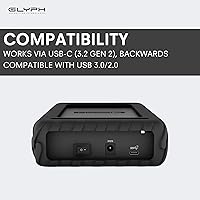
The combination of USB-C 3.1 Gen 2 as the primary connection and full backward compatibility with USB 2.0 and 3.0 means this desktop drive works with a wide range of machines without adapter hunting. Buyers report using it across Mac workstations, Windows desktops, gaming consoles, and camera rigs without connection headaches.
USB-C to USB-A adapters are not included in the box, which catches some buyers off guard when connecting to older machines. A small number of users also noted that performance throttles predictably on USB 2.0 ports, which is expected but not always clearly communicated upfront.
Customer Support
84%
Glyph's support reputation is a recurring theme in positive reviews — buyers who reached out after questions or issues report getting knowledgeable, responsive help that stands in stark contrast to the silence many have experienced from generic drive brands. For professionals managing critical data, knowing real support exists is meaningfully reassuring.
With this model now discontinued, the scope of what Glyph can actually do for buyers experiencing hardware failures is narrowing — replacement units are no longer part of the standard support pathway. A few users who purchased later-vintage units noted longer response times, possibly reflecting reduced support staffing for end-of-life products.
Portability
31%
69%
If portability is not a requirement and this drive is staying on your desk permanently, the form factor is a non-issue — the compact cubic design actually fits neatly into most studio setups without occupying excessive space. Its consistent footprint makes cable management straightforward.
At 4.1 pounds with a 3.5-inch desktop form factor, this is unambiguously a stationary drive. Buyers who discovered this after purchasing — expecting something more transportable — expressed clear frustration. It is not a travel drive or a field backup solution by any reasonable interpretation.
Longevity & Durability
82%
18%
The combination of a quality mechanical drive, aluminum housing, and Glyph's engineering standards translates to a unit that long-term owners describe as still performing reliably years after purchase. For archive and backup use cases where the drive sees regular but not abusive workloads, buyers report a lifespan that justifies the investment.
The discontinued status introduces a real question mark around longevity support — if the drive develops a firmware issue or a component fails outside warranty, the options for repair or like-for-like replacement are limited and shrinking. Buyers who plan to rely on this high-capacity HDD for five or more years should factor that uncertainty in.

Suitable for:

The Glyph BlackBox Pro 12TB External Hard Drive is built squarely for creative professionals who live inside large file ecosystems — video editors juggling 4K timelines, photographers sitting on years of RAW archives, and sound designers or motion graphics artists who need a dependable on-desk home for project libraries that have long outgrown cloud storage or smaller portable drives. Mac-based studio setups in particular get the smoothest experience, since this desktop drive arrives formatted and ready to use without any configuration detour. Small production houses and freelance creatives who treat their storage as working infrastructure — not an afterthought — will appreciate the aluminum build and the reliability that Glyph's brand has consistently delivered over the years. If you need 12TB of always-available, fast-spinning storage at your workstation and you care about getting real support when something goes wrong, this high-capacity HDD checks those boxes in a way that generic budget drives simply do not.

Not suitable for:

Buyers who need the kind of access speeds that only solid-state storage can provide should look elsewhere — the Glyph BlackBox Pro 12TB External Hard Drive tops out at around 250MB/s, which is strong for a mechanical drive but nowhere near what NVMe or even SATA SSD alternatives deliver. Anyone planning to run live applications, databases, or fast-turnaround editing proxies directly off this drive will likely feel the ceiling. The discontinued status is also a genuine concern: warranty pathways are limited, replacement units depend on remaining retail or secondary market stock, and long-term parts support is uncertain. Buyers on a tighter budget who are comparing per-terabyte value against current-generation drives may find newer options offering better specs at lower prices. And if portability matters — traveling with footage from a shoot, for example — this is a 4.1-pound, 3.5-inch desktop unit, not something you toss in a bag.

Specifications

  • Capacity: This desktop drive provides 12TB of mechanical storage, suitable for large media libraries and long-term project archives.
  • Drive Type: The unit uses a traditional mechanical hard disk drive with spinning platters, not solid-state storage.
  • Spindle Speed: The internal disk spins at 7200 RPM, which helps maintain competitive sequential read and write performance for a spinning drive.
  • Interface: Primary connectivity is via USB-C with USB 3.1 Gen 2 support, delivering transfer speeds up to 250MB/s under ideal conditions.
  • Compatibility: The drive is also backward-compatible with USB 2.0 and USB 3.0 ports, broadening its usability across older host machines.
  • Form Factor: Built around a 3.5-inch desktop hard drive, this unit is designed for stationary workstation use rather than portability.
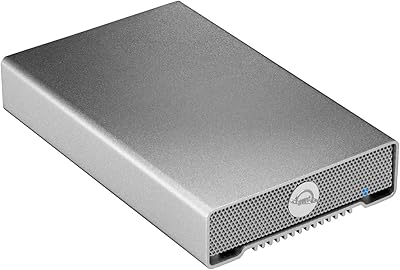
  • Enclosure: The drive is housed in a rigid aluminum enclosure that aids in structural durability and passive heat dissipation during sustained workloads.
  • Dimensions: The unit measures 9.1 x 9.1 x 9.1 inches, giving it a compact cubic footprint that is easy to position on a desk or mount in a rack.
  • Weight: The complete unit weighs 4.1 pounds, consistent with a full-sized desktop 3.5-inch hard drive in an aluminum housing.
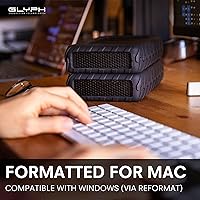
  • Platform: The drive ships formatted for macOS and works as plug-and-play on Mac systems; Windows users will need to reformat before use.
  • Device Support: Compatible with a wide range of host devices including desktop computers, laptops, cameras, and gaming consoles that support USB connectivity.
  • Installation: Setup requires no driver installation; the drive connects externally via USB-C and is recognized by the host operating system automatically.
  • Color: The enclosure is finished in matte black, consistent with Glyph's professional product aesthetic.
  • Manufacturer: Designed and sold by Glyph Production Technologies, a company known for professional-grade storage solutions aimed at media and creative industries.
  • Product Status: This specific model has been officially discontinued by the manufacturer, meaning new stock is limited to remaining retail or secondary market inventory.
  • Availability Date: The Glyph BlackBox Pro 12TB was first listed for sale in December 2019 and has been in the market for several years prior to discontinuation.
  • Ratings: The drive holds a 4.3-star average rating based on approximately 200 customer reviews on Amazon.
  • Best Sellers Rank: At time of review data collection, this unit ranked #82 in the External Hard Drives category on Amazon.

Related Reviews
Glyph BlackBox Pro 16TB External Hard Drive
77%
94%
Storage Capacity
78%
Transfer Speed
91%
Build Quality
88%
Noise Level
93%
Mac Compatibility
More
Glyph BlackBox Pro 8TB
79%
92%
Build Quality
89%
Reliability & Uptime
74%
Transfer Speed
94%
Warranty & Support
61%
Value for Money
More
Glyph BlackBox Pro 20TB External Hard Drive
86%
88%
Performance & Speed
91%
Build Quality & Durability
94%
Quiet Operation
76%
Ease of Setup
95%
Capacity & Storage Flexibility
More
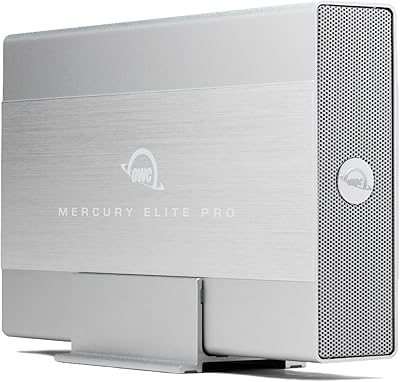
OWC Mercury Elite Pro 12TB External Hard Drive Enclosure
85%
88%
Performance
91%
Build Quality & Durability
93%
Ease of Setup
89%
Compatibility with Multiple Devices
68%
Noise Levels
More
Avolusion PRO-Z Series 12TB USB 3.0 External Hard Drive
86%
89%
Performance
94%
Ease of Setup
97%
Storage Capacity
88%
Durability
91%
Reliability for Backup
More
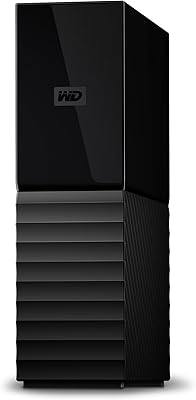
WD 12TB My Book Desktop External Hard Drive
85%
96%
Storage Capacity
88%
Ease of Use
92%
Data Security & Encryption
85%
Performance Speed
78%
Software/Backup Functionality
More
Toshiba X300 PRO 12TB Internal Hard Drive
79%
88%
Sequential Transfer Speed
93%
Workload Endurance
83%
Reliability & Longevity
79%
Value for Money
61%
Noise & Vibration
More
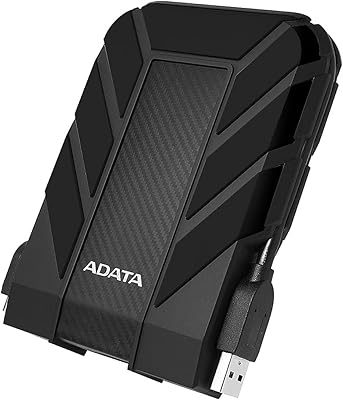
ADATA HD710 Pro 5TB External Hard Drive
81%
93%
Build Quality
91%
Waterproof Protection
88%
Shock & Drop Resistance
89%
Storage Capacity
58%
Transfer Speed
More
Western Digital 12TB Elements Desktop External Hard Drive
83%
94%
Setup and Installation
91%
Value for Money
96%
Storage Capacity
78%
Data Transfer Speed
85%
Compatibility with Mac
More
OWC Mercury Elite Pro 16TB External Hard Drive Enclosure
83%
89%
Performance & Speed
75%
Value for Money
91%
Build Quality & Durability
65%
Noise Levels
88%
Ease of Setup
More

FAQ

Yes, it works immediately on macOS with no reformatting or driver installation needed. Just plug it in via USB-C and your Mac will recognize it automatically. It ships pre-formatted for Apple systems, so creative professionals on Mac can get straight to work.

You can, but you will need to reformat it first since it ships in a Mac-compatible format. The process is straightforward — open Disk Management on Windows, initialize the drive, and format it to NTFS or exFAT. ExFAT is a good choice if you ever plan to move the drive between Mac and Windows machines.

The Glyph BlackBox Pro 12TB External Hard Drive is rated up to 250MB/s via USB 3.1 Gen 2, and real-world speeds for large sequential file transfers tend to land reasonably close to that figure. For smaller files or fragmented data, speeds will be lower — that is normal behavior for any mechanical drive. It is genuinely fast for a spinning hard disk, but it is not in the same league as an SSD.

Some users do report a low-level operational hum and occasional seek noise during active transfers, which is typical for a 7200 RPM mechanical drive. For most people working in a normal office or studio, it blends into background noise. If you work in a very quiet recording or voiceover environment, it is worth considering.

It depends on your priorities. The discontinuation mainly affects warranty support and future availability of replacement units — if you buy one now and it develops a fault after the coverage window, sourcing a direct replacement could be difficult. That said, if the price is right and you need reliable 12TB storage today, the drive itself is well-built and should serve you for years with normal use. Just factor in the limited support runway.

No bundled backup software is included with this desktop drive. You will need to handle your own data protection strategy — Time Machine on Mac works well with it, and Windows users can use built-in backup tools or third-party options like Acronis or Carbon Copy Cloner.

The aluminum enclosure helps manage heat passively, and the drive is designed for continuous desktop use. A small number of reviewers have noted warmth during extended heavy workloads, but reports of actual overheating causing problems are uncommon. Keeping it in a well-ventilated spot on your desk rather than enclosed in a tight cabinet is good practice.

This is a standalone single-drive unit and does not natively support RAID on its own. You could use it as one drive in a software RAID array managed by your operating system, but Glyph also makes multi-drive RAID enclosures separately if that is what you are after. This high-capacity HDD is best treated as a single large volume.

The drive ships with a USB-C cable for direct connection to USB-C ports. If your machine only has USB-A ports, you will need a USB-C to USB-A adapter or cable, which is sold separately. Most modern Macs and many current laptops have USB-C, so for the target audience this is rarely an issue.

The main differences are build quality, brand accountability, and customer support. Budget drives at this capacity can be perfectly functional, but if something goes wrong, you are often on your own. Glyph's customer support has a consistently strong reputation in the professional creative community, which counts for something when your project data is on the line. The Glyph BlackBox Pro also uses a quality aluminum enclosure rather than plastic, which matters for longevity and heat management in a working studio environment.

Where to Buy