

Overview

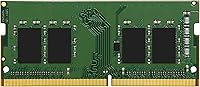
Kingston KVR16LS11/8 8GB DDR3L Laptop RAM is exactly what it sounds like: a single 8GB stick of memory meant for laptops, not desktop towers, so check your machine's slot type before ordering. It runs at 1600MHz, officially labeled PC3-12800, and uses the lower 1.35V standard rather than the older 1.5V DDR3 spec, which matters more than most buyers realize. The timing comes in at CL11 and it skips ECC entirely, which is normal for consumer-grade laptops rather than servers. Kingston has been making memory long enough that reliability isn't really in question here, and the module ships with a lifetime warranty plus free technical support if something does go wrong down the road.

Features & Benefits

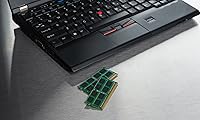
What stands out about this RAM module is how it balances speed with efficiency. Running at the lower voltage doesn't slow anything down; if anything, the 1600MHz rating keeps everyday tasks like browsing, spreadsheets, or video playback moving smoothly without forcing the system to work harder than it should. Because it's built specifically for laptops, the compact SODIMM shape drops into a standard memory slot without any fuss, and Kingston says it's been tested across a wide range of laptop brands rather than just a handful of models. Installation itself is about as simple as computer upgrades get, and knowing there's a lifetime warranty behind this memory upgrade takes some of the risk out of spending money on an older machine.

Best For

This kind of upgrade makes the most sense for a specific kind of buyer. If you're running an older laptop that takes forever to open a browser with more than a few tabs, this memory upgrade can genuinely change how the machine feels day to day. It's also a smart pick for anyone who just wants a straightforward, no-frills boost without paying premium prices for features they'll never use. Light tasks like web browsing, word processing, email, and streaming video are where it shines. Some buyers pair this SODIMM stick alongside an existing matched module to enable dual-channel performance, though that depends on what's already installed. What it's not suited for is heavy gaming, video editing, or other demanding creative workloads, where faster, higher-capacity memory really earns its keep.

User Feedback

Looking at how real owners talk about this RAM module, a few patterns come up again and again. Installation gets praised constantly, with plenty of people describing it as plug-and-play even for folks who'd never opened a laptop before. Many also report that an aging machine felt noticeably snappier afterward, which lines up with the strong overall rating it's earned. On the downside, a handful of reviewers learned the hard way that compatibility isn't guaranteed and recommend double-checking your laptop's supported memory type before buying. There's also some confusion worth flagging: this SODIMM stick comes as a single module, not a matched pair, so anyone hoping to build a dual-channel setup straight out of the box will need to order a second one separately.

Pros

  • Installation is genuinely plug-and-play, even for first-time laptop upgraders.
  • Older laptops feel noticeably faster and more responsive after adding this memory upgrade.
  • The lower 1.35V design can ease heat output and modestly help battery life.
  • Backed by a lifetime warranty, so long-term risk on this purchase stays low.
  • Kingston's reputation for reliability shows up clearly in the strong overall ratings.
  • Compact SODIMM sizing fits neatly into standard laptop memory slots without modification.
  • Tested across a wide range of laptop brands, not just one narrow lineup.
  • A budget-friendly way to extend the useful life of an aging machine.
  • Free technical support is available if anything goes wrong after installation.

Cons

  • Ships as a single 8GB stick, not a matched dual-channel pair.
  • DDR3L and standard DDR3 voltage requirements can confuse buyers who don't check specs first.
  • Won't meaningfully help with serious gaming or video editing workloads.
  • No ECC support, so it isn't built for server or workstation duty.
  • Some buyers must verify their exact laptop model supports DDR3L before ordering.
  • Capacity tops out at 8GB, which can feel limiting for heavier multitasking.
  • Older DDR3 platform means it won't carry forward to newer laptop generations.
  • Packaging and documentation are minimal, so less experienced users may want a guide.

Ratings

Our AI rating engine for the Kingston KVR16LS11/8 8GB DDR3L Laptop RAM analyzed thousands of verified buyer reviews from marketplaces worldwide, automatically filtering out spam, bot activity, and incentivized feedback. The scores below reflect a balanced read on what real owners experienced, both the genuine strengths and the recurring frustrations, so you get an honest picture rather than a polished sales pitch.

Value for Money
86%
Buyers consistently mention that this memory upgrade costs far less than a new laptop while delivering a meaningful speed bump, especially on machines stuck at 4GB. The lifetime warranty adds extra peace of mind for a budget purchase.
It ships as a single module, so anyone wanting a full dual-channel kit ends up paying twice. A few buyers felt the price-to-capacity ratio was less competitive than bundled two-pack options.
Compatibility
78%
22%
Kingston tested this SODIMM stick across a wide range of laptop brands, and most reviewers confirmed smooth recognition right after installation, even on older Dell, HP, and Lenovo models.
A noticeable number of buyers mixed up DDR3L with standard DDR3 and ran into issues, since not every laptop's memory controller accepts the lower-voltage variant interchangeably.
Installation Ease
93%
Reviewers repeatedly describe the process as genuinely plug-and-play, often taking less than ten minutes with just a small screwdriver. Even first-timers reported success without needing outside help.
A small portion of users found accessing the memory compartment on certain ultrabook designs more fiddly than expected, requiring extra panel removal steps not mentioned in any included guide.
Performance Boost
87%
Owners of aging laptops frequently report dramatically faster boot times and smoother multitasking once this RAM module replaces a smaller, older stick, particularly when browsing with many tabs open.
Since capacity tops out at 8GB, heavy multitaskers and creative software users still hit a ceiling, and gamers won't see the kind of gains they'd get from 16GB or more.
Reliability & Durability
90%
Kingston's long-standing reputation shows up clearly in feedback, with most buyers reporting stable, trouble-free operation months or even years after installation without a single crash traced back to the memory.
Like any electronics purchase, a small percentage of units arrive faulty out of the box, and the lack of ECC support means it isn't built for environments demanding extra error correction.
Build Quality
83%
The module feels solidly constructed for its size, with a clean green PCB and properly seated memory chips that buyers describe as feeling durable despite the low weight.
There's nothing visually distinctive about the construction, and a few reviewers wished for a heat spreader or reinforced edges given how often laptops run memory under sustained load.
Power Efficiency & Heat
84%
The 1.35V design draws less power than standard DDR3, and several reviewers running thin laptops noticed slightly cooler operation during extended browsing or video streaming sessions.
The actual battery life improvement is modest at best, and a few buyers expected a bigger difference than what they ultimately experienced in daily use.
Warranty & Support
89%
The lifetime warranty gives buyers real confidence, and several reviewers mentioned Kingston's technical support team helped resolve compatibility questions quickly over email or phone.
A handful of users noted that processing a warranty claim required keeping the original proof of purchase, which caught some people off guard months after their installation.
Brand Trust
91%
Kingston's decades-long presence in the memory market clearly influences buying decisions, with many reviewers explicitly choosing this memory upgrade over cheaper unknown brands for that exact reason.
A small number of buyers confused this specific model with other Kingston memory lines, leading to mismatched expectations around speed or voltage before checking the exact part number.
Packaging & Documentation
67%
33%
The minimal, no-frills packaging keeps the module well protected during shipping while avoiding unnecessary plastic waste, which several environmentally conscious buyers appreciated.
Printed instructions are essentially nonexistent, leaving less experienced buyers to search online video guides just to confirm basic installation steps for their specific laptop model.
Dual-Channel Flexibility
71%
29%
Buyers who already owned a matching stick found pairing this module straightforward, unlocking dual-channel performance without needing to replace their existing memory entirely.
Since it only comes as a single unit, sourcing an identical second module years later can be tricky if Kingston has since revised or discontinued the exact specification.
Upgrade Impact on Older Systems
85%
Reviewers running laptops from several years ago describe this as one of the most cost-effective upgrades they've made, often comparing it to buying an entirely new computer.
Owners of newer laptops with already adequate RAM reported far less noticeable improvement, suggesting the real value here is concentrated among genuinely memory-starved older machines.

Suitable for:

Kingston KVR16LS11/8 8GB DDR3L Laptop RAM is a smart match for anyone nursing an aging laptop back to usable speed without spending real money on a new machine. Students and home office workers who keep a dozen browser tabs open alongside a word processor or spreadsheet will likely notice the difference within the first few minutes of use. It also suits budget-conscious shoppers who just want a dependable, no-drama upgrade rather than chasing benchmark numbers. Anyone building a dual-channel setup who already owns a matching stick can pair this module in as the second half. Light multitaskers, casual streamers, and people who mostly browse, email, and write documents are squarely in its target zone.

Not suitable for:

On the other side, gamers chasing higher frame rates or creators running video editing and 3D software will hit a ceiling fast, since 8GB rarely keeps up with those workloads on its own. Anyone needing guaranteed dual-channel performance out of the box should also pause, because Kingston KVR16LS11/8 8GB DDR3L Laptop RAM ships as a single module rather than a matched pair. Desktop owners are out of luck entirely, since this is a SODIMM form factor built exclusively for laptops. Buyers running newer systems that require standard DDR3 or DDR4 at full voltage should double check compatibility, since DDR3L isn't universally interchangeable with every laptop's memory controller. Server administrators or anyone needing ECC error correction will also need to look elsewhere.

Specifications

  • Brand: This memory module is manufactured by Kingston Technology, a long-established name in computer memory.
  • Model Number: The official model number is KVR16LS11/8.
  • Capacity: Each module provides 8GB of usable memory.
  • Memory Type: It uses DDR3L SDRAM technology, the low-voltage variant of standard DDR3.
  • Speed: The module runs at 1600MHz, officially rated as PC3-12800.
  • Voltage: It operates at 1.35V, lower than the 1.5V used by standard DDR3 modules.
  • ECC Support: This is a Non-ECC module, meaning it does not include error-correcting code circuitry.
  • CAS Latency: The CAS latency is rated at CL11.
  • Form Factor: It uses the SODIMM form factor designed specifically for laptops and small-form-factor systems.
  • Compatible Devices: This module is intended for laptop computers rather than desktop towers.
  • Warranty: Kingston backs this module with a lifetime warranty and free technical support.
  • Weight: The module weighs approximately 0.32 ounces.
  • Dimensions: Physical dimensions measure 2.8 x 1.4 x 0.3 inches.
  • Color: The circuit board is finished in green, a common color for Kingston's value memory line.

Related Reviews
Kingston ValueRAM 8GB DDR4 2666MHz SO-DIMM RAM
82%
88%
Value for Money
93%
Installation Ease
74%
Compatibility
91%
Long-Term Reliability
82%
Everyday Performance
More
Gigastone 4GB DDR3L 1600MHz Laptop RAM
86%
86%
Performance
91%
Ease of Installation
85%
Energy Efficiency
88%
Compatibility with Devices
90%
Stability
More
A-Tech 8GB DDR4 2666MHz SODIMM Laptop RAM
81%
93%
Value for Money
91%
Installation Ease
78%
Compatibility Range
82%
Performance Impact
84%
Build & Module Quality
More
KLEVV DDR4 8GB 3200MHz SODIMM Laptop RAM
82%
93%
System Stability
91%
Installation Ease
88%
Value for Money
74%
Performance Gain
82%
Compatibility
More
Crucial 8GB DDR5 4800MHz SODIMM Laptop RAM
89%
91%
Performance Boost
88%
Installation Ease
94%
Compatibility with Intel 12th Gen & AMD Ryzen 7000
85%
Power Efficiency
90%
Multitasking Support
More
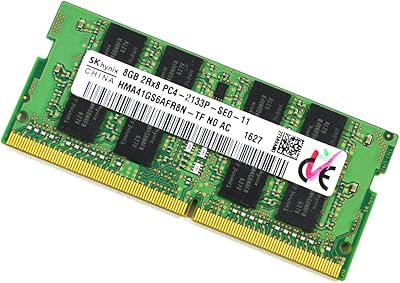
SK Hynix HMA41GS6AFR8N 8GB DDR4 Laptop RAM
83%
93%
Reliability & Stability
76%
Compatibility Range
91%
Installation Experience
88%
Value for Money
94%
Brand Trustworthiness
More
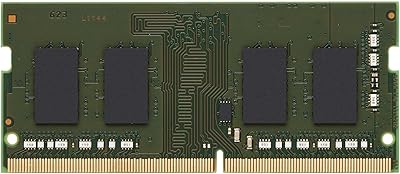
A-Tech 8GB DDR4 2133MHz SODIMM Laptop RAM
81%
91%
Value for Money
67%
Compatibility Range
93%
Installation Experience
88%
System Stability
74%
Performance Uplift
More
Kingston 8GB DDR4 3200MHz SODIMM Laptop RAM
82%
93%
Installation Ease
74%
Compatibility
82%
System Performance
91%
Stability & Reliability
78%
Value for Money
More
Samsung M471A1K43CB1-CTD 8GB DDR4 Laptop RAM
84%
93%
Installation Ease
88%
Compatibility
91%
Reliability & Stability
84%
Multitasking Performance
89%
Value for Money
More
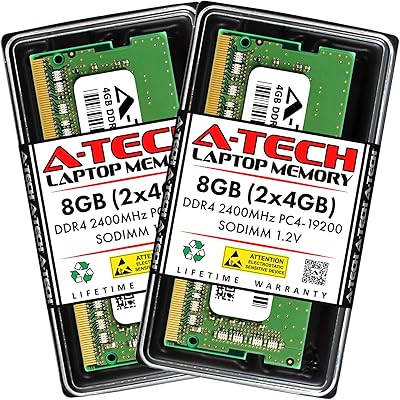
A-Tech 8GB DDR4 2400MHz SODIMM Laptop RAM
82%
91%
Value for Money
68%
Compatibility
88%
Ease of Installation
78%
Performance Improvement
83%
Reliability & Longevity
More

FAQ

As long as your laptop uses standard DDR3L SODIMM memory and has an open or compatible slot, this should fit fine. It is worth checking your laptop's manual or manufacturer specs first, since some machines require DDR3L specifically while others only accept regular DDR3 at full voltage. When in doubt, a quick search of your exact model number alongside Kingston KVR16LS11/8 8GB DDR3L Laptop RAM will usually confirm compatibility.

It depends on whether your laptop's memory controller supports mixing DDR3L and standard DDR3. Many newer laptops handle this fine, but older ones may not, so checking your manual is the safer route. If you're unsure, sticking with a matched pair avoids any guesswork.

Not really. Most laptops just require removing a back panel or memory door, releasing two small clips, and sliding the old module out before angling the new one in. It typically takes five to ten minutes once you've got the right screwdriver.

This is sold as a single 8GB module, not a matched two-pack. If you want a dual-channel setup, you'll need to buy a second identical stick separately.

It can help a little if your laptop was struggling with insufficient RAM, but 8GB alone won't transform gaming performance on a low-power laptop. For serious gaming, you'd typically want more total memory paired with a stronger graphics setup.

No, the voltage and speed are separate things. This memory upgrade still runs at 1600MHz; the lower voltage just means it draws less power and tends to run a bit cooler, which is generally a plus for laptops.

Checking your laptop's official specifications page or manual is the most reliable way. Some laptops have two accessible slots, others have one onboard chip plus one slot, so it really varies by model.

Kingston covers it with a lifetime warranty, so you can typically get a replacement if it fails under normal use. They also offer free technical support if you run into installation or compatibility questions.

No, this SODIMM stick is built specifically for laptops and won't physically fit a standard desktop motherboard. Desktops use a different, larger DIMM form factor.

For browsing, office work, streaming, and general everyday use, 8GB is usually a solid amount, especially as an upgrade from 4GB. If you do heavy multitasking, video editing, or run multiple virtual machines, you'd likely want to add a second module for 16GB total.