Overview

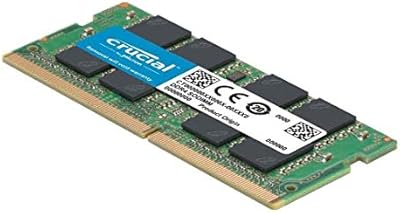
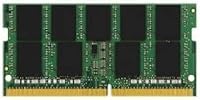
The Kingston ValueRAM 8GB DDR4 2666MHz SO-DIMM RAM is exactly what it claims to be: a straightforward, dependable memory upgrade from a brand that has been in the memory business long enough to know what reliability actually looks like. Unlike desktop DIMMs, the SO-DIMM form factor is specifically designed for laptops and compact systems like Intel NUCs — so if you're upgrading a notebook, this is the correct physical format. It's not the fastest RAM on the market, and Kingston isn't pretending otherwise. What you get is a single 8GB module that covers most everyday workloads, with room to pair it with a second stick later for dual-channel performance. The lifetime warranty is a genuine perk at this price point.
Features & Benefits

Running at 2666MHz on the DDR4 standard, this laptop RAM stick hits a speed that the vast majority of compatible systems can actually use without any manual configuration. The CL19 latency is standard for value-tier DDR4 — not the tightest you'll find, but the difference in day-to-day use versus CL16 or CL17 is imperceptible unless you're running memory benchmarks. At 1.2 volts, it draws less power than older DDR3 modules, which matters when you're running on battery. The 260-pin SO-DIMM interface is the industry standard for modern laptops, and Kingston maintains a solid compatibility checker online — worth using before you buy rather than after.

Best For

This ValueRAM upgrade makes the most sense if your laptop shipped with 4GB and has become sluggish under anything beyond a few browser tabs. Everyday multitaskers — students, home office workers, anyone juggling productivity apps alongside video calls — will notice the difference immediately. It's also a practical choice for IT teams refreshing older business laptops in bulk, where consistent availability and warranty coverage matter more than raw speed. If you already have an 8GB module installed, adding this stick can unlock dual-channel mode on compatible systems, which offers a more meaningful real-world boost than the speed rating alone would suggest. Overclockers and power users should look elsewhere.

User Feedback

With over 3,300 ratings averaging 4.7 stars, this Kingston SO-DIMM module has earned a level of user trust that commodity memory rarely achieves. Easy installation and immediate BIOS detection come up repeatedly in positive reviews, along with reports of stable long-term use — some buyers mention running it without issue for a year or more. On the critical side, a handful of complaints involve incompatibility, though most trace back to buyers not verifying their laptop's supported memory specs beforehand. Few issues appear to be the module's fault. The main honest caveat: check compatibility first using Kingston's tool before ordering, and you'll likely have nothing to complain about.

Pros

  • Trusted Kingston brand with a genuine lifetime warranty — real peace of mind for a long-term install.
  • Plug-and-play installation; virtually every compatible laptop recognizes this stick immediately on first boot.
  • Low 1.2V operating voltage helps preserve battery life compared to older DDR3 modules.
  • The SO-DIMM 260-pin format fits the vast majority of modern laptops and compact mini PCs without modification.
  • Kingston's online compatibility tool lets buyers verify fit before purchasing, reducing the risk of a mismatched order.
  • An unusually strong 4.7-star average across more than 3,300 ratings signals consistent real-world reliability.
  • Single-module configuration makes it easy to add a matching stick later for a dual-channel performance boost.
  • Compact, heatspreader-free design fits tight laptop chassis with no clearance issues.
  • Solid choice for bulk IT purchasing — consistent availability and warranty support reduce procurement headaches.

Cons

  • CL19 latency is on the looser end for DDR4; users chasing tight timings for gaming or creative workloads will want to look elsewhere.
  • Sold as a single module — reaching 16GB requires a separate purchase, which adds cost and an extra installation step.
  • No XMP or overclocking profile; this laptop RAM stick runs at its rated speed and offers no tuning flexibility.
  • Compatibility is not universal — a small but real number of users have encountered motherboards or laptops that do not support this speed tier.
  • 2666MHz is no longer the fastest DDR4 available; buyers with systems that support 3200MHz may be leaving performance on the table.
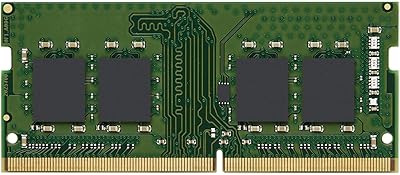
  • The green PCB has no aesthetic appeal — irrelevant for most laptops, but worth noting for open-chassis mini PC builds.
  • No ECC support makes this ValueRAM upgrade unsuitable for workstation or server applications where error correction matters.
  • Some buyers report that Kingston's compatibility list is not always exhaustive, requiring extra research for less common laptop models.

Ratings

The scores below were generated by our AI engine after processing thousands of verified global buyer reviews for the Kingston ValueRAM 8GB DDR4 2666MHz SO-DIMM RAM, with spam, bot-generated, and incentivized feedback actively filtered out to preserve signal quality. Each category reflects what real users consistently praised or struggled with across multiple markets and use cases. Both strengths and genuine pain points are represented transparently — no category has been softened to protect a favorable impression.

Value for Money
88%
Buyers consistently cite this as one of the better-priced options from a name-brand manufacturer, noting that the small premium over generic alternatives is easily justified by the warranty backing and Kingston's track record. For students and budget-conscious home users, it delivers a real performance improvement without stretching finances.
Anonymous white-label DDR4 modules can be found for noticeably less, making the value case somewhat dependent on how much the Kingston name matters to a given buyer. Those who need 16GB upfront will find the cost of purchasing two sticks separately adds up faster than buying a matched kit from the start.
Installation Ease
93%
Nearly every positive review highlights how straightforward the physical installation is — open the access panel, seat the module at the correct angle, press it flat, and boot up. Most users report the system immediately recognized the new memory without any BIOS intervention, making this accessible even to first-time upgraders.
A small number of users encountered laptops with restricted memory compartments requiring more disassembly steps than expected, though this is a laptop design issue rather than a fault of the module itself. A few buyers also noted that the slim form factor makes it easy to inadvertently seat the stick at a slightly incorrect angle.
Compatibility
74%
26%
For buyers who verify their system using Kingston's online compatibility checker before purchasing, issues are rare and the module typically works exactly as expected from the very first boot. The 260-pin DDR4 SO-DIMM standard is broadly adopted, covering the vast majority of laptops produced in the last several years.
Compatibility is the most cited source of critical reviews, and while most problems trace back to buyers skipping the verification step, the risk is real enough to warrant caution. A subset of ultra-thin laptops with unusual memory controller configurations or non-upgradeable soldered RAM have caught buyers off guard after purchase.
Long-Term Reliability
91%
Multiple reviewers specifically mention running this laptop RAM stick for over a year — sometimes two or more — without a single system crash, memory error, or unexpected failure. The long-tail feedback pattern strongly supports the idea that Kingston's manufacturing consistency is one of the module's most dependable attributes.
A small percentage of units show early failures, which is statistically expected for any mass-produced hardware component, and the lifetime warranty handles those cases. However, dealing with a replacement claim still means downtime, which matters significantly for buyers deploying this module in business-critical systems.
Everyday Performance
82%
18%
Users upgrading from 4GB consistently describe a noticeably more responsive laptop — faster app switching, fewer wait delays, and smoother multitasking across browser sessions and office software. For the everyday productivity workloads this ValueRAM upgrade targets, the improvement is tangible and well-matched to the asking price.
Users expecting dramatic speed gains from the 2666MHz rating alone may be underwhelmed, as the CL19 latency and value-tier positioning keep real-world throughput well below what performance-focused kits deliver. Heavier creative workloads and applications with large memory footprints will still feel the ceiling of this module's mid-range specifications.
BIOS Recognition
89%
The vast majority of buyers report their system detected the correct capacity and operating speed immediately on first boot, with no manual memory configuration required. This plug-and-play reliability holds across a wide range of laptop brands and generations, and it is one of the most consistently praised aspects in user reviews.
A small number of users found their laptop defaulted to a lower speed than 2666MHz after installation, requiring a manual BIOS adjustment to correctly apply the JEDEC profile. This is uncommon but worth investigating if your system is known to apply conservative memory defaults out of the box.
Brand Trust
94%
Kingston is one of the most widely recognized names in memory hardware, and that reputation carries real purchasing weight for buyers who have previously experienced failures with generic modules. Many reviewers specifically cite brand confidence as the deciding factor, and Kingston's decades-long history in the market holds up under scrutiny.
Kingston's broad product range — spanning value, enthusiast, and server segments — occasionally creates confusion for buyers who associate the brand primarily with higher-performance lines like Fury. The ValueRAM sub-brand positioning can feel underwhelming to buyers who expect higher-end specs simply because of the Kingston name on the label.
Warranty Coverage
96%
A genuine lifetime warranty on a consumer memory module at this price tier is rare and appreciated, especially by IT managers deploying memory across a fleet of business laptops where long-term accountability matters. Buyers who have exercised the warranty report that Kingston's replacement process is functional and reasonably straightforward.
The warranty covers manufacturing defects but not damage from static discharge or improper installation, which are the most common real-world failure causes for DIY upgraders. International buyers have noted that warranty claim logistics vary noticeably by region, with some markets experiencing slower resolution timelines than others.
Power Efficiency
83%
Running at 1.2V, this module draws less power than the DDR3 sticks it commonly replaces, and several users on older laptops noted a modest but real improvement in battery endurance after the upgrade. For anyone using a laptop unplugged for extended stretches, the lower voltage is a quiet but practical advantage.
The efficiency gain from a single RAM module is modest relative to the system's overall power draw, and buyers upgrading primarily for battery life improvements should temper expectations accordingly. The benefit is most relevant when replacing a higher-voltage DDR3 module rather than swapping one DDR4 stick for another.
Raw Throughput Speed
67%
33%
At 2666MHz, this laptop RAM stick operates comfortably within the supported speed range of most modern DDR4 laptops, ensuring memory bandwidth is not a bottleneck during typical daily tasks like web browsing, document editing, and light media consumption. For its intended use case, the speed rating is entirely adequate.
In memory-bandwidth-sensitive tasks — video encoding, large dataset processing, or running multiple virtual machines — the 2666MHz ceiling becomes a meaningful constraint compared to 3200MHz or faster kits. Users who benchmark will find this module firmly at the lower end of the DDR4 performance spectrum, which is consistent with its value-tier positioning.
Latency
63%
37%
CL19 is the accepted standard latency for value-tier DDR4, and for typical laptop productivity workloads the real-world impact of higher latency is virtually invisible — app launches and tab switching feel indistinguishable from tighter-timed alternatives in day-to-day use by most non-technical buyers.
For any latency-sensitive workload — including integrated GPU gaming, where memory response time directly affects frame pacing — CL19 is a clear disadvantage compared to CL16 or lower kits. Buyers prioritizing gaming performance or running latency-sensitive financial or simulation software should treat this as a meaningful drawback.
Dual-Channel Potential
78%
22%
Pairing this module with a matching 8GB DDR4 SO-DIMM in a compatible system unlocks dual-channel operation, delivering a measurable bandwidth improvement — particularly useful for laptops relying on integrated graphics, where memory bandwidth directly influences visual performance in demanding applications.
Stable dual-channel performance is not guaranteed when mixing brands or batches, and some users report needing to closely match the timing profile of their existing stick to avoid occasional instability. Buyers planning a dual-channel setup from the outset would be better served purchasing a factory-matched kit rather than combining separately sourced modules.
Physical Build Quality
77%
23%
The module is solidly constructed with no meaningful complaints about chip seating, PCB delamination, or connector edge quality across the review base. For a no-frills memory module designed to live inside a sealed laptop chassis, the construction is consistent and meets reasonable expectations.
The absence of a heatspreader is standard for laptop SO-DIMMs but leaves the chips without any supplemental thermal layer during extended memory-intensive sessions. The plain green PCB offers nothing aesthetically, which is irrelevant inside a closed laptop but stands out as unremarkable in open-chassis mini PC builds.
Customer Support
72%
28%
Kingston's support ecosystem — including its online compatibility database, product documentation, and warranty claim portal — is more fully developed than most budget memory brands provide. Users who have initiated warranty replacements generally report a functional process that resolves the issue, even if the timeline is not always fast.
Response times from Kingston's direct support channels have drawn complaints, particularly around warranty turnaround for international buyers. The compatibility tool, while genuinely useful, occasionally returns incomplete or outdated results for newer laptop models, pushing some users toward community forums to find definitive compatibility answers.

Suitable for:

The Kingston ValueRAM 8GB DDR4 2666MHz SO-DIMM RAM is the right call for anyone whose laptop is struggling under the weight of modern multitasking but doesn't need a high-end memory kit to fix it. If you bought a budget or mid-range notebook that shipped with just 4GB soldered or slotted in, this is a straightforward, low-risk upgrade that will make a noticeable difference in how quickly apps open and how many browser tabs you can keep alive at once. Students doing research-heavy coursework, remote workers bouncing between video calls and productivity suites, and small business owners managing spreadsheets alongside a dozen Chrome tabs will all benefit. IT administrators doing batch laptop refreshes will also appreciate the brand consistency and the lifetime warranty backing every unit — it removes a real headache when deploying memory across a fleet. Anyone who already has one 8GB stick and wants to reach 16GB in dual-channel configuration will find this a practical, cost-effective pairing option.

Not suitable for:

If you are building or upgrading a desktop PC, stop here — the SO-DIMM form factor physically will not fit a standard desktop motherboard, which uses the longer full-size DIMM slot. The Kingston ValueRAM 8GB DDR4 2666MHz SO-DIMM RAM is also not the right choice for users who need maximum memory throughput, such as video editors rendering large timelines, 3D artists, or developers running multiple virtual machines simultaneously — in those cases, faster speeds and tighter latencies will translate into real productivity gains worth paying for. Gamers who want to squeeze every frame out of an integrated GPU will find that higher-frequency kits with lower CAS latency offer a more meaningful performance edge. This module also does not support ECC error correction, so it is unsuitable for workstations or servers where data integrity under load is a requirement. Finally, buyers with older DDR3-only laptops should not purchase this — DDR3 and DDR4 are electrically and physically incompatible.

Specifications

  • Capacity: This module provides 8GB of memory in a single-stick configuration, leaving any additional slots free for future expansion.
  • Memory Type: Uses DDR4 technology, the current mainstream standard for modern laptops and small-form-factor systems.
  • Form Factor: SO-DIMM 260-pin format, the compact interface designed specifically for laptops and mini PCs rather than full-size desktop boards.
  • Clock Speed: Rated at 2666MHz (PC4-21300), a widely supported speed tier compatible with the majority of DDR4 laptops on the market.
  • CAS Latency: Operates at CL19 timing, which is standard for value-tier DDR4 and performs well in everyday productivity and browsing workloads.
  • Voltage: Runs at 1.2V, the standard low-voltage specification for DDR4, contributing to efficient power draw during mobile use.
  • ECC Support: Non-ECC (non-error-correcting) design, as is standard for consumer laptops — not intended for server or workstation error-critical environments.
  • Buffering: Unbuffered configuration means the memory communicates directly with the memory controller, which is the correct setup for consumer-grade laptops.
  • Dimensions: Measures 0.3 x 1.8 x 3.75 inches, a standard SO-DIMM footprint that fits any chassis designed for this form factor without clearance concerns.
  • Weight: Weighs 0.705 ounces, making it negligible in terms of impact on the overall weight of any laptop or compact system.
  • PCB Color: Features a green PCB with no heatspreader, keeping the profile slim and appropriate for tight laptop memory compartments.
  • Warranty: Backed by Kingston's lifetime manufacturer warranty, covering defects in materials and workmanship for the lifespan of the product.
  • Manufacturer: Made by Kingston Technology, one of the longest-established and most widely distributed memory manufacturers in the industry.
  • Part Number: The official Kingston part number is KVR26S19S8/8, which can be used to verify compatibility via Kingston's online lookup tool.
  • Compatible Devices: Designed for use in laptops, NUC-style mini PCs, and compatible desktop motherboards that support the SO-DIMM form factor.

Related Reviews
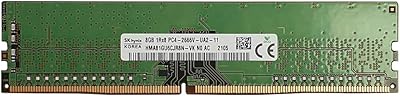
NVTEK 8GB DDR4 2666MHz Desktop RAM
71%
83%
Value for Money
78%
Compatibility
88%
Ease of Installation
71%
Reliability & Stability
74%
Performance at Rated Speed
More
Kingston ValueRAM 8GB DDR4-3200 Desktop RAM
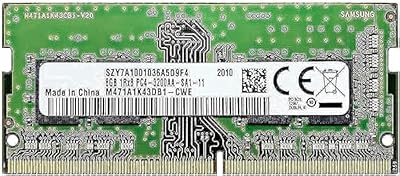
80%
91%
Reliability & Stability
88%
Compatibility
86%
Value for Money
93%
Ease of Installation
78%
Performance for Everyday Use
More
Samsung 8GB DDR4 3200MHz SO-DIMM Laptop RAM
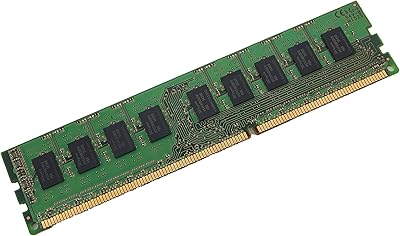
83%
86%
Performance
79%
Compatibility
91%
Value for Money
93%
Installation Ease
89%
Reliability
More
Hynix 8GB DDR4-2666MHz RAM Module
86%
88%
Performance
94%
Compatibility
91%
Ease of Installation
90%
Value for Money
85%
Energy Efficiency
More
Kingston ValueRAM 8GB 1333MHz DDR3 ECC DIMM
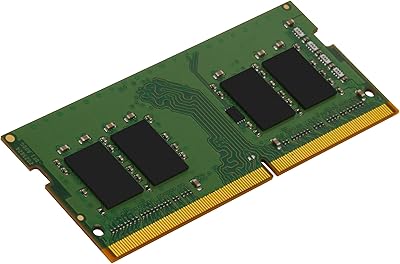
87%
88%
Performance for Servers
92%
Stability and Reliability
94%
Ease of Installation
90%
Compatibility with Workstations
86%
Energy Efficiency
More
Kingston ValueRAM 16GB 3200MT/s DDR4 SO-DIMM
88%
88%
Performance
91%
Compatibility
90%
Energy Efficiency
89%
Reliability
85%
Ease of Installation
More
A-Tech 8GB DDR4 2666MHz SODIMM Laptop RAM
81%
93%
Value for Money
91%
Installation Ease
78%
Compatibility Range
82%
Performance Impact
84%
Build & Module Quality
More
OWC 8GB DDR4 2666MHz SO-DIMM Memory Module
85%
88%
Performance Boost
91%
Ease of Installation
92%
Value for Money
85%
Reliability
75%
Compatibility
More
Kingston ValueRAM 8GB DDR4 2666MHz Laptop RAM
80%
88%
Value for Money
83%
Compatibility
92%
Ease of Installation
79%
Performance Gains
91%
Reliability
More
Crucial Basics 8GB DDR4 2666MHz SODIMM RAM
85%
88%
Performance Boost
93%
Ease of Installation
91%
Compatibility with Laptops
85%
Power Efficiency (Battery Life)
92%
Overall Value for Money
More

FAQ

The safest way is to use Kingston's official compatibility tool on their website — just enter your laptop's make and model, and it will tell you whether the KVR26S19S8/8 part number is a verified match. Most modern laptops with DDR4 SO-DIMM slots will work, but it is always worth checking before ordering rather than after.

Not at all — for most laptops, installation involves removing a panel on the bottom of the machine, locating the memory slot, and pressing the module in at a slight angle until it clicks flat. No tools beyond a small screwdriver are typically needed, and the whole process usually takes under ten minutes even for first-timers.

For most everyday tasks — web browsing, email, document editing, video calls, light media consumption — 8GB handles things comfortably. If you regularly work with large spreadsheets, keep 20 or more browser tabs open simultaneously, or do any photo or light video editing, 16GB will give you noticeably more breathing room. The good news is that this module is easy to pair with a second stick later if you want to upgrade.

Mixing brands is generally possible and often works fine in practice, but it is not officially guaranteed. For the most stable dual-channel operation, matching your existing stick to an identical module — same speed, same timings — is the more reliable approach. If your current stick runs at a different speed, both modules will typically drop to the slower of the two.

It happens automatically in most cases. The module uses the standard JEDEC profile, so your laptop's BIOS will detect and apply the correct speed at startup without any manual configuration. Unlike desktop enthusiast kits with XMP profiles, there is nothing to enable or adjust here.

No — DDR3 and DDR4 are physically and electrically incompatible. The notch position on the module is different, so it will not seat in a DDR3 slot. Before purchasing, confirm that your laptop specifically requires DDR4 memory, which you can usually find in the original spec sheet or by checking a tool like CPU-Z while your machine is running.

Kingston's lifetime warranty covers manufacturing defects and hardware failure under normal use conditions. If this laptop RAM stick stops working due to a defect, Kingston will replace it. It does not cover physical damage caused by improper installation, static discharge, or other mishandling. For most everyday users, the warranty is rarely needed — but knowing it exists indefinitely is a genuine reassurance.

Only if your desktop motherboard has a dedicated SO-DIMM slot, which is uncommon in standard ATX or micro-ATX boards but does appear in some compact and embedded desktop platforms. Standard desktop boards use full-size DIMM slots, which are physically different. If you are building or upgrading a traditional desktop, you will need a regular DDR4 DIMM instead.

The majority of compatibility complaints in user reviews trace back to buyers purchasing without checking their laptop's supported memory specification first — wrong form factor, unsupported speed, or a laptop with soldered non-upgradeable RAM. Actual defect rates on this ValueRAM upgrade appear to be very low based on the overall rating distribution. Running Kingston's compatibility checker before buying eliminates most of that risk.

On its own, the difference from a single RAM module is modest — memory is just one component drawing power. That said, 1.2V DDR4 does consume less energy than older 1.35V or 1.5V DDR3 modules, and over a full day of use on battery, every small efficiency gain adds up. It is not a transformative battery improvement, but it is a sensible engineering choice for mobile hardware.