Overview

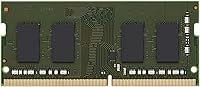
The Kingston 8GB DDR4 3200MHz SODIMM Laptop RAM is one of those rare upgrades that does exactly what it promises — nothing more, nothing less. Kingston has been in the memory business long enough to earn genuine credibility, and this module reflects that track record. The SODIMM form factor is designed specifically for laptops and compact notebooks, so don't confuse it with the larger DIMM sticks used in desktop builds. Running at 3200MHz, it sits right at the mainstream DDR4 sweet spot — fast enough for real productivity, not overkill for everyday tasks. Worth noting upfront: this is a single stick, so if your machine supports dual-channel mode, you'll need a matching second module to take full advantage of that.
Features & Benefits

At 3200MT/s with 1.2V low-voltage operation, this laptop memory upgrade draws less power than older DDR3 modules — a meaningful advantage when you're working on battery for hours. What sets it apart from generic brands is Kingston's system-specific testing process; each module is validated against actual laptop platforms, which largely explains the plug-and-play installation most buyers experience. The lifetime warranty is worth calling out — not because it's unusual for Kingston (it's standard practice for them), but because budget alternatives rarely offer anything close. Free technical support rounds things out, which is a genuine perk if you've never physically installed RAM before.

Best For

This DDR4 stick makes the most sense for laptop owners jumping from 4GB, and anyone with a single open SODIMM slot who wants to bring their total up to 16GB. Students juggling a dozen browser tabs, remote workers bouncing between video calls and spreadsheets, and anyone whose machine starts crawling under moderate load — these are the people who'll notice the biggest difference. That said, keep expectations realistic. High-demand workloads like 4K video editing or serious gaming are better served by 16GB or 32GB configurations. This is a straightforward, reliable everyday upgrade, not a performance enthusiast's tool.

User Feedback

Across 171 ratings, this Kingston SODIMM module holds a 4.7-star average — a score that reflects consistent real-world satisfaction rather than isolated enthusiasm. Buyers regularly highlight easy installation and the fact that their BIOS detected the module immediately without any manual configuration. Long-term stability is another common thread. On the flip side, a handful of reviews flag compatibility issues with specific laptop models — a reminder that checking your manufacturer's memory support list before ordering is not optional, it's essential. Critically, the negative reviews don't point to any widespread defect pattern; most complaints trace back to user compatibility oversights rather than problems with the module itself.

Pros

  • Kingston's decades-long reputation in memory hardware means this module comes from a genuinely trusted source.
  • BIOS recognition is nearly instant — most buyers report zero manual configuration required after slotting it in.
  • The lifetime warranty provides long-term coverage that off-brand and gray-market RAM alternatives almost never offer.
  • Low 1.2V operation draws less power than older DDR3 modules, a practical advantage during battery-dependent use.
  • System-specific validation by Kingston reduces compatibility guesswork and makes installation largely plug-and-play.
  • Free technical support is included, a meaningful perk for first-time upgraders who are not sure what to expect.
  • Real-world buyers consistently report stable, crash-free operation over extended periods of daily use.
  • 3200MHz sits at the DDR4 mainstream sweet spot, delivering solid everyday bandwidth without unnecessary overhead.
  • With a 4.7-star average across 171 ratings, buyer satisfaction is broad and not driven by a handful of outliers.

Cons

  • Sold as a single stick only — unlocking dual-channel performance requires sourcing and buying a second matching module separately.
  • No XMP profile or overclocking support means there is no headroom for users who want to push memory speeds.
  • Compatibility is not automatic across all laptop models; checking Kingston's tool or your manufacturer's list is a mandatory first step.
  • 8GB is increasingly modest as browsers, operating systems, and background apps quietly consume more memory over time.
  • Ships in minimal retail packaging with no accessories included, which can feel underwhelming relative to the asking price.
  • Not offered in a dual-module kit, making it less convenient for buyers planning a complete memory replacement from scratch.
  • A small number of reviewers flagged receiving an incorrect variant or facing fulfilment issues, so verifying the shipment on arrival is wise.

Ratings

The Kingston 8GB DDR4 3200MHz SODIMM Laptop RAM has been scored by an AI system trained to analyze verified buyer feedback from global markets, actively filtering out incentivized reviews, bot submissions, and spam to surface what real everyday users actually experience. Each category score reflects both the genuine strengths that repeat buyers praise and the real-world limitations that honest reviewers flag — nothing is inflated, nothing is glossed over. From day-one installation through months of daily use, the ratings below give you a transparent, balanced picture of exactly where this module delivers and where it falls short.
Installation Ease
93%
Buyers consistently describe the physical installation process as one of the smoothest they have experienced with a laptop hardware upgrade. The module slides into the SODIMM slot cleanly, the retaining clips engage with a satisfying click, and most users — including first-timers — report having their laptop back up and running within ten to fifteen minutes.
A handful of reviewers found the underside access panel on their specific laptop models more difficult to open than expected, which is a laptop design issue rather than a fault of the module itself. Users with older or manufacturer-restricted chassis occasionally encountered friction during disassembly that added time and frustration to an otherwise simple process.
Compatibility
74%
26%
For laptops that Kingston's validation database supports, this DDR4 stick works without any driver installation or configuration — plug in, boot up, and you are done. Users upgrading supported Dell, HP, Lenovo, and Acer notebooks in particular frequently report a completely frictionless compatibility experience that begins and ends at the physical install.
Compatibility is not universal, and this is where the score takes a hit. A recurring theme in negative reviews involves buyers who ordered without verifying their specific model first, only to find the module was not supported or their laptop had soldered, non-upgradeable memory. Skipping the manufacturer's compatibility check is the single most avoidable mistake buyers make.
System Performance
82%
18%
At 3200MHz, this laptop memory upgrade delivers noticeably more fluid multitasking for everyday workloads — switching between browser tabs, productivity apps, and video calls feels more responsive once you move from 4GB to 8GB. For students and remote workers, the bandwidth improvement under moderate loads is real and tangible from day one.
Buyers expecting a dramatic performance transformation — particularly in gaming or professional creative workflows — will find 8GB at 3200MHz underwhelming on its own. There is no XMP or overclocking support, and heavy applications that push memory usage past 8GB will still create bottlenecks regardless of the module's rated speed.
Stability & Reliability
91%
Long-term stability is arguably this module's strongest suit. Buyers across a wide range of laptop models report months of continuous operation — through daily work sessions, overnight tasks, and extended gaming bursts — with zero crashes, memory errors, or blue-screen incidents attributable to the module. Kingston's testing regimen clearly delivers measurable results here.
The small subset of buyers who did experience instability typically traced the issue back to a pairing mismatch — running this stick alongside an incompatible module at a different voltage or speed. On its own in a compatible system, there is very little negative feedback suggesting any inherent reliability problem with this Kingston SODIMM module.
Value for Money
78%
22%
Compared to anonymous or gray-market RAM at similar capacities, paying a modest premium for a Kingston module comes with measurable returns: validated platform compatibility, a lifetime warranty, and the kind of brand accountability that actually matters if something goes wrong. For buyers who have been burned by cheap RAM before, the value proposition is clear.
Buyers who prioritize raw cost per gigabyte will find cheaper options from lesser-known brands at this capacity and speed tier. For performance-focused shoppers, the absence of overclocking headroom further limits the value argument — you are paying for reliability and warranty coverage, not for cutting-edge specs or maximum throughput potential.
BIOS Recognition
94%
One of the most consistently praised aspects across buyer reviews is how reliably this DDR4 stick is detected on the very first boot. The vast majority of users — across Dell, Lenovo, HP, and ASUS systems among others — report that their BIOS identified the full 8GB immediately, with no XMP toggling or speed adjustments required.
The rare cases where BIOS failed to recognize the full capacity typically involved older laptop firmware that had not been updated to support DDR4-3200. While not a fault of the module itself, it does mean buyers with aging systems should confirm their BIOS firmware is current before assuming immediate out-of-the-box detection is guaranteed.
Power Efficiency
86%
Running at 1.2V, this laptop memory upgrade operates at the standard DDR4 low-voltage specification, producing less heat and drawing less power than DDR3 equivalents. Users who rely heavily on battery — students in lectures, remote workers away from a desk, and frequent travelers — tend to notice the improvement in thermals and battery rundown over extended sessions.
The efficiency gains over other DDR4 alternatives at the same voltage tier are minimal — 1.2V is the standard spec, not a special low-power design. Buyers expecting a measurable boost in battery life purely from this upgrade will likely find the real-world impact too incremental to notice in isolation from other contributing factors.
Brand Trust
96%
Kingston's name is one of the most recurring reasons buyers cite for choosing this module over cheaper alternatives, and that credibility is backed by decades of consistent product quality. Many reviewers explicitly mention trusting Kingston across multiple upgrades and different machines over the years, and this module reinforced rather than undermined that established trust.
Brand trust, however strong, does not compensate for a compatibility mismatch or a purchasing mistake. A portion of lower-rated reviews come from buyers who relied on the Kingston name without verifying their laptop model first — and while the module itself is not at fault, the resulting frustration is real and reflects a gap in pre-purchase guidance.
Warranty & Support
88%
Kingston's lifetime warranty is a genuine differentiator in the context of budget-tier competitors, even if it is standard practice across the Kingston product line. Buyers who have needed to engage Kingston's support team generally report responsive, competent service — a meaningful contrast to the non-existent support experience that often comes with gray-market RAM.
The warranty does not cover physical damage from mishandling during installation, which is a meaningful limitation for first-time upgraders who might accidentally damage the module's edge connector. Some buyers have also noted that the warranty claim process, while ultimately resolved satisfactorily, required more back-and-forth communication than they initially anticipated.
Multitasking Capability
84%
For the target user — someone running a browser with multiple tabs, a communication tool, and a productivity application simultaneously — 8GB at DDR4-3200 handles the load comfortably without the stuttering and delays that 4GB systems show under identical conditions. Students and remote professionals consistently report a day-to-day responsiveness improvement that makes a tangible real-world difference.
As a single-channel module, this DDR4 stick does not leverage the full memory bandwidth potential that a dual-channel configuration offers. Users who frequently run multiple virtual machines, large datasets, or memory-hungry creative tools will find 8GB in single-channel mode increasingly constraining within a relatively short upgrade cycle.
Gaming Performance
62%
38%
For casual gaming — lighter titles, older games, or indie releases that do not push memory hard — 8GB at 3200MHz provides adequate headroom to keep sessions stable and avoids the memory-related freezes that plague 4GB configurations. Buyers playing less demanding titles on mid-range laptops find this laptop memory upgrade sufficient for their typical gaming habits.
Modern AAA titles increasingly recommend 16GB as a minimum for smooth performance, and serious gamers will feel the ceiling of a single 8GB stick faster than expected. The absence of dual-channel operation also means memory bandwidth is lower than it would be with a matched kit, which can affect frame pacing noticeably in GPU-bound gaming scenarios.
Packaging
71%
29%
The packaging is clean and functional — the module arrives protected and intact, which is ultimately the primary job packaging needs to do. Several buyers noted the product arrived quickly and in good condition, with no signs of transit damage or mishandling, which is the baseline expectation for a small, sensitive hardware component.
The retail packaging is minimal — no accessories, no printed installation guide, and no extras of any kind are included. Buyers accustomed to more premium unboxing experiences, or those who expected physical setup instructions, will find the sparse presentation underwhelming, particularly relative to the price premium over budget-tier alternatives.
Upgrade Scalability
67%
33%
For users with two SODIMM slots, this module opens up a clear upgrade path — add a matching stick later to reach 16GB in dual-channel without replacing what you already own. That flexibility suits buyers who want to start conservatively and scale up based on actual need rather than committing to maximum capacity upfront.
Laptops with only one SODIMM slot, or with the second slot occupied by an incompatible module, do not benefit from this upgrade path at all. As DDR5 platforms continue to expand across new laptop releases, investing in a DDR4 module also carries a degree of obsolescence risk for buyers planning to replace their system within the next few years.

Suitable for:

The Kingston 8GB DDR4 3200MHz SODIMM Laptop RAM is a well-matched upgrade for everyday laptop users whose machines have started struggling under the demands of modern multitasking. If you're still on 4GB and notice your browser crawling when you have a handful of tabs open alongside a video call or a productivity app, this module addresses that friction point directly. Students who bounce between research, writing, and streaming; remote workers juggling communication tools and spreadsheets; and anyone who simply wants their notebook to feel snappier during daily tasks will all benefit in noticeable, practical ways. It's equally sensible for users who already have one 8GB stick installed and want to pair this DDR4 stick with it to hit 16GB total, which covers the majority of non-demanding use cases comfortably. Buyers who put brand trust, warranty coverage, and reliable out-of-the-box performance ahead of chasing overclocking benchmarks will find this laptop memory upgrade a genuinely solid choice.

Not suitable for:

The Kingston 8GB DDR4 3200MHz SODIMM Laptop RAM is not the right call if your workload involves anything memory-intensive at a serious level. Gamers running modern AAA titles, video editors working with high-resolution footage, 3D designers, or anyone using demanding professional software will hit the ceiling of 8GB faster than expected — those workflows genuinely call for 16GB as a starting point, not a ceiling. Desktop builders should also look elsewhere entirely; the SODIMM form factor is physically designed for laptops and will not fit standard desktop DIMM slots, full stop. Performance enthusiasts hoping to push memory clocks beyond spec will be disappointed too, since this Kingston SODIMM module offers no XMP profile or overclocking headroom. And if your laptop uses soldered, non-upgradeable memory — a growing trend in thin ultrabooks — this purchase is simply incompatible; confirm your system has an accessible SODIMM slot before ordering.

Specifications

  • Brand: Kingston Technology is a California-based memory manufacturer with over three decades of industry experience and a global reputation for reliability.
  • Model Number: The official part number is KCP432SS8/8, which should be used when cross-referencing compatibility with your laptop manufacturer's supported memory list.
  • Capacity: This module provides 8GB of DDR4 memory, a practical amount for everyday multitasking, web browsing, and productivity applications on a modern laptop.
  • Memory Type: The module uses DDR4 SDRAM technology, the current mainstream standard for notebooks and the generation that superseded DDR3 in most modern laptop platforms.
  • Speed Rating: Rated at 3200MHz (3200MT/s), this module operates at the mainstream DDR4 performance tier, balancing bandwidth and broad platform compatibility effectively.
  • Form Factor: The SODIMM (Small Outline Dual Inline Memory Module) format is designed exclusively for laptops and compact notebook systems, and is physically incompatible with full-size desktop DIMM slots.
  • Voltage: Operating at 1.2V, this module meets the standard low-voltage DDR4 specification, which contributes to lower heat output and reduced battery drain compared to DDR3.
  • Module Count: This listing includes one single memory stick; it is not a dual-channel kit, so a second matching module must be purchased separately if dual-channel operation is desired.
  • Compatibility: Designed for use in laptops and notebooks with a DDR4 SODIMM slot; compatibility should always be verified against the specific laptop model before purchasing.
  • Warranty: Kingston backs this module with a lifetime warranty covering manufacturing defects, which is standard across Kingston's branded memory lineup and rare among budget-tier alternatives.
  • Tech Support: Free technical support is included with purchase, accessible directly through Kingston, and is particularly useful for buyers installing laptop memory for the first time.
  • Module Weight: The module itself weighs 0.353 ounces, reflecting the compact, lightweight profile typical of all SODIMM memory sticks.
  • Package Size: Listed product dimensions are 7.01″ × 2.91″ × 1.1″, which represent the retail packaging rather than the bare module dimensions.
  • Release Date: This module was first made available in July 2020, coinciding with the widespread adoption of DDR4-3200 as the standard speed tier for mainstream laptop platforms.
  • Sales Rank: The module holds a Best Sellers Rank of #422 in the Computer Memory category, indicating consistent and strong market demand over time.
  • User Rating: Across 171 customer ratings, this module maintains a 4.7 out of 5 star average, reflecting a high level of real-world buyer satisfaction.

Related Reviews
KLEVV DDR4 8GB 3200MHz SODIMM Laptop RAM

87%
88%
Performance
90%
Compatibility
94%
Ease of Installation
92%
Value for Money
85%
Stability during Regular Use
More
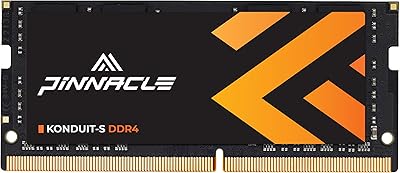
Timetec Pinnacle 8GB DDR4 3200MHz Laptop RAM
83%
93%
Value for Money
78%
Compatibility
91%
Ease of Installation
86%
Performance Gain
88%
Build & Reliability
More
A-Tech 16GB DDR4 3200MHz SODIMM Laptop RAM
78%
83%
Compatibility
91%
Installation Ease
78%
Performance Uplift
86%
Value for Money
74%
Build Quality
More
NVTEK 8GB DDR4 3200MHz SODIMM RAM
76%
88%
Value for Money
93%
Installation Ease
74%
Compatibility
67%
Performance
84%
Warranty & Support
More
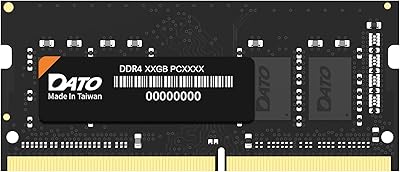
DATO 8GB DDR4 3200MHz SODIMM Laptop RAM
79%
91%
Value for Money
88%
Ease of Installation
74%
Compatibility Range
83%
Performance Improvement
79%
Stability & Reliability
More
A-Tech 8GB DDR4 2666MHz SODIMM Laptop RAM
81%
93%
Value for Money
91%
Installation Ease
78%
Compatibility Range
82%
Performance Impact
84%
Build & Module Quality
More
A-Tech 8GB DDR4 3200 MHz SODIMM Laptop RAM
89%
91%
Performance Boost
95%
Ease of Installation
89%
Value for Money
88%
System Compatibility
90%
Speed and Responsiveness
More
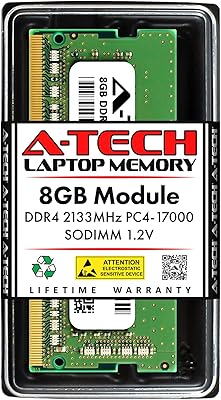
A-Tech 8GB DDR4 2133MHz SODIMM Laptop RAM
81%
91%
Value for Money
67%
Compatibility Range
93%
Installation Experience
88%
System Stability
74%
Performance Uplift
More
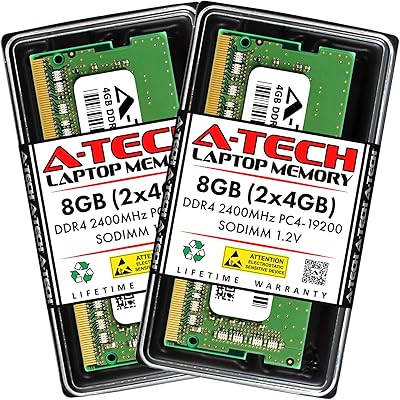
A-Tech 8GB DDR4 2400MHz SODIMM Laptop RAM
82%
91%
Value for Money
68%
Compatibility
88%
Ease of Installation
78%
Performance Improvement
83%
Reliability & Longevity
More
Samsung 16GB DDR4 3200MHz SODIMM Laptop RAM
82%
93%
Reliability & Longevity
91%
Installation Ease
83%
System Compatibility
78%
Real-World Performance
84%
Value for Money
More

FAQ

Checking compatibility before you order is genuinely the most important step with any memory purchase. The Kingston 8GB DDR4 3200MHz SODIMM Laptop RAM is validated against a wide range of notebook platforms, but not every laptop supports user-upgradeable memory or DDR4 at 3200MHz. The safest approach is to use Kingston's free compatibility tool at their website — enter your laptop's make and model, and it will tell you definitively whether this module is a supported match.

No — this won't work in a desktop. The SODIMM form factor is physically smaller than the full-size DIMM modules that desktop motherboards use, and the pin layout is different. You cannot force it to fit, and even if you could, the system wouldn't recognize it. If you're upgrading a desktop, you'll need to look for a standard DDR4 DIMM module instead.

In almost all cases, no. The vast majority of buyers report that their laptop detected this DDR4 stick immediately on the first boot without any manual configuration. Some systems may briefly enter a memory training routine on the very first startup — you might see the screen stay black a little longer than usual — but that resolves on its own and is completely normal behavior.

Yes, as long as your laptop has two SODIMM slots and the existing module is also DDR4. Combining two 8GB sticks gives you 16GB total, and if both run at matching speeds your system may activate dual-channel mode, which improves memory bandwidth beyond what a single stick can achieve. Just confirm your current module is DDR4 — mixing DDR3 and DDR4 in the same system is not possible.

No, this Kingston SODIMM module is not designed for overclocking and does not include an XMP profile. It runs at its rated 3200MHz specification out of the box, and that is its ceiling. If pushing memory speeds beyond stock settings is a priority for you, this module is not built for that use case — you would need to look at enthusiast-grade RAM with explicit overclocking support.

For most laptops, yes — it is one of the more approachable hardware upgrades you can attempt. The general process involves removing a panel on the underside of your laptop, locating the SODIMM slot, releasing the retaining clips on the current module if there is one, and pressing the new stick in at an angle until it clicks into place. Kingston also provides free technical support if you run into trouble, which is a practical safety net for anyone doing this for the first time. A quick search for your specific laptop model's RAM upgrade guide is also worth doing beforehand.

Mixing modules at different speeds is generally not recommended, though it will usually work. When two sticks run at different speeds, the system typically defaults both down to the slower speed to maintain stability, so you would not actually get the benefit of 3200MHz. For everyday use the difference is often imperceptible, but if you want a clean setup, matching your existing module's speed or replacing both sticks together is the tidier approach.

Kingston's lifetime warranty covers manufacturing defects — meaning if the module fails under normal operating conditions, Kingston will replace it. This is their standard policy across the branded memory lineup, so it is not a unique premium perk, but it is still meaningfully better than the limited or non-existent warranties common with budget RAM. Physical damage from improper installation is not covered, so handle the module carefully. Kingston's support team is generally considered responsive, and the claims process is handled directly through their website.

It depends heavily on what you are starting from. If your laptop currently runs on 4GB and games are stuttering or failing to load assets properly, moving to 8GB will make a real, tangible difference in stability. However, if you are already on 8GB and hoping for significant frame rate improvements, the impact will be modest at best — gaming performance above a certain memory threshold is far more influenced by your GPU and CPU than by RAM. This laptop memory upgrade is better framed as a stability and multitasking fix than a pure gaming performance booster.

The core difference is consistency and accountability. Kingston validates each module against specific laptop platforms before it ships, which cuts down on compatibility surprises. The lifetime warranty and free technical support also mean that if something goes wrong months down the line, you have a clear, established path to resolution — not a dead-end return process. Budget RAM sometimes works perfectly well, but when it does not, there is usually nothing to fall back on. For most buyers, the peace of mind justifies the modest premium over unverified alternatives.