


Overview

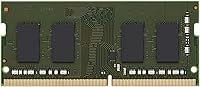
The Kingston KCP426SS8/16 16GB DDR4 SODIMM is one of those upgrades that doesn't ask you to think too hard — it just works. Kingston has been in the memory business long enough to earn genuine trust, and this laptop RAM upgrade reflects that experience. Running at 2666MHz on a lean 1.2V, it's designed with energy efficiency in mind without cutting corners on reliability. What sets it apart from generic alternatives is that it's system-specifically validated for major notebook brands, so you're not rolling the dice on compatibility. For anyone sitting in the mid-range budget bracket, it's a sensible, well-pedigreed choice.

Features & Benefits

Sixteen gigabytes is a practical sweet spot for most laptop users today — enough headroom for a dozen browser tabs, a video call, and a few background apps without things grinding to a halt. The SODIMM form factor slides into most modern notebooks without any adapter or modification. At 2666MHz, this memory module isn't chasing benchmark records, but it delivers a meaningful real-world improvement, especially if you're coming from an older 8GB DDR3 setup. The single-rank configuration also plays nicely with certain motherboard slot arrangements. And the lifetime warranty is not a throwaway perk — for a component you install and forget, that kind of coverage genuinely matters.

Best For

This laptop RAM upgrade makes the most sense for people who've started noticing their machine slowing down — chronic multitaskers, students juggling research and remote classes, or remote workers running video conferencing alongside other apps. If you're sitting on a capable but aging mid-range notebook, this memory module can add meaningful life to it without the expense of a new device. It also suits buyers who care more about long-term reliability and brand accountability than chasing the highest possible clock speeds. Just make sure to verify compatibility with your specific laptop model first — a quick check of Kingston's online tool takes less than a minute and saves a lot of hassle.

User Feedback

Buyers are largely satisfied, with many describing the installation as genuinely plug-and-play — no BIOS tinkering, no driver downloads, just slide it in and boot up. Reported performance gains in day-to-day tasks are consistently positive, though nobody is claiming it transforms a budget notebook into a workstation. The lifetime warranty comes up again and again in reviews as a real differentiator. On the less positive side, a handful of users ran into compatibility issues they could have avoided with a quick pre-purchase check, and some noted shipping was slower than expected. Neither issue reflects on the module's quality, but they're worth keeping in mind when planning your upgrade.

Pros

  • Installation is straightforward — most users report being up and running within minutes, no BIOS changes needed.
  • The lifetime warranty is a genuine differentiator that adds long-term peace of mind most competitors don't offer.
  • System-specific validation means the risk of compatibility issues is significantly lower than with generic RAM.
  • 16GB hits the sweet spot for everyday multitasking, handling browsers, office apps, and video calls comfortably.
  • Operating at 1.2V keeps power draw low, which can marginally help battery life on laptops.
  • Kingston's reputation in the memory market is backed by decades of consistent quality — not just marketing.
  • Buyers upgrading from 8GB DDR3 systems report a noticeable improvement in day-to-day responsiveness.
  • The single-rank design works well in specific slot configurations where dual-rank modules can cause issues.
  • Mid-range pricing makes this laptop RAM upgrade accessible without requiring a significant investment.
  • A ranking inside the top 250 in Computer Memory on Amazon reflects sustained buyer confidence over time.

Cons

  • 2666MHz is not a cutting-edge speed — buyers wanting top-tier performance will find faster options on the market.
  • Single-module purchases leave dual-channel performance on the table if your laptop supports it.
  • Compatibility verification is entirely on the buyer — skipping this step has led to avoidable returns.
  • No included installation guide or QR code; first-timers have to find instructions independently.
  • Speed and timings are not user-configurable, which limits appeal for enthusiasts who want tuning flexibility.
  • The module is sold as a single stick, so reaching 32GB requires a separate second purchase.
  • Some buyers have reported inconsistent shipping timelines depending on the fulfillment source.
  • There is no RGB or aesthetic feature, which will not matter to most but rules it out for visible builds.

Ratings

Our AI rating system analyzed verified global buyer reviews for the Kingston KCP426SS8/16 16GB DDR4 SODIMM, actively filtering out incentivized, bot-generated, and low-quality submissions to surface what real users actually experience. The scores below reflect a transparent synthesis of both the strengths that keep buyers satisfied and the friction points that occasionally surface — nothing is glossed over. Whether this laptop RAM upgrade fits your needs or falls short depends on context, and these scorecards are designed to help you figure that out quickly.

Installation Ease
93%
The overwhelming majority of buyers describe the physical installation as refreshingly simple — pop the panel, clip the module in, and boot up. No BIOS configuration, no driver installation, no compatibility error screens. For non-technical users upgrading a laptop for the first time, that kind of friction-free experience is genuinely valuable.
A small number of users ran into issues tracing back to skipped compatibility checks rather than any fault of the module itself. There is also no included installation guide in the packaging, which can leave true first-timers searching online for basic instructions.
Compatibility Reliability
88%
Kingston's system-specific validation process gives this memory module a real advantage over generic alternatives. Buyers upgrading well-known laptop brands — Dell, HP, Lenovo, and similar — report a very high hit rate without any troubleshooting required post-install.
Compatibility is not guaranteed across every notebook, and the onus of verification sits with the buyer before purchase. Users who ordered without checking Kingston's compatibility tool first accounted for most of the negative reviews, which is an avoidable but recurring pattern.
Real-World Performance
79%
21%
For everyday productivity — browser sessions with many tabs, video conferencing, document editing — users consistently report a noticeable improvement after upgrading from 8GB. The difference is felt most clearly in how quickly apps switch and how rarely the system hesitates under load.
This is not a high-performance enthusiast module. Users expecting dramatic gains for gaming or memory-intensive creative workloads will find 2666MHz falls short of what faster DDR4 kits can offer. The improvement is real but proportional — do not expect a transformation.
Value for Money
84%
At its mid-range price point, this laptop RAM upgrade delivers a compelling return — 16GB of branded, warranted, system-validated memory without a premium price tag. For users extending the life of an aging but otherwise capable notebook, the cost-per-performance ratio is genuinely solid.
Buyers who shop around will find slightly cheaper generic modules at similar speeds. The price premium over no-name alternatives is justified by the warranty and validation process, but budget-focused buyers may not prioritize those factors.
Brand Trust
91%
Kingston's decades-long track record in the memory market translates into real buyer confidence. Reviewers frequently cite the brand name itself as a deciding factor, and the consistency of quality across the product line reinforces that trust over repeat purchases.
Brand reputation alone cannot substitute for a pre-purchase compatibility check, and some buyers over-rely on Kingston's name as a guarantee of universal fit. The brand is strong, but it does not make every module right for every machine.
Warranty Coverage
96%
A lifetime warranty on a memory module is genuinely rare and frequently called out by buyers as one of the top reasons they chose this module over alternatives. Knowing that a defective unit will be replaced without a time limit removes a meaningful layer of post-purchase anxiety.
Warranty claims require direct engagement with Kingston's support process, which some users find slower than expected. The warranty also covers manufacturing defects — not physical damage from improper installation — so it does have limits worth understanding upfront.
Memory Capacity
86%
Sixteen gigabytes hits the practical sweet spot for most laptop users in 2024. It handles the kind of workloads real people actually run — multiple browser windows, cloud-based productivity tools, and light media work — without running into the wall that 8GB users frequently hit.
For users who work with large datasets, high-resolution video editing, or virtualization, 16GB can still feel constrained over time. A single-stick purchase also means dual-channel benefits are left unrealized unless a second matching module is added later.
Speed Rating
71%
29%
At 2666MHz, this module runs at a well-supported speed that works reliably across a wide range of DDR4-compatible notebooks. Buyers upgrading from DDR3 systems notice a clear step up in responsiveness, particularly in memory-bound tasks like loading large spreadsheets or switching between heavy applications.
Within the DDR4 ecosystem, 2666MHz is toward the lower end of the speed spectrum. Users who specifically want 3200MHz or higher for more demanding tasks will need to look at other options, as this module's speed is fixed and not user-configurable.
Physical Build
82%
18%
The module is compact, lightweight, and fits snugly within the tight confines of modern notebook chassis without any clearance issues. The black PCB finish is clean and professional, and the build feels robust without any flex or component quality concerns on inspection.
There is no heatspreader, which is standard for SODIMM modules but worth noting for buyers accustomed to desktop RAM aesthetics. Thermal performance under sustained load in poorly ventilated notebooks is not officially rated, though real-world issues are rarely reported.
Power Efficiency
88%
Running at 1.2V aligns with the DDR4 standard for low-voltage operation, which contributes to keeping the module cool during extended use and avoids unnecessary battery drain. For laptop users who care about runtime on a charge, this is a sensible spec to have.
The efficiency advantage over other DDR4 SODIMM modules at the same voltage is minimal — this is a category where the whole field is broadly similar. Buyers should not expect a measurable improvement in battery life from this spec alone.
Packaging & Delivery
67%
33%
The module arrives in protective anti-static packaging appropriate for a sensitive electronic component, and most orders arrive in reasonable condition without handling damage. For buyers purchasing through reliable fulfillment channels, the experience is generally uneventful.
A recurring thread in negative reviews involves shipping timelines that ran longer than expected, depending on the seller and fulfillment source. This is not a product quality issue, but it is worth factoring in if you are working to a tight upgrade deadline.
Multitasking Support
83%
Users who upgrade specifically to handle browser-heavy workflows report some of the most enthusiastic feedback — the ability to run dozens of tabs alongside communication tools and productivity apps without system slowdowns is a practical, everyday win for students and remote workers alike.
Multitasking improvements plateau once the memory itself is no longer the limiting factor. Users with slower processors or storage bottlenecks may find that RAM alone does not fully resolve their perceived sluggishness, which can lead to slightly misplaced expectations.
Setup Documentation
58%
42%
Kingston's online compatibility tool is a genuinely useful resource that takes most of the guesswork out of confirming fit before purchase. The brand also has accessible support documentation and a responsive technical support line for buyers who run into questions.
Nothing is included in the box beyond the module itself — no quick-start card, no QR code to a setup guide, and no printed compatibility reference. For less experienced buyers, that gap can create unnecessary friction during what should be a simple process.

Suitable for:

The Kingston KCP426SS8/16 16GB DDR4 SODIMM is a well-matched upgrade for laptop owners who have started noticing their machine struggling under everyday workloads — the kind of slowdowns that show up when you have fifteen browser tabs open alongside a video call or a document editor. Students are a natural fit here, particularly those running research-heavy workflows on mid-range notebooks that shipped with just 8GB from the factory. Remote workers who depend on their laptop for full-day productivity sessions will also get real mileage out of the additional headroom. If your notebook is a few years old but otherwise still capable, this memory module can extend its useful life considerably without requiring a costly replacement. It suits buyers who value brand accountability and a solid warranty over chasing the latest specs, and anyone who wants an installation experience that doesn't require technical expertise or manual configuration.

Not suitable for:

The Kingston KCP426SS8/16 16GB DDR4 SODIMM is not the right call for buyers expecting a dramatic performance transformation or high-bandwidth memory speeds for demanding applications. If you run memory-intensive workloads like 3D rendering, large-scale video editing, or professional simulation software, 2666MHz DDR4 will likely become a bottleneck faster than you'd like, and you'd be better served by higher-speed alternatives. Gamers chasing maximum frame rates should also look elsewhere, as modern gaming increasingly benefits from faster memory with tighter timings. This module is also not compatible with desktop systems — it's strictly a laptop and notebook component, so desktop upgraders need a different form factor entirely. Buyers with laptops that have soldered or non-upgradeable RAM slots will find this purchase irrelevant, and anyone who skips the compatibility check beforehand risks a frustrating return process.

Specifications

  • Brand: Manufactured by Kingston Technology, one of the most recognized names in consumer and enterprise memory products.
  • Capacity: This module provides 16GB of DDR4 memory, sufficient for productive multitasking on most modern laptops.
  • Memory Type: Uses DDR4 SDRAM technology, which offers improved bandwidth and lower power consumption compared to previous DDR3 generations.
  • Form Factor: SODIMM format is designed specifically for laptops, compact notebooks, and small form-factor systems that cannot accept full-size DIMMs.
  • Speed: Operates at 2666MHz, a widely supported and reliable speed tier for DDR4 laptop memory modules.
  • Voltage: Runs at 1.2V, which is the standard low-voltage specification for DDR4, helping to conserve battery and reduce heat.
  • Rank: Single-rank configuration, which can be advantageous for compatibility in systems sensitive to rank count per slot.
  • Series: Part of the KCP (Kingston Compliant Products) line, meaning each module is validated against specific manufacturer system requirements.
  • Warranty: Covered by Kingston's lifetime warranty, providing long-term protection that is uncommon among memory module brands.
  • Weight: The module weighs approximately 0.353 ounces, making it an extremely lightweight hardware component.
  • Dimensions: Physical dimensions measure 3.15 x 1.18 x 1.97 inches, consistent with standard SODIMM sizing for notebook installation.
  • Compatibility: Designed and tested for use in laptops and notebooks from major brands; system-specific validation reduces post-install compatibility risk.
  • Color: The module features a black PCB finish with no additional heatspreader, keeping the profile slim for tight notebook chassis clearance.
  • Availability: First made available in July 2020 and has maintained consistent availability and a strong sales rank in the Computer Memory category.
  • Market Rank: Holds a Best Sellers Rank of #219 in Computer Memory on Amazon, reflecting sustained buyer confidence and consistent purchase volume.

Related Reviews
Kingston KCP426SD8/32 32GB DDR4 SODIMM RAM
83%
93%
Installation Ease
81%
Compatibility
87%
Performance Stability
72%
Value for Money
91%
Brand Reliability
More
Crucial 16GB DDR4-2400 SODIMM Memory
84%
88%
Performance Boost
75%
Installation Ease
90%
Energy Efficiency
84%
Compatibility with Laptops
87%
System Responsiveness
More
Samsung 16GB DDR4 3200MHz SODIMM Laptop RAM
82%
93%
Reliability & Longevity
91%
Installation Ease
83%
System Compatibility
78%
Real-World Performance
84%
Value for Money
More
Crucial 16GB DDR4-2666 SODIMM Laptop RAM Kit
86%
92%
Performance Gain
88%
Compatibility
91%
Value for Money
86%
Installation Ease
93%
Reliability & Longevity
More
Corsair 16GB DDR4 2133MHz SODIMM CMSO16GX4M2A2133C15
90%
94%
Performance
91%
Compatibility with Intel Systems
88%
Ease of Installation
95%
Reliability & Stability
90%
Energy Efficiency
More
Kingston FURY Beast 16GB 3200MHz DDR4
85%
88%
Performance
92%
Value for Money
90%
Ease of Installation
85%
Compatibility with Intel Systems
87%
Compatibility with AMD Systems
More
Samsung M471A2K43BB1-CPB 16GB DDR4-2133 SoDIMM Laptop Memory
78%
88%
Compatibility
92%
Reliability & Stability
91%
Installation Experience
76%
Performance Impact
79%
Value for Money
More
D DUOMEIQI 16GB DDR4-2400 SODIMM Laptop RAM
76%
88%
Value for Money
76%
Compatibility
91%
Installation Ease
83%
Performance Gain
77%
Stability & Longevity
More
Dell 16GB DDR4-2400MHz SODIMM Memory Module
86%
88%
Performance Improvement
91%
Compatibility
85%
Ease of Installation
90%
Energy Efficiency
87%
Reliability
More
Gigastone 16GB Kit DDR4 2666MHz SODIMM RAM
75%
88%
Value for Money
91%
Installation Ease
74%
Compatibility
76%
Stability & Reliability
72%
Performance
More

FAQ

Yes, in most cases it will — especially if you are currently running 8GB or less. The difference shows up most clearly when you have multiple apps open at once, like a browser with many tabs alongside a video call or document editing. It will not speed up a slow processor, but removing the memory bottleneck makes a real difference in responsiveness.

Kingston offers a free compatibility tool on their website where you can enter your laptop model and it will confirm whether this module is supported. It takes about a minute and is worth doing before you order. Compatibility issues reported by buyers are almost always cases where this step was skipped.

That depends entirely on your laptop manufacturer and regional consumer protection laws. Some brands explicitly allow user-upgradeable RAM, while others discourage it. Check your laptop's manual or support documentation before opening the chassis to be safe.

This is a single 16GB stick sold on its own, not a dual-channel kit. If your laptop has two RAM slots and you want to run in dual-channel mode for a small additional performance benefit, you would need to purchase a second matching stick separately.

In nearly all cases, no. The Kingston KCP426SS8/16 16GB DDR4 SODIMM is designed to run at its rated 2666MHz speed automatically using JEDEC standards, which virtually all modern laptops support without any manual configuration. Just install it and boot up.

No — SODIMM modules are physically smaller than the full-size DIMMs used in desktop motherboards and the two formats are not interchangeable. This memory module is exclusively for laptops and compact notebooks.

Kingston backs this with a lifetime warranty, which means if the module ever fails under normal use, you can contact Kingston for a replacement. That kind of long-term coverage is genuinely rare in the RAM market and is one of the more compelling reasons to buy from an established brand.

Technically possible in some cases, but generally not recommended. Mixing RAM speeds forces both modules to run at the slower speed, and mixing brands can occasionally cause instability. For best results, either replace both sticks with matched modules or fill an empty slot with an identical module.

It will work in a gaming laptop that supports DDR4 at 2666MHz, but enthusiast gamers should know that faster RAM — such as 3200MHz or above — can provide marginal frame rate improvements in some titles. For casual or older games, this memory module is more than adequate.

For most laptops with accessible RAM slots, it is straightforward: power down the laptop, remove the back panel, release the existing module if present, and press the new one in at an angle until it clicks flat. A basic Phillips screwdriver is usually all you need. That said, some ultrabooks have soldered RAM and no user-accessible slot at all, so confirm your laptop's upgrade path before purchasing.

Where to Buy