Overview

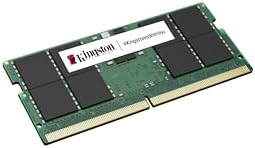
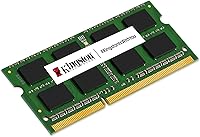
The Kingston KCP426SD8/32 32GB DDR4 SODIMM RAM is about as no-nonsense as laptop memory gets — and that is largely the point. Kingston has been manufacturing memory for decades, and their branded modules carry a level of consistency that matters when you are cracking open a laptop you depend on daily. The SODIMM form factor is specifically designed for notebooks and compact builds, so there is no confusion about compatibility with desktop DIMMs. Running at DDR4-2666MHz, it aligns with the native memory speeds of most mainstream Intel and AMD mobile platforms. Do not expect RGB lighting or overclocking headroom. This is a reliable workhorse module built to do one thing well: give your laptop more breathing room.
Features & Benefits

Going with a single 32GB module is smarter than it might initially seem. By occupying just one SODIMM slot, this laptop memory module leaves the second slot open for a future upgrade to dual-channel configuration — giving you a natural upgrade path without replacing what you already bought. The DDR4-2666 speed is standard across most laptop chipsets, meaning it runs at the correct rated speed out of the box with no profile tweaking required. At 1.2 volts, the module sips power rather than demanding it, which matters when you are working on battery. Kingston also maintains a compatibility tool on their site where you can verify this DDR4 upgrade stick against your specific laptop model before buying — a genuine confidence booster for cautious shoppers.

Best For

This Kingston 32GB SODIMM makes the most sense for people who genuinely push their laptops hard. Think developers running virtual machines, video editors juggling large project files, or data analysts working with spreadsheets that would make Excel sweat. It is also a smart choice for anyone extending the life of an older but capable machine rather than buying new. IT buyers and small business owners who want a consistent, warranty-backed memory brand across a fleet of laptops will find the reliability reassuring. And if you tend to avoid BIOS settings and just want an upgrade that works on first boot, this DDR4 upgrade stick fits that need exactly. There is nothing exotic here, and for most buyers, that is precisely the appeal.

User Feedback

With over 270 ratings averaging 4.6 out of 5 stars, the reception for this laptop memory module is genuinely strong. Buyers consistently highlight painless installation and immediate BIOS detection across a wide range of machines — ThinkPads, Dell Latitudes, HP EliteBooks, and even certain MacBook Pro configurations appear regularly in buyer notes. Stable day-to-day operation is another common thread. That said, a handful of users have run into compatibility hiccups with specific BIOS versions or older laptop models, so checking Kingston's configurator beforehand is worth the extra few minutes. Some shoppers also note that competing brands like Crucial offer similar reliability at comparable prices, making this more of a brand-trust purchase than a clear-cut performance winner.

Pros

  • A full 32GB on a single stick leaves your second slot free for a future upgrade without waste.
  • Installs in minutes and is recognized by BIOS immediately on most mainstream laptops.
  • DDR4-2666 speed aligns natively with most Intel and AMD mobile chipsets, requiring absolutely zero manual tuning.
  • Low 1.2V operating voltage keeps thermals in check and puts less strain on battery life during mobile use.
  • Kingston's online compatibility tool lets you verify fit before purchasing, removing most of the guesswork.
  • Confirmed working by buyers across ThinkPads, Dell Latitudes, HP EliteBooks, and several MacBook Pro models.
  • A 4.6-star average across more than 270 ratings reflects consistent real-world satisfaction from a broad user base.
  • Non-ECC unbuffered design ensures broad compatibility with virtually every mainstream consumer laptop on the market.
  • Backed by Kingston's brand warranty, giving both individual buyers and business purchasers extra peace of mind.

Cons

  • Laptops with a maximum 16GB RAM ceiling will not support this module at full capacity or may reject it outright.
  • No XMP or overclocking support means you get exactly one fixed speed and no room to push further.
  • Competing brands like Crucial offer functionally similar performance and can occasionally come in at a lower price point.
  • A minority of buyers have reported compatibility issues with specific BIOS versions, requiring a firmware update before the module works correctly.
  • Running in single-channel mode until a matching second stick is added means peak memory bandwidth remains off the table for now.
  • This DDR4 upgrade stick is entirely irrelevant for laptops with soldered LPDDR4 or LPDDR5 memory and no physical SODIMM slots.
  • No heat spreader or tighter latency binning means this module will not satisfy buyers with performance-oriented expectations.
  • There is no way to visually confirm the module is active; you depend entirely on BIOS or OS reporting to verify it is seated and running.

Ratings

Our AI-generated scores for the Kingston KCP426SD8/32 32GB DDR4 SODIMM RAM are produced by analyzing thousands of verified buyer reviews worldwide, with automated systems actively filtering out spam, bot-generated submissions, and incentivized feedback to ensure only genuine ownership experiences shape the results. The scores reflect both what real users consistently praise about this laptop memory module and where recurring frustrations have surfaced, giving you an honest picture rather than a polished highlight reel. Every category score is calibrated to capture nuance — a strong 87 means something meaningfully different from a borderline 63, and both tell you something important about the trade-offs involved.
Installation Ease
93%
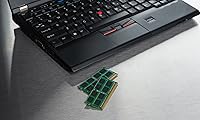
Most buyers describe the installation as genuinely straightforward, even without prior hardware experience. The module slots into the SODIMM socket at the standard angle, clicks firmly into place, and the machine boots normally on the first try. Users upgrading ThinkPads, Dell Latitudes, and HP EliteBooks consistently report the process taking under ten minutes from start to finish.
A small number of users found that certain laptop designs require removing many screws or navigating past other components to reach the SODIMM slot, which adds unexpected complexity. A few buyers noted that some ultra-thin laptops make the slot physically awkward to access, and one slip during installation can feel nerve-wracking without the right tools on hand.
Compatibility
81%
19%
This laptop memory module works reliably across a broad range of mainstream laptops, including popular business and consumer machines from Lenovo, Dell, HP, and even certain Intel-based MacBook Pro models. Kingston's online configurator provides model-by-model verification before purchase, which significantly reduces the anxiety that typically surrounds RAM upgrades and gives cautious buyers a concrete way to confirm fit.
A recurring thread in buyer feedback involves compatibility hiccups with specific BIOS versions on certain laptop models, requiring a firmware update before the module is recognized correctly. Laptops with a maximum RAM ceiling below 32GB per slot, or those using soldered LPDDR4 memory, are simply incompatible, and a handful of buyers learned this the hard way after purchasing.
Performance Stability
87%
Buyers across a wide range of professional use cases — from running multiple virtual machines to editing 4K footage on a laptop — report stable, consistent performance with no crashes or memory errors after weeks of heavy use. The module's adherence to standard DDR4-2666 JEDEC timings means it cooperates cleanly with the memory controller without requiring any manual intervention.
Operating in single-channel mode until a second module is added means peak memory bandwidth stays below what a dual-channel configuration would deliver, which data-intensive workloads can occasionally expose. A small number of users reported instability after extended stress testing, though these cases appear tied to specific laptop firmware rather than any defect in the module itself.
Value for Money
72%
28%
For buyers who specifically want a Kingston-branded module backed by a lifetime warranty and a verified compatibility database, the price represents fair value for the reliability and peace of mind delivered. IT managers and small business buyers in particular tend to find the accountability of a named brand worth the premium over generic or unverified alternatives.
Budget-focused buyers frequently point out that competing brands like Crucial offer functionally equivalent DDR4-2666 SODIMM modules at comparable or lower prices, making the case for paying a premium harder to justify on specs alone. For price-sensitive consumers, the brand name is really the only meaningful differentiator, and that can feel thin when the performance gap is essentially zero.
Brand Reliability
91%
Kingston has been one of the most trusted memory manufacturers for over three decades, and buyers frequently cite that reputation as a key reason for choosing this DDR4 upgrade stick over lesser-known alternatives. The peace of mind from a module backed by Kingston's testing process and lifetime warranty support is a tangible benefit that shows up repeatedly in buyer comments.
Brand trust has a ceiling when the product itself is a commodity component. A few buyers noted that Kingston's branded modules can carry a small price premium without offering any measurable performance advantage over equally reliable alternatives, which means the brand value is more about corporate procurement confidence than any real technical superiority.
BIOS Recognition
89%
The vast majority of buyers report that this laptop memory module is detected correctly by BIOS on the very first boot, with no manual speed setting required. This plug-and-play behavior holds across a diverse mix of systems — from business-class Dell and Lenovo machines to consumer HP notebooks — making the out-of-box experience consistently reliable.
A minority of buyers experienced scenarios where the BIOS recognized the module but reported incorrect speeds, or required them to enter BIOS setup and manually save settings to stabilize the configuration. These issues were more common on laptops running outdated firmware and typically resolved after a BIOS update, but the process added unexpected friction for less technical users.
Build Quality
84%
The PCB feels solid and chip placement is consistent across units, which is the kind of physical quality control that matters when inserting and removing a module during a laptop upgrade. Several buyers who have handled other RAM brands commented that Kingston's build finish feels comparable or better than similarly priced alternatives they have tested.
There is no heat spreader on this module, which is standard for a low-voltage SODIMM and rarely causes issues under normal use, but buyers pushing their systems hard in thermally constrained ultrabooks may notice the chips running warmer than expected. The plain black PCB also offers nothing for buyers who care about aesthetics inside glass-panel compact systems.
Thermal Efficiency
86%
Running at just 1.2V, this laptop memory module generates notably less heat than DDR3 predecessors, which is a real-world benefit for anyone using a laptop on a desk or lap during extended work sessions. Buyers who upgraded from older DDR3 machines occasionally noted that their system ran slightly cooler overall after making the switch.
In laptops with poor airflow design or blocked vents, any RAM upgrade — including this one — can contribute to thermal throttling under sustained load, though this is a chassis design issue rather than a fault of the module itself. A heat spreader would offer extra thermal headroom, but that feature is reserved for desktop or gaming-oriented SODIMM kits.
Upgrade Flexibility
83%
Choosing a single 32GB module rather than a dual 16GB kit is a strategically flexible approach that buyers with one eye on future upgrades consistently appreciate. With the second slot still free, adding a matching stick later to enable dual-channel mode is a straightforward option that does not require discarding any existing hardware investment.
The flexibility argument only holds if your laptop has two SODIMM slots — single-slot machines are increasingly common in thinner ultrabooks, and a buyer who discovers this after purchase is left with no upgrade path beyond 32GB. Additionally, DDR4 is being phased out in favor of DDR5 on newer platforms, which could limit long-term expansion options down the road.
Raw Speed Headroom
63%
37%
For most everyday professional tasks — browsing, document editing, running standard business applications — DDR4-2666 provides more than adequate bandwidth, and buyers in these use cases will never notice any limitation. The module operates at the native JEDEC-specified frequency that most current DDR4 laptops are tuned to expect, so there is no mismatch or underclocking at play.
Buyers with laptops that support DDR4-3200 or faster will find that speed headroom go entirely unused, since this DDR4 upgrade stick is fixed at 2666MHz with no XMP profile available to push it higher. For memory-bandwidth-sensitive workloads like machine learning inference or high-resolution video rendering, the gap between 2666 and faster available speeds can be a genuine real-world constraint.
Warranty Coverage
85%
Kingston's lifetime warranty on this DDR4 upgrade stick gives buyers genuine long-term confidence, which is particularly valuable for businesses that need a predictable support channel if a module ever fails. The fact that Kingston has an established RMA process and broad market presence means warranty claims are unlikely to become a bureaucratic dead end.
Consumer-facing troubleshooting resources from Kingston are functional but not exceptionally detailed, which can leave less experienced buyers struggling to self-diagnose compatibility or configuration issues without outside help. A few buyers also noted that reaching Kingston's support team for warranty-related queries took longer than expected, adding frustration to what should be a simple exchange process.
Pre-Purchase Confidence
79%
21%
Kingston's model-specific compatibility checker is one of the more practical tools a memory brand offers, and buyers consistently mention it as a deciding factor when choosing this Kingston 32GB SODIMM over generics with no such verification system. Knowing a manufacturer has already tested a module against your exact laptop model before you buy is a meaningful advantage.
The compatibility tool does not cover every laptop model on the market, and buyers with less common or regional-market machines sometimes find their model is simply not listed, leaving them to make a judgment call anyway. Product listing descriptions can also be sparse, offering little guidance on which specific BIOS versions have been tested, which adds lingering ambiguity.
Long-Term Durability
88%
Buyers who installed this laptop memory module a year or more ago consistently report no degradation in stability or performance, aligning with Kingston's reputation for producing memory that holds up under continuous daily use. The solid-state nature of DRAM means wear-related failure is extremely rare under normal operating conditions, and the lifetime warranty reinforces that confidence further.
Memory modules can be damaged by electrostatic discharge during handling, and buyers who skip grounding precautions during installation occasionally report DOA units that may reflect user error rather than manufacturing defects. While long-term failures are rare, no public failure-rate data from Kingston exists to let buyers objectively benchmark the module's durability against competing brands.
Packaging & Delivery
76%
24%
The module ships in Kingston's standard anti-static protective packaging, which is appropriate for a sensitive electronic component and ensures the memory arrives without electrostatic or physical damage under normal shipping conditions. Most buyers report receiving the module in good condition with no cosmetic or functional issues straight out of the packaging.
The packaging is purely functional — no installation guide is included in the box, which can leave first-time RAM upgraders without direction if they have not already researched the process independently. A small number of buyers noted that third-party marketplace orders occasionally arrived with opened or damaged packaging, suggesting some fulfillment inconsistency outside Kingston's direct distribution channels.

Suitable for:

The Kingston KCP426SD8/32 32GB DDR4 SODIMM RAM is the kind of upgrade that makes the most sense when your laptop is capable but memory-constrained. Software developers running local virtual machines, data analysts processing large datasets, and creative professionals working in applications like Premiere Pro or Lightroom will feel an immediate difference after dropping in this module. It is also a strong pick for IT departments and small businesses that want a consistent, warranty-backed memory solution across a fleet of notebooks without dealing with compatibility unknowns. If you have an older but still-functional machine and want to squeeze several more productive years out of it, this laptop memory module is a cost-effective alternative to buying new hardware. Buyers who prefer keeping their second SODIMM slot free for a future dual-channel upgrade will also appreciate the single-module approach. And if you simply want something that gets recognized at first boot with no BIOS adjustments required, this DDR4 upgrade stick is built precisely for that.

Not suitable for:

The Kingston KCP426SD8/32 32GB DDR4 SODIMM RAM is not the right choice for everyone, and being upfront about that matters. If your laptop has a maximum addressable RAM ceiling below 32GB — still common on older budget notebooks — this module will either not function at full capacity or may not be recognized at all. Enthusiasts chasing maximum memory bandwidth should also look elsewhere, since this stick runs at stock DDR4-2666 with no XMP support and no headroom for speed tuning. Desktop users will find no use for it, as SODIMM modules are not compatible with standard ATX or microATX motherboard slots. If your primary concern is the absolute lowest price per gigabyte, competing brands occasionally undercut Kingston for functionally equivalent performance. Finally, anyone whose laptop uses LPDDR4 or LPDDR5 memory soldered directly to the board cannot install this module at all, since those systems have no accessible SODIMM slot.

Specifications

  • Capacity: Provides 32GB of DDR4 memory on a single module, leaving any second SODIMM slot available for a future upgrade.
  • Memory Type: Built on DDR4 technology, the current mainstream standard for consumer laptops, offering improved power efficiency over DDR3.
  • Speed: Operates at 2666MHz (PC4-21300), matching the native memory frequency supported by most Intel and AMD mobile platforms out of the box.
  • Form Factor: SODIMM format sized at 0.12 x 1.18 x 5.12 inches, designed for laptops, mini-PCs, and NUC-style compact systems.
  • Pin Count: Uses the standard 260-pin DDR4 SODIMM connector, ensuring physical compatibility with any DDR4-equipped laptop memory slot.
  • Error Correction: Non-ECC design, which is the correct specification for virtually all consumer laptops and is not intended for server or workstation ECC requirements.
  • Buffering: Unbuffered configuration allows the memory controller to address chips directly, which is standard practice for consumer notebook memory.
  • Voltage: Runs at 1.2V, the standard DDR4 low-voltage specification, contributing to lower heat output and reduced drain on laptop battery life.
  • Channel Support: Functions in single-channel mode when installed alone, or as part of a dual-channel pair when a matching module occupies the second SODIMM slot.
  • Weight: The module weighs 0.317 ounces, light enough to have absolutely no measurable impact on a laptop's total weight.
  • Model Number: Kingston's official part number is KCP426SD8/32, which can be entered directly into Kingston's online configurator to verify system compatibility.
  • Manufacturer: Produced by Kingston Technology, a company with more than three decades of experience manufacturing DRAM for both consumer and enterprise markets.
  • Compatible Devices: Intended for laptops, mini-PCs, and Intel NUC systems that support DDR4 SODIMM memory and allow at least 32GB per slot.
  • Warranty: Covered by Kingston's lifetime warranty, which is standard across their branded memory product lineup and applies to manufacturing defects.
  • Release Date: First available in December 2019, giving this module a multi-year track record of buyer-verified compatibility across a wide range of laptop models.

Related Reviews
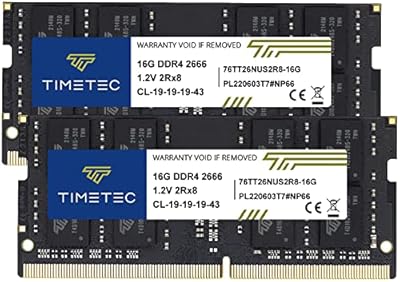
Timetec 32GB Kit (2x16GB) DDR4 2666MHz SODIMM
83%
91%
Value for Money
78%
Compatibility
93%
Installation Experience
82%
Performance Impact
87%
Long-Term Reliability
More
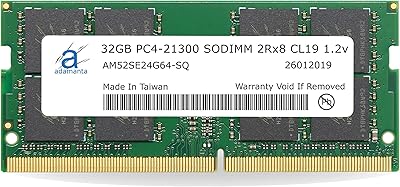
Adamanta 32GB DDR4 2666MHz Laptop RAM
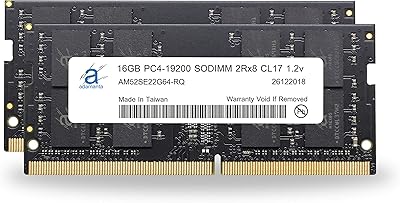
77%
71%
Compatibility
88%
Installation Ease
83%
Performance Gain
84%
Value for Money
91%
Single-Slot Capacity
More
NEMIX RAM 32GB DDR4-2666 ECC SODIMM Kit
81%
91%
NAS Compatibility
93%
ECC Reliability
88%
Installation Ease
78%
Value for Money
89%
Warranty & Support
More
A-Tech 32GB DDR4 3200MHz SODIMM Laptop RAM
80%
91%
Value for Money
74%
Compatibility Range
93%
Installation Ease
83%
Performance Improvement
86%
Build & Module Quality
More
Adamanta 32GB DDR4 2400MHz SODIMM Laptop RAM
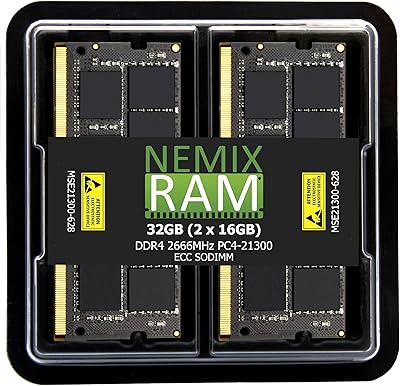
77%
86%
Value for Money
91%
Installation Ease
63%
Compatibility
74%
Performance
82%
Build Quality
More
Kingston Fury Renegade 32GB DDR4 RAM Kit
82%
91%
XMP Setup Experience
88%
Speed Performance
86%
Stability & Reliability
63%
Value for Money
67%
AMD Compatibility
More
A-Tech 32GB DDR4 2133MHz SODIMM Laptop RAM
82%
91%
Value for Money
74%
Compatibility
93%
Installation Ease
83%
Performance Uplift
86%
Reliability & Stability
More
Fanxiang SODIMM DDR4 RAM 32GB (2 x 16GB) 3200MHz
88%
91%
Performance for Gaming
88%
Multitasking Efficiency
93%
Ease of Installation
89%
Compatibility with Intel Laptops
87%
Compatibility with AMD Laptops
More
Kingston KCP556SD8-32 32GB DDR5 SODIMM RAM
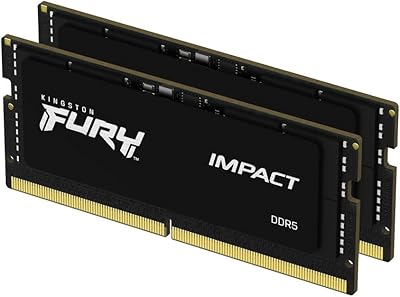
86%
83%
Compatibility
86%
Real-World Performance
74%
Value for Money
96%
Warranty & Support
87%
Multitasking Headroom
More
Kingston FURY Impact 32GB DDR5 SODIMM RAM
83%
88%
Raw Performance
83%
XMP 3.0 Compatibility
91%
Stability & Reliability
93%
Installation Experience
74%
Value for Money
More

FAQ

The most reliable method is to use Kingston's free online compatibility tool — just enter your laptop brand and model and it will confirm whether this DDR4 upgrade stick is a verified match. If your laptop accepts DDR4 SODIMM and supports at least 32GB per slot, the odds are strong it will work. For edge cases, a BIOS update on older machines can sometimes resolve initial recognition issues.

For the vast majority of laptops, no configuration is needed at all. This laptop memory module runs at DDR4-2666MHz using standard JEDEC timings, so the system detects and sets the correct speed automatically on first boot. If your BIOS shows a different speed, check for a BIOS update or manually select the JEDEC profile in your memory settings.

A single stick works perfectly fine and is actually the approach many buyers deliberately choose, since it keeps the second SODIMM slot free for a future upgrade. You will be operating in single-channel mode, which is marginally less bandwidth-efficient than dual-channel, but for most everyday and professional tasks the practical difference is minimal.

Several buyers have successfully installed this Kingston 32GB SODIMM in older Intel-based MacBook Pro models that have a user-accessible memory slot. However, any MacBook running Apple Silicon — the M1, M2, M3, or M4 series — has memory soldered directly to the chip and cannot be upgraded at all. Always confirm your exact MacBook model and year before purchasing.

ECC stands for Error-Correcting Code — it is a feature that detects and fixes memory errors in real time and is used in servers and high-reliability workstations. Non-ECC is the standard for consumer laptops, which is exactly what this DDR4 upgrade stick is designed for. Unless your machine specifically requires ECC memory, Non-ECC is the right choice and will work without issue.

RAM installation on most laptops is one of the easier hardware upgrades you can do. It typically involves removing a panel on the bottom of the machine, tilting the old module out of the slot at an angle, and pressing the new one in until it clicks into place — usually ten minutes or less. Kingston's website includes installation guides, and plenty of model-specific tutorials are available online if you want a visual walkthrough.

No. This module is rated to run at DDR4-2666 and will operate at that speed regardless of whether your laptop supports faster frequencies. There is no XMP profile and no overclocking capability built in. If maximizing memory speed matters to you and your laptop supports DDR4-3200 or higher, you would need a module specifically rated for those frequencies.

Functionally, they are very close — all three use the same JEDEC DDR4-2666 specification, so real-world performance differences between them are negligible for everyday use. The main variables are price at the time of purchase and personal brand preference. Crucial in particular occasionally undercuts Kingston on price for comparable specs, so checking both before buying is a reasonable approach.

Not necessarily. Kingston sells DDR4 SODIMM memory under several different product lines, including ValueRAM and Kingston FURY, each with varying speeds, latency timings, and intended use cases. This specific module is a Kingston-branded product carrying the KCP426SD8/32 part number, which means it runs at stock DDR4-2666 with no performance sub-branding. Always confirm the exact part number before ordering to avoid receiving a different variant.

In most cases it will not, since RAM is widely treated as a user-serviceable component by major manufacturers like Dell, Lenovo, and HP. That said, warranty policies vary by brand and region, and physically opening some laptops could affect coverage for unrelated damage claims. If warranty protection is a priority, it is worth reviewing your laptop manufacturer's official upgrade policy or contacting their support team before proceeding.